

How to Run Muse Spark Open: Hardware Tiers, the MLX Route and the Cloud Fallback
Muse Spark Open is Meta's October 15, 2026 open-weights release: an 816B-parameter mixture-of-experts model with 42B active per token, a 1M-token context window and native multimodal inputs. It is also enormous, so "running it" means picking a tier first — Meta's two Mac Studio reference rig, a quantized MLX build on a big-memory Mac, or a hosted API through OpenRouter. This guide walks each path with screenshots from two hands-on videos: Sam Witteveen's Muse family deep dive (the primary source) and xCreate's 24-hour local run on the inferencerlabs MLX Q4i build, with Matt Johnston's critical test video supplying the no-illusions hardware math. Steps only cover what those videos actually demonstrate; Ollama and Unsloth options, which no source shows on screen, are confined to the FAQ with official-docs attribution.
Source & credits
Screenshots in this guide are captured from Sam Witteveen's public walkthrough video. Every step links back to the exact moment it shows, so you can follow along.
Sam Witteveen ↗Know exactly what you are installing
- 1
Start from the official repo identity
Everything hangs off one name: meta-models/Muse-Spark-Open-816B-A42B. That is the official weights path the walkthrough opens on — Meta's announcement calls it the most capable US open-weight model to date, and the 816B in the name is the first honest warning about what running it will take. Bookmark both the HuggingFace repo and Meta's research.meta.ai model page; every quant, mirror and provider listing links back to this base model.
One repo path anchors every mirror, quant and provider you will meet.Watch at 0:08 - 2
Read the MoE spec: 816B total, 42B active
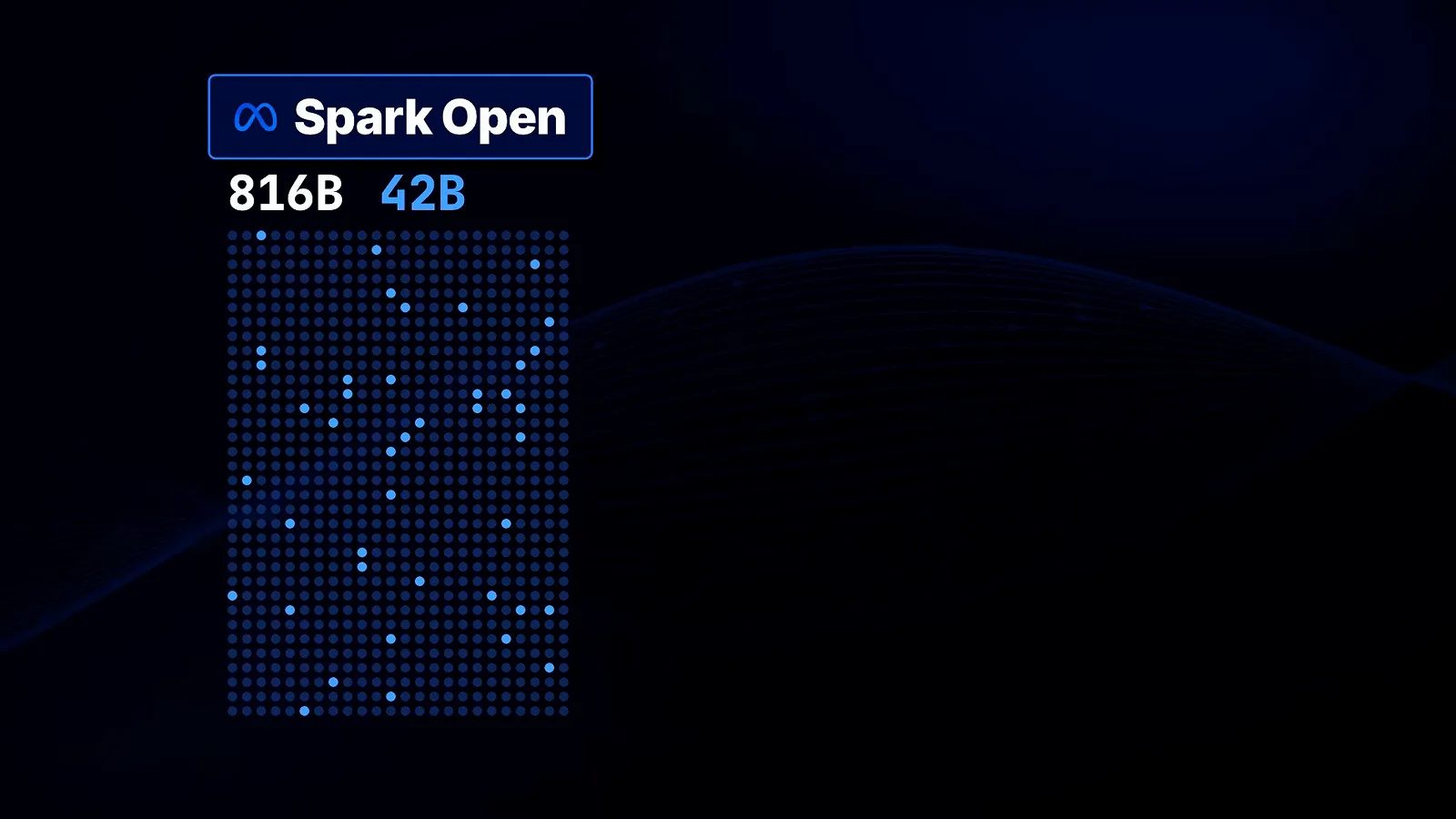
Spark Open is a mixture-of-experts model: 816 billion parameters in total but only about 42 billion active per token, with a standard 1M-token context window. The walkthrough puts it next to Reflection's Beam (501B total, 23B active) to show the gap. The two numbers shape your plan differently — the total decides how much disk and unified memory the weights need, while the active count is what keeps decode speed usable once the model is loaded.
Total parameters set the storage bill; the active slice sets the speed.Watch at 4:10 - 3
Four input types in, text only out
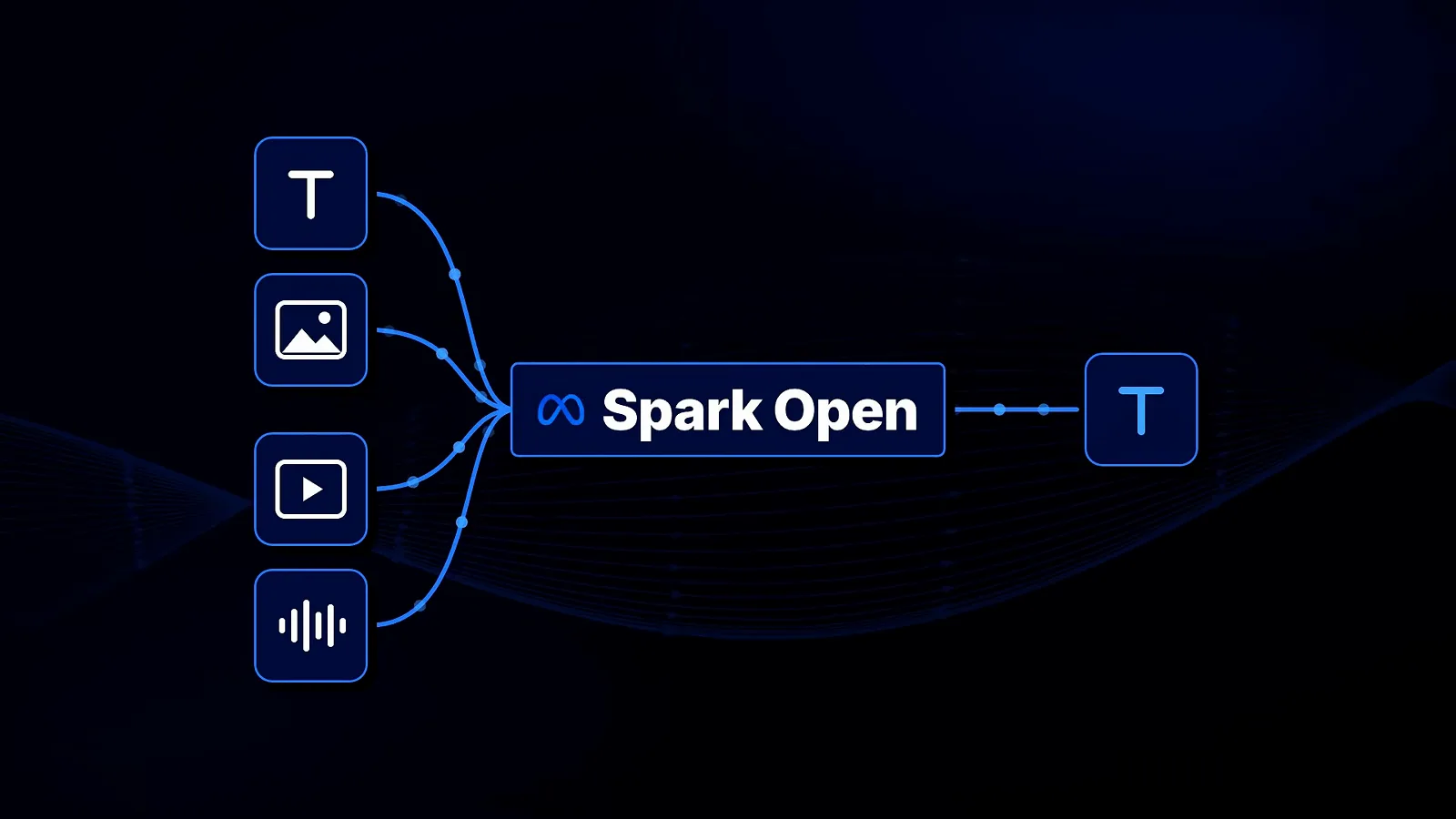
The model is natively multimodal: prompts can mix text with images, video and audio, while output stays text-only. That matters for local runs — the chat template ships input_image, input_video and input_audio macros (visible later in the template step), so a local app needs to pass media through as structured parts rather than plain strings. It is also why the HuggingFace repo carries the Image-Text-to-Text tag.
Rich inputs, plain-text replies — plan your app layer around both.Watch at 1:56
Pick your hardware tier (or skip it)
- 4
Size up the checkpoints before you download anything
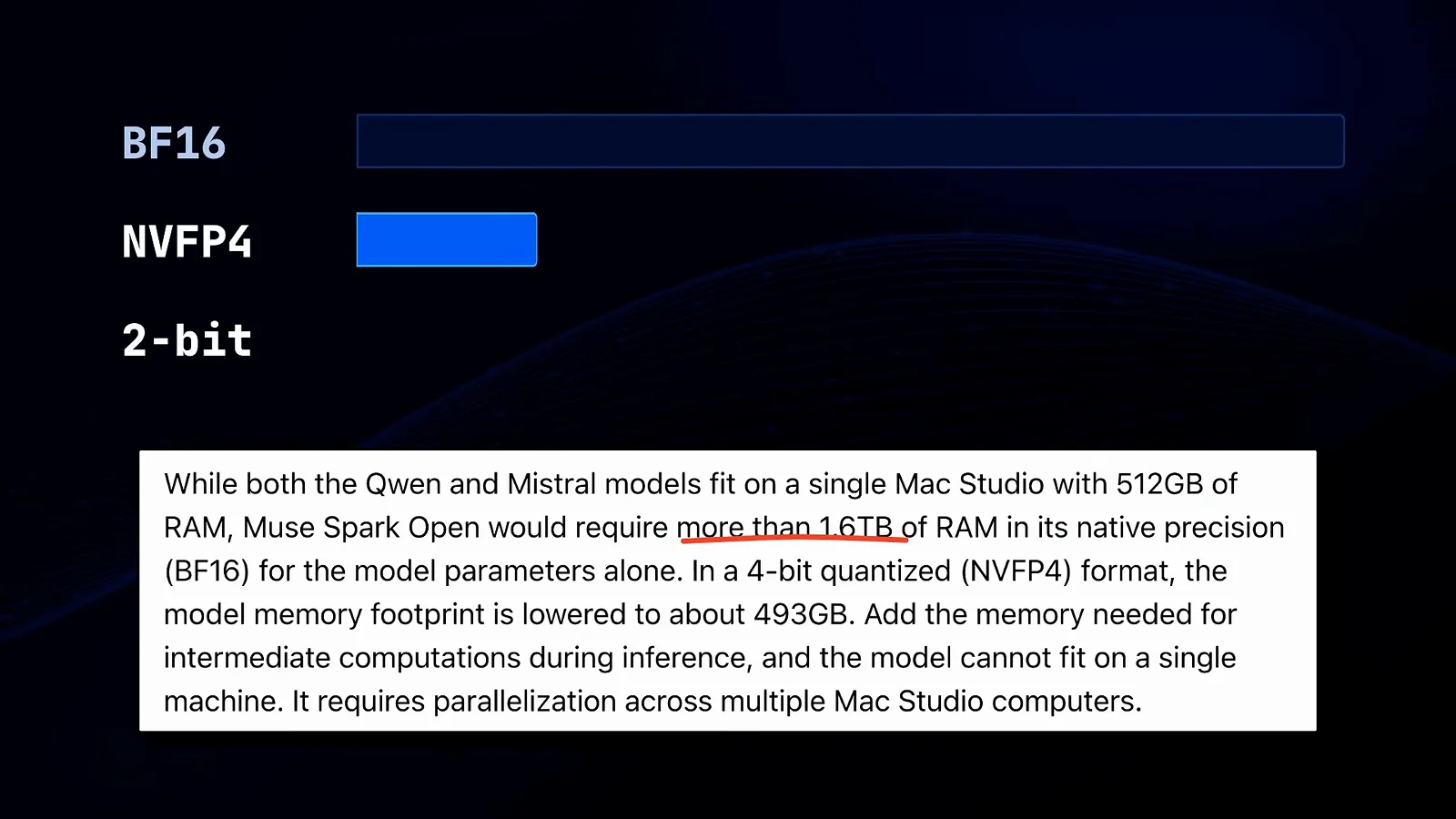
Meta's own note on screen: Muse Spark Open needs more than 1.6TB of RAM in native BF16 for the parameters alone, drops to about 493GB in the 4-bit NVFP4 format, and still cannot fit on a single machine once inference overhead is added — it requires parallelization across multiple Mac Studios. The video also credits Unsloth's separate 2-bit build at roughly 300GB. Whichever you pick, the download is measured in hundreds of gigabytes, not tens.
Meta's note says it outright: one machine will not hold the full model.Watch at 5:29 - 5
Meet the reference rig: two Mac Studios, 512GB each
The configuration Meta optimized for is two M5 Ultra Mac Studio machines with 512GB of unified memory each, pooled over MLX. Matt Johnston's reality check is worth keeping next to the glamour shot: that is roughly $20,000 of computers, and as he puts it, if you are thinking of running this yourself, chances are you won't. The duo exists so the official speed numbers below have a defined reference point — not because it is the only way.
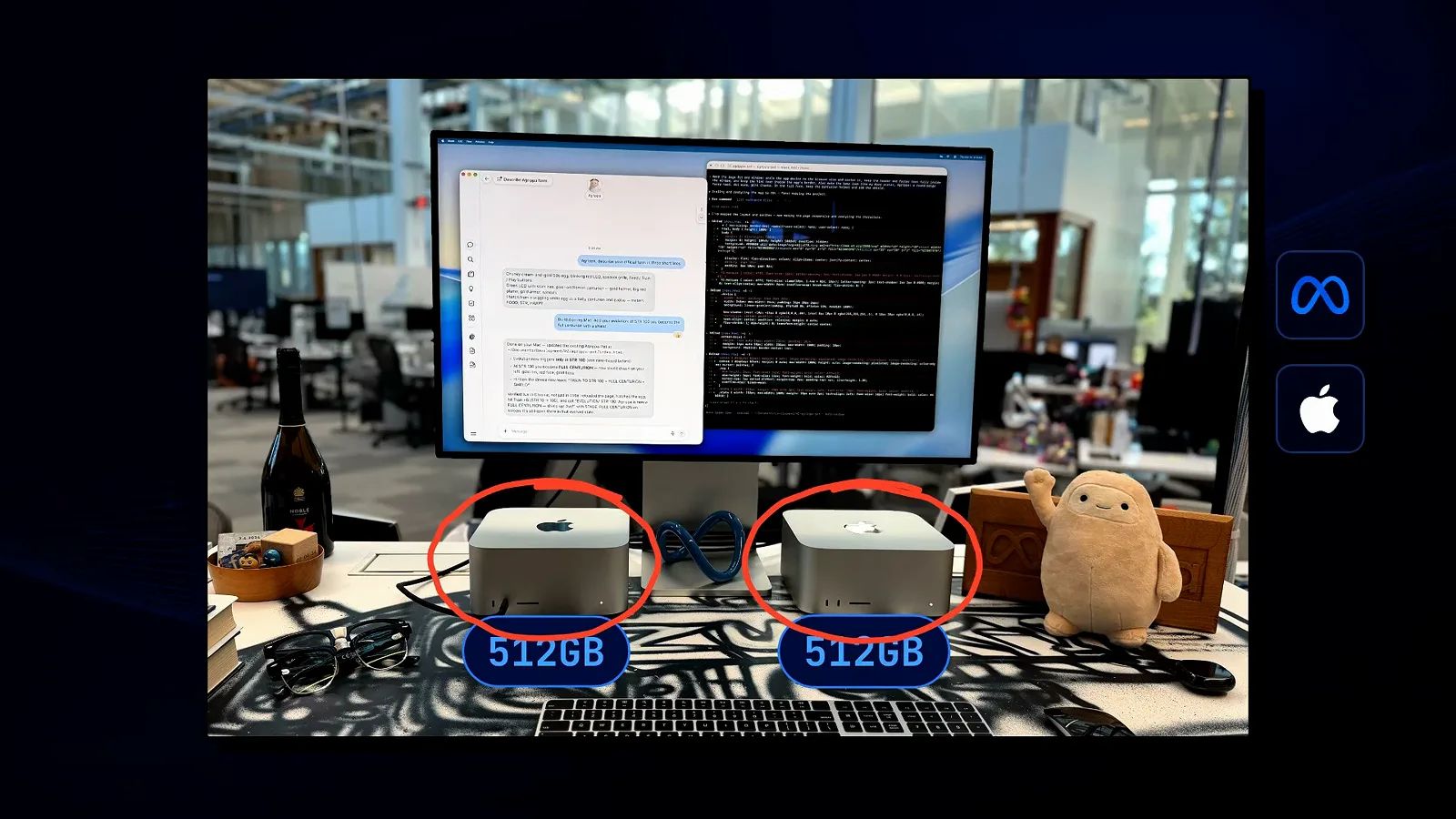
Two circled machines, two 512GB labels — the build every benchmark quotes.Watch at 5:08 - 6
Check Apple's official tokens-per-second table
Apple's Machine Learning Research write-up on local and distributed LLM inference with MLX and RDMA on Mac Studio publishes the numbers: Muse Spark Open runs at 15.74 tokens per second on a two-M5-Studio pipeline, 24.99 on the two-M5 Tensor setup and 36.73 on four M5 Tensor machines — while the single M3 Ultra and M5 Ultra columns read a dash, meaning the model does not fit on one. Budget around 25 tokens per second for the two-machine tier and you are aligned with the official measurements.
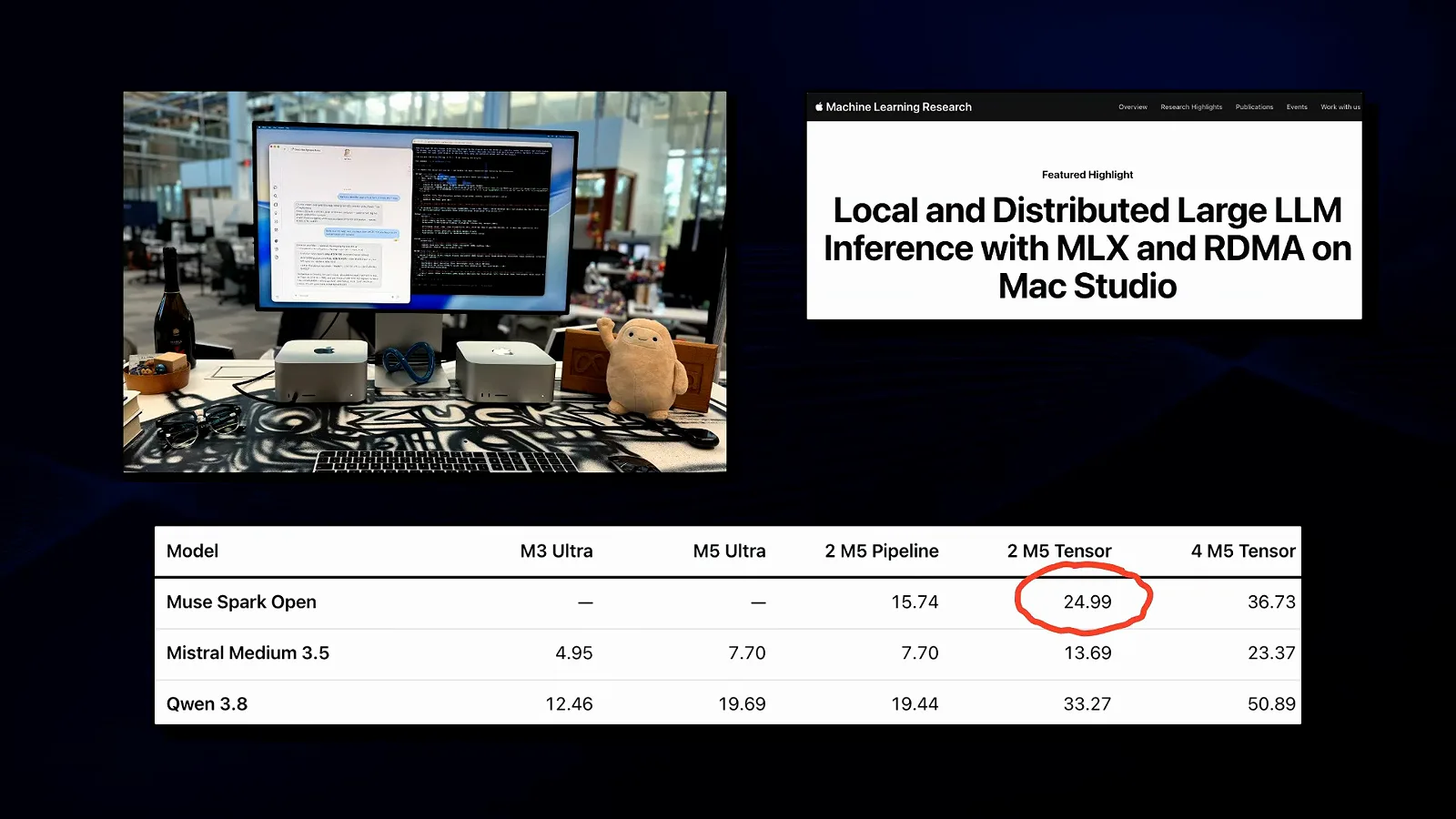
24.99 tok/s on the two-machine tier is the number to budget around.Watch at 5:20 - 7
Pick a community quant on HuggingFace
The demonstrated local route starts at inferencerlabs/Muse-Spark-Open-816B-A42B-MLX-Q4i — a quantized MLX build tagged Image-Text-to-Text with meta-models/Muse-Spark-Open-816B-A42B listed as the base model. The card's first lines are the spec sheet you actually need: tested with Inferencer v2.4.6, and measured on an M3 Ultra 512GB at roughly 15.9 tokens per second at a 1000-token prompt with a memory footprint near 436GiB. That line is the cheapest honest answer to "will it run on my machine?".
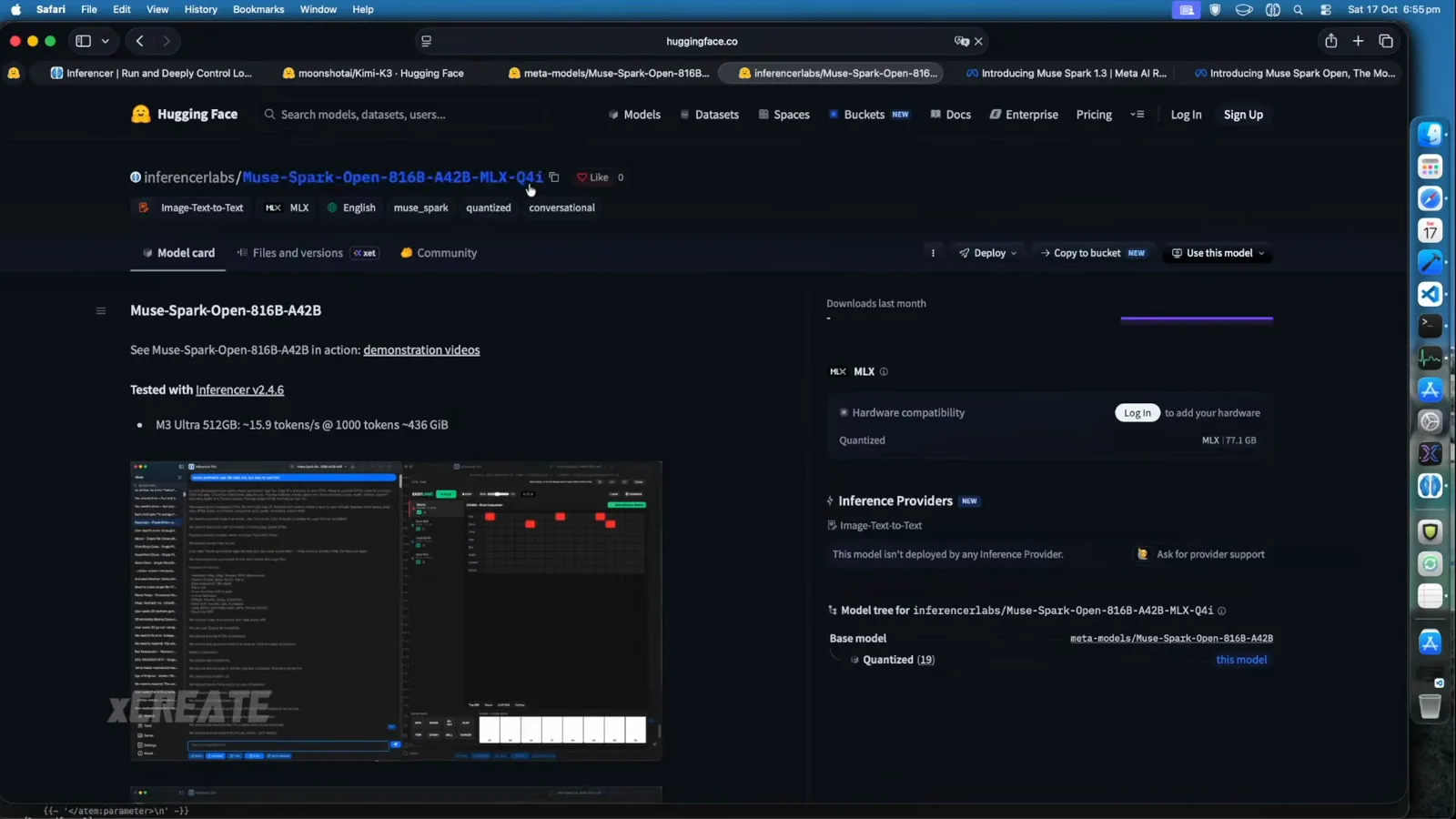
The model card's hardware line doubles as a minimum-spec check.Watch at 1:48 - 8
No 512GB machine? Route it through OpenRouter
OpenRouter lists Meta: Muse Spark Open at $1.25 per million input tokens and $4.25 per million output, with a 1.0M context and an October 15, 2026 release date. Independent providers host it — Modal, Together AI, Nebius, Fireworks and Baseten appear in the walkthrough's provider table, with Modal routing at 125 tokens per second — while a Model weights link jumps back to the HuggingFace repo. When the hardware math fails, this is the five-minute fallback.
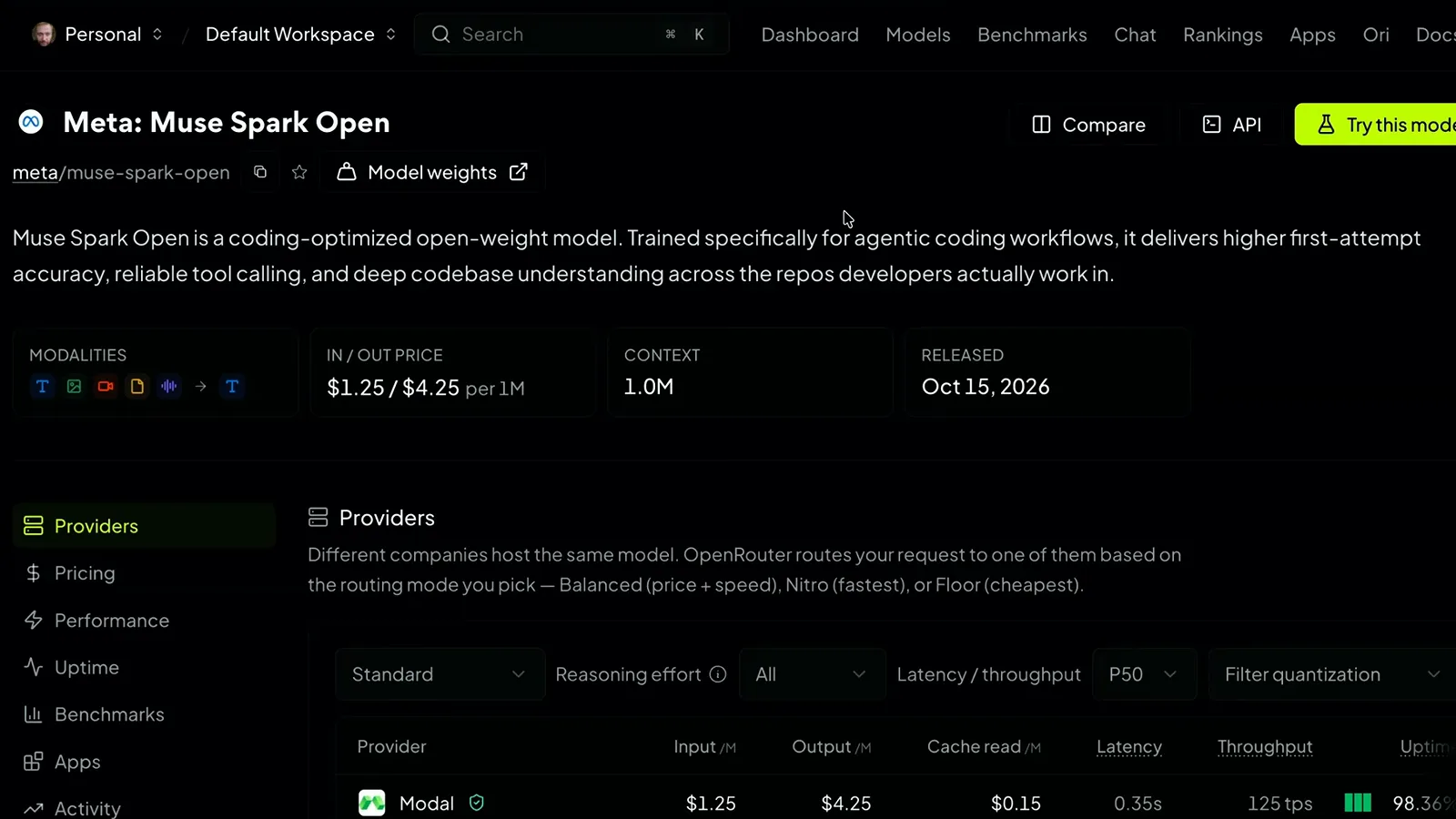
Same weights, rented silicon — the fallback when RAM math says no.Watch at 13:12
Run the MLX quant locally on a big-memory Mac
- 9
Load the quant and open the thinking picker
In the Inferencer Pro desktop app the loaded build shows right in the title bar — Muse-Spark-Open-816B-A42B-q4i — so you can confirm what is resident before spending tokens. The Thinking Mode popover offers Low, Medium, High and xHigh, with limit and enforce switches for the reasoning budget, and the prompt bar carries Attach, Multimodal and Tools buttons. The sidebar's chat list becomes your experiment log; the demo account already holds dozens of test builds.
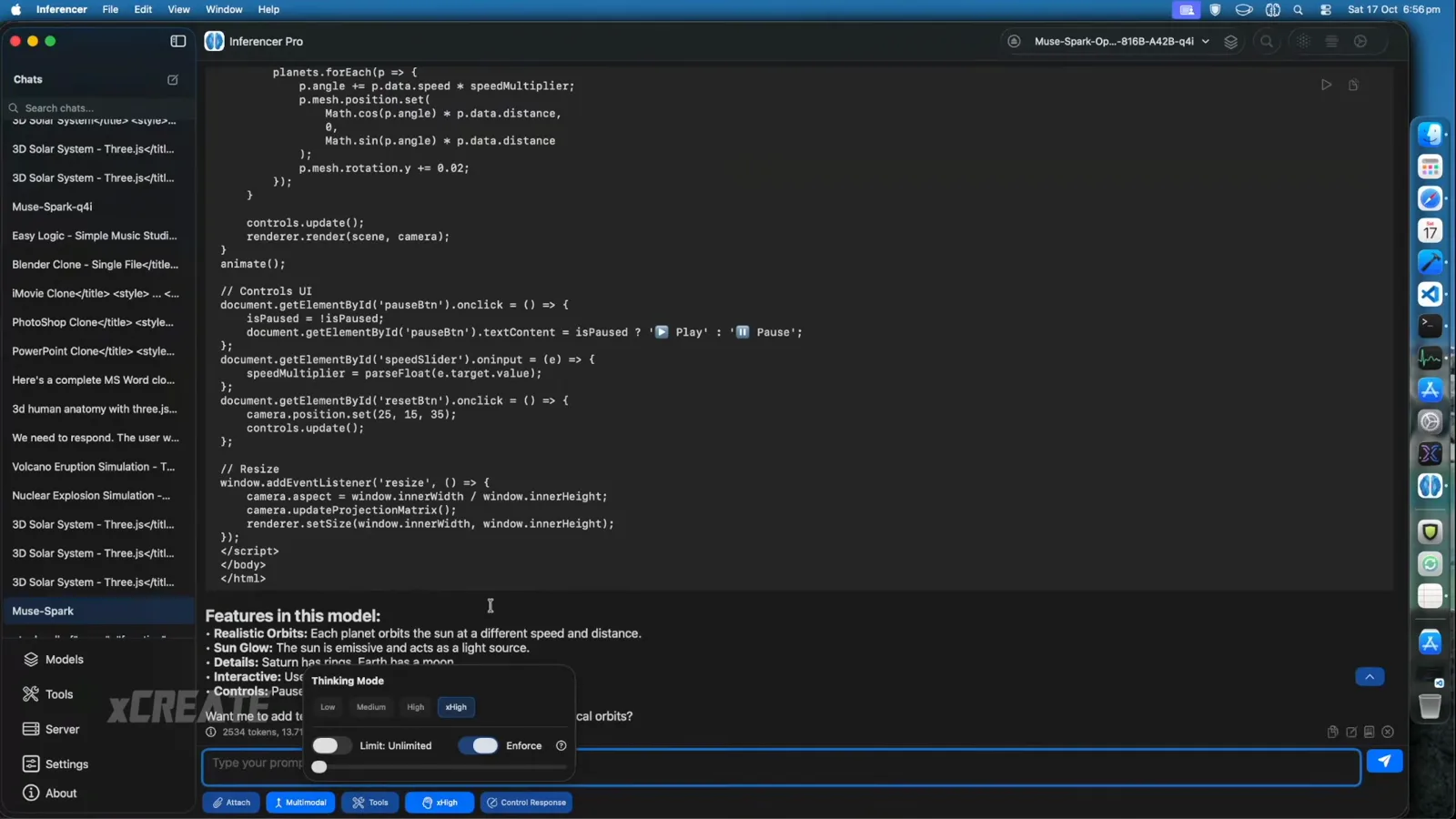
Check the title bar first — it names the quant that is actually resident.Watch at 2:30 - 10
See what those thinking levels really do
The walkthrough opens chat_template.jinja to demystify the picker: reasoning_effort defaults to high, the map assigns low 8, medium 32 and high 512 reasoning tokens, xhigh is accepted as a named level, and anything else raises an exception. A cut-off date of 2026-01-04 anchors the model's knowledge. The presenter treats the numbers as tunable budgets you can experiment with — but the file, not marketing, is where the levels are defined.
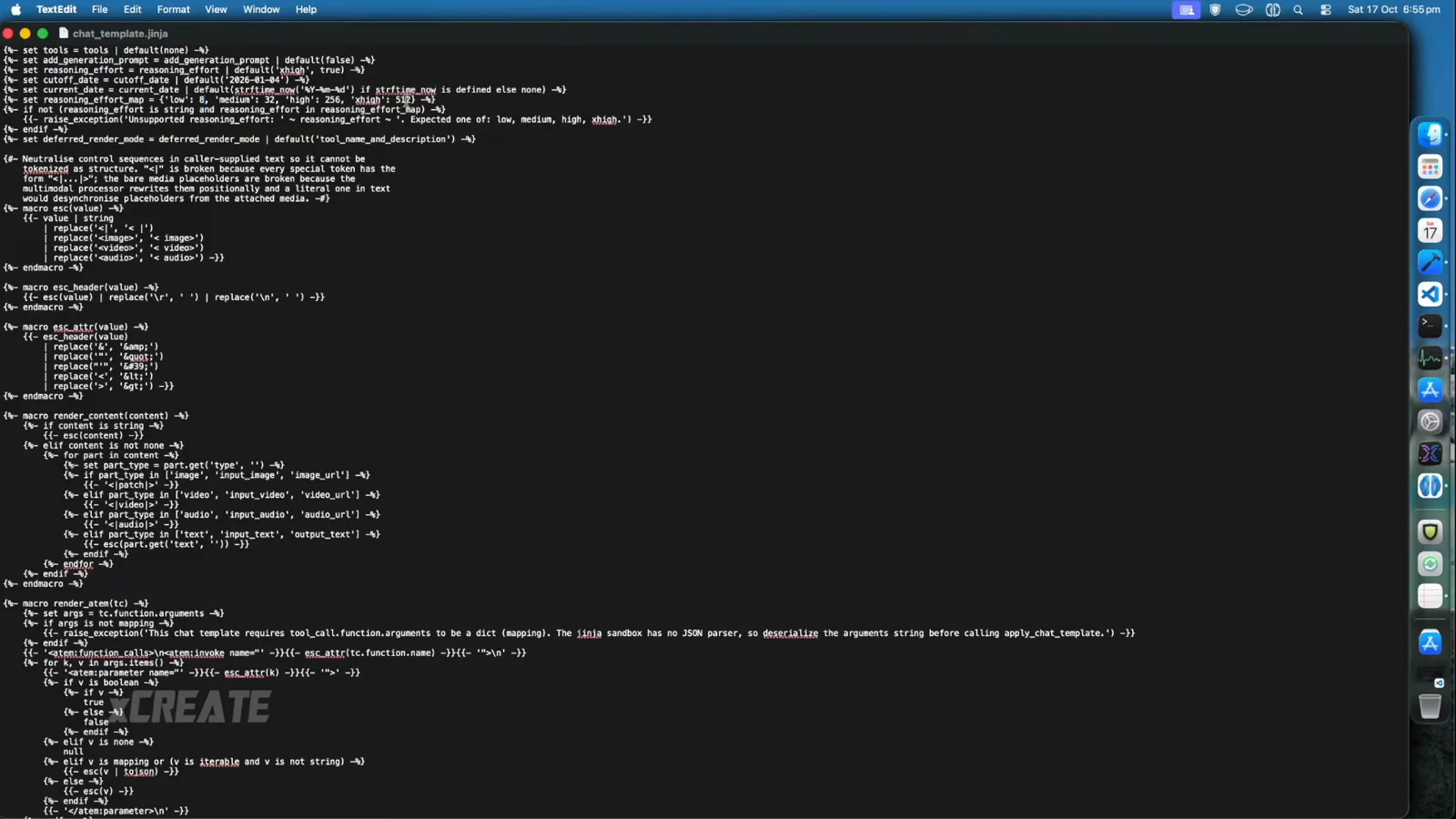
Thinking levels are token budgets defined in the chat template.Watch at 1:28 - 11
Fire the first prompt and confirm it is really local
A good first ask is something visual: the demo's solar-system request renders as an interactive HTML preview inside the app, complete with draggable planets. The proof of locality sits in the viewer footer — 2534 tokens at 13.71 tokens per second, generated by the Muse-Spark-Open-816B-A42B-q4 build. When that counter ticks up on your own machine, the download, the load and the reasoning defaults are all verified in one shot.
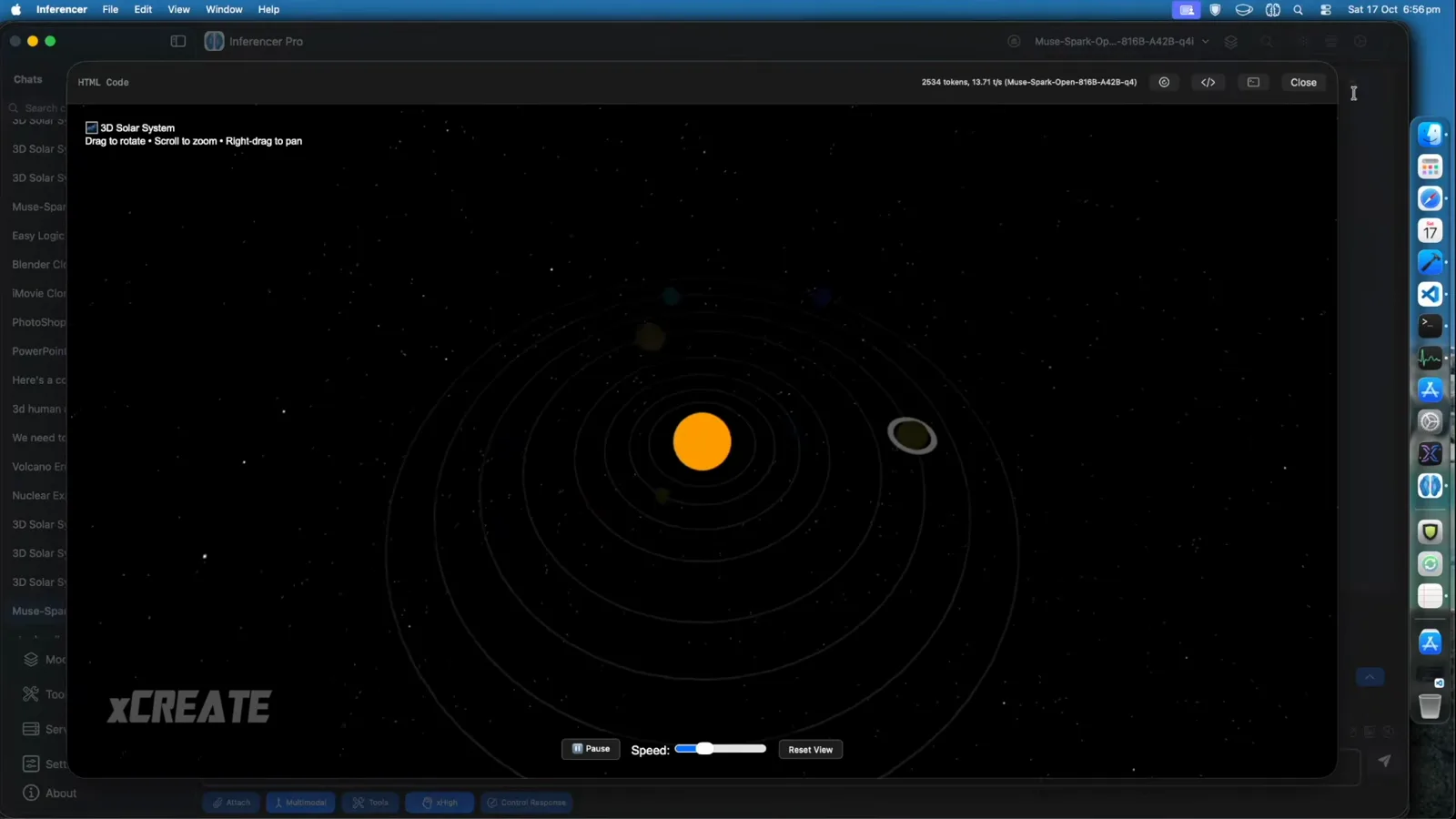
A ticking token counter is the whole install check in one line.Watch at 2:25
Verify the install with real builds
- 12
Ask for variants and compare them side by side
The same solar-system brief ported to Python came back as three implementations in one reply — matplotlib, Plotly and VPython — each with its install command and a note on what it is best at. Prompting for variants is an efficient way to judge a fresh local install: you see instruction-following, code quality and formatting discipline in a single generation instead of three round trips.
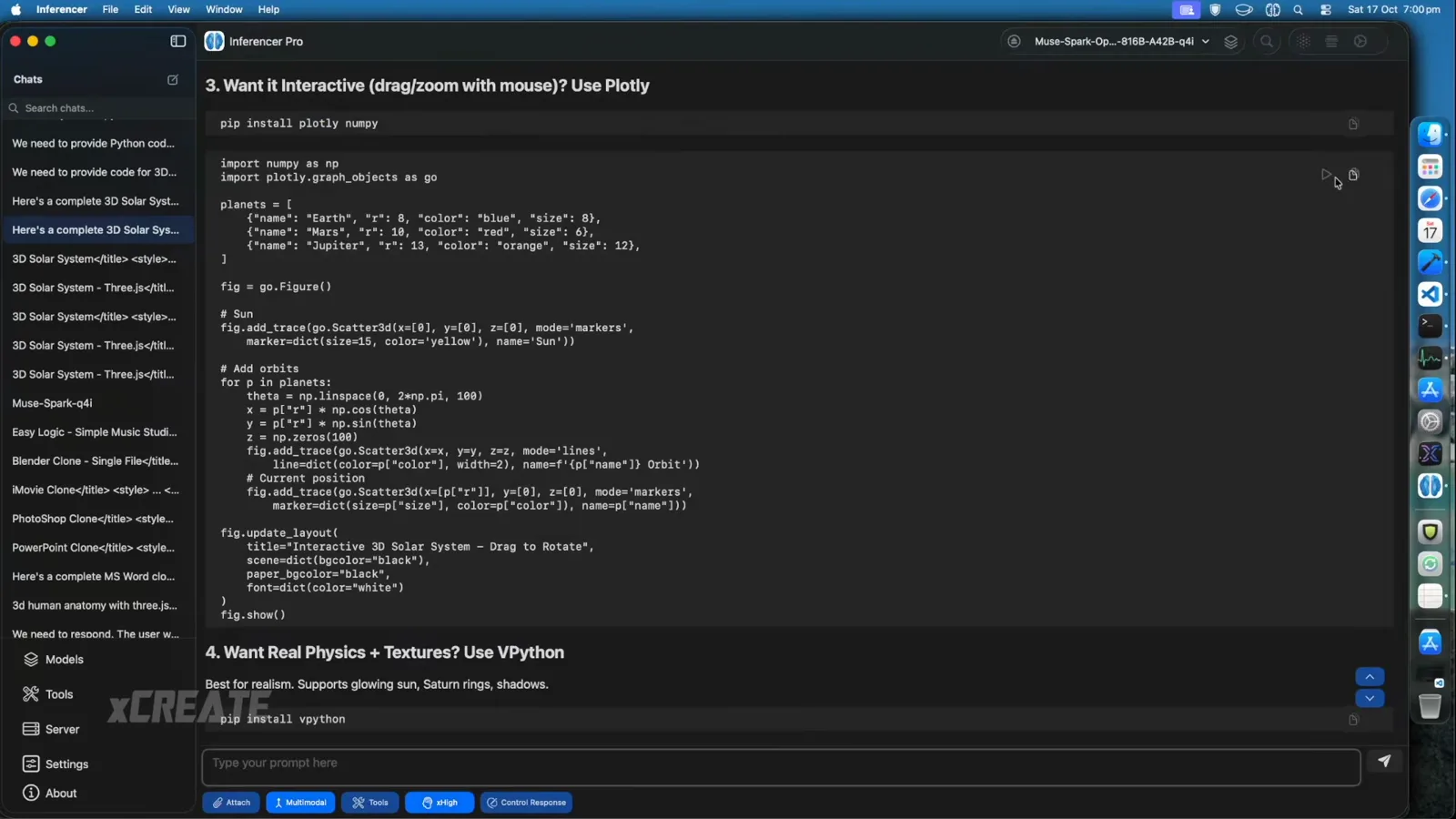
One prompt, three implementations — a fast workout for a fresh install.Watch at 5:44 - 13
Push a long generation and watch the memory hold
The heaviest demo in the run, a GPU-rendered Planet Forge world engine with live sliders for ocean level, cloud coverage and asteroid impacts, generated 23923 tokens at 11.80 tokens per second — still inside the machine's memory budget. Keep expectations calibrated: across roughly thirty builds the presenter hit three runtime errors, so budget an iterate-and-regenerate pass rather than expecting every long prompt to land clean.
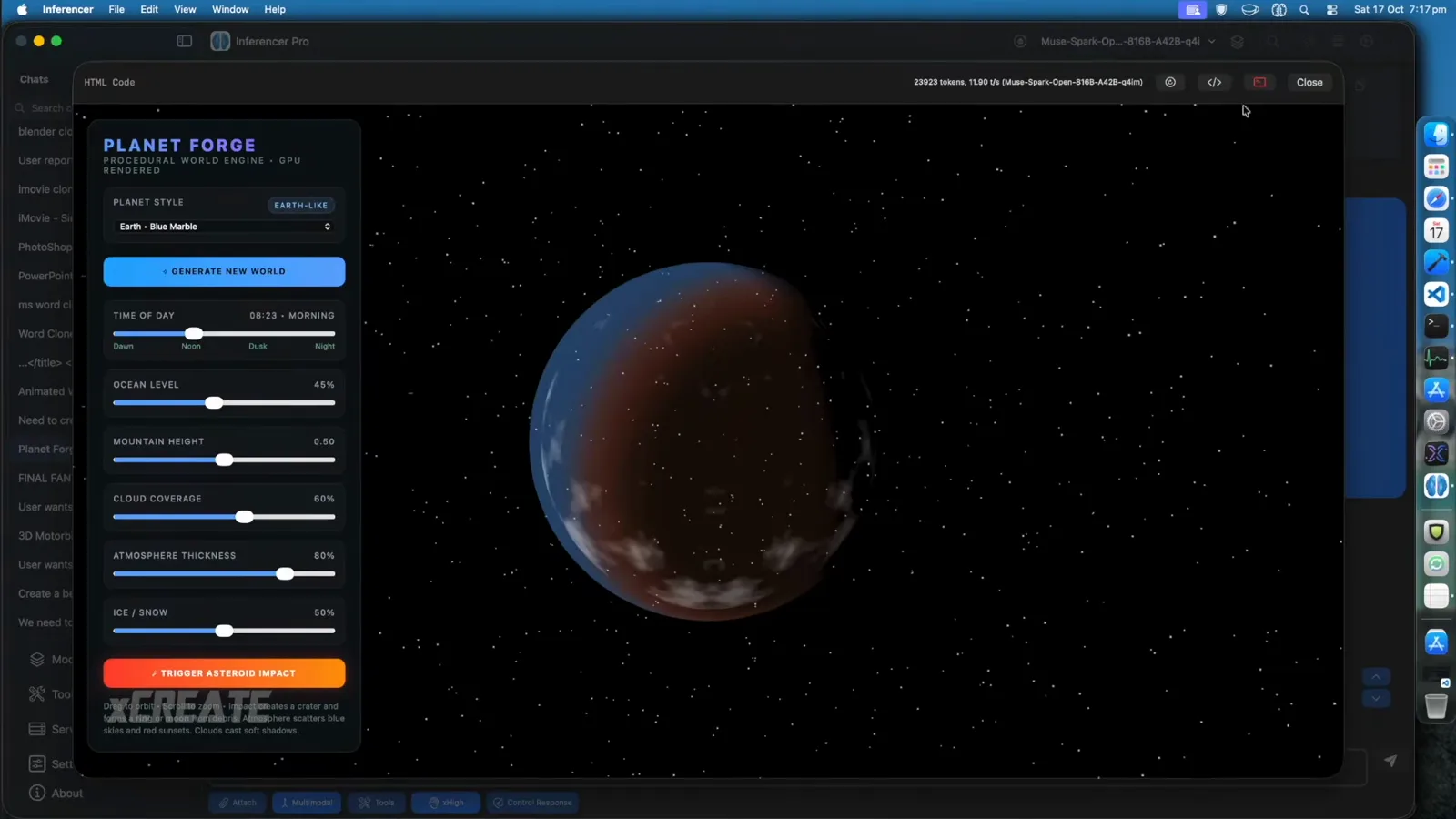
23923 tokens later the world engine runs — long prompts stay in budget.Watch at 22:40 - 14
Run a small build as your everyday smoke test
Not every check needs a marathon: the animated weather-cards build — dark-sky glassmorphism tiles for wind, rain, sun and snow in pure CSS and JavaScript — finished at 9435 tokens and 12.14 tokens per second, and the focused Windy card responded to clicks in the demo. A prompt like this exercises layout, interaction and animation in under a minute, which makes it the routine check after any model update or re-quant.
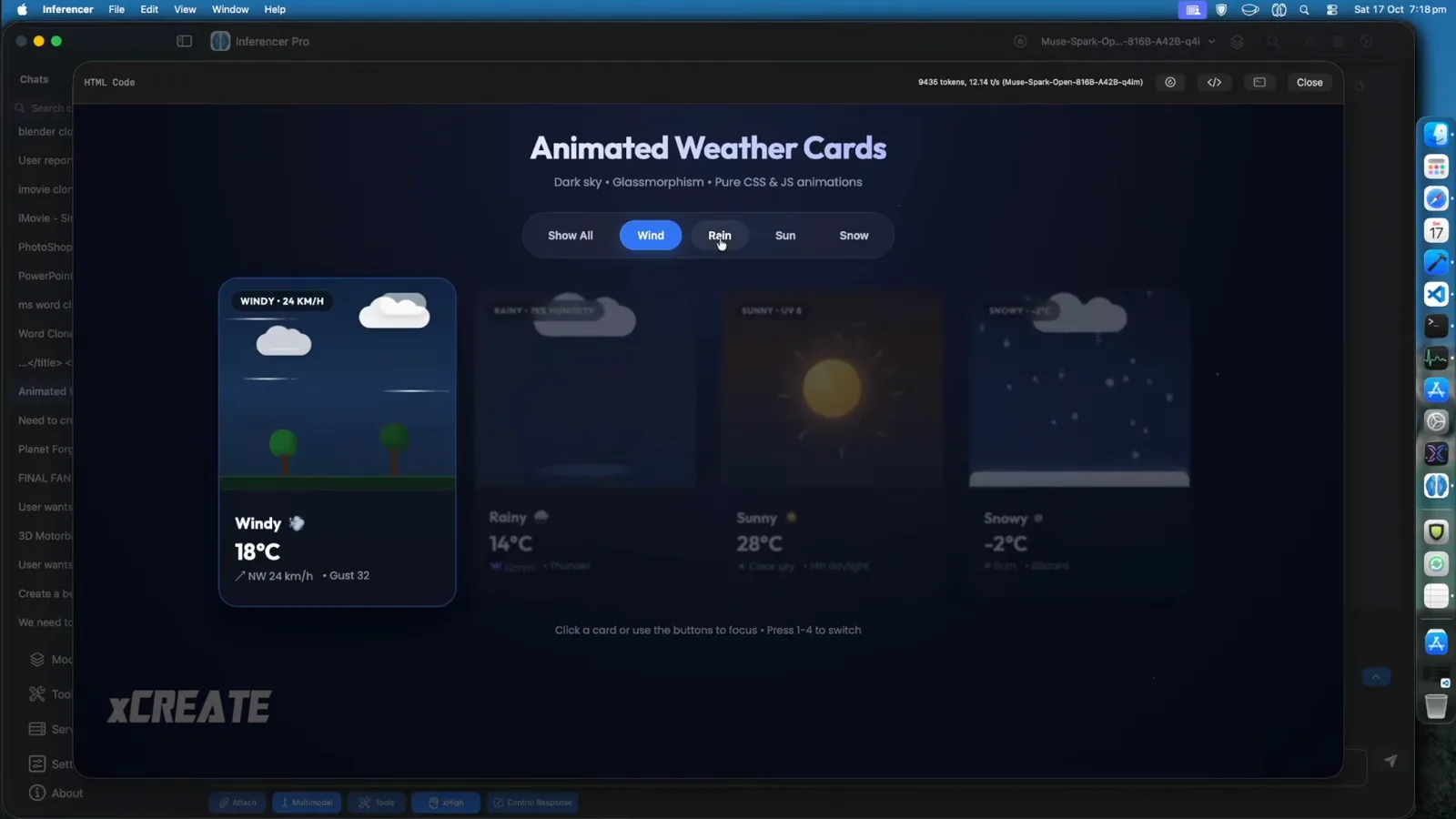
Small builds finish in a minute — perfect post-update smoke tests.Watch at 23:36
Use it daily — and stay inside the license
- 15
Use the cloud route as your daily driver
The walkthrough's OpenRouter chat session is a useful preview of cost behavior: the pelican-on-a-bicycle SVG test finished 7690 tokens in 34.03 seconds — first token after 10.43 seconds, decode at 326 tokens per second — but 4587 of those tokens were thinking. The model reasons heavily before answering, so per-task cost tracks your reasoning setting as much as your output length. That trade is the same whether the tokens come from your Mac or a provider.
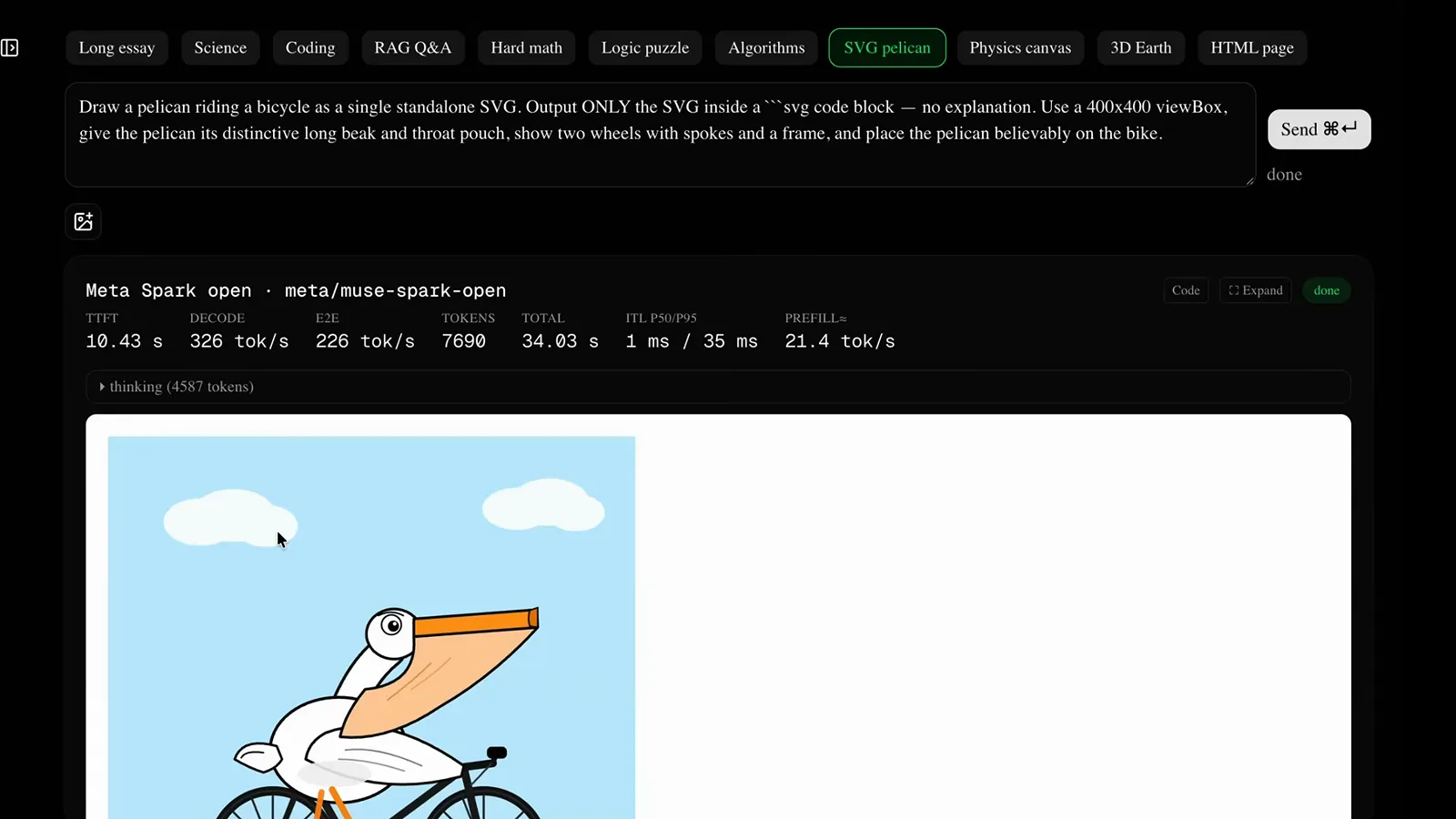
Over half the run went to thinking — price your tasks accordingly.Watch at 15:30 - 16
Read the two license clauses that actually bite
Spark Open ships under Meta's Muse Model License, and the walkthrough underlines the two operative sections. Section 2: any product or service using the model or its derivatives must prominently display "Built with Muse Spark Open" in its interface or documentation. Section 3: if you offer the model as a Service and your aggregate gross revenue passes twenty million US dollars in any twelve-month period, you must notify Meta and sign a separate written agreement — internal use, research and non-MaaS commercial work are explicitly exempt.
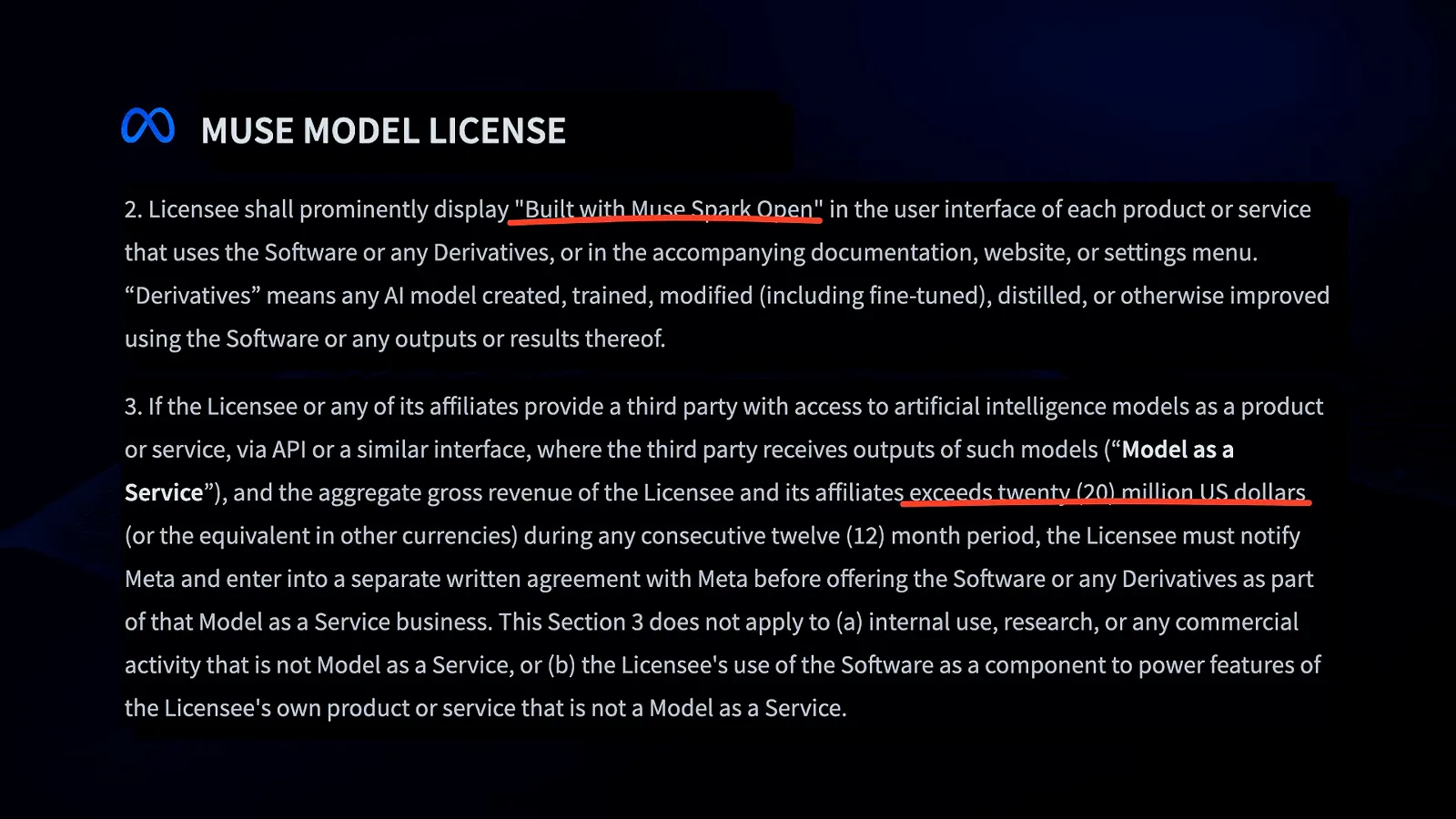
Attribution is unconditional; the revenue clause only bites at MaaS scale.Watch at 4:47