

OpenClaw Alternatives: 8 Simpler Ways to Run an AI Agent
OpenClaw earns its hype the hard way: you keep a server, a gateway and an API key alive around the clock, and you draw the permission lines yourself. If you just want an assistant that gets work done, this page walks the menu the way No Code MBA's five-tool roundup does - scoring safety, cost and ease of use - with frames from that video, plus self-hosted frames from NeuralNine's Hermes Agent walkthrough. That means the hosted subscription route (Manus, Tasklet, Clam, Lindy, Zapier Agents), the open-source route led by Hermes Agent with the newer -Claw wave (ZeroClaw, NanoClaw, BetterClaw, OpenFang) behind it, and a pilot-test routine to settle the choice before you pay. The space iterates weekly - as of October 2026, treat official pages as the source of truth.
Source & credits
Screenshots in this guide are captured from No Code MBA's public walkthrough video. Every step links back to the exact moment it shows, so you can follow along.
No Code MBA ↗Start with the three-way trade-off
- 1
Score every option on safety, cost, ease
No Code MBA scores each alternative on three criteria - how much access you hand over (safety), what a looping task costs (cost), and how far you get from terminals and config files (ease of use). The menu splits two ways: managed subscriptions you log into, and open-source runtimes you host yourself. Clam's beta homepage - Y Combinator badge and all - sits exactly on the seam: it is OpenClaw itself, "the scoop way to run OpenClaw", run on the company's computers with a semantic firewall and keys it says are never exposed to AI, plus one-click integrations and a free trial. Decide which side of that line you are on first; the list below gets shorter fast.
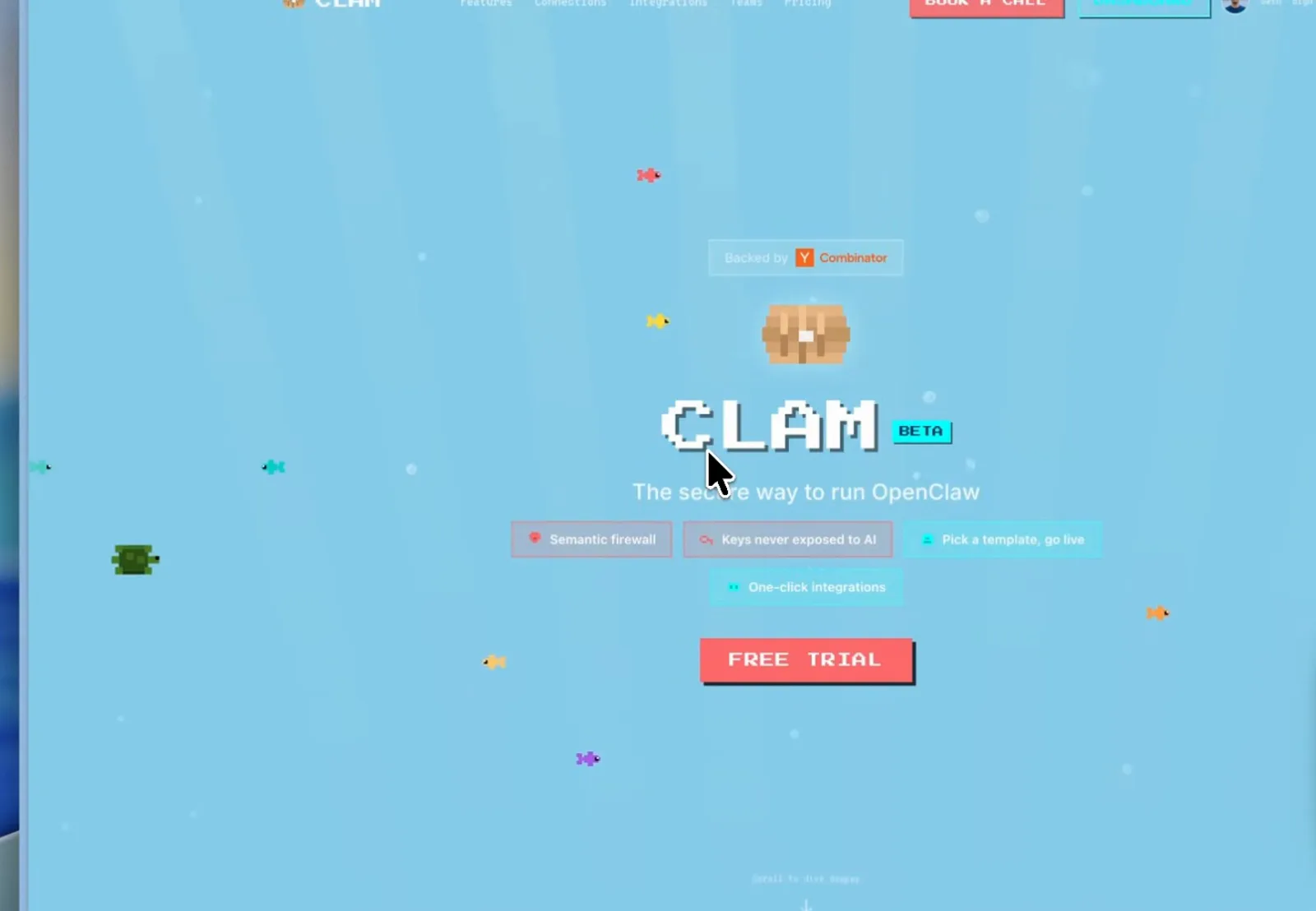
The middle road: OpenClaw itself, hosted by someone else.Watch at 4:00
Route one: hosted subscriptions, no terminal
- 2
Manus: a Meta-owned agent you text in four steps
Manus - the video's auto-captions garble it as "Manis" - was acquired by Meta and now ships personal agents, and its getting-started page spells out the whole flow: open the Agents tab in your Manus workspace, click Connect, scan the QR code with your phone or open the link, start messaging. "That is it. No terminal. No config files. No server." The agent remembers what you chat about and shares Manus's wider connections, and spend is capped by your subscription instead of metered API bills - which is why the roundup calls it the safest first taste of the OpenClaw pattern. Whether it runs the OpenClaw framework or a clone behind the scenes is the reviewer's guess, not a documented fact.
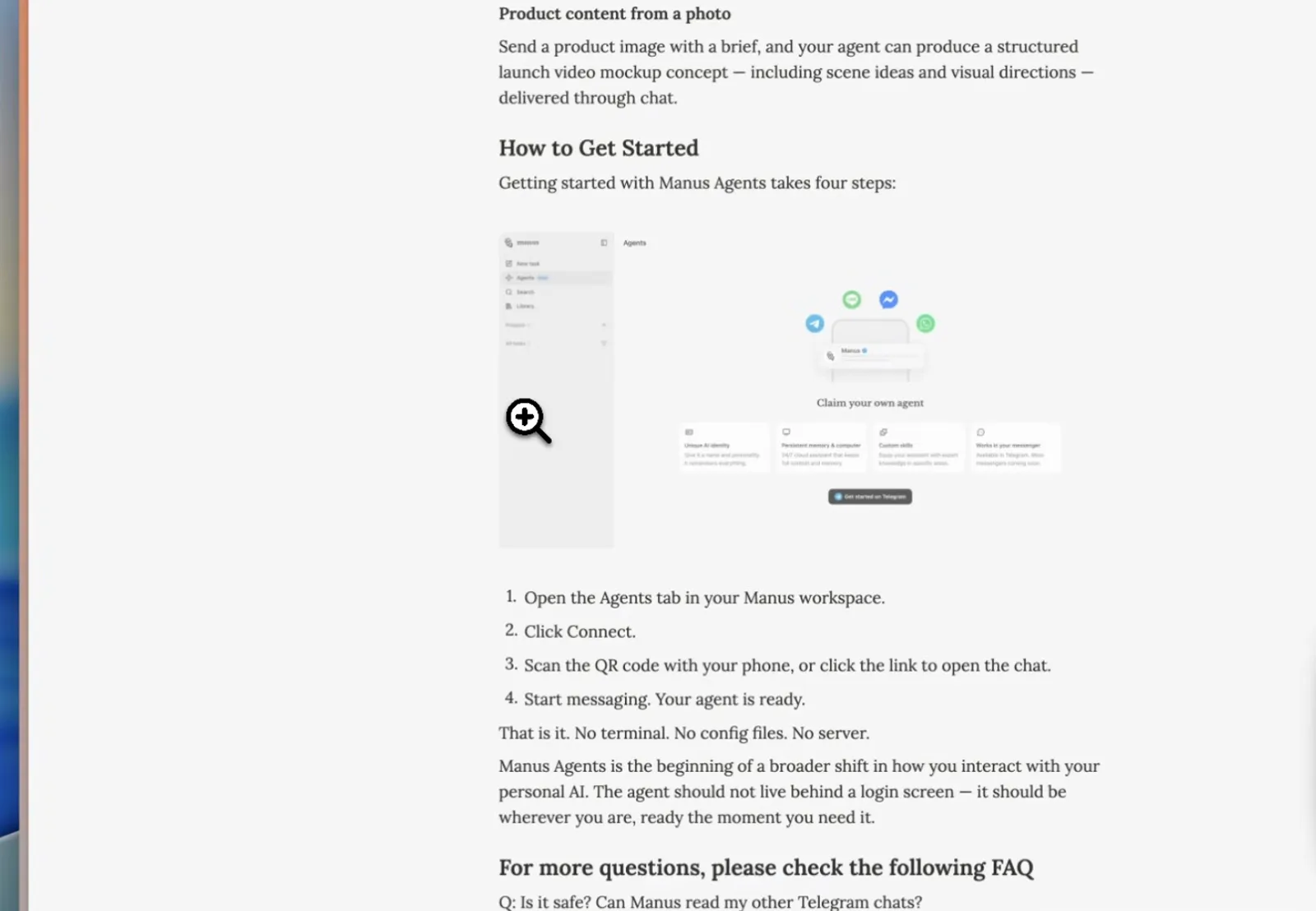
QR-code pairing, then you text the agent like anyone else.Watch at 1:00 - 3
Tasklet: one agent per task, not one chat for all
Tasklet's homepage is a shelf of ready jobs - research deep dives, competitor monitoring, monitor podcasts, weekly exec summary, sales call analysis, company research - each launched with a Try it click under categories like Comms, Operations and Insights. Unlike OpenClaw or Manus you can run a different agent for every task, each in its own chat, which keeps contexts from bleeding into each other. It is subscription-priced like the other hosted picks - not cheap, because these tools burn serious model compute - and the reviewer's take is that it follows instructions a little better than Manus. Both are easy first tries; pick by workflow shape, not marketing.
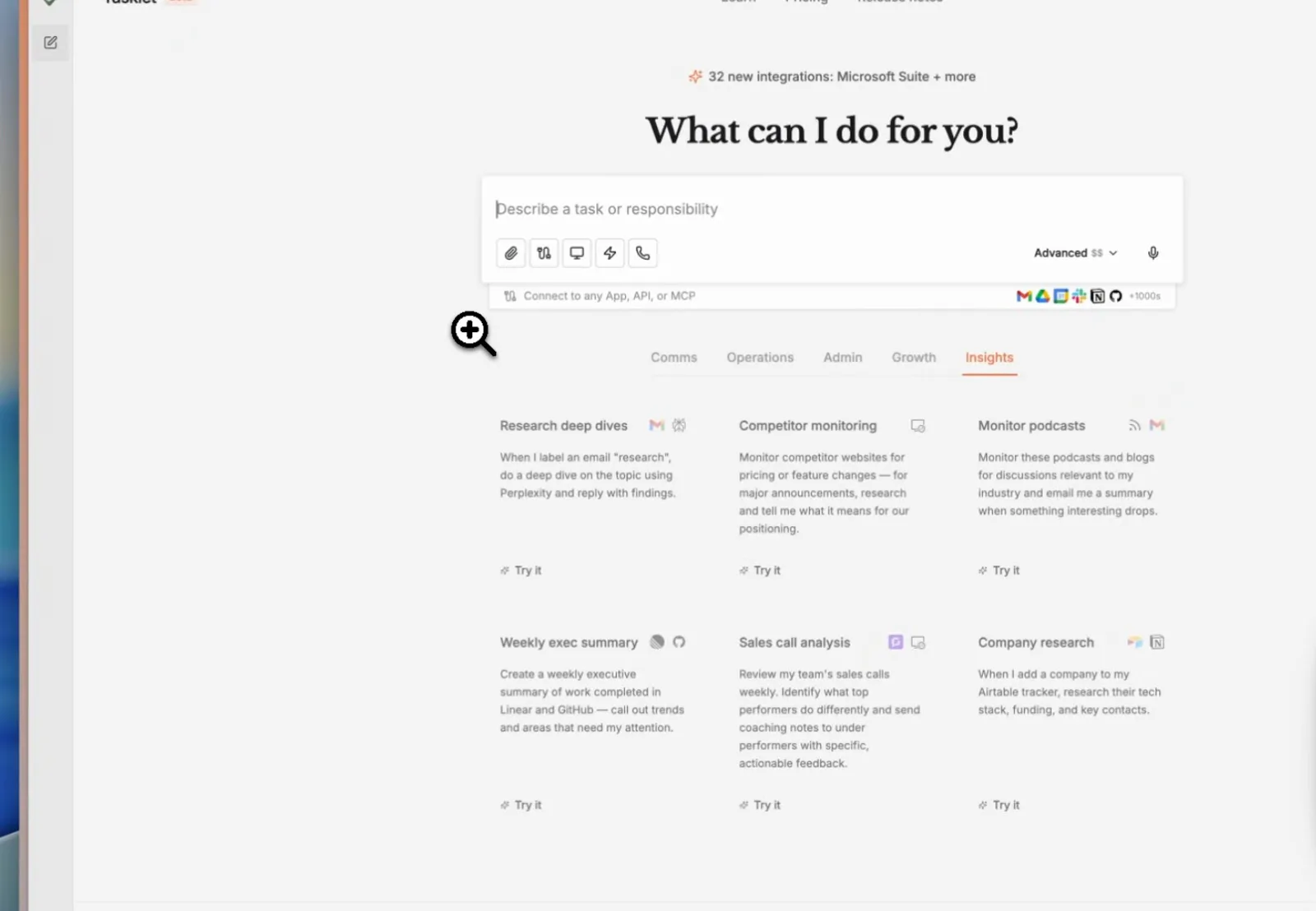
Pick a card, get an agent - tasks stay separated by design.Watch at 2:30 - 4
Clam: hosted OpenClaw from $50 a month
If what you want is OpenClaw itself without the upkeep, Clam hosts it on a managed virtual computer. The pricing page shows Active at $50 a month (2 vCPU, 2 GB RAM, agent runs 24/7, dedicated email inbox, standard semantic firewall), Busy at $75 (the most-popular pick; 4 GB, unlimited integrations, priority support), Super Busy at $150 (8 GB, custom firewall rules, dedicated support) - each with Anthropic credit included on Claude Opus 4.5, and Enterprise adding on-premise deployment with an SLA. That solves the ease-of-use and exposed-instance problems; it does not cap model spend, because past the included credit you are paying Anthropic usage.
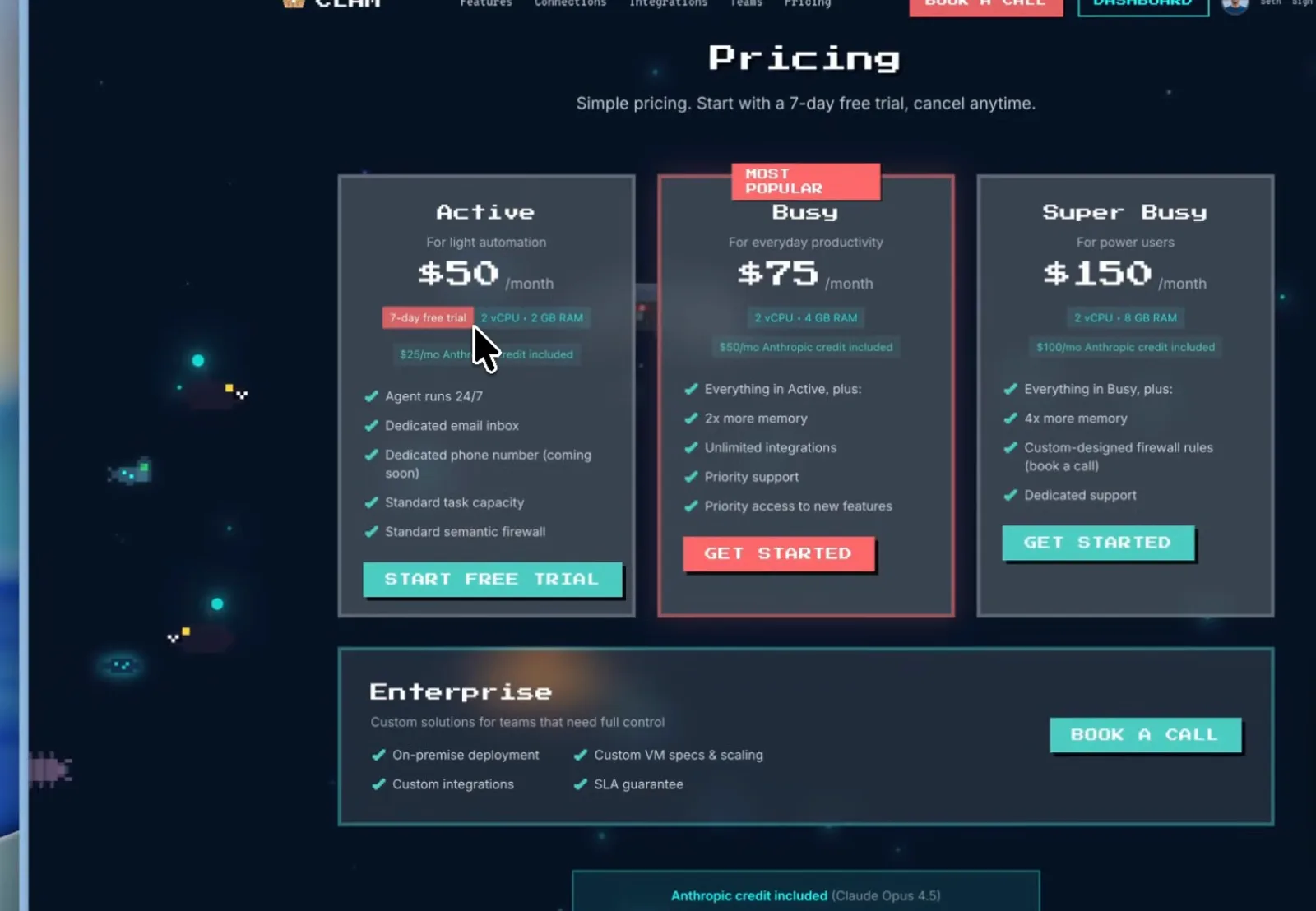
Fixed plans for hosted OpenClaw - API usage past the credit bills separately.Watch at 4:20 - 5
Lindy: text an assistant that works your inbox
Lindy began as a Zapier-style workflow builder and now leads with a consumer pitch: "Text your AI assistant. Get Answers. Get things done." - trusted by 400,000+ professionals, 7-day free trial, 60-second setup. The homepage demo is the morning briefing most people want: 42 emails came overnight, already triaged and drafted; only one meeting is urgent; a big client call is flagged for today. Under the hood it connects to your calendar, email and other apps, takes action on your behalf, and stays inside the subscription you picked - one of the easiest hosted routes away from OpenClaw's upkeep.
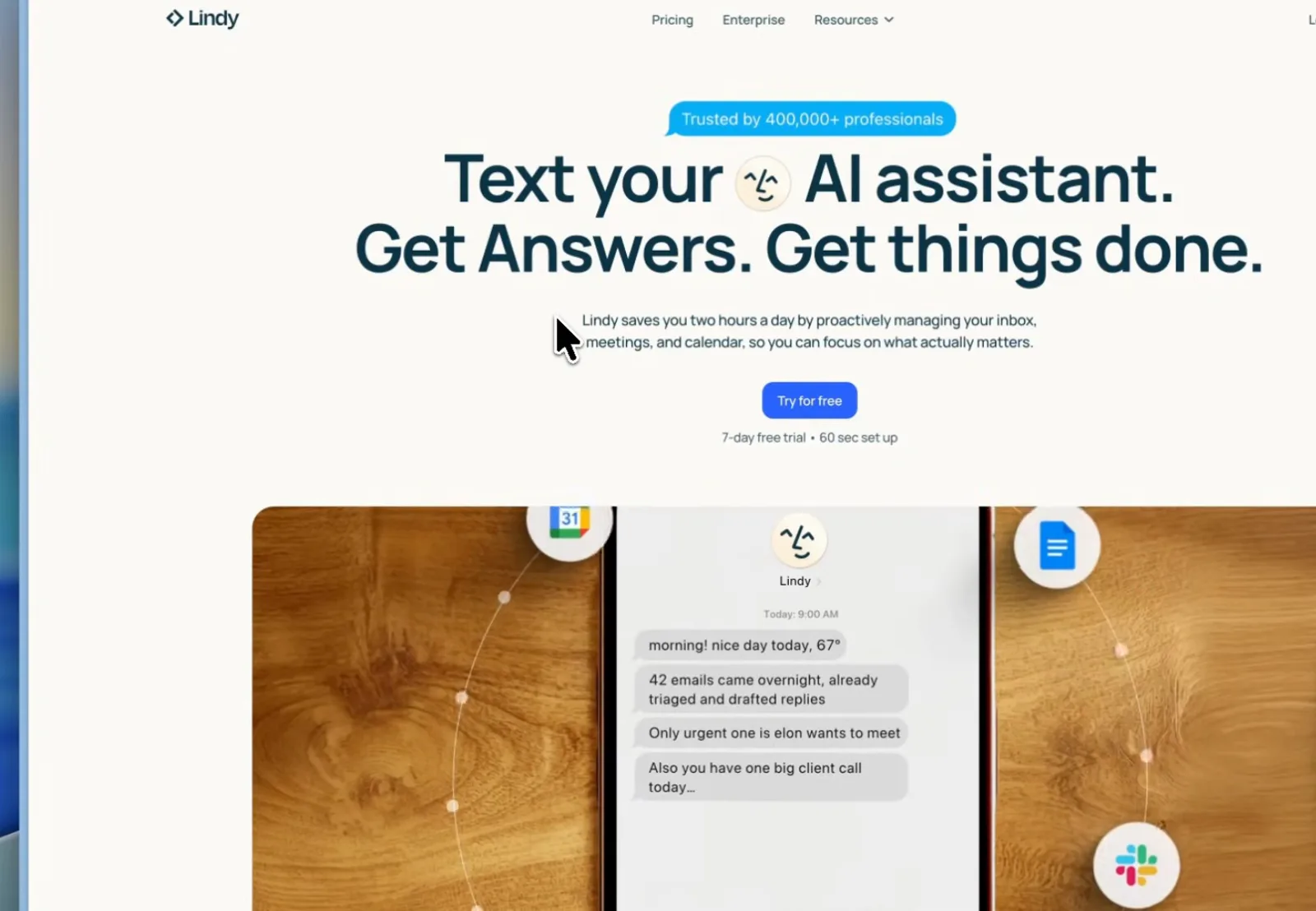
A morning briefing instead of an inbox scroll.Watch at 5:00 - 6
Zapier Agents: the oldest hand, the deepest bench
Zapier Agents sits closer to Tasklet than to the one-chat assistants: you create individual agents, give each its own tools and job, and let them work across 8,000+ apps "on command and while you sleep" - the dashboard shows them as teammates with names, toggles and last-run times. Setup is more clicking and less natural language than the rest (the roundup's one complaint), but security is its strongest card: Zapier has run trigger-based automation for over a decade and is fully set up for enterprises, which is why the video calls it the pick when safety outranks everything else.
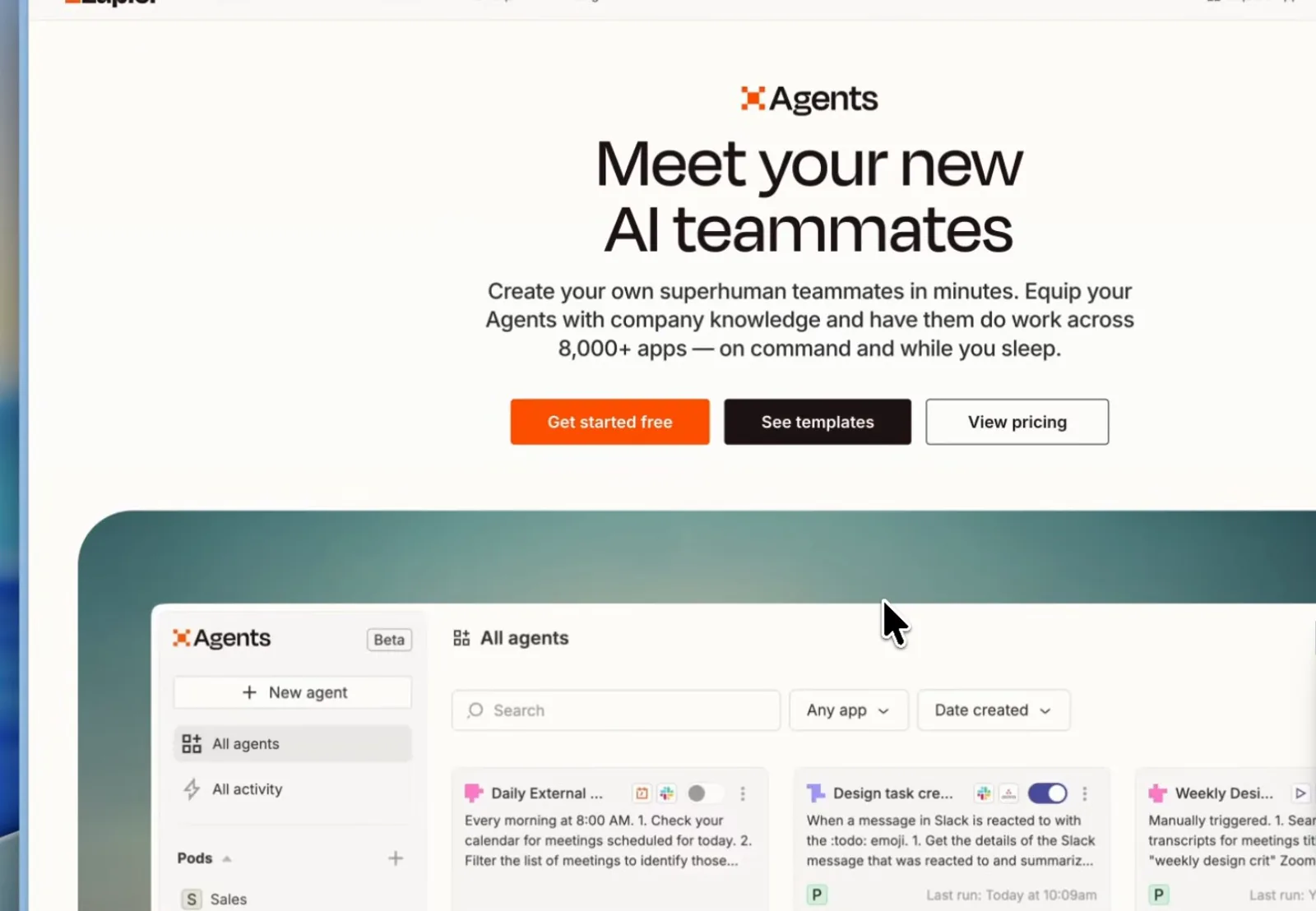
Per-agent workspaces on top of Zapier's 8,000-app library.Watch at 6:00
Route two: self-hosted Hermes Agent
- 7
Hermes Agent: the open-source pick that learns you
On the self-hosted side the strongest name is Hermes Agent from Nous Research - open source under MIT, installed with one curl command on macOS, Linux or Windows. Its whole pitch is the line in the hero: the agent that grows with you. It turns what you do into reusable skills and refines them over time, so the argument goes it fits your workflows better the longer it runs. NeuralNine, whose walkthrough supplies the frames for this route, calls it a less buggy, easier-to-set-up alternative to OpenClaw - his experience, not a benchmark. Like OpenClaw it is a messaging-first assistant you deploy on your own box; the head-to-head lives in our OpenClaw vs Hermes Agent guide.
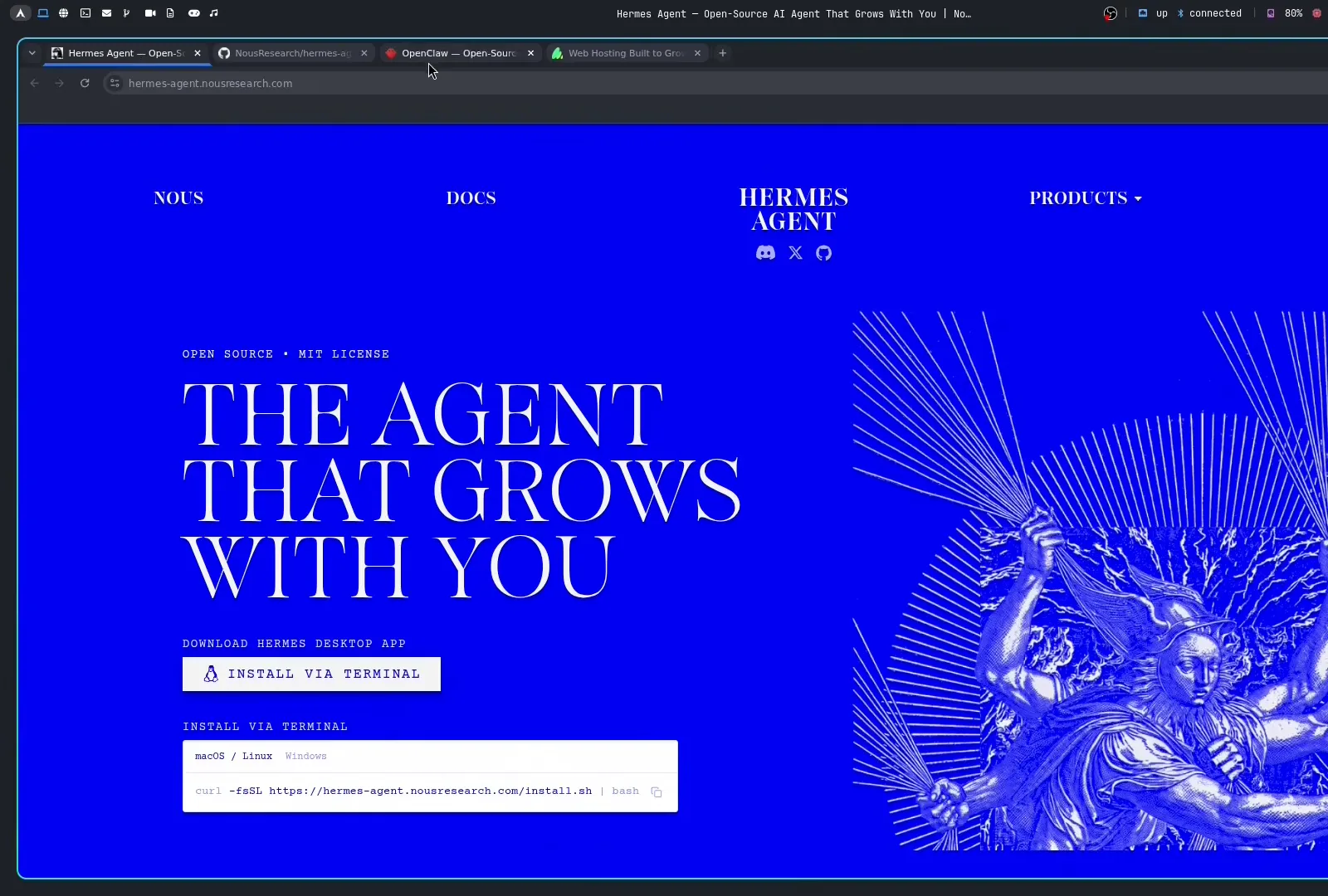
MIT-licensed, Nous Research - install is one curl command.Watch at 1:10 - 8
Self-hosting starts with any root-SSH server
Hermes needs a server more than a fast one. NeuralNine deploys to a hosting.com VPS - a sponsored segment he discloses on screen; any box you can SSH into as root will do, Ubuntu 24.04 LTS in his demo. The frame is the whole ritual: confirm the host fingerprint, paste the password, and you are in. His 4-vCPU / 8 GB plan is generous headroom for an assistant whose reasoning happens at the model provider, so a cheaper tier is a fair starting point - the same VPS conversation OpenClaw self-hosters have, minus the gateway tuning.
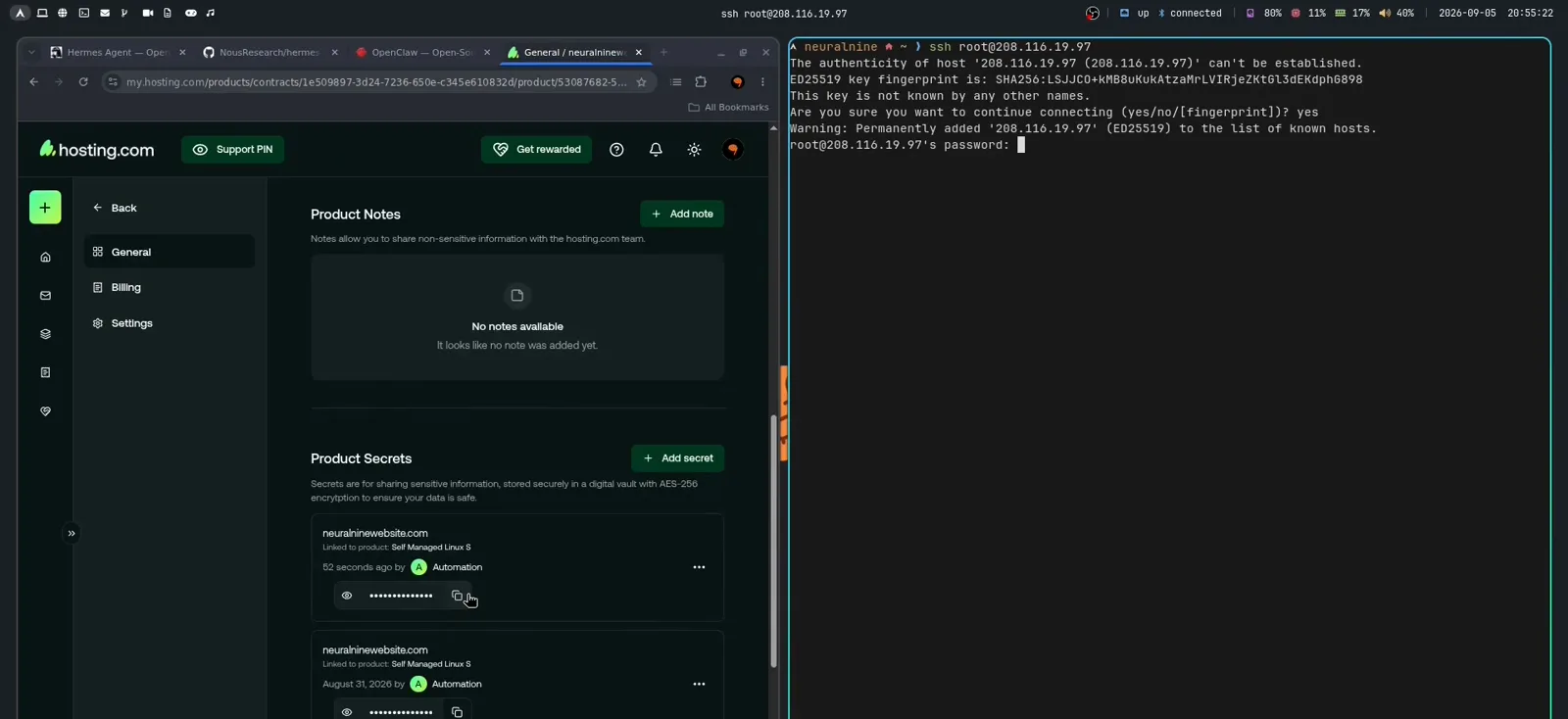
First boot of a disposable box - wipe and reinstall anytime.Watch at 4:30 - 9
The wizard asks which chat apps to connect
Hermes's first-run wizard covers the same ground as OpenClaw's onboarding and front-loads the channel choice: a multi-select list of roughly 28 platforms with Telegram pre-selected in the demo - Signal, Discord, Slack, WhatsApp and Email among them, plus LINE, Matrix, Microsoft Teams and iMessage bridges for the ambitious. Tick what you need now, leave the rest unconfigured; everything can be re-run later with hermes setup, so the first pass is reversible.
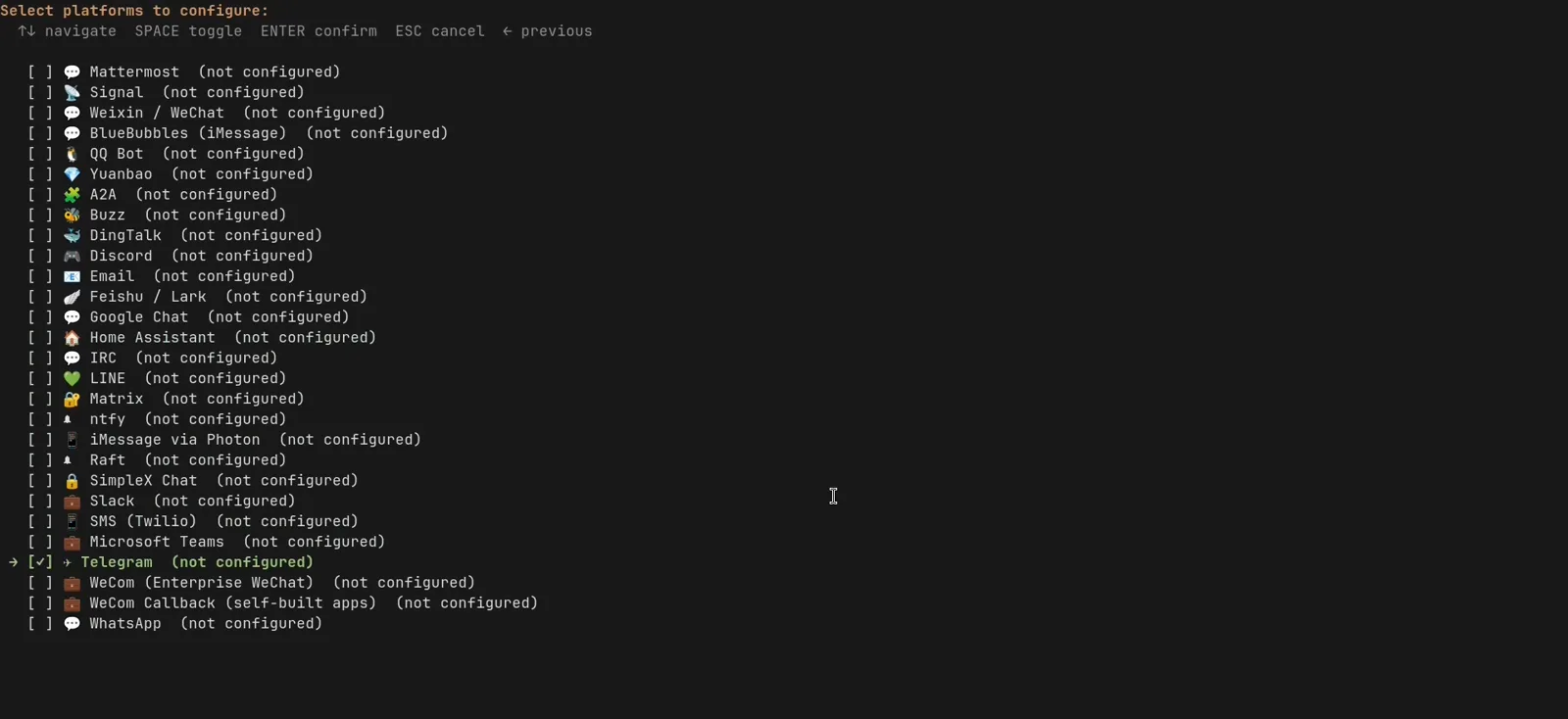
Telegram is the demo default; the list runs deeper than most need.Watch at 6:40 - 10
Telegram pairing without a BotFather detour
Where OpenClaw sends you off to BotFather with instructions, Hermes drives the flow itself: choose Telegram in the wizard, open the generated t.me link, hit CREATE A BOT, then confirm "Allow this Telegram account to use the bot?" with Yes. The wizard detects your Telegram user ID automatically and offers it as the home channel - the exact steps that tripped up OpenClaw first-timers in our setup guide, handled in one pass. This is the moment NeuralNine points to when he calls Hermes the easier setup.
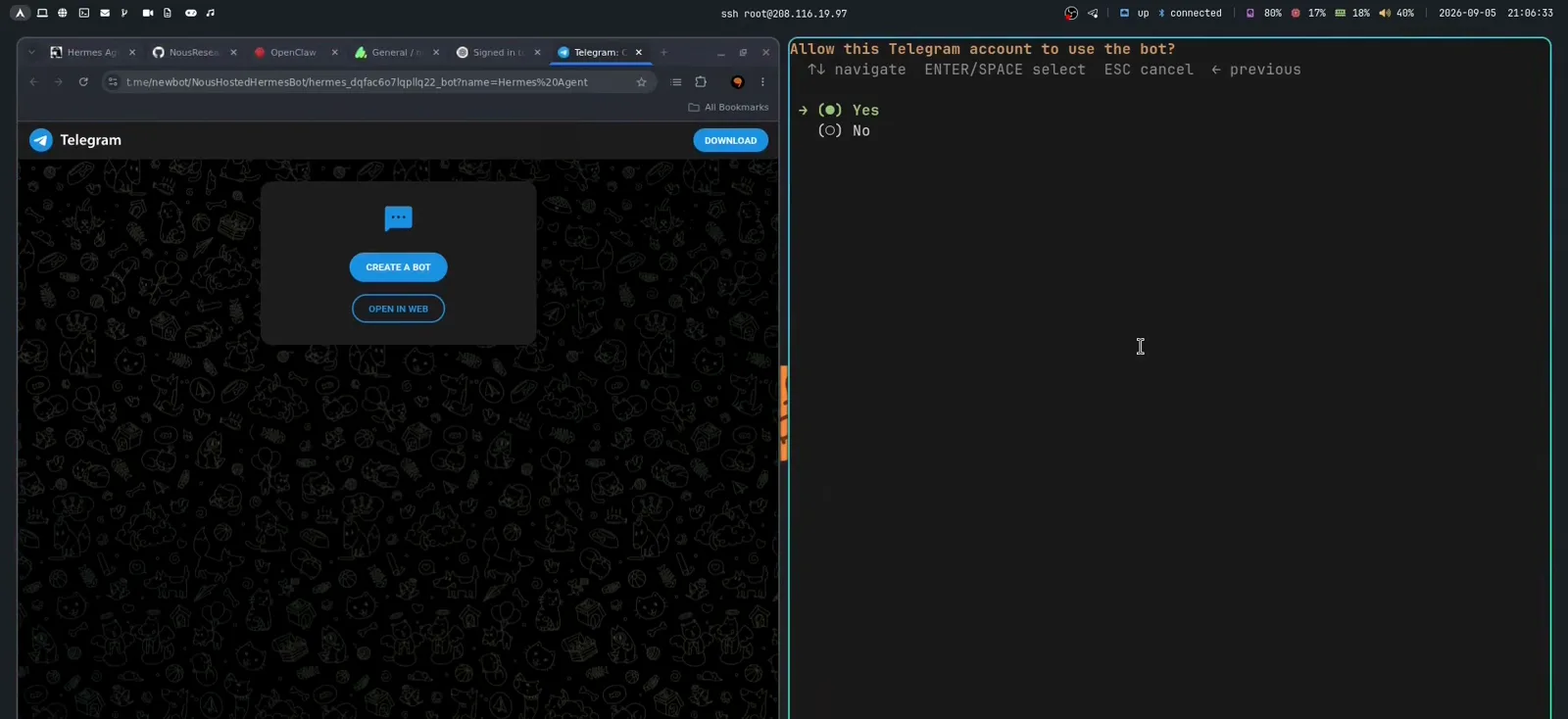
Bot creation, allowlist and user ID handled in one pass.Watch at 7:30 - 11
One command surface once the gateway is a service
Setup ends by offering to install the gateway as a background service - take yes, or the assistant dozes whenever your SSH session ends. "Gateway started! Your bot is now online", and the summary screen doubles as the post-install map: hermes starts chatting, hermes setup reconfigures, hermes config shows and hermes config edit opens the YAML, hermes gateway install reinstalls messaging plus cron, hermes update upgrades. Files live under /root/.hermes (config.yaml, .env, cron and logs), and hermes doctor health-checks the whole install - worth running after any model or key change.
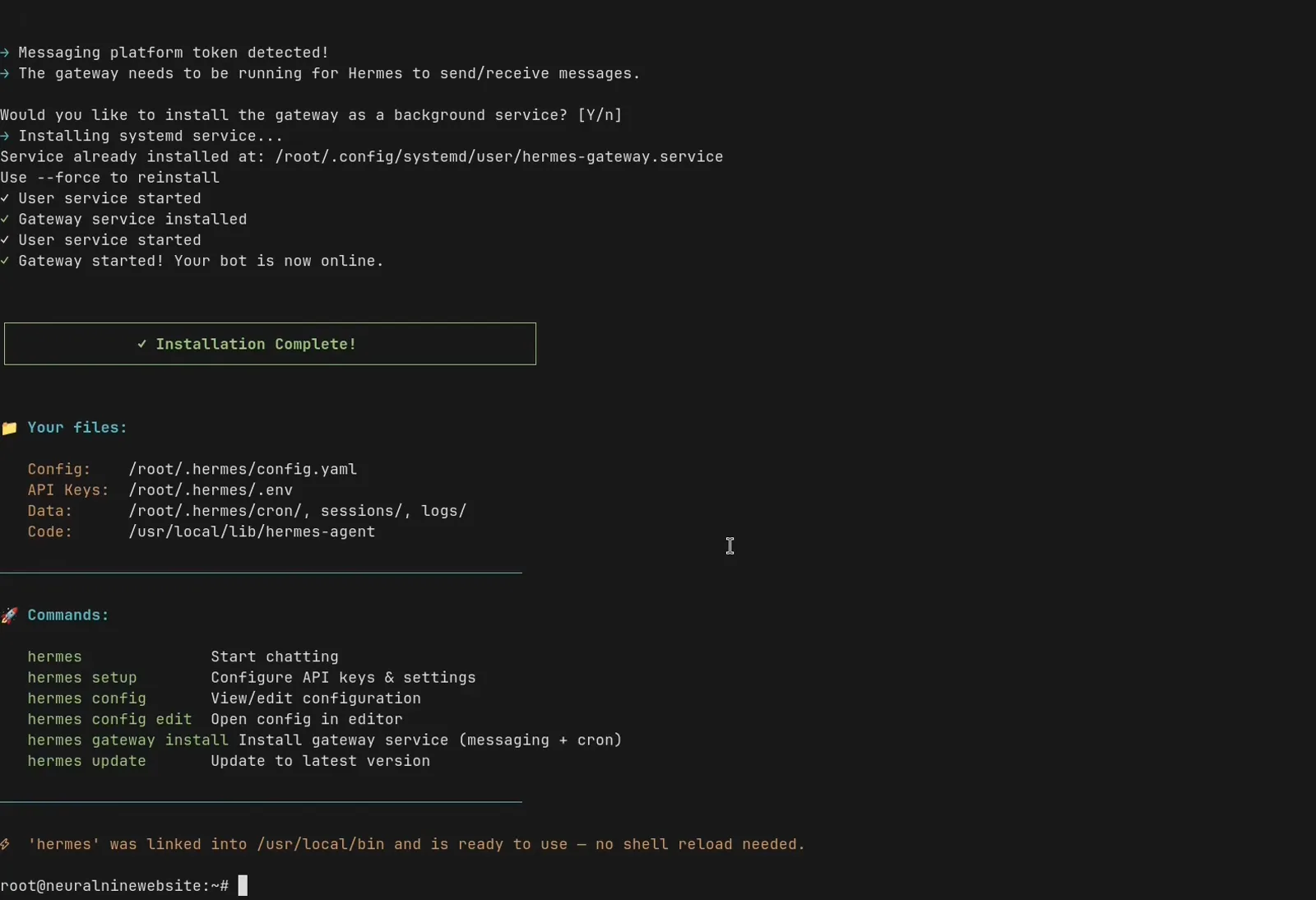
Everything the wizard did, reduced to six commands.Watch at 9:00 - 12
The learning loop: one chat becomes a skill
This is the demo that justifies the pitch. Ask for the week's AI model releases from Hacker News only: Hermes runs its research tools, returns a sourced summary (OpenAI GPT-6 Astra, Z.ai GLM-5.3, Z.ai Ox Alpha and Flux 3 threads), and turns it into a PDF on request. Then the line that matters - "now please turn this into a skill" - packages the whole workflow as a named skill you can trigger by voice memo from your phone or from any other channel. When his scheduled cron run misfired once (it fired after 21:30 Vienna and returned silence), asking what went wrong got the trigger check diagnosed and fixed for good. That is the self-improvement loop OpenClaw does not give you out of the box.
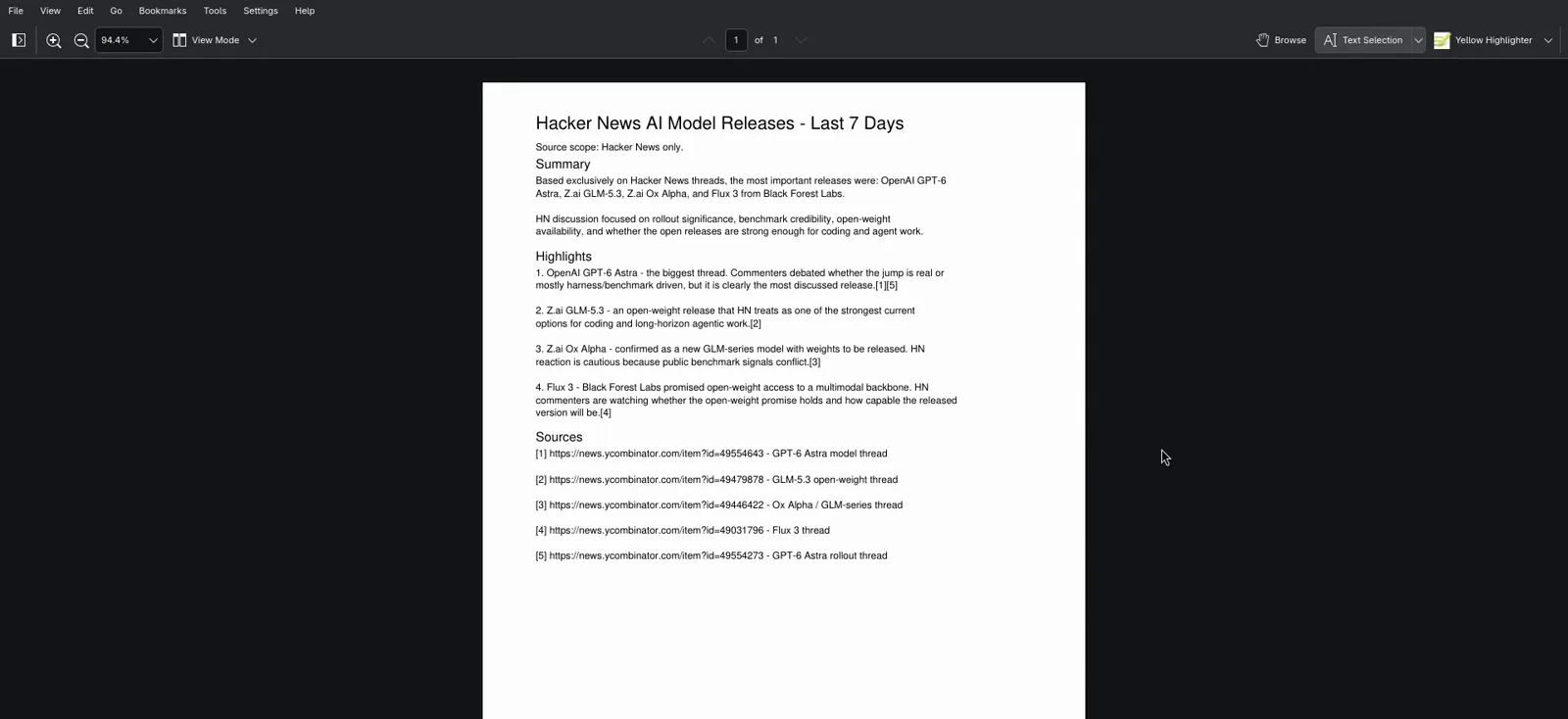
Sourced summary, PDF artifact - then the workflow saved as a skill.Watch at 12:15
The wider open-source menu, then a pilot
- 13
The wider -Claw wave, and where ideas live
Hermes is not the only open-source bet. Through early October 2026 a family of "Claw" projects keeps spawning - young, fast-iterating work; check each official repo before you commit. The shape of the field per recent roundup videos (Panda Making Money's seven-alternative tour; TechkySkills' documentation-based Muse/OpenClaw/Hermes/BetterClaw comparison): ZeroClaw chases a tiny Rust footprint, NanoClaw bets on a small auditable codebase with per-agent container isolation, BetterClaw packages agents with scheduled tasks, model keys and work-app connectors (its free plan page lists one agent, 100 monthly credits, three connectors, 7-day memory retention), and OpenFang bills itself as a Rust agent operating system shipping pre-built autonomous packages - still pre-1.0. Newer names such as CoPaw appear faster than reviews can vet them. For ideas regardless of runtime, the awesome-hermes-usecases repository catalogs real workflows - messaging bots, finance and trading, deployment patterns - most of which port to any open-source runtime.
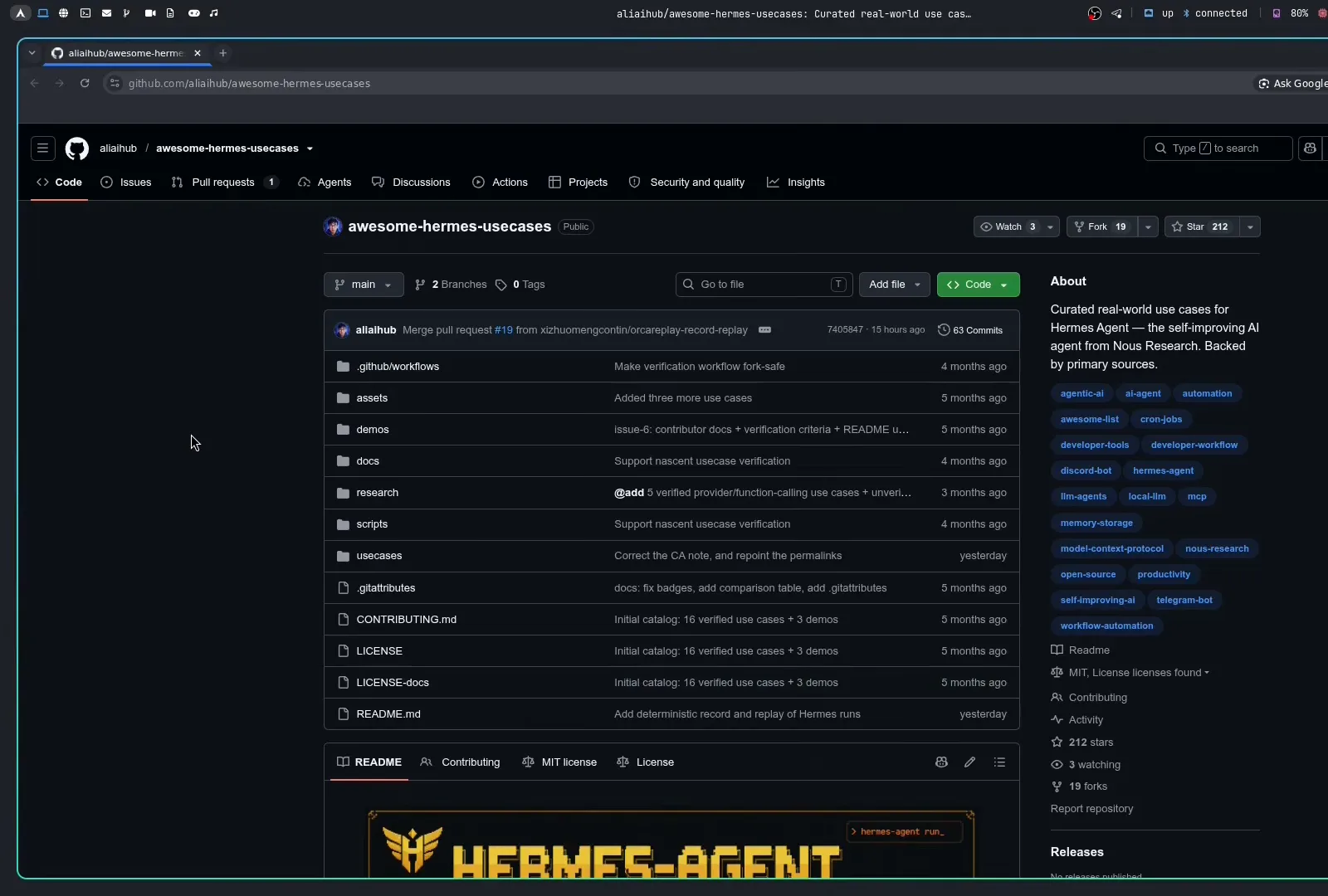
One stop for workflow ideas - most port to any open-source runtime.Watch at 16:30 - 14
Before you pay: pilot two finalists the same way
Both review videos converge on the same closing advice. No Code MBA: start on a monthly plan or a free trial - most hosted picks have one. TechkySkills' documentation-based comparison proposes the test itself: give each finalist one harmless preference and one small workflow (a summary over sample documents, nothing sensitive), start a new session, then measure what it remembered, how long the task took, what the model spend was, and how many corrections you needed - because cost has four parts: platform fee, model usage, infrastructure, and your time. A cheap plan that needs constant retries is not cheap. Hosted consumer agents you may already pay for - Meta Muse, OpenAI's dots, Grok Bot - deserve the same pilot; our best AI agents topic tracks that wider landscape.
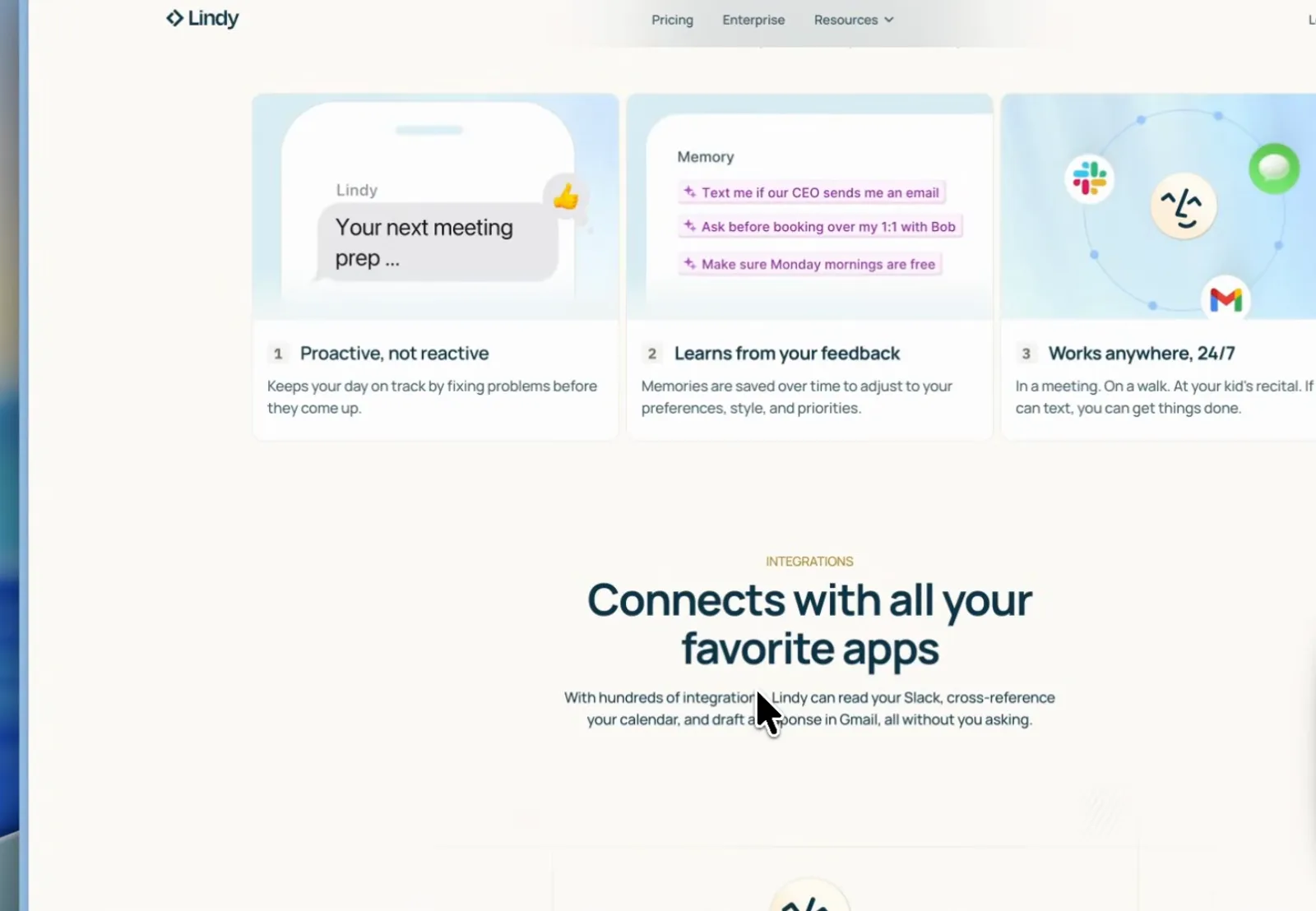
Hundreds of integrations - and the cheapest way to learn whether they fit.Watch at 5:28