

OpenAI Dots vs OpenClaw: Which Personal Agent Actually Fits in 2026?
OpenAI's dots and the open-source OpenClaw both want to be the agent that keeps working after you close the laptop. One is a polished add-on to a ChatGPT plan; the other is a lobster you host on your own hardware. This walkthrough lines them up on the same axes — where they run, what they cost, what they can and can't do — using footage from three hands-on reviewers: Theoretically Media's DevDay coverage, Mark Kashef's dots deep-dive, and Rachel How's two weeks self-hosting OpenClaw. Every verdict below belongs to the reviewer who said it; the final call is yours.
Source & credits
Screenshots in this guide are captured from Theoretically Media's public walkthrough video. Every step links back to the exact moment it shows, so you can follow along.
Theoretically Media ↗Two answers to the same job
- 1
Meet the two contenders
OpenAI used DevDay 2026 to introduce dots: persistent agents that keep working whether or not ChatGPT is open. The timing matters. Reviewers immediately framed dots as a hosted answer to OpenClaw, the open-source agent whose creator, Peter Steinberger, joined OpenAI in February. The next slides show why the comparison stuck.
DevDay 2026 is where dots went public.Watch at 0:25 - 2
What dots promises
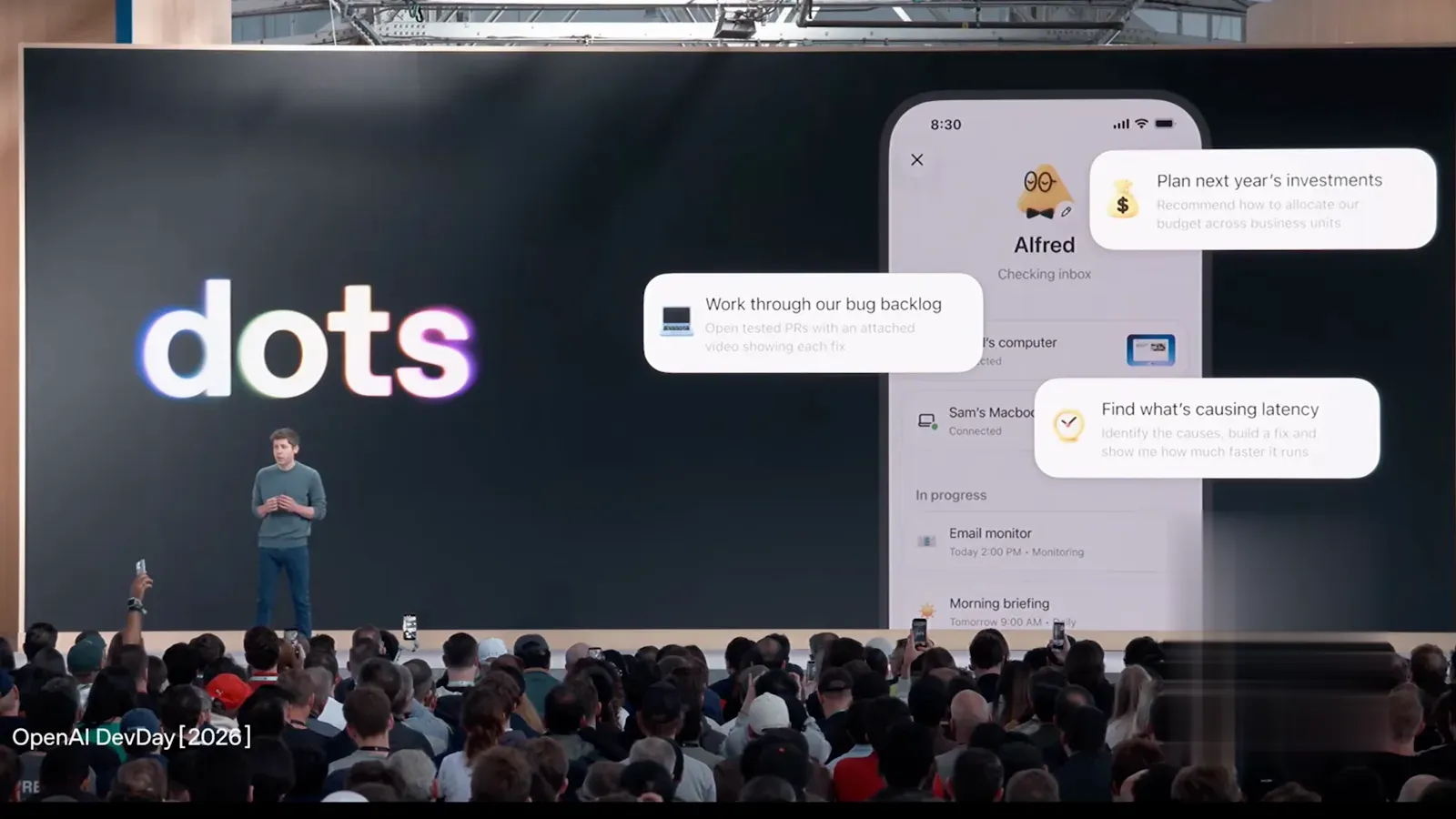
Each dot runs 24/7 with its own cloud computer, and you can reach it by chat, voice call, the mobile app, or Slack and Teams — and it can reach back. Theoretically Media's read: these are "bots with timers and tasks", not a conscious co-worker. It is the same always-on promise OpenClaw users already run on their own machines.
The pitch: an agent you can call, text, or ping on Slack.Watch at 1:15 - 3
The OpenClaw side of the story
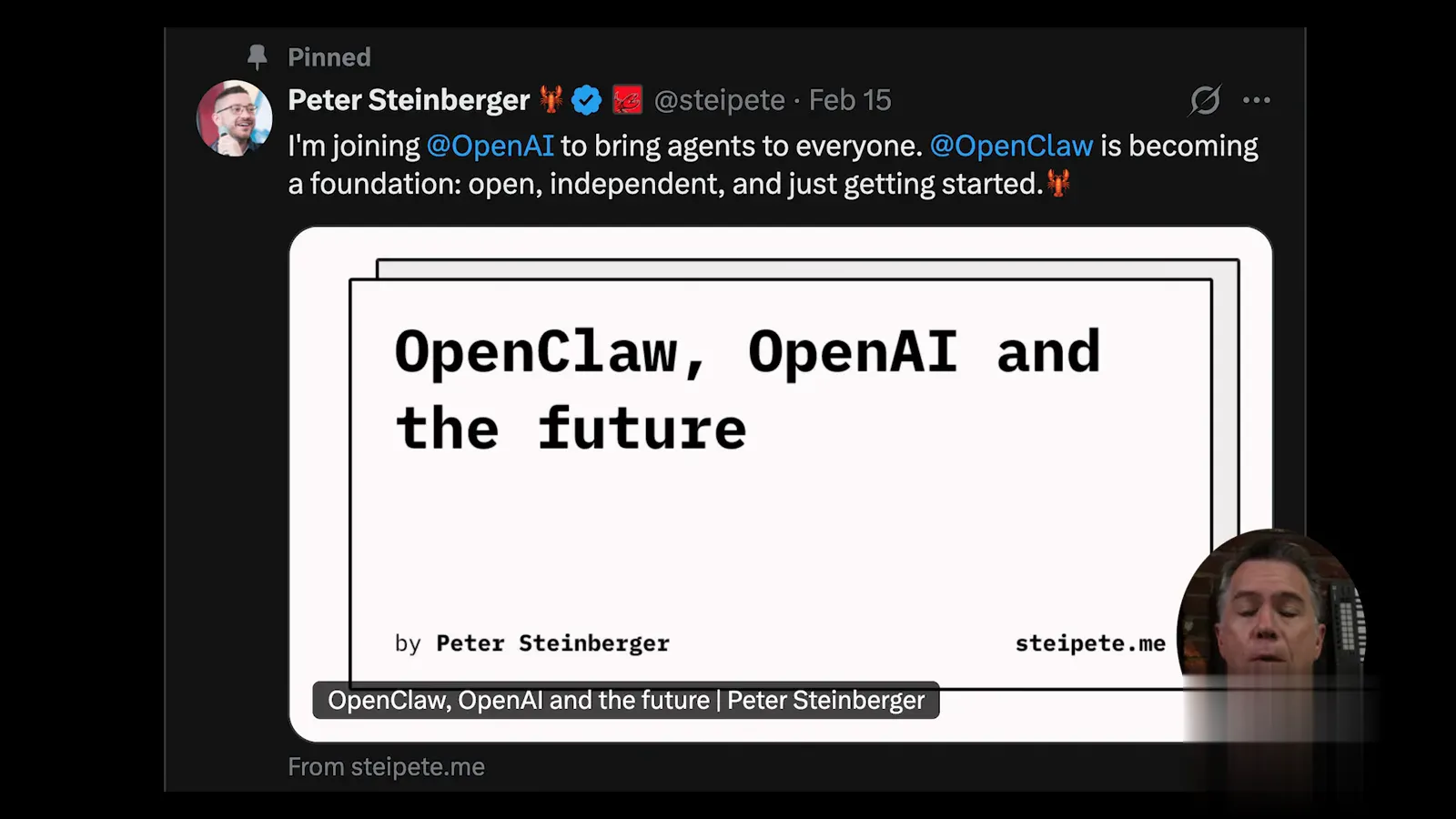
OpenClaw didn't stand still while OpenAI built its take. Its creator joined OpenAI, and the project itself became a foundation — open and independent, per Steinberger's own post, and "just getting started". That backdrop is why the two keep getting compared: dots is, structurally, a managed version of the thing OpenClaw lets you run yourself.
February 2026: Steinberger heads to OpenAI; OpenClaw becomes a foundation.Watch at 1:40 - 4
First-run: dots inside the ChatGPT app
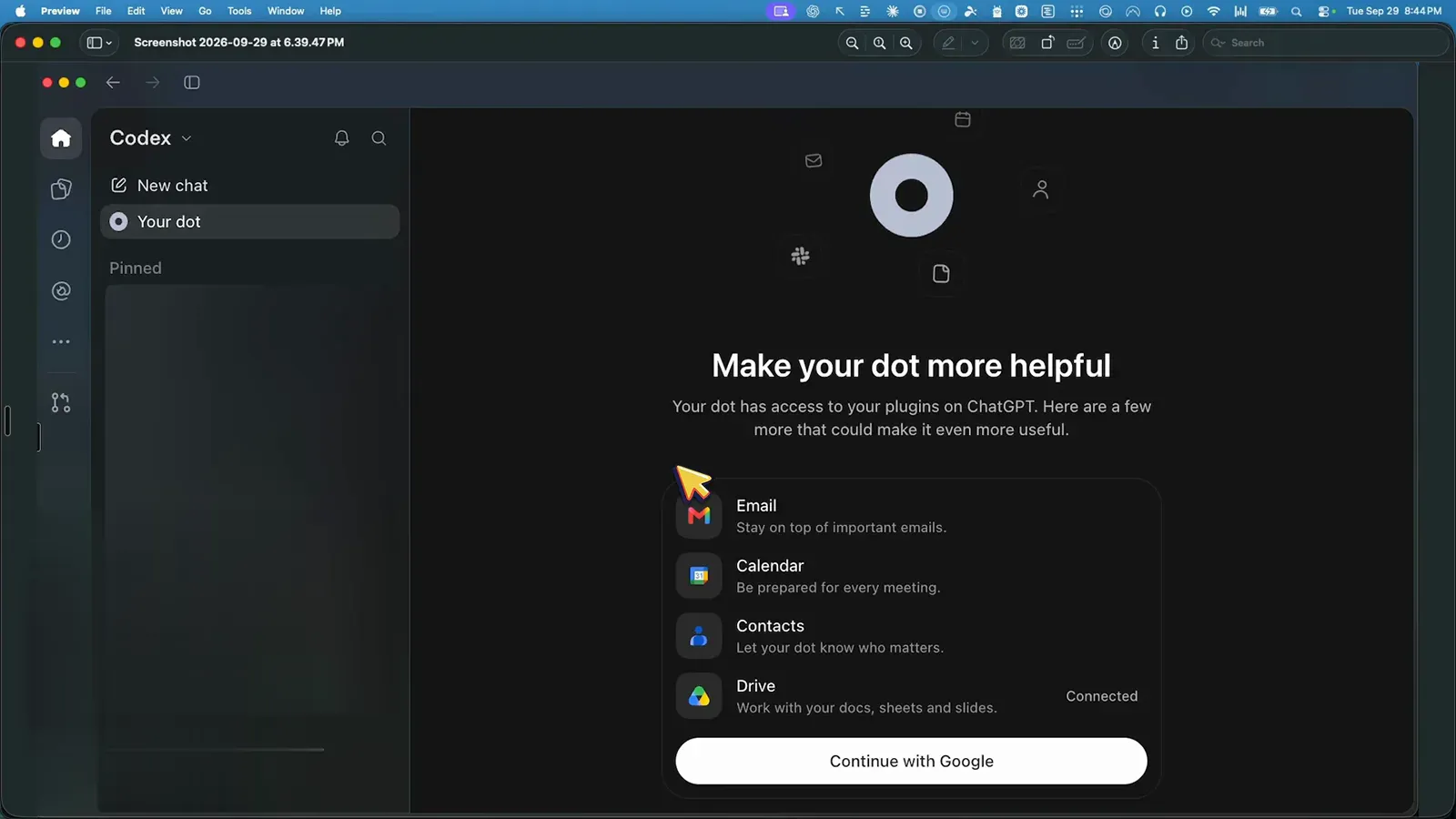
dots lives in the ChatGPT/Codex app, and onboarding asks you to connect Email, Calendar, Contacts, and Drive. Mark Kashef notes that integrations you already set up in Codex don't carry over — you reconnect them here. OpenClaw's first run instead interviews you about personality, tone, and memory structure. The two philosophies diverge from minute one.
dots onboarding: reconnect your Google stack inside Codex.Watch at 0:40
Where the agent actually runs
- 5
dots: a computer on OpenAI's servers
Every dot gets an isolated cloud computer on OpenAI's infrastructure, driven by hooks for event triggers and cron for scheduled jobs. You never see the machine — the diagram below is Theoretically Media's simplification — you only see chat and results. OpenClaw inverts this: the machine is the Mac mini or VPS humming in your own home or account.
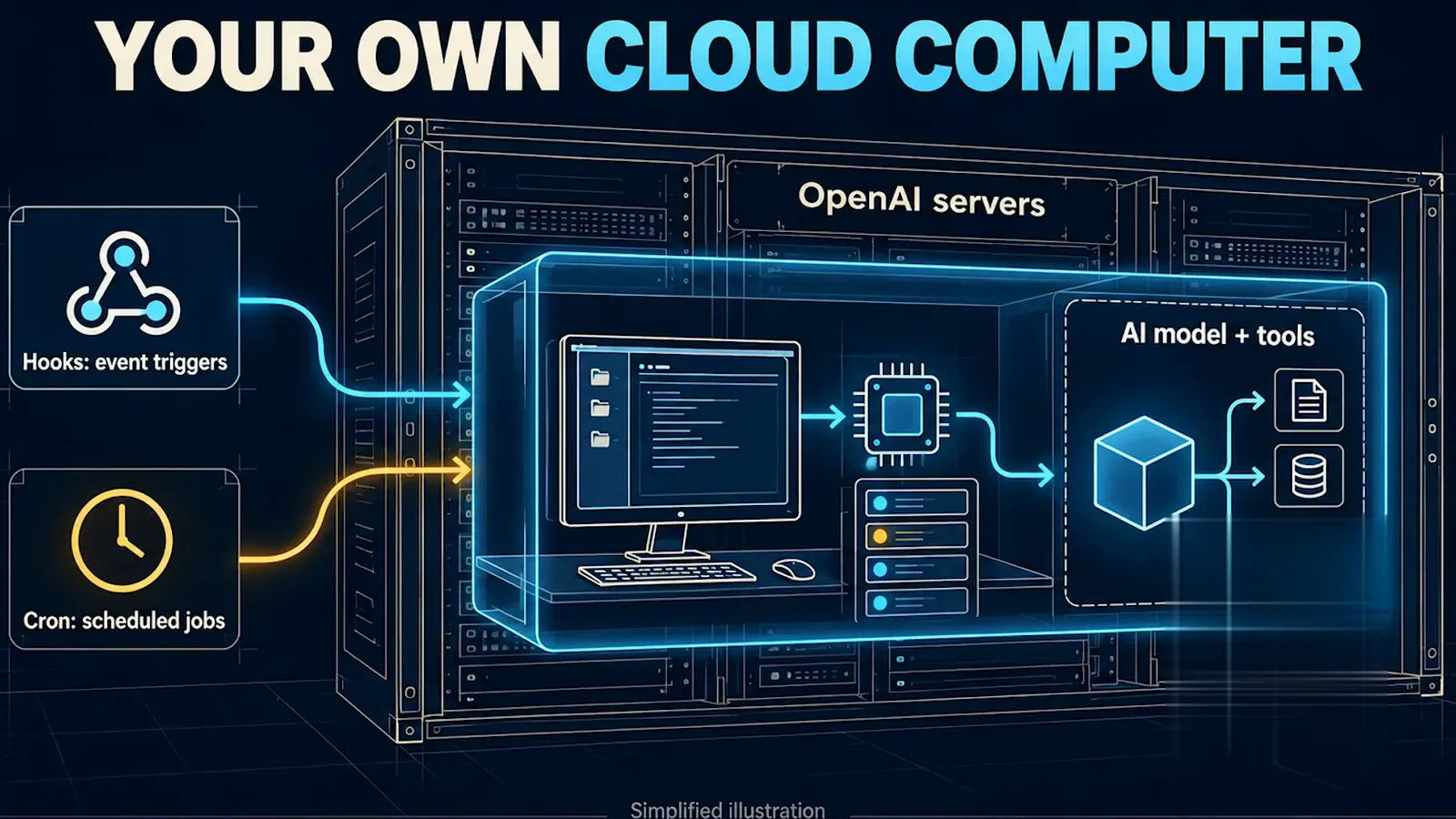
Hooks and cron on OpenAI hardware, isolated per dot.Watch at 5:18 - 6
Peek inside a dot's computer
The profile panel shows what a hosted agent looks like in practice: groknot is active, has a Call button and a Slack handle, and — the key line — its own computer, marked Connected. When the dot drives that computer mid-task you can watch it work or press Take over. With OpenClaw you would simply open a terminal on the box itself.
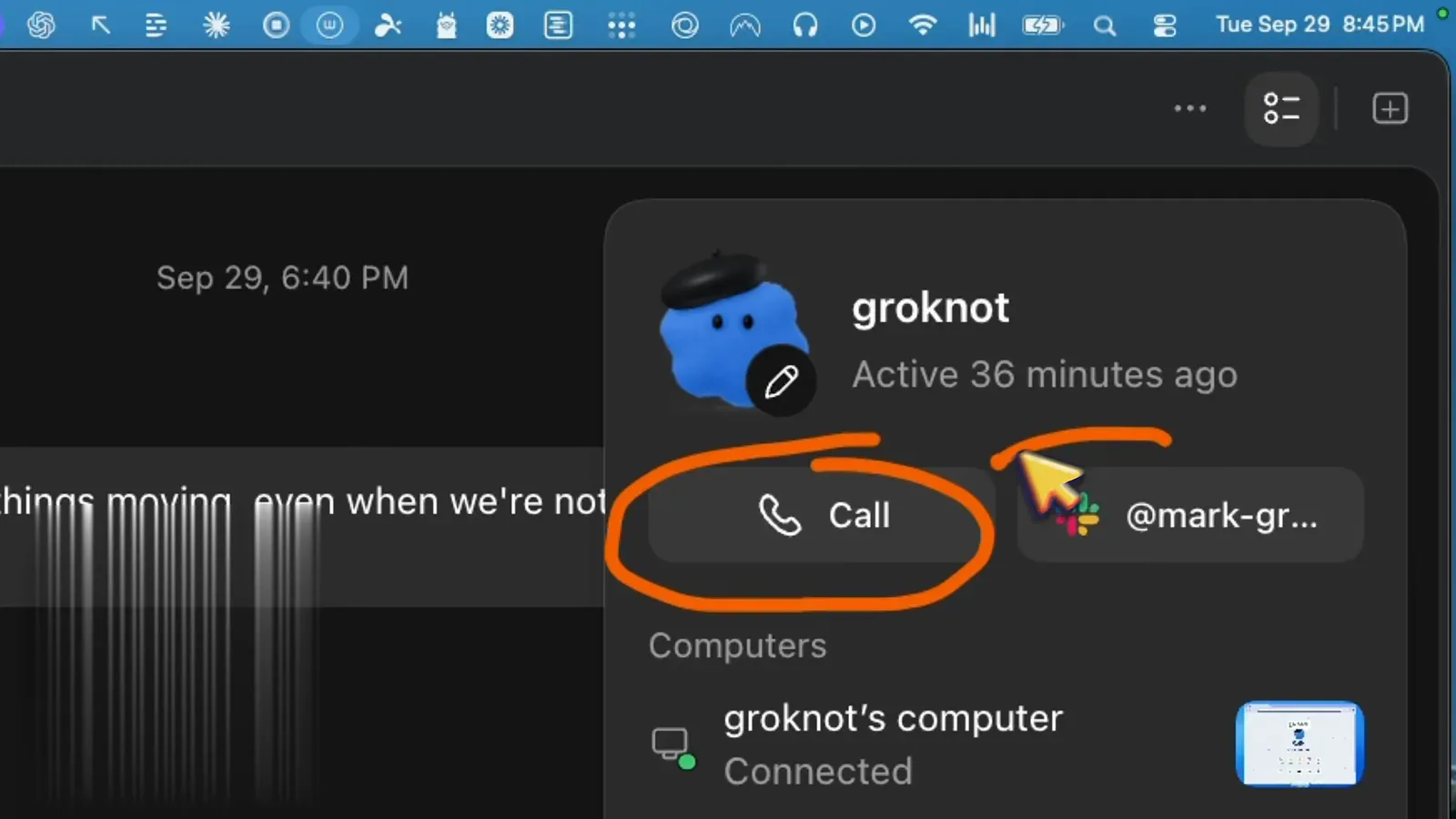
groknot's computer reads Connected — that's the whole remote VM.Watch at 1:05 - 7
OpenClaw: your hardware, reachable anywhere
Rachel How runs OpenClaw on a used Mac mini that stays on 24/7 and reaches it from her phone or laptop through Tailscale, whose free plan is enough. Remote access to your own agent costs nothing extra because the agent was never anywhere else. The trade: you are the datacenter now, from electricity to uptime.
Tailscale's free plan bridges her phone to the Mac mini.Watch at 3:17
What you actually pay
- 8
dots pricing: 100, 200, Pro 500
DevDay reshuffled ChatGPT Pro into $100, $200, and a new Pro 500 tier with 25× Plus usage and Ultrafast access. dots requires one of these tiers — the $20 Plus plan doesn't include it. Theoretically Media, himself on Pro, still hadn't received his dot at review time, so treat availability as rolling even on qualifying plans.
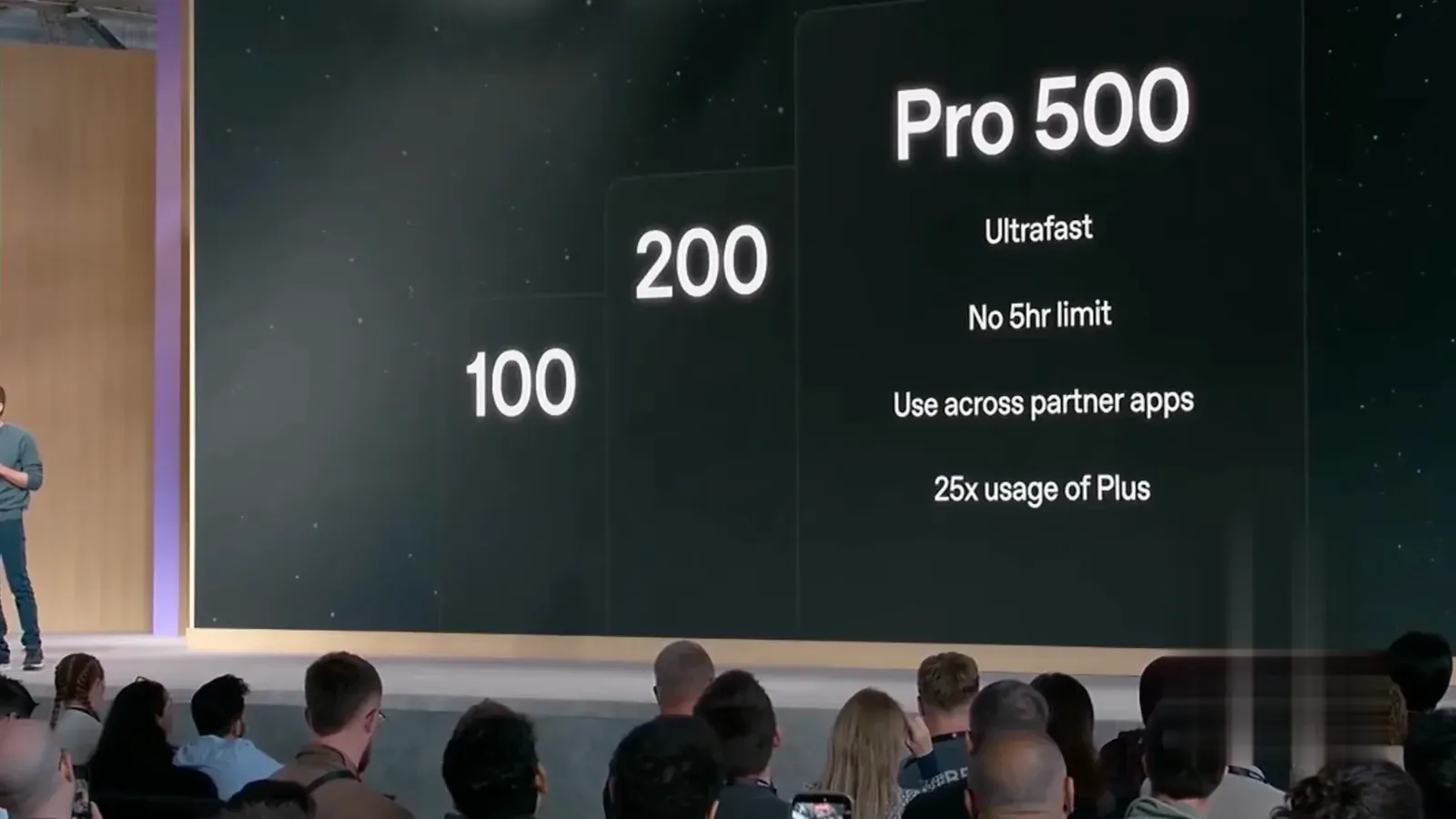
Pro 500 tops the new lineup at 25× Plus usage.Watch at 7:50 - 9
The plan gate: Pro, Business, Enterprise
The "dots in Space" slide doubles as the eligibility list: ChatGPT Pro, Business Premium, or Enterprise. That gate is the real price of the polished experience — you're not buying dots, you're upgrading your whole ChatGPT plan to reach it. OpenClaw's gate is a different toll: whatever hardware and API key you bring.
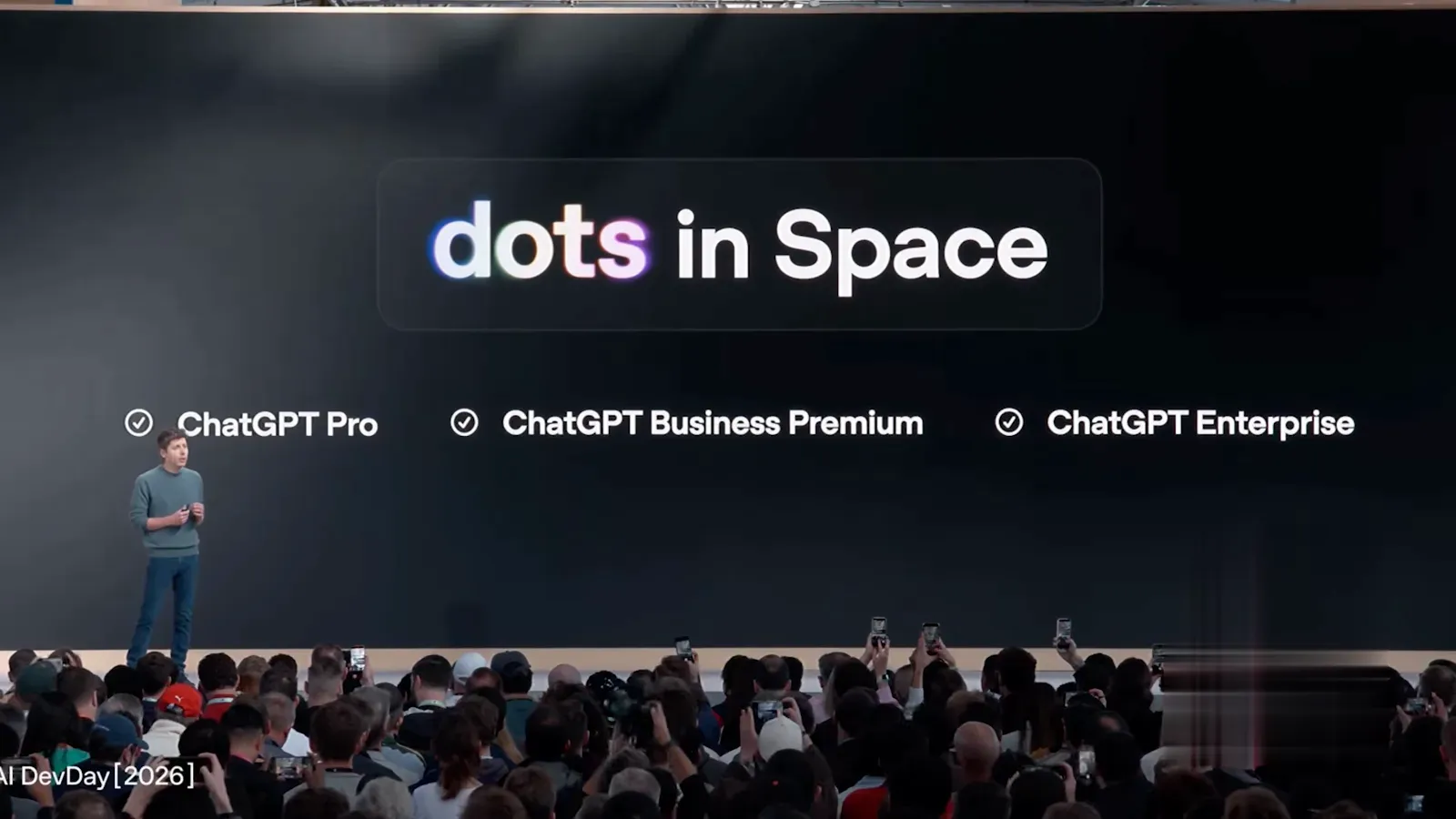
Check the checkmarks before you budget for dots.Watch at 6:35 - 10
OpenClaw costs: metered, itemized, yours
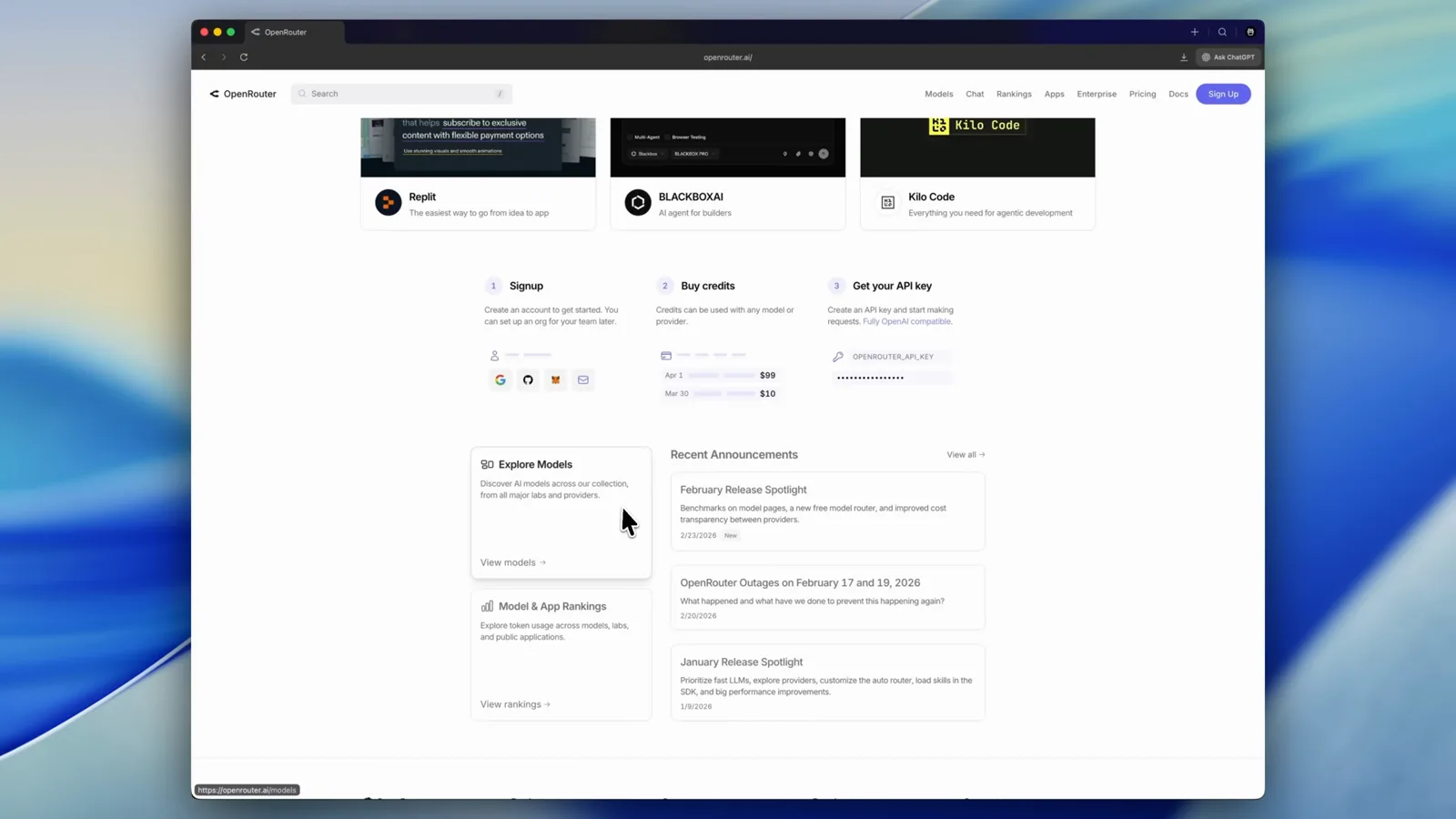
Self-hosting isn't free — it's itemized. Rachel How's stack: a used Mac mini, about a dollar of monthly electricity, ChatGPT Plus via OAuth or an OpenRouter key, and a few add-on APIs like Brave Search at roughly $5 per 1,000 queries. Nobody charges a platform fee; you pay for the parts you use, and you can unplug any of them.
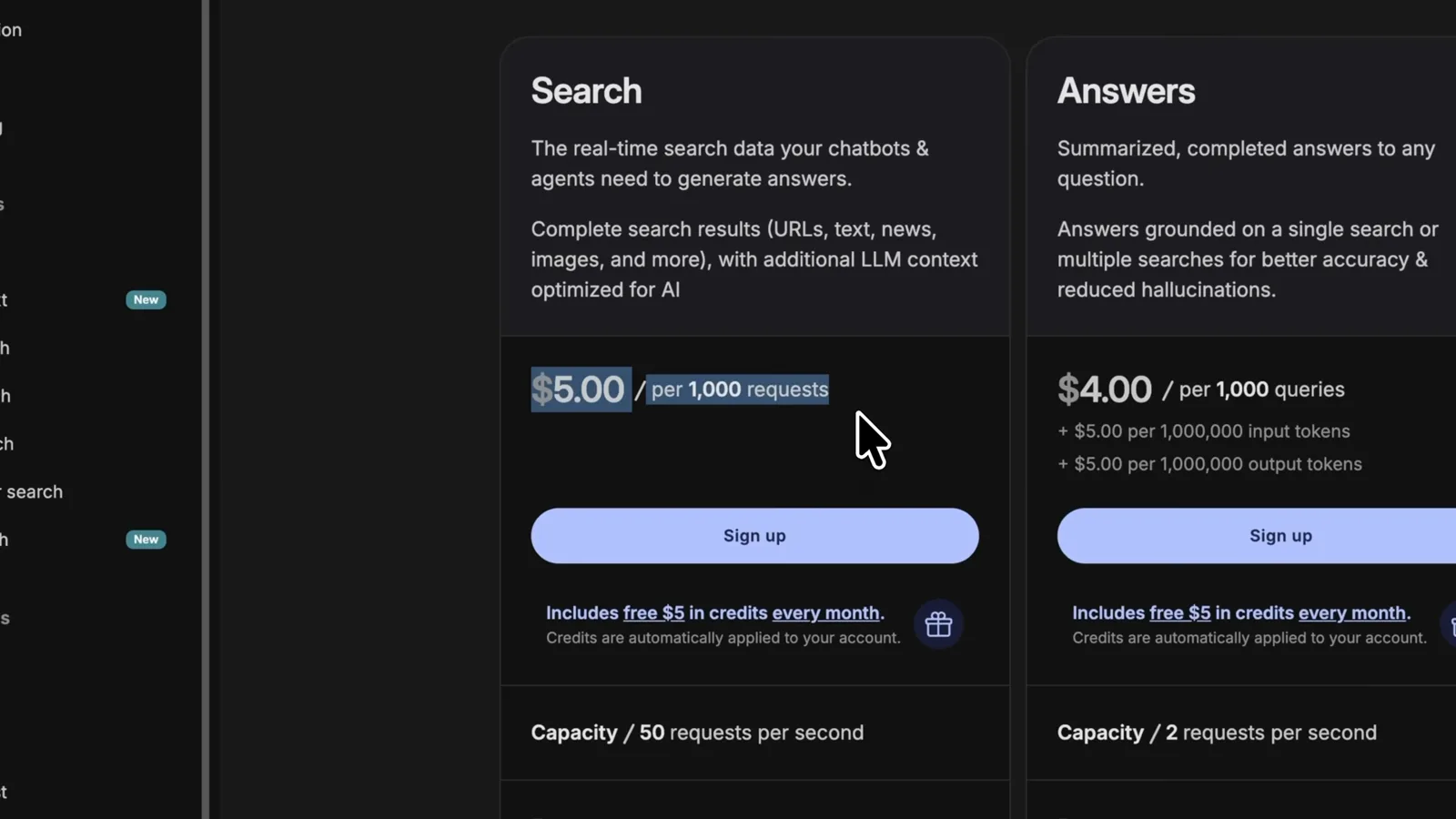
Brave Search: about $5 per 1,000 queries, one line in the stack.Watch at 3:38
Where capabilities split
- 11
dots at work: build tasks with guardrails
Ask dots what it's good at and it lists research, documents, slides, websites, code, and travel comparisons — and promises to ask before purchases or sharing sensitive information. Kashef's build-me-a-website task came back with a plan, a green checkmark, and a "link when it's ready" message. The polish is real; so is his complaint that it waits to be pushed.
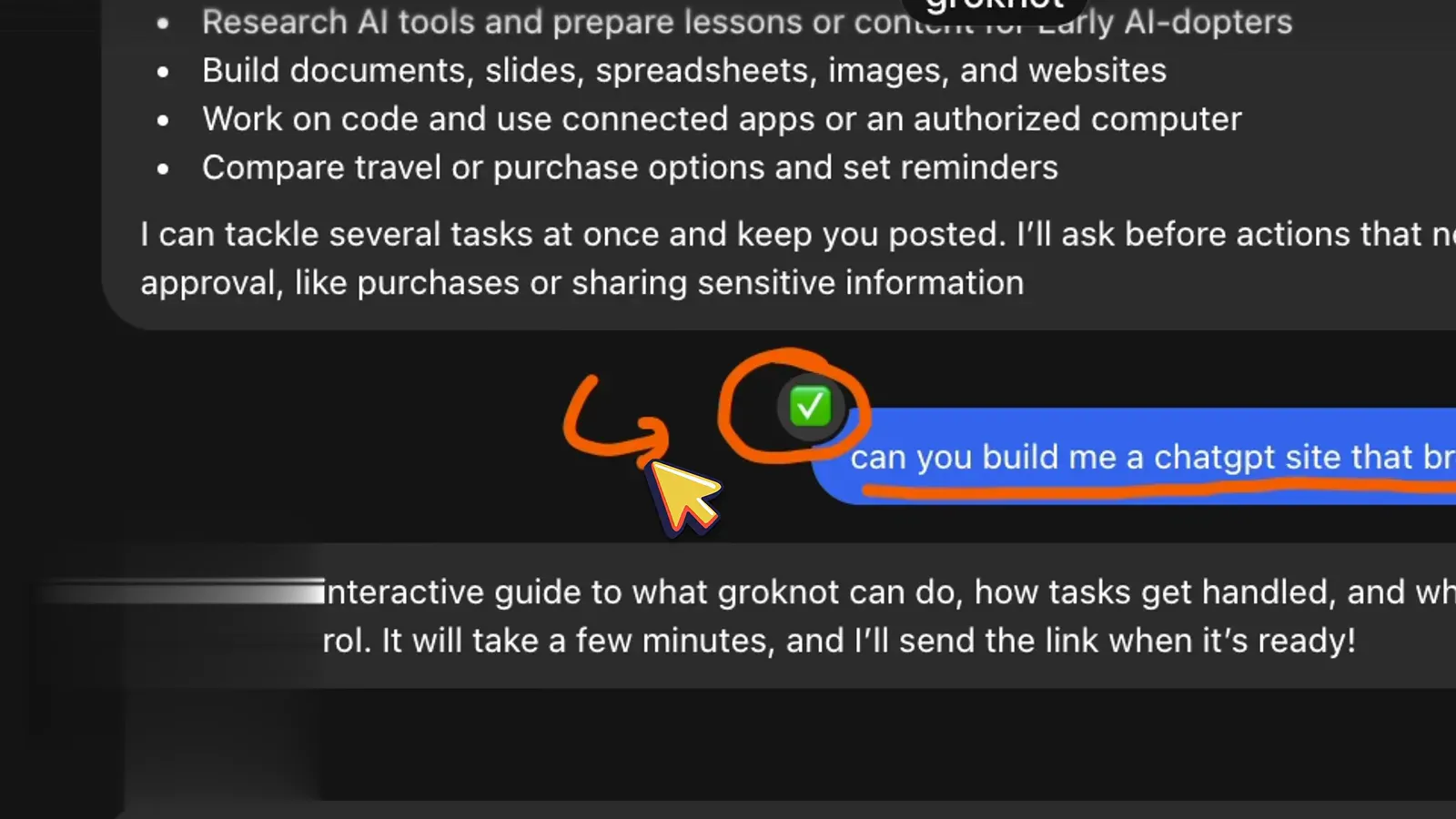
A green checkmark on a build-me-a-site task.Watch at 3:05 - 12
Computer use, with a Take over button
Given a Montreal-to-Johannesburg flight search, groknot browses the Emirates site inside its own computer window — visibly, slowly, under a "groknot has control" banner with a Take over button. Kashef's verdict on the demo: competent but slower than running the same task in Codex, and you watch it happen rather than receive a done result.
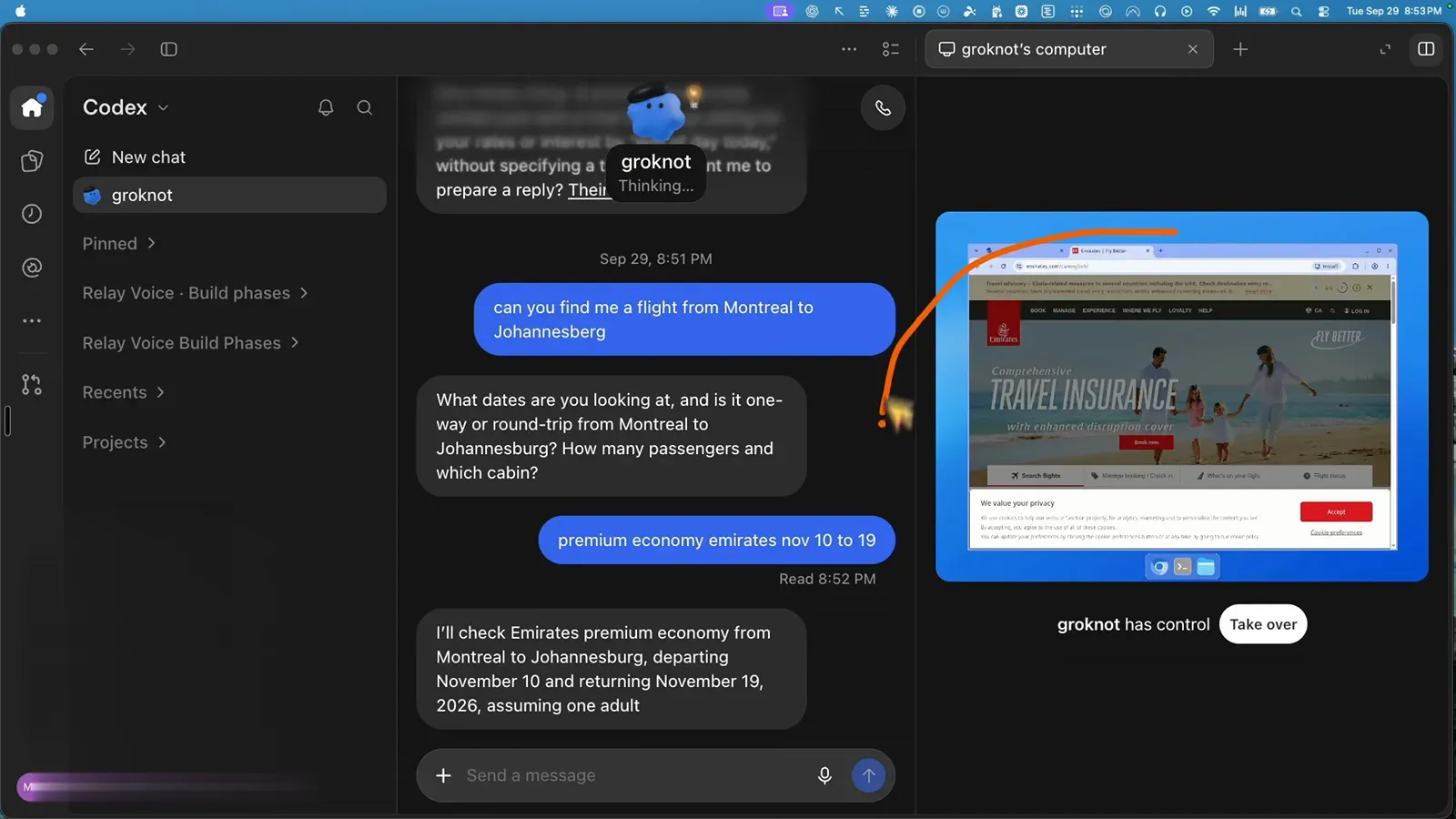
dots drives the browser; you can grab the wheel.Watch at 3:48 - 13
dots in Slack: three clicks, its own profile
Connecting dots to Slack takes about three clicks, after which it appears as an agent with its own profile and threads. In Kashef's test it answered "how many emails did I get in the past hour?" straight from connected Gmail. It replies in threads and can be @-mentioned in channels — the coworker simulation is deliberate.
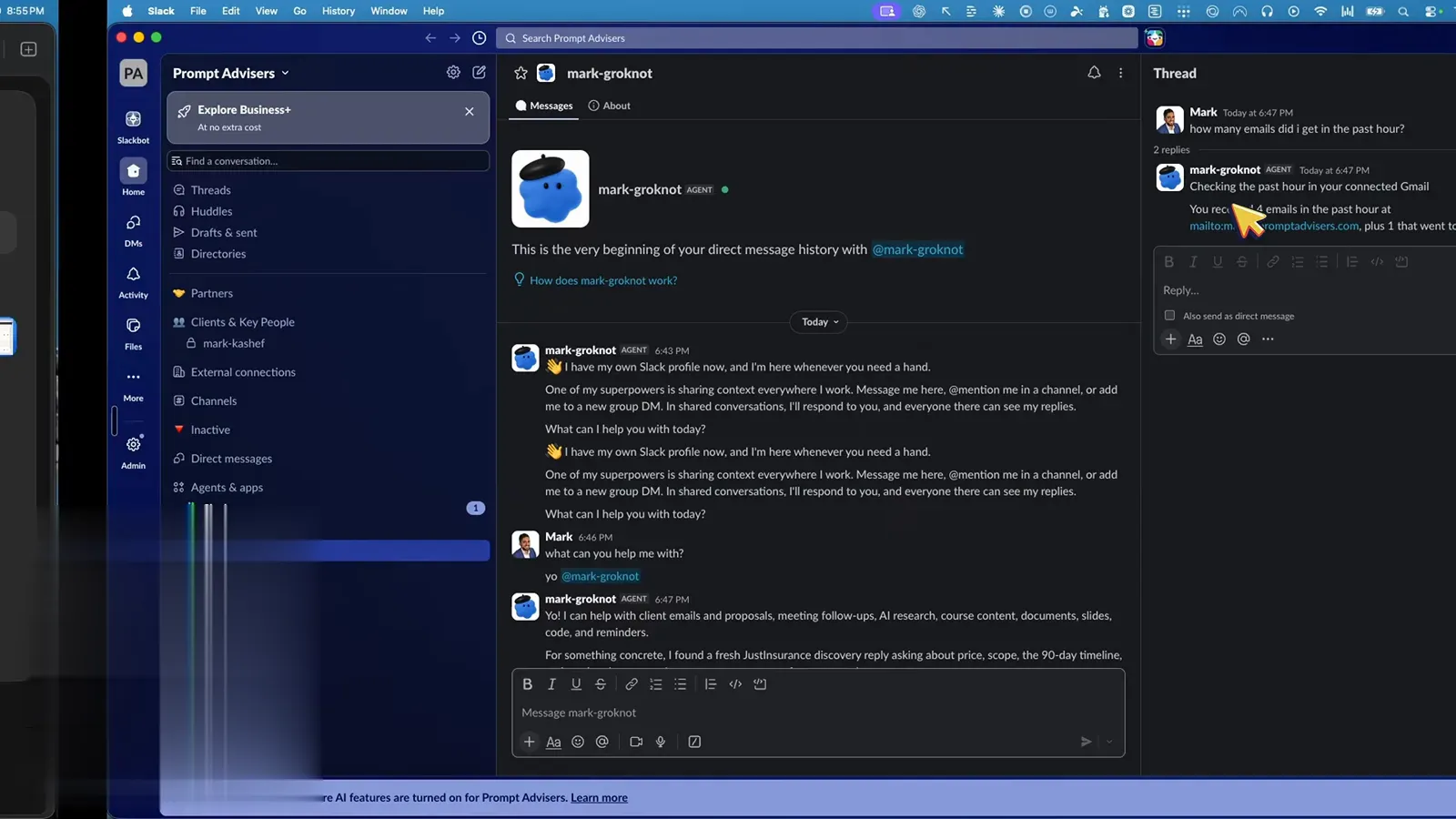
mark-groknot answers an email-count question in a Slack thread.Watch at 4:40 - 14
OpenClaw at work: tools you build yourself
Rachel How's first big OpenClaw project was a mission control dashboard — calendar, per-agent context usage, and task tracking — which she says the bot built for her in about five minutes. Morning rundowns arrive by message, and YouTube analytics pull in through the API. Nothing about it is polished until you or your agent make it polished.
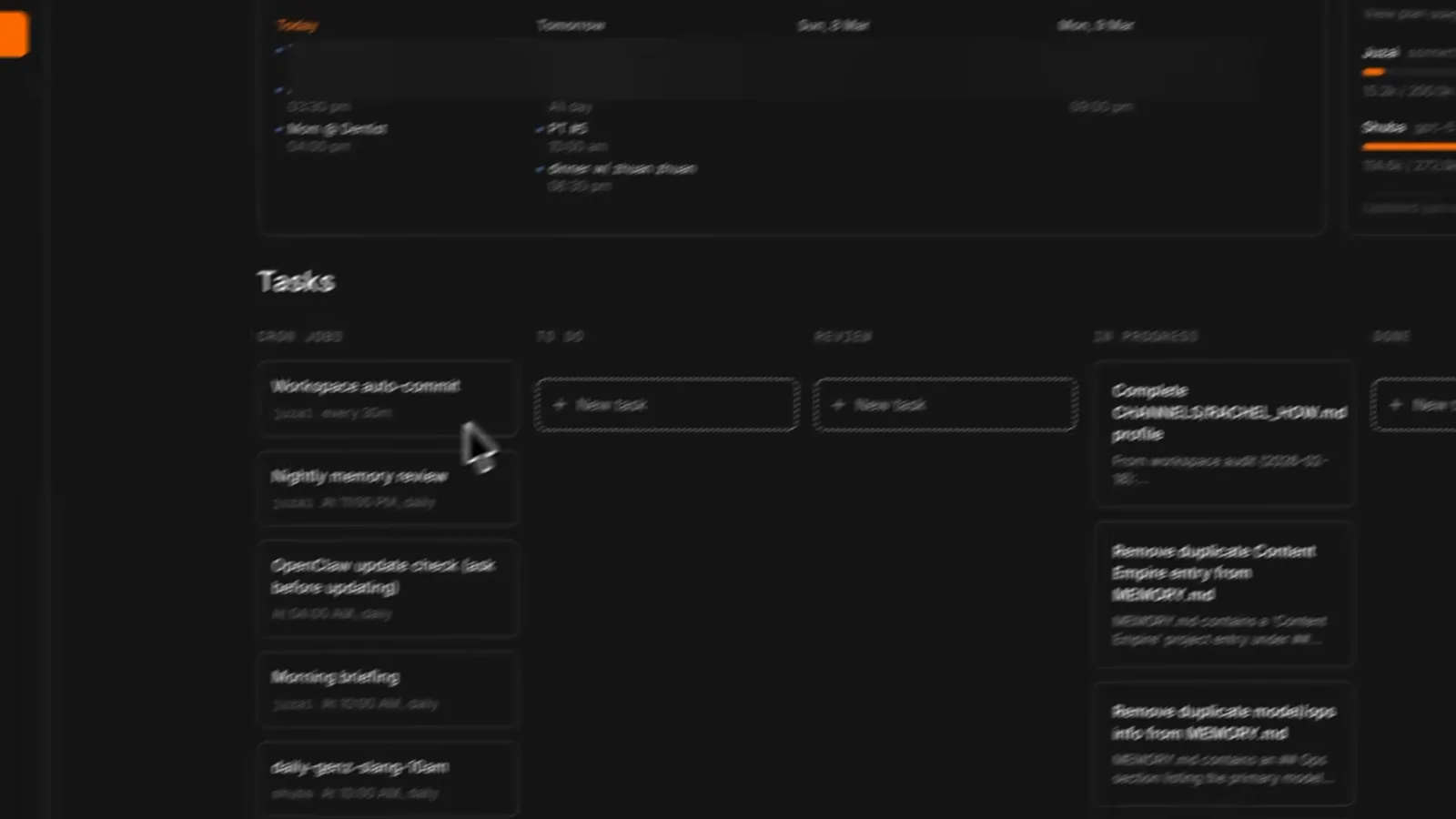
A mission control kanban the bot assembled in minutes.Watch at 1:35
Which one fits you
- 15
The limit dots admits itself
Asked whether you can spin up a team of dots, the product answers in its own words: it can coordinate tasks in parallel, but "I can't create separate dots from this chat." One dot per account for now, with subagents working inside a chat. OpenClaw has no such ceiling — as many agents as your hardware and patience allow. More dots are promised later; the ceiling is real today.
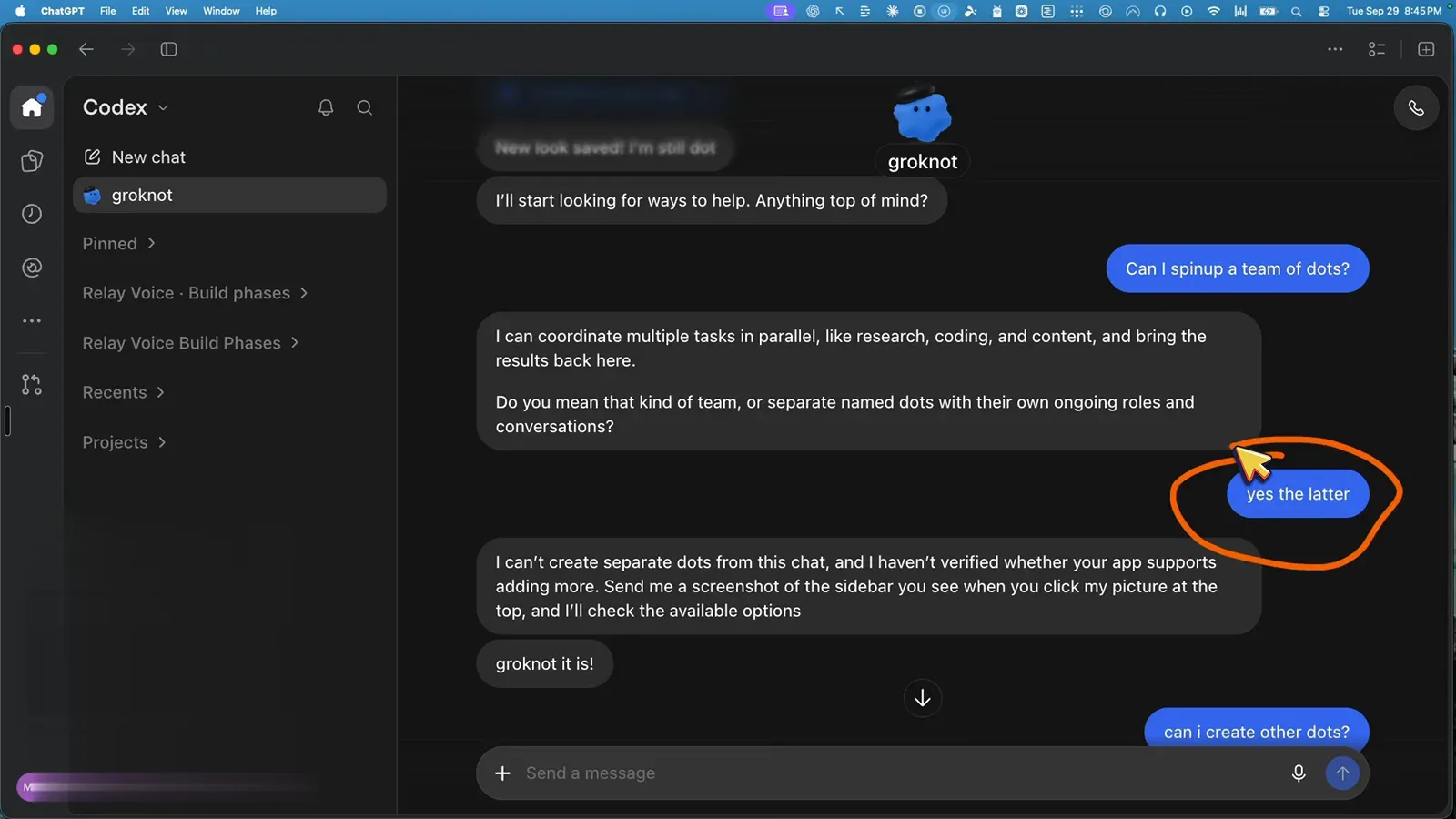
dots itself says: no separate dots from this chat.Watch at 1:35 - 16
The filter, not a verdict
Rachel How's table is the fairest closing frame: you'll love OpenClaw if you enjoy tinkering, Google things when they break, and are happy to spend a week setting up — and it's not for you yet if you want things to just work or need results immediately. Reviewers' own scores: ZDNET called dots "OpenClaw declawed — for $100 a month"; Kashef says don't upgrade plans for one feature; Theoretically Media expects this battleground to stay interesting. Pick your row.
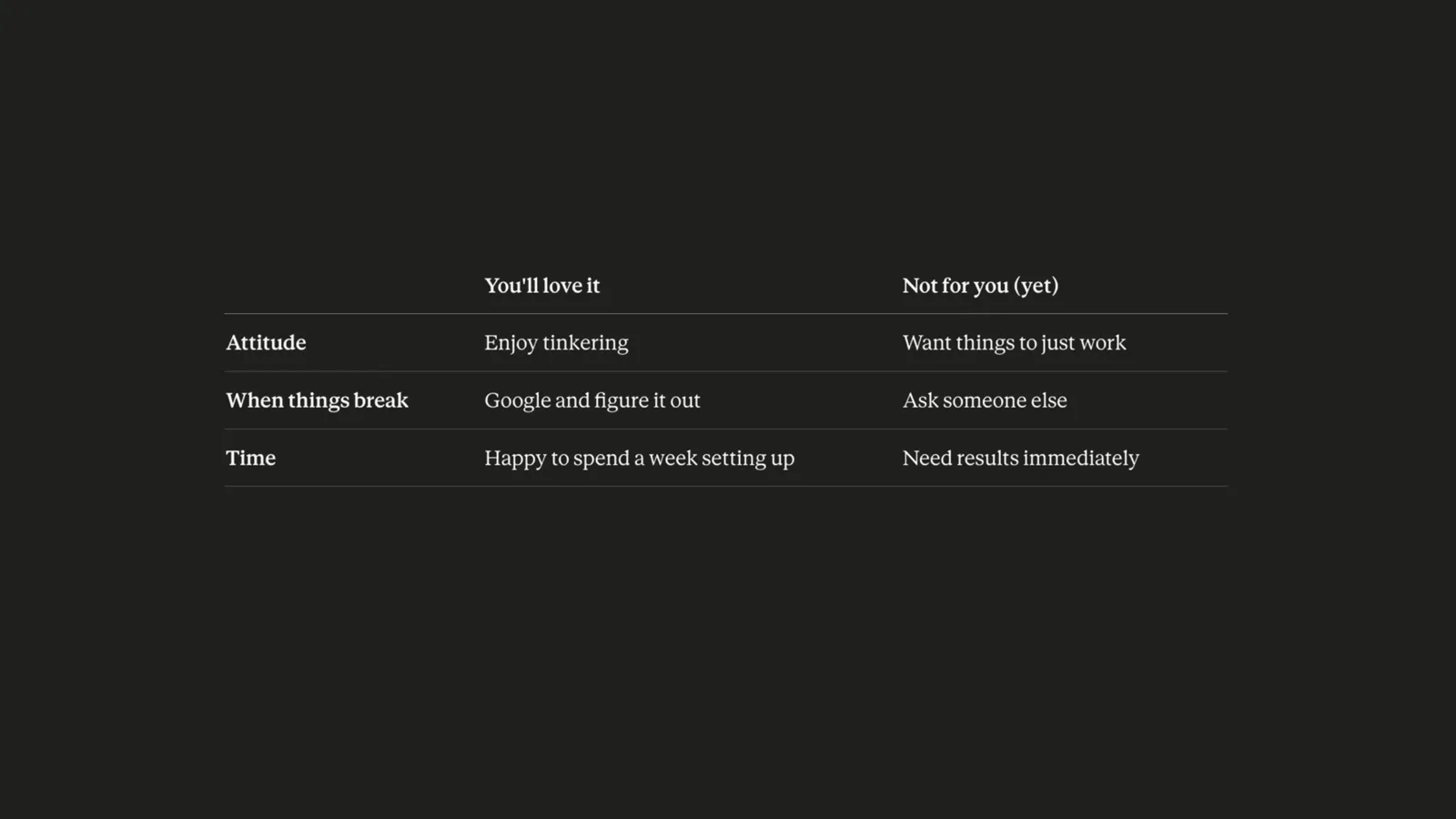
Rachel's fit table — the decision we leave with you.Watch at 0:37
Frequently asked questions
Keep exploring
- OpenClaw tool profile: setup, pricing, and alternatives
- OpenAI dots tips: get your first dot actually working
- Meta Muse vs OpenAI dots: the other hosted showdown
- New to the lobster? Start with our OpenClaw walkthrough
- How dots stacks up against Google's Gemini Spark
- What is OpenClaw? The open-source agent explained