

Gemini Spark vs OpenAI Dots: Which Always-On Agent Fits Your Work in 2026?
Within two fall weeks, OpenAI shipped dots (September 29) and Google opened Gemini Spark to every consumer account (October 8) — and the always-on agent stopped being a demo. This guide doesn't crown a winner. It walks each onboarding path using footage from three hands-on reviewers — Mert Durmazer's dots walkthrough, Eric Siu's dots-at-work test, and Santrel Media's Spark setup — then lines both products up on the axes where they actually differ: plans and price, memory, autonomy and ecosystem. Every trade-off is shown from both sides; the final call depends on where your work already lives.
Source & credits
Screenshots in this guide are captured from Mert Durmazer · Digital Academy's public walkthrough video. Every step links back to the exact moment it shows, so you can follow along.
Mert Durmazer · Digital Academy ↗Two agents, two home bases
- 1
The fall 2026 agent field
OpenAI introduced dots at Dev Day on September 29, 2026; Google answered by opening Gemini Spark to all consumer accounts on October 8. Both agents live inside an assistant you may already pay for — dots inside ChatGPT, Spark inside Gemini's web and mobile apps. This walkthrough uses footage from three reviewers: Mert Durmazer compares dots against Grok Bot, Eric Siu runs dots at work, and Santrel Media sets Spark up from scratch.
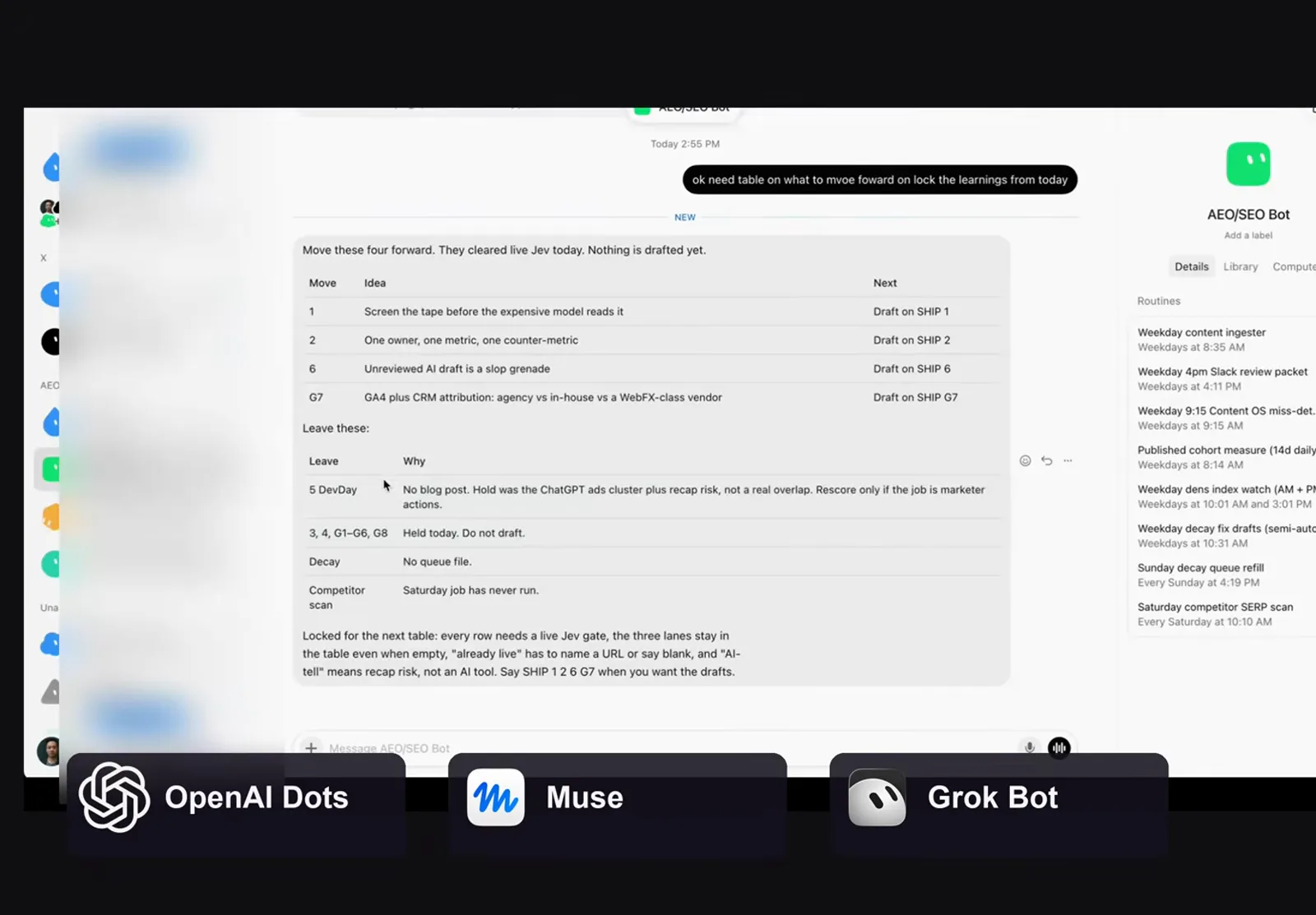
Eric Siu's review opens with the whole new agent field.Watch at 0:08 - 2
Where Spark lives inside Gemini
Spark is not a separate product: on gemini.google.com the left sidebar lists Spark above Tasks, Scheduled, Saved and Connected Apps, and the home screen is one Describe a task box with suggested briefs below. Santrel Media points out the low setup cost — no new account, no connector marathon, because your Google services are already linked. If the Spark entry is missing from your sidebar, keep the app updated; access was still rolling out in early October.
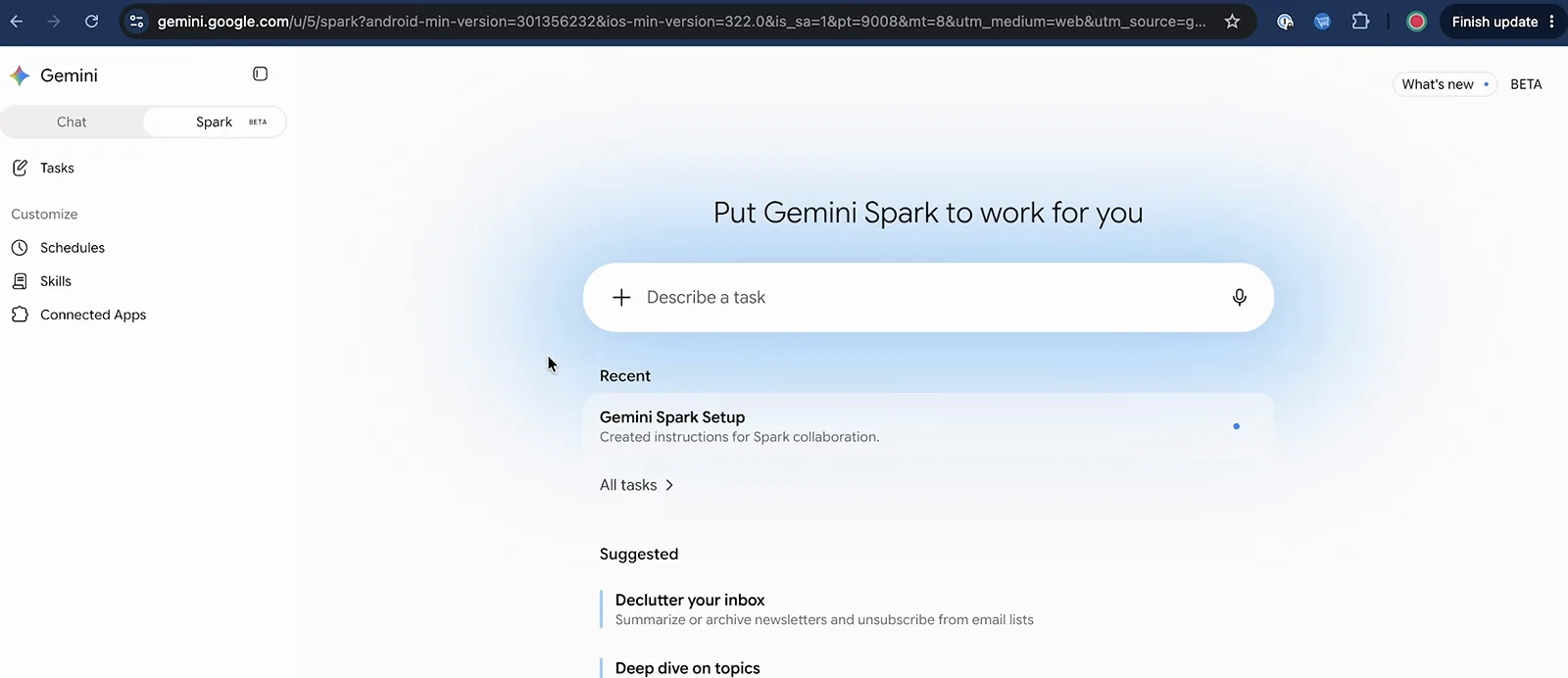
One task box, no wizard — Spark assumes you already live here.Watch at 0:45
Getting started with OpenAI dots
- 3
Open your first dot
A new dot opens with "Hey! I'm your dot" and two prompts: give it a name, or hit Customize your dot. In Mert Durmazer's walkthrough the first real instruction is a shopping errand with guardrails — find headphones under 300 euros, compare three options, never create accounts or enter payment details. The dot restates the goal, proposes a plan with a deadline, and checks in before acting; that approval loop is the default posture, not a setting you have to hunt for.
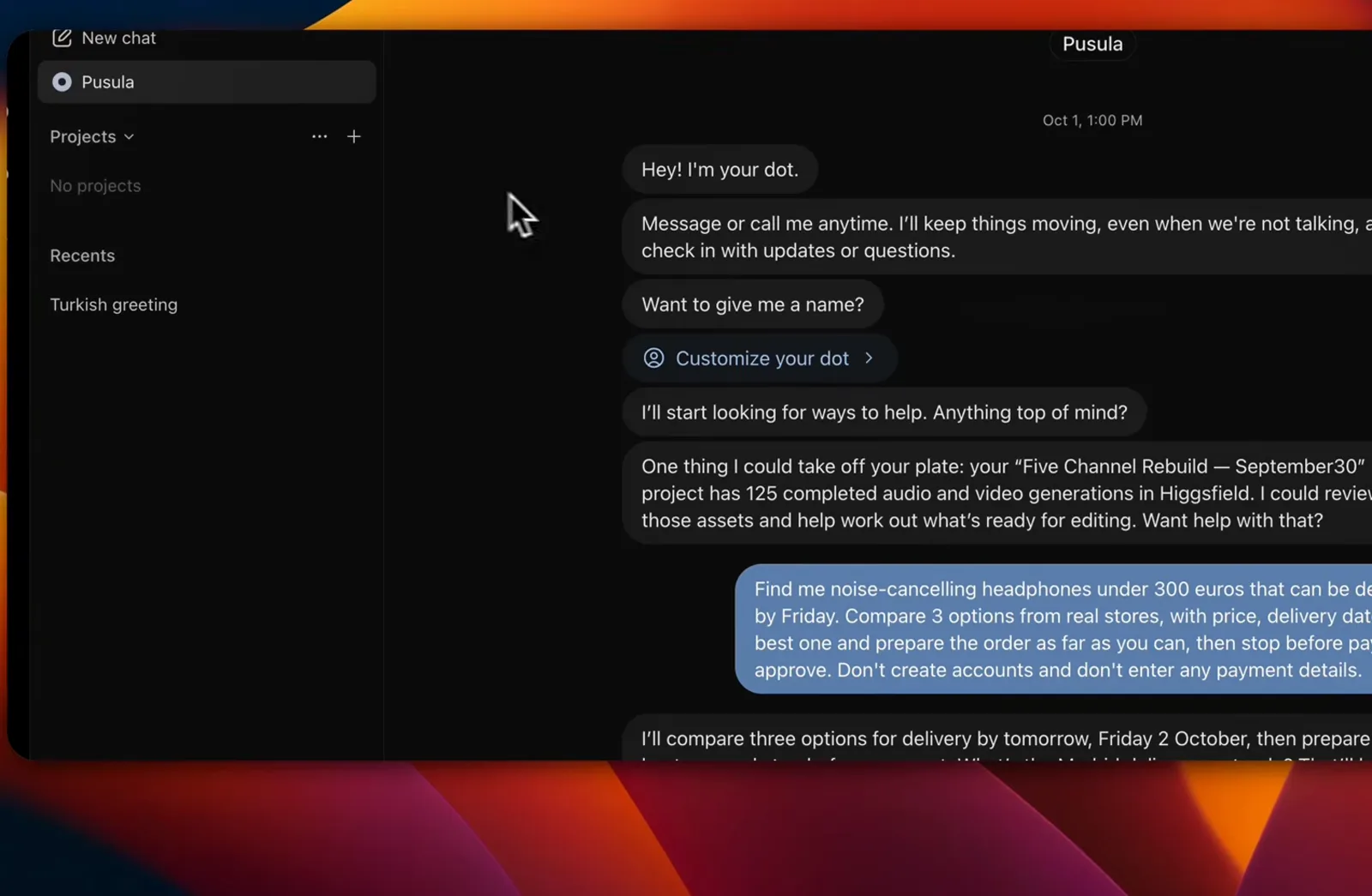
First contact: the dot proposes a plan and asks before it acts.Watch at 8:54 - 4
Call it — it has its own computer
Every dot gets its own cloud computer and browser, and a voice call makes that tangible: the side panel shows Pusula's computer as Connected, lists recent activity — here an AI news routine set for 8:00 daily — and stays live while you talk. In the video, the creator asks his dot mid-call what voice minutes cost and watches it read its own plan terms. The fastest way to audit what a dot is doing, it turns out, is to simply call it.
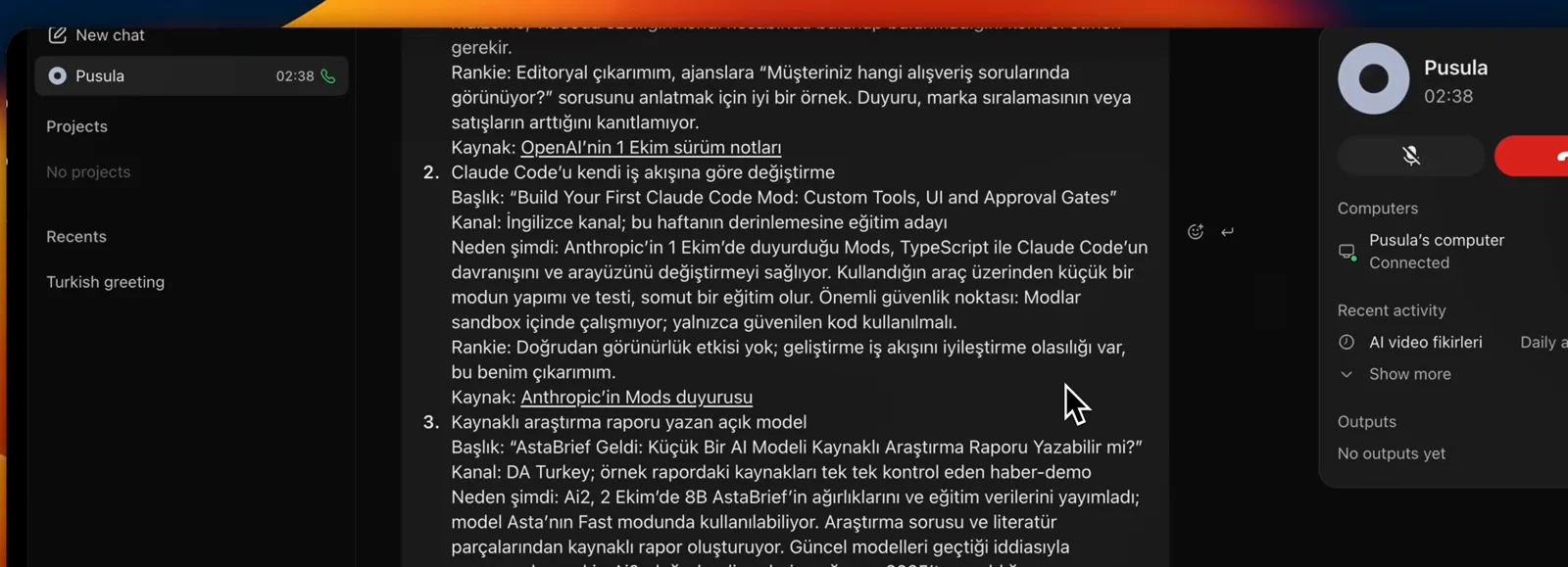
Mert Durmazer debugs his dot mid-call, usage questions included.Watch at 12:02 - 5
Bring the dot to the team
Dots don't have to stay in the ChatGPT app: connect Slack or Microsoft Teams and your dot shows up as a DM-able teammate. Eric Siu's dot files a drafted AI content policy into a thread with document links attached; colleagues can read everything the dot produces, while only the owner can talk to it. Spark has no equivalent — its surface is Google's apps — which makes team handoff the first hard fork in this comparison.
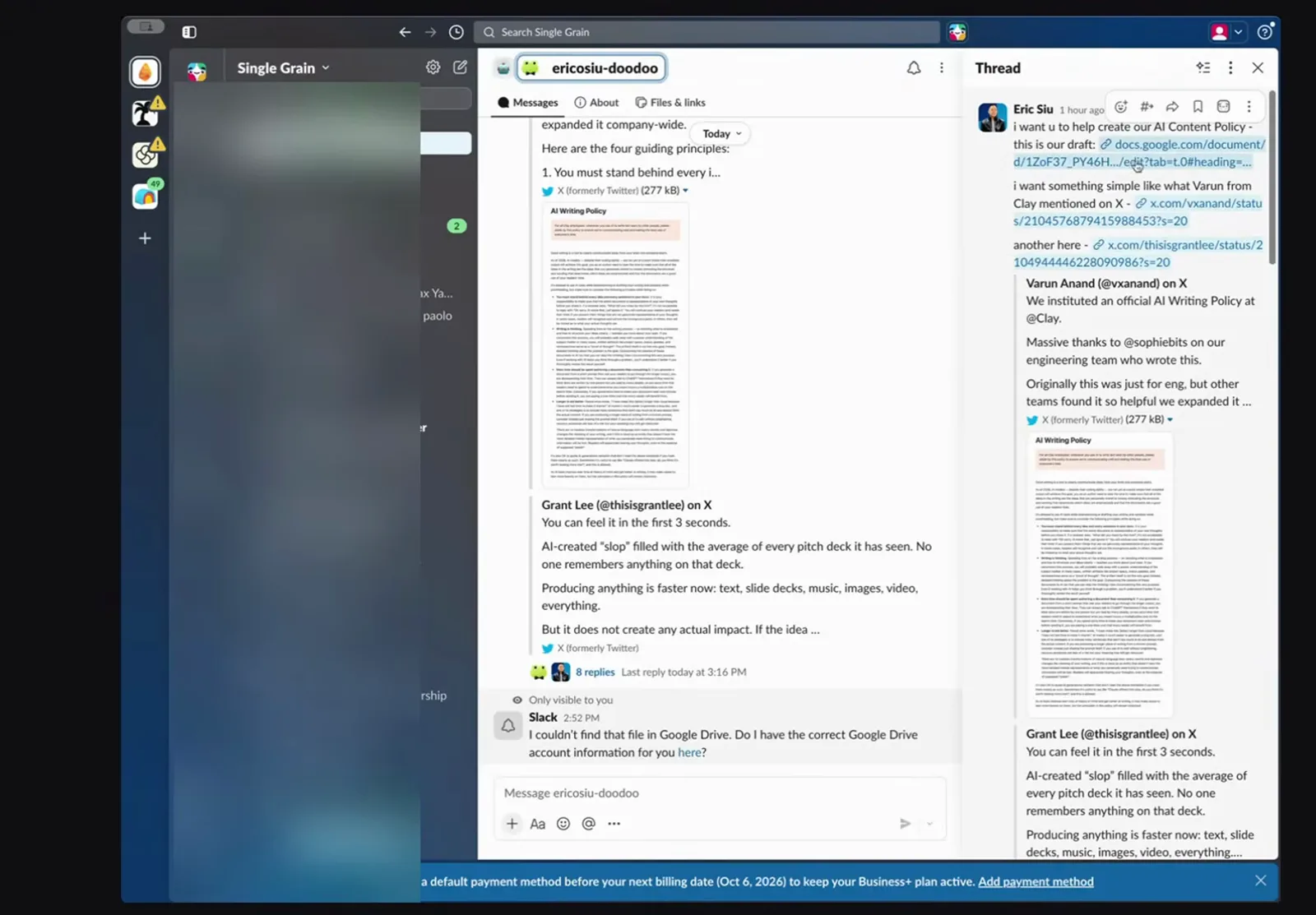
Eric Siu's dot hands off work where his team already sits.Watch at 3:20
Getting started with Gemini Spark
- 6
Clear the entry requirements
Google's help page draws a short, hard line: be 18 or over, sign in with a personal Google Account (work and school accounts are excluded for now), hold a Google AI Pro or Ultra subscription, and keep Web & App Activity on. Spark runs wherever Gemini Apps are supported except the EEA, Nigeria, Switzerland and the UK, in the Gemini mobile app, the Mac app and on the web. Verify all four before you plan tasks around it.
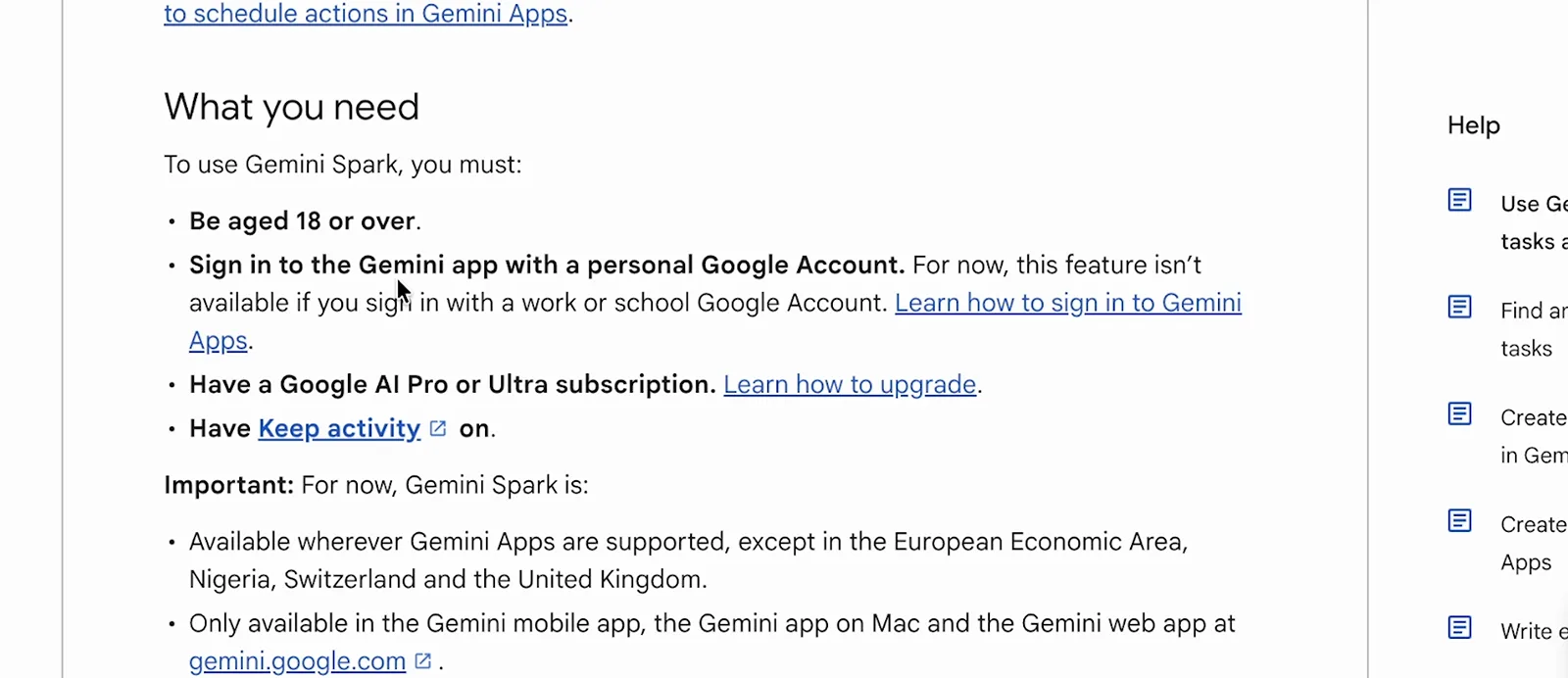
Four gates, one screen — from Santrel Media's setup walkthrough.Watch at 2:42 - 7
Pick the cheapest plan that unlocks it
There is no Spark add-on: Google AI Pro at $19.99 a month includes it, and Ultra tiers from $99.99 raise the ceiling on Google's compute-based usage limits. The $4.99 Google AI Plus tier buys storage and Gemini features but does not qualify — the help page names Pro or Ultra specifically. Every tier caps you at 15 tasks running at once, which starts to matter once your routines multiply.
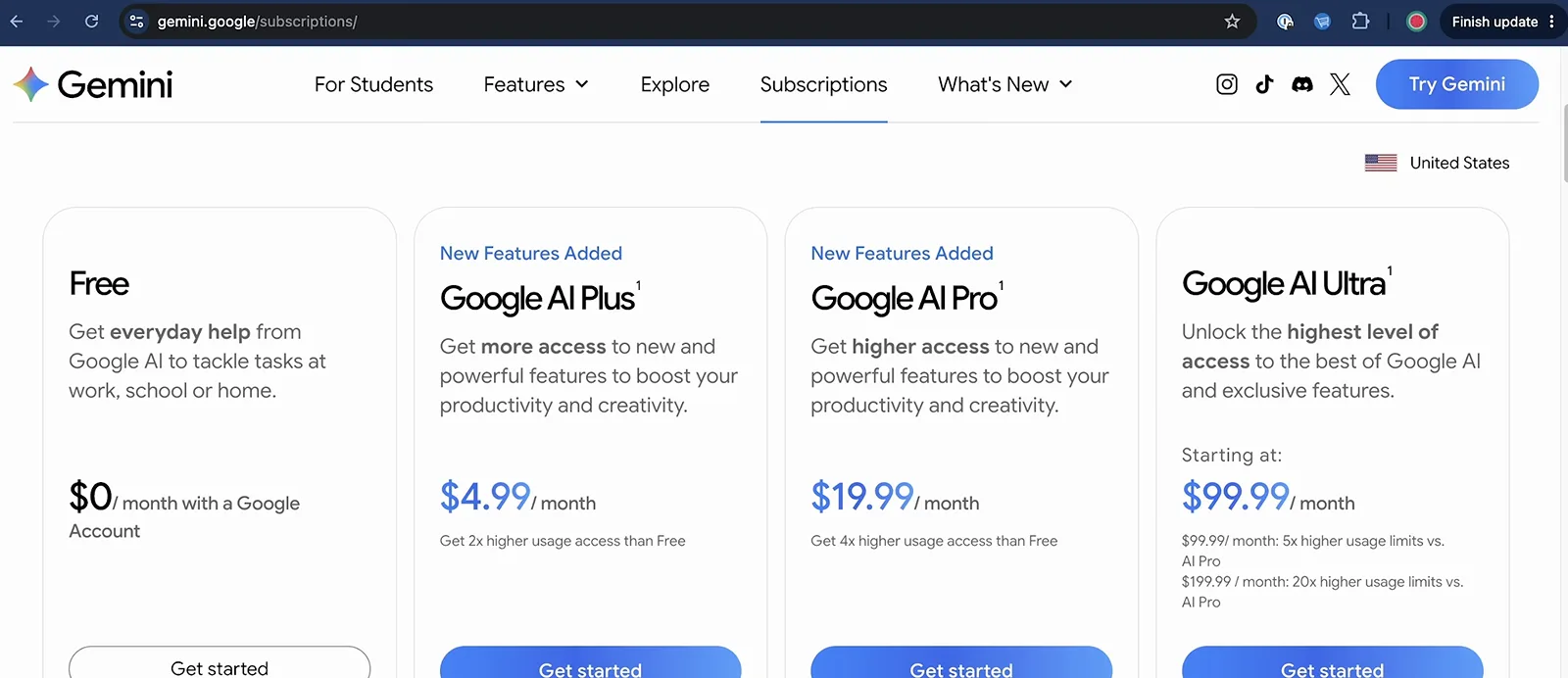
Plan prices as shown on Google's pricing page in October 2026.Watch at 3:00 - 8
Connect what Spark may touch
Under Settings → Personal Intelligence → Connected apps, Google Workspace services are on by default while third-party cards — GitHub, Canva, Dropbox, Zillow, OpenTable — wait for your toggle. The subscription-audit demo in the video needs only Workspace, but the third-party list is what lets Spark act beyond Google's walls. Compare the scale: OpenAI advertises 4,000-plus connectors for dots. Fewer integrations here, but deeper where Google already holds your data.
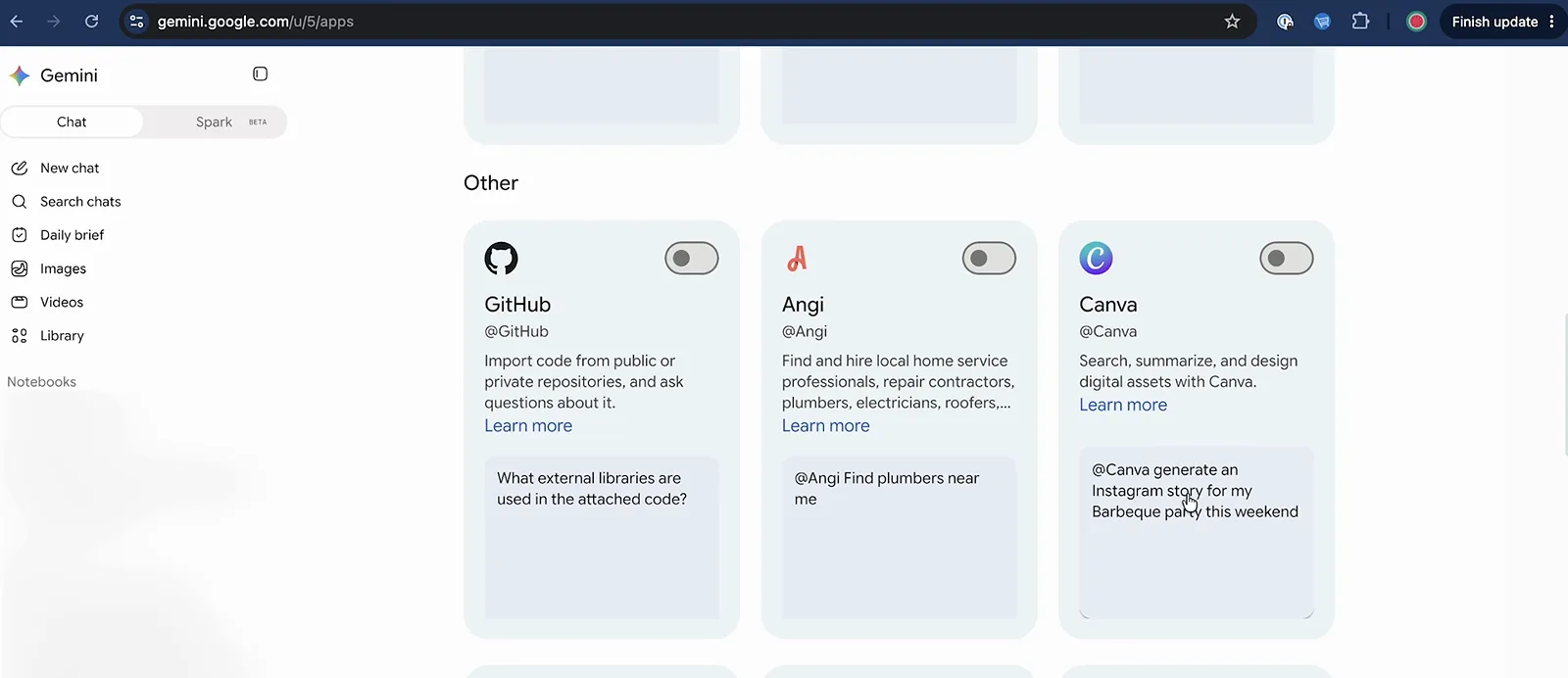
Spark's connector wall is shorter than dots' — and tighter to Google.Watch at 2:02 - 9
Write a task like a brief
The prompt that works reads like a spec: what to scan (a Gmail sender or label), where to write (a named Google Sheet inside a dedicated Spark workspace folder), and when — every Sunday at 8:00 AM in the video's subscription-audit example. Spark echoes the routine back as concrete steps before running anything, and you can request a one-off test run before the schedule goes live. Vague prompts produce vague routines on both platforms; this is the step worth over-investing in.
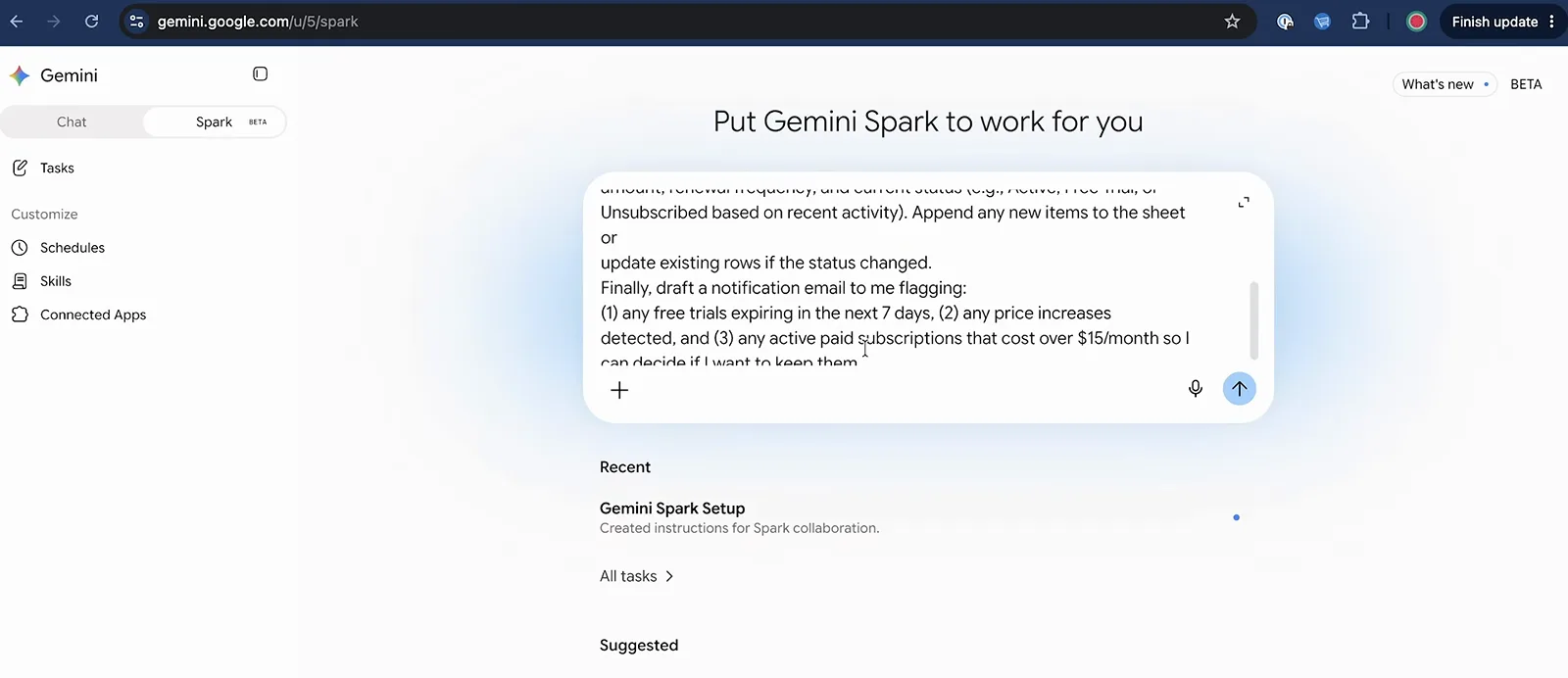
Santrel Media's Sunday audit prompt, written like a work order.Watch at 4:42
Side by side: where they trade blows
- 10
The money question, both sides
OpenAI's launch post is plain: your first dot is included with a ChatGPT Pro or Business Premium plan at no extra cost — Pro tiers start at $100 a month, with higher-usage tiers above. Spark's floor is lower: Google AI Pro at $19.99 includes it, Ultra from $99.99 buys headroom. Two structural caveats cut across the cheap paths: individual dots are currently unavailable in the EEA, the UK and Switzerland (Business Premium seats work wherever ChatGPT does), and Google reserves Spark for Pro and Ultra. Treat both price sheets as snapshots from a very young market.
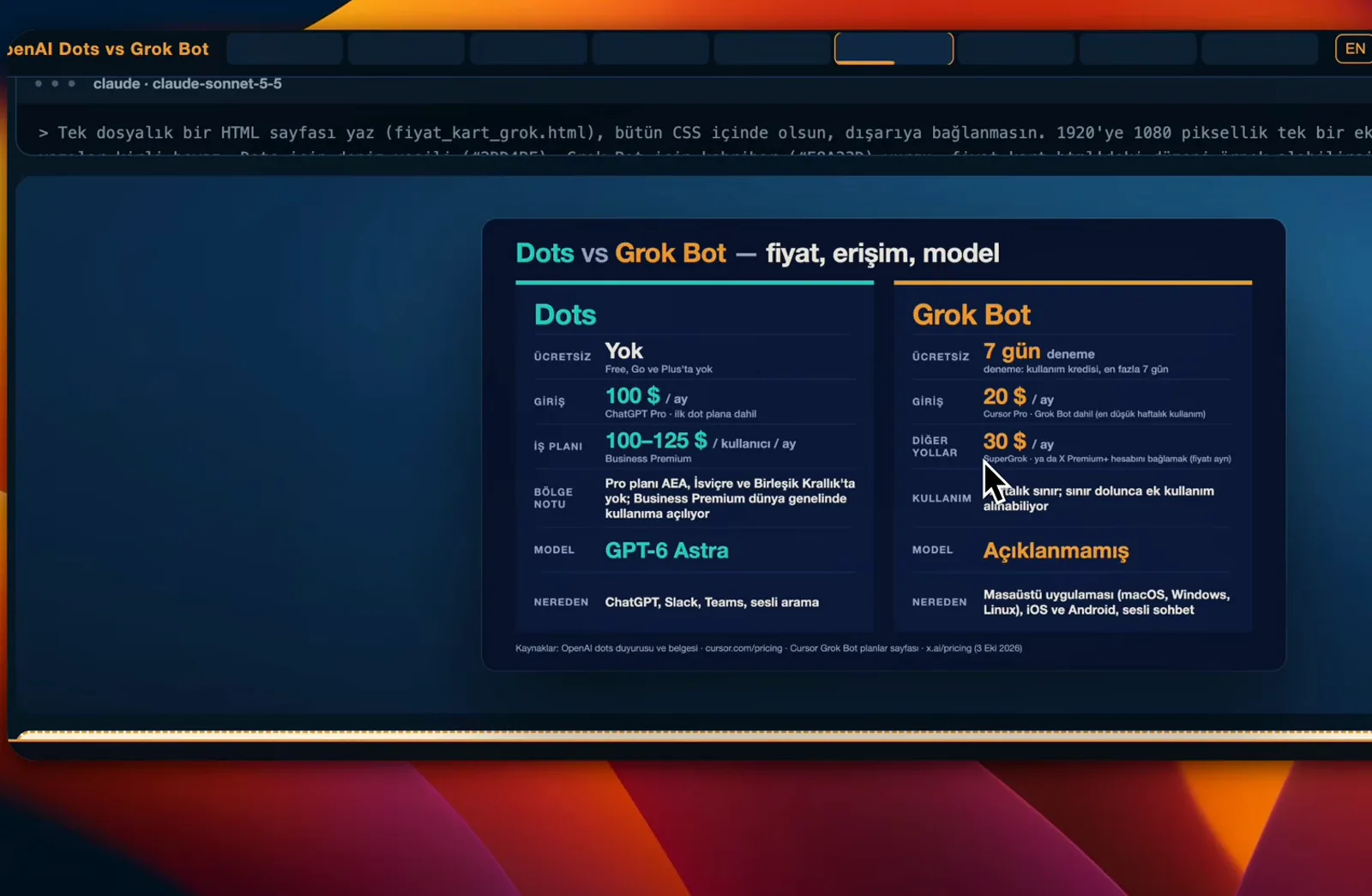
Mert Durmazer's price card — official pages re-checked October 11, 2026.Watch at 17:22 - 11
Ask what each one remembers
When Mert Durmazer asks his dot what it knows about him, it answers with a sourced inventory: account details, past projects, standing rules like never email or buy anything without approval — plus an honest list of what it still doesn't know. Spark's equivalent memory is your Google footprint: Gmail, Docs, Calendar and any connected apps you allow, tuned under Personal Intelligence settings. The privacy trade splits differently — OpenAI's help documentation says you can't view or edit individual dot memories, and resetting one means deleting the dot, while Google exposes granular controls over what Spark sees.
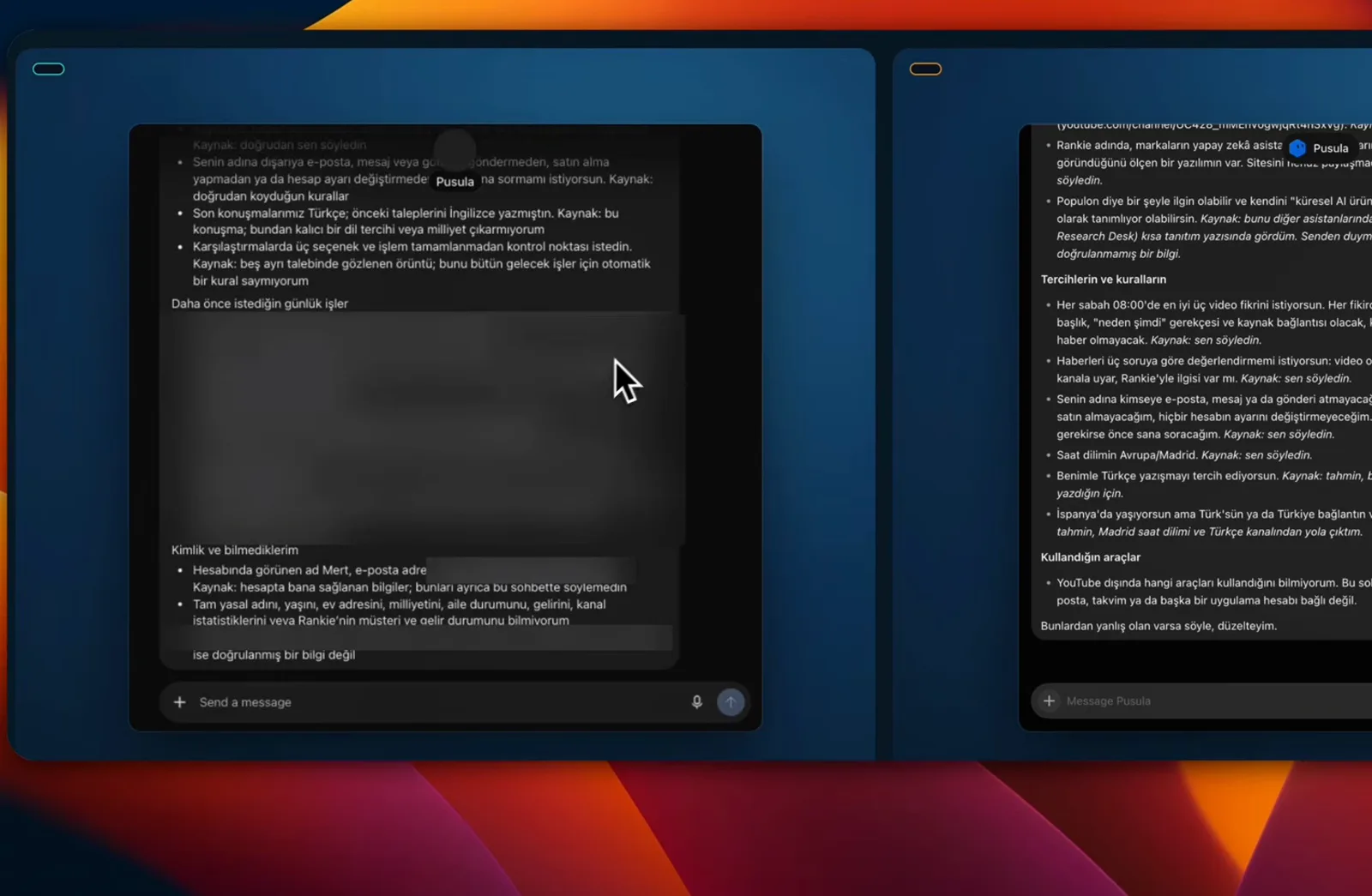
The dot shows its sources — and admits what it doesn't know.Watch at 16:02 - 12
See the whole field at a glance
Third-party scorecards now treat these agents as one category: the table Eric Siu pulls up grades Dot, Gemini Spark, Grok Bot, Hermes, Instinct, Muse and OpenClaw on value proposition, proactiveness, where they work, accessibility and cost. Read down the columns and the pattern holds — dots leads on connectors and ChatGPT reach, Spark on price and the Google account you already have, self-hosted tools on control. Skim it before choosing an ecosystem, not after.
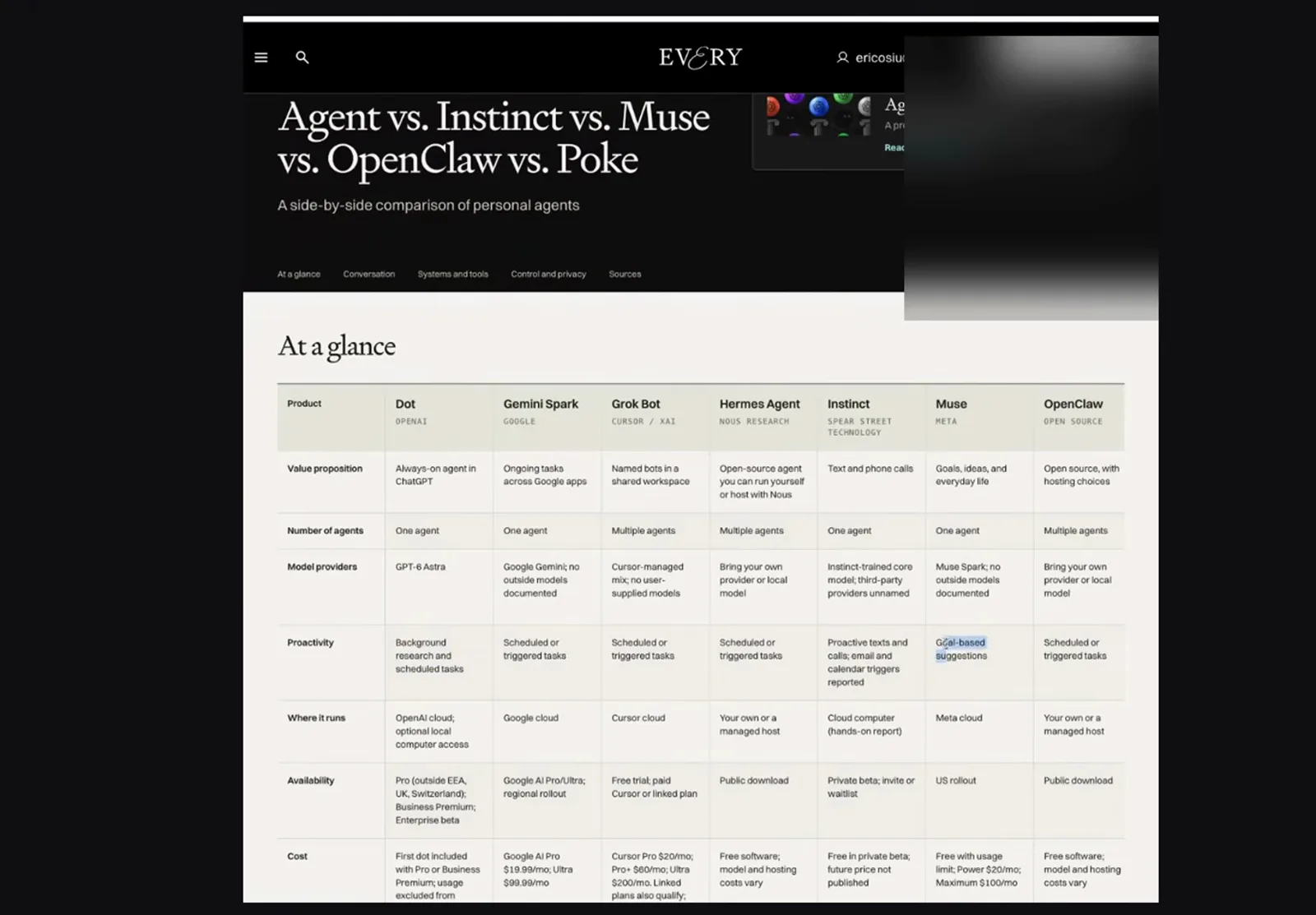
Every's scorecard puts the two headliners in a seven-agent field.Watch at 1:02 - 13
Compare how routines stay accountable
Spark writes the contract down before it runs: a trip routine lists When to run (daily around 6:00 AM until an end date), what gets scanned, and email actions that file confirmations into a Drive folder — with the task list filterable by Scheduled, Needs input, In progress and Completed. Dots negotiates the same job conversationally: it asks approval before consequential steps, then reports back with sources, as it did delivering Mert Durmazer's 8:00 news brief. A structured dashboard versus an ongoing dialogue — maintain whichever one you will actually read.
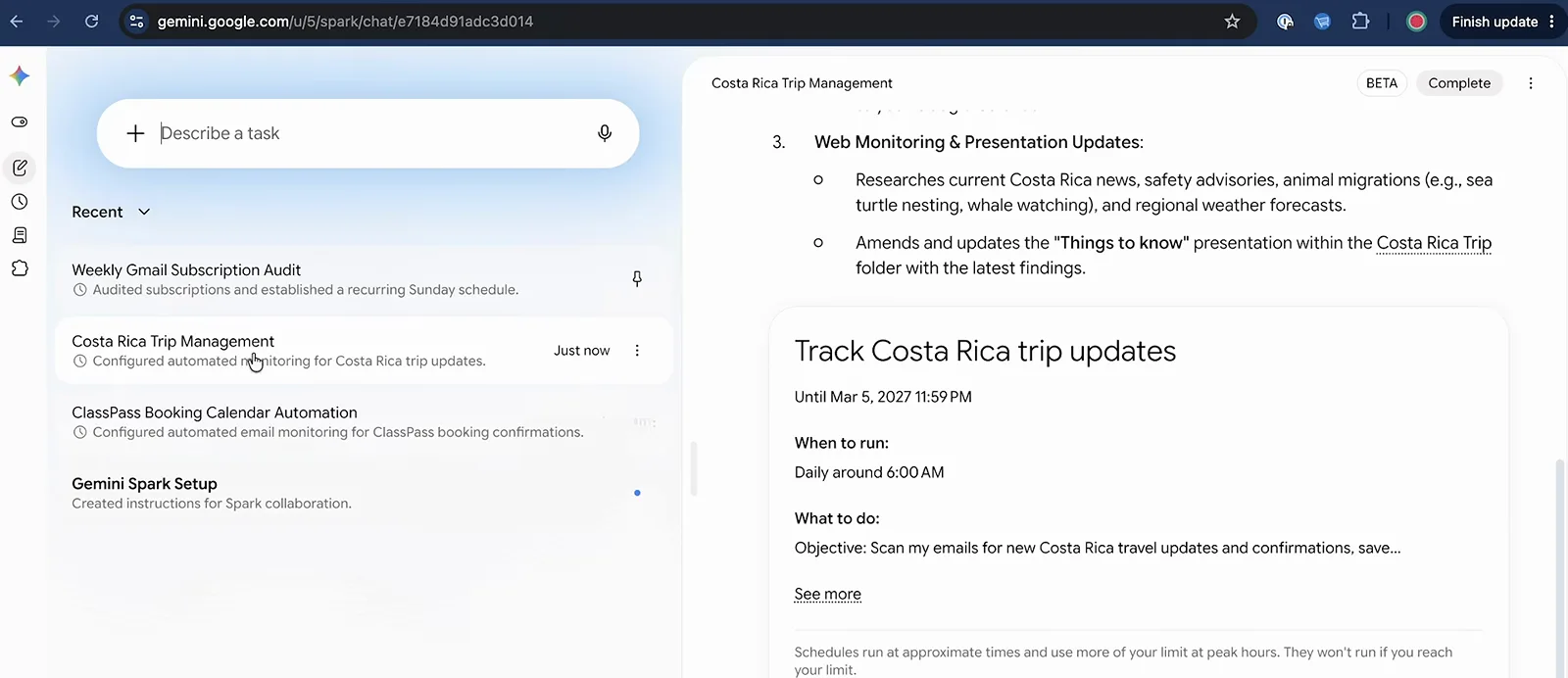
Spark's routine sheet: trigger, scope and stop date in writing.Watch at 10:00
Which one fits your week
- 14
Choose Spark if Google runs your week
Santrel Media's first real task — scan Gmail for paid and email subscriptions, log them in a spreadsheet with prices and renewal dates, draft alerts for the junk — finished in minutes and landed exactly where he asked. If your mail, calendar and files already sit in Google, Spark's routines compound on an account you maintain anyway. The trade-off is the fence: outside Workspace and its connected apps Spark cannot reach, and purchasing anything stays off-limits entirely.
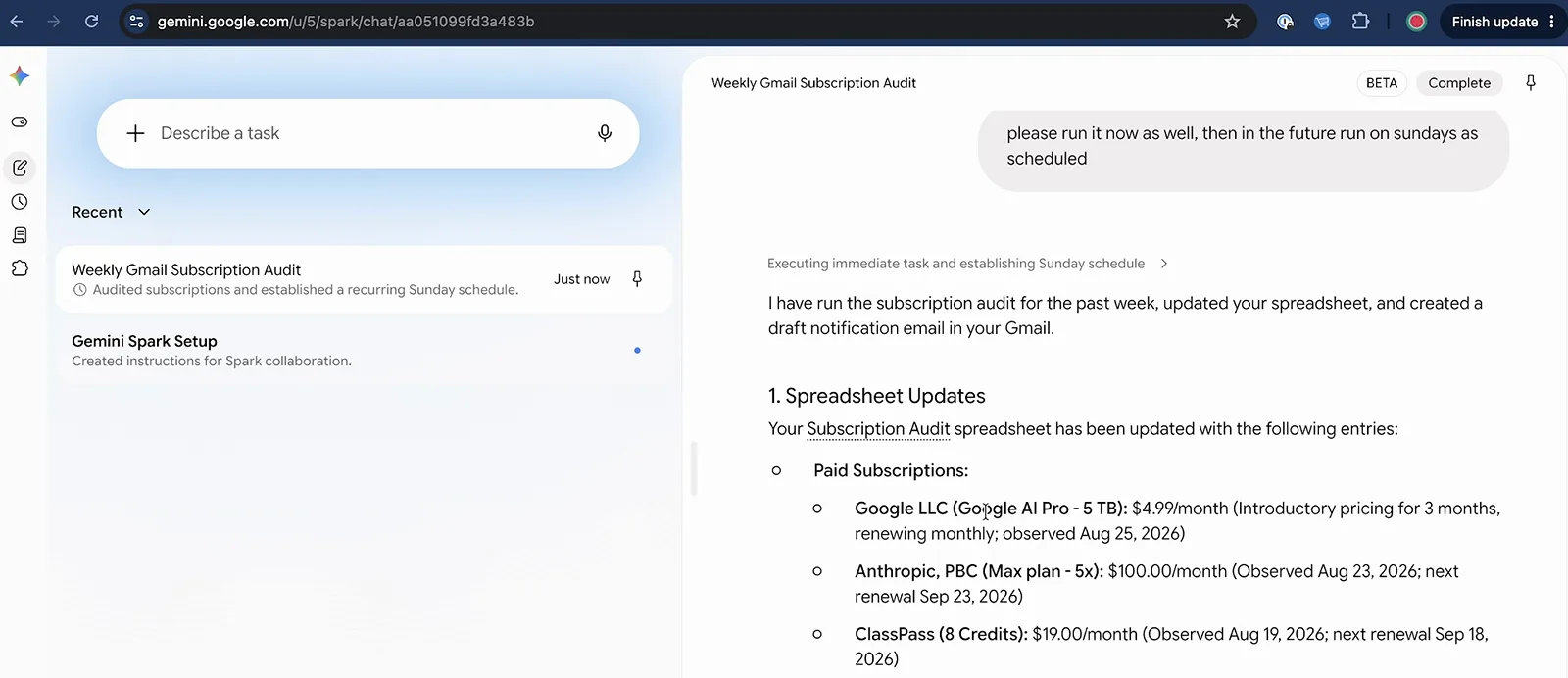
A real result: subscriptions priced, dated and filed — in minutes.Watch at 6:42 - 15
Choose dots if ChatGPT and Slack run your work
Eric Siu keeps his dot beside Codex: landing-page drafts built earlier get pulled into the thread, packaged, and handed to his design team in Slack without leaving chat. Because the dot inherits his ChatGPT account's context, it already knows the projects; the Slack connection turns that private context into a team asset. If you already pay for ChatGPT Pro, the dot is included — but in the excluded regions, or outside OpenAI's surfaces and connectors, there is simply nothing to use yet.
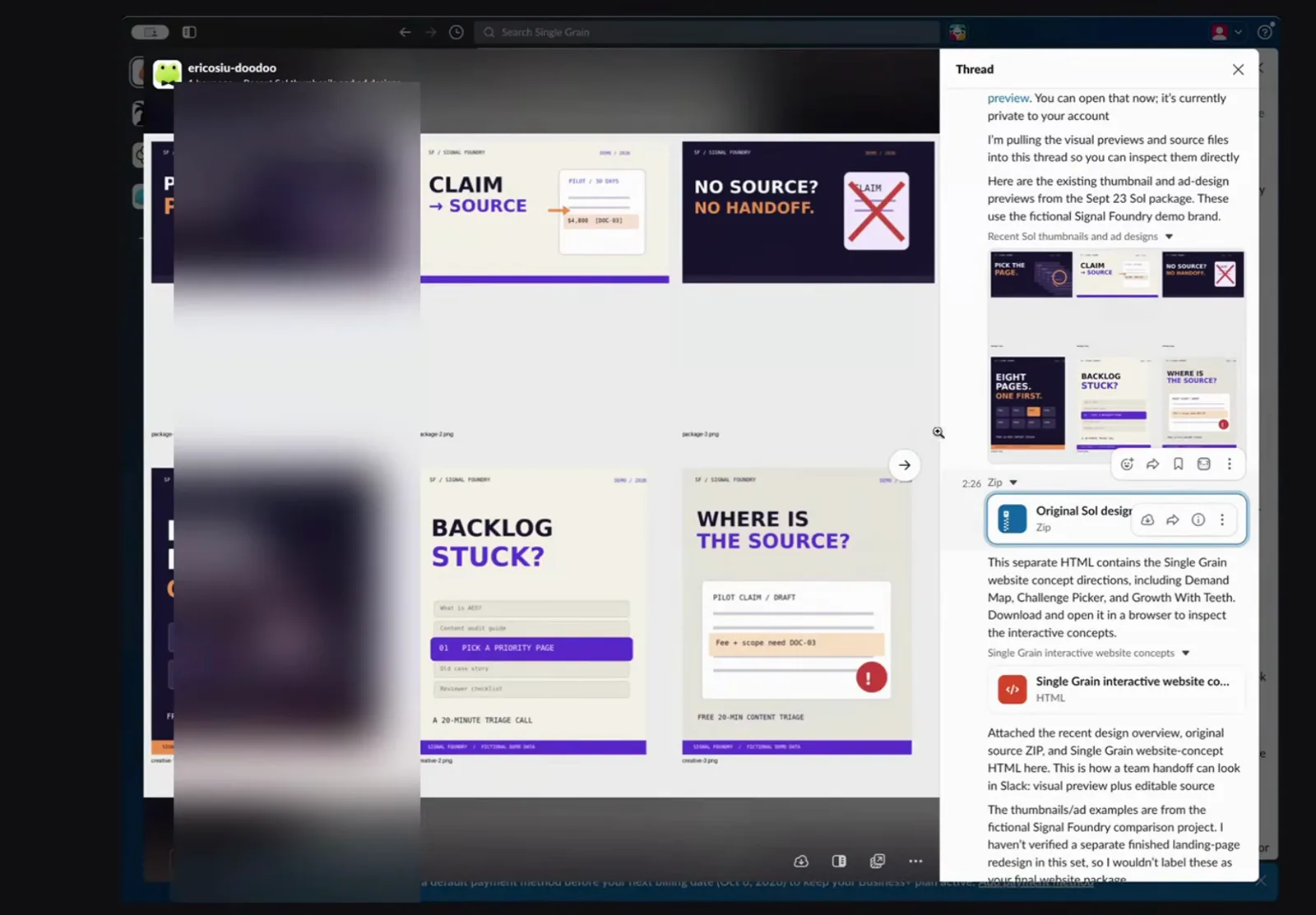
Eric Siu's loop: build in Codex, hand off through the dot.Watch at 5:30 - 16
Read the live pages before you pay
Whichever side you lean toward, open the task detail before approving: this trip routine spells out its email actions, its end date, and the exact folder it will file into. Both vendors reworked plans, prices and regional access repeatedly in the weeks after launch, so this guide's figures were re-checked against Google's Spark help page and OpenAI's dots launch post on October 11, 2026. Your final step is the same check — on the live pages, on the day you decide.
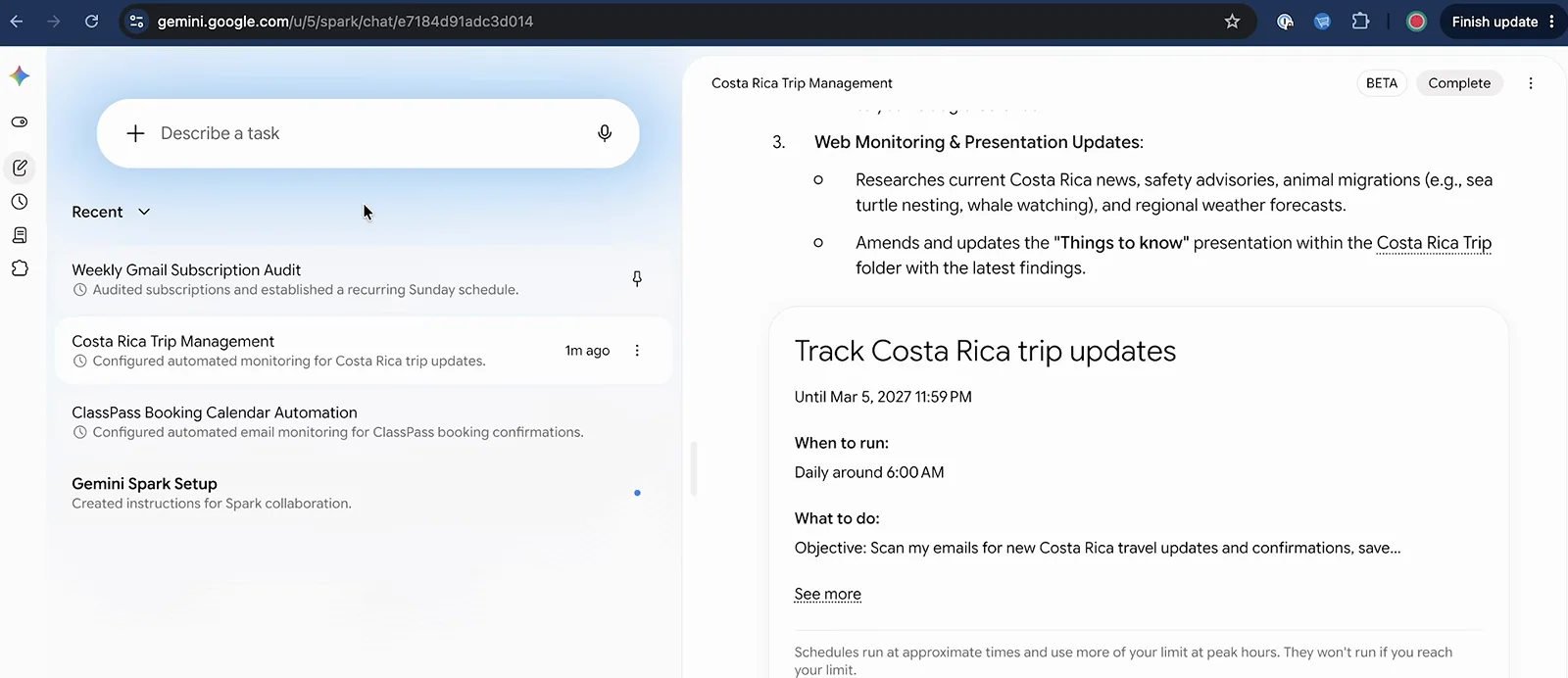
Approve with your eyes open: actions, dates and folders in writing.Watch at 10:22