

Meta Muse vs OpenClaw: Which AI Agent Fits You in 2026?
Meta Muse topped the US App Store ten days after launch, and tech reporters quickly coined the label this page sits on: the everyday person's OpenClaw. Both products do the same job from opposite premises. Muse runs on a dedicated cloud computer Meta sets up for you; OpenClaw is open-source software you install on your own machine and reach through the chat apps you already use. Every frame here is checked against three 2026 walkthrough videos - 可波 AI 白話's comparison, 搞机零距离's registration and settings hands-on, and Alex Finn's daily-driver review - and where a reviewer takes a side, the page says whose verdict it is. None of the three declares a winner, and neither do we: the right pick depends on where you want the computer to live.
Source & credits
Screenshots in this guide are captured from 可波 AI 白話's public walkthrough video. Every step links back to the exact moment it shows, so you can follow along.
可波 AI 白話 ↗Two agents, one job, opposite premises
- 1
The moment Muse became a comparison question
On September 18, 2026, Meta's Muse overtook ChatGPT as the top free iPhone app in the United States, ten days after its September 8 release. The comparison walkthrough opens with the 9to5Mac headline that put the pairing on everyone's timeline: if you know OpenClaw, Muse is Meta's take on the same idea. The card also carries the reporters' shorthand the video keeps returning to - a more user-friendly lobster.
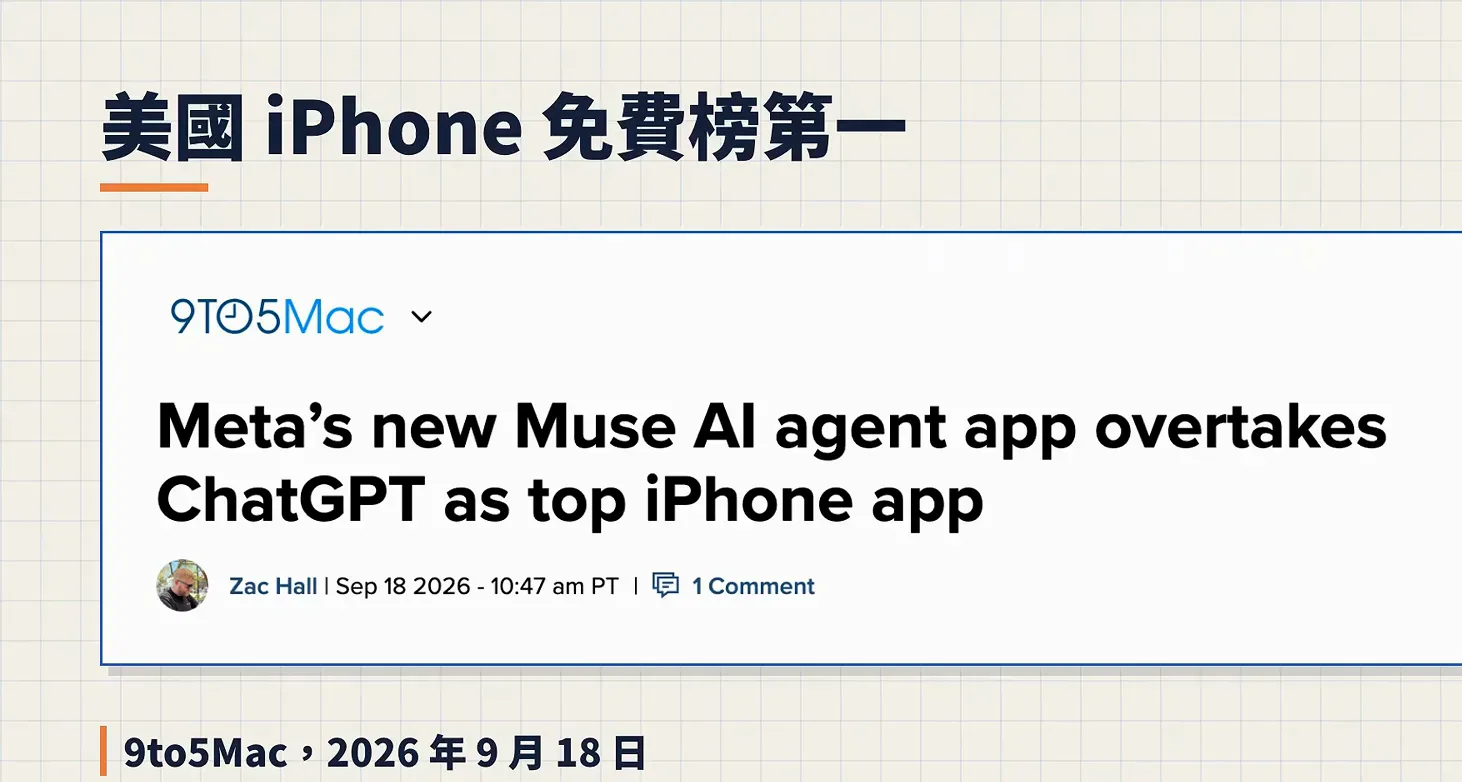
Ten days from launch to number one - the news hook the comparison starts from.Watch at 0:20 - 2
What Meta says Muse is
Meta's own launch card calls Muse the world's first personal AI agent built for everyone. In the product tour the walkthrough quotes, Muse is an agent by default rather than a chatbot: it gets its own cloud computer, opens a browser, logs into sites, fills forms and works through multi-step tasks, pausing to ask before it pays or sends anything. One detail gets stressed twice - the task keeps running on Meta's servers even after you close the app or shut your own machine off.
Agent, not chatbot - the launch pitch leans on that dedicated cloud computer.Watch at 2:20 - 3
The real difference: where the computer lives
This card from the walkthrough compresses the whole comparison into one question: where does the machine sit, and who sets it up? OpenClaw installs on your own computer or your own server, and you reach it through chat apps you already use - the same self-hosted premise as its open-source rival Hermes Agent. Muse runs in the cloud, where Meta opens a dedicated virtual machine per user; the hands-on video measured one at roughly two CPU cores, 8 GB of RAM and 7.5 GB of disk, enough to drive its own Chrome session.
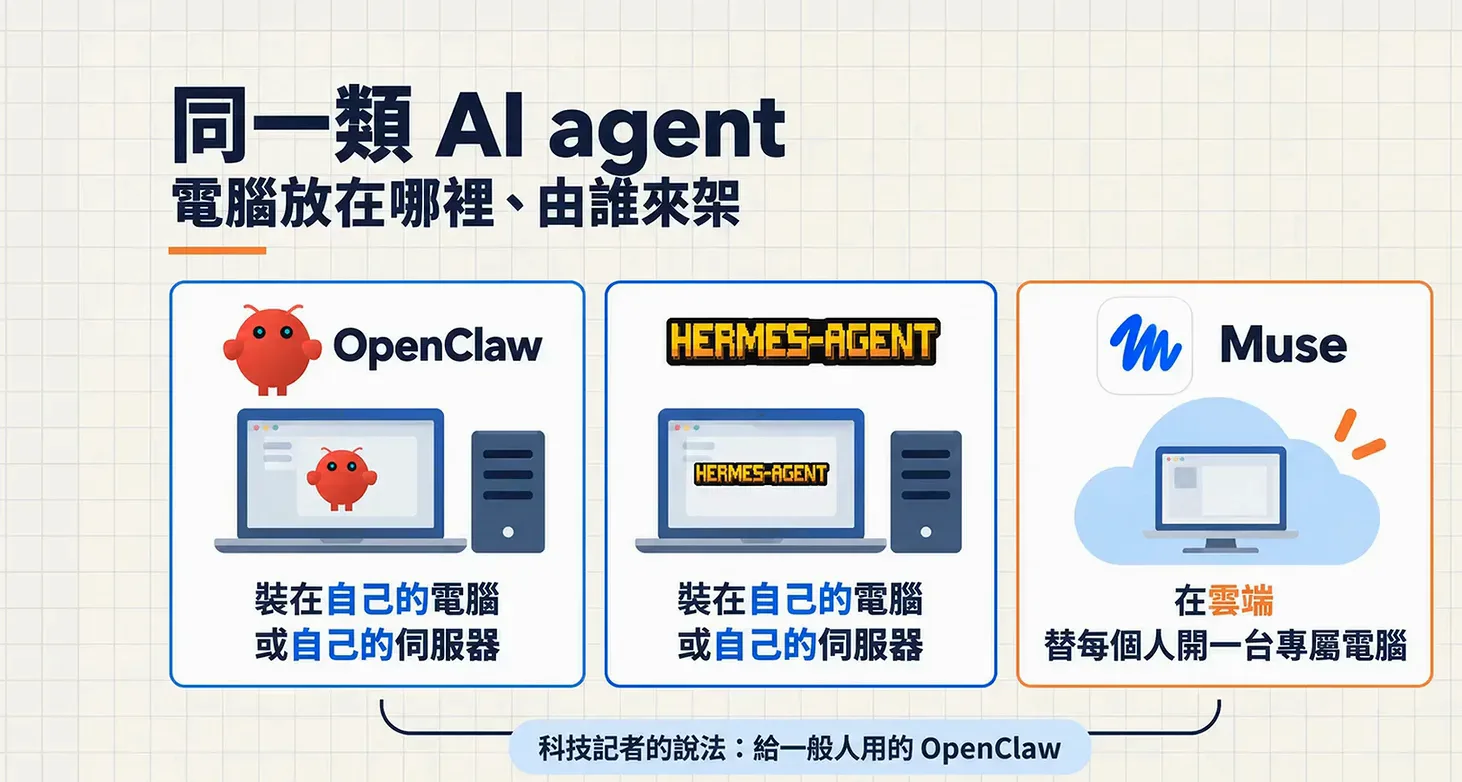
Same category of agent - the hardware story is what splits them.Watch at 7:42
What you actually pay
- 4
Muse's three subscription tiers
The walkthrough lays out Meta's pricing on one card: a free tier with a usage cap Meta has not published, Power at $20 a month with 500 million tokens a week, and Maximum at $100 a month with 3 billion tokens a week. In an interview the video quotes, Zuckerberg put the free tier at roughly 100 million tokens a week and sketched the long-term business model as a commission on the transactions Muse completes - most people, in his telling, never pay.
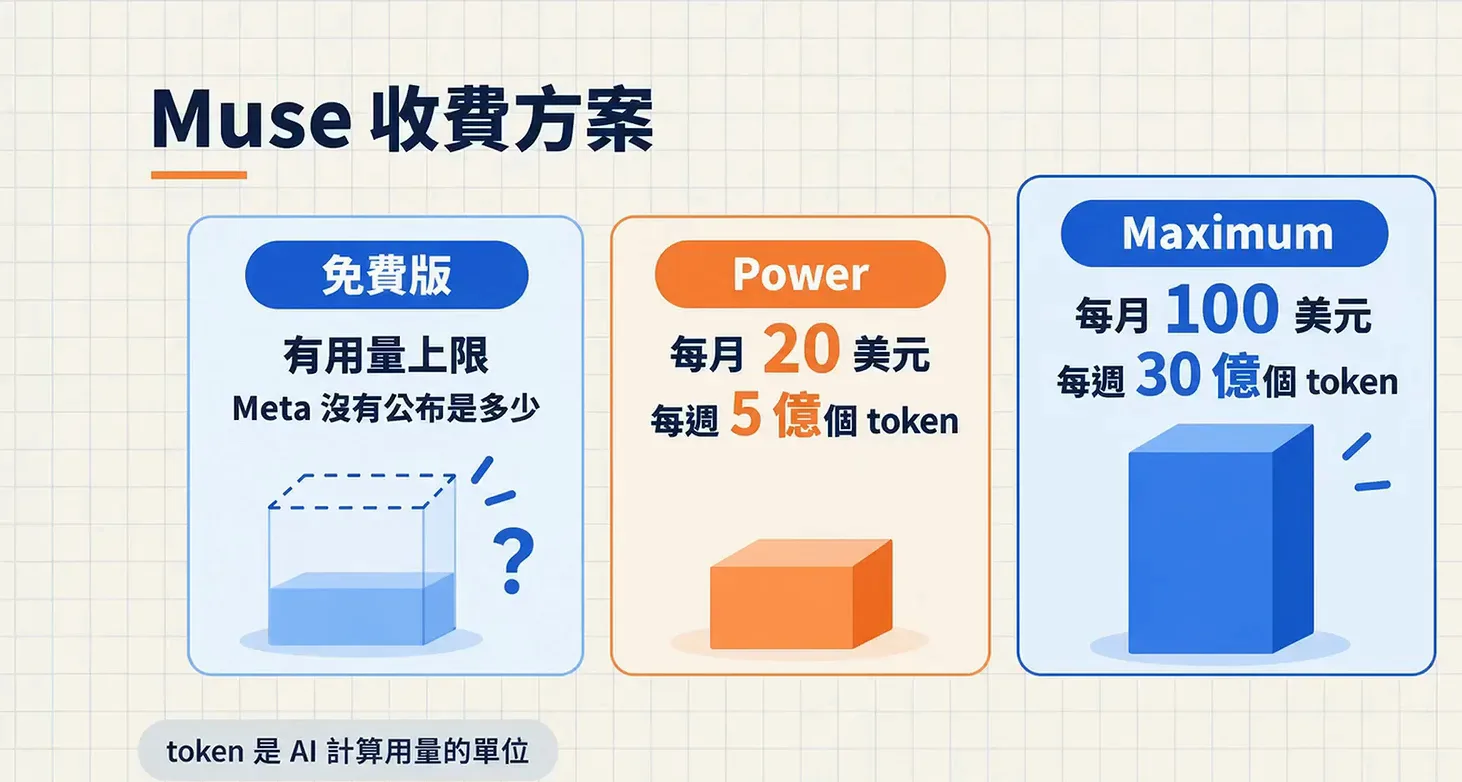
Token math, not seats - the weekly cap is the decision that matters.Watch at 4:20 - 5
What the self-hosted side asks of you
The other column of the comparison is software rather than a subscription. OpenClaw's GitHub card in the walkthrough reads any OS, any platform, the lobster way, with a star count in the hundreds of thousands - but you supply the always-on machine it lives on, a Mac mini at home or a small server, plus whatever its model access costs. The walkthrough's framing of the trade: the software is free, the operation is yours.
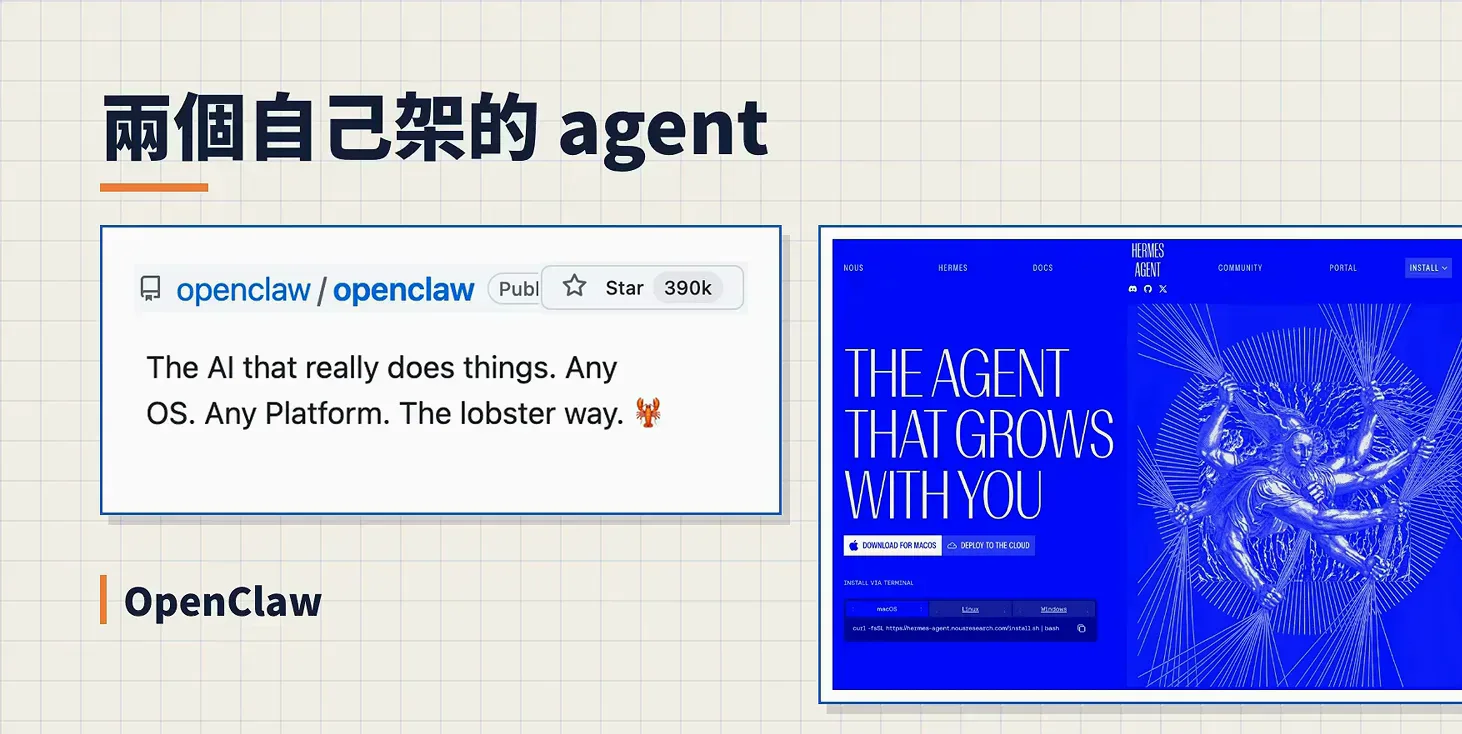
Free software, your hardware - cost moves from subscription to setup.Watch at 7:20 - 6
How a daily-driver reviewer scores Muse
Alex Finn, who ran Muse as his daily agent, scores its strengths as dirt cheap, lightning fast, super proactive, deeply tied into Instagram and Facebook, customizable, and strong on mobile. His cost note is the striking line: he had not paid a cent while using Muse heavily, which he credits to Meta funding it from the rest of its business. His weaknesses - an ecosystem that is thin outside Meta's own apps, a model that is good but not frontier, and cloud-only operation - are the other half of his ledger, and his own.
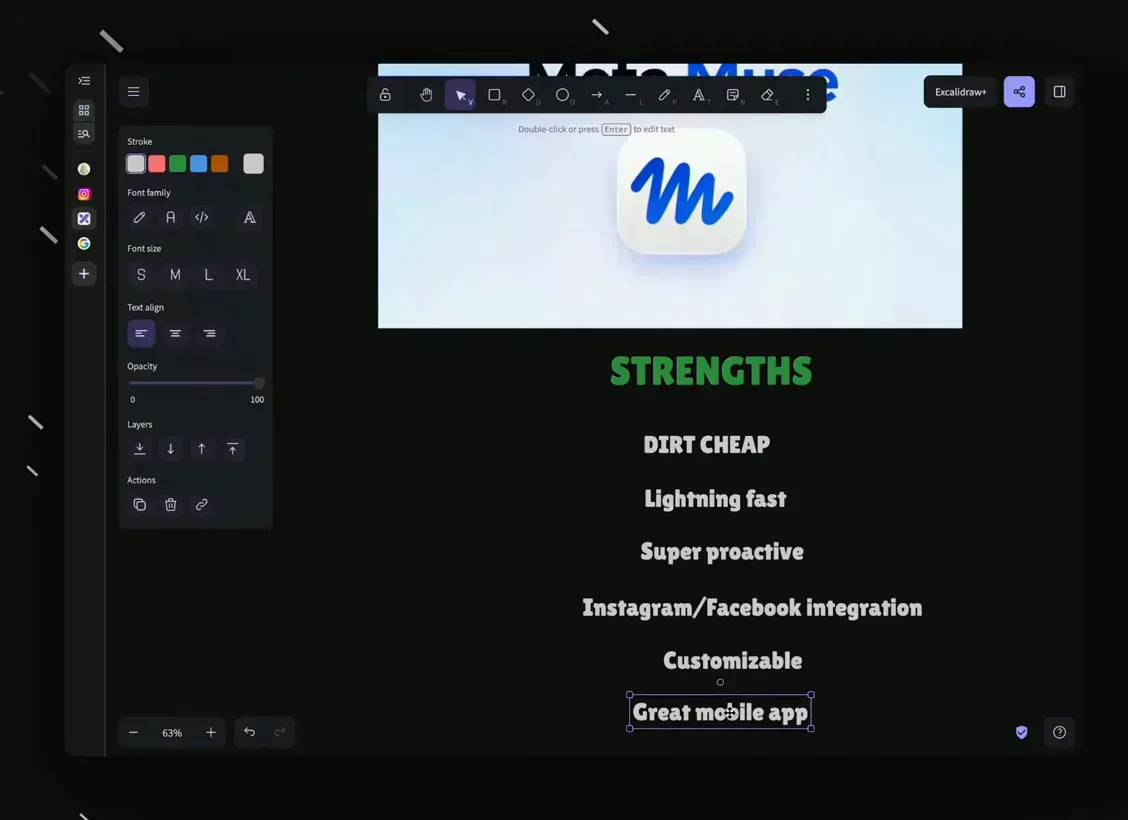
His scorecard, in his words - strengths and the three caveats together.Watch at 15:42
What each side can actually do
- 7
A feed that briefs you unprompted
Muse's Feed is a push channel rather than a chat log: you describe what to track, and it assembles morning and afternoon briefs from what it did and learned. In the review the feed carries itemized AI-news cards with links - model releases, industry moves - which he reads instead of scrolling social feeds. OpenClaw can be pointed at the same job, but on the self-hosted side you assemble the schedule and the delivery channel yourself.
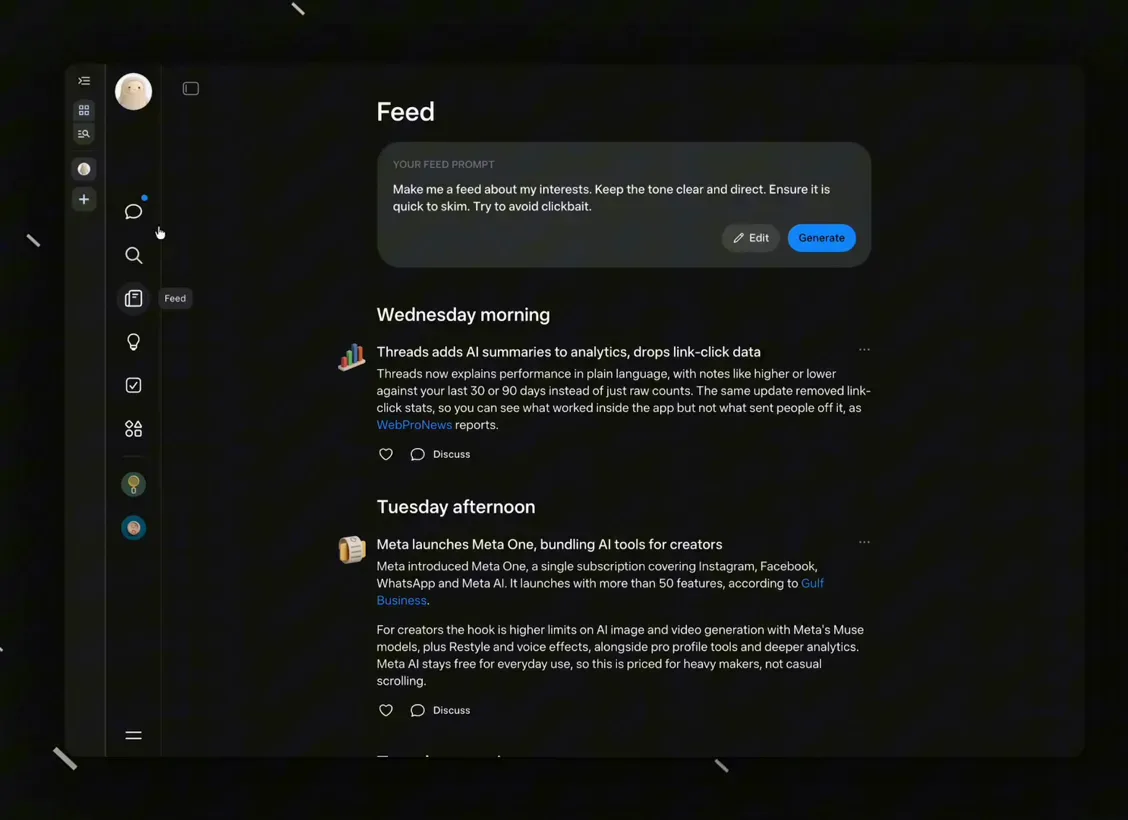
Push, not pull - the hosted agent decides when the update arrives.Watch at 6:24 - 8
Artifacts it builds without being asked
The reviewer's favorite surprise is how proactive Muse is about artifacts. He asked it to research what people do with Muse and it produced an HTML site of use cases into his library unprompted; a research prompt about his own career came back as a website. The library in this frame holds the sites, decks and documents it made on its own initiative - behavior he says he had not seen from the agents he had used before.
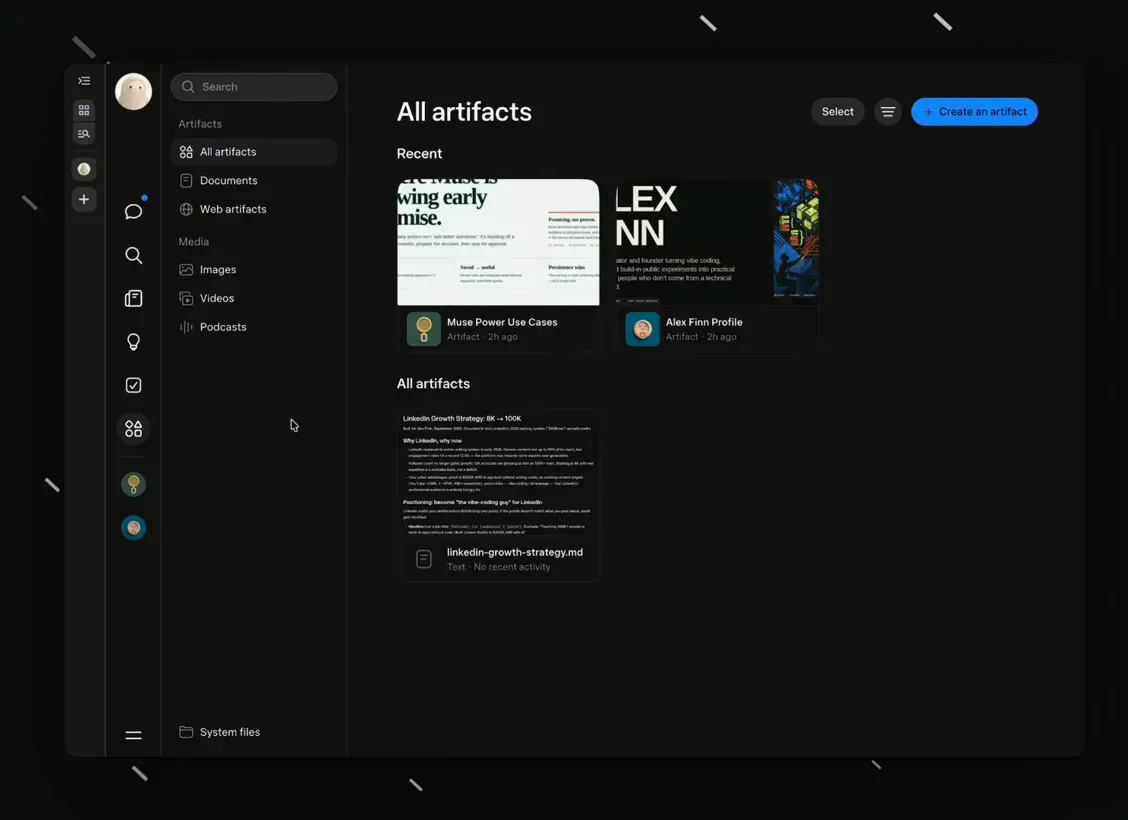
Proactivity is the trait the reviewer keeps circling back to.Watch at 8:50 - 9
What Muse can plug into
The hands-on video opens the settings panel where Muse lists its connectors: Facebook, Instagram, YouTube, Amazon, Reddit, Slack, Telegram and Google Drive among them, with WhatsApp in the supported set. Each service connects with a toggle, and once linked the agent can act inside those accounts. The reviewer calls the Meta-app integration Muse's moat - no competing agent can pull content out of Instagram and Facebook - while noting the shelf outside Meta's ecosystem is shorter than ChatGPT's or Grok Bot's.
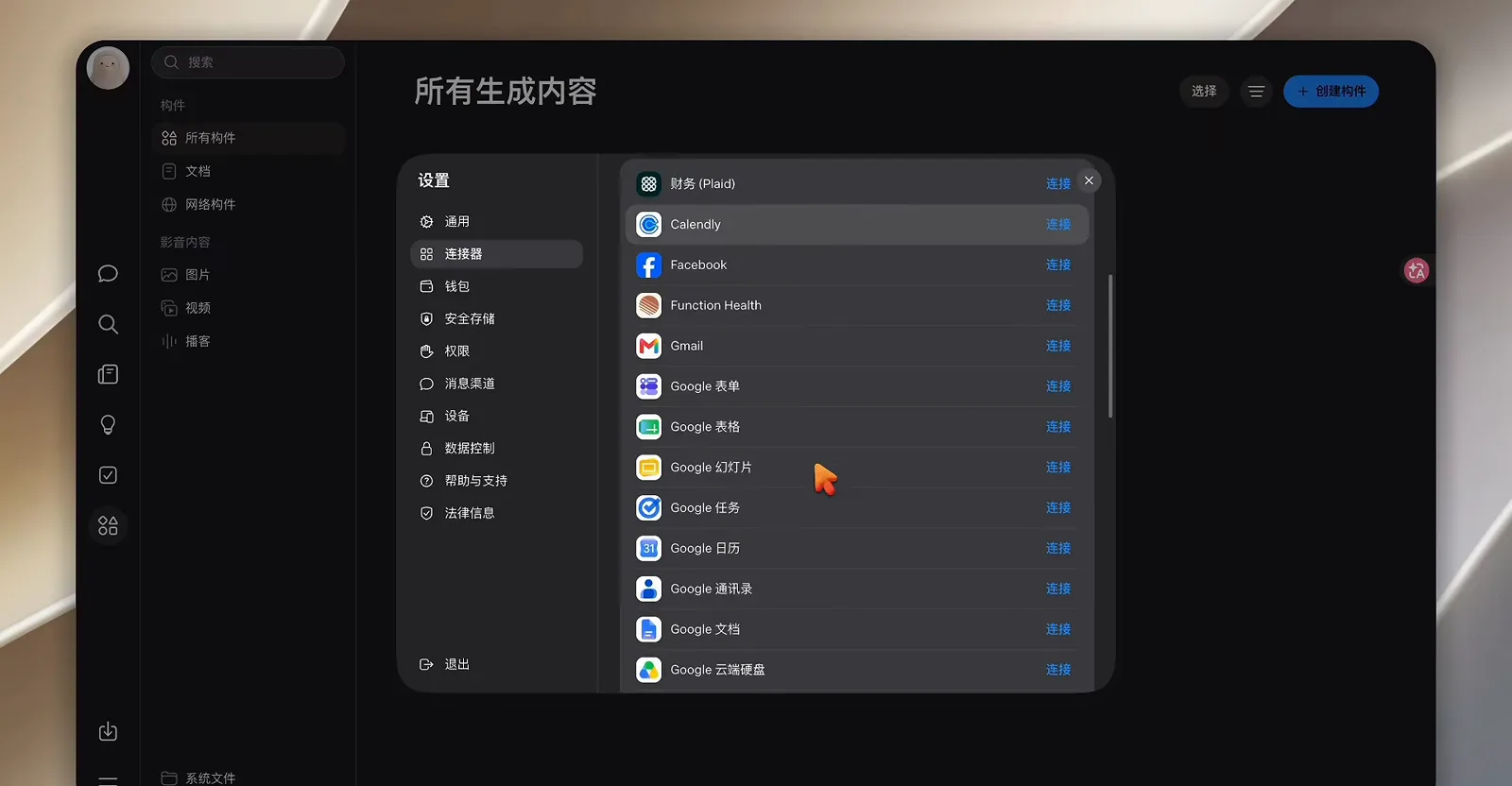
A short, brand-name, Meta-flavored connector shelf.Watch at 6:02 - 10
Deep enough to shop Facebook Marketplace
Asked to find Mac minis, the agent in the review returns live Facebook Marketplace listings with prices - a 2024 Mac Mini M4 at $725, an M1 at $500 - and adds its own best-value pick, while a Fandango ticket task keeps running in the top bar. The same frame shows the agent's profile with its SOUL and MEMORY cards. This is the reviewer's e-commerce case: if you buy, sell or arbitrage where Meta's platforms are, an agent native to them changes the workflow.
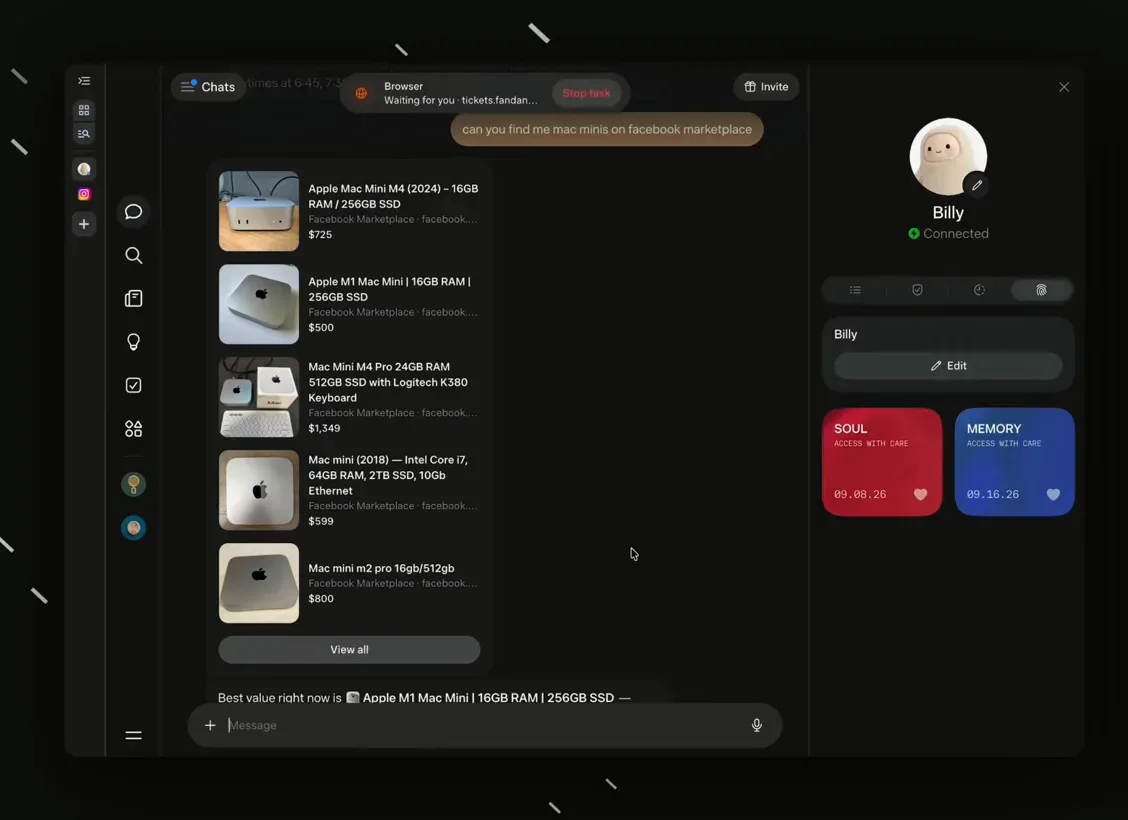
One prompt, live listings - the Meta-data advantage in a single frame.Watch at 12:34 - 11
MEMORY.md: the file OpenClaw users already know
The hands-on video finds Muse's memory system, and it looks instantly familiar to an OpenClaw user: a MEMORY.md file holding durable facts, preferences and commitments, read at the start of each conversation and tidied by a nightly pass, plus a SOUL.md persona file describing how the agent should talk. Both are editable right in this panel. The reviewer places Muse between Hermes, which lets you customize everything, and agents that expose nothing - the depth is there, but tucked away for advanced users.
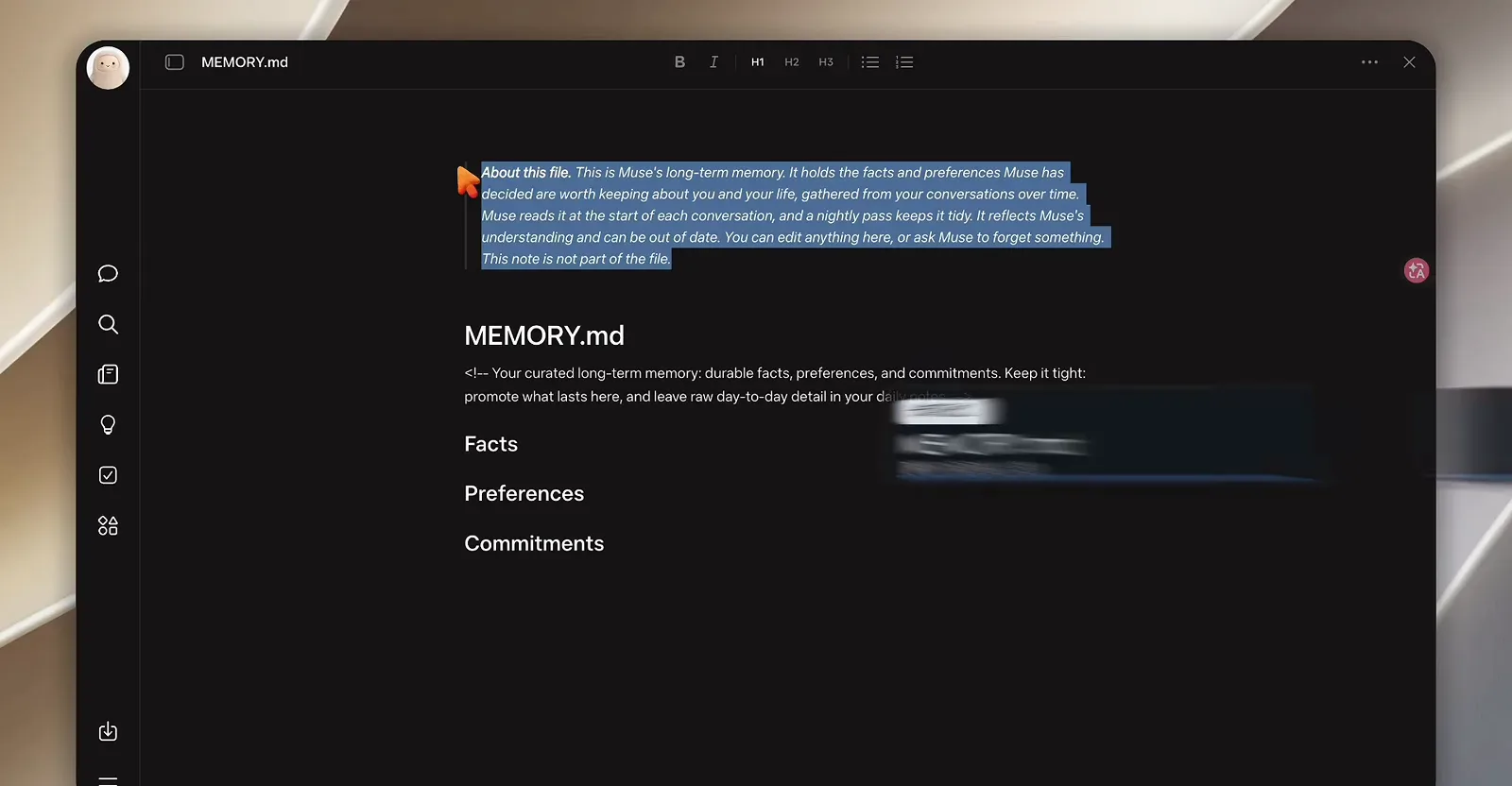
Same idea, same file names - memory that survives across chats on both sides.Watch at 7:20
Data, payments and control
- 12
How Muse keeps its hands off your card
The security card in the comparison walkthrough splits in two. Passwords: Muse never sees the real one - it holds a stand-in token, and the true credential is swapped in only at the moment of delivery. Payments: every transaction runs through a Stripe Link one-time card number limited to that merchant and that amount, with your approval required each time. Earlier in the video, a system-level agent called Sentinel is described standing between Muse and the network on the same virtual machine, blocking connections without permission.

Token swap plus a single-use card number per purchase - the hosted trust design.Watch at 6:40 - 13
Training data: on by default, off by choice
The privacy card is the one Meta watchers will expect: conversations train Meta's models by default, with identifiable data removed before use according to the official documentation the video cites - and a setting that turns the whole thing off. It is the opposite posture from running OpenClaw at home, where conversations start on hardware you control. Neither posture is free: the hosted one is trust in a vendor's defaults and toggles, the self-hosted one is being your own administrator.

Default on, one toggle off - know which mode you are in before chatting.Watch at 7:00
Which one fits you
- 14
Three agents, three fitting profiles
The comparison walkthrough ends with a placement card rather than a verdict. Muse is slotted for life admin - errands, bookings, the daily small stuff - with no machine to buy and nothing to configure. OpenClaw is slotted for company systems and data residency: the agent lives on hardware you choose, which is also what makes it the pick when the data must stay on your side. Hermes Agent shares the self-hosted column and adds the case the other two cannot cover - running outside the United States, which Muse does not yet.
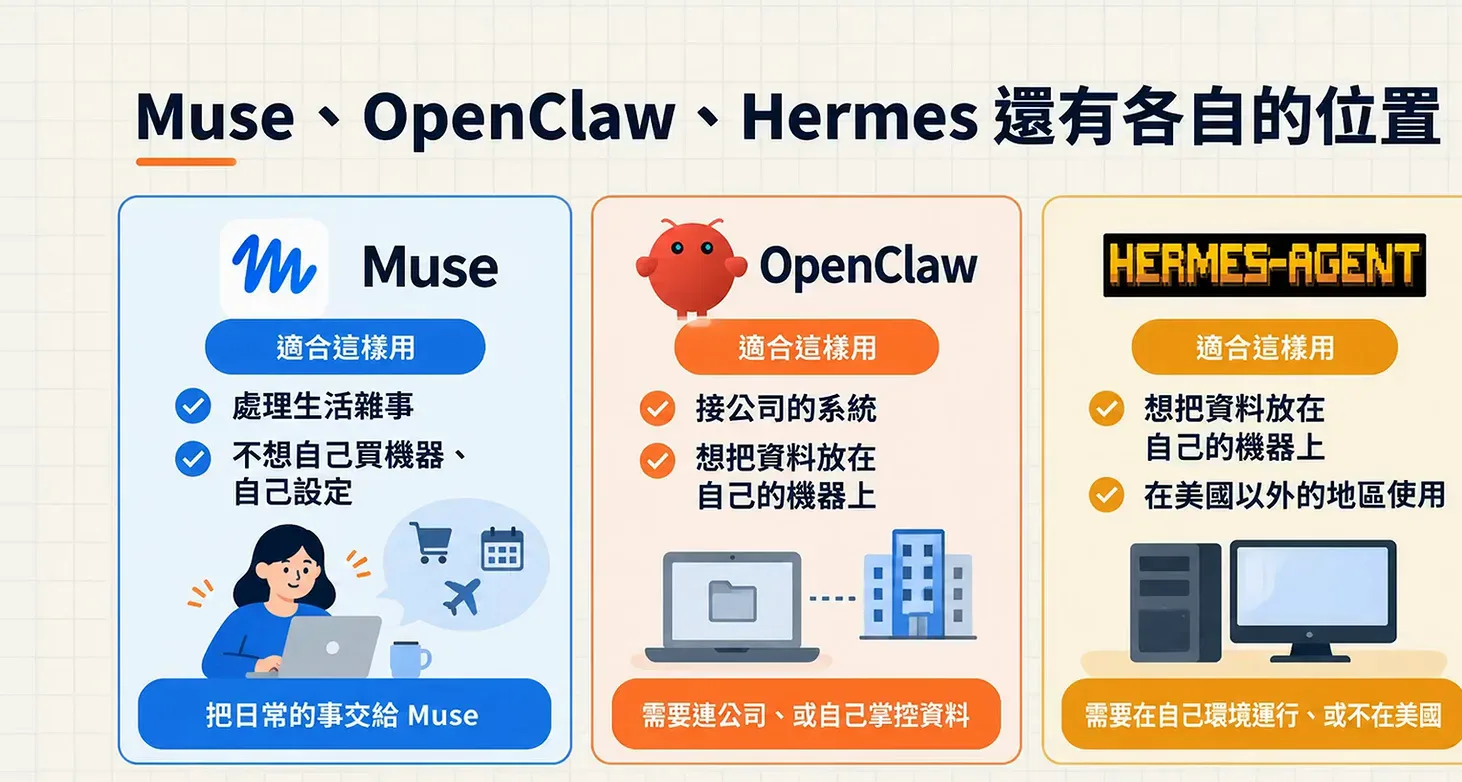
The video's own answer is a sorting hat, not a scoreboard.Watch at 9:40 - 15
The reviewer's who-this-is-for list
Alex Finn's slide names his Muse people: reservation-style agent users, people deeply invested in Instagram, anyone for whom cost is the deciding factor, those who want the most cutting-edge agent experience, and people who simply need an assistant for email and calendars. He then counts himself out - his work is local models and deep technical builds - while granting that for ordinary personal-agent use, Muse is likely the best fit he has tested. It is a fit list, not a ranking.
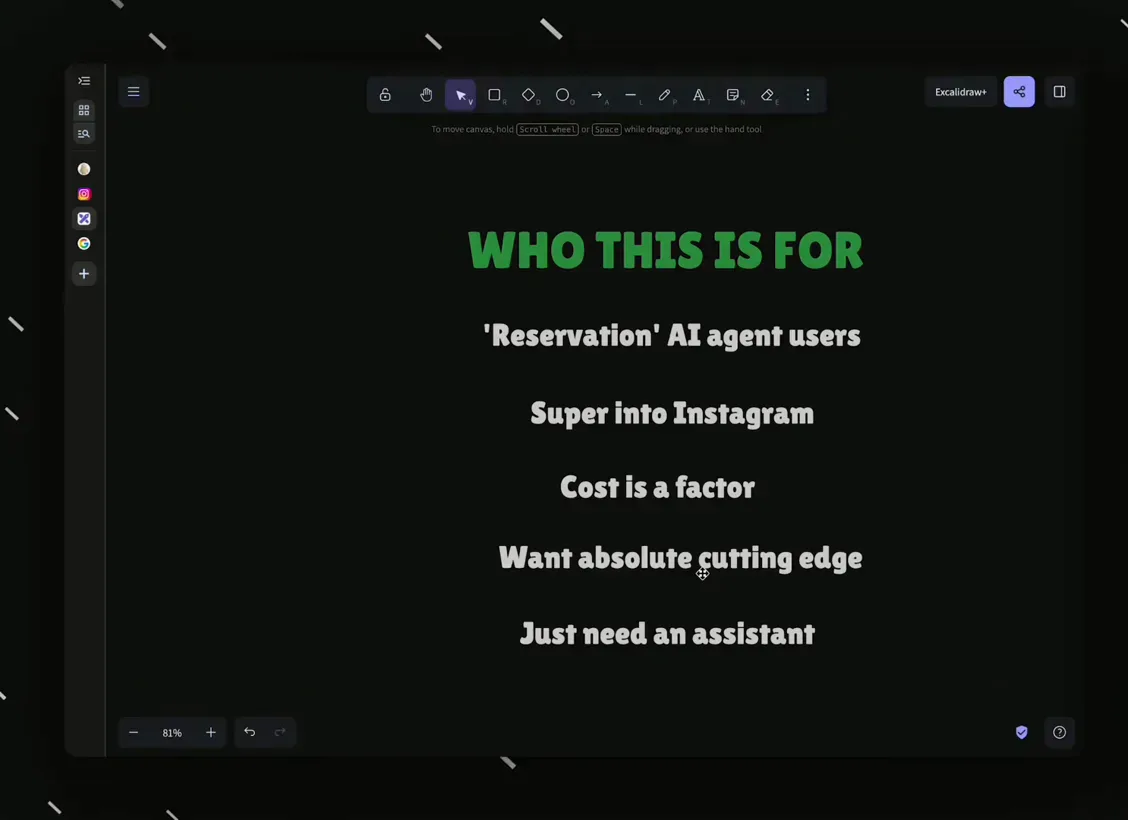
A fit list, not a ranking - its author places himself outside it.Watch at 19:20 - 16
What a power user keeps instead
The closing slide is the reviewer's own stack, the counter-profile to everything above: ChatGPT Work for deep technical tasks, Grok Bot for general-knowledge agents, and Hermes - open-source, running locally - as his network-administration agent. Muse displaces none of them, he says, because his agents need to reach his own machines and models, which a cloud-only agent cannot. If your needs look like that column, the walkthroughs agree the self-hosted route remains the practical one.
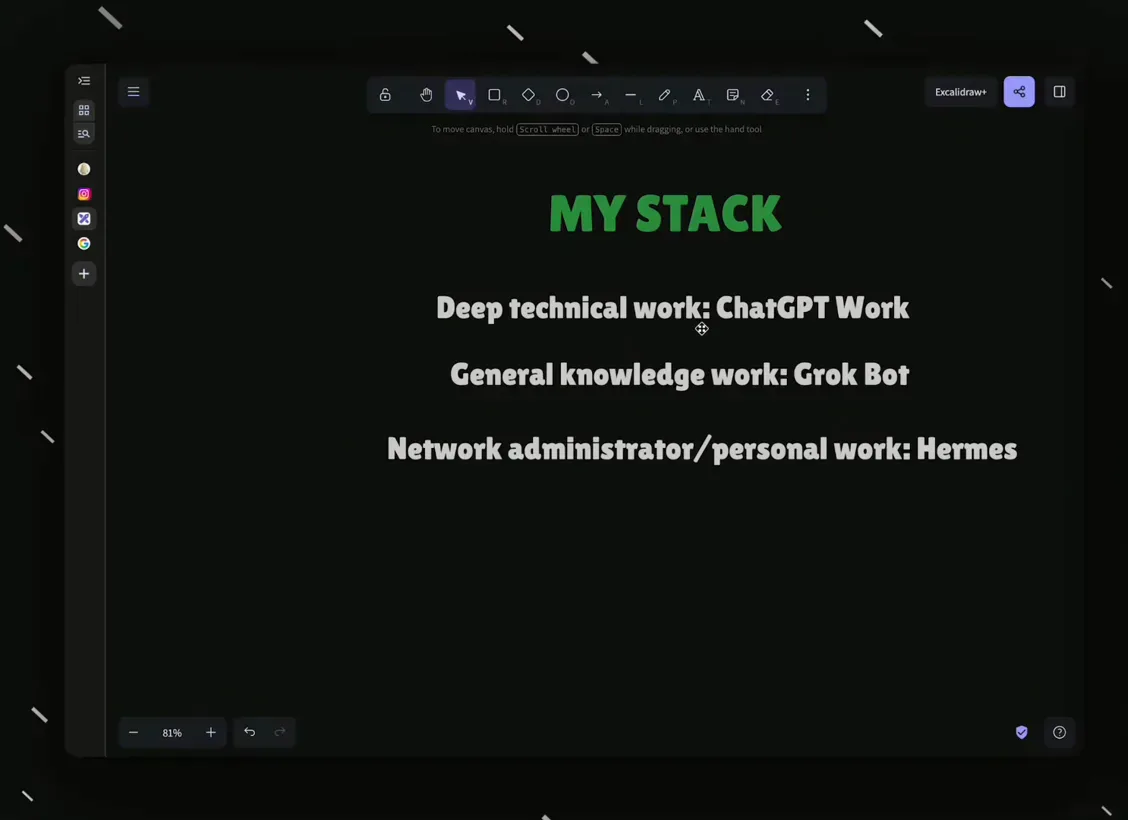
Power users keep local control - his stack, stated as his own choice.Watch at 21:40
Frequently asked questions
Keep exploring
- What Is OpenClaw? Inside the self-hosted agent Muse is measured against
- OpenClaw vs Hermes Agent: choosing between two open-source agents
- How to use Meta Muse on Mac: the desktop walkthrough
- Meta Muse use cases: what people actually delegate to it
- OpenAI Dots tips: getting more from the other hosted agent