

Meta Muse Use Cases: 16 Real-World Ways People Use It in 2026
Feature tours show you the buttons; this page shows the errands. It collects 16 real-world Meta Muse use cases drawn from Peter Yang's desktop walkthrough — the session where Muse negotiated phone and cable bills down by what he tallies at over $800 a year — plus a phone demo from tabGeeks: Pro Tech Meets Real Life. They are grouped into six everyday scenarios: bills, shopping, messages, plans, habits and your morning briefing. If you are still setting the app up, start with [how to use Meta Muse on desktop](/guides/how-to-use-meta-muse) or the [Muse Spark starter guide](/guides/how-to-use-muse-spark); the [tips & tricks companion](/guides/meta-muse-tips) covers power-user settings. Every screenshot was verified against the source videos, and each step deep-links to the exact moment it shows.
Source & credits
Screenshots in this guide are captured from Peter Yang's public walkthrough video. Every step links back to the exact moment it shows, so you can follow along.
Peter Yang ↗Bills and Money: Let Muse Negotiate
- 1
Hand Muse your AT&T login and let it audit the bill
This is the use case that headlines the video: a $197.76 monthly phone bill covering four lines. After Muse signed in through the secure credential vault, it itemized the plan — three lines on AT&T Value 2.0 at $40 each, one on Unlimited Starter at $50.99 — and found a "$10/line/month AutoPay + paperless billing" discount that was available but never applied. The user's reply is the whole playbook: yes to the discounts, don't touch my lines.
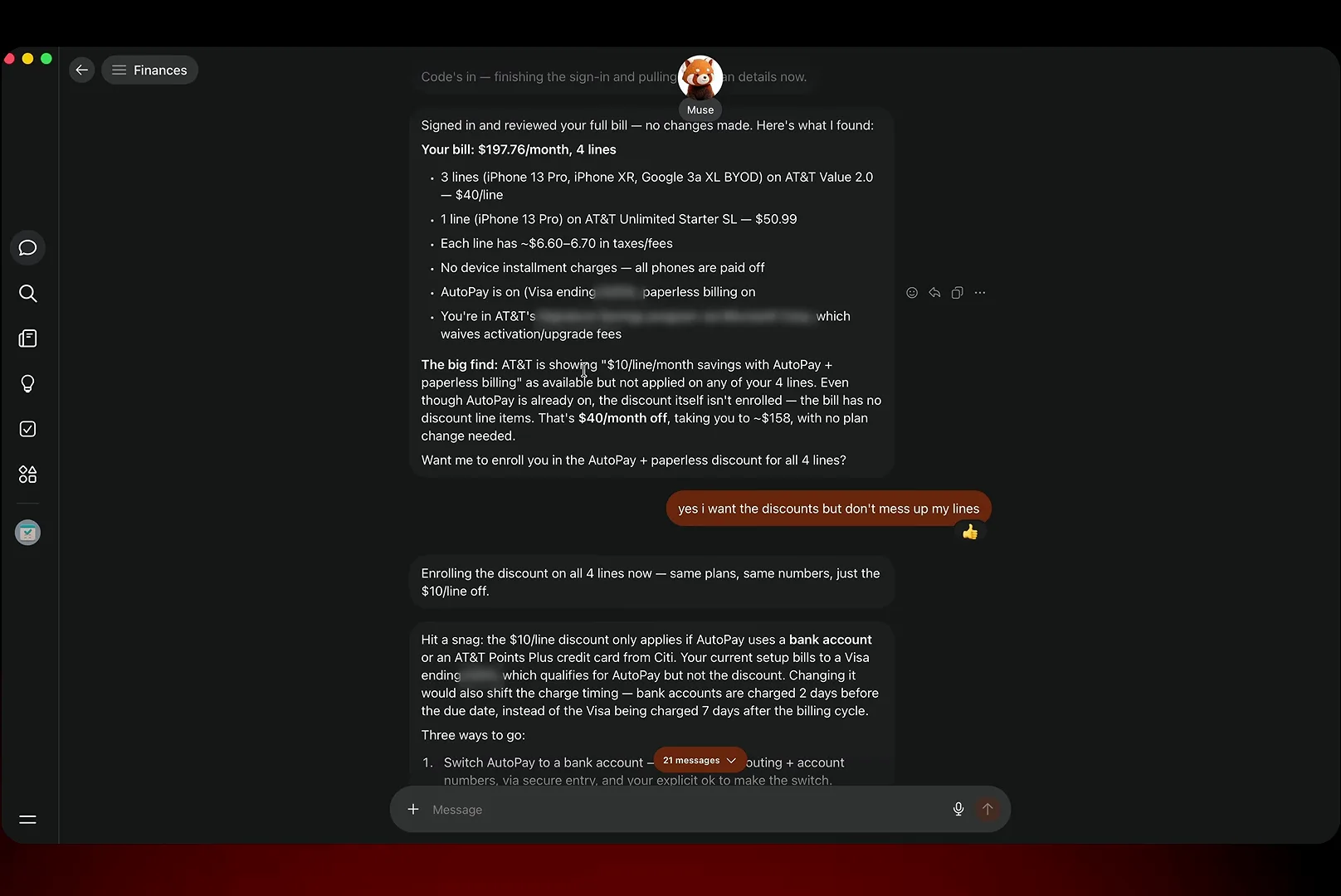
The audit lists every line, every fee, and the exact discount AT&T never applied.Watch at 1:15 - 2
Confirm the switch and watch $40 a month come off
Because the discount only works with AutoPay from a bank account, Muse asked before touching anything: the user typed the routing and account numbers into AT&T's own form inside Muse's cloud browser, and the confirmation came back as a checklist — $40/month off, about $480 a year, confirmed by AT&T's payment center, same plans and numbers, next bill dropping from $197.76 to about $157.76. Five to ten minutes of chat, per the video, for a year of savings.
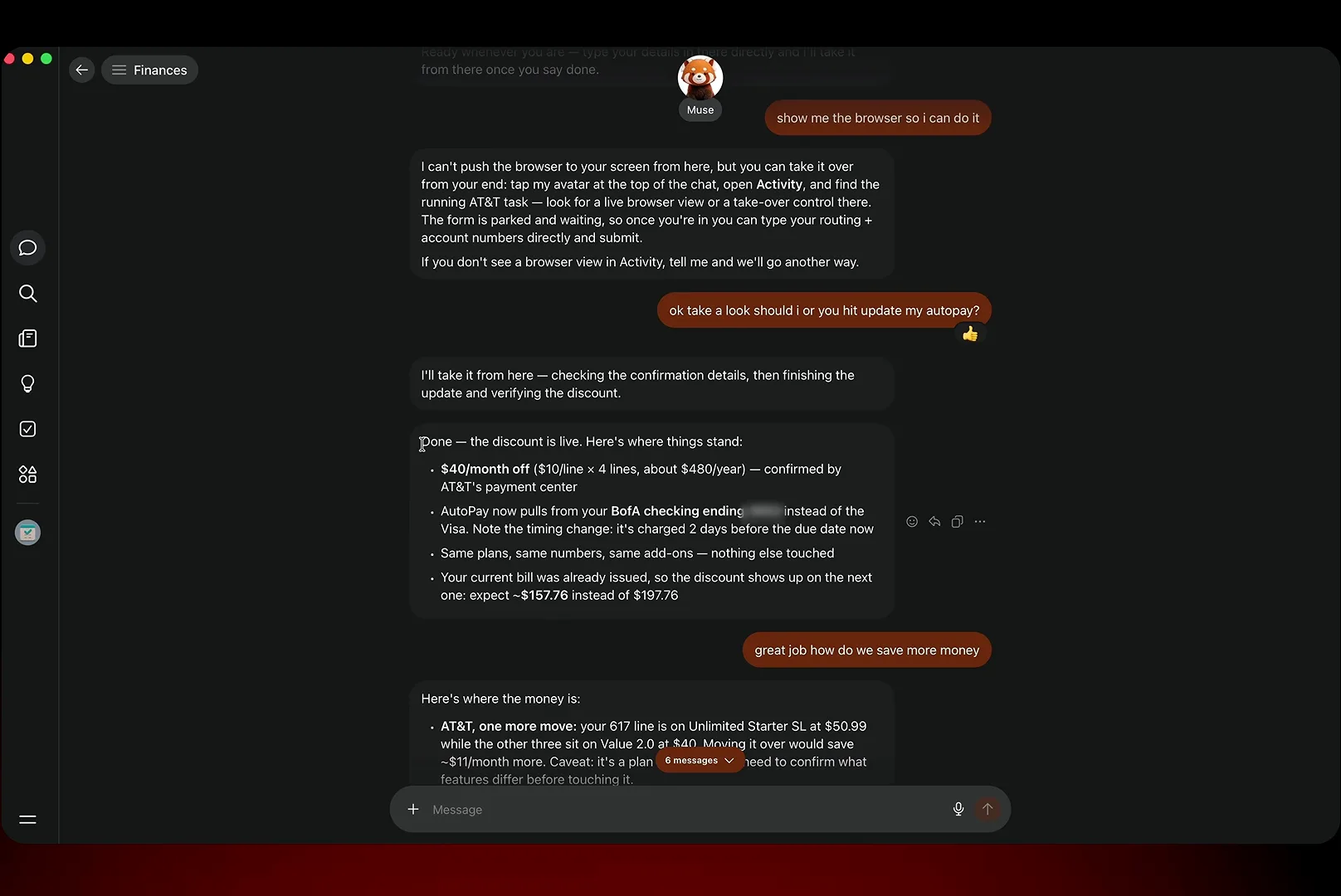
Nothing else changed: same plans, same numbers, next bill about $157.76.Watch at 1:50 - 3
Point the same energy at your insurance renewal
Bills beyond the phone plan are fair game. Asked to shop Tesla Insurance quotes, Muse listed exactly what it cannot look up itself — garaging ZIP code, model and trim, liability limits, drivers' ages — then offered to pull it all from email. When the user said "can you find this stuff in my email," it found the renewal offer and set up a side-by-side against GEICO, Progressive and State Farm. The same chat keeps a running list of which bills are still pushable, like the $84 Comcast line.
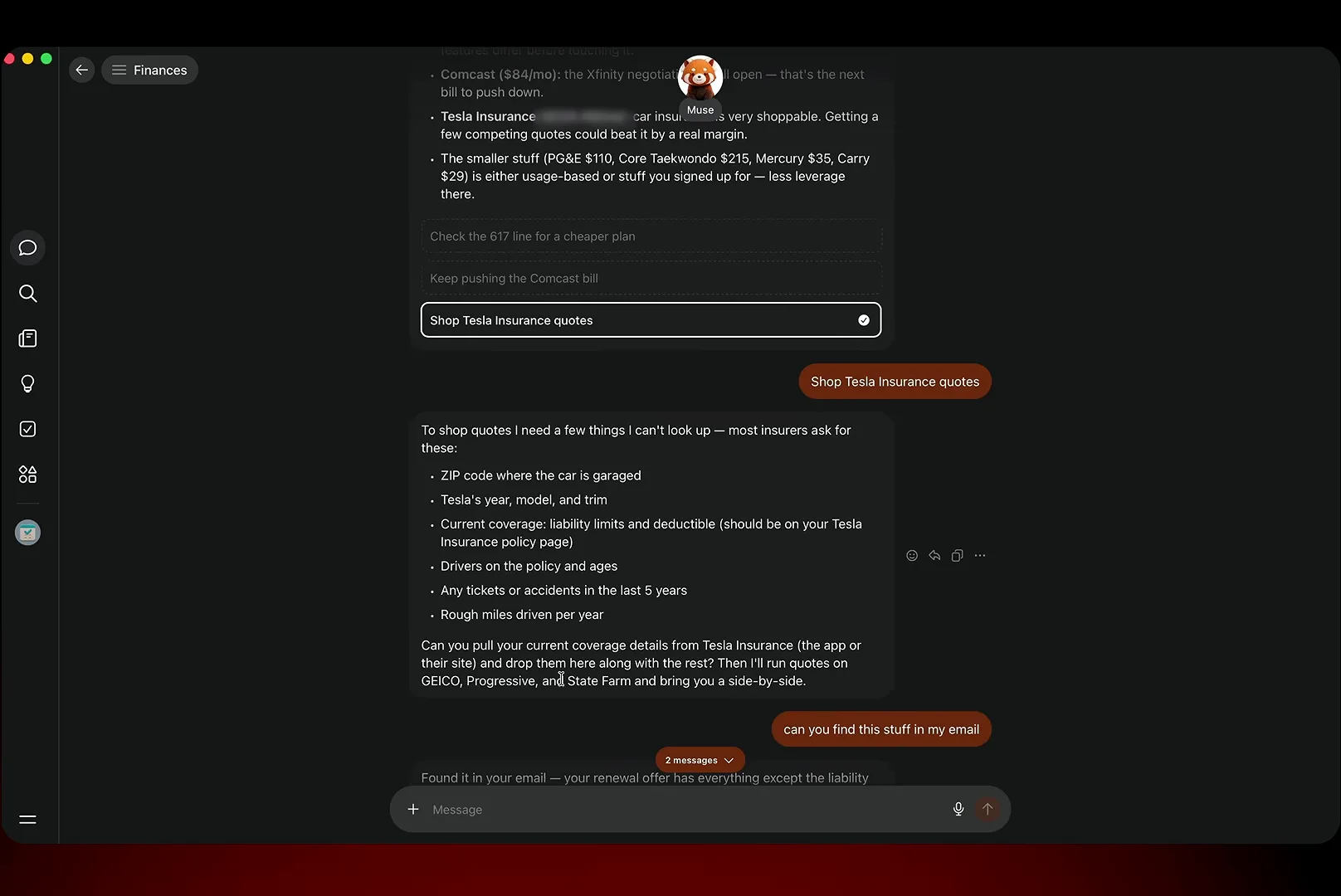
Muse says which facts it needs, then digs them out of your email itself.Watch at 2:30 - 4
Have Muse phone the cable company instead of you
The signature trick: Muse places real phone calls. The user picked a voice, gave the agent his name and number, and went to eat breakfast while "Hailey" dialed Xfinity at 1-800-934-6489. About twelve minutes later the report landed: same internet speed for a ~$60 promotional rate against the $84 bill, another $10 off with autopay and paperless billing, and a 1- or 5-year price lock. The full conversation came back as a transcript artifact.
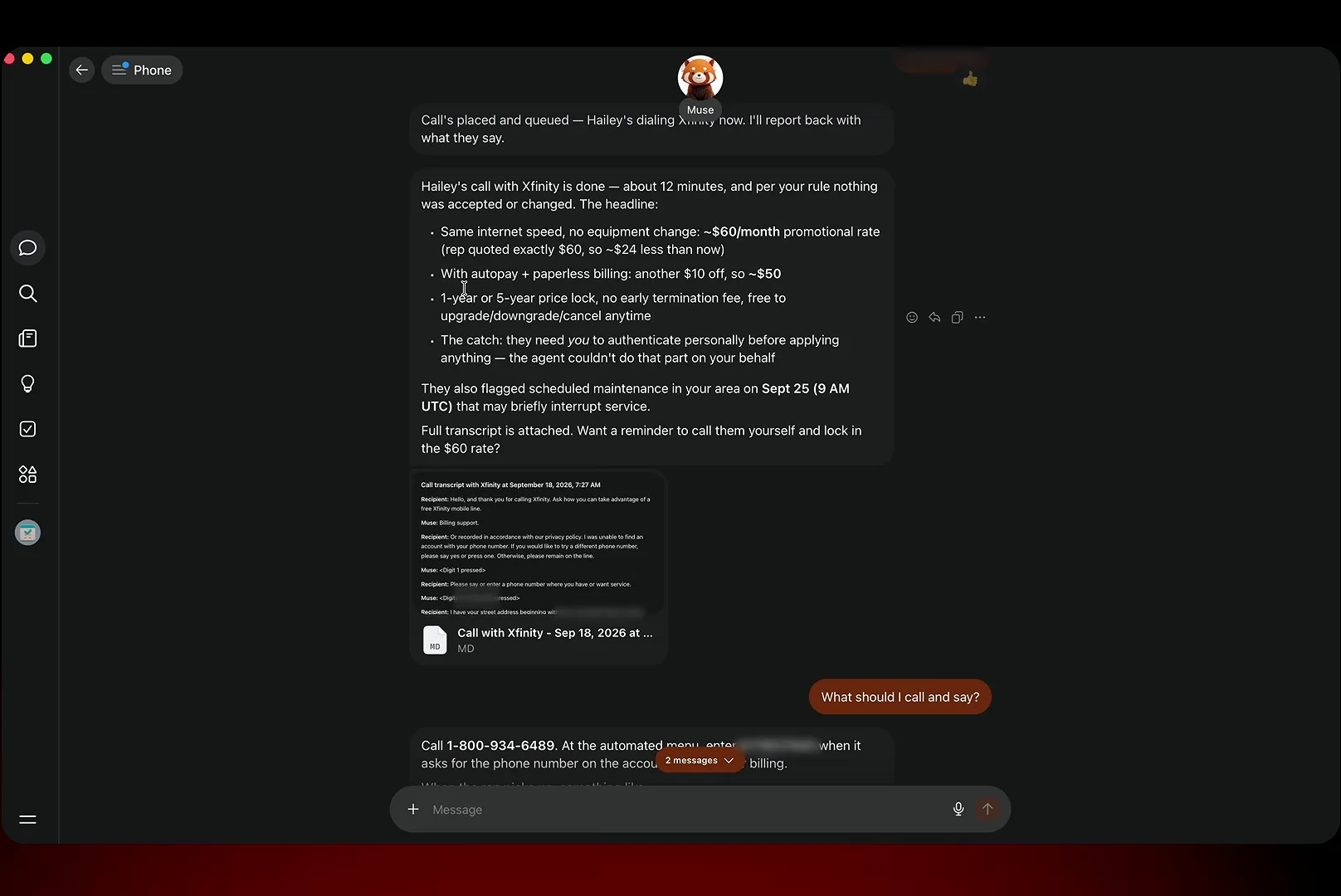
You choose the voice; Muse dials, waits on hold and reports back in chat.Watch at 13:35 - 5
Read the transcript — Muse discloses itself on every call
The attached artifact shows exactly how the agent introduces itself: "Hi, this is Hailey calling on Peter Yang's behalf. I'll be transcribing this call for notes." It poses as your agent, not as you — and that matters, because Xfinity's rep ultimately required the account holder to authenticate personally before applying anything. Muse got the research and the offer; the user keeps the final say, which is the right shape for this kind of delegation.
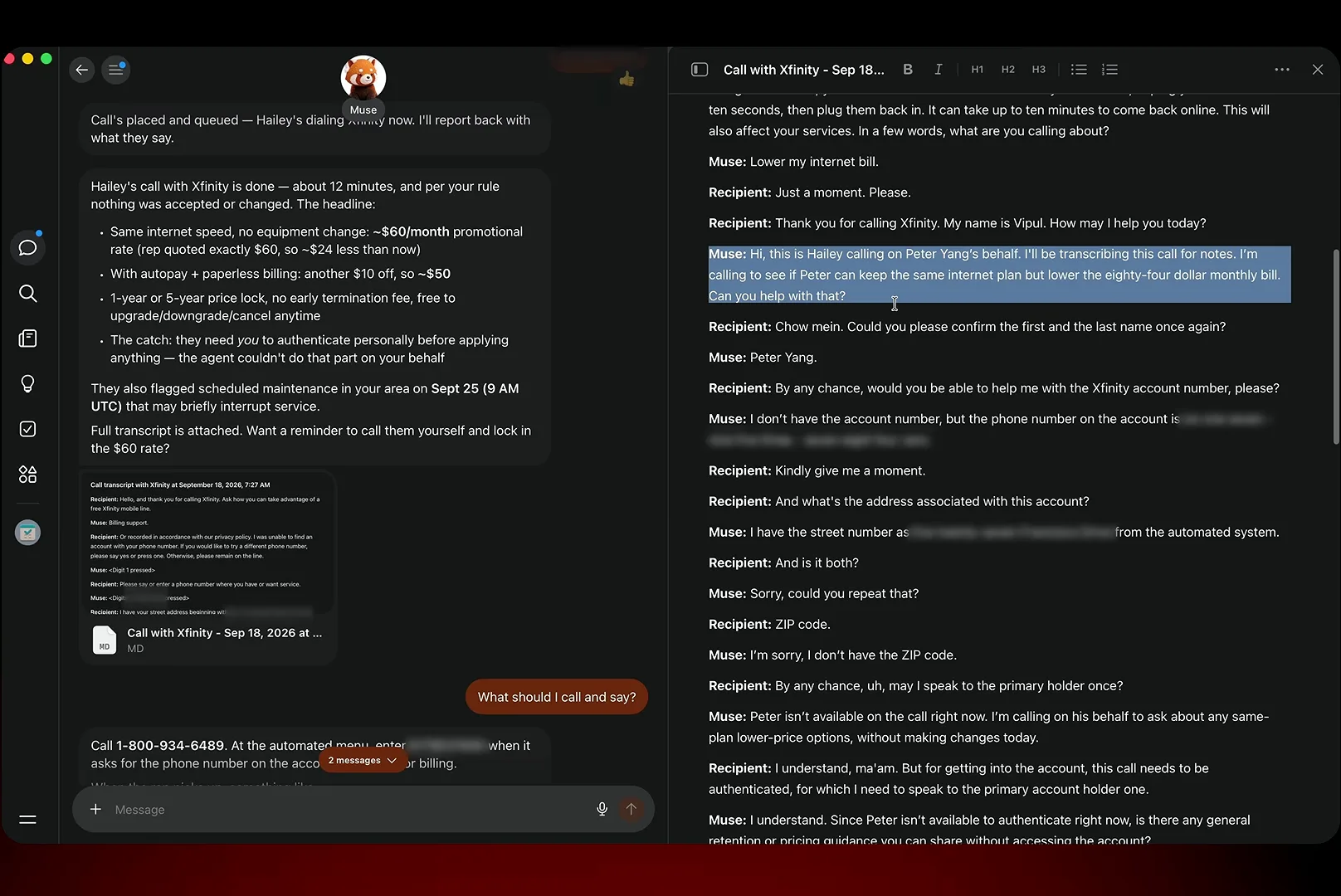
"This is Hailey calling on Peter's behalf" — the agent never pretends to be you.Watch at 14:05
Shopping: Comparisons, Marketplace and Messaging Sellers
- 6
Ask for a side-by-side before you buy anything
Acting on an Ideas-tab suggestion, the user asked Muse to compare electric razors and a few minutes later had a proper table: the Panasonic Arc5 at $179.99 starred as closest shave per dollar, the Braun Series 9 Pro at $409.94 as the absolute closest shave, plus Philips Norelco and Braun Series 7 options with prices, ratings and review counts. The frame shows the listings Muse pulled from Walmart; the video's one gripe is that it stopped at a single store rather than cross-checking independent review sites.
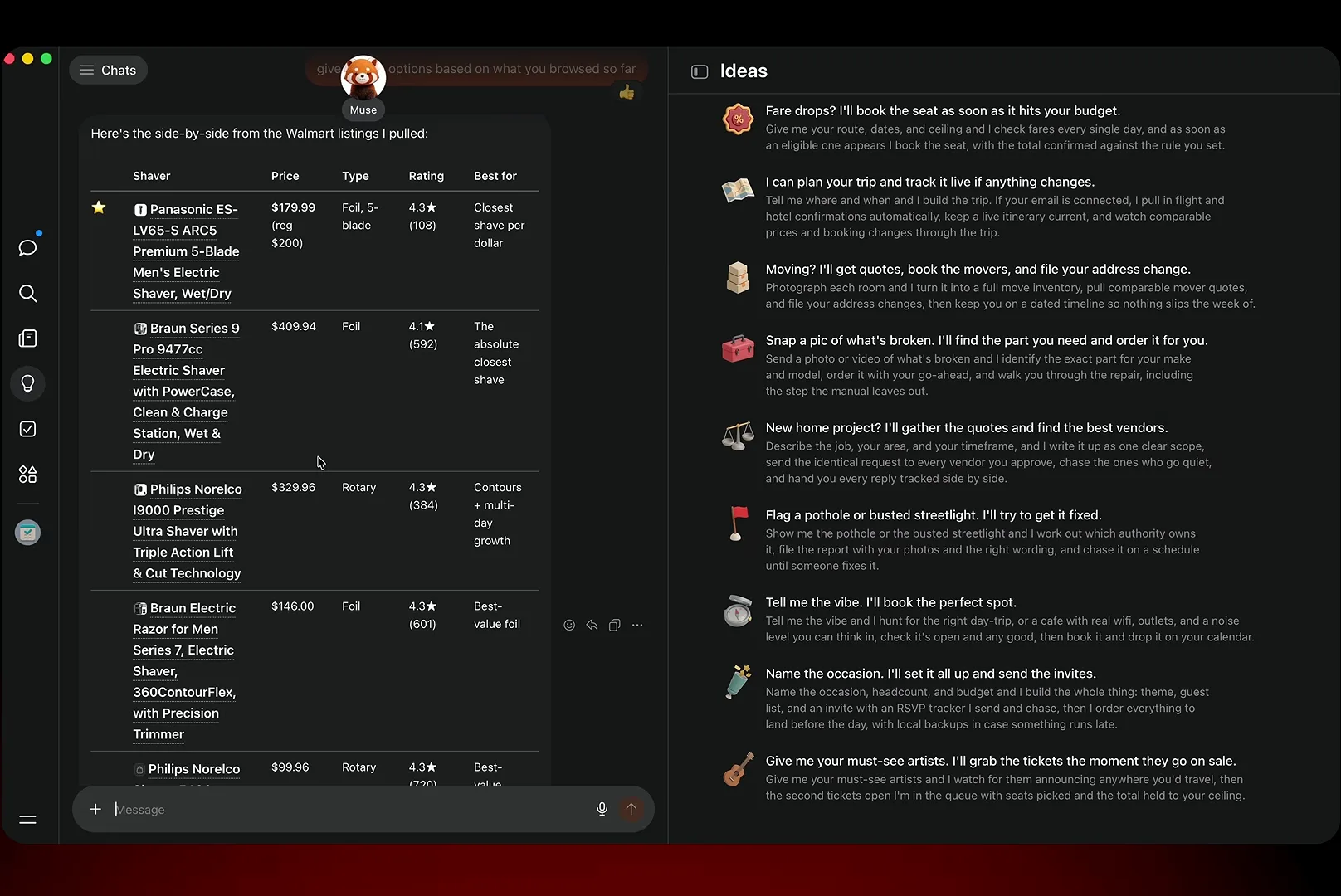
Five models, real prices, a starred pick — the research half of shopping, done.Watch at 11:30 - 7
Hunt Facebook Marketplace without scrolling it
Because Muse lives inside Meta's apps, Marketplace becomes a chat request. Asked to find individual golf clubs nearby, it returned numbered listings with photos, distances and seller ratings: an Odyssey Ai-ONE putter at $230 eight miles away in like-new condition, practice irons at $5 each, a Top Flite driver at $10 — each with a direct link and a note that the seller has 5 stars across 6 ratings. The same flow works in reverse for selling: hand it photos and a price and it drafts the listing.
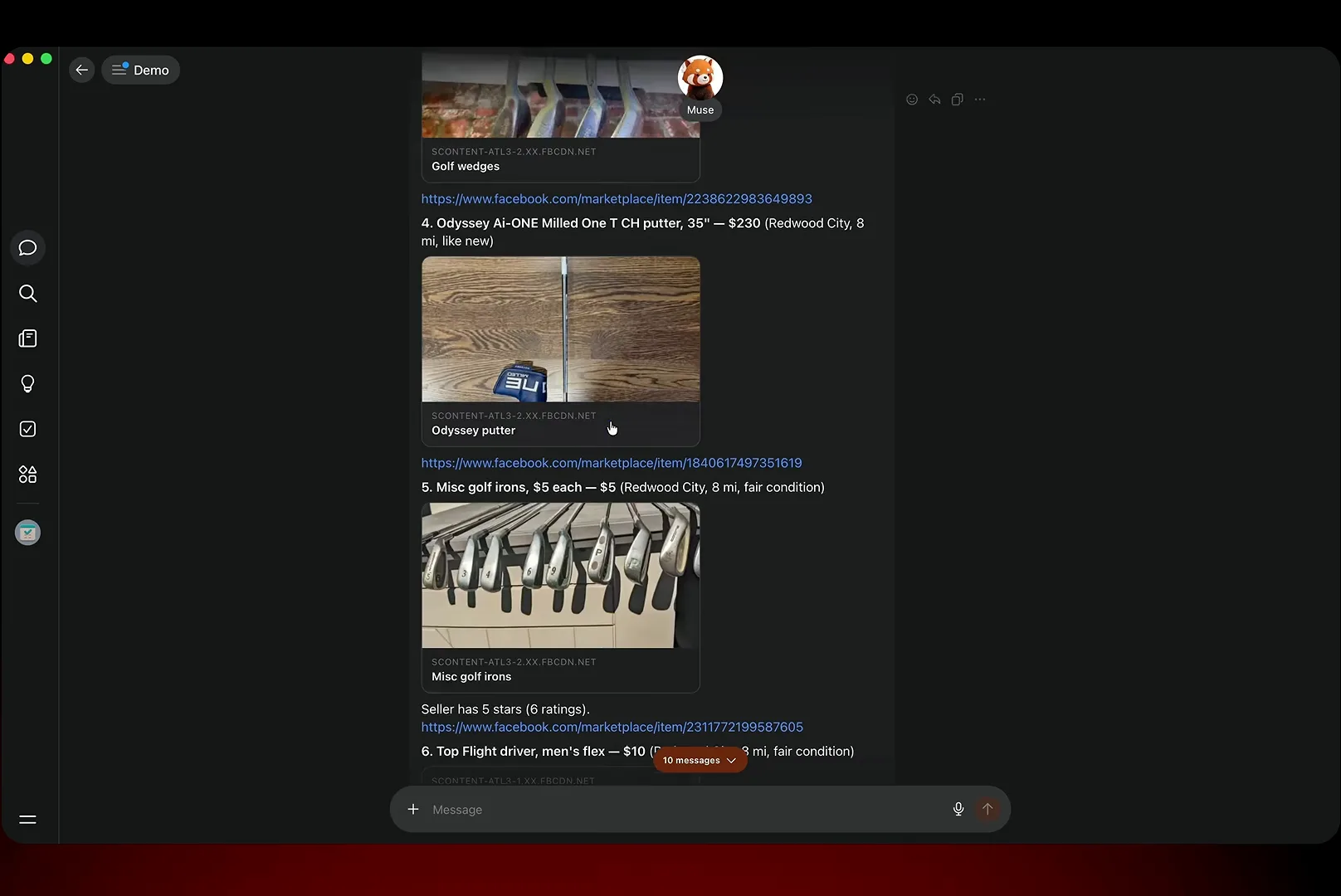
Numbered finds with distances and seller ratings — Marketplace as a chat answer.Watch at 6:10 - 8
Let Muse message the seller — and approve the wording
With the Messenger connector linked, Muse can talk to sellers: ask it to check availability on the Titleist TSR2 4-hybrid and it drafts "Hi! Is the Titleist TSR2 4-hybrid still available?", previews the exact message and waits for a send. It can also watch your existing Marketplace conversations for replies you have not seen. Outbound messages always show up for approval first, so the agent never sends wording you have not read.
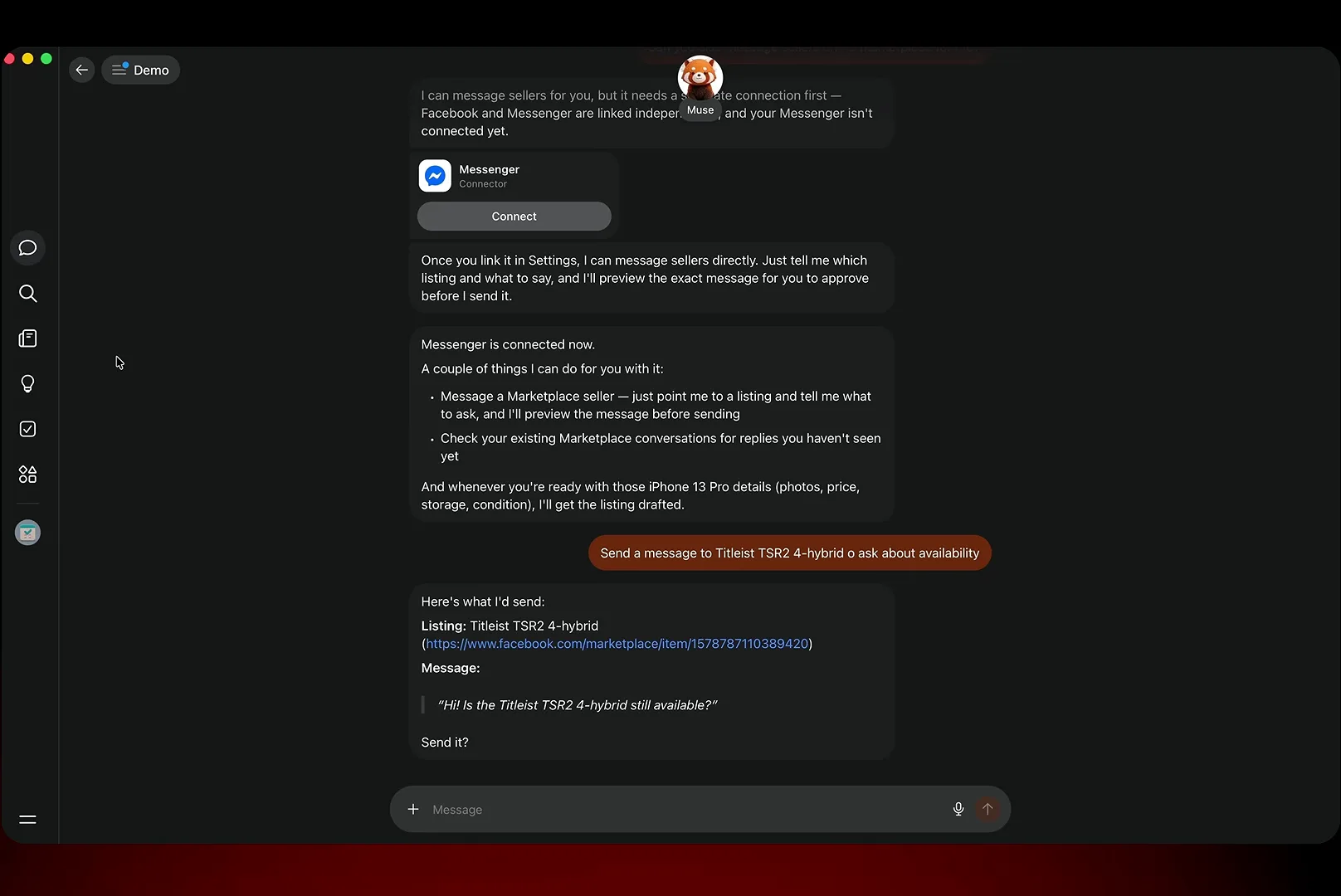
The draft lands with the listing attached — send it or edit it first.Watch at 6:45
Messages and Email: One Sweep Across Every Inbox
- 9
Put one agent across Messenger, iMessage and Instagram DMs
Nobody watches five inboxes. In the Messaging tab, Muse sweeps them and surfaces what needs a human: one missed iMessage from a friend who apologized for going quiet, nine message requests judged "mostly junk" — copy-paste spam plus pitches from a video editor, a thumbnail designer and a devtool agency — and a clean bill of health for Instagram DMs. The frame also shows the connect cards for Messenger, Instagram and Threads; WhatsApp personal chats are off the table, and Muse says so plainly.
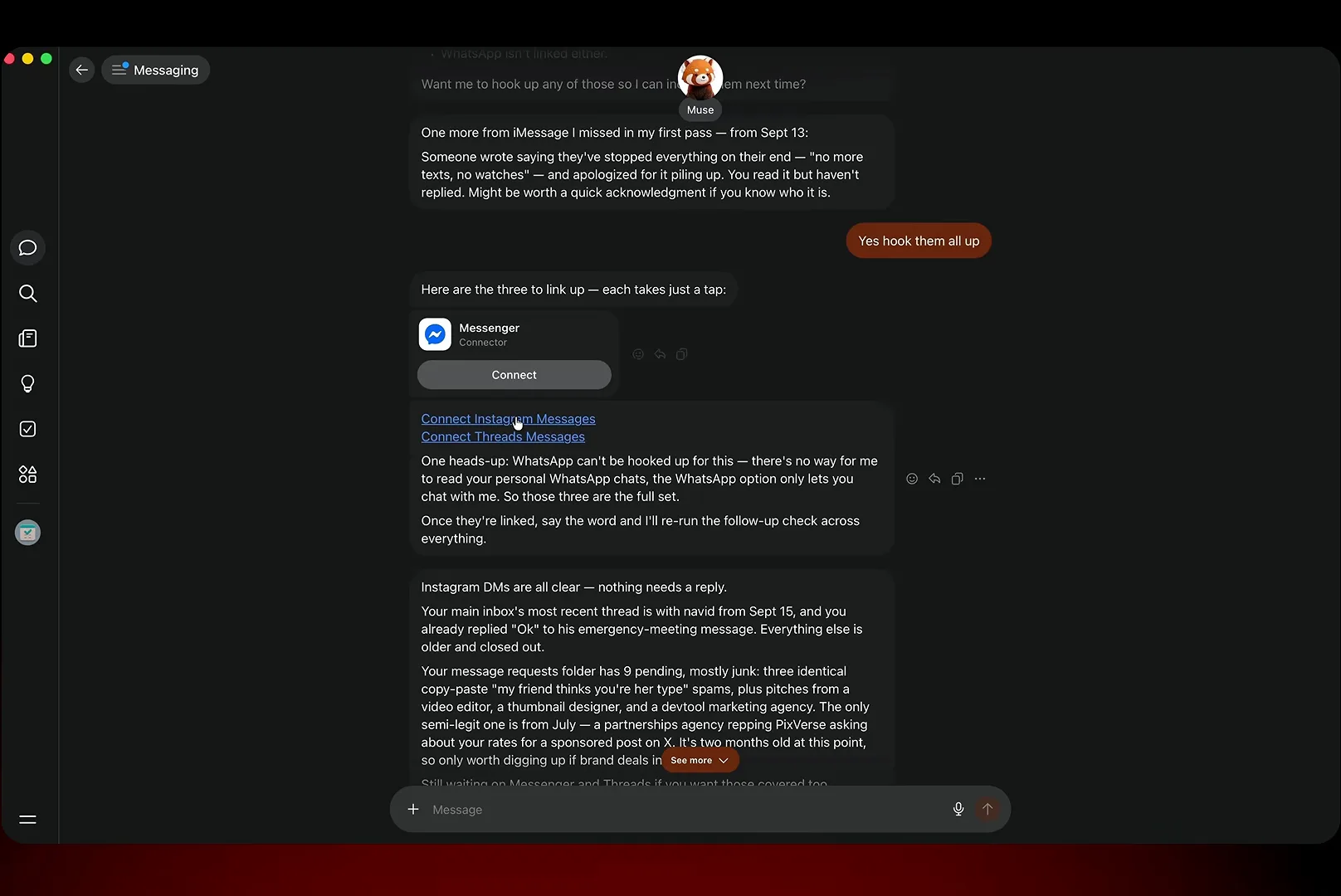
A morning sweep tells you what needs a reply and what is safe to ignore.Watch at 4:50 - 10
Let it read school emails and turn them into shopping lists
The phone demo from tabGeeks shows the family-life version of the same trick: Muse reads a "1st Grade Supply List Updated" email from Joan Fernandez, announces that it found a list of school supplies to order, and starts building a shopping list without being asked twice. This is proactive mode in miniature — the agent watches mail you have given it access to and converts school and household logistics into ready-to-run errands.
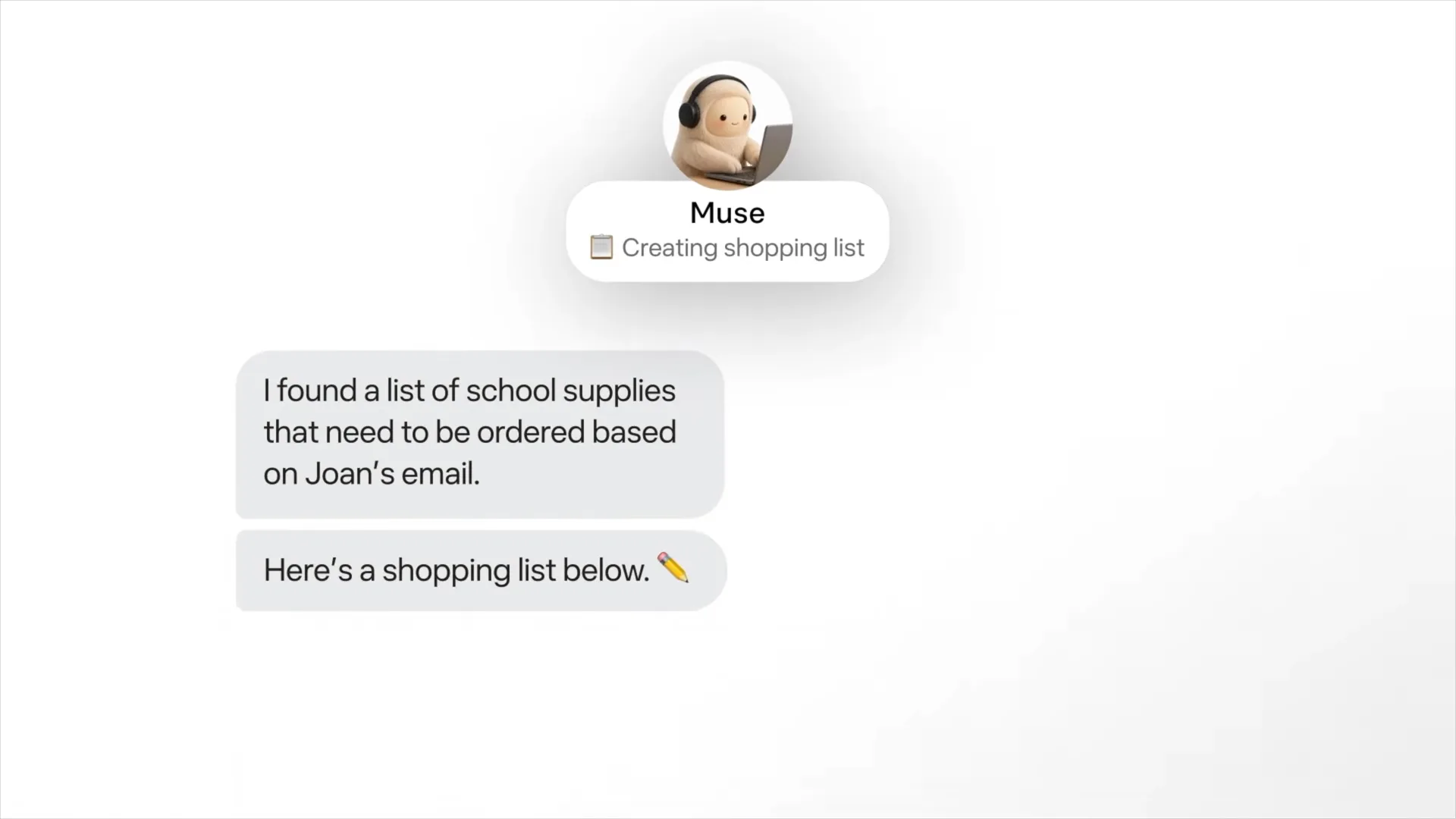
School email in, shopping list out — Muse catches it so you don't have to.Watch at 2:22
Plans and Events: Date Nights, Trips and Standing To-Dos
- 11
Check the to-do list Muse builds from your chats
Every conversation leaves residue in the Goals tab, and it reads like a chief of staff's board: "Xfinity bill negotiation — offered ~$60/mo, needs your authentication," a locked JAL itinerary to Tokyo at $3,492.32 waiting on payment, the Sept 27 magic-show date night shortlisted, a Japan fare watch noting the price is 40 cents below baseline, and a VOO 5% dip buy alert with its next check scheduled at 1:13pm. You never had to write any of it down.
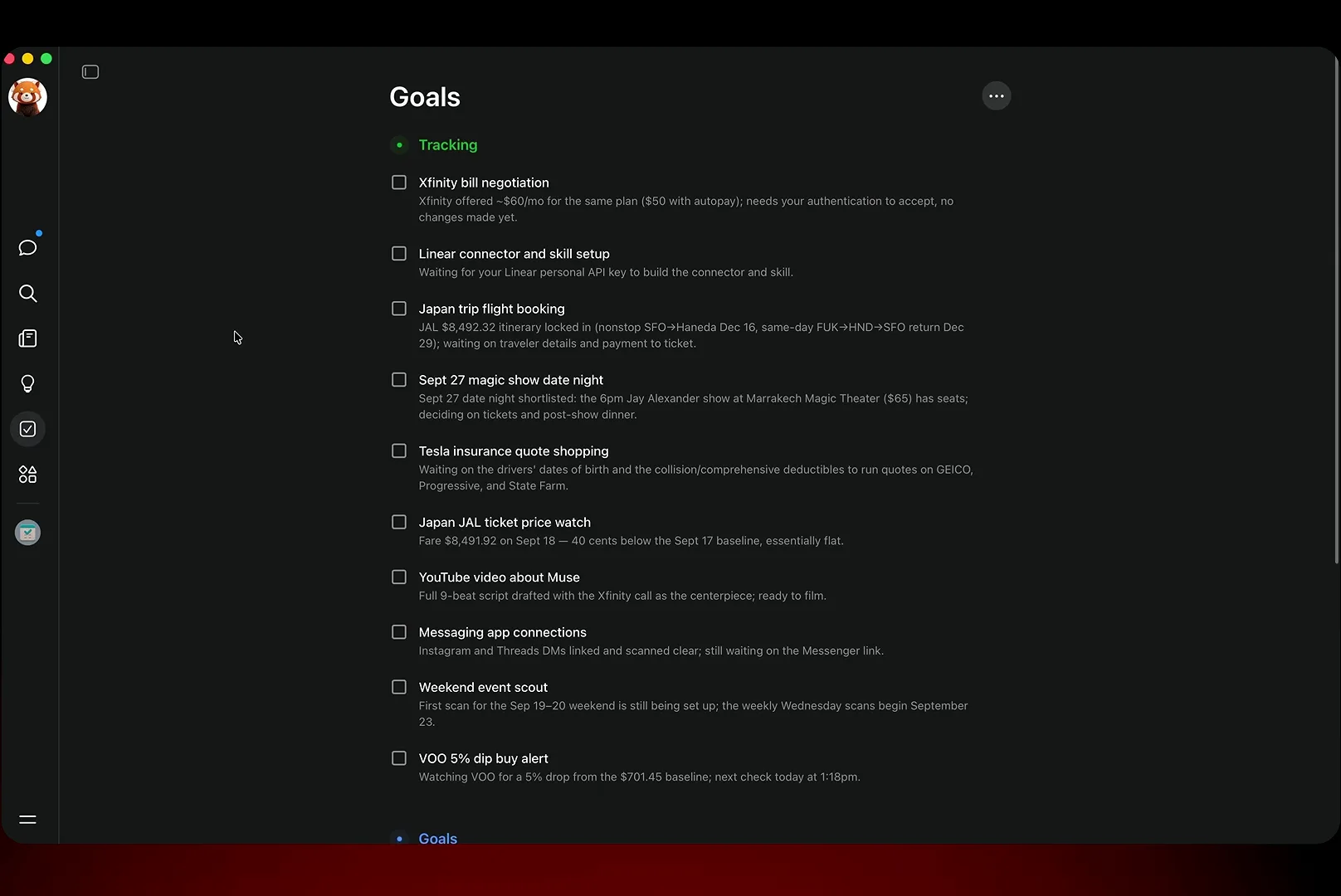
Chats become standing errands with statuses — act when you're ready.Watch at 8:05 - 12
Plan the whole date night in one thread
Reply "9/27 seems interesting" and Muse does the scheduling math: Sunday has only a 6:00pm show, general admission is $65 with plenty left, front-row VIP is $80 with a single seat remaining, and a 6pm show ends by 7:15 — so dinner at 7:30 actually works better. It proposes Zingari's live-jazz room for after the show, checks that it is bookable on OpenTable with a $15.30-per-person prepaid jazz-and-dinner package, and offers quick replies: two GA tickets, VIP seats, or just dinner for now.
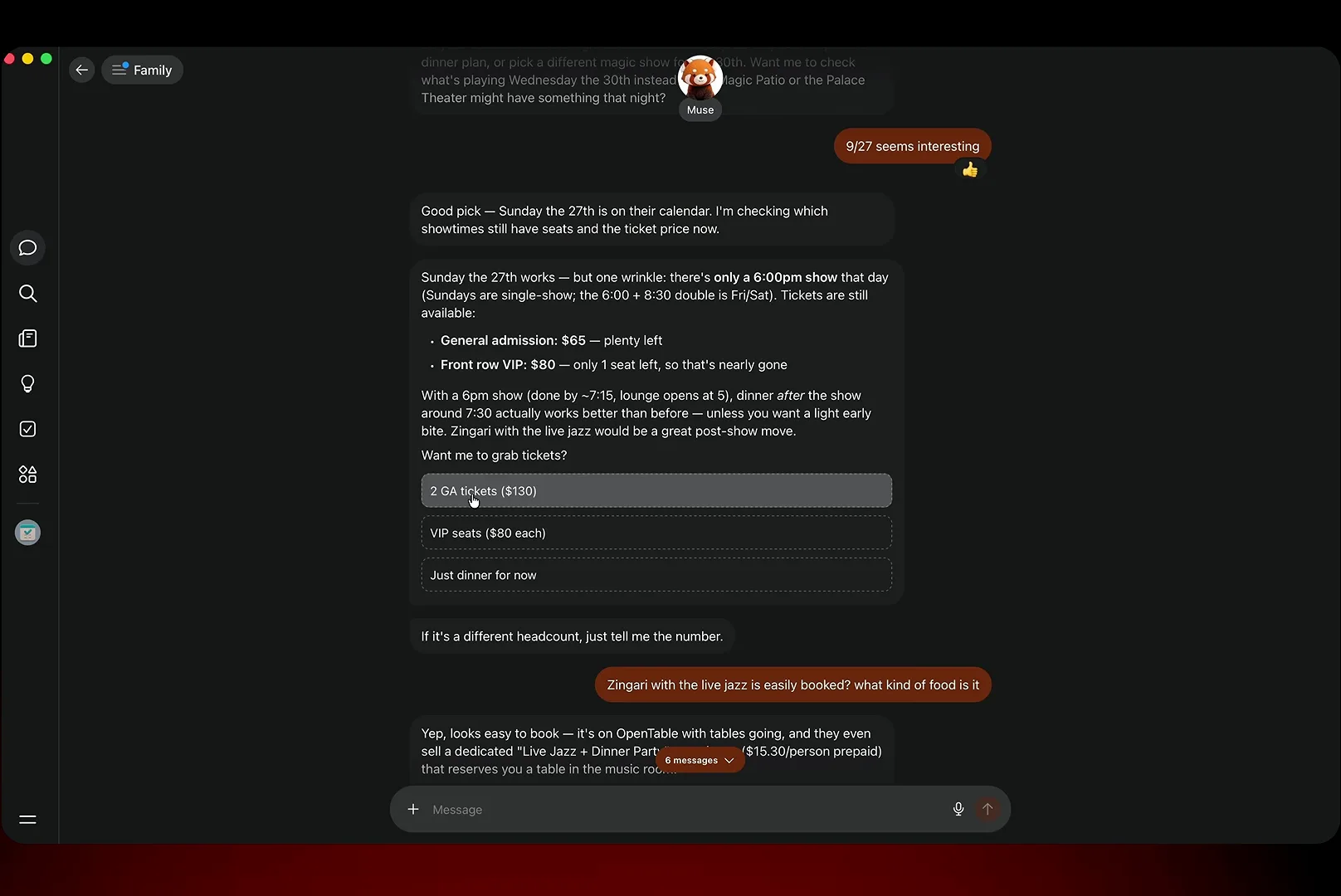
Show times, seat tiers and the dinner reservation, settled in one thread.Watch at 12:40
Habits and Goals: an Agent That Checks In Daily
- 13
Break a bad habit with a Muse-built streak tracker
The video's most relatable use case: keeping the phone out of the bedroom. Muse interviewed the user about the habit, then built a Streak Tracker artifact that states the rule — when the urge to scroll hits around 10pm, leave the phone charging outside the bedroom — and each night asks one question: did the phone stay outside? Resisted or slipped, the answer feeds a night-by-night chart, with a 9:18pm nudge before bed and a 7:18am check-in. The streak reads zero so far, which is exactly why the nightly prompt exists.
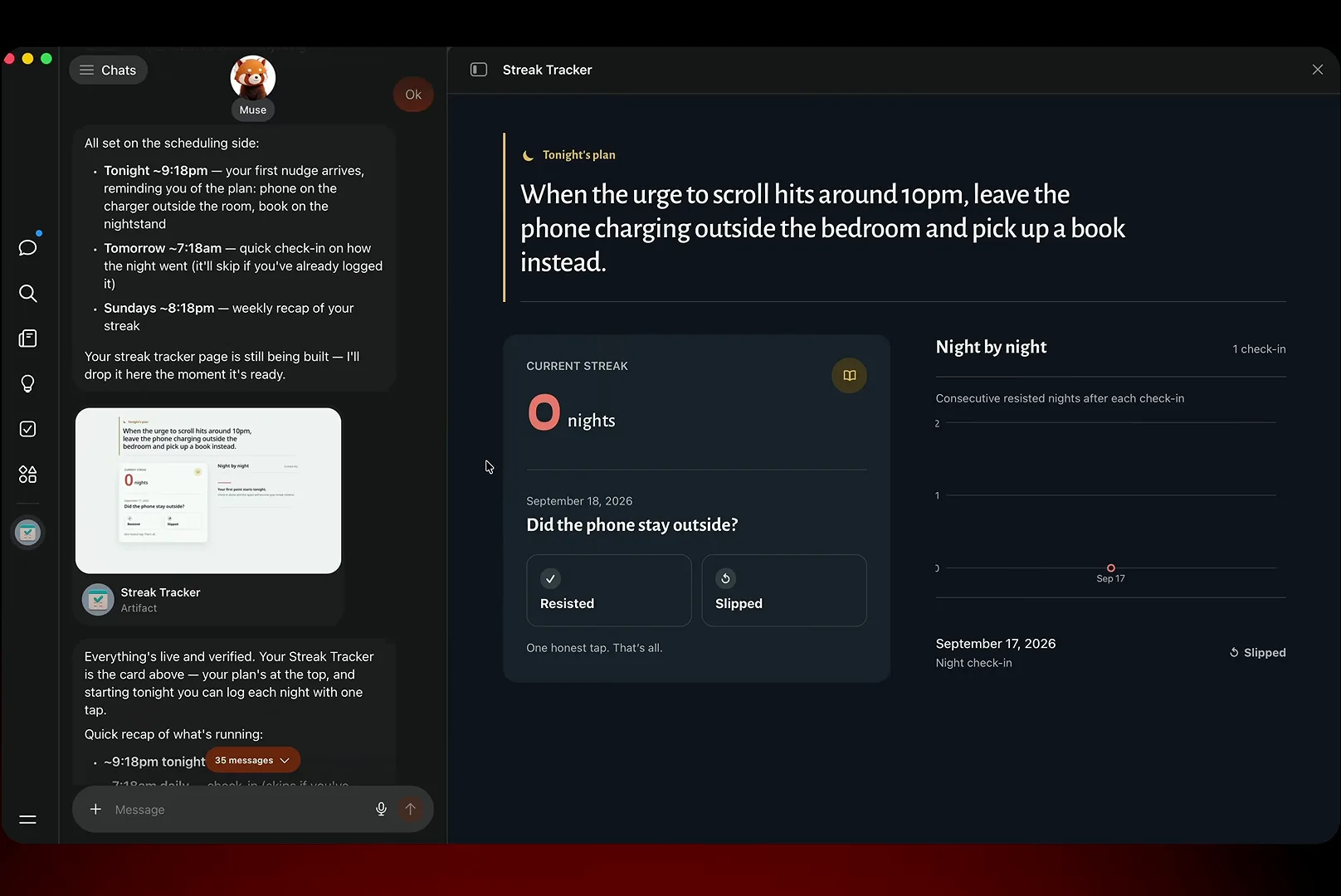
One honest tap a night — the chart and the 9:18pm nudge do the rest.Watch at 9:20 - 14
Start bigger goals from a category, not a blank page
Under the tracking list sits a Create a goal menu sorted into Health, Relationships, Finance, Career, Interests, Productivity and Something else. Pick one, describe the outcome, and Muse drafts the plan and the check-in cadence — the Phone-free bedroom goal on this screen is already politely nagging about a missed Thursday-night entry. When you run dry on ideas, the Ideas tab studies your chats and proposes its own.
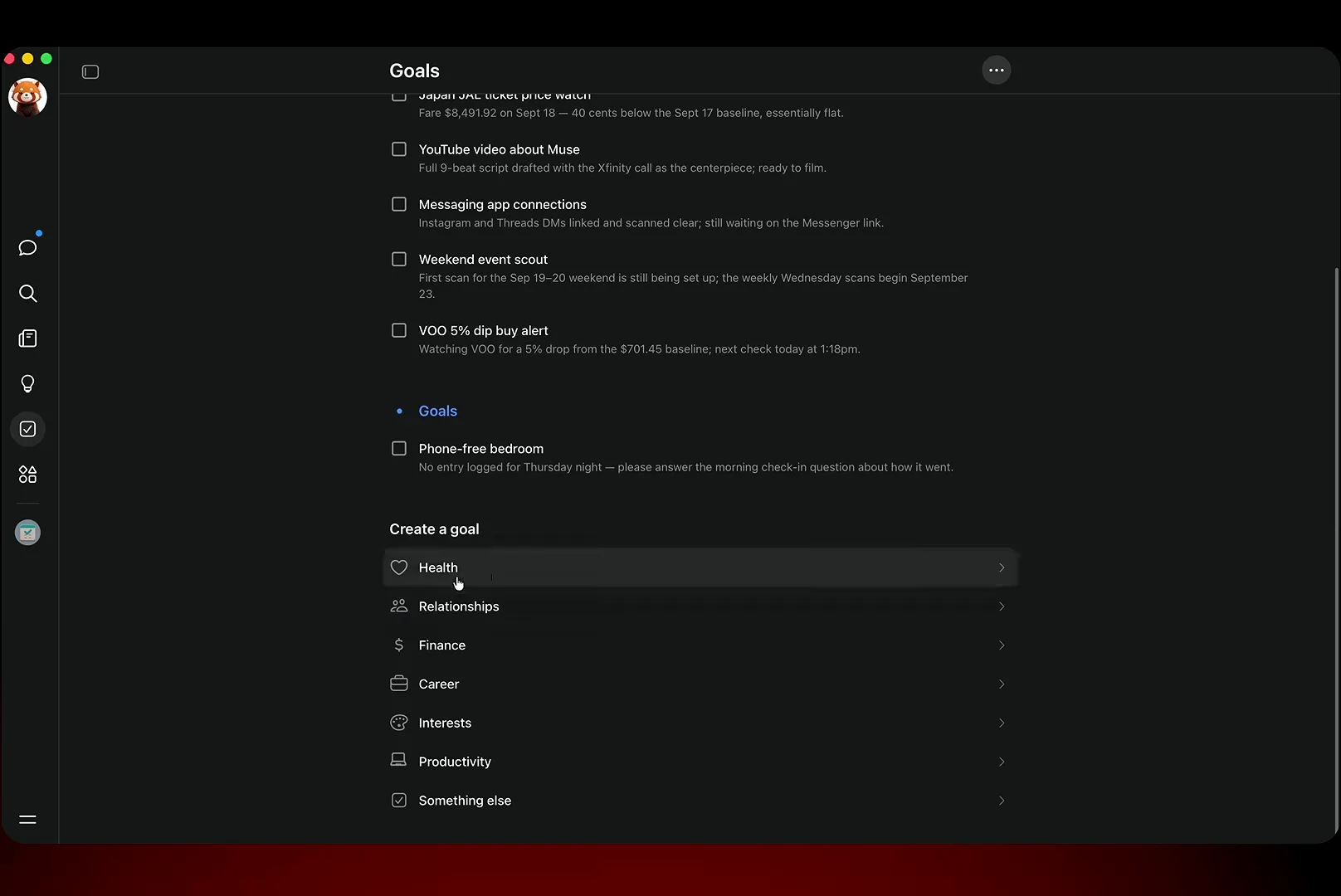
Seven categories, one described outcome — Muse drafts the plan and the check-ins.Watch at 10:05
Feed and Ideas: Your Morning Briefing, Self-Printed
- 15
Replace the doomscroll with a feed you programmed
The Feed tab is Muse's quiet killer feature for information diets: ask for the AI stories that matter and every morning you get a digest — here, the fight over Dario Amodei's "We Must Pace the Frontier" essay and Anthropic's Claude Code Projects beta, each item with a source link, a Discuss button and the option to open the full piece in a browser. The creator's verdict on camera: more valuable to him than Facebook's feed, and no ads — so far.
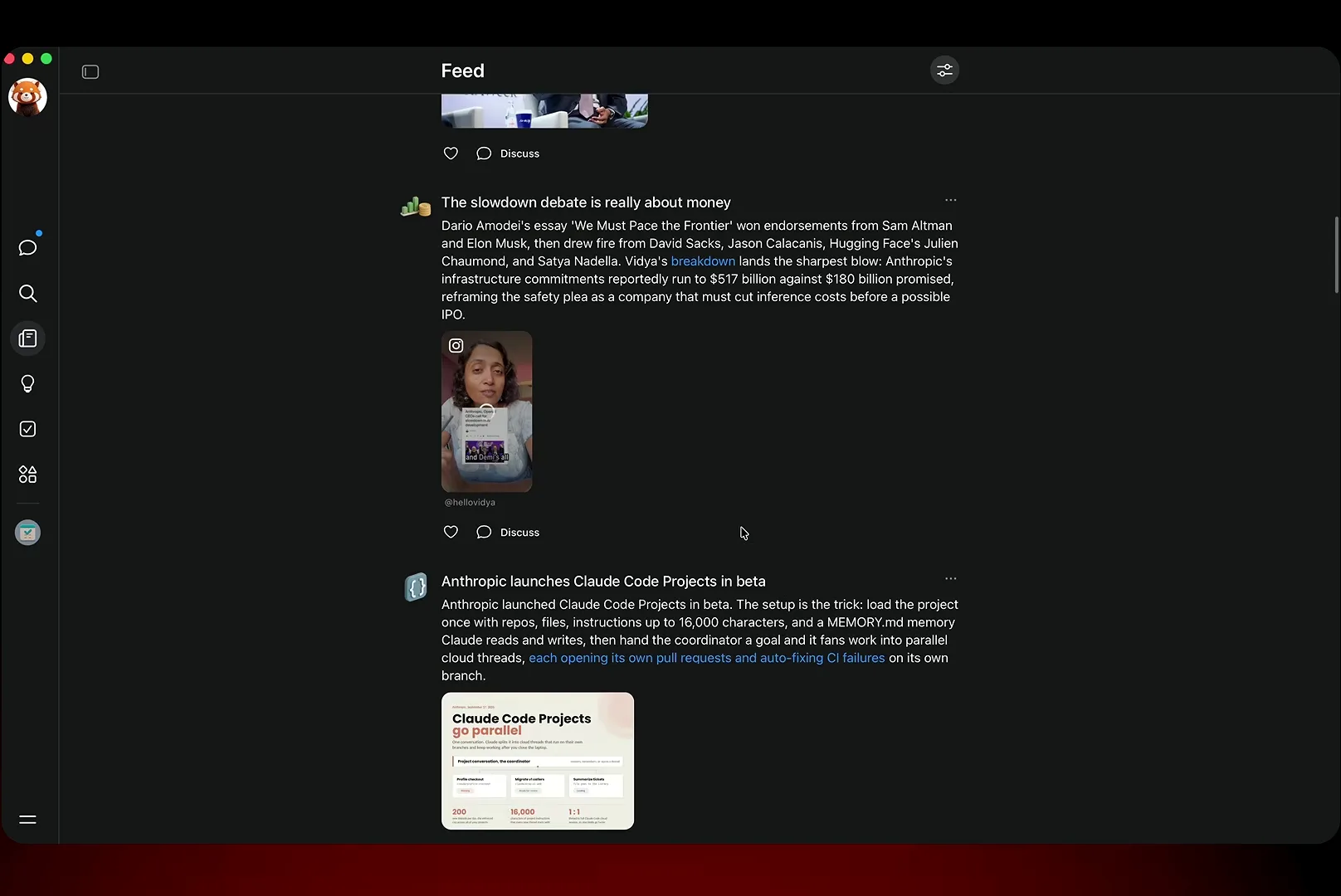
Your topics, your cadence, zero ads — a newspaper that prints itself.Watch at 7:20 - 16
Mine the Ideas tab for errands you hadn't thought of
Most people stare at an empty chat prompt; Muse studies your history and proposes work instead. This Ideas screen offers to turn Xfinity's $55 price lock into a negotiation kit, book a magic night around Jenny's birthday dinner, watch the inbox for this morning's lab results, triage email down to what matters and — the sleeper hit — "Tell me what you're returning. I'll set up the return and chase the refund." Tap one and the corresponding use case starts immediately.
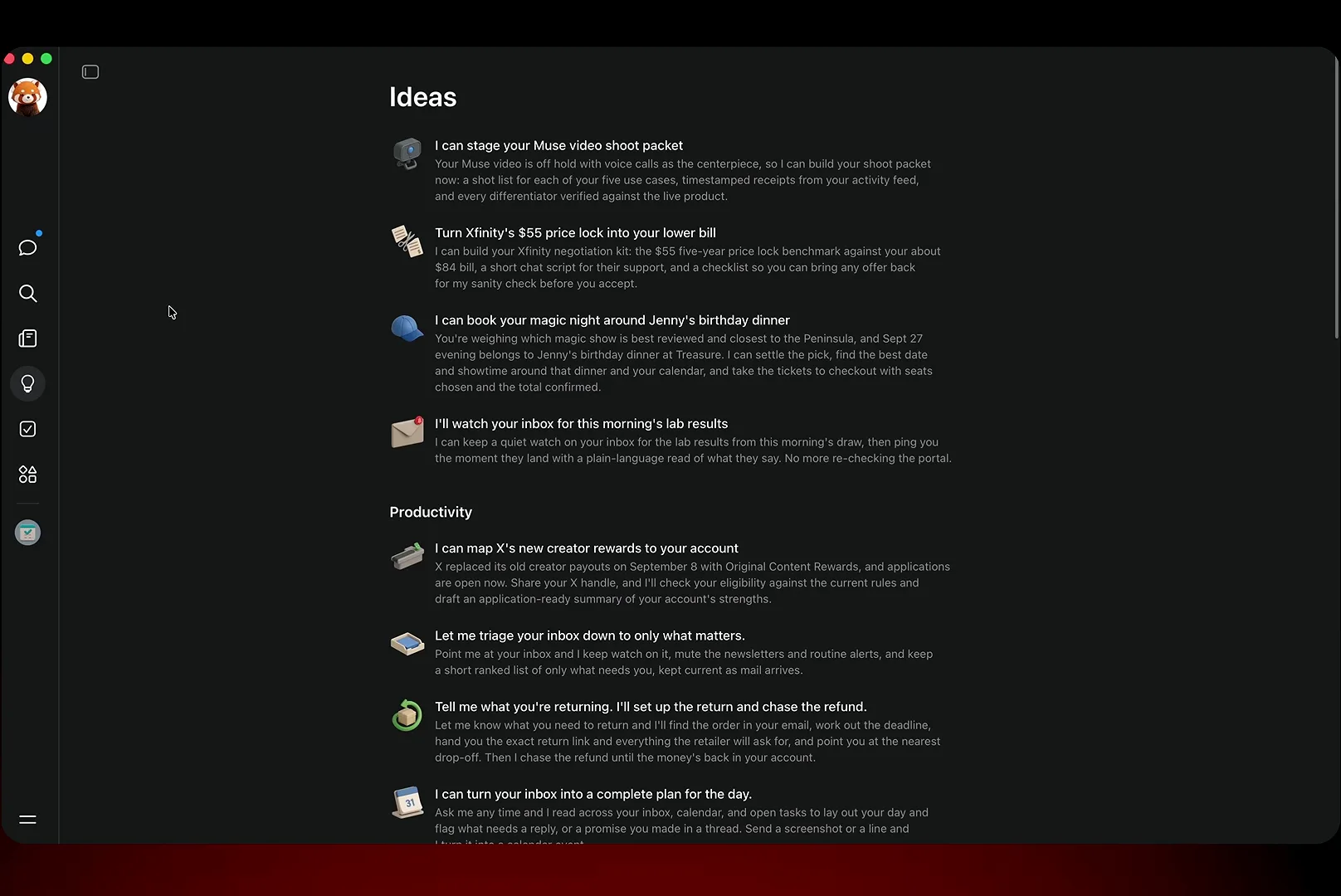
Ideas are grounded in your own chats — each one is one tap from running.Watch at 10:25