

How to Use Claude Opus 5.5: a 16-Step Walkthrough
Claude Opus 5.5 is Anthropic's flagship model for long-running agentic coding and knowledge work, released on September 22, 2026. It is 20% cheaper per token than Opus 5, needs fewer tokens per task, and comes with 25% higher limits on Pro, Max, and Team plans. This walkthrough follows Anthropic's own daily-driver demo step by step, cross-checked against the official announcement and docs, from picking the model to tuning effort, subagents, and project prompts.
Source & credits
Screenshots in this guide are captured from Claude's public walkthrough video. Every step links back to the exact moment it shows, so you can follow along.
Claude ↗Know what you are paying for
- 1
Start from the official announcement
Skim Anthropic's announcement post before you touch anything. Anthropic positions Opus 5.5 as the first model of the Claude 5.5 family: it performs at the level of Claude Fable 5.1 on most work while costing 40% less to run than Opus 5. Those two claims give you a baseline to test against in your own projects.
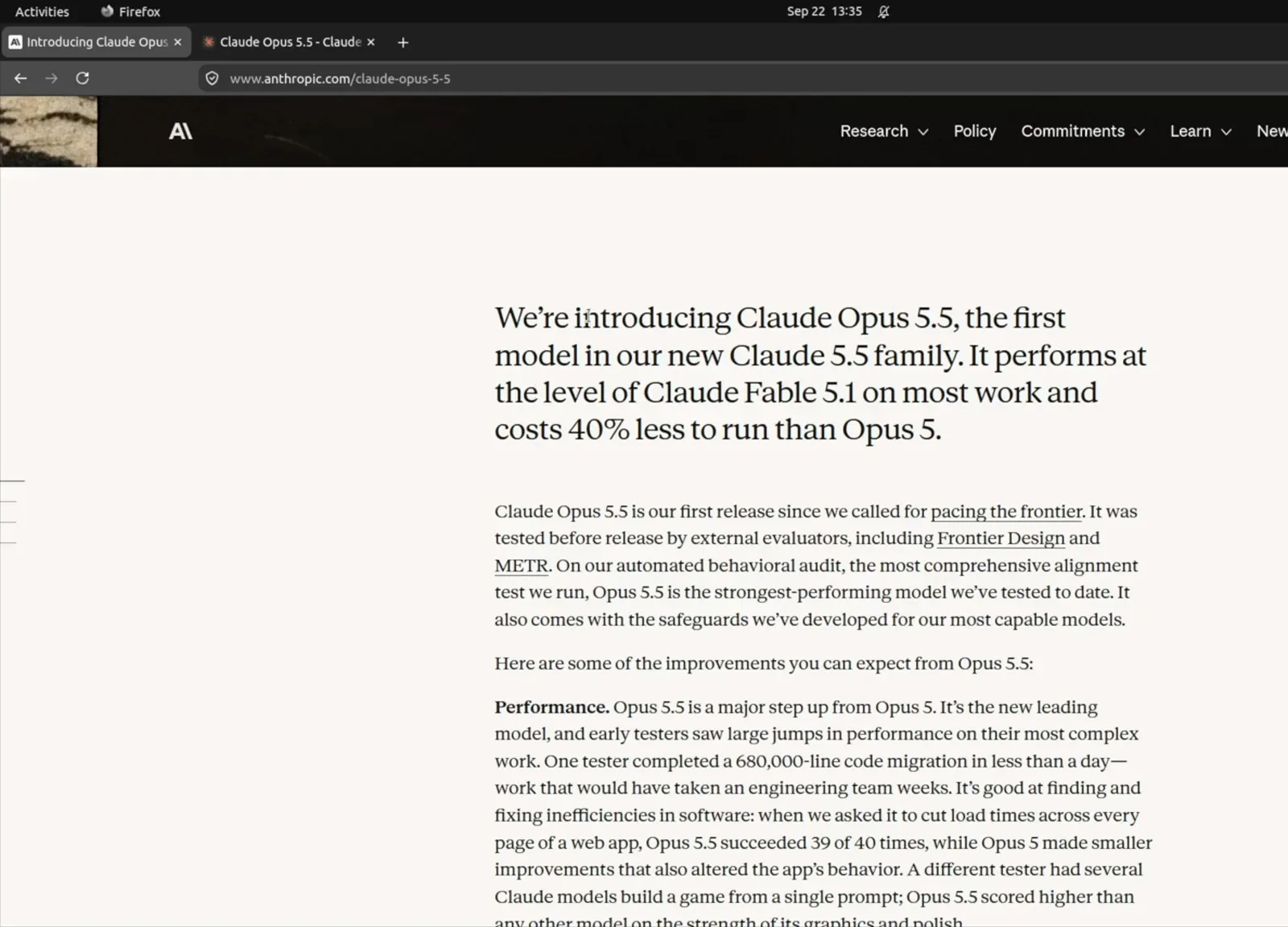
Anthropic shipped Opus 5.5 on September 22, 2026 as the first model in the Claude 5.5 family.Watch at 0:46 - 2
Check the price before you prompt
Opus 5.5 costs $4 per million input tokens and $20 per million output tokens, 20% below Opus 5's $5 and $25. Cache reads drop to $0.20 per million tokens, and an optional fast mode at $8 and $40 buys up to 2.5x speed. API users pay per token; Pro, Max, and Team subscribers get Opus 5.5 inside their plan limits.
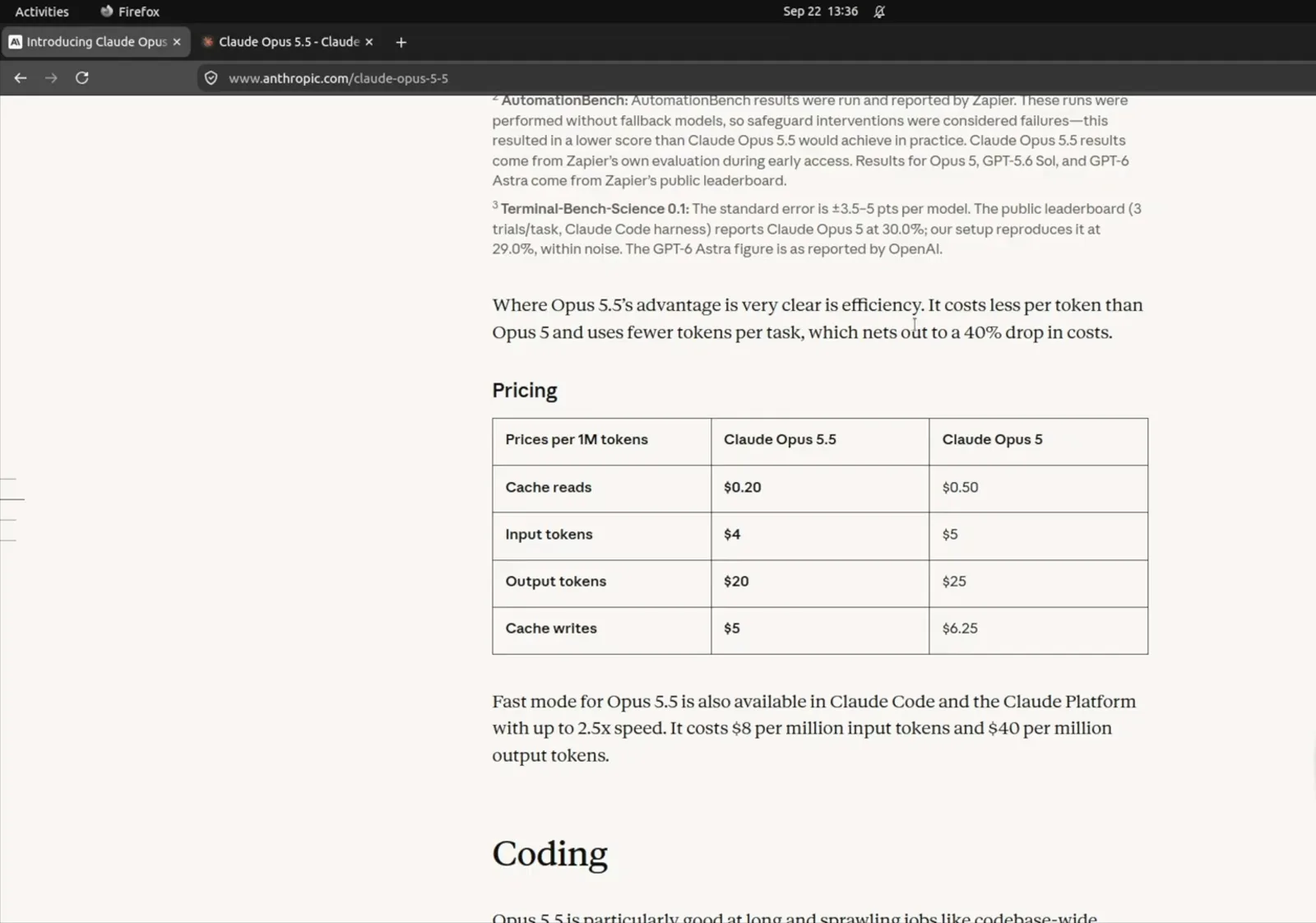
Input fell from $5 to $4 per million tokens, output from $25 to $20 — a 20% cut on both.Watch at 1:58 - 3
Note the 1M-token context window
The model card lists a 1,000,000-token context window, 128K max output, and adaptive thinking that is always on. Copy the model ID claude-opus-5-5 for direct API calls, or just pick Opus 5.5 by name in the Claude apps. That context budget is what makes long agentic sessions practical without constant summarizing.
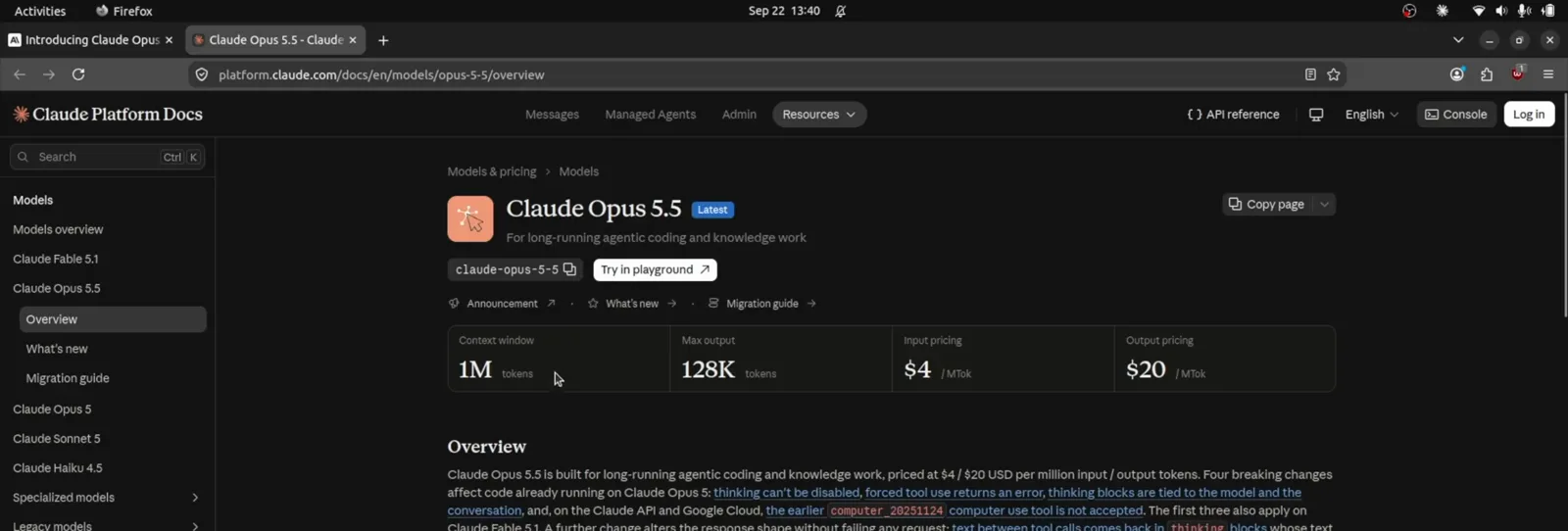
The docs list 1M input tokens, 128K output tokens, and $4 and $20 per million tokens.Watch at 3:42
Pick the model and set effort in Claude
- 4
See Opus 5.5 next to Opus 5
In Anthropic's demo, the same refund-rounding bug goes to Opus 5 on the left and Opus 5.5 on the right, both at medium effort. Both read the refund code, find where the discount splits, and run the tests, but 5.5 finished in under a minute and came out about 30% faster. Run your own comparison like this on a real task before you switch your daily driver.
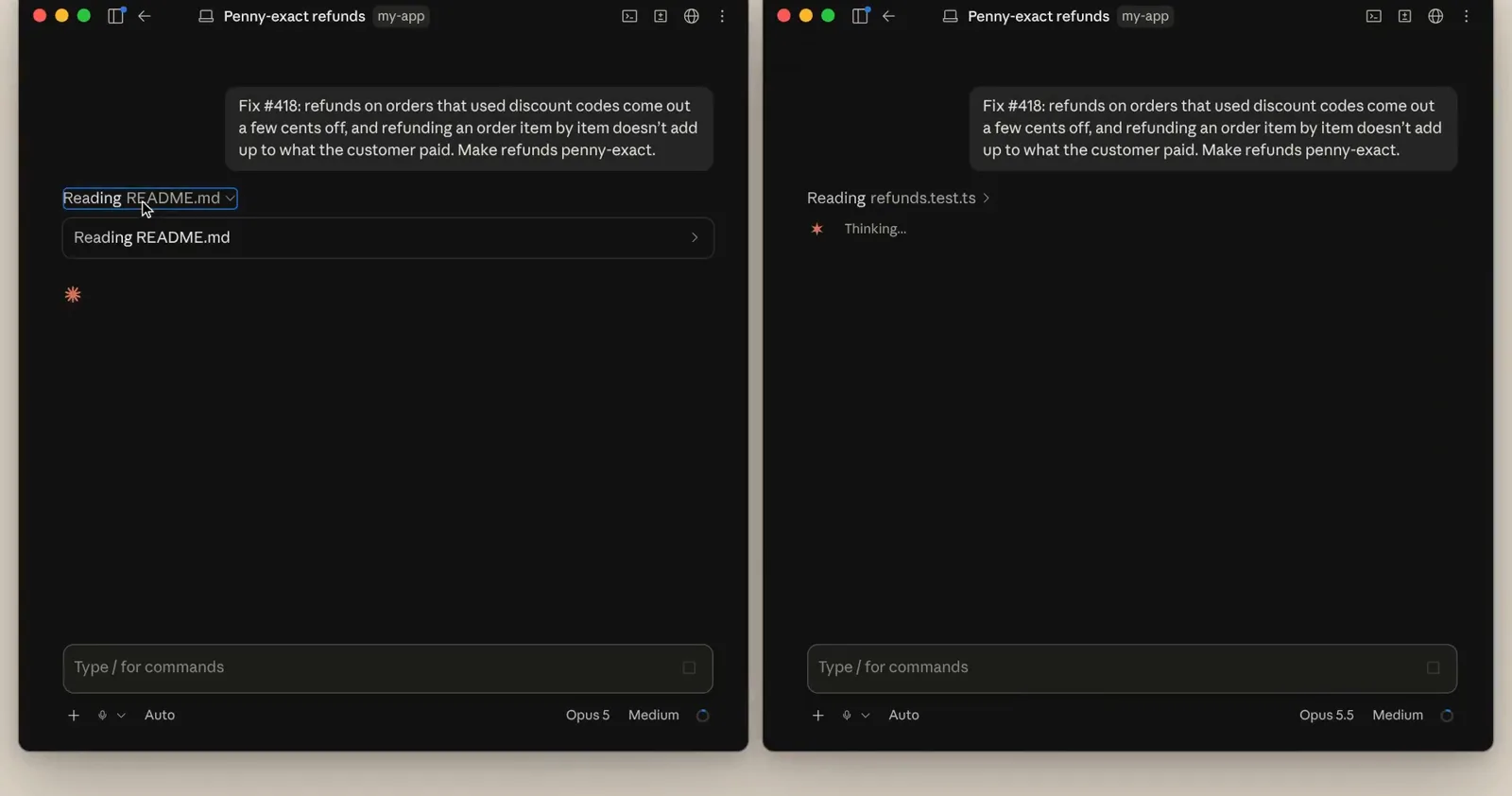
Same project, same prompt: Opus 5 on the left, Opus 5.5 on the right.Watch at 0:37 - 5
Leave effort on Medium to start
Opus 5.5 defaults to medium effort, and effort is essentially how deeply the model thinks before it acts. The picker's tooltip spells out the trade: higher effort means more thorough responses that take longer and use your limits faster. For most daily tasks medium is enough, and Anthropic's own demo stayed on it for ordinary fixes.
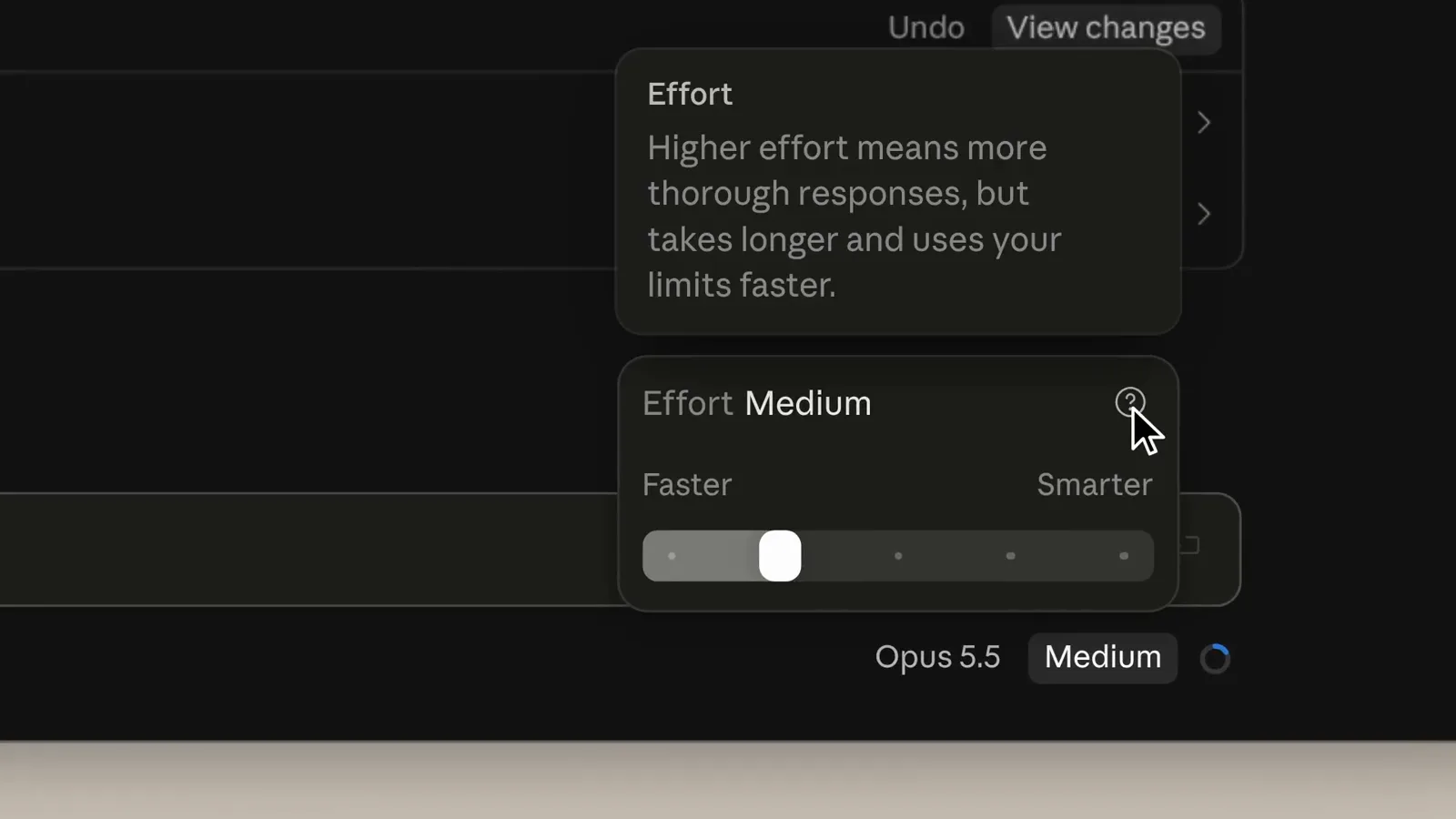
Hover the effort chip and the tooltip states the trade-off: thoroughness versus speed and limits.Watch at 1:32 - 6
Watch your 5-hour limit drop less
After the identical fix, Opus 5.5 had used about 4% of the five-hour Max limit while Opus 5 had used 6%, and its context window read 31.4k tokens against Opus 5's 44k. Because 5.5 needs fewer tokens per task, Anthropic puts the typical saving near 40% per task. Your numbers will differ, but the gap shows up on every repeated run.
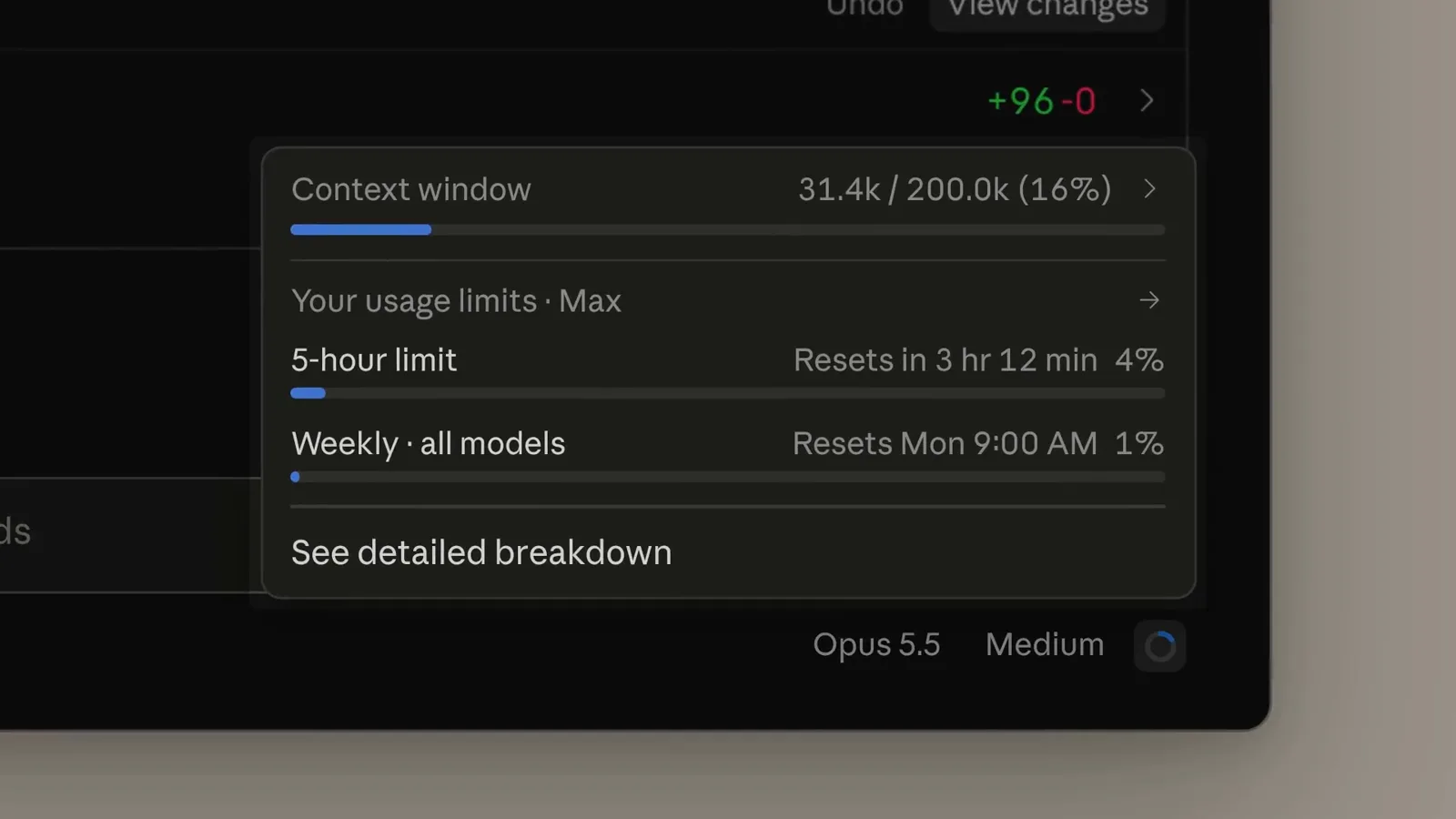
4% of the five-hour limit for Opus 5.5 versus 6% for Opus 5 on the same task.Watch at 1:14 - 7
Check the stats after a week
The stats overview rolls up your real usage: total tokens, average tokens per task, average duration, and an activity heatmap, with Opus 5.5 listed as the favorite model on this Max account. Look at it after your first week to confirm medium effort keeps usage where you expect. A task class that keeps spiking is your signal to raise effort for it deliberately.
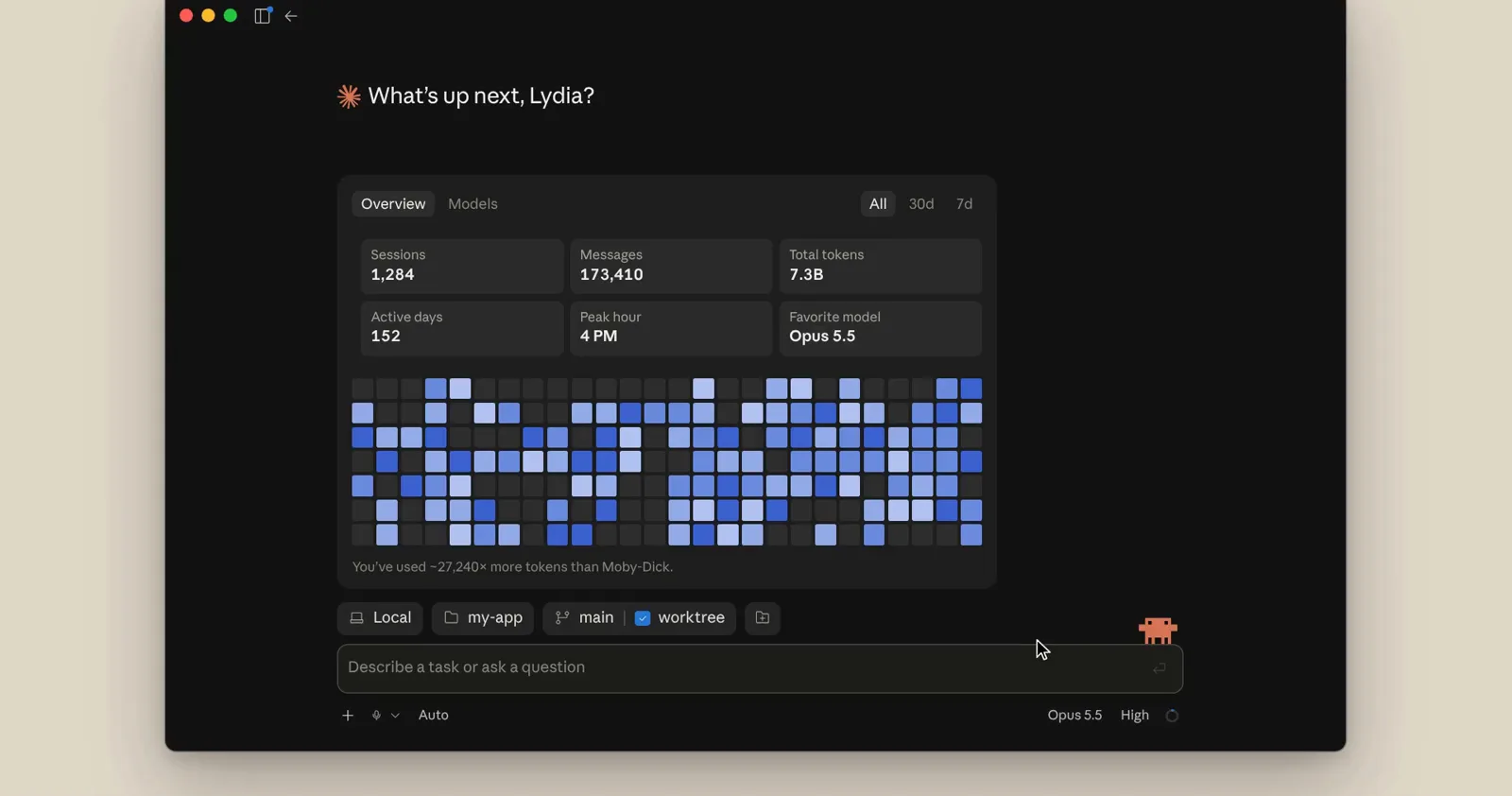
Average session cost, duration, and a task heatmap — proof of whether the savings are real.Watch at 2:32
Run your first agentic fix in Claude Code
- 8
Give it one concrete, verifiable bug
The demo prompt reads like a good ticket: fix #418, where refunds on discounted orders come out a few cents off and item-by-item refunds do not add up, and make refunds penny-exact. It names the symptom, the invariant, and the acceptance bar in three sentences. Opus 5.5 responds best to this shape — a specific defect plus a measurable definition of done.
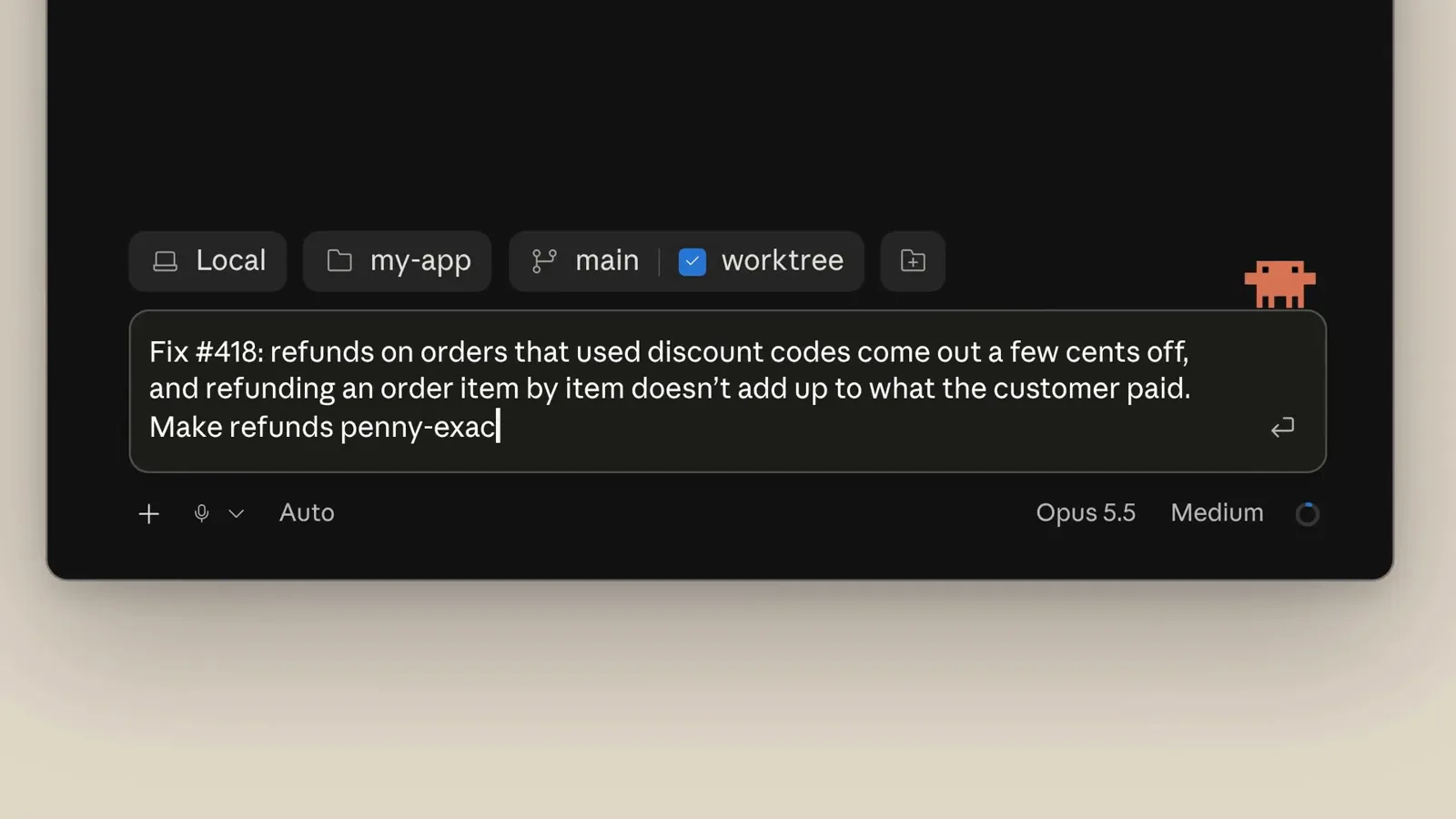
The prompt names issue #418, the symptom, and the penny-exact bar in three sentences.Watch at 0:32 - 9
Let medium effort finish small scopes
On a scoped request like renaming customerRef to accountRef in the orders handler, medium effort searched the code, edited handlers.ts, ran the API tests, and reported all 14 passing with a short summary of what changed. That is the daily-driver pattern: bounded scope, medium effort, let it work. Read the diff, keep the tests green, move on.
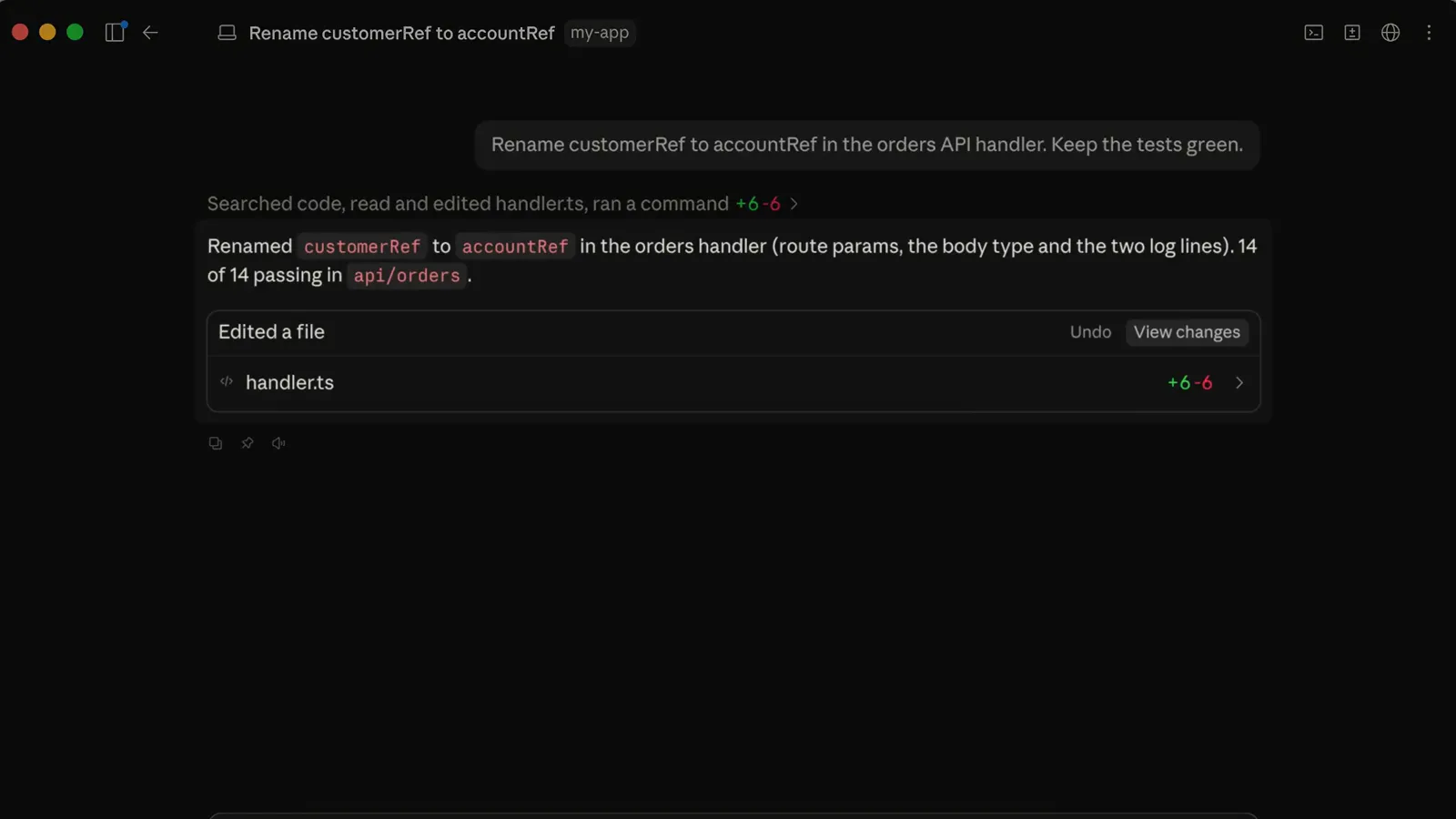
A scoped rename at medium effort: one file edited, every test passing, short report.Watch at 1:55 - 10
Know what medium effort can miss
Medium effort renamed the handler field and stopped there, but the mobile app sends the same value as customer_ref, with an underscore, through order_serializer.ts, so that file never matched the search. The fix was not wrong, just incomplete. Treat single-pass results as scoped to what you literally named, and move to high effort when the change ripples across boundaries.
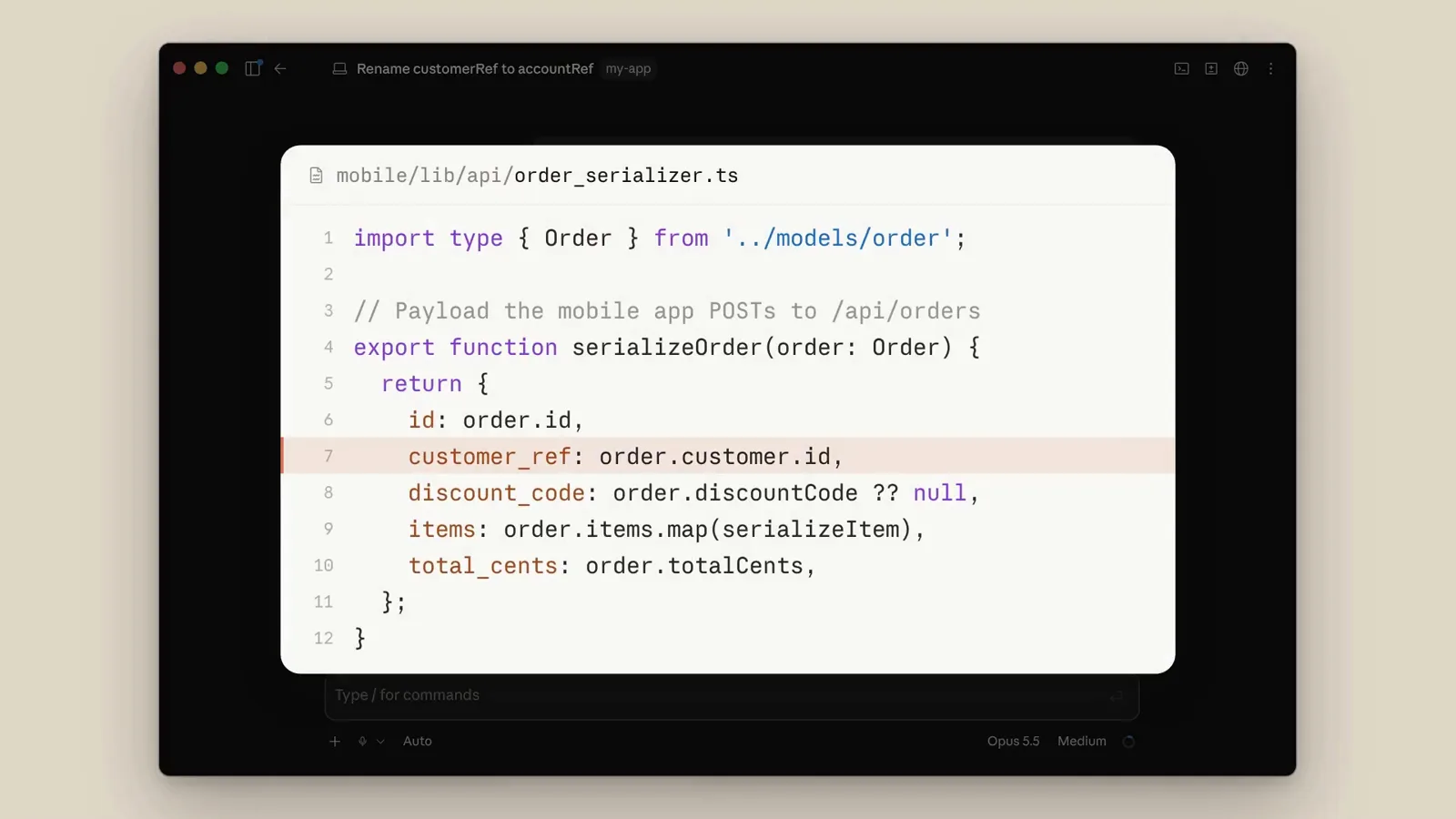
customer_ref lives in the mobile serializer — a file the medium-effort rename never touched.Watch at 2:00 - 11
Switch to high for project-wide changes
When a fix spans many files, pick high effort and say so explicitly: finish the accountRef rename everywhere customerRef is still used, including whatever sends it to the API. At high effort the model traced the payload to the mobile client, renamed the field in the serializer and schema, and added a regression test. Once the broad change lands, drop back to medium.
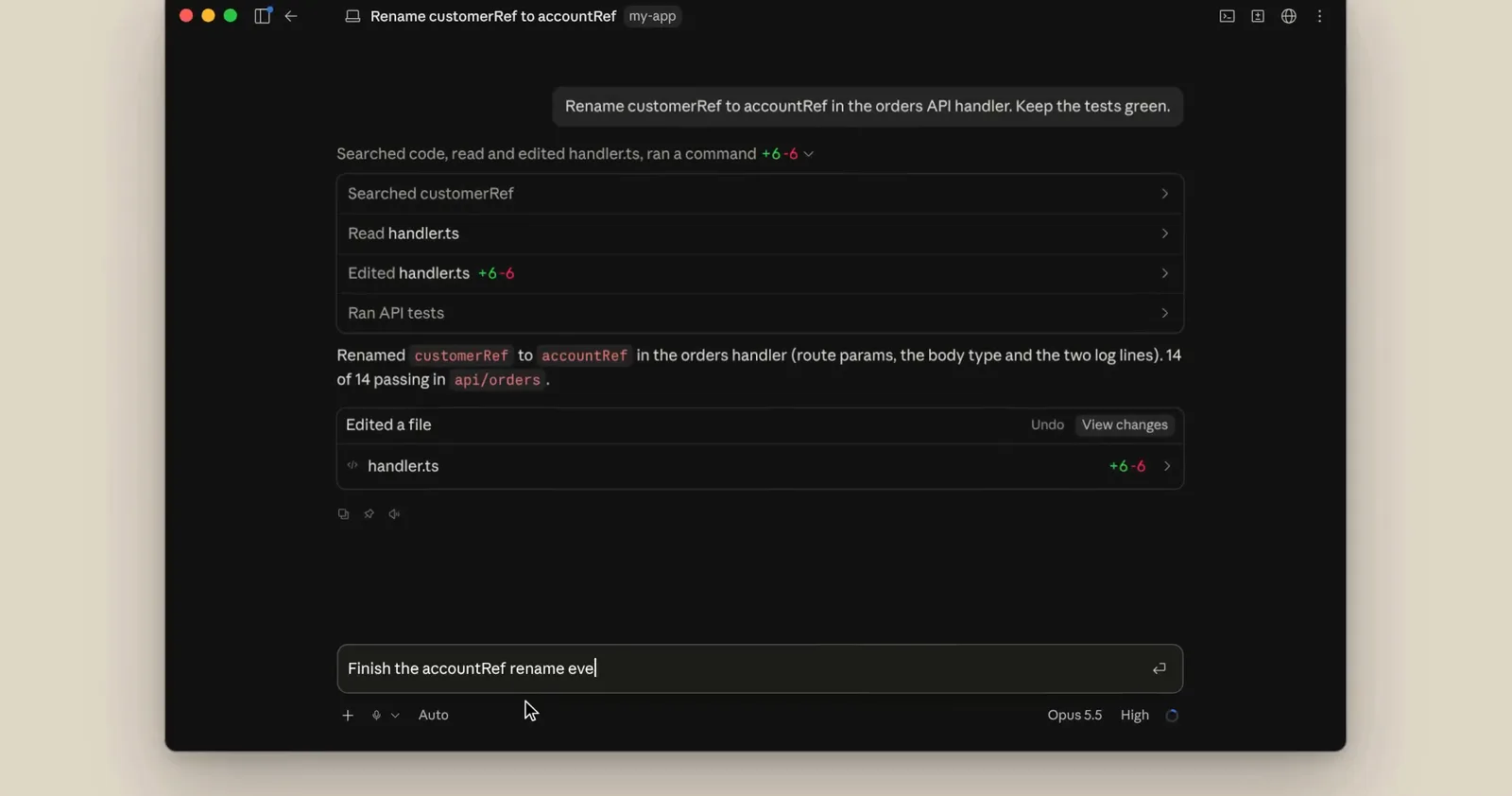
High effort chases customer_ref into the mobile client and serializer — then you return to medium.Watch at 2:18
Tune prompts, subagents, and know the limits
- 12
Audit your project prompts for 5.5
Run the /claude-api prompt-audit command even if you only use Claude Code and never call the API. It reads your CLAUDE.md and skill files and rewrites instructions that were tuned for older models so they work with Opus 5.5. The demo session adjusted both CLAUDE.md and a SKILL.md in one pass.
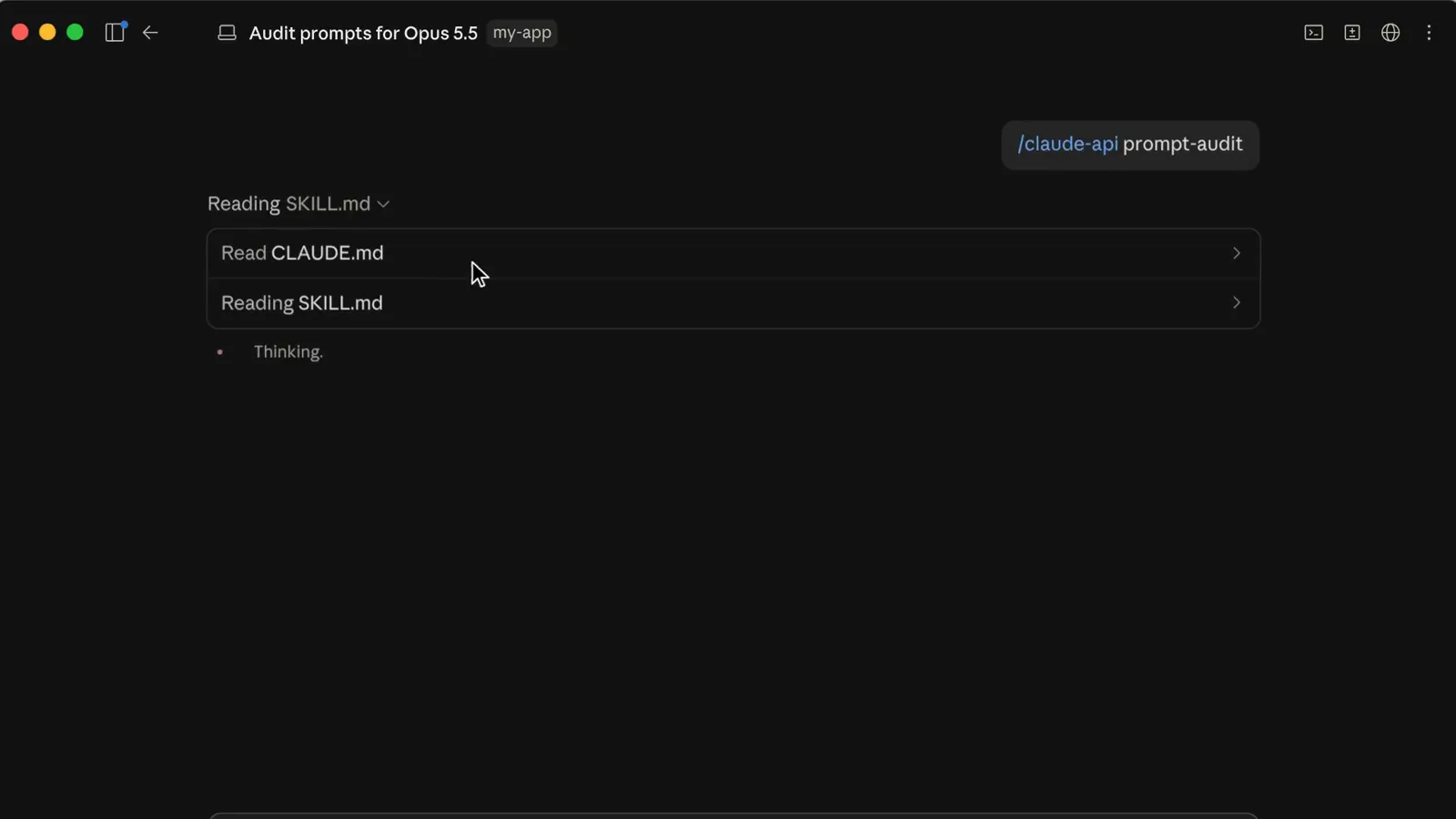
One command reads CLAUDE.md and your skills, then adapts them to Opus 5.5.Watch at 3:12 - 13
Put read-only subagents on Sonnet
A subagent that only studies the codebase does not need Opus-level reasoning. Ask Claude to run the explore subagent on Sonnet and make Sonnet the default for every subagent in the project: it sets model to sonnet in the agent definition and CLAUDE_CODE_SUBAGENT_MODEL in .claude/settings.json while your main session stays on Opus 5.5. For cheap read-only exploration, Sonnet and sometimes even Haiku are enough.
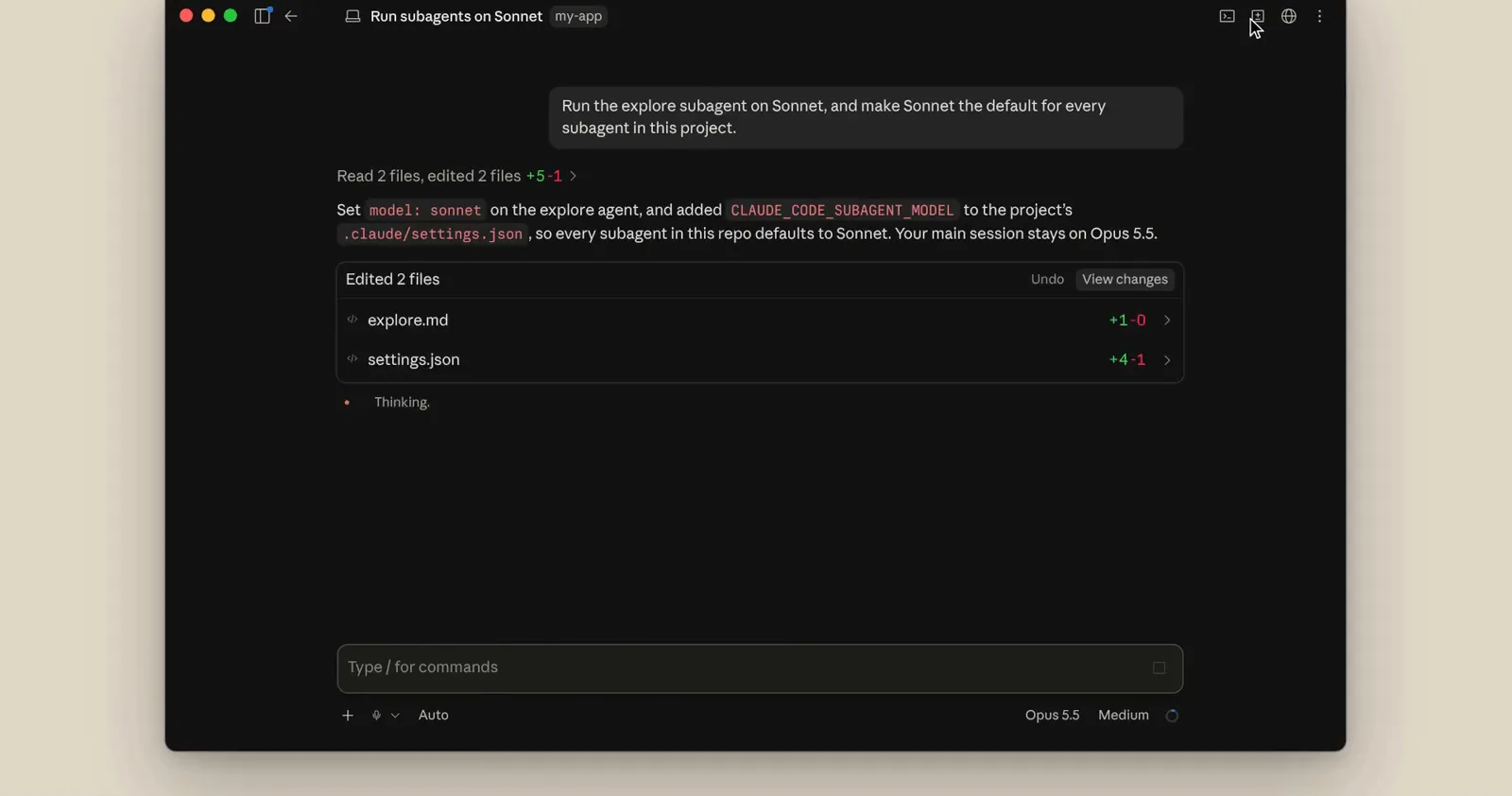
The main session keeps Opus 5.5 while every subagent in the repo defaults to Sonnet.Watch at 2:42 - 14
Set the subagent model in one place
For project-wide defaults, add CLAUDE_CODE_SUBAGENT_MODEL with a value of sonnet to the env block in .claude/settings.json, next to your test permissions. Every subagent in the repo then inherits the cheaper model without per-agent configuration. Keep Opus 5.5 on the main thread, where the reasoning actually pays for itself.
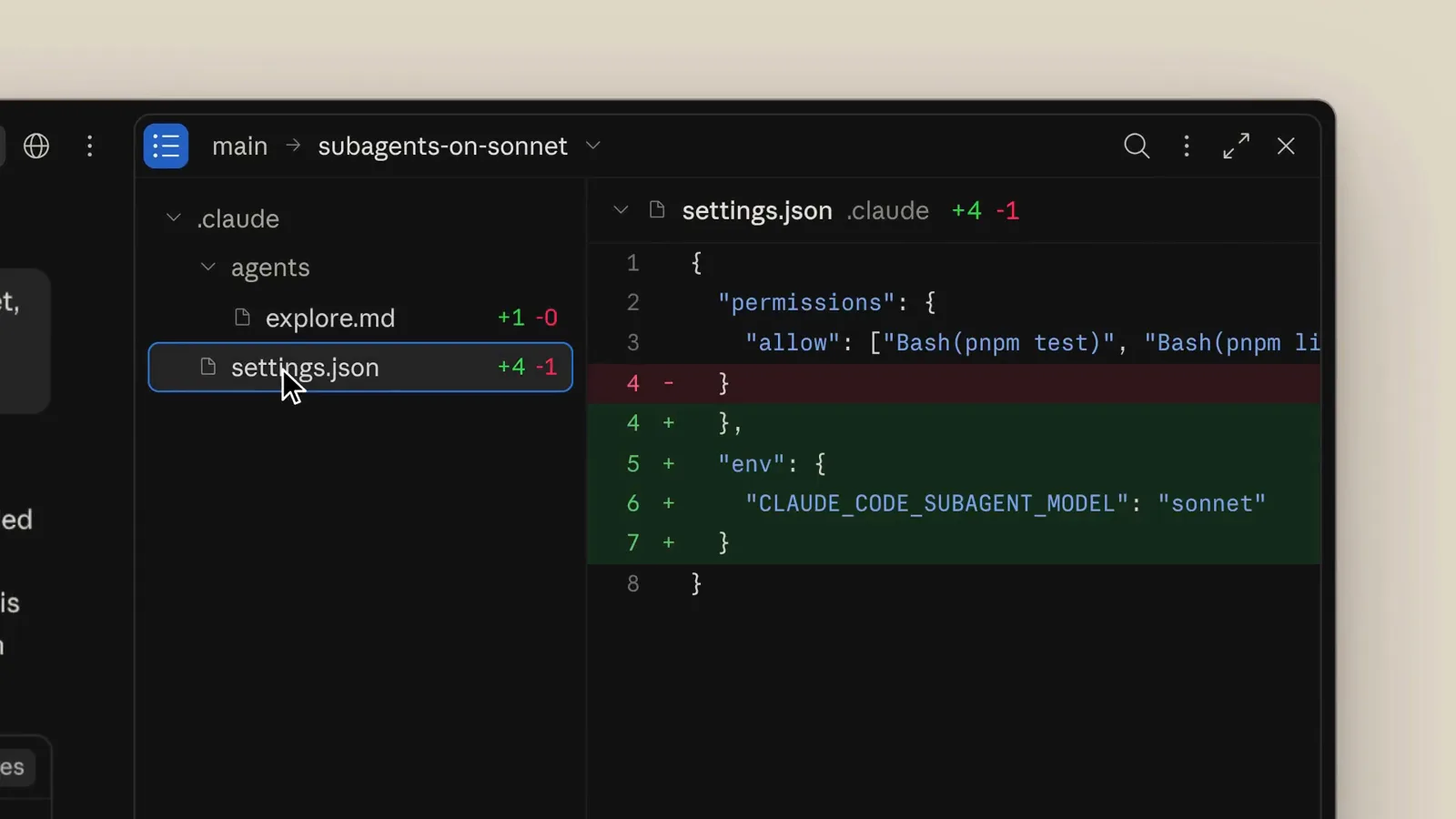
One env line in settings.json routes every subagent in the repo to Sonnet.Watch at 2:47 - 15
Pick effort by the cost curve
Anthropic's Terminal-Bench 4.0 chart plots accuracy against cost per attempt for each effort level, and Opus 5.5's high-effort point sits at 64.2% for roughly $3.80. On agentic coding, medium lands close to high for far less money, which is exactly why it is the default. Match effort to the value of the task instead of reflexively reaching for the maximum.
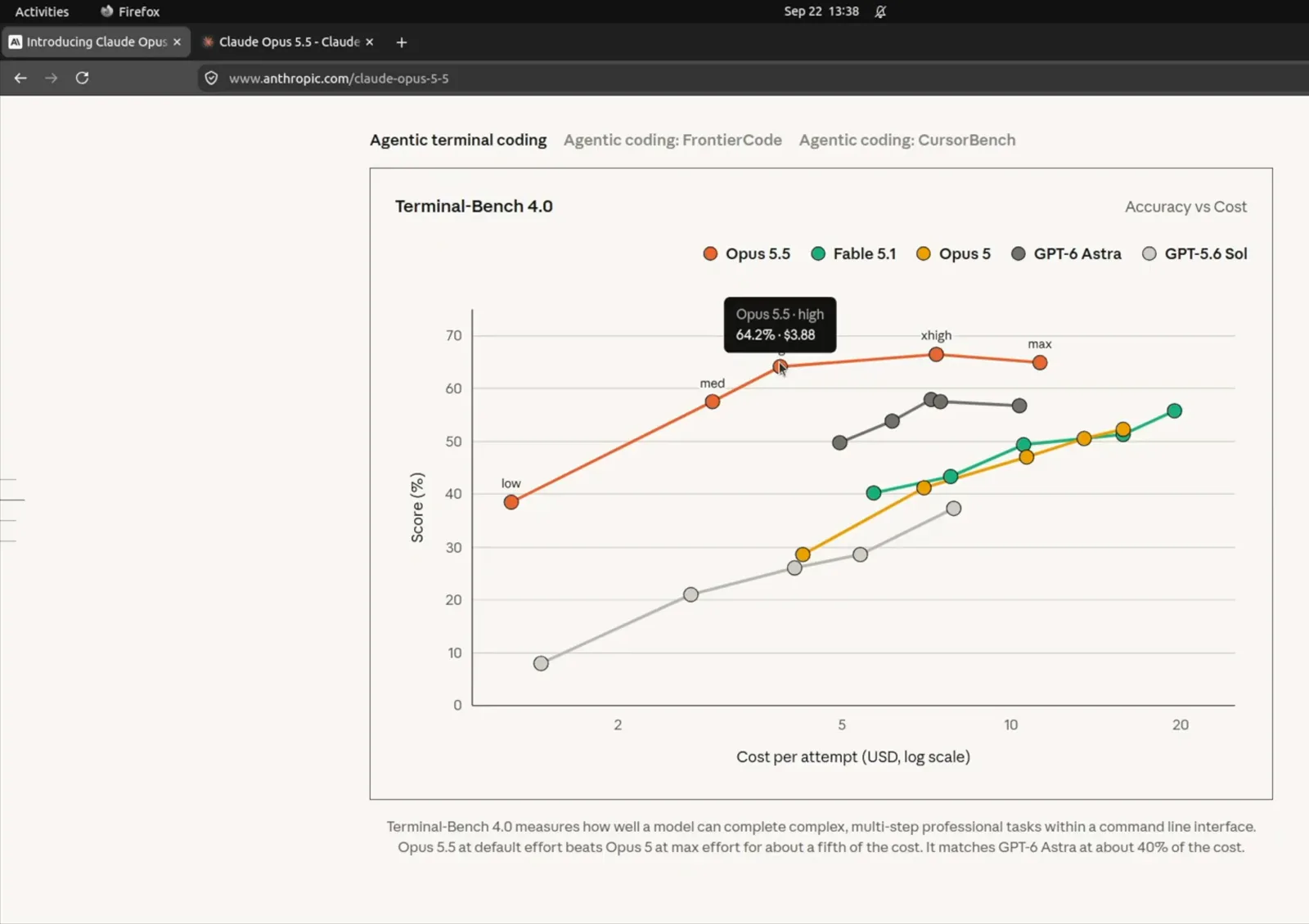
Accuracy versus cost per attempt across effort levels — medium is the sweet spot for most coding work.Watch at 2:08 - 16
Know the one boundary: frontier LLM dev
Opus 5.5 is not usable for every request. Classifiers catch the small set of capabilities related to developing frontier LLMs, such as kernel development for certain ML accelerators, and Claude falls back to a less capable model with a notice in the conversation. Mainstream ML development, research, and general coding are unaffected; if you see the fallback notice, rephrase the task rather than retrying it verbatim.
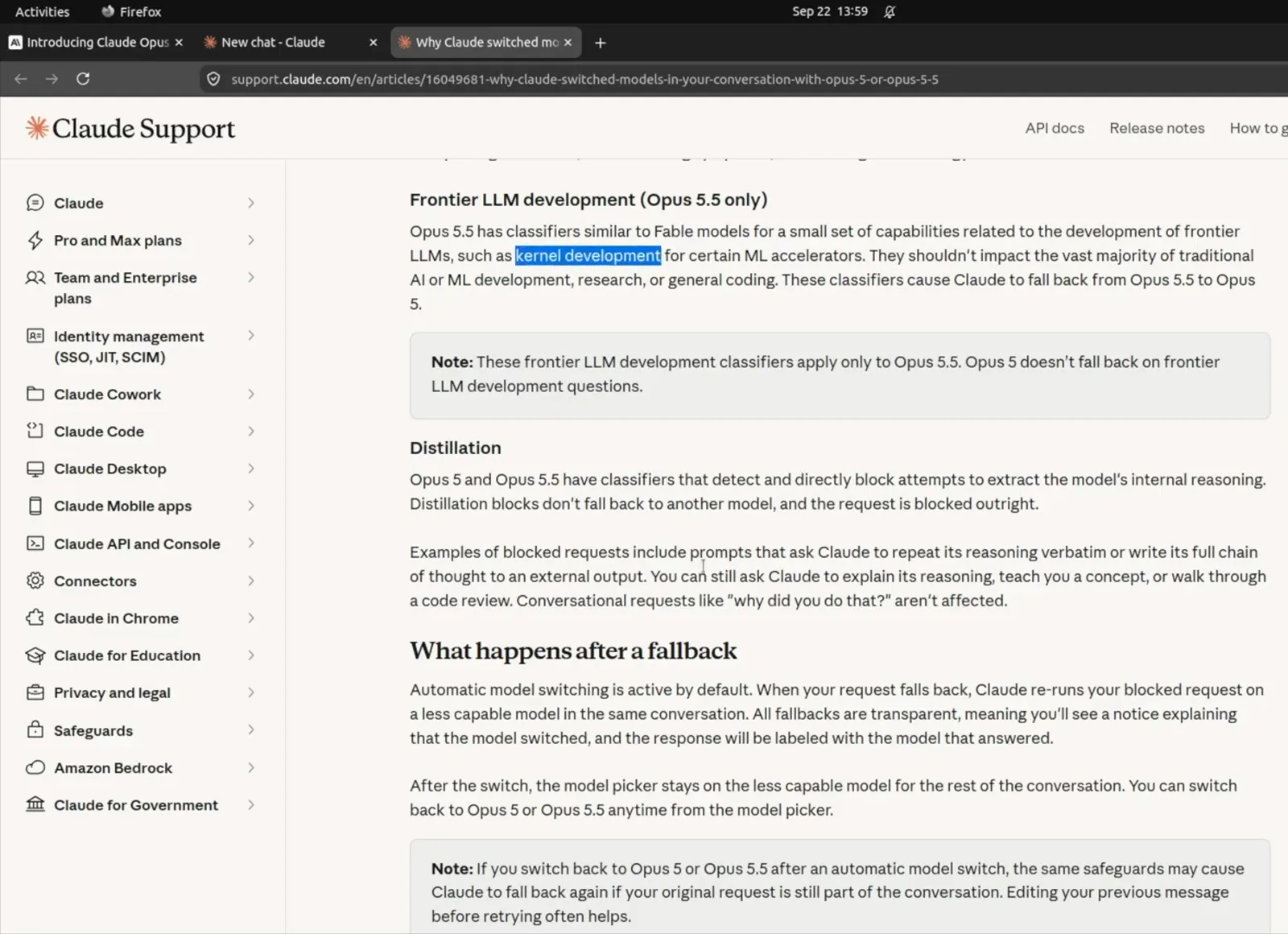
Claude Support: frontier LLM development requests fall back transparently to a less capable model.Watch at 3:10
Frequently asked questions
Keep exploring
- Claude tool profile: models, pricing, and availability
- Claude Code tutorial from install to first commit
- How to use Claude Skills to package reusable workflows
- How to use Claude Sonnet 5.5: the cheaper daily driver
- How to use Claude Fable, the model Opus 5.5 is benchmarked against
- Claude Sonnet 5.5 vs GPT-6: which to use