

How to Use Claude Sonnet 5.5 in 2026: a 16-Step Walkthrough
Claude Sonnet 5.5 is Anthropic's everyday model, released on September 28, 2026 at the same per-token price as Sonnet 5 - $2 per million input, $10 per million output - with a 1M-token context window and output that streams 30%+ faster. A spec sheet is not the same as knowing what to do after you pick it, so this page walks the whole loop. Every frame is checked against two 2026 screen-recorded walkthroughs: Bijan Bowen's stress-test video is the primary frame source, and Peter Yang's seven-demo video-creation guide supplies both frames and the Claude Code workflow. Duncan Rogoff's and ByteForward's explainers served as fact sources and are cited where their numbers appear. When a verdict is a reviewer's opinion, the page says whose it is - and prices move, so treat the official Claude pricing page as the final word.
Source & credits
Screenshots in this guide are captured from Bijan Bowen's public walkthrough video. Every step links back to the exact moment it shows, so you can follow along.
Bijan Bowen ↗What Sonnet 5.5 is - and what it costs
- 1
Start from the announcement page
The walkthrough opens on Anthropic's announcement page at anthropic.com/claude-sonnet-5-5, dated September 28, 2026. Four sections hang off the title - Introduction, Performance and cost, Safety, Getting started - and the reviewer heads straight for the second one. The performance-and-cost text carries the two numbers that decide whether Sonnet 5.5 becomes your daily model. Skim the headline, read that section, then do what he does next - close the page and test it yourself.
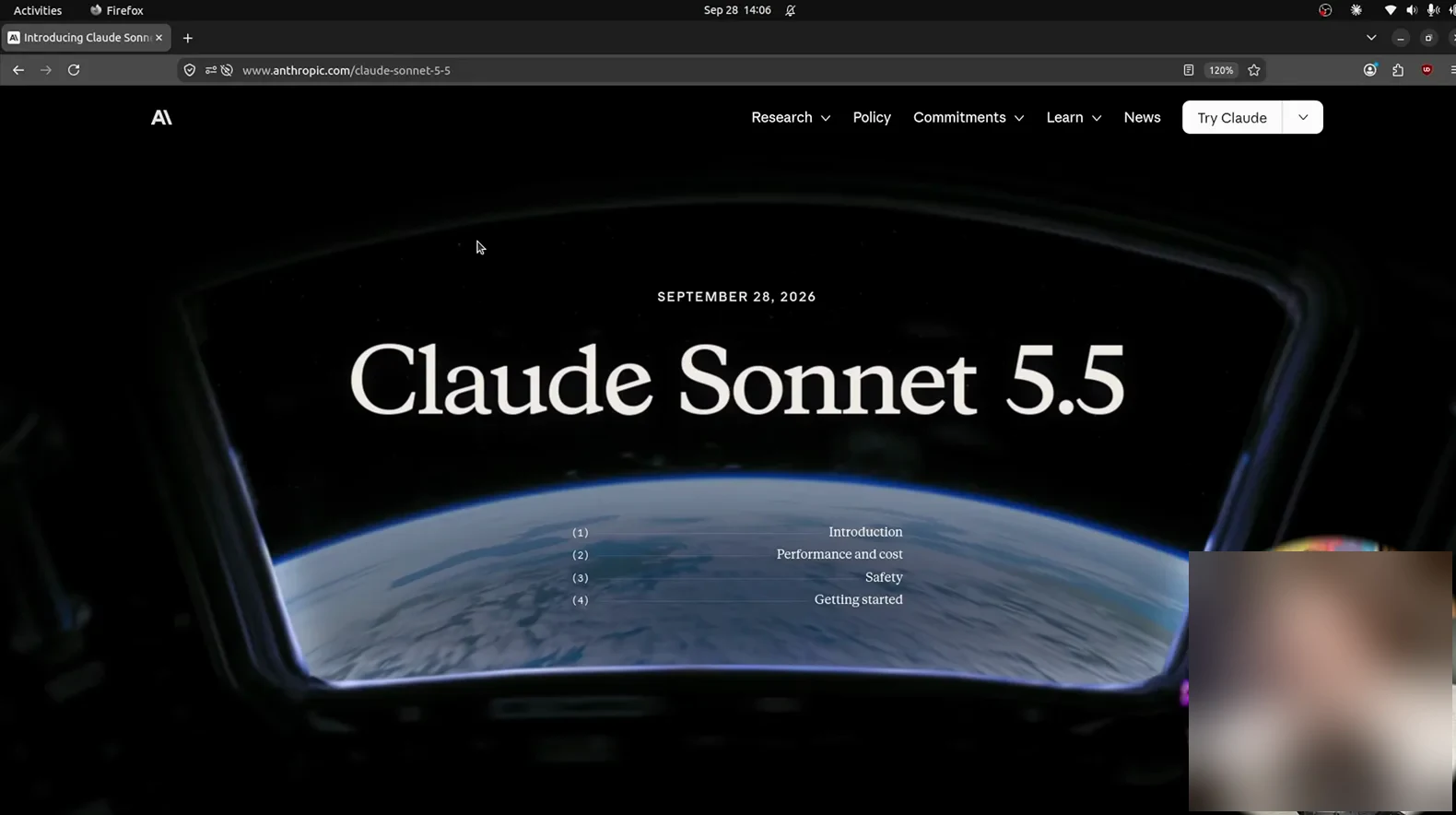
September 28, 2026 - the release page this whole walkthrough starts from.Watch at 0:14 - 2
Read the three claims that matter
Scrolling the announcement lands on three short paragraphs the reviewer reads aloud. Performance: 70.6% on Terminal Bench 4.0, an agentic coding benchmark, a leap over Sonnet 5. Cost: priced the same as Sonnet 5 - $2 per million input tokens, $10 per million output - but it needs fewer tokens per task, so every job comes out cheaper. Speed: output streams 30%+ faster, which you notice most when re-prompting a design. Those three lines are the entire pitch.
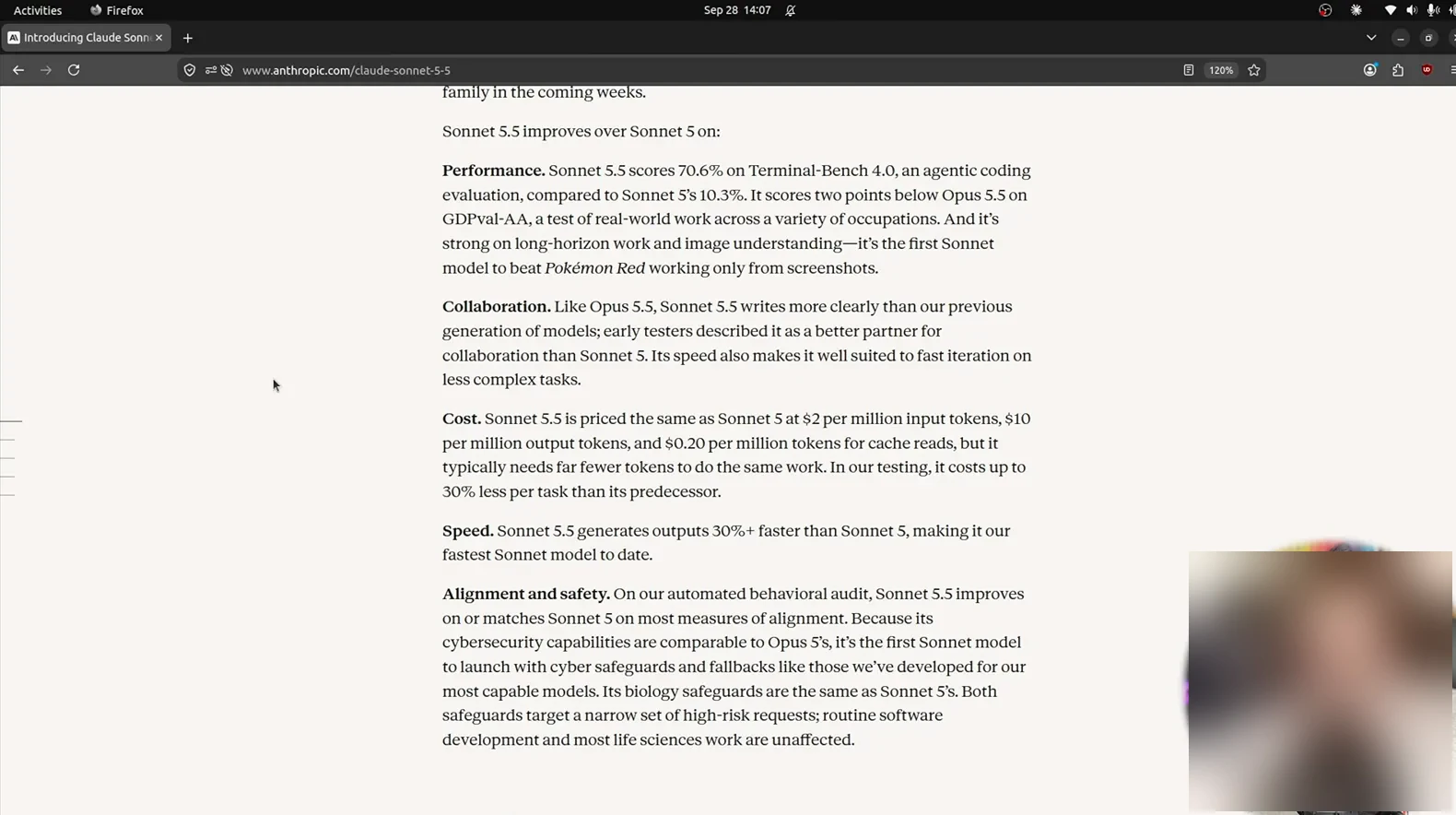
Same price, fewer tokens, faster replies - the whole pitch in three paragraphs.Watch at 0:32 - 3
Check the per-token bill against Opus 5.5
The Cost and speed section prices Sonnet 5.5 against Opus 5.5 line by line: $2 versus $4 per million input tokens, $10 versus $20 per million output. The everyday model runs at half the flagship's rate, and the reviewer adds that it is also the exact price of GPT-6 Sol - Anthropic is pricing Sonnet 5.5 to be the default. Copy budget numbers from this table, not memory, and re-check them on the official pricing page before a paid project - rates do move.
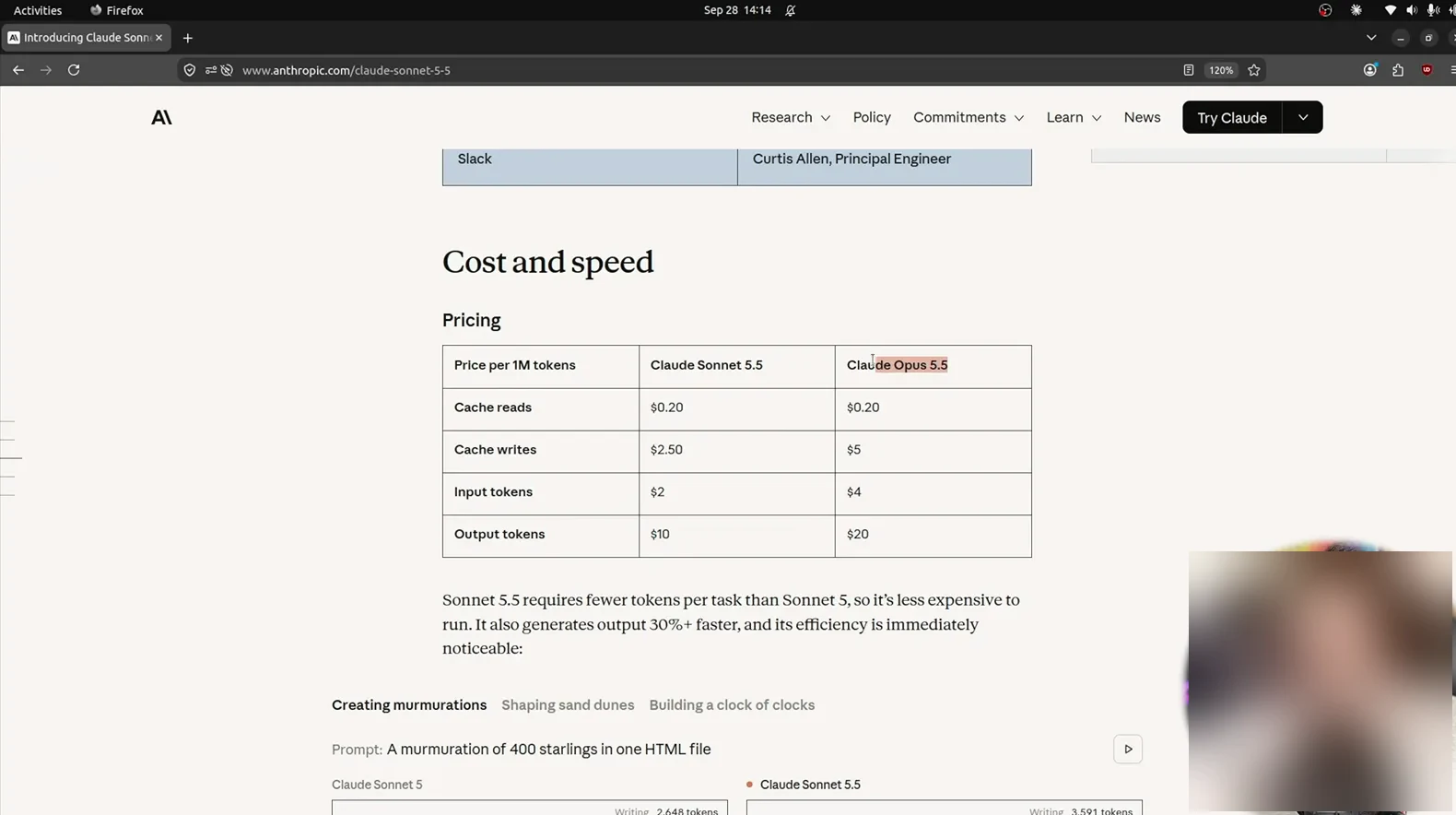
Half of Opus 5.5's rate - pricing is how Sonnet 5.5 argues for default status.Watch at 3:02 - 4
Confirm the specs in the platform docs
Next the reviewer opens the Claude Platform Docs. The chips at the top read 1M context, 128K max output, $2 input, $10 output. Pause on the How it compares table: Opus 5.5 tops out at 200K context, so the cheaper Sonnet is currently the family's long-context model, and both share a June 2026 knowledge cutoff. If your work feeds whole repos or long transcripts into one prompt, this page is why you pick Sonnet 5.5 over its pricier sibling.
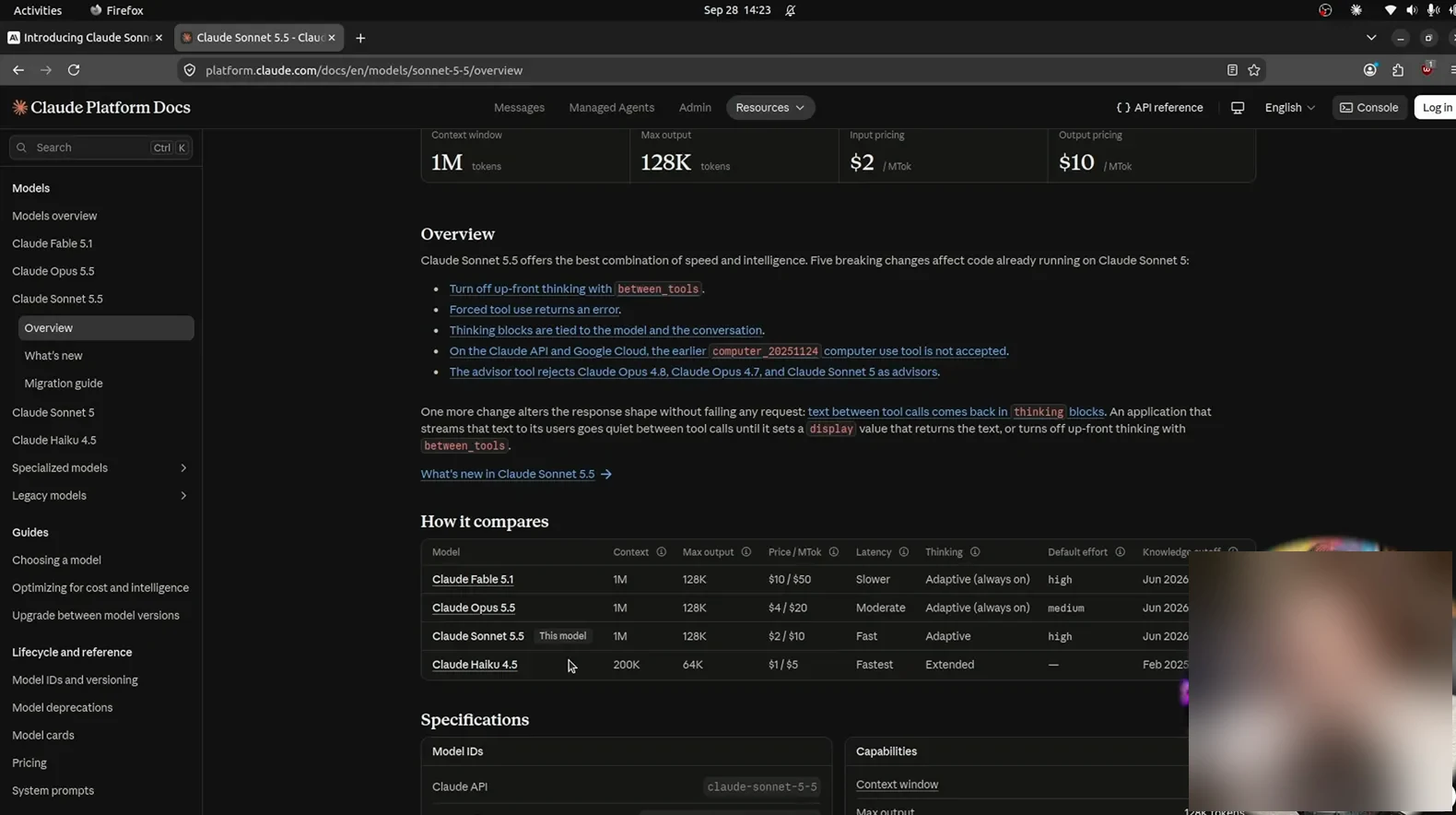
1M tokens of context - the cheaper model is currently the one that reads more.Watch at 3:32
Pick the model, set effort, watch the meter
- 5
Open Settings, Usage before your first build
Inside the Claude app, the reviewer's session lives in Settings, and the Usage tab is the meter: current session at 1%, fresh week at 7% before any testing starts. The same panel lists a separate weekly line for Fable - the creative sibling gets its own quota - plus a usage-credits balance. After an afternoon of game builds, his weekly usage had climbed only to 14%. Your mix will differ, but a baseline reading tells you whether the model is actually burning your limits.
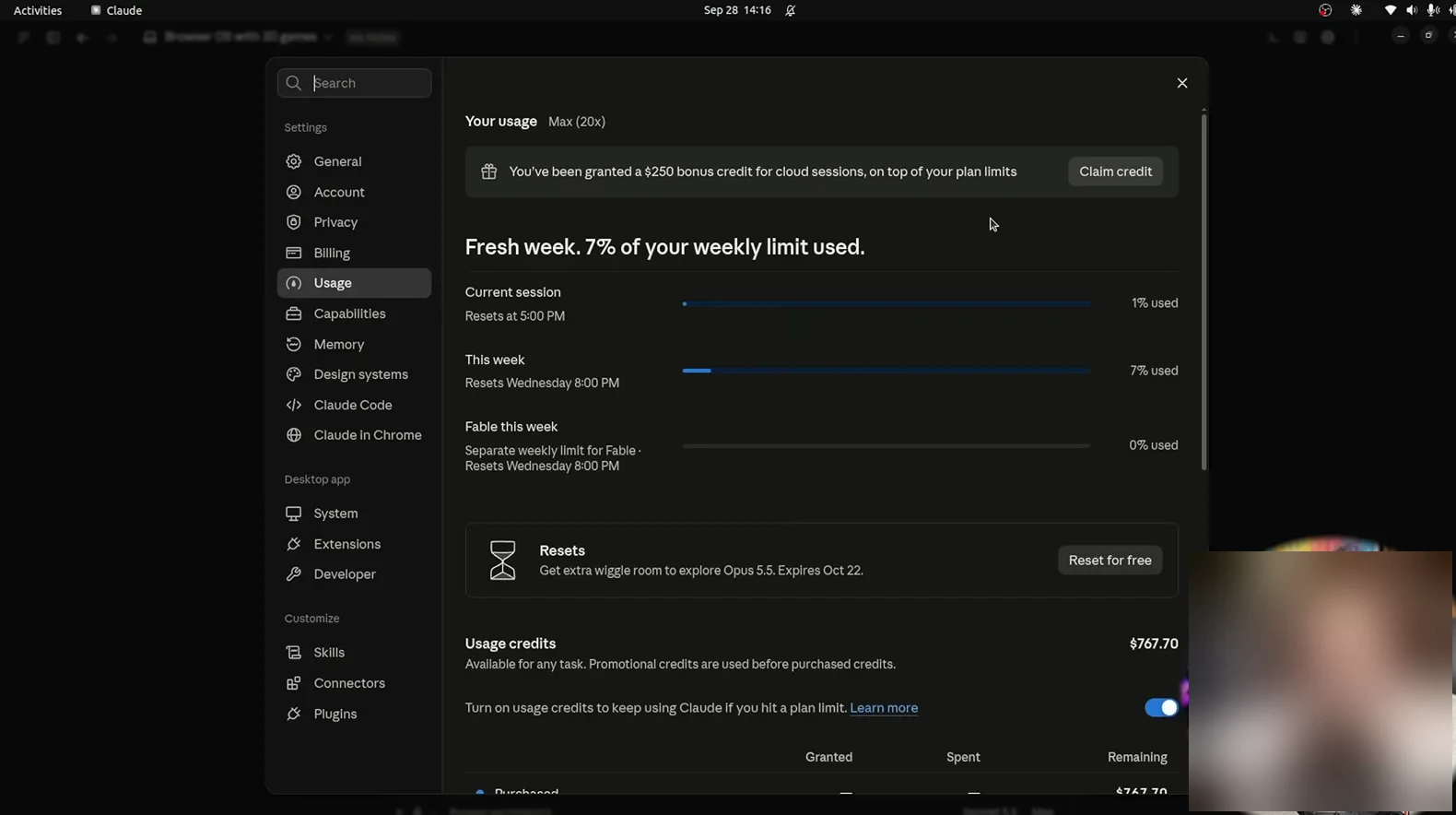
7% of the week spent before the demo reel even starts - this is the meter to watch.Watch at 3:40 - 6
Set effort to High and leave it there
In Claude Code the effort selector sits in the session's bottom bar; all seven of Peter's demos run on High. Effort decides how long the model chews a task. Maximum can backfire: the announcement's footnote blames timeouts from extra review agents for a lower max score, ByteForward flags the same drop, and Bijan Bowen learned it live when a max-effort build ran two hours. High is where both reviewers settled; promote a task to max only when it truly needs the depth.
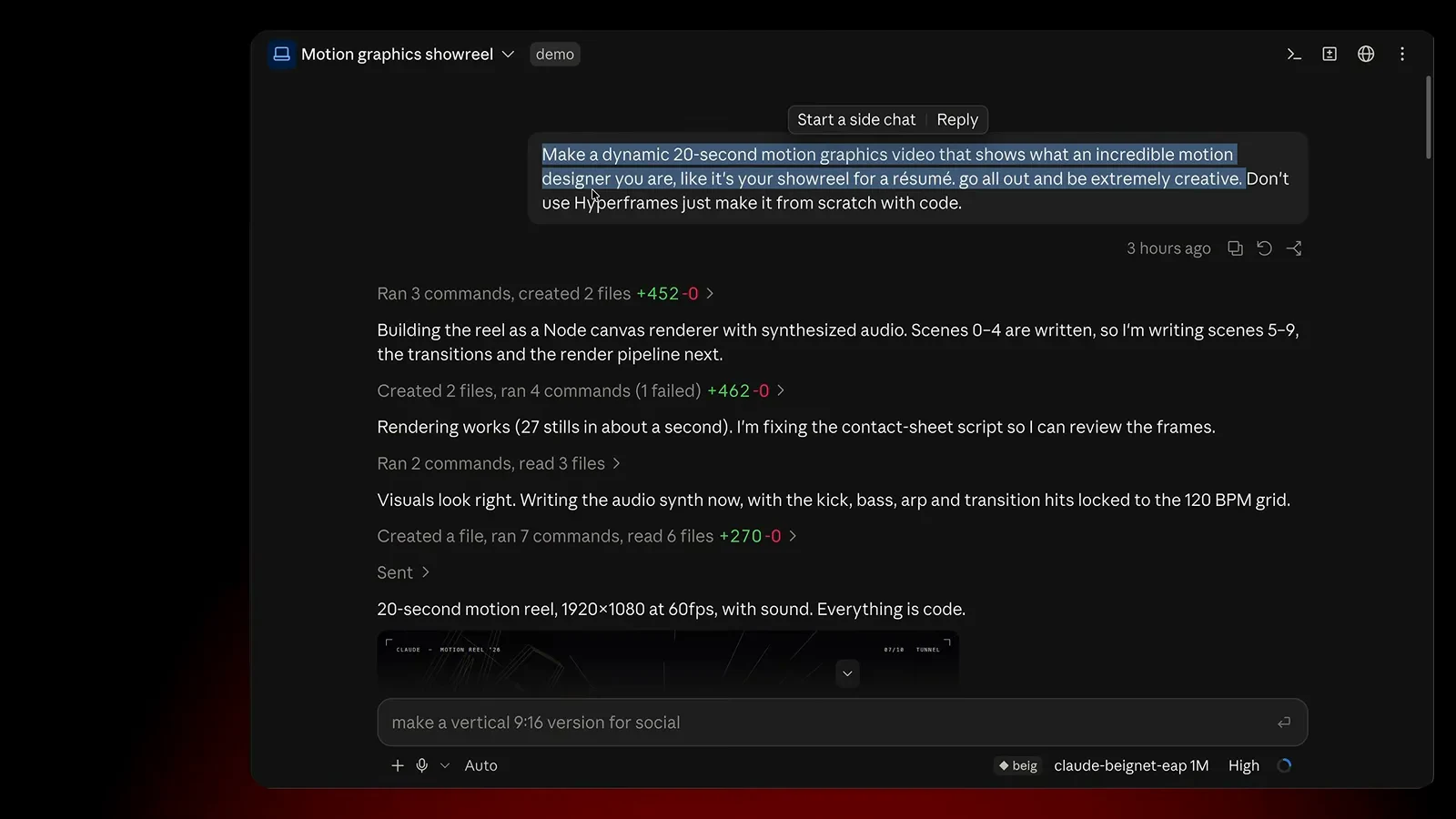
High effort, per the status bar - the setting both reviewers converged on for long runs.Watch at 2:32 - 7
Write the brief like a director, not a wish
Peter's best results start with a brief that names the goal, the length, and a reference. His mascot-evolution prompt pastes an X post as the style reference, then asks for a 30-45 second clip of the Claude mascot walking from stone tools to AI at matched quality. Claude Code replies with a plan: it reviews the reference clip, breaks the walk into scenes, and lists its build order before generating. Link work you love, say what to keep, and make it plan before it renders.
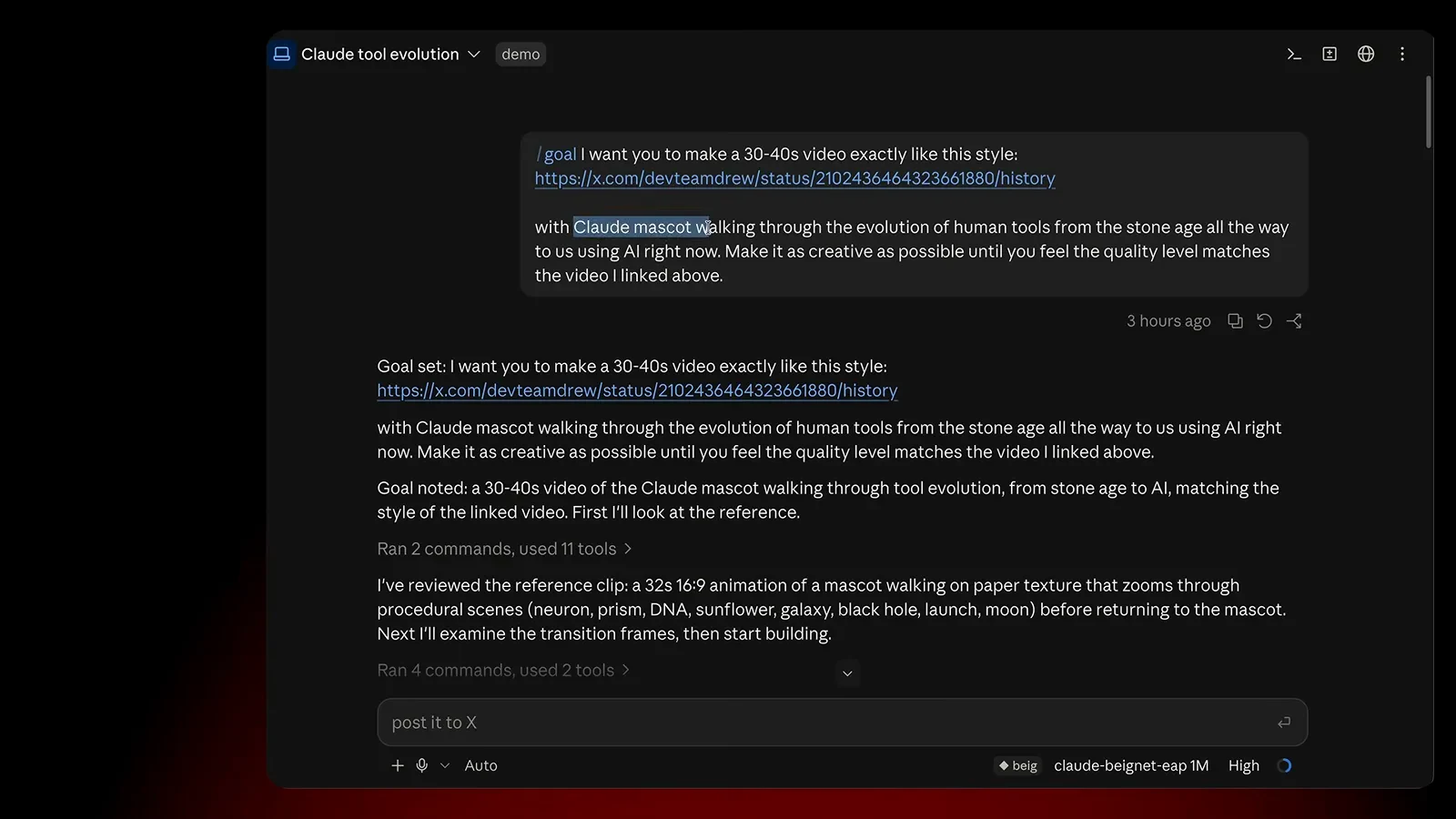
A link, a length, and a subject - the brief pattern behind all seven demos.Watch at 4:02
Hand it one prompt, get a whole build
- 8
Give it one prompt and wait for the build
Bijan's headline test asks the Claude app for a complete browser operating system. When it lands, the desktop has a dock - games, mail, paint, terminal, settings, notes - and every app opens. The frame catches the launcher menu fanned out over the nebula wallpaper. That is the pattern for every big ask in this section: describe the finished artifact in a single prompt, submit, then go do something else - the model assembled for over an hour on max effort without a check-in.
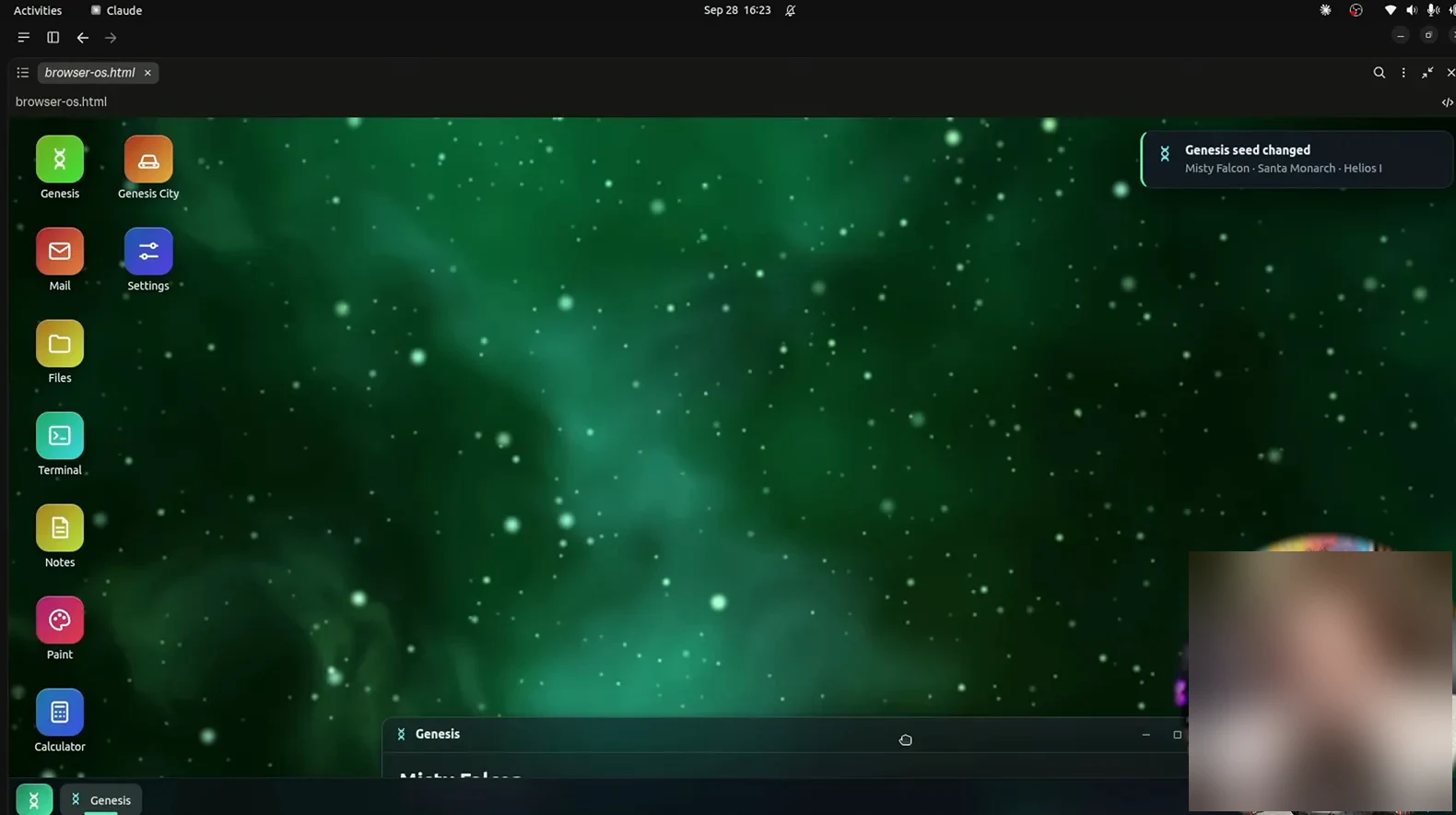
One prompt in, a whole desktop out - the dock alone holds mail, paint, terminal, and games.Watch at 6:02 - 9
Open the surprise inside: a drivable city
The browser OS ships with its own game; no toy. Benchmaxxed is a GTA-style slice with a comic-book title card, wanted stars, cash, a minimap, and a mission: meet the fixer at the yellow marker. The reviewer drives a taxi through intersections where the lights work, catches the body lean mid-turn, and finds containers stacked into a dock district. None of it was asked for separately; it came with the OS prompt. Sonnet 5.5 embellishes on big builds, so budget time to explore.
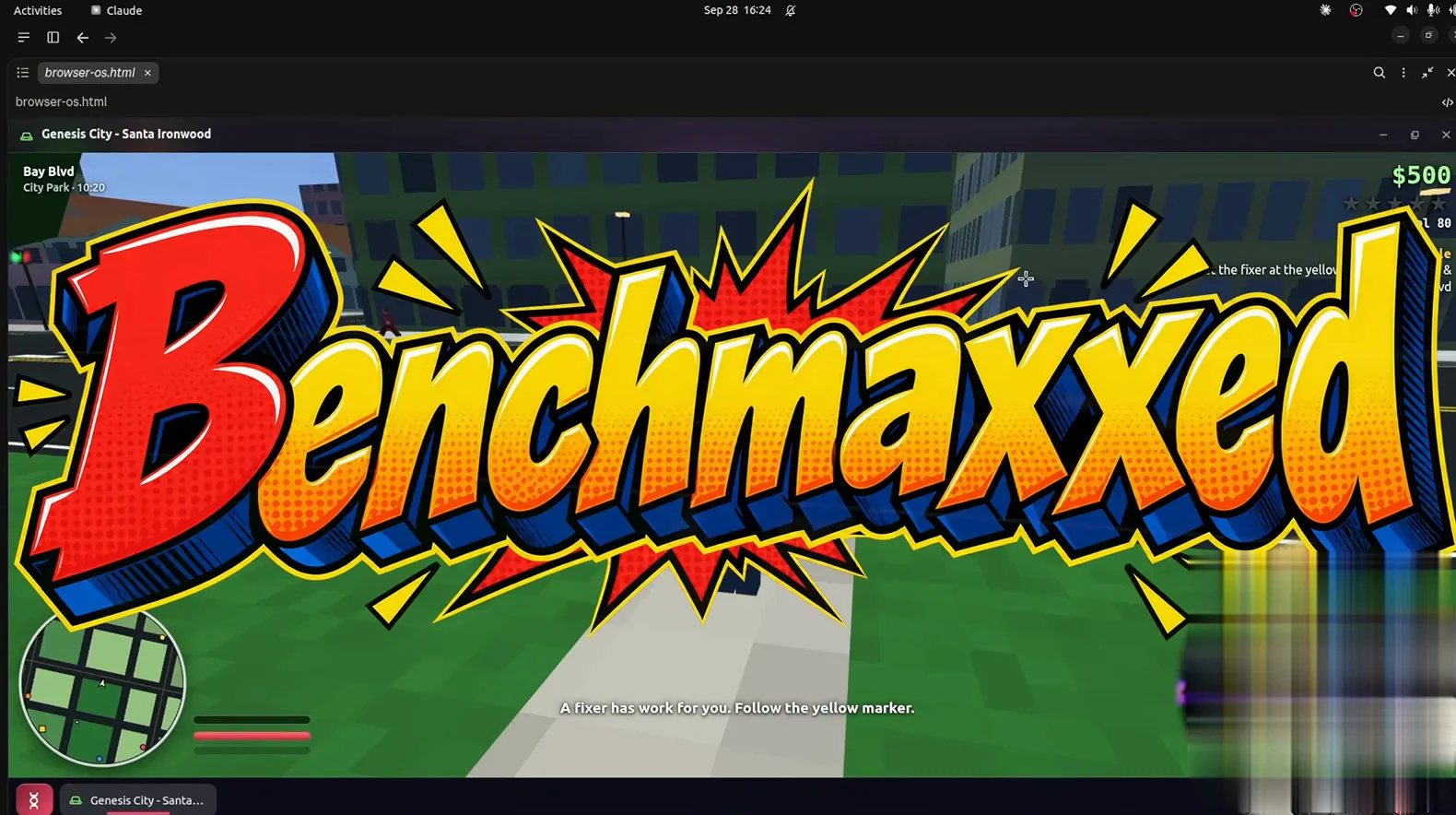
Benchmaxxed - a drivable, mission-bearing city that arrived unasked with the OS prompt.Watch at 6:45 - 10
Test the edges: tricks, bails, and feedback
The second bundled build, Block Party Skate, drops you on a 1992 New York boardwalk: vinyl records and food shops line the walk, a sailboat sits offshore, and the HUD tracks a 2,774 score plus the SKATE letters to collect. Skate into a bench and it flashes BAIL! LOST BALANCE - it tells you why you failed, far harder to fake than a score counter. The lesson for your prompts: push for feedback loops and failure states, not just pretty visuals - that is where demos become games.
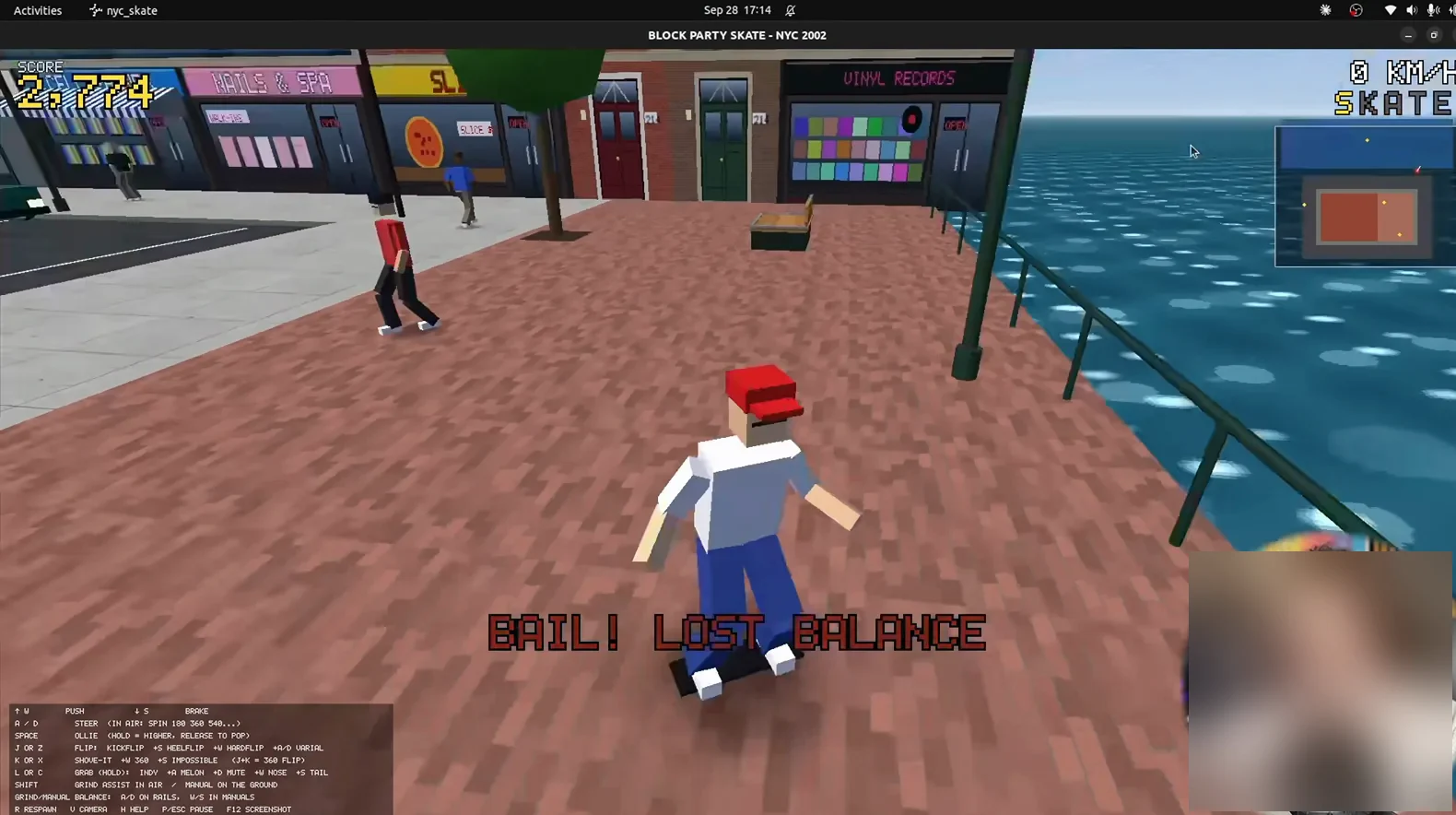
BAIL! LOST BALANCE - the built game explains its own failure states.Watch at 12:00 - 11
Ask for something no benchmark has seen
To rule out benchmark memorization, Bijan invents a prompt: a backyard pool-party game about the sickest splash off a diving board, built in Blender and Godot. It opens on a character select - TINY TIMMY, The Rocket, with four stat bars and a named special, AIR HOP. Four divers, each with strengths, as briefed. Novel prompts are the real test of a coding model - nothing can come from training data - and this one passed with characters who had personality.
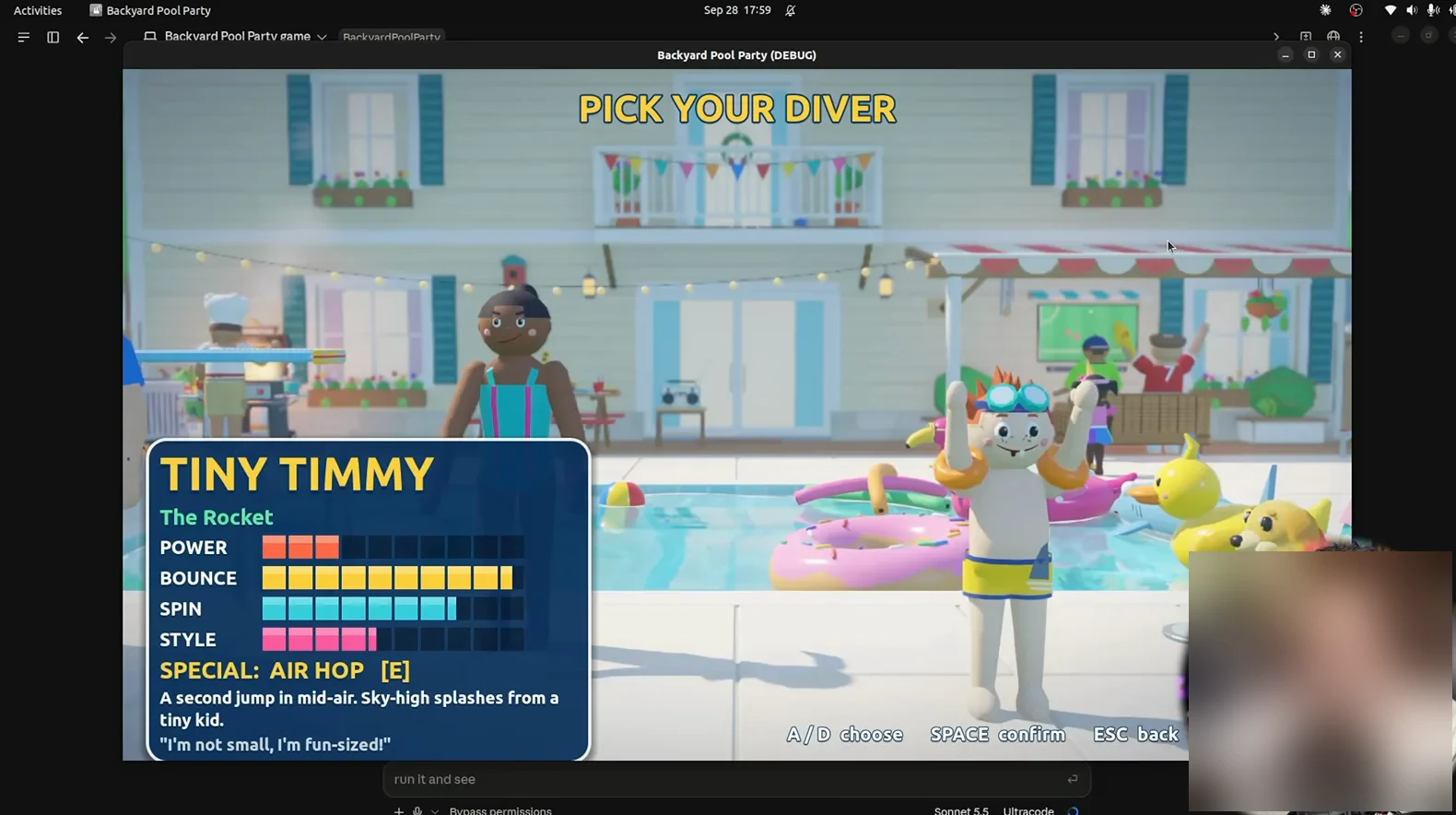
Tiny Timmy, The Rocket - a character sheet for a game that did not exist an hour earlier.Watch at 23:43 - 12
Push replication: a one-sentence MMO revival
The closing demo is a single-sentence prompt: a pixel-perfect RuneScape 2007 replica. What loads is the classic login - brick wall, two torches, the Welcome box with New User and Existing User buttons. In game, the Grand Exchange is a PvP zone, prayers toggle, and ice barrage freezes opponents in ice - systems, not just sprites. The reviewer calls it the closest to pixel-perfect he has tested - every menu had to be remembered, then rebuilt.
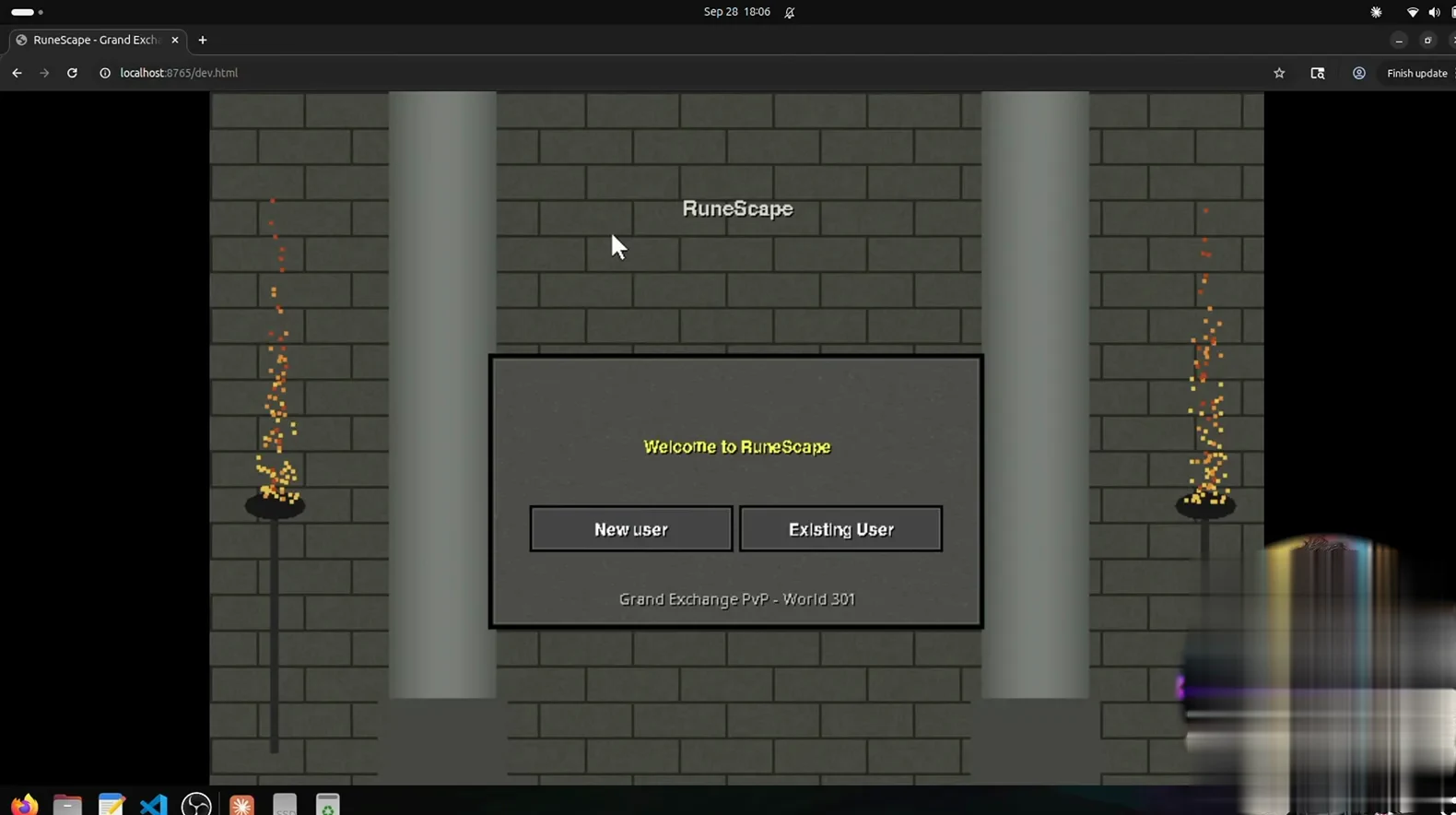
Welcome to RuneScape - rebuilt from one sentence, login screen first.Watch at 26:20
Pair it with Claude Code for video work
- 13
Watch the showreel the model made about itself
Peter's guide opens on a 20-second reel from one prompt: make a motion graphics showreel proving what an incredible designer you are. This frame is from a second demo - a mascot walking from stone tools to AI - landing on 1981 - the personal computer: a desk, a green-terminal micro, the orange mascot watching. Music and sound are synthesized in code; no editor touched it. Set the bar with a reference link; on this evidence, the reel argues first.
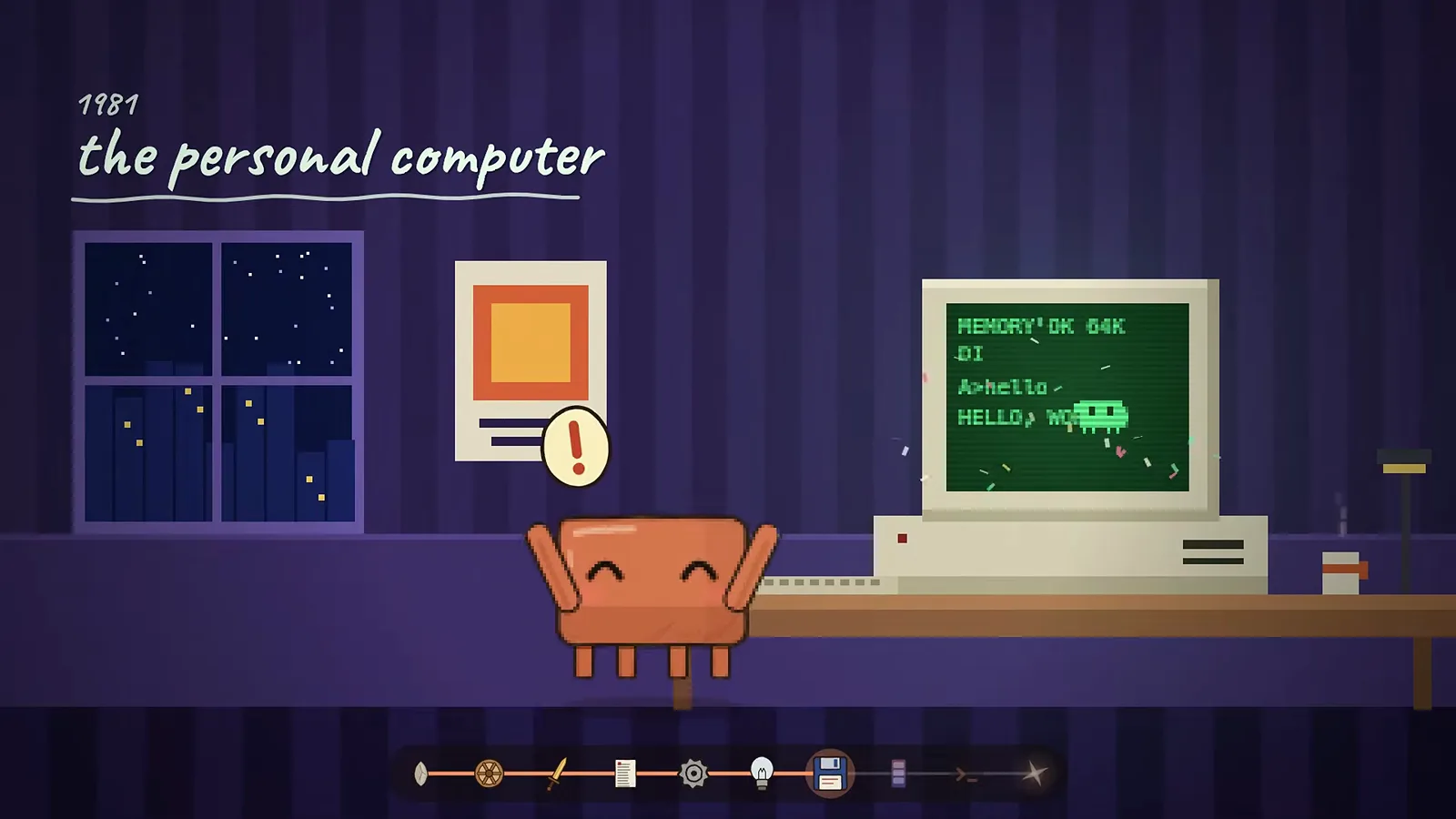
1981: the personal computer - one scene from a fully code-generated animation.Watch at 5:02 - 14
Install Hyperframes for brand-true videos
For brand-true videos, Peter reaches for Hyperframes, a free GitHub repo whose About panel reads: Write HTML, render video. Built for agents. Install is one step - paste the repo link into Claude Code and say install. It renders keyframes first so you can give feedback before the full render, holds your fonts and colors, and syncs animation to music. His launch video and a vertical short both came out of it - free, and the more brand assets you hand it, the closer it lands.
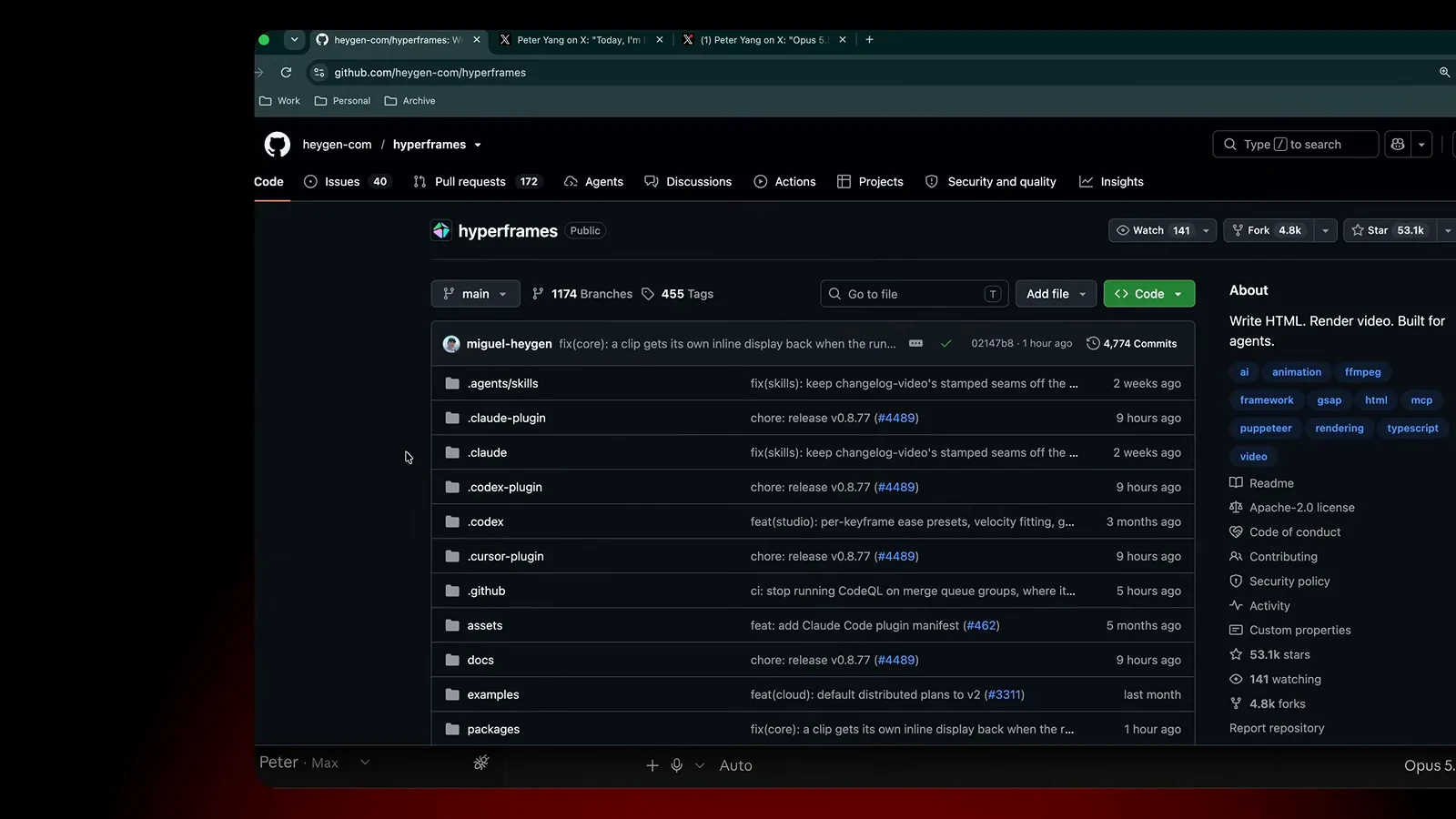
Hyperframes: free, one paste to install, and it storyboards before it renders.Watch at 6:02 - 15
Source the track from Suno, then sync
Claude can synthesize music from code, but Peter generates the real track in Suno first: open advanced mode, write a style prompt and paste lyrics, and Suno returns candidates. Download the winner and hand it to Claude Code to cut the video to the track's strongest moments. His launch video's soundtrack came from this loop: agent picks scenes, Suno supplies sound, Claude syncs. Music-driven cuts are where generated video stops feeling like a slideshow.
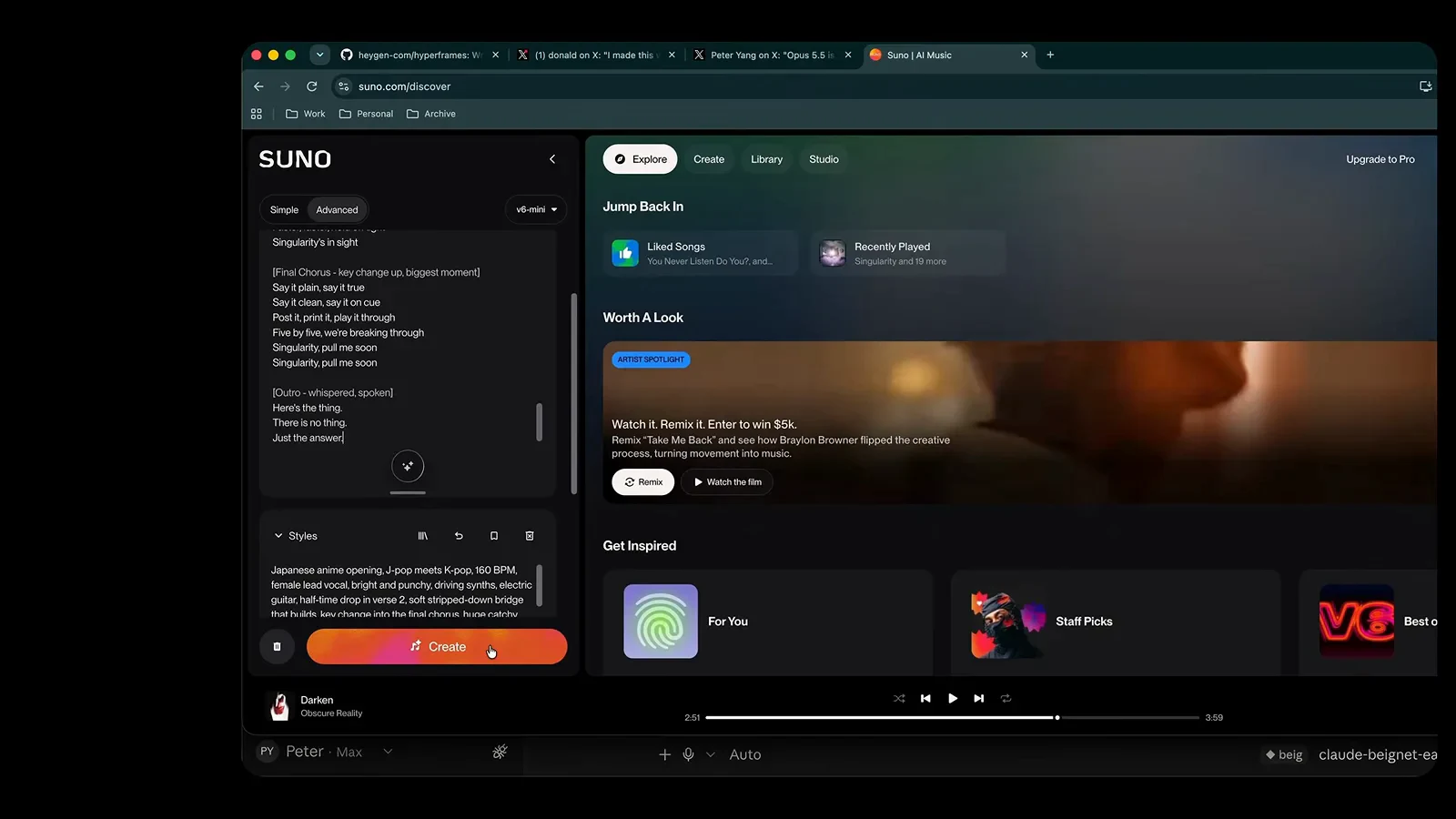
Generate in Suno, download, hand to Claude - the music loop behind the launch video.Watch at 18:02 - 16
Add a fal.ai key when you need true video
Code-drawn animation has a ceiling; the anime music video is where Peter hit it. Claude said it needed a hosted video model, so he created a fal.ai account, added about $15 in credits, and pasted the key into the session. The dashboard lists the model catalog - image, video, and audio generators - the agent calls while building. The clip is not studio anime, but it sings, dances, and syncs to the Suno track. Budget a few dollars per experiment; let the agent drive the API.
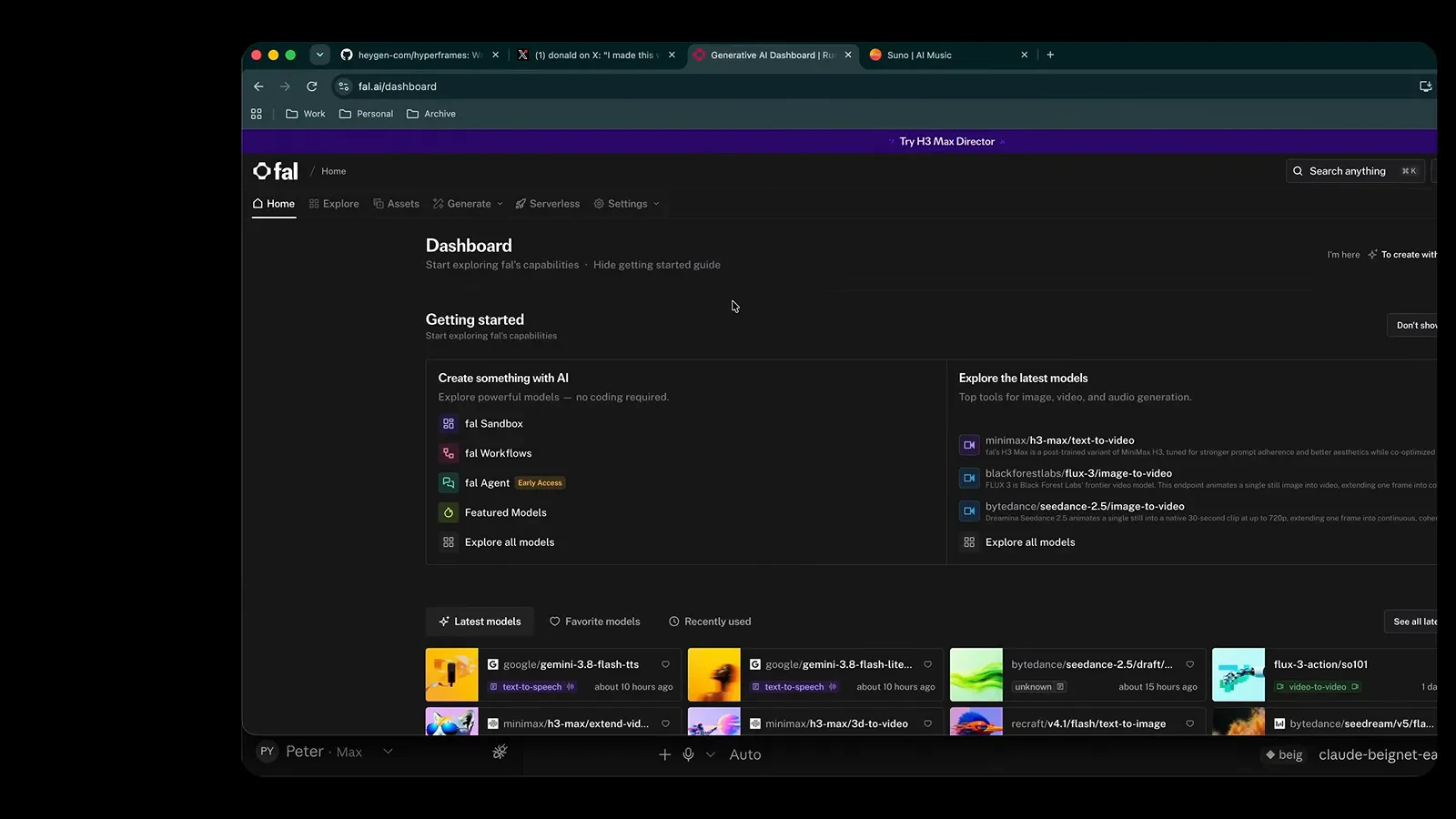
About $15 in credits and one API key - the last mile to real video generation.Watch at 18:32