

Nano Banana Pro Prompts: 4K, Text Rendering & Pro Formulas
Nano Banana Pro is the upgraded tier of Google's Nano Banana image model, and the jump is not subtle: sharper 4K output, far more reliable text, and long prompts that actually get followed. Our beginner Nano Banana prompts guide covers the standard model — your first render, the six-slot formula, and conversational edits inside Gemini. This page is the Pro-tier sequel, and it stays in Pro territory: the 4K and PRO switches, prompt formulas for influencers, headshots and knolling layouts, text-heavy outputs like menus, blueprints and movie posters, multi-image merges, and edit verbs that restyle, relight and recolor. Three hands-on recordings feed it: Atomic Gains' 984-second stress test (the primary source — quality switches, the menu text test, posters, relighting, manga colorization), AI Master's prompt-formula course (the influencer, headshot and knolling templates plus the Pro model row), and zapiwala's Gemini walkthrough (blueprints, recipe pages and coordinate-based historical scenes). Every prompt is quoted exactly as it was typed.
Source & credits
Screenshots in this guide are captured from Atomic Gains's public walkthrough video. Every step links back to the exact moment it shows, so you can follow along.
Atomic Gains ↗Turn On Pro: Gemini, Higgsfield and the 4K Switch
- 1
Open Gemini and flip on Create image
In the Gemini app, the zapiwala walkthrough enables Nano Banana Pro by switching the composer to Create image — the banana Image chip appears beside the prompt box, with a Thinking dropdown next to the send button. The test prompt is the blueprint formula below, typed straight into the chat. No separate app, no settings hunt: the chat you already use is the canvas.
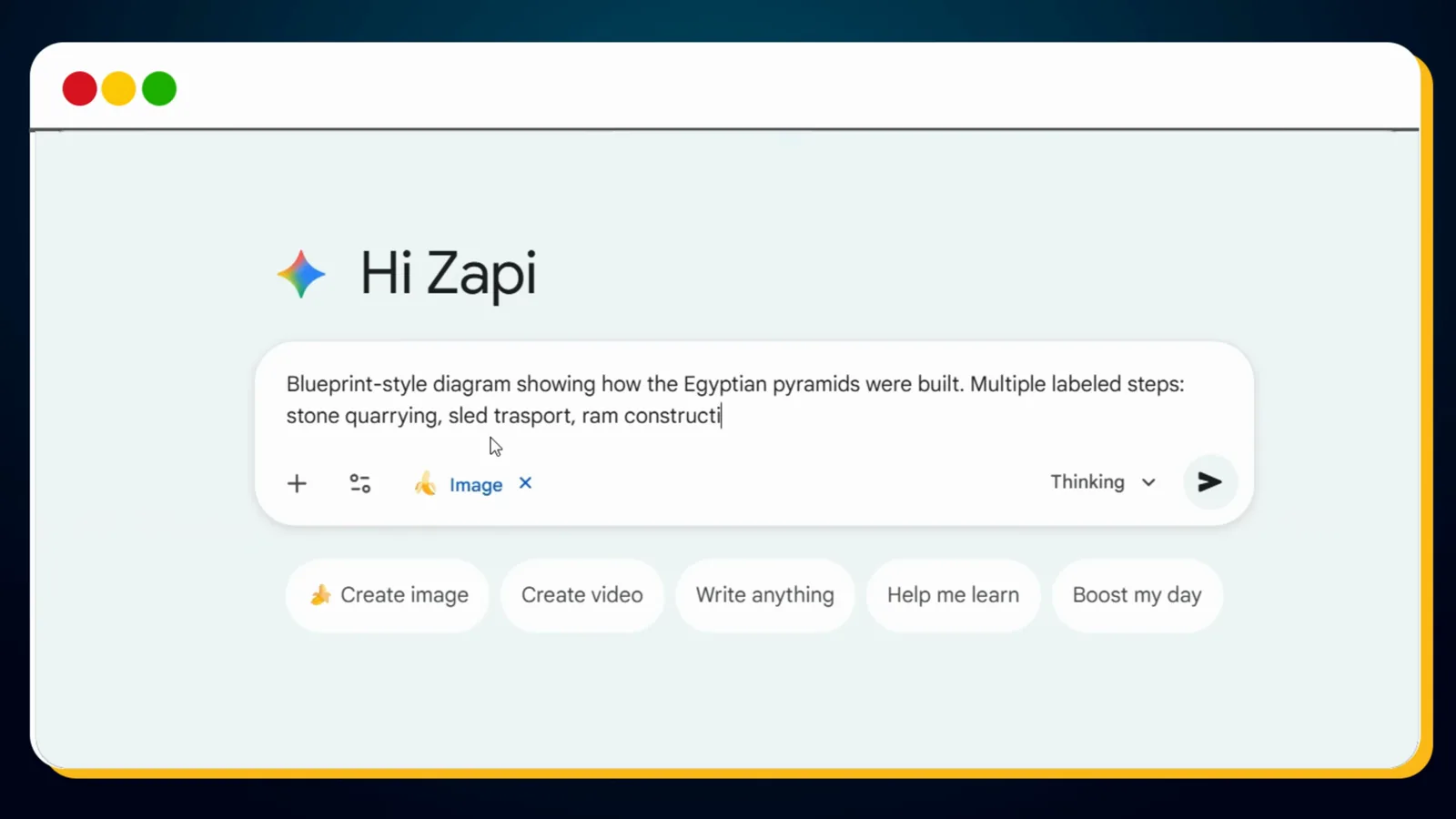
One chip flip turns the chat into a Nano Banana Pro canvas.Watch at 0:15 - 2
Pick the model, then pay attention to quality
Atomic Gains runs everything inside Higgsfield: the Image tab, the Nano Banana Pro model — billed on screen as the best 4K image model — then the bar under the composer where aspect ratio and quality live. The tutorial always selects 4K for the highest detail, and the quality dropdown spells out the ladder: 1K and 2K are unlimited, 4K Unlimited is the most detailed generation. Every example in this guide that came from that video was rendered with 4K switched on.
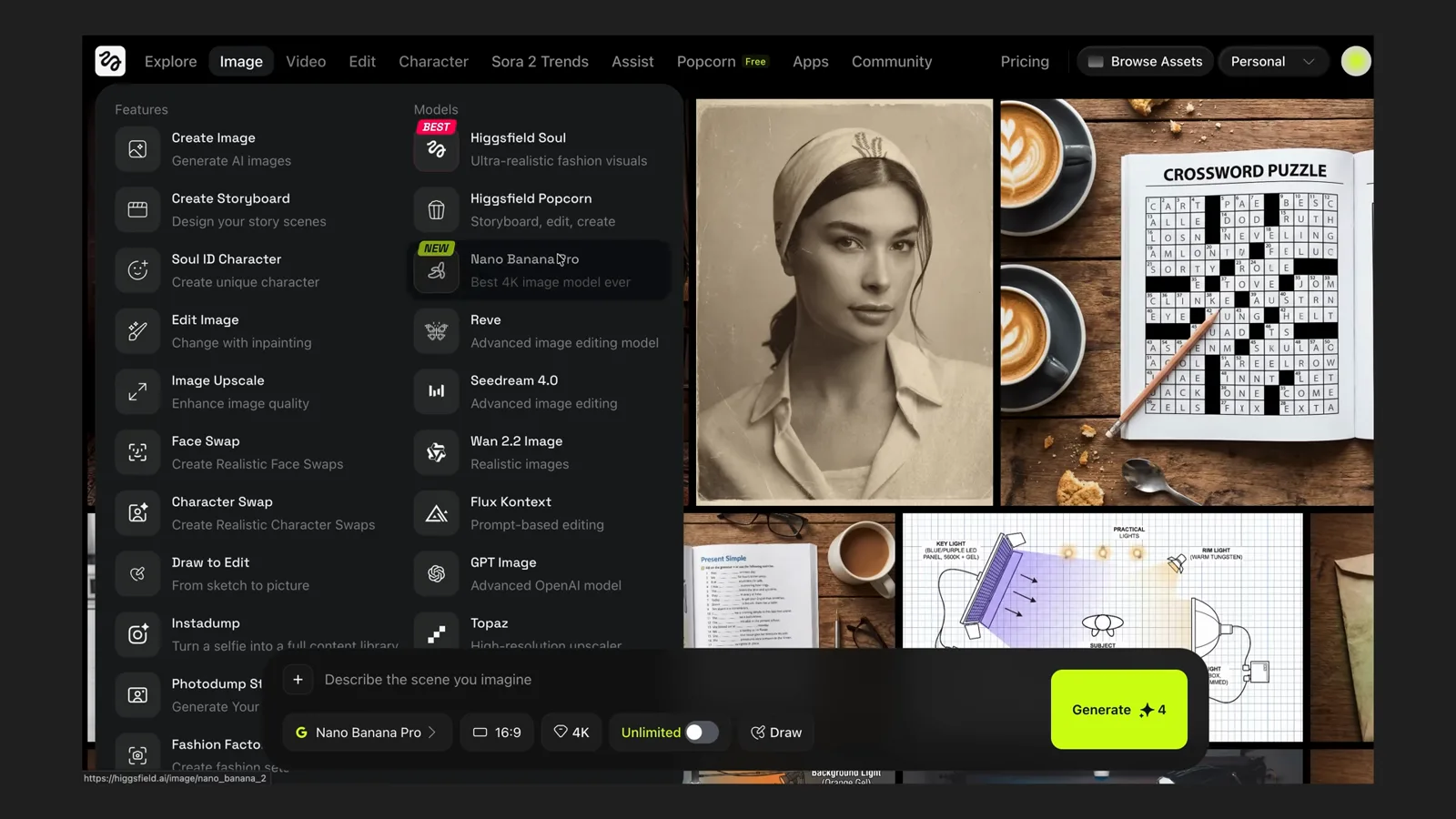
4K costs more per render; it is also why the small text survives.Watch at 0:34 - 3
On AI Studio, Pro is a model-row switch
AI Master's course runs on a platform whose composer exposes the tier directly: the model row reads Nano Banana with a PRO badge, and resolution buttons for 1K, 2K and 4K sit beside the aspect ratio. Same model, three different surfaces in this guide — what matters is confirming that Pro and the top resolution are actually selected before you spend a generation. The composer also offers Enhance prompt and Generate prompt helpers if you want the platform to expand your draft.
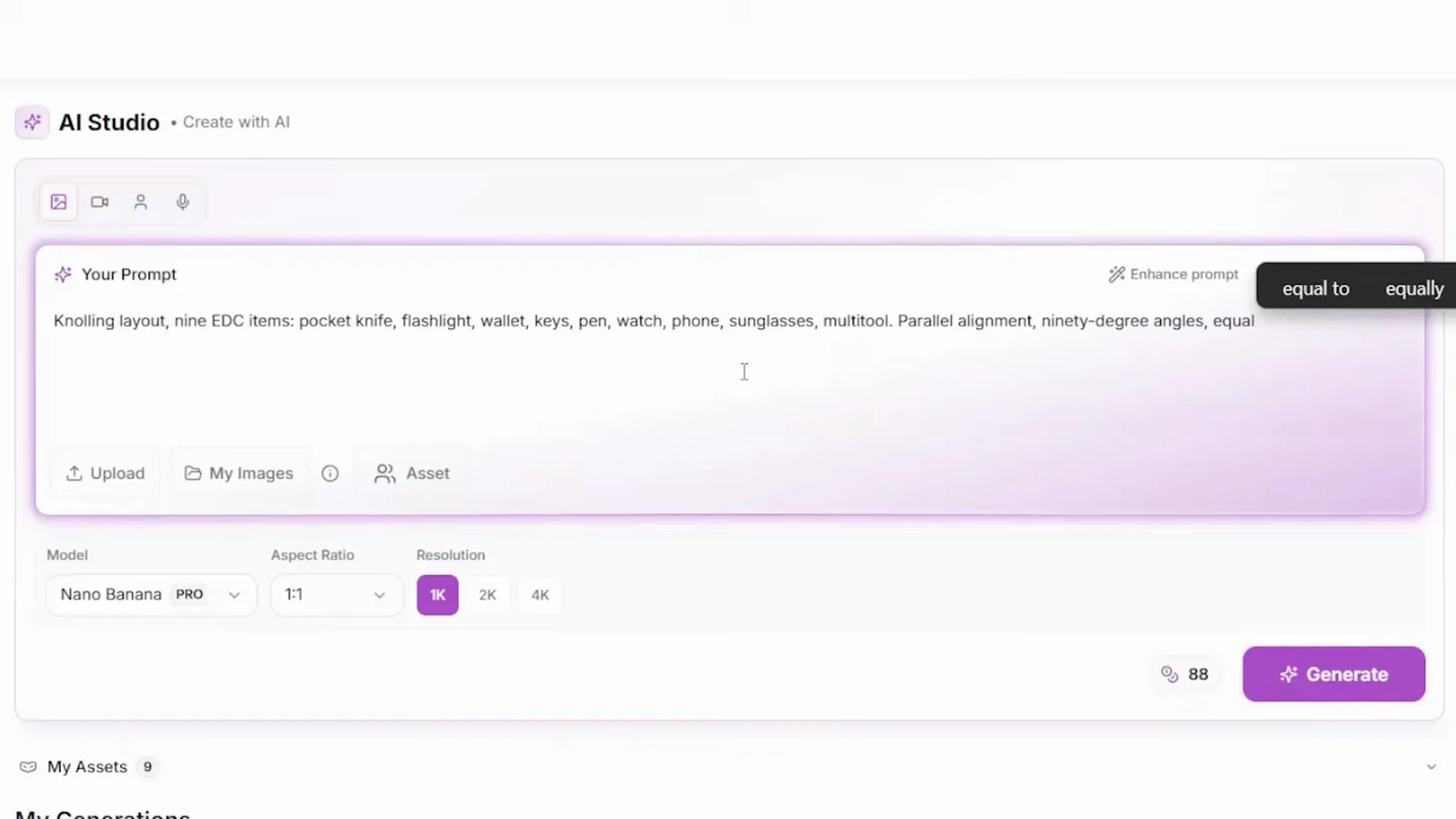
Wherever you generate, confirm the PRO badge before spending tokens.Watch at 14:44 - 4
The text test: a twelve-dish menu
The clearest Pro-versus-standard demo in the Atomic Gains video is a single prompt: create a food menu containing 12 different banana dishes, each dish should have a price and a detailed description of what's in it, illustrative style. The original Nano Banana version came back with small text that is hard to read and full of errors. The Pro version — this Banana Bistro menu — nails the brief: twelve dishes, twelve prices, twelve descriptions, all readable.
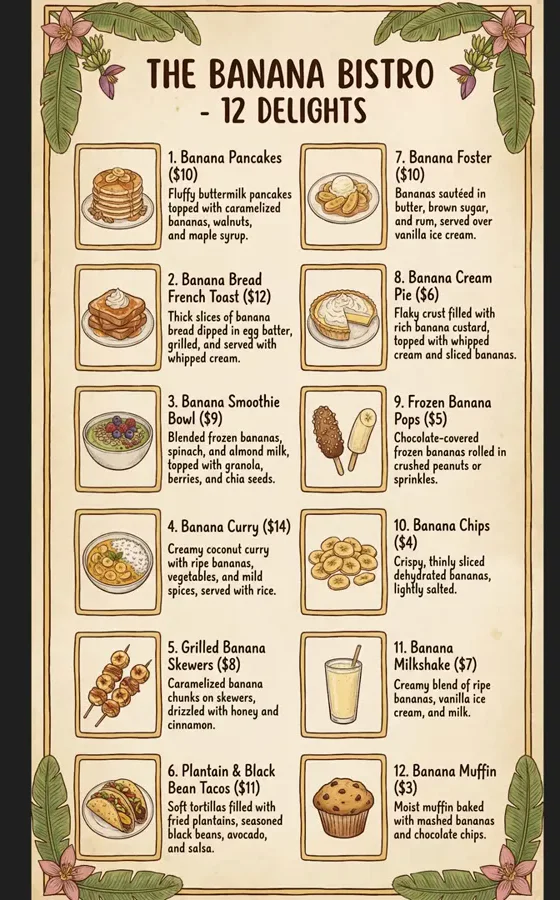
Same prompt, two tiers: Pro keeps small text intact.Watch at 8:34
Prompt Formulas: Portraits, Headshots, Knolling
- 5
The influencer formula: eight slots, one sentence
AI Master's most popular recipe, verbatim: Full-body portrait of a 25-year-old woman with long brown hair, standing in a modern coffee shop, natural window lighting, soft shadows, photorealistic skin texture, casual outfit, looking at camera, shallow depth of field, shot on Canon 5D. Age, hair, location, lighting, texture, outfit, camera direction, camera specs — that is the checklist. The course's quality check is the hands: five correct fingers. For variations, change exactly two variables — a gym, athletic wear — and the same face lands in a new scene. Best outputs get saved and reused as reference images to lock the face tighter.
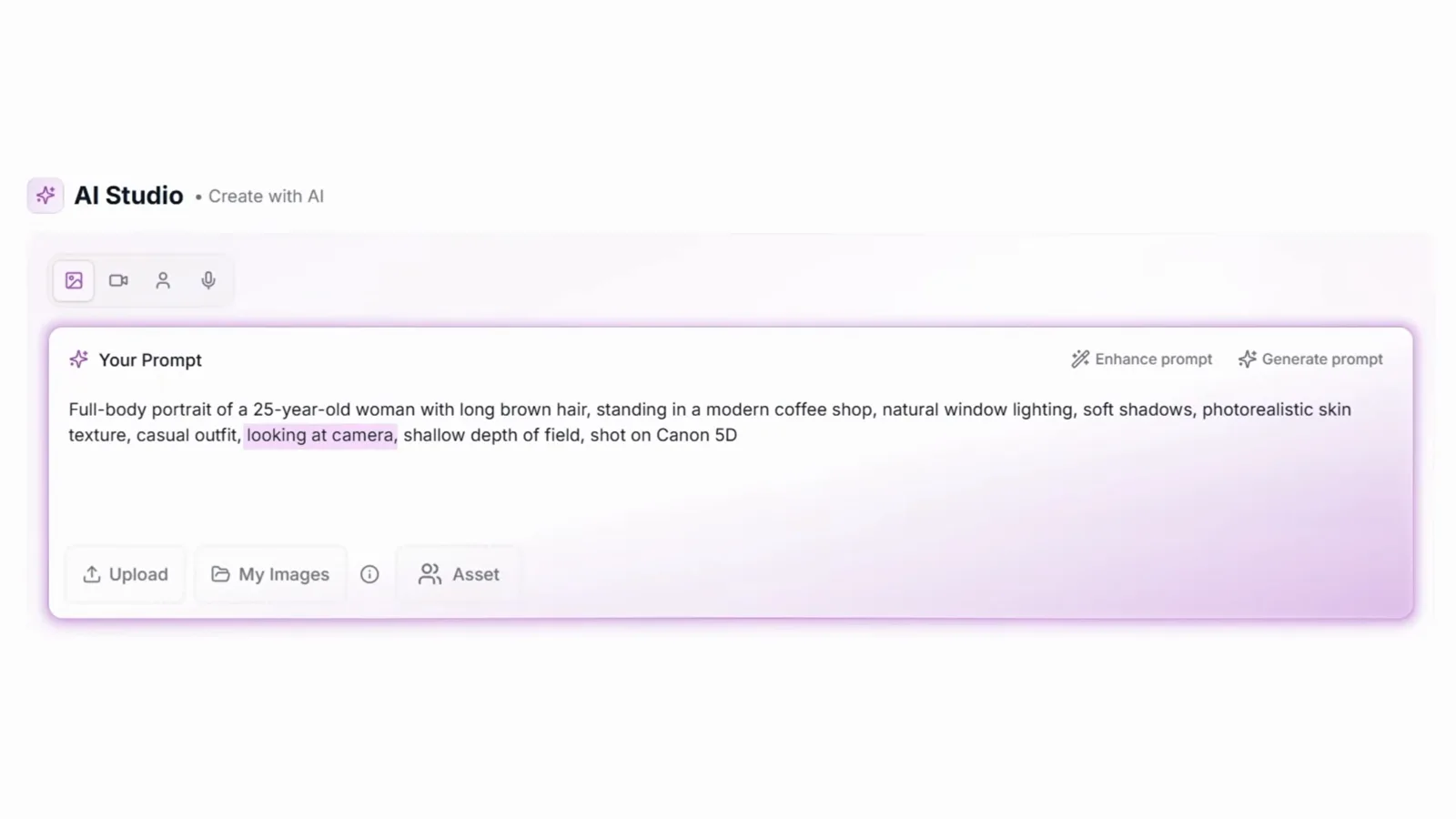
Change two variables per variation; keep the rest identical.Watch at 2:04 - 6
Headshots: control the backdrop, not the world
Headshots invert the formula — the words professional headshot come first, then short black hair, clean-shaven, navy blue suit, neutral gray background, studio lighting, sharp focus on face, shallow depth of field, corporate photography style. Telling the model it is a controlled setup is what separates a two-hundred-dollar studio look from a lucky snapshot. Swap one descriptor for smiling warmly and you get a second usable expression, and the course's stock-photo play is ten different demographics in twenty minutes — sellable on Adobe Stock and similar sites as long as the AI origin is disclosed.
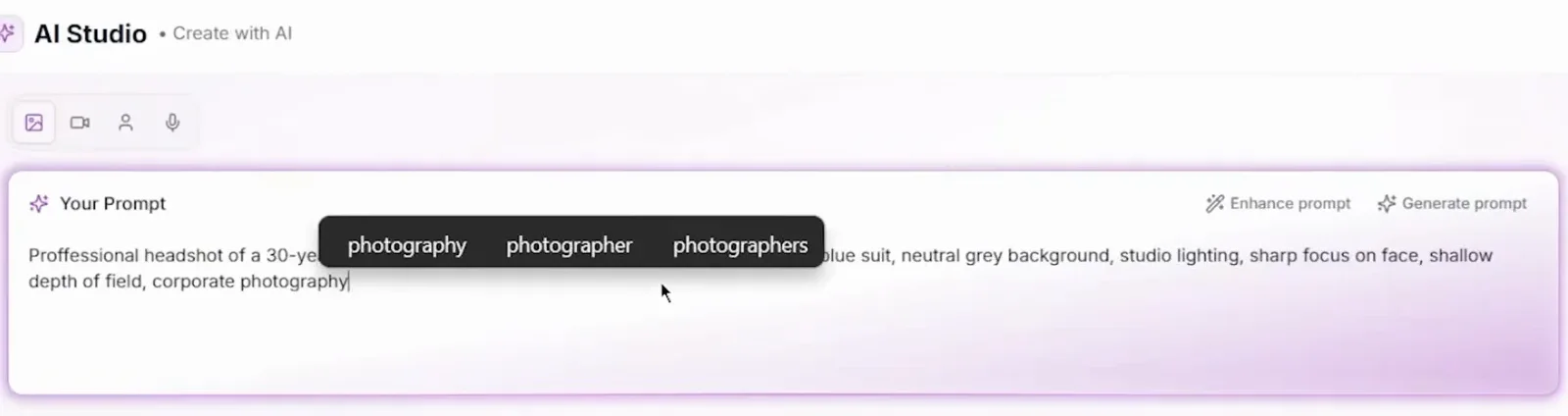
Studio lighting plus a neutral background signals a controlled set.Watch at 5:00 - 7
Knolling: name the count and the model does the math
Knolling is the flat-lay style where objects sit at perfect 90-degree angles with equal spacing, and it is where Pro's reasoning shows. The pattern from the course: Knolling layout, twelve makeup products: lipsticks, eyeshadow palettes, brushes, mascara. Organized by color, equal intervals, top-down flat lay, pastel pink background. The pro tip that makes it work: always specify the exact number of objects, because the model counts and spaces them. The nine-item EDC variant adds parallel alignment, ninety-degree angles and a white background.
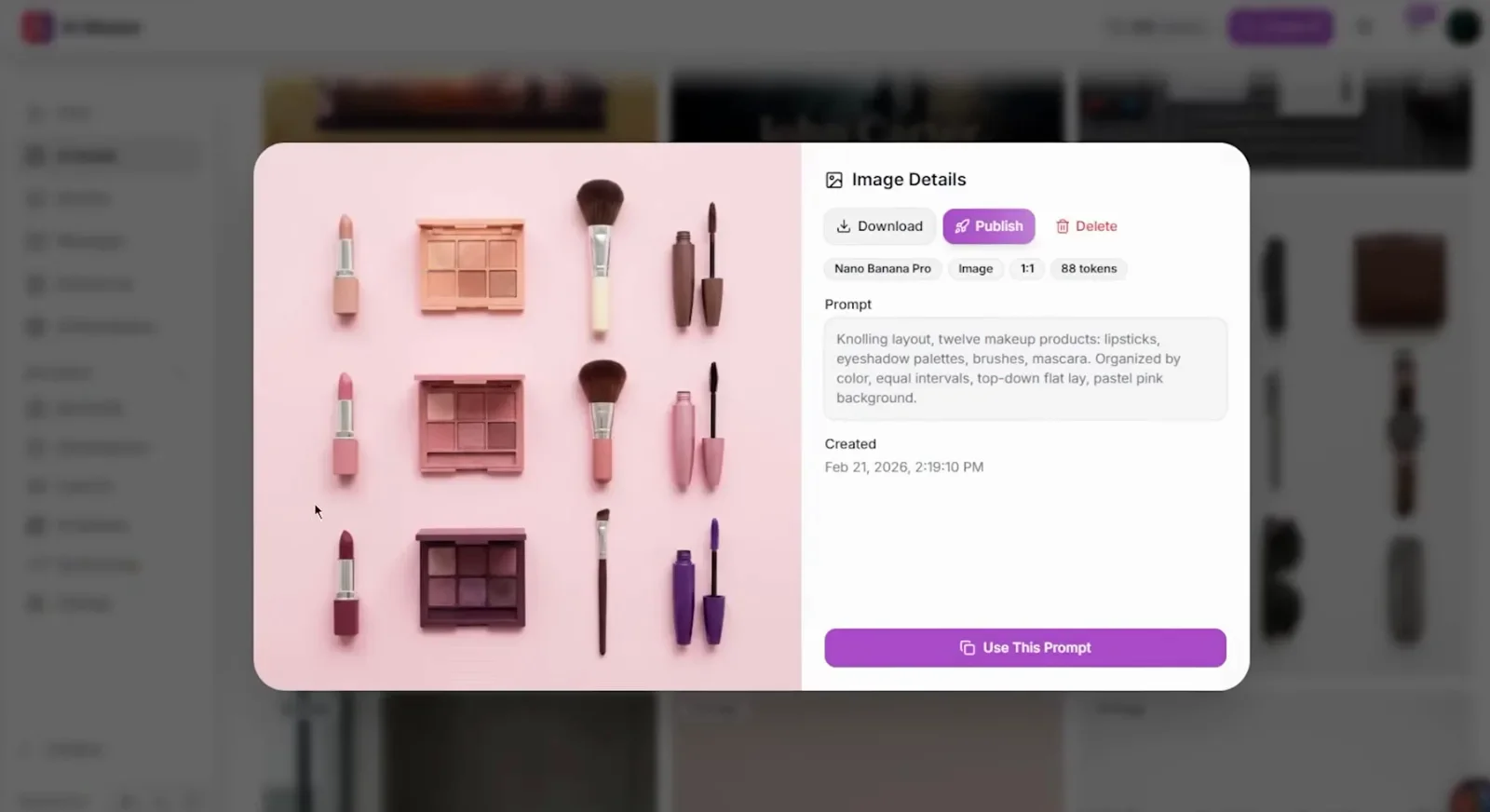
The exact count is the instruction that does the work.Watch at 15:12
Text That Renders: Blueprints, Recipe Pages, Lighting Maps
- 8
Blueprint diagrams: a formula you can re-target
The zapiwala video opens with the formula at full length: Blueprint-style diagram showing how the Egyptian pyramids were built. Multiple labeled steps: stone quarrying, sled transport, ramp construction, block stacking, interior chamber layout. Clean vector lines, cross-sections, arrows, minimal color, archaeologically accurate. What comes back is a four-stage schematic with annotated chambers and a title block. Swap the subject and the skeleton keeps working — the same video renders car, jeans, smartphone, guitar and sneaker manufacturing blueprints with the identical phrasing.
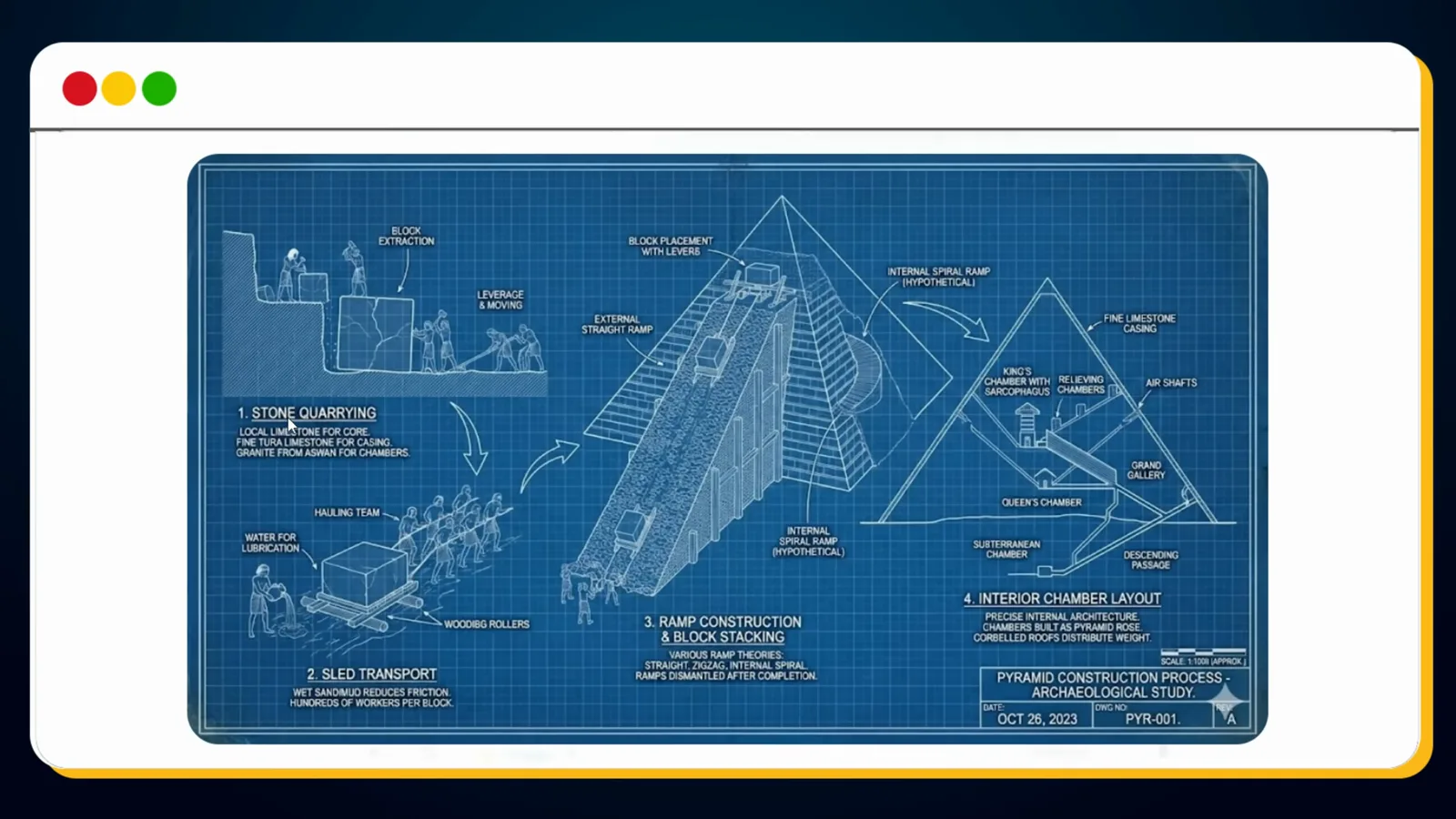
Swap the subject, keep the labeled-steps skeleton.Watch at 0:32 - 9
One photo in, a cookbook page out
Upload a plain photo of a ramen bowl and ask for a vintage recipe page. Nano Banana Pro returns a premium-cookbook layout: hand-drawn ingredients arranged around the bowl, measured quantities under each one, handwritten instructions at the bottom. The source photo becomes the centerpiece illustration and everything else on the page is generated around it — no design tool involved. The same trick is shown with a pasta recipe infographic, cooking steps visualized with clean icons.
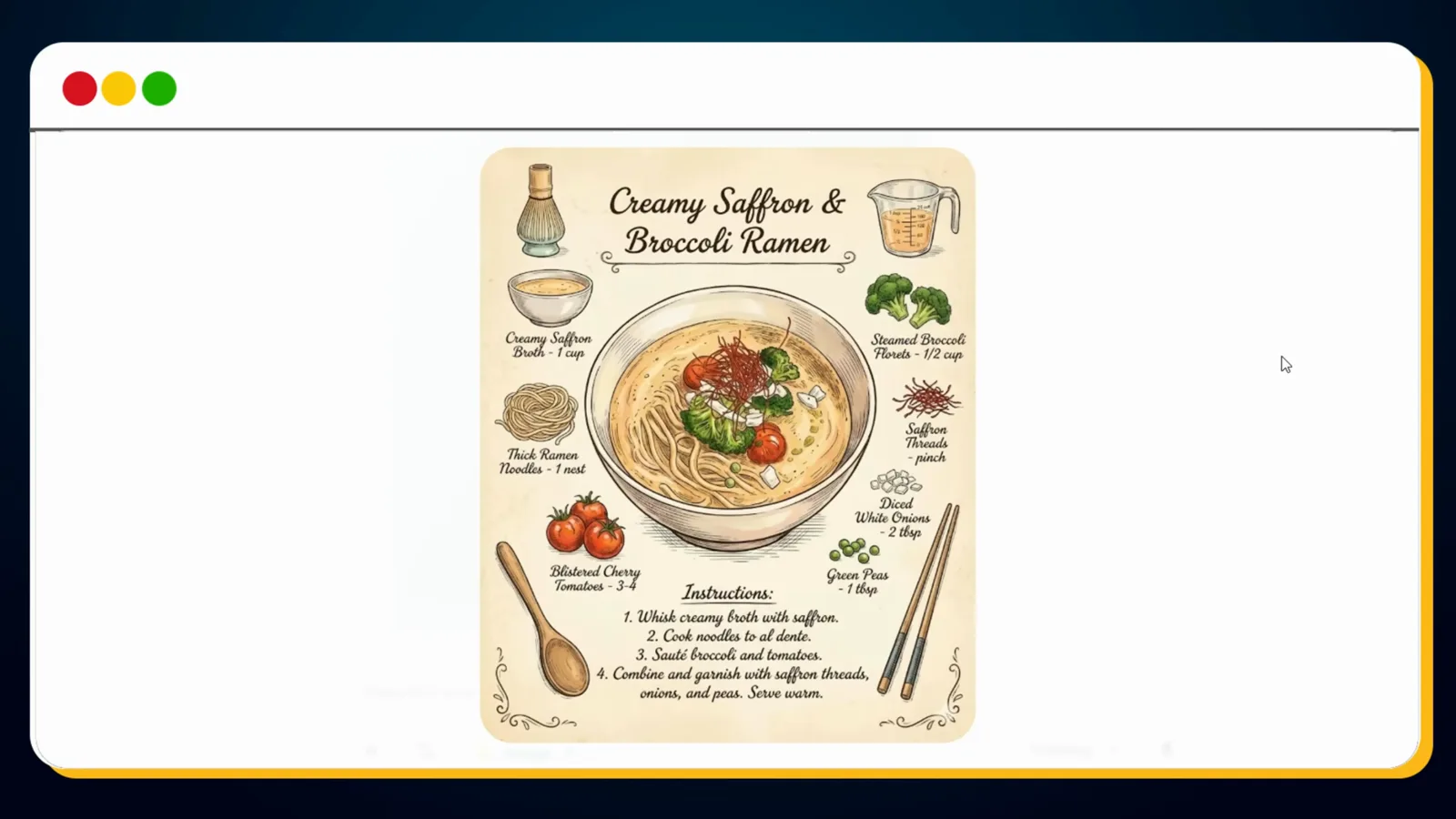
Photo-to-recipe-page is a one-prompt job now.Watch at 1:30 - 10
Ask it to explain a scene's lighting
Atomic Gains feeds in a Blade Runner still with: show a detailed diagram on exactly how the lighting was configured, including all specifics. The output is a grip-ready schematic — a blue LED key light, a dimmed softbox fill, a warm tungsten rim, practical lights overhead, camera position — with the subject labeled by name. The video repeats the trick on the creator's own footage and judges the breakdown pretty accurate. Relighting knowledge runs in both directions: the model can write the lighting plan, not just fake one.
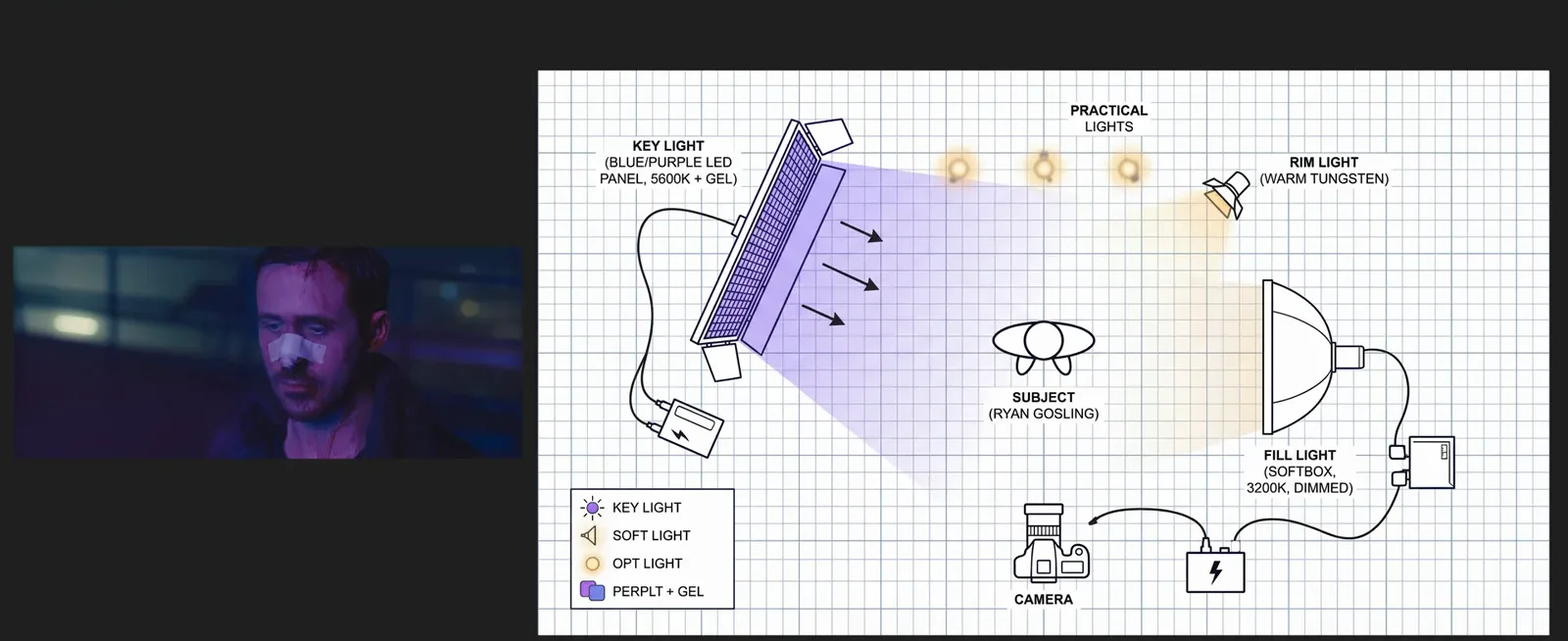
It reads light as well as fakes it — reverse-engineer any still.Watch at 13:40
Many Images In, One Scene Out — Plus Real-World Knowledge
- 11
Feed it references — lots of them
Pro takes multiple reference images, and Atomic Gains pushes the count: 25 individual product shots assembled into one grid, then prompted to merge all 25 items into one cohesive image. Every object survives the merge. Elsewhere in the same video, up to eight images are attached directly in Higgsfield's composer; AI Master's course cites 14 references as the model's ceiling. One caveat surfaced in testing: small text inside a merged result can drift, and the fix is conversational — put the image back in and prompt "fix the small text".
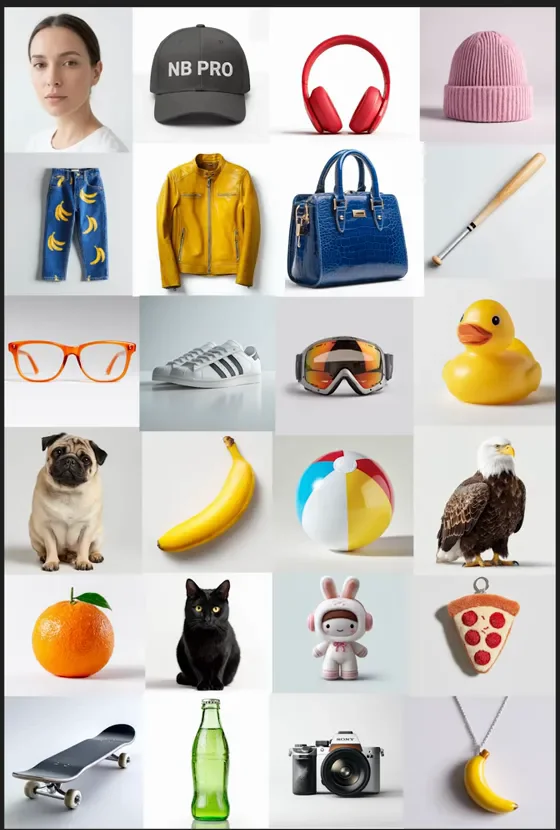
When merged text drifts, a one-line follow-up fixes it.Watch at 1:08 - 12
Six superheroes, one poster, real title text
Generate six superhero characters separately, upload them all, and prompt: create an epic movie poster which includes these 6 superheroes, the title of the movie is 'Super Bananas'. The poster lands with all six heroes posed against a stormy skyline and — the part older models garbled — bold, correctly spelled title text, a tagline reading the world's most appealing heroes, and a coming-soon line. Character posters were the old benchmark for garbled lettering; this is the use case the text engine was built for.
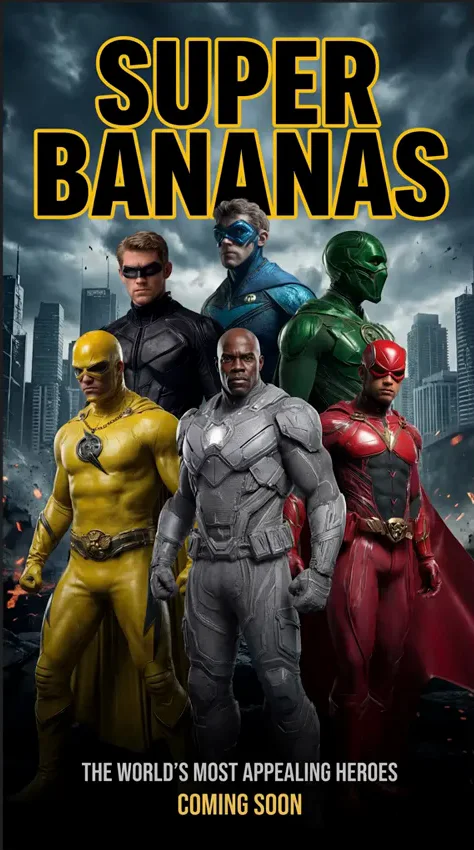
Title, tagline and billing all render as real, spelled-right text.Watch at 7:40 - 13
Recreate history from coordinates and a timestamp
The zapiwala video's showstopper: give Nano Banana Pro a place, a date and a time. Create an image at 28.6562° N, 77.2410° E, 15 August 1947, 08:00 hours returns the Red Fort at the moment of India's independence — era clothing, the flag going up, the crowd, the morning light. The same recipe is demonstrated for Hiroshima at the moment of the explosion. The model's world knowledge does the reconstruction; the coordinates do the directing. No reference image required — this is pure text-to-image with research baked in.
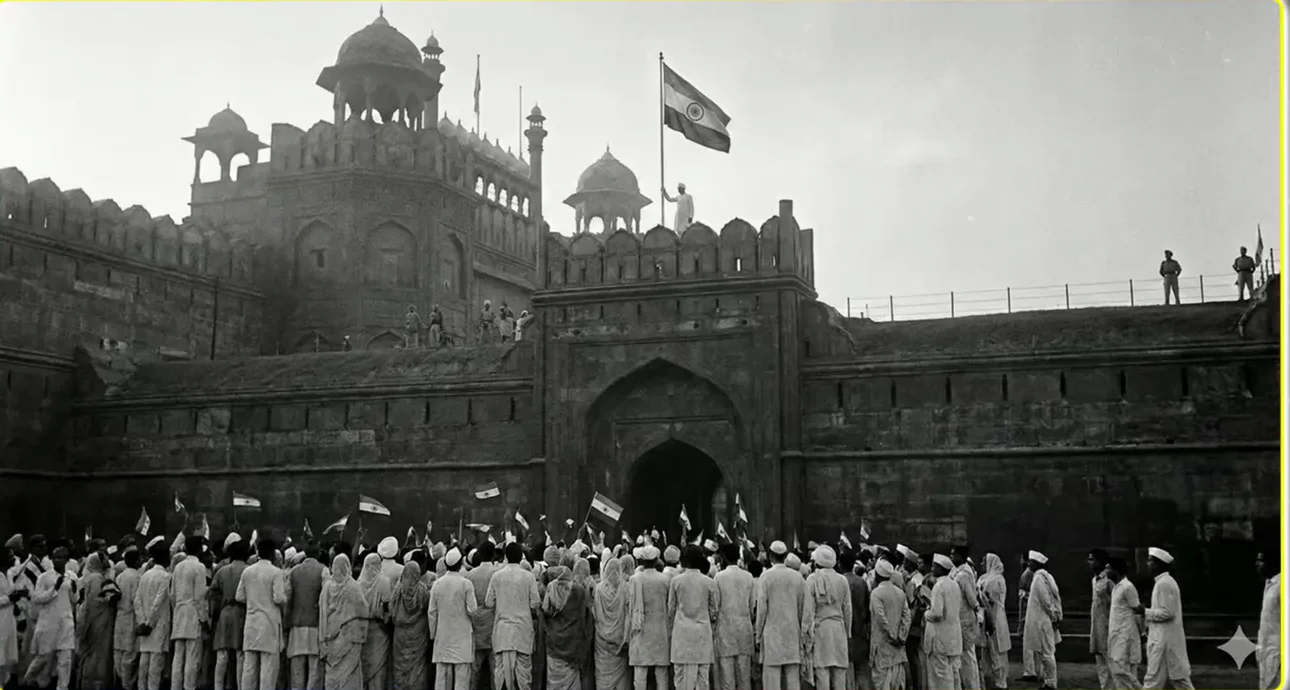
Coordinates are the camera direction; history supplies the set.Watch at 6:30
Edit Verbs: Restyle, Relight, Recolor
- 14
Style transfer: show it the style, not just the name
Naming a style works — the Atomic Gains video gets an ink-drawing Batman and a knitted-wall Batman from one line each. The stronger move is feeding a second image: change the first image into the style of the cartoon image drops live-action Batman straight into an animated-series frame, cape curling over a purple sunset skyline. If you already own reference art in the style you want, upload it next to your subject instead of hoping the adjective matches what's in your head.
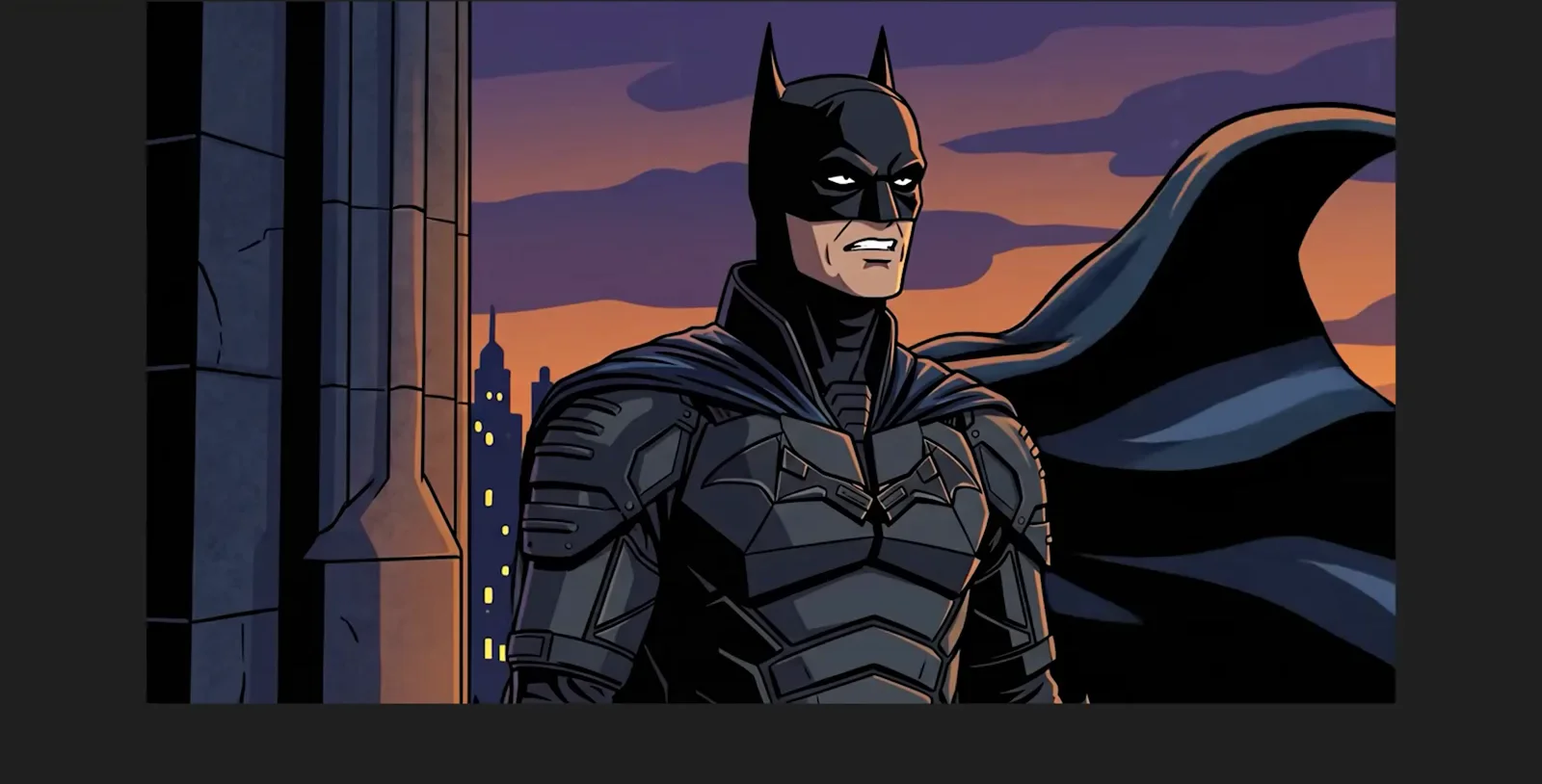
A style reference beats a style adjective.Watch at 5:12 - 15
Relight any frame with photography vocabulary
The effects stretch of the Atomic Gains test reads like a lighting course: add snow, add rain, anamorphic lens flare, cinematic light rays, cinematic haze, magic hour, nocturnal fill. Each lands as a believable re-grade of the same still — the lens-flare version streaks cool light across the frame without moving a pixel of the subject. The tutorial's rule is one edit at a time: stacking verbs in a single prompt dilutes all of them.
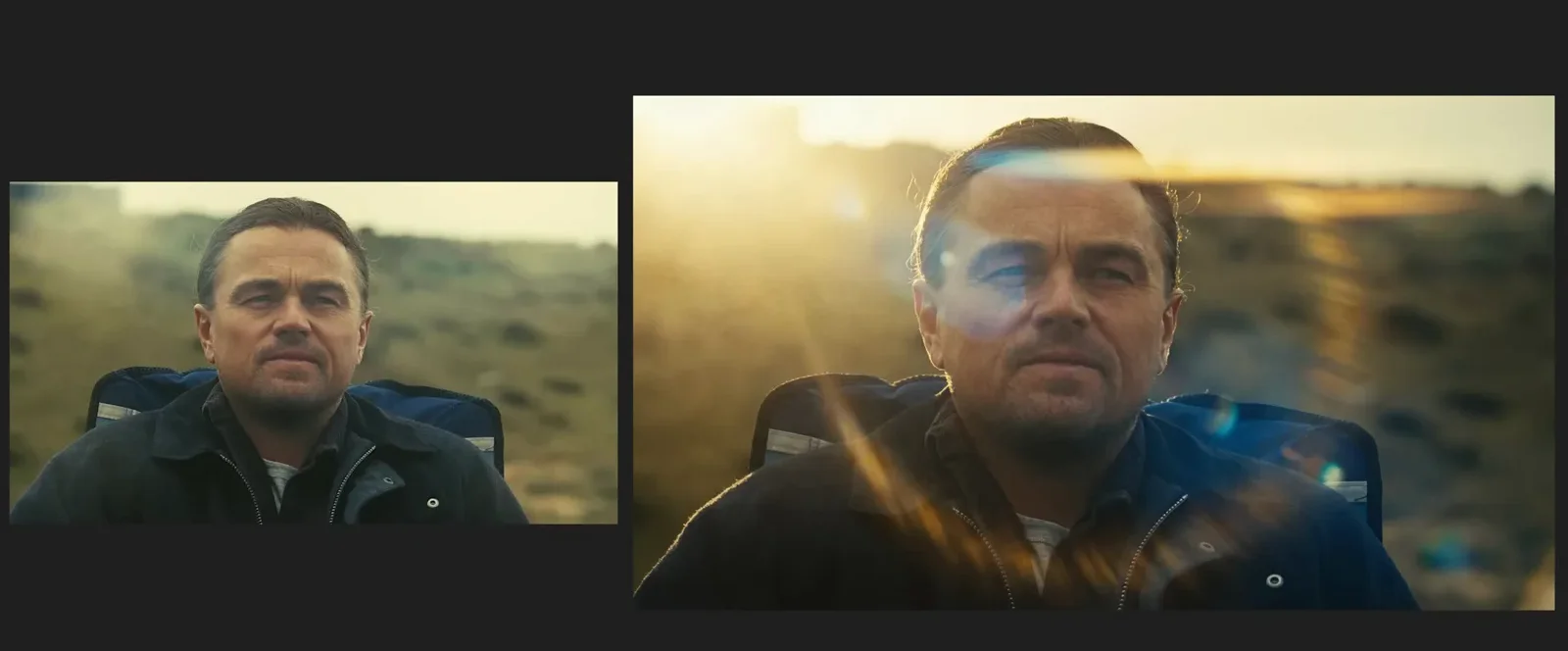
Speak lens language and the regrade looks colorist-made.Watch at 6:20 - 16
Colorize and translate a manga page in one prompt
Turn the manga to colour and translate to English — one prompt, two jobs. The black-and-white pages come back fully colored with the Japanese speech bubbles replaced by hand-lettered English: Huh, what? / Look over there! / We did it! Atomic Gains cannot vouch for the translation's accuracy but is blown away regardless, and it is easy to see old manga catalogs rebuilt this way — colorize first, translate second, or trust the model to do both at once.
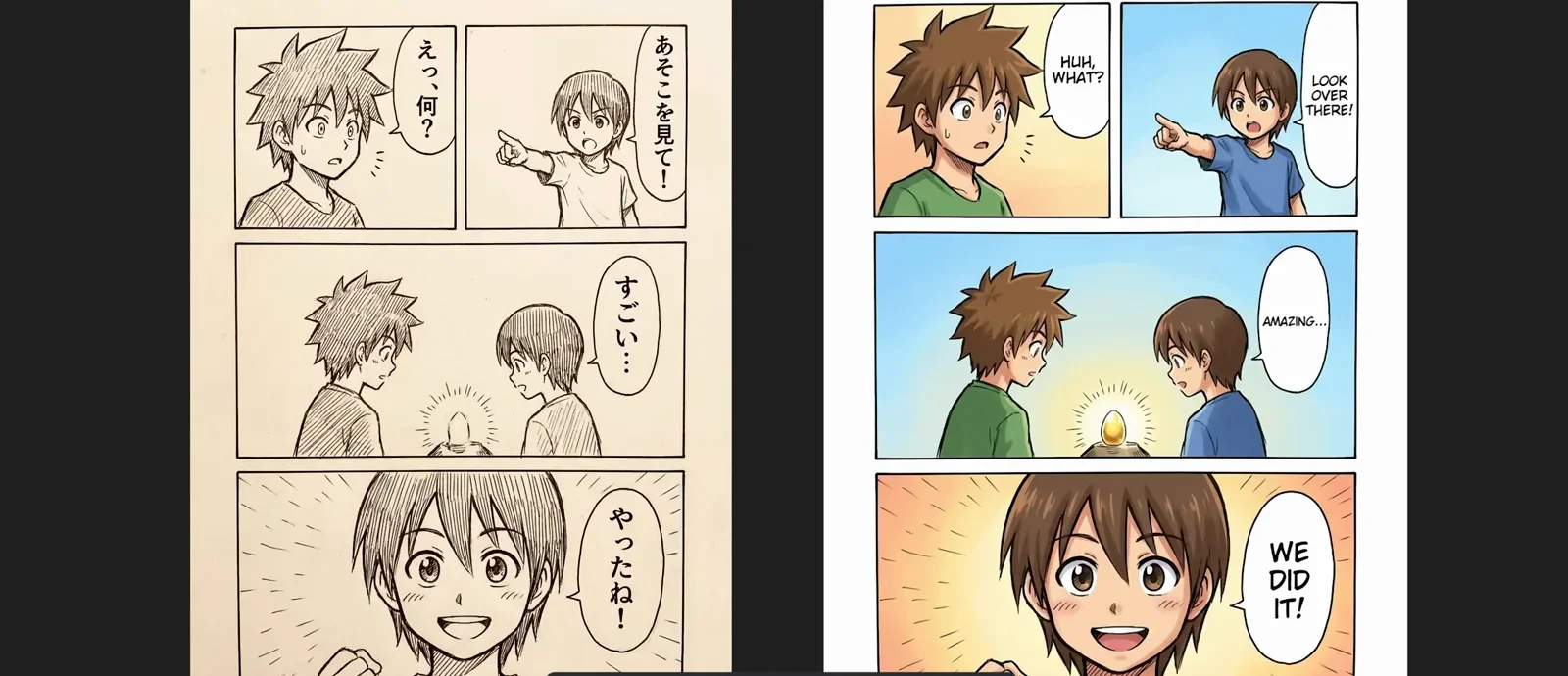
Two jobs, one prompt: color in, English out.Watch at 12:40