

Kling 4 Use Cases: What to Make with Kling 4.0
Kling 4.0 reads less like a video toy and more like a production tool — dialogue scenes, product ads, UGC and short films now come out of the same prompt box. This walkthrough collects 16 real projects from four credited sources — Dom the AI Tutor's prompt tests, Ryan Collins' AI short film, Kling's official launch film and its MCP e-commerce tutorial — and maps each job to the input mode and settings that fit it.
Source & credits
Screenshots in this guide are captured from Dom the AI Tutor's public walkthrough video. Every step links back to the exact moment it shows, so you can follow along.
Dom the AI Tutor ↗Start from the job: what Kling 4 is actually for
- 1
Match the tool to the job before you spend a credit
Kling's own launch film leads with choreographed action — two fighters, sustained motion, costumes consistent across cuts. That is the shape of the job 4.0 is built for: staged, controllable footage. The sixteen projects below come from four walkthroughs, credited as they appear, and each maps to the input mode and settings that fit it.
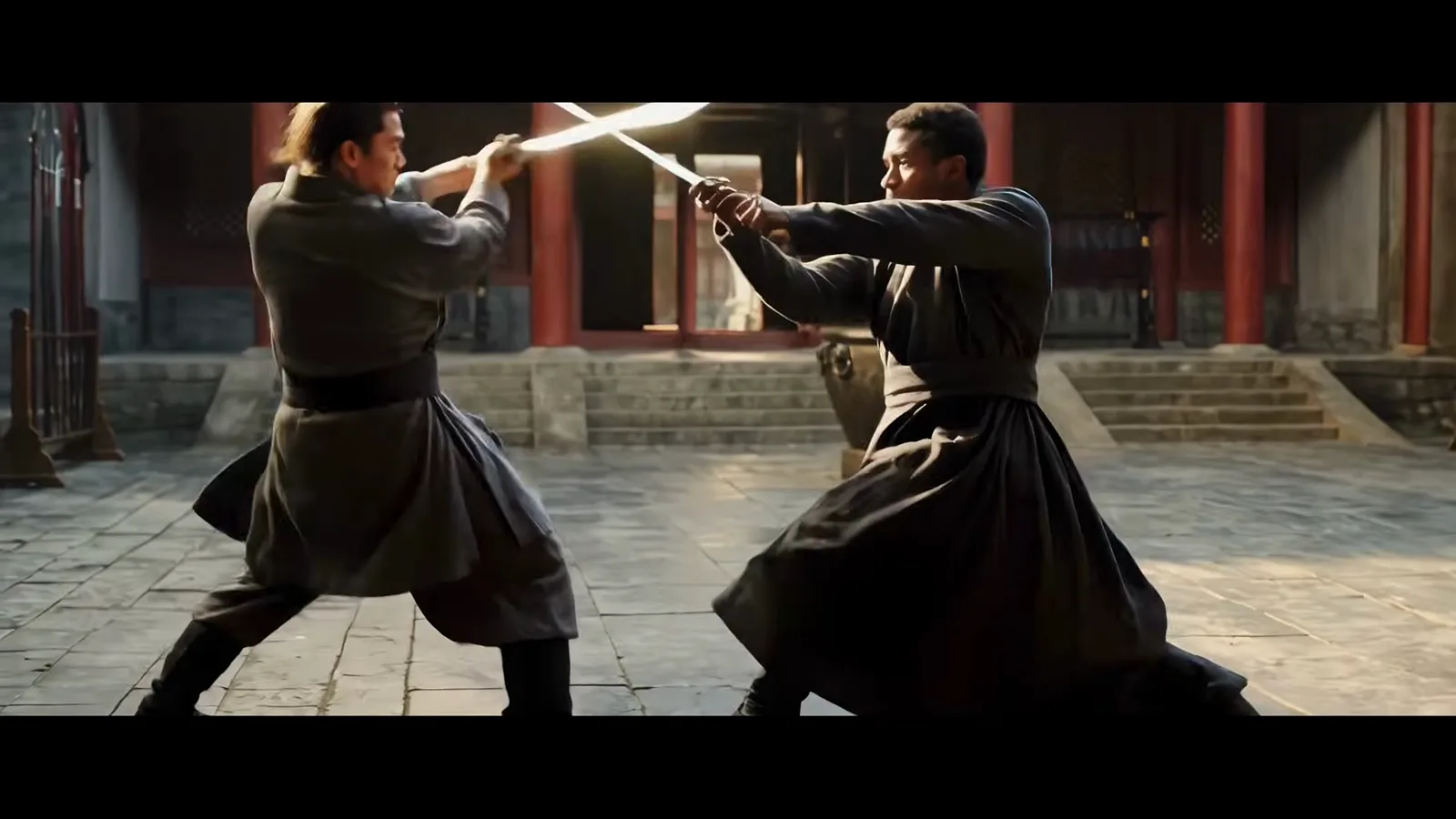
Kling's official 4.0 film opens with the kind of staged action the model is built for.Watch at 0:45 - 2
Dialogue scenes: two characters, one spoken take
Dom the AI Tutor's ferry prompt ("This is the last ferry, you know...") produced a golden-hour two-shot where both characters speak their lines — the voices are generated with the clip, not dubbed afterwards. Performance-style lines like "then keep coming back" carried tone as well as blocking, which makes dialogue scenes a plain text-to-video job now.
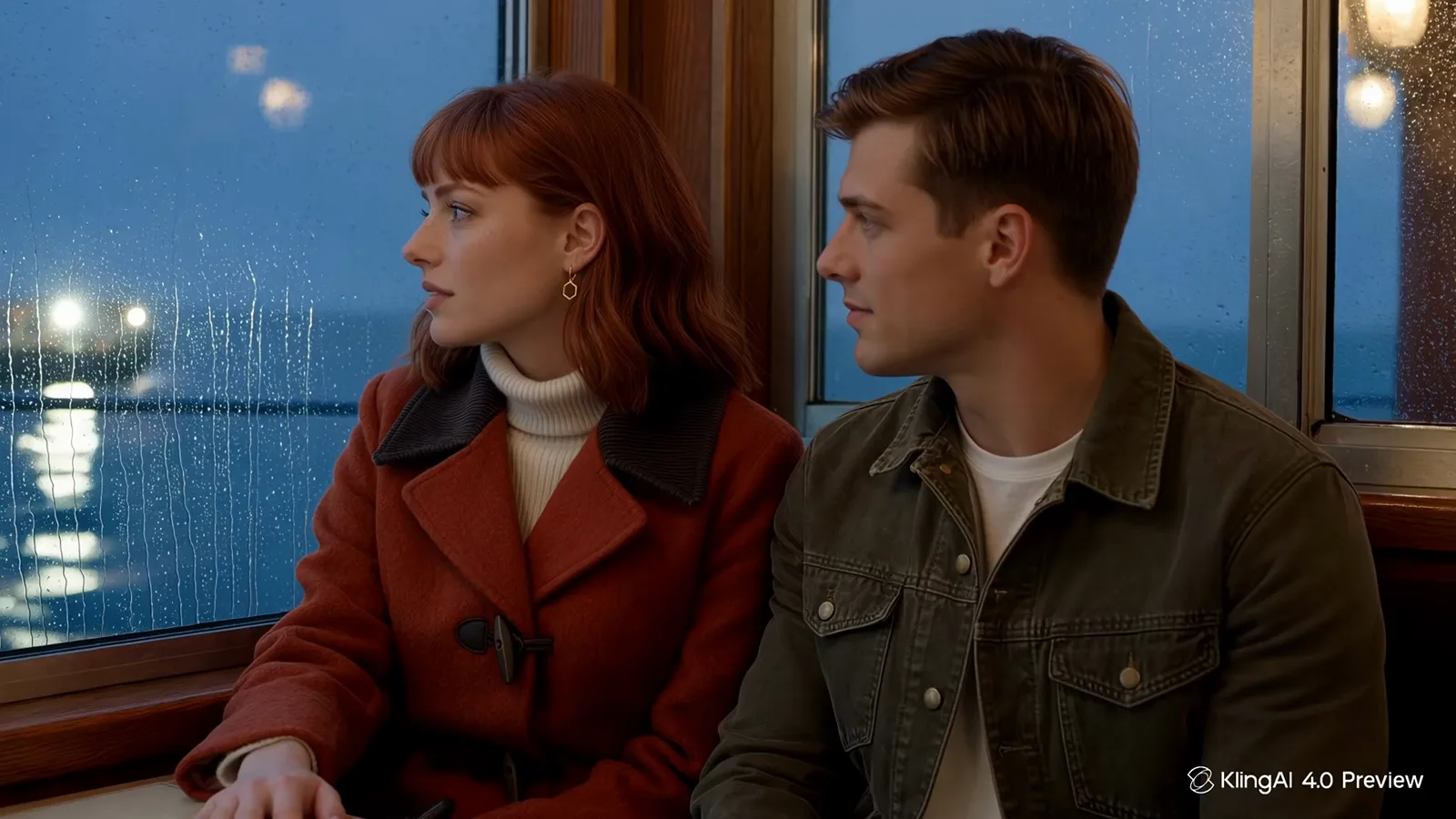
The ferry two-shot: both lines spoken by the clip itself — no dubbing pass.Watch at 0:18 - 3
Narrative work: storyboard first, then custom multi-shot
Ryan Collins built a complete sci-fi short film by uploading storyboard stills and using custom multi-shot — a separate prompt and duration per shot, up to six shots inside one video. Auto multi-shot plans the cut for you; custom mode is the one to pick when you already know the story beats and want control of pacing.
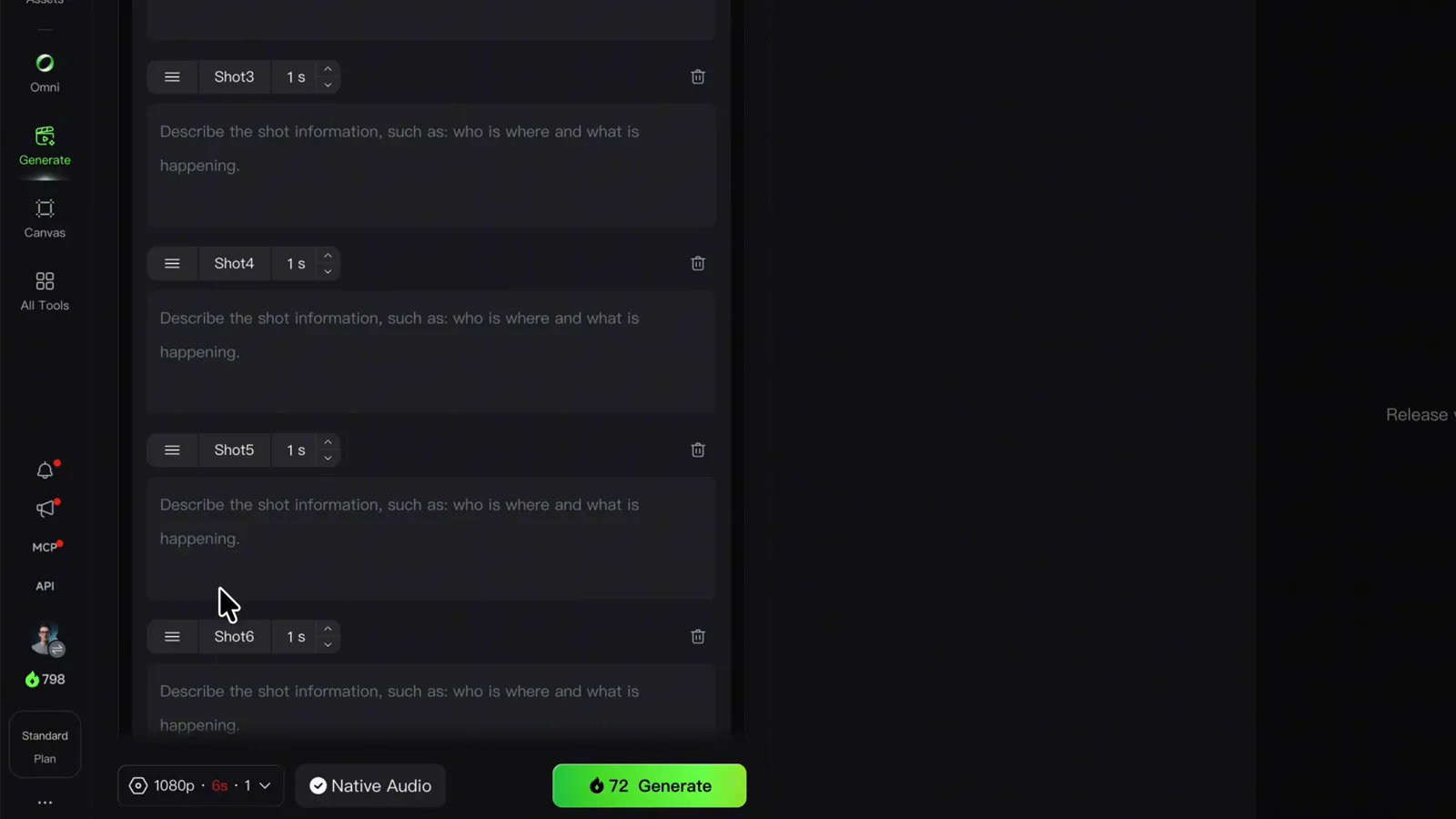
Custom multi-shot: four planned shots, each with its own prompt and duration.Watch at 4:20
Cinematic and narrative projects
- 4
Keep one character consistent with the video subject dialog
The consistency tool is the video subject dialog: upload the character's reference images, give them a name — Ryan named his lead Ryan — and from then on any prompt that mentions the name pulls the right face and wardrobe. His short film's protagonist stays recognizable across every shot this way.
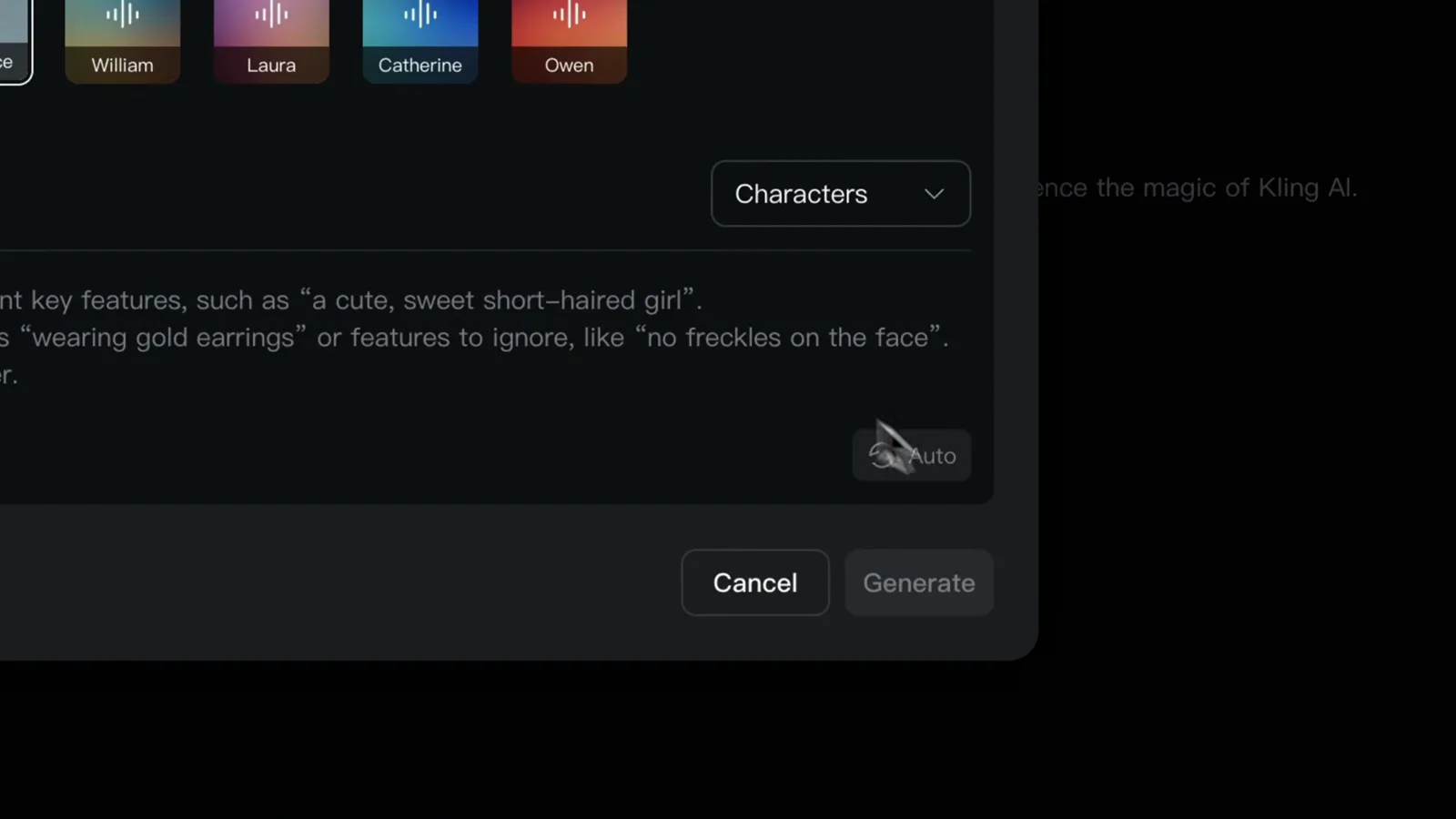
Name the subject once — every prompt that uses the name reuses the reference.Watch at 3:29 - 5
Short films: one coherent world, shot by shot
The finished short sends a special-ops team into an alien ruin toward an unknown threat — one coherent character, a continuous setting, a clear beat structure. Ryan's budget for the whole project, character assets and storyboards included: roughly 600 credits. His advice: start from a character, a location and one simple event, then widen the world.
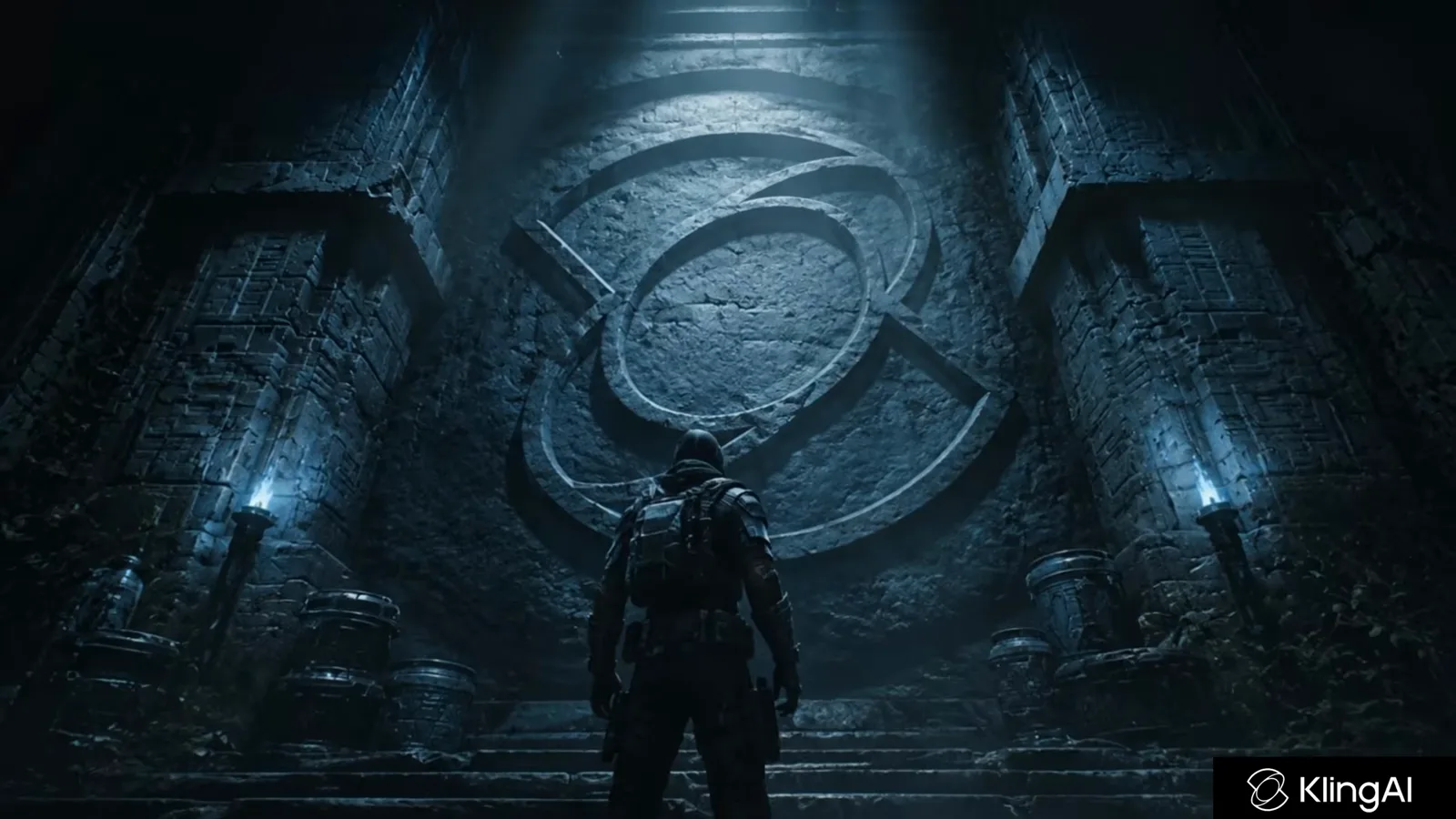
A complete short film stitched from individually generated shots.Watch at 1:55 - 6
Nature B-roll that survives a 4K timeline
The eagle shot Dom tested — a raptor banking over a golden river valley — is the kind of footage B-roll libraries license by the clip. Kling's native 4K output matters here: feather and terrain detail survive the cut into an edit. Landscape and wildlife shots carry no dialogue to sync, so one well-prompted generation is a finished asset.
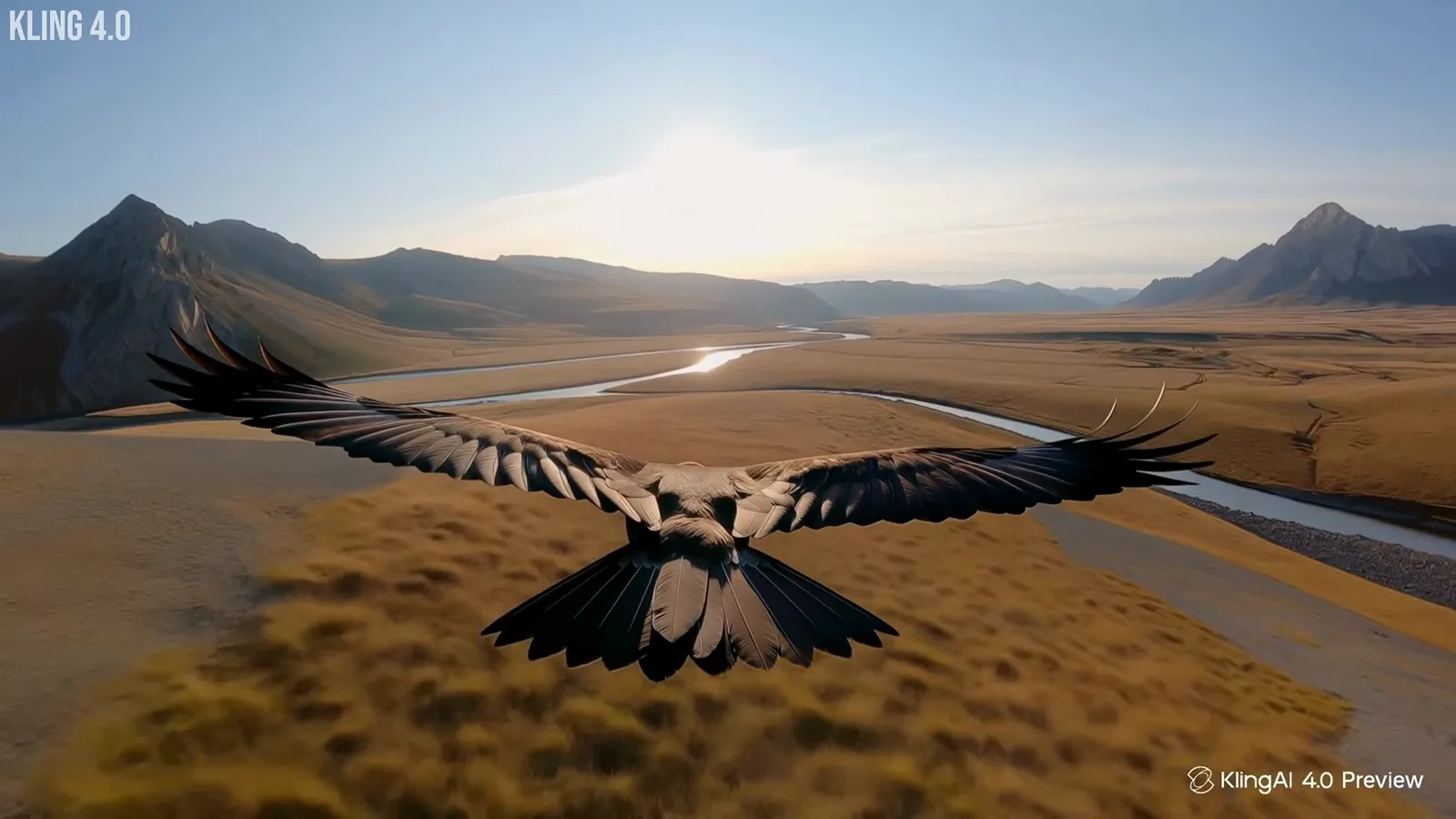
Wildlife-style B-roll: one prompt, native 4K, no sync work.Watch at 6:06 - 7
Action sports: motion blur without a camera crew
The launch film's wingsuit sequence — a flyer sweeping into a desert canyon behind heavy motion blur — shows how 4.0 handles the high-speed subjects that real rigs struggle to track. Staged extreme-sports shots, chase inserts and drone-style reveals are all prompt-driven now; expect to regenerate a few times before the blur reads right.
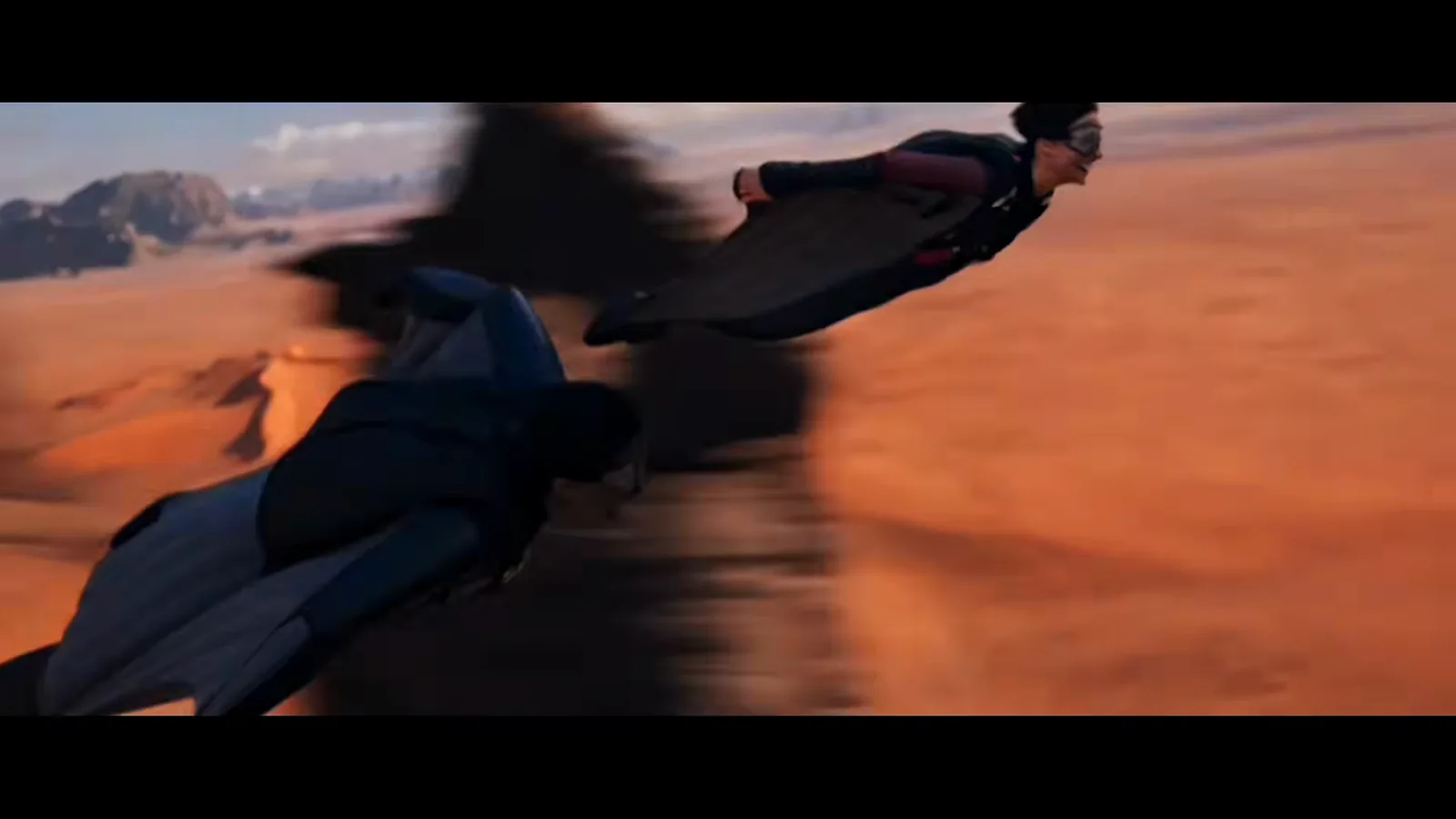
High-speed wingsuit landing from the official showcase — pure prompt work.Watch at 1:26
Ads and product projects
- 8
Fashion e-commerce: upload the garment from several angles
Kling's official MCP tutorial runs the e-commerce flow end to end: connect Kling MCP to your AI agent, upload product photos of the garment from different angles, and let the agent build a reusable skill set — image generation, prompt writing, batch video. Describe the brand style once and it casts the models and frames the shots to match.
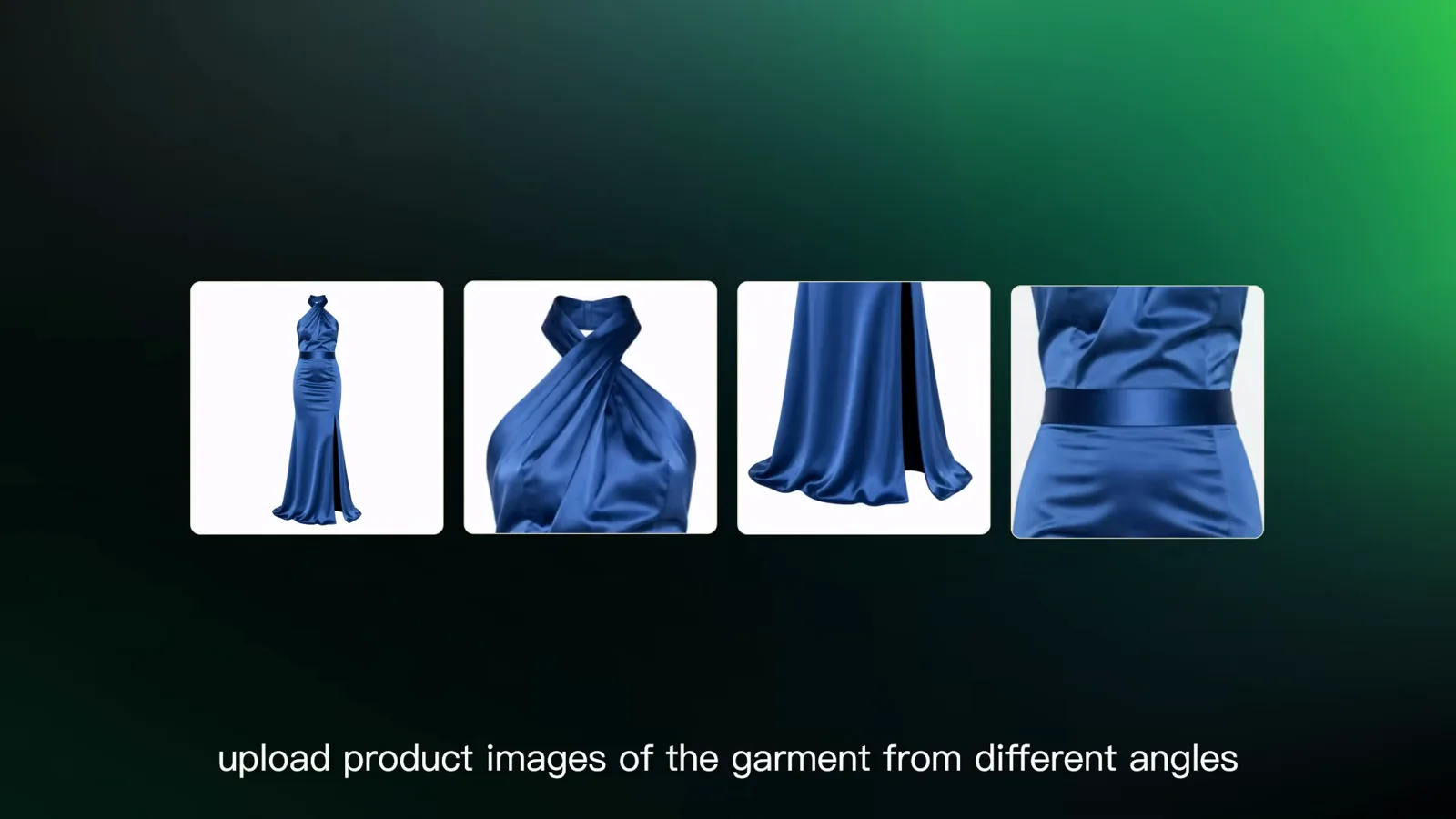
Multi-angle product photos in — a batch of showcase videos out.Watch at 0:52 - 9
Product ads: controlled light on a controlled set
The cosmetic spot — black glass, gold dust, a slow orbit around a pedestal — is the studio-commercial shape: one hero object, controlled reflections, a camera path that never misses. Product-ad prompts reward exactly this specificity: name the surface, name the light, name the one camera move.
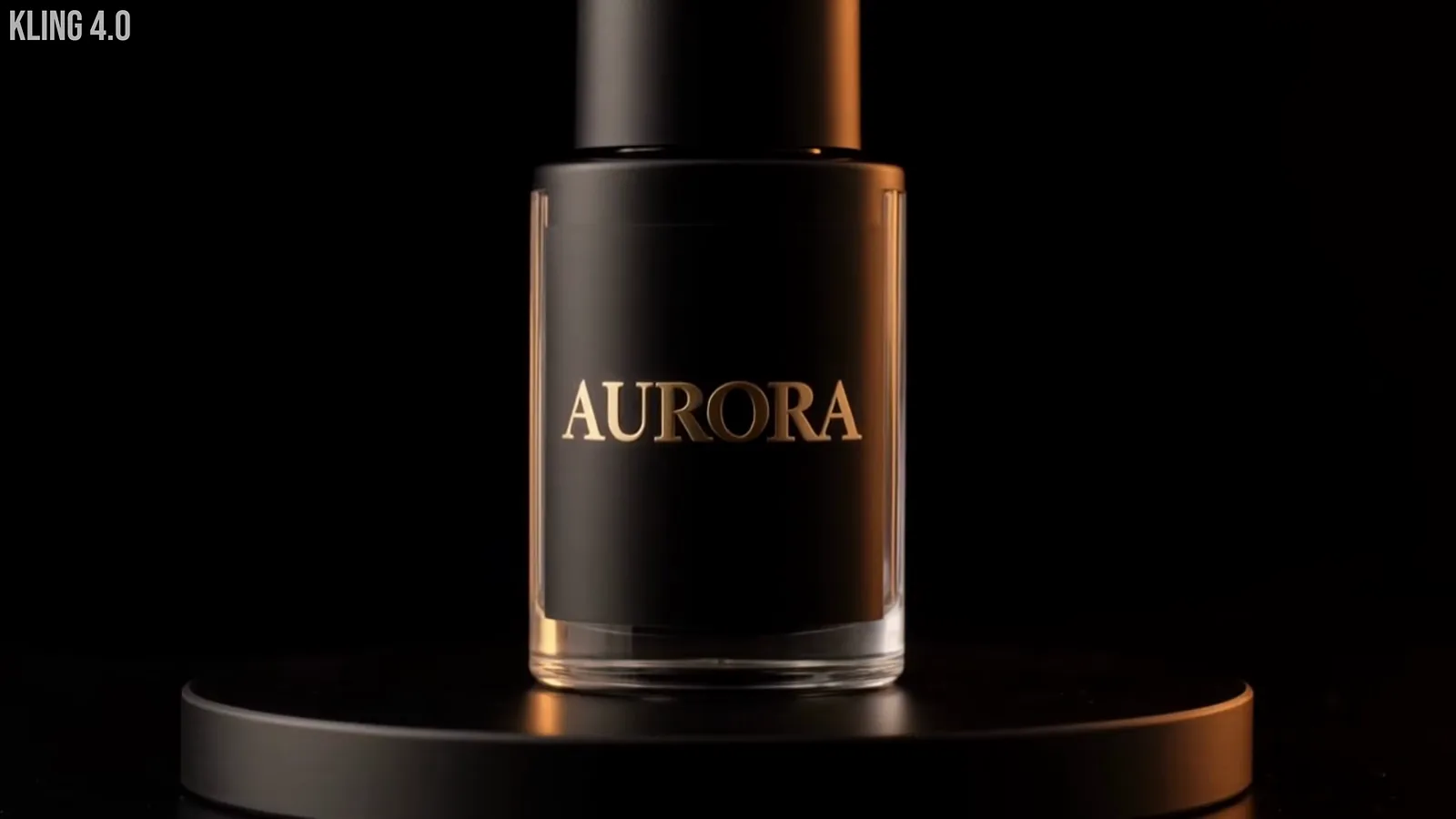
Hero-object advertising: specific surfaces, named lighting, one camera move.Watch at 8:51 - 10
Macro commercials: detail shots on demand
The watch macro — tweezers assembling a movement in shallow focus — used to require a macro rig, a steady hand and half a day. As a generated clip it becomes an insert for luxury ads, crowdfunding pages and launch reels. Macro is the most unforgiving genre in real production; generation makes it cheap to try ten looks before choosing one.
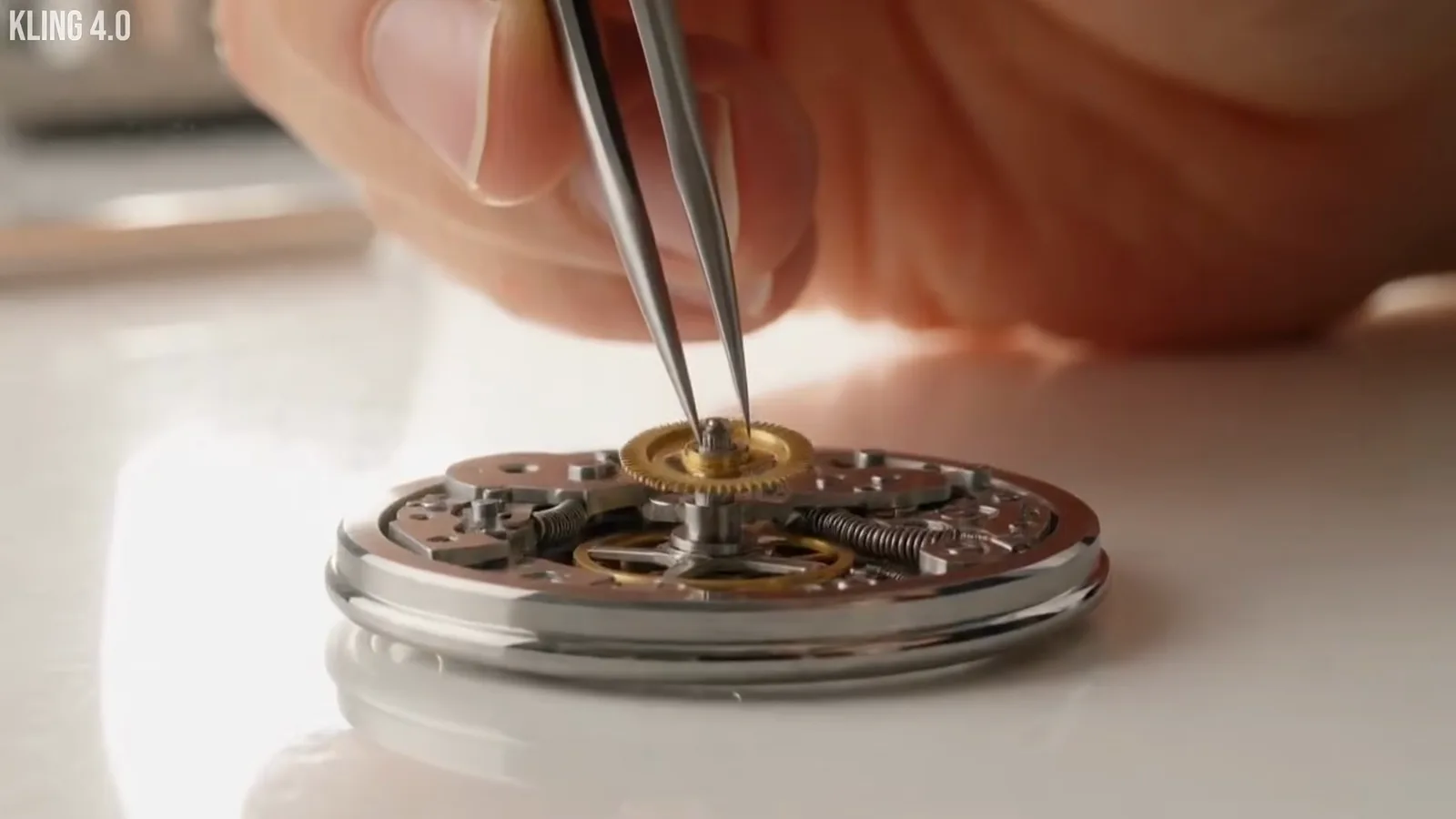
Macro detail work — historically rig-bound, now prompt-bound.Watch at 8:38
Social, UGC and animation projects
- 11
UGC walk-and-talks that read as a phone selfie
Dom's brunch prompt — "walk with me, I'm meeting my sister for brunch and I'm ten minutes early for once" — produced a vertical selfie-style clip with casual speech and real street texture. This is the format social platforms reward. His detail check matters too: the script mentioned a flower stall the clip never showed, so read generated UGC against the script before posting.
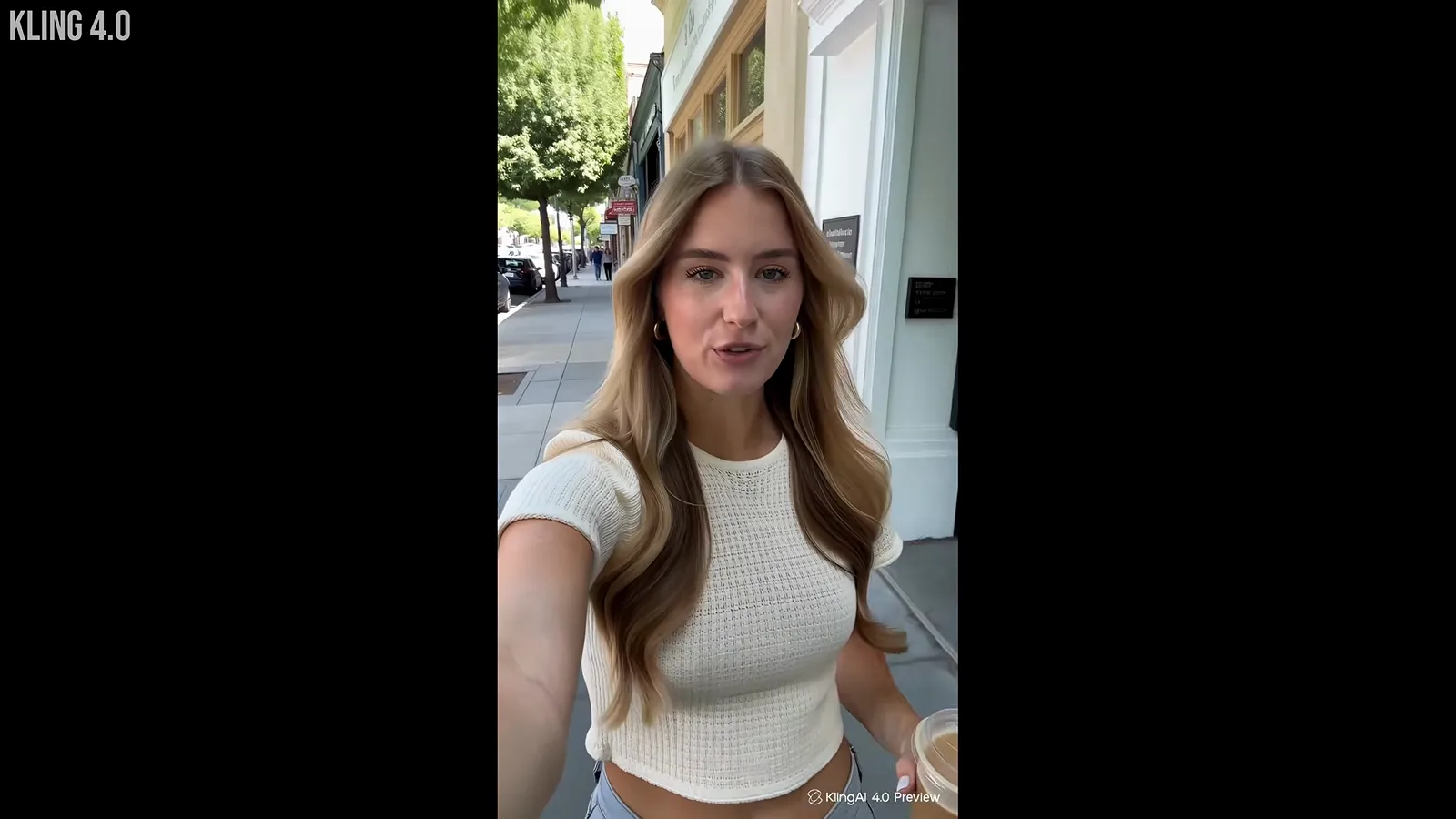
Phone-selfie framing with scripted casual speech — the format platforms reward.Watch at 1:53 - 12
Emotional shorts: performance beats spectacle
The kitchen argument — "You sold Mom's house without asking me" — carries a whole scene on two performances and low light. Dom's continuity note from testing applies to any multi-shot drama: watch props across cuts (a coffee cup appears and disappears in one comparison) — direct attention with framing, then check props shot to shot.
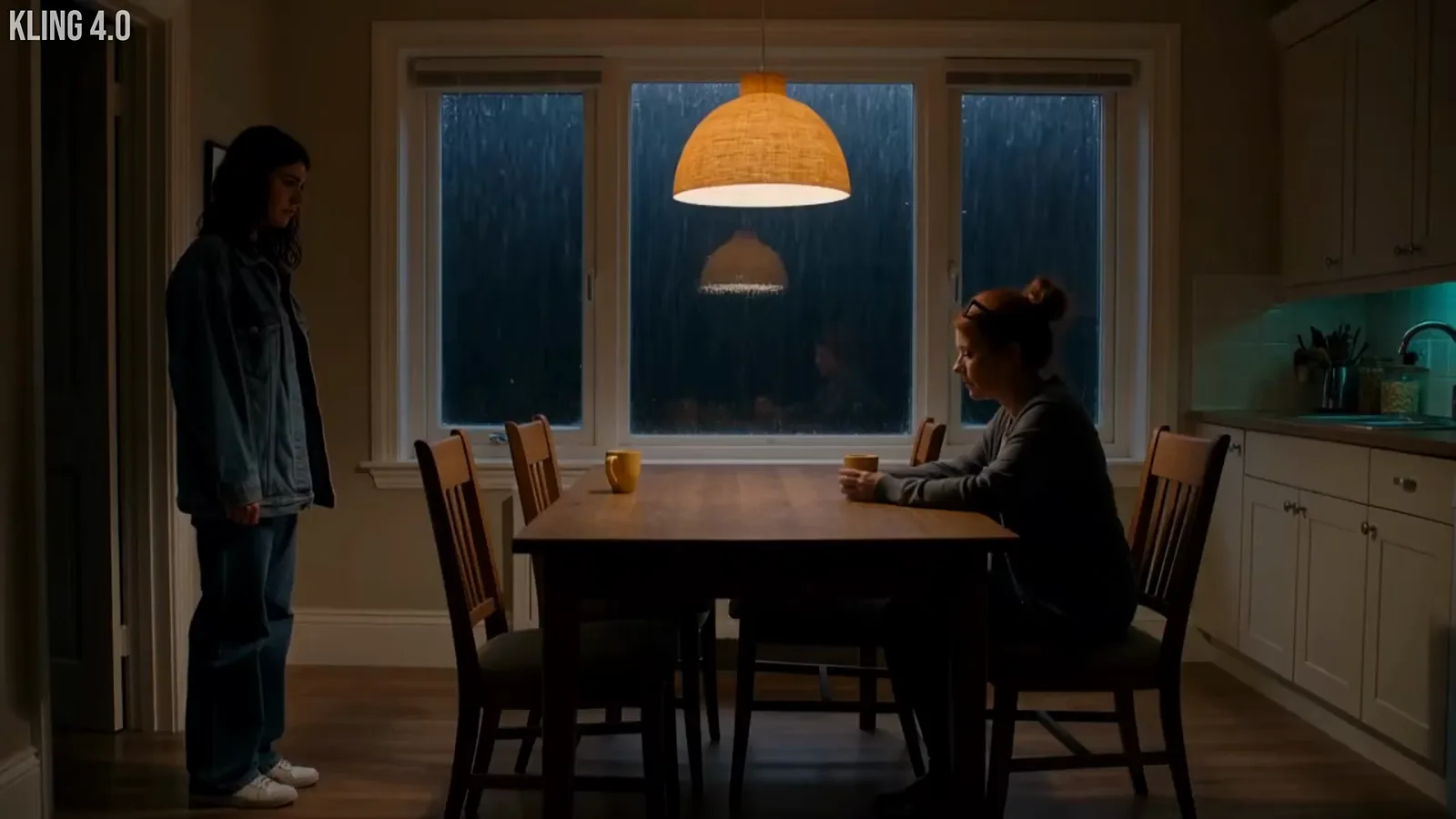
A two-hander argument scene — performance-led, continuity-checked.Watch at 3:06 - 13
Pet and lifestyle clips for feeds
The rooftop cat is feed-native content: a charming subject, an establishing skyline, one loopable move. Clips like this slot between talking-head segments in reels and shorts. The prompt formula that produced it is the one to copy — subject, place, one action — and resist stacking three events into a single clip.
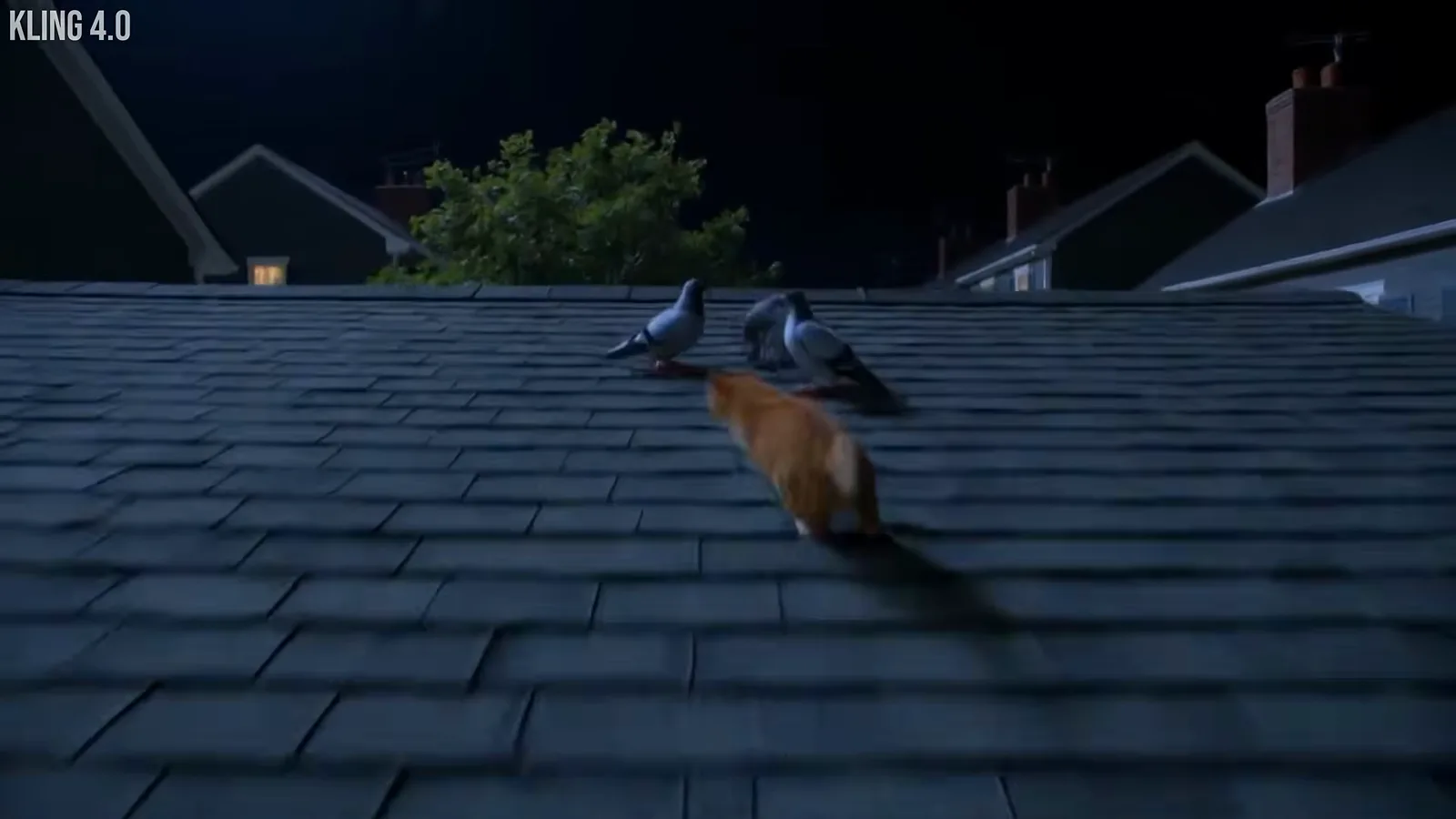
One subject, one place, one action — the feed-clip formula.Watch at 4:47 - 14
Stylized dance and animation numbers
Dom's closing comparison run lands on a stylized stage number — idol-style choreography in front of a wall of screens. Stylized movement is where generated video is most forgiving: there is no uncanny-valley realism to defend. Dance challenges, virtual idols and animated interludes are the obvious fits for this register.
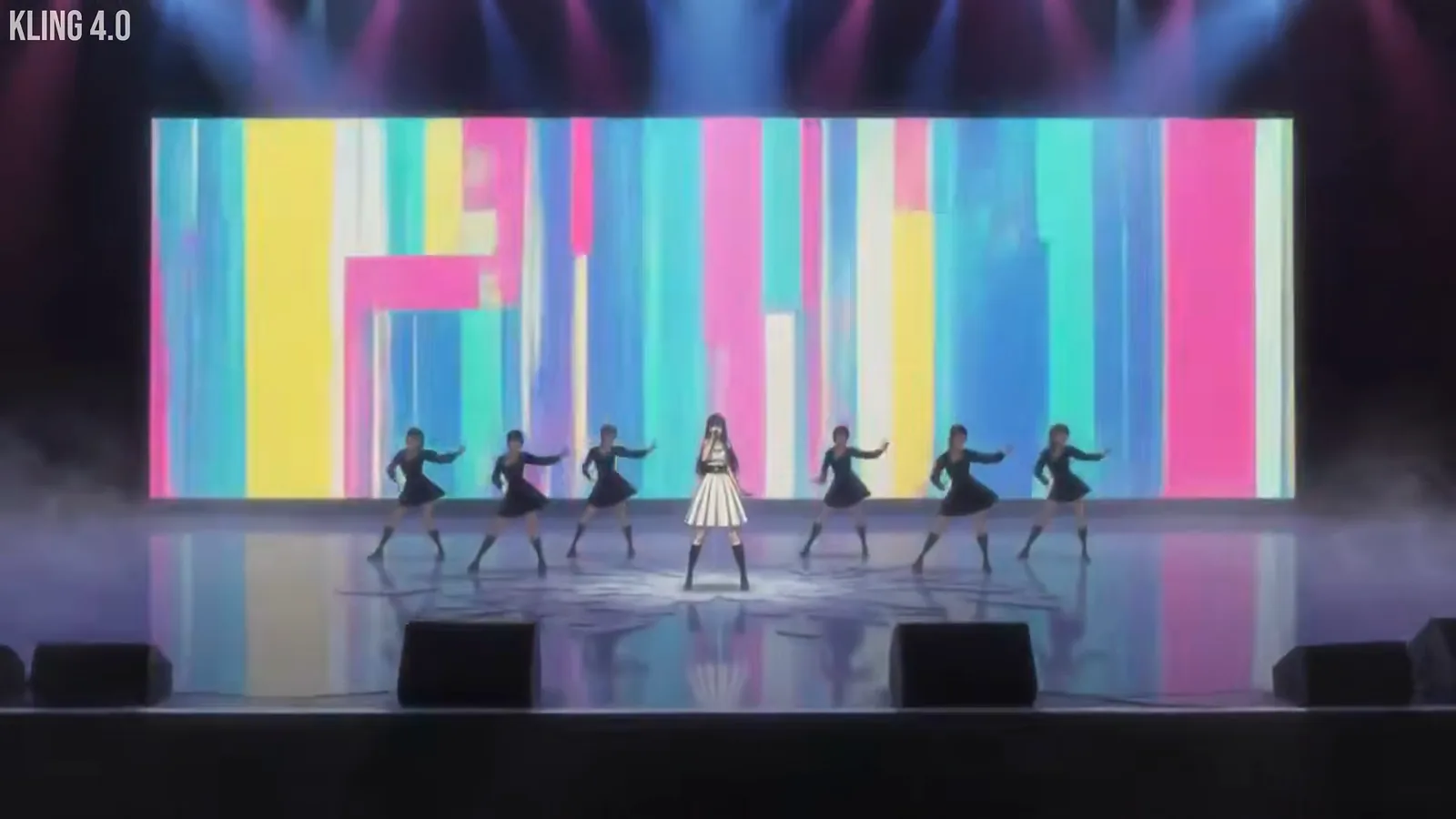
Stylized choreography — generated video's most forgiving genre.Watch at 9:04
Workflow tips that keep the projects usable
- 15
Plan on a storyboard, generate shot by shot
Ryan's workspace tells the whole method: reference stills on one side, the current shot's prompt on the other. Every clip starts from a storyboard image, so the model is continuing a planned frame rather than inventing one. Storyboard-first is the difference between a clip collection and a finished film — and his full short took about 600 credits.
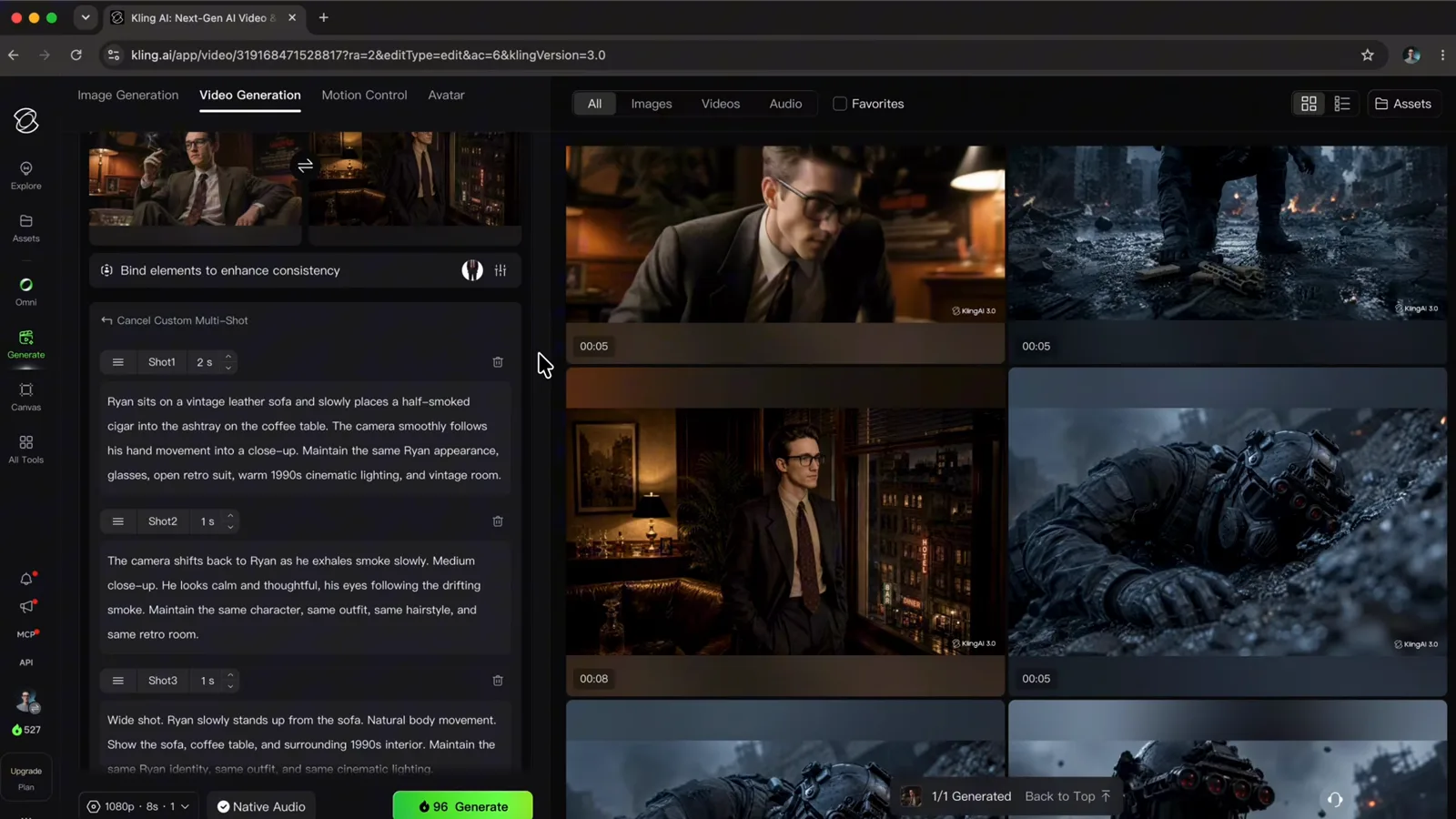
Storyboard on the left, prompt on the right — plan first, generate second.Watch at 6:00 - 16
Set the prompt first, camera presets second
Kling's camera panel offers orbit, dolly, tilt, pan and movement speed — and Ryan's hard-won ordering tip: finish the prompt, then choose presets. Presets picked first can be overwritten when the prompt changes. Small discipline, but it separates a deliberate camera move from a random one.
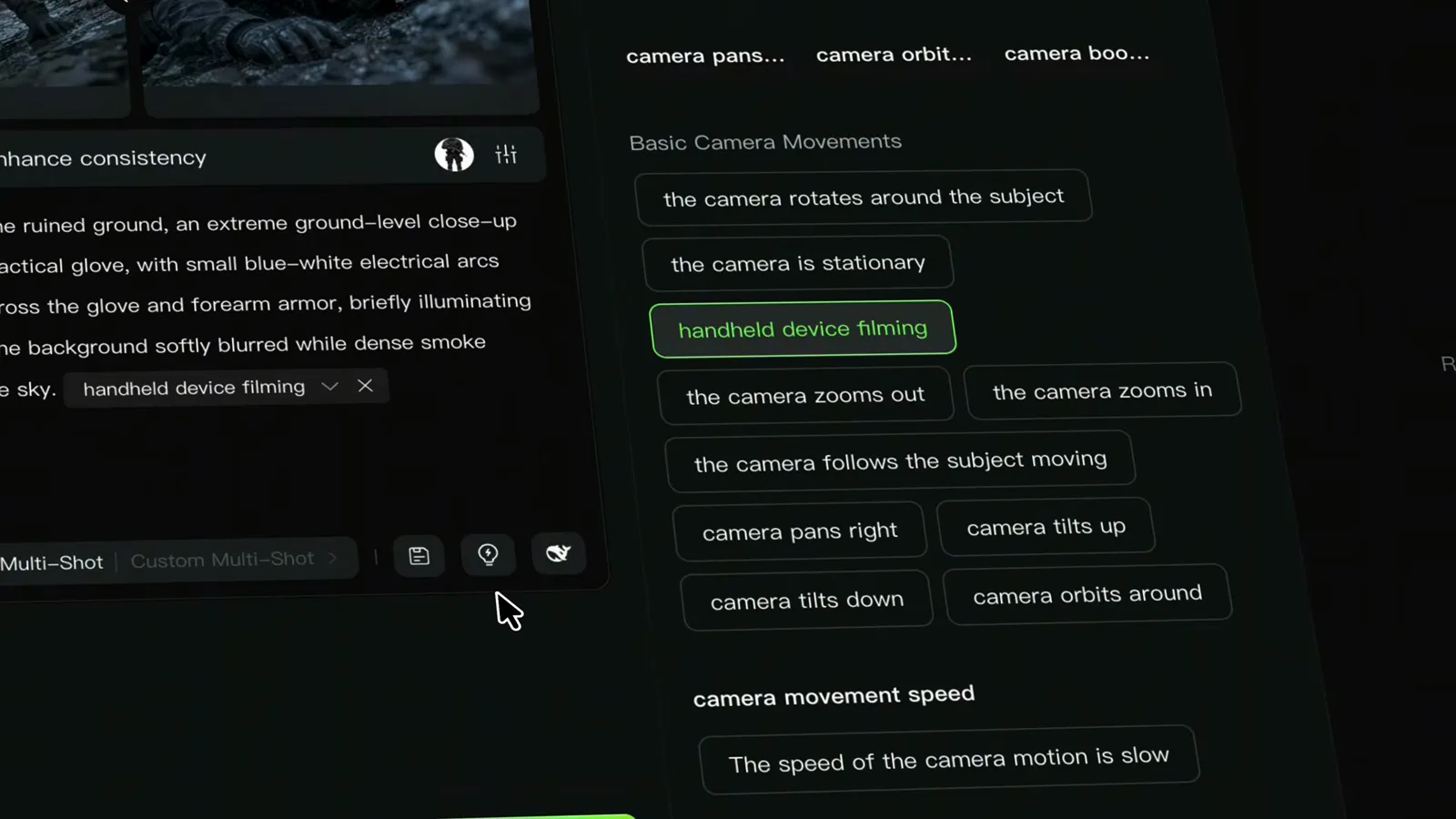
The camera panel — applied after the prompt, never before.Watch at 4:00