

How to Use Gemini 4 Argon: Every Way to Access Google's New Frontier Model
Gemini 4 Argon went generally available on October 13, 2026, and Google opened more doors for it than for any previous model: the Gemini API paid tier, AI Studio, Vertex AI, Gemini Enterprise, Antigravity, and the Gemini app for AI Pro and Ultra subscribers. This walkthrough follows three creators who tested it on launch day - Paul J Lipsky, BridgeMind, and Bijan Bowen - through every entry point, with each screenshot pinned to the exact second of their videos.
Source & credits
Screenshots in this guide are captured from Paul J Lipsky's public walkthrough video. Every step links back to the exact moment it shows, so you can follow along.
Paul J Lipsky ↗Before anything else: match your account to an entry point
- 1
Match your plan to an Argon entry point
Google's launch post lists five doors: the Gemini API paid tier for developers, Gemini Enterprise for businesses, the Gemini app and AI Mode in Search for Ultra and Pro subscribers, plus application programs for scientists and cybersecurity defenders. Find the row that matches your account before you touch anything else.
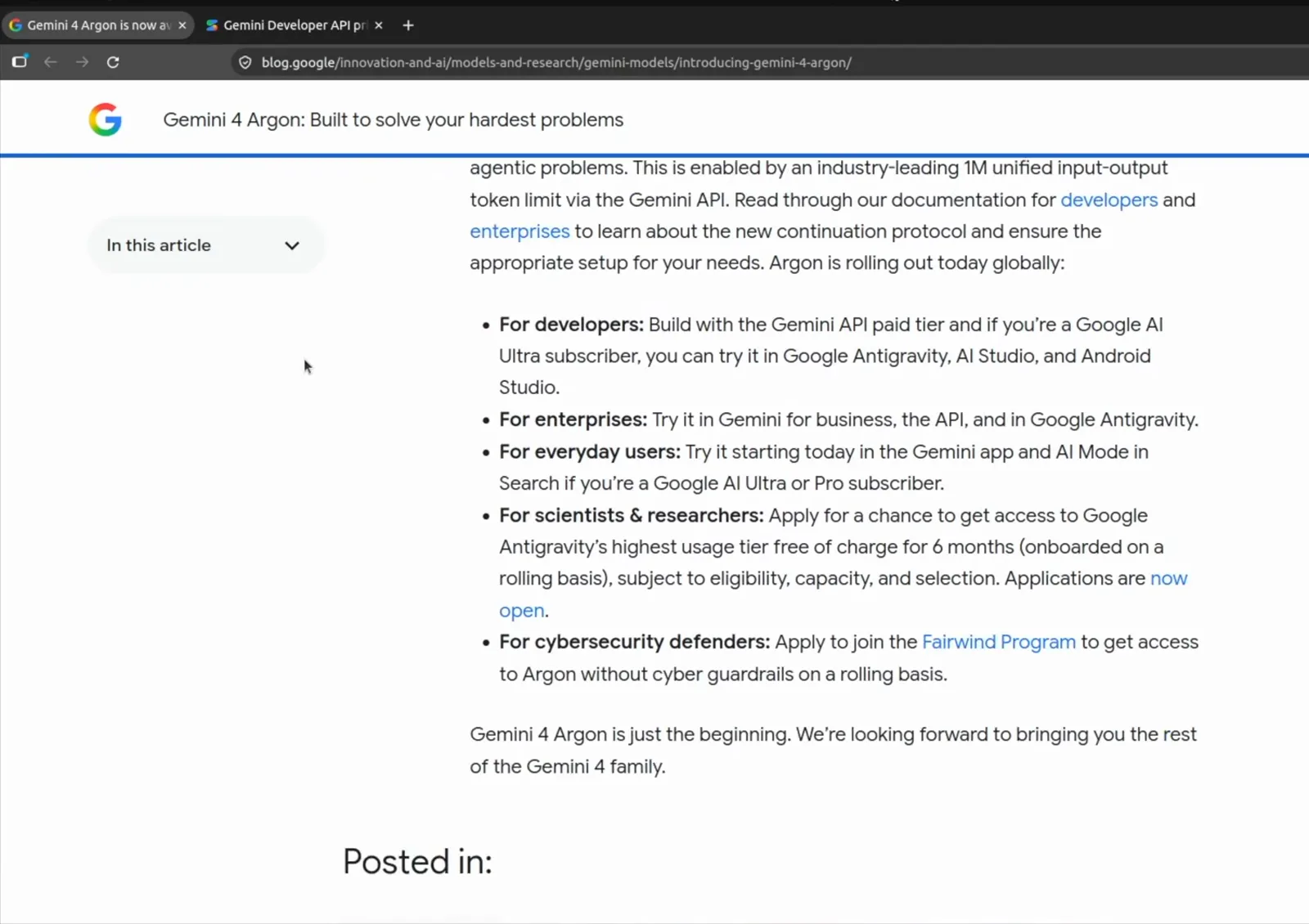
One screen tells you which door your account opens.Watch at 2:25 - 2
Note the introductory price before you build
The same post states the launch price: $2 per million input tokens and $10 per million output tokens, with cached input tokens billed at 5%. Bijan Bowen's walkthrough shows the pricing docs putting the offer at $2 and $10 through November 30, 2026, doubling to $4 and $20 after that.
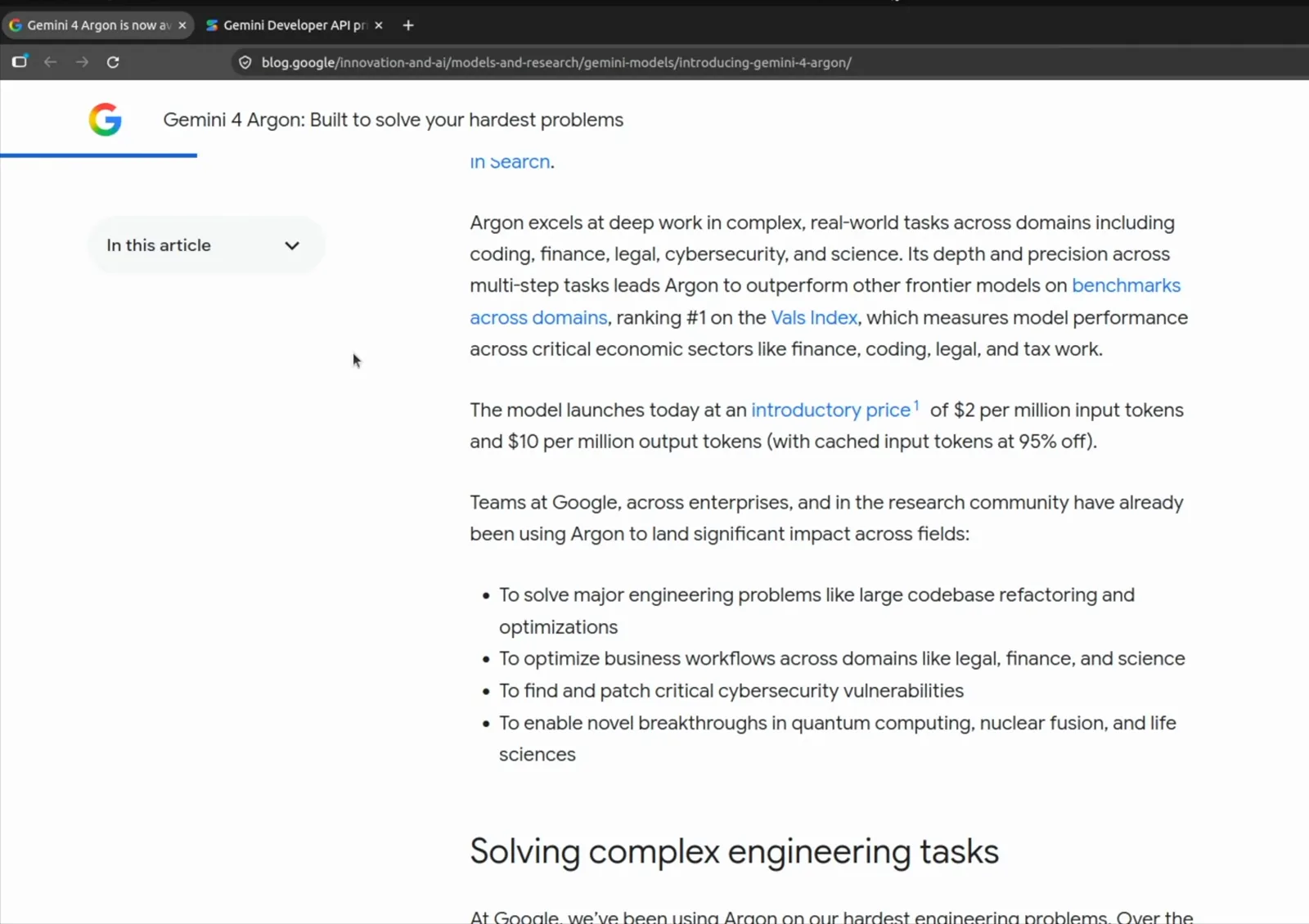
The intro rate runs through November 30, 2026.Watch at 1:28
Entry point 1: the Gemini API for developers
- 3
Read the gemini-4-argon model card
Developers start at ai.google.dev. The model page lists what matters before your first call: a 1,048,576-token context window, 65,536 default output tokens (up to 1,048,576 with long decode), and text, image, video, audio, and PDF inputs. Bijan Bowen walks this exact page in his launch video.
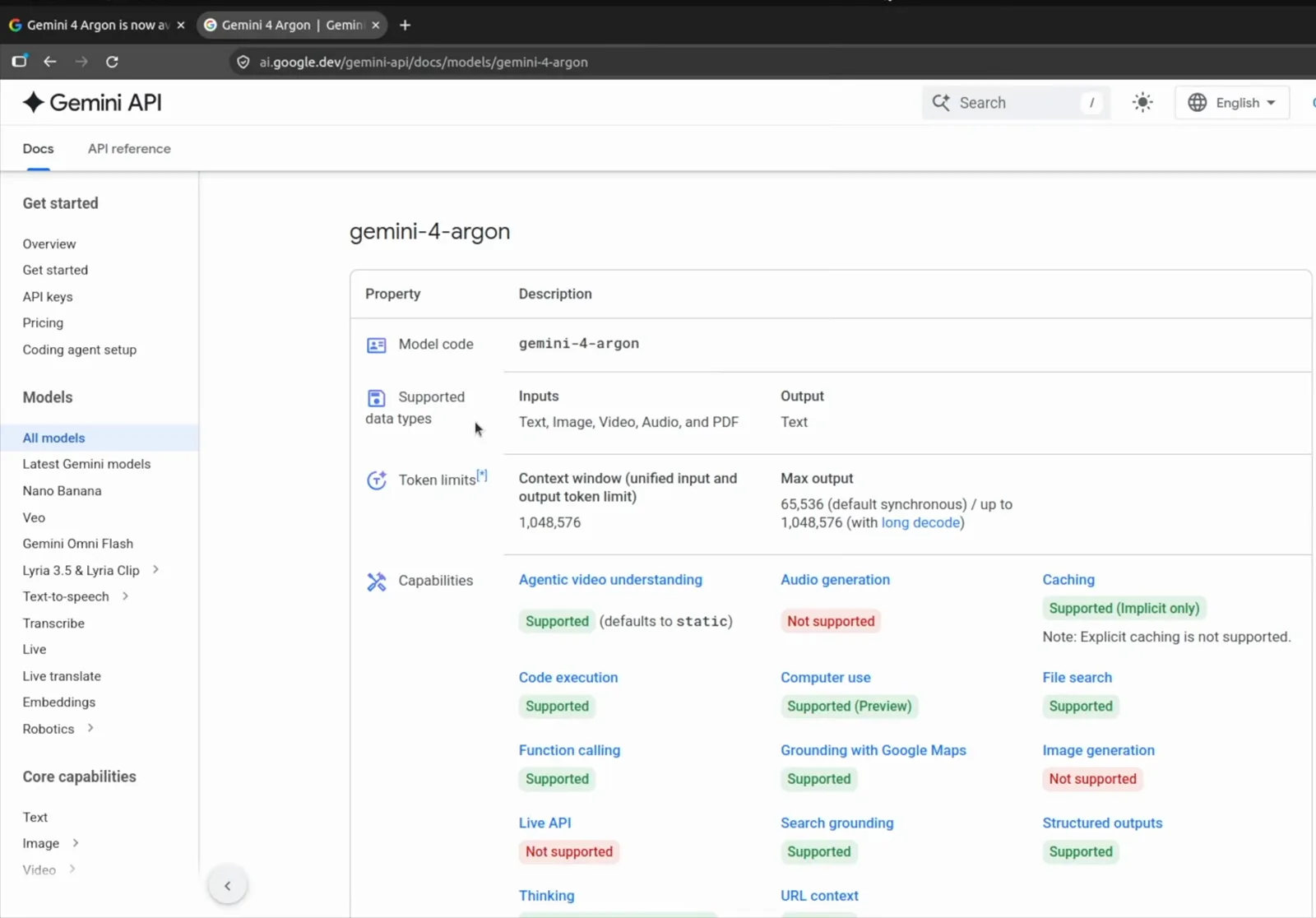
Inputs, limits, and capabilities in one official table.Watch at 2:43 - 4
Or call the model through OpenRouter
BridgeMind's stream shows the google/gemini-4-argon listing: $2 and $10 per million tokens at 50% off, a 1.0M context window, and Google Vertex plus Google AI Studio as providers. If you already route requests through OpenRouter, adding Argon is a one-line change.
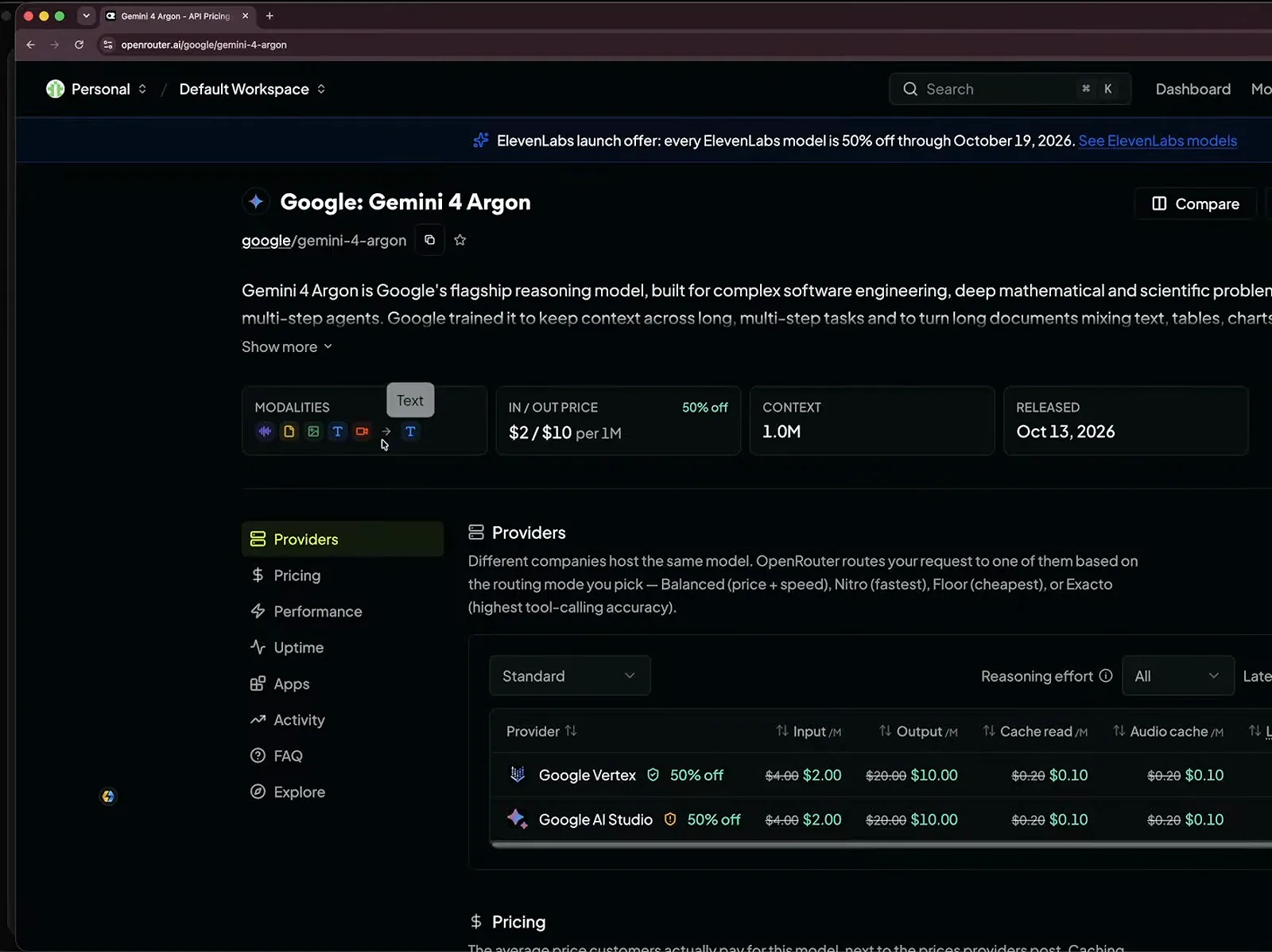
Third-party routing worked from day one.Watch at 5:00
Entry point 2: Antigravity for agentic coding
- 5
Switch the model and effort in the Antigravity CLI
BridgeMind runs Argon inside Antigravity on an Ultra account. The CLI header reads Gemini 4 Argon (Medium) by default, and the /effort command opens the reasoning-effort picker - medium is the default, high costs more tokens. The status bar confirms the active pair, like Gemini 4 Argon · medium.
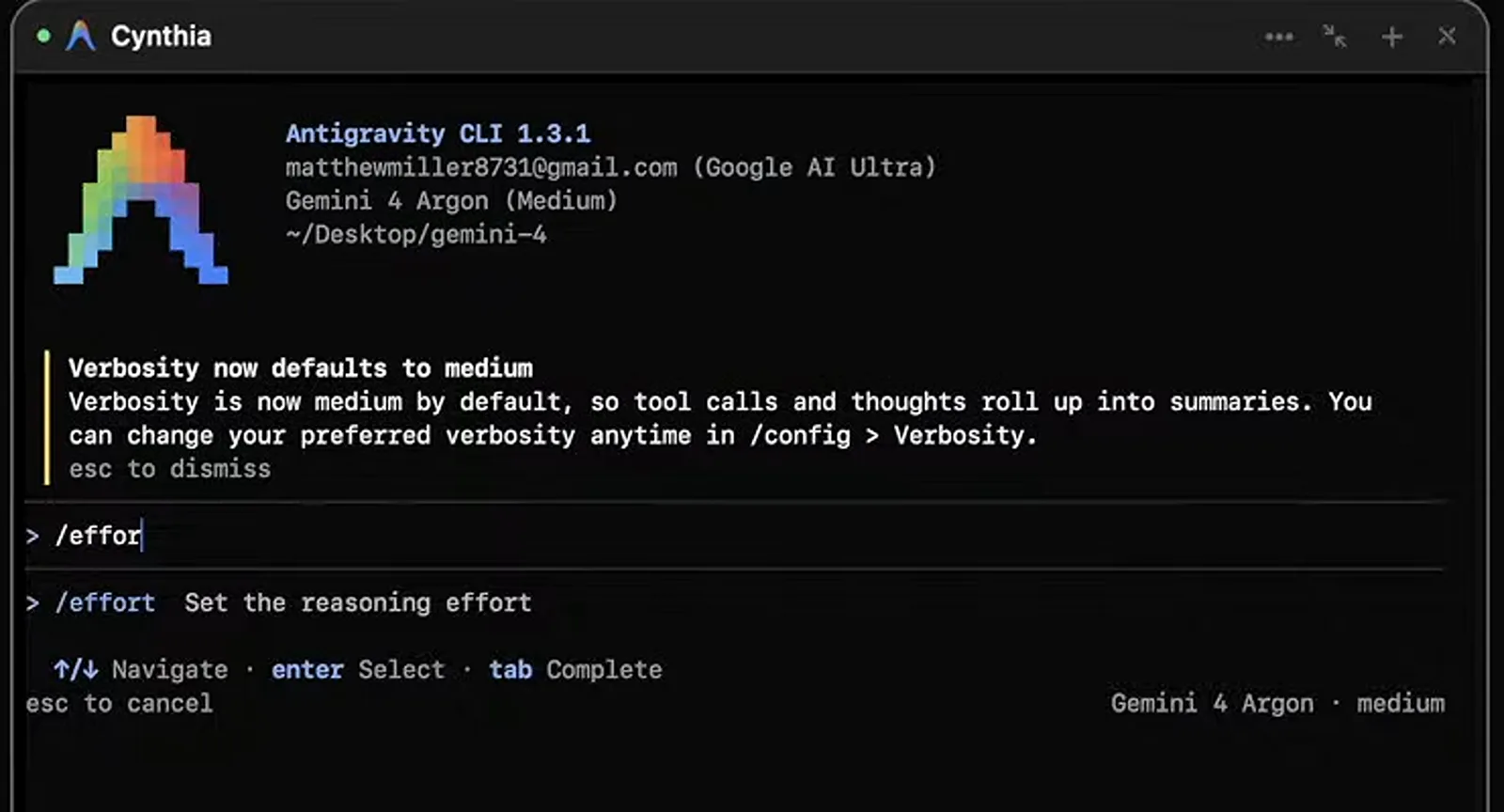
The status bar always shows the active model and effort.Watch at 3:44 - 6
Start a desktop conversation on Argon High
In the Antigravity desktop app, Paul J Lipsky opens a new conversation and the model chip already reads Gemini 4 Argon High. Pick a project - his sidebar holds Capture the Flag, Space Fighter, and Rocket Launch - then describe what you want built; the app writes and manages the code for you.
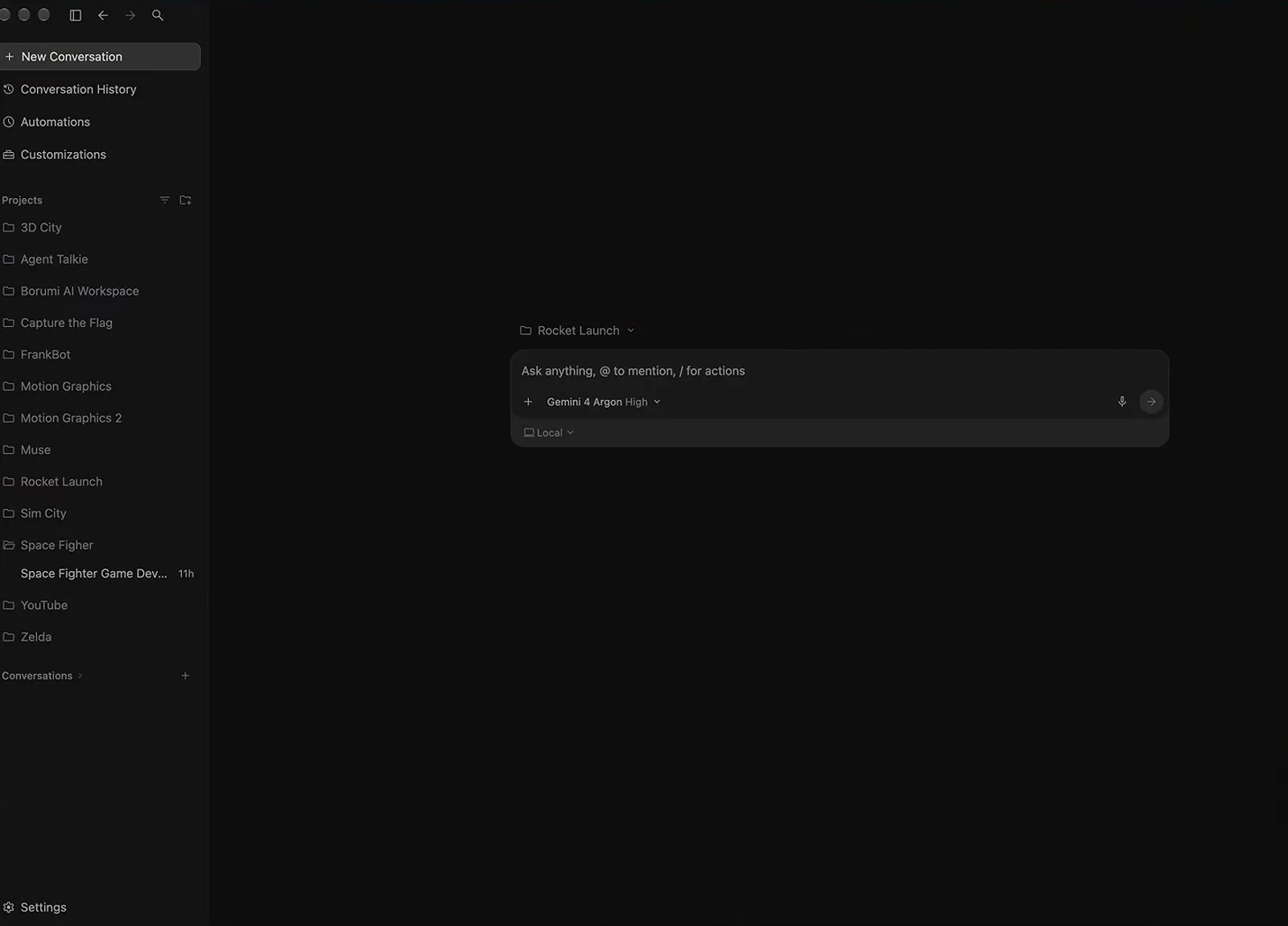
New conversations open with the chip already on Argon High.Watch at 1:14 - 7
Invoke /boost for multi-agent tasks
Typing a slash in the Antigravity prompt box opens the command menu, where boost is described as the multi-agent orchestrator for complex tasks - Bijan Bowen selects it right before launching his 3D skate-game build. The docs note /boost works on paid plans across Antigravity 2.0 and the CLI, while teamwork-preview targets longer-horizon projects.
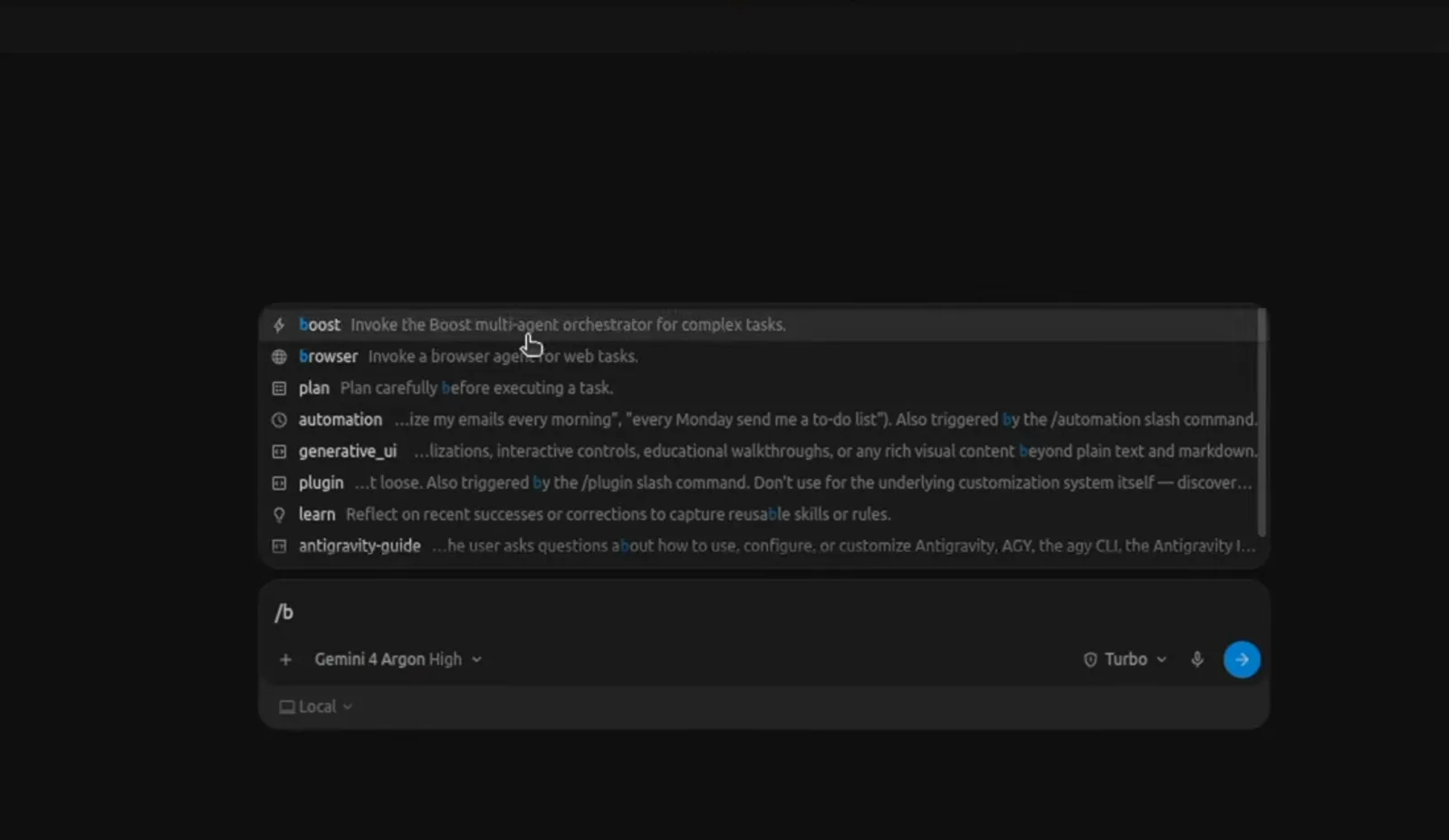
Boost splits one prompt across specialized subagents.Watch at 10:01 - 8
Watch the weekly and five-hour quota
BridgeMind checks Models and Quota in the CLI: the Gemini group shares a weekly limit and a rolling five-hour limit, consumed in proportion to token cost. Ten minutes of launch-day testing left 97.32% of the week and 92.83% of the five-hour window on his Ultra plan - large builds drain it much faster.
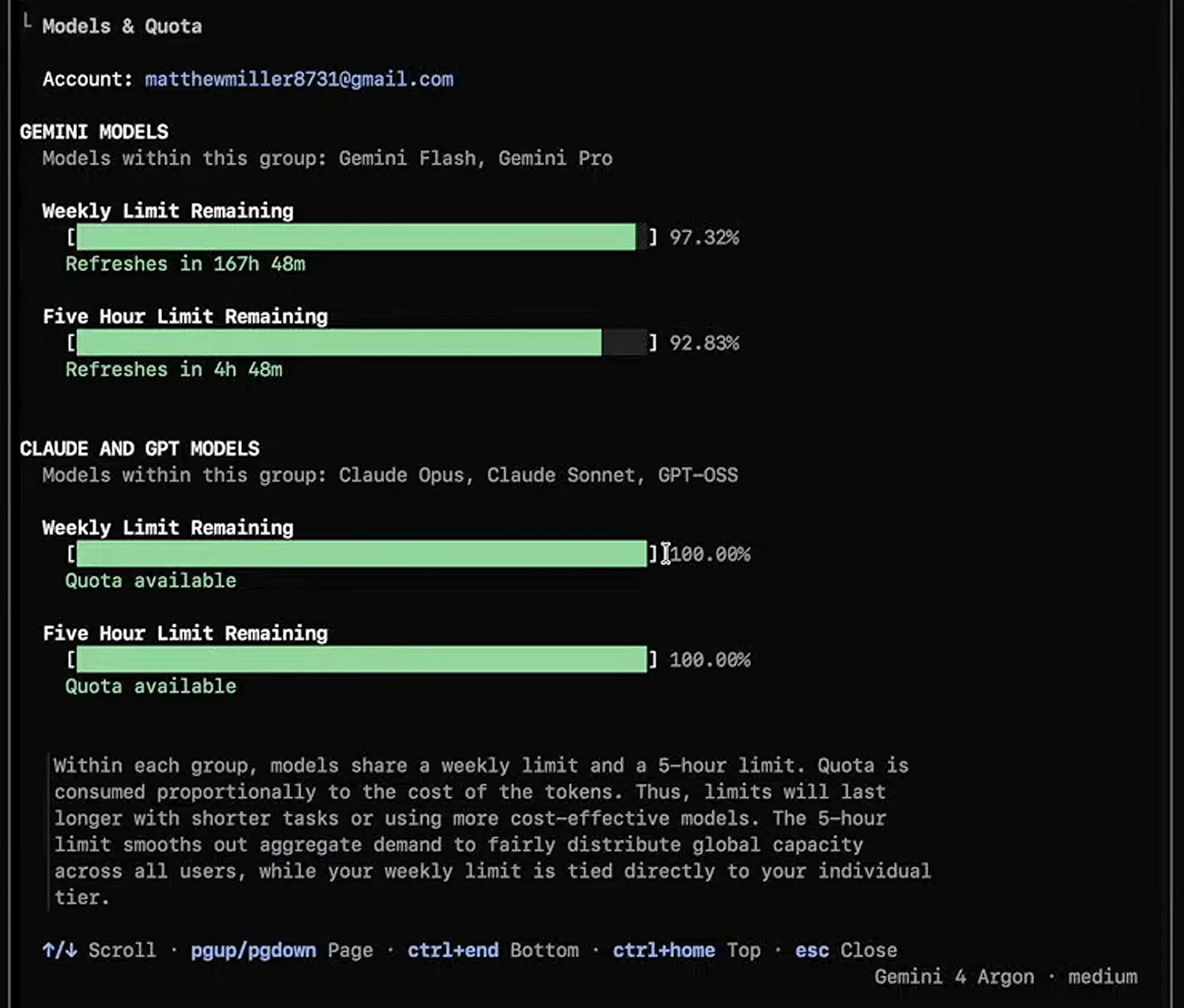
Quota is shared across the models in each group.Watch at 13:13
Entry point 3: the Gemini app for everyday use
- 9
Confirm Argon High in the Gemini app
In the Gemini app the composer's model dropdown reads Argon High - Paul J Lipsky uses it for a horror story sized at 20 to 30 minutes of reading, delivered as a Canvas document you can export. Google is rolling Argon out to AI Pro and Ultra subscribers gradually, so the chip may take a few days to reach you.
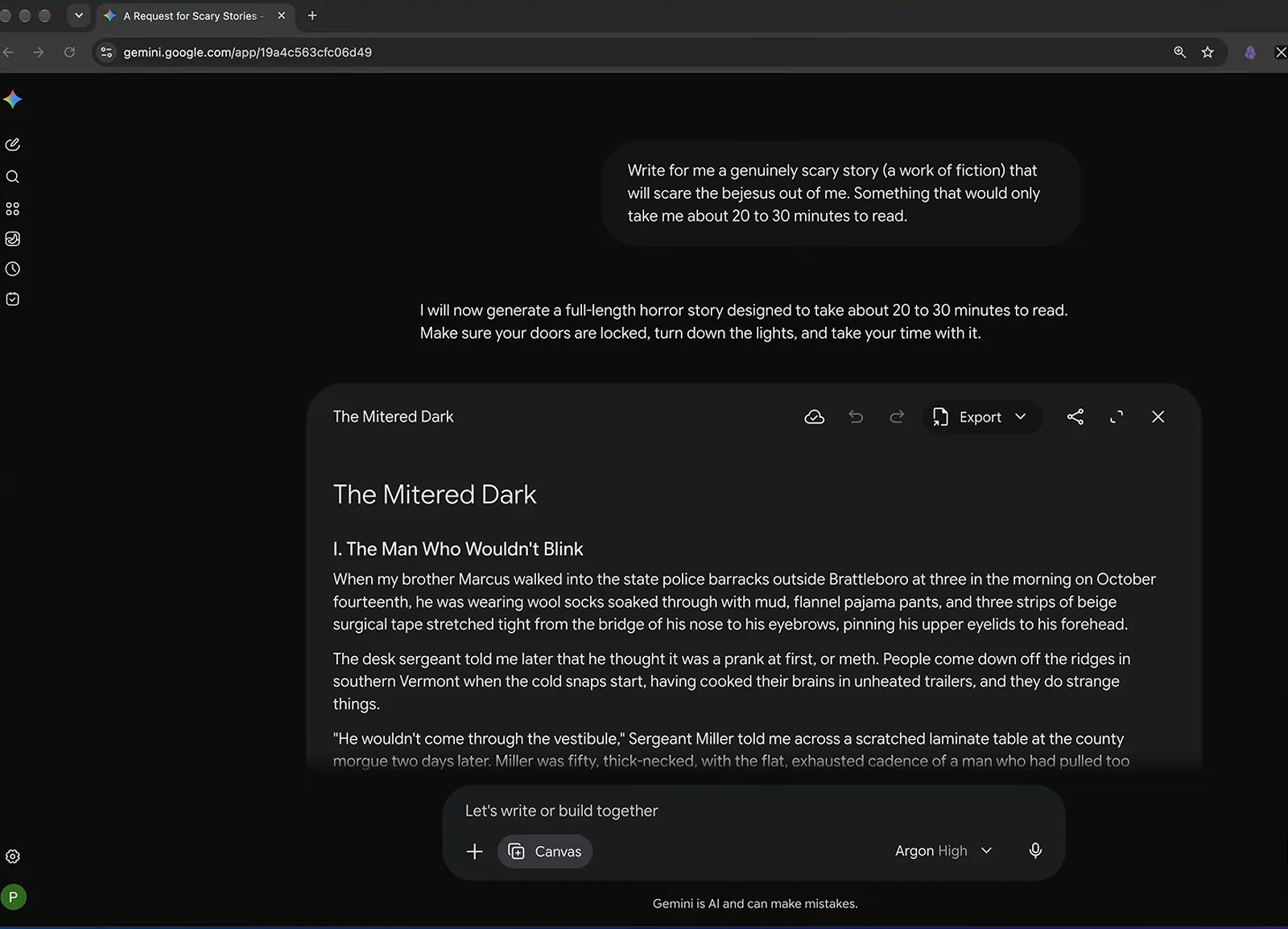
Rollout is gradual - Lipsky says give it a few days.Watch at 7:24 - 10
Ask for research and a deck in one prompt
Lipsky's own launch video was illustrated by Argon: he asked for a slide deck about the model and received an 8-slide, 16:9 PPTX with a slide-by-slide breakdown and an Open button. Requests like this also run inside Gemini Spark, where Lipsky says the Argon upgrade is most visible.
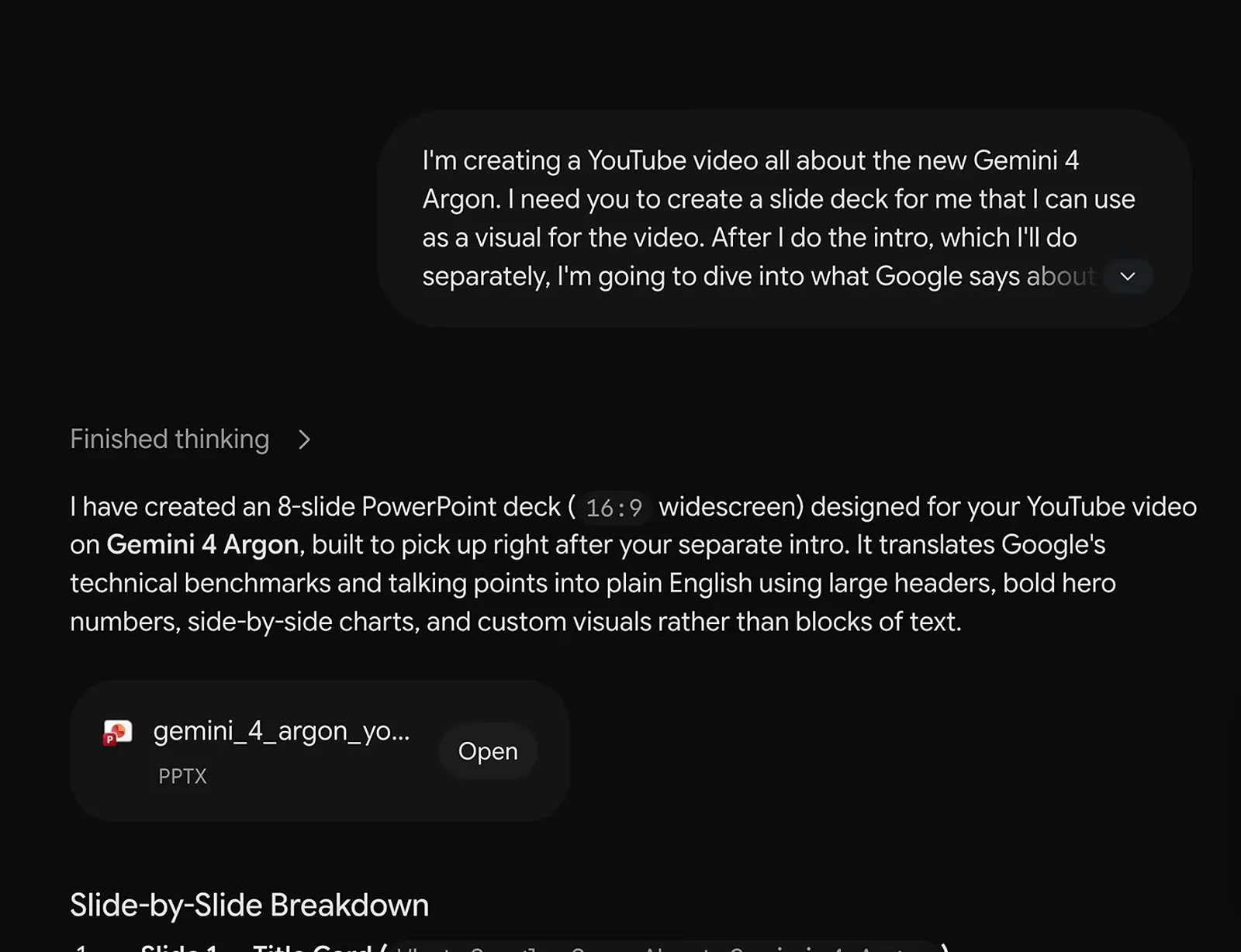
One prompt returns a finished, downloadable deck.Watch at 6:41
What Argon actually did on launch day
- 11
See where Google aims the model
Google's own launch graphic puts Gemini 4 Argon at the center of coding, finance, creative writing, and legal. The three launch-day videos then test code, games, and security review up close, plus long-form writing in the Gemini app.
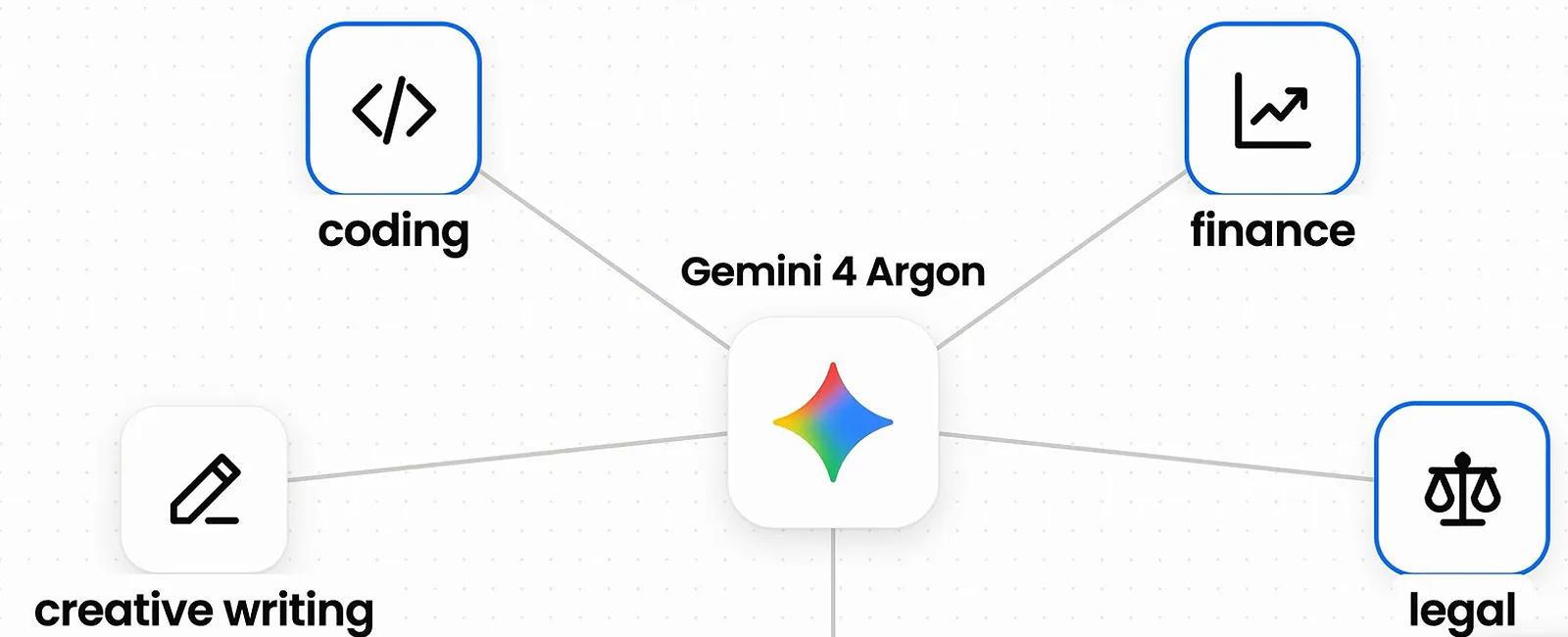
Four target domains, straight from the launch post.Watch at 0:36 - 12
Read the whole benchmark table, not just the wins
The official table shows Argon first in 13 of 19 benchmarks with one tie, leading knowledge-work rows like Vals Index and Harvey's Legal Agent Benchmark against GPT-6 Astra, Claude Fable 5.1, and Claude Opus 5.5. Note the rows it does not lead - Terminal-bench 4.0 and PostTrainBench still favor Opus 5.5.
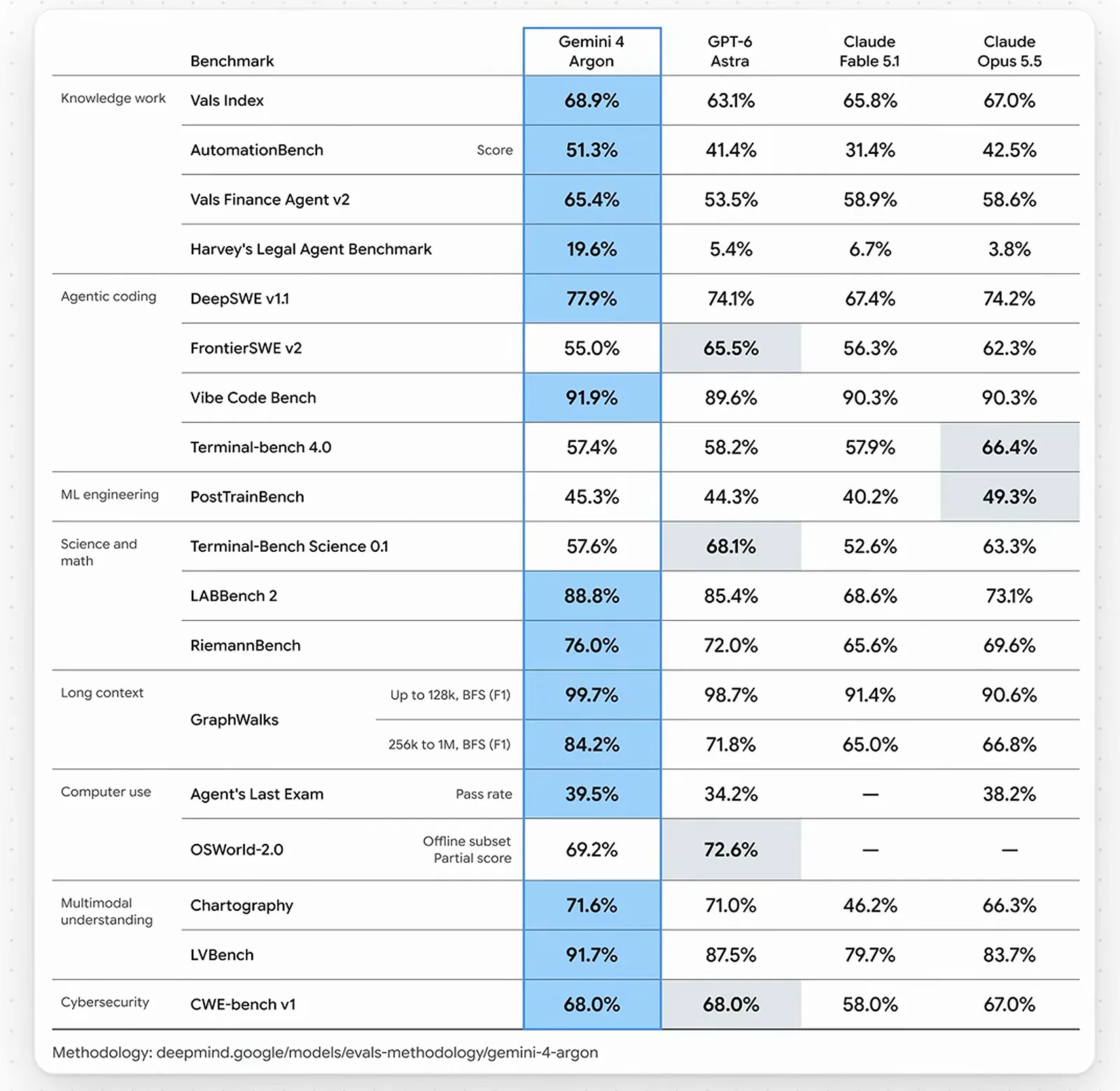
Knowledge work leads; a few coding rows do not.Watch at 0:40 - 13
Build a playable game in two prompts
Lipsky's first Argon build in Antigravity was Capture the Flag: Chroma Arena, a top-down paintball game - one prompt created it, and a second added the AI difficulty slider in the top-left corner. He says the first pass looked plain until he pushed for more visual direction in the prompt.
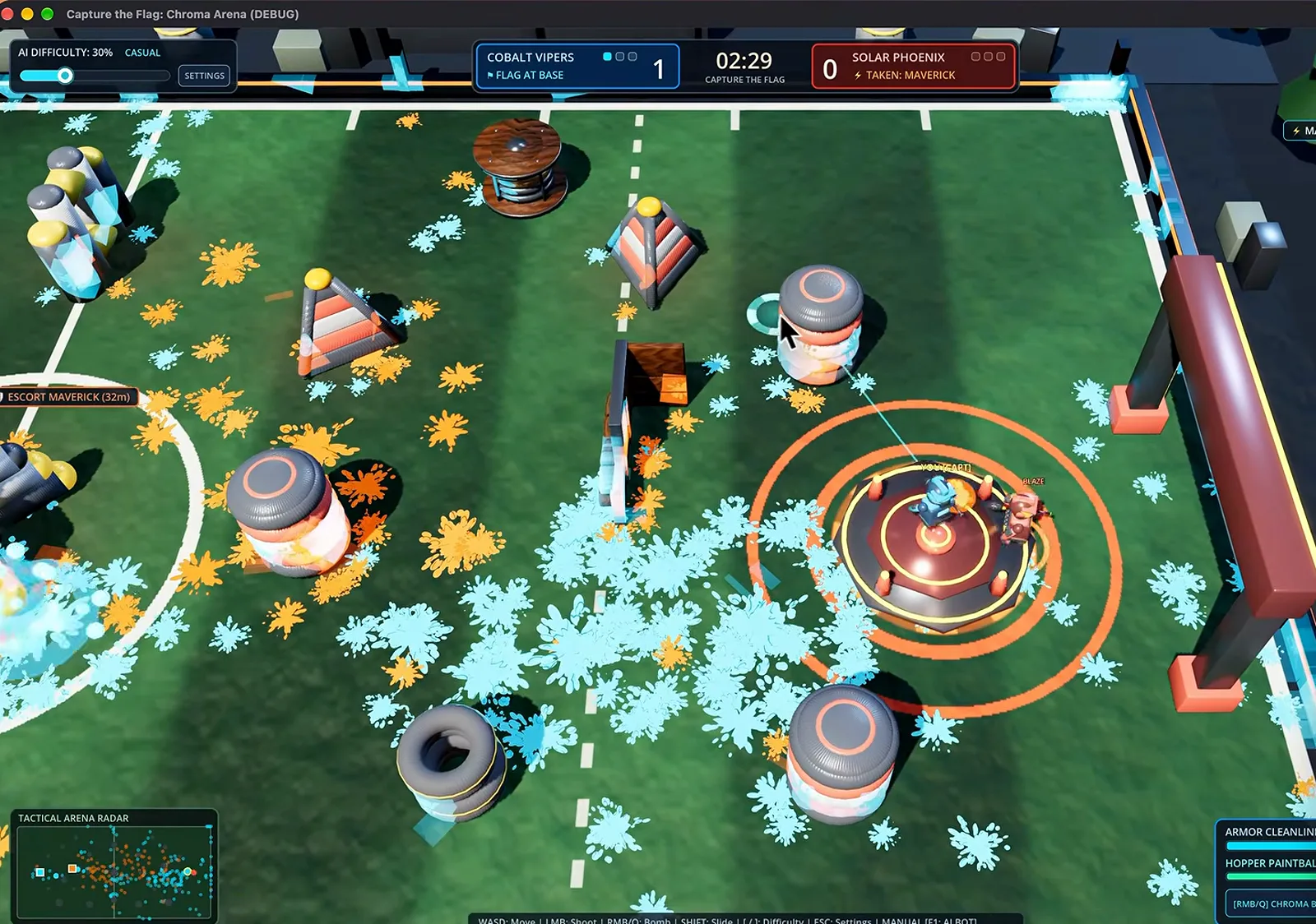
Prompt two added the difficulty slider.Watch at 1:40 - 14
Audit code you didn't write
Lipsky pointed Argon at an Apple Watch app he had built with a different model and asked it to find bugs. About six minutes later it returned a prioritized list inside the Agent Talkie project - Priority 1 covered a hidden fallback-bot name that could block Send to Watch.
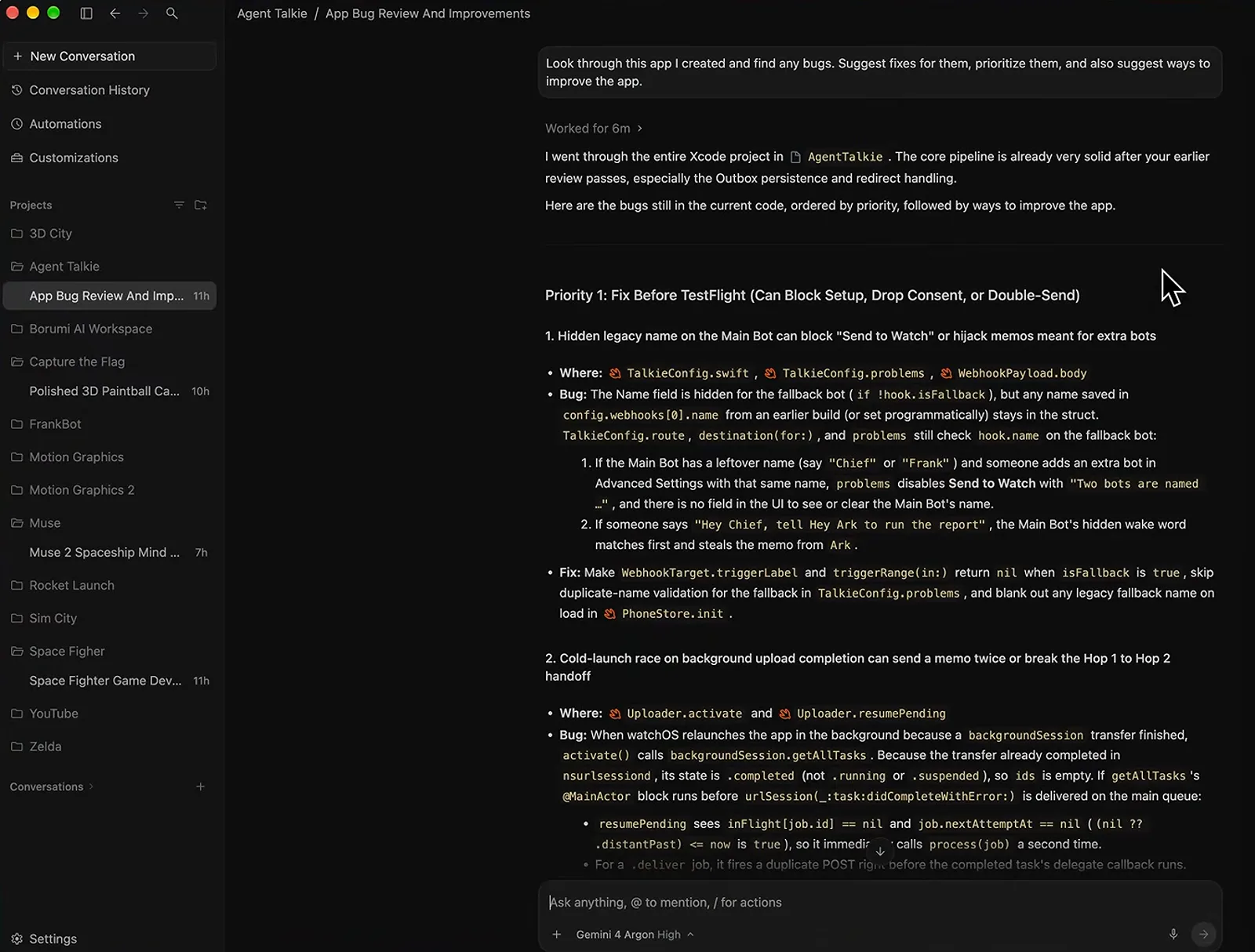
Prioritized findings, files, and fixes in one pass.Watch at 4:57 - 15
Let it grade the risk it finds
The scariest finding got its own visual: a webhook URL marked exposed above a gauge reading low risk. Lipsky explains that a leaked webhook would have let a stranger command his Grok Bot, and says Argon found the bug and helped him patch it - a security-review workflow worth copying.
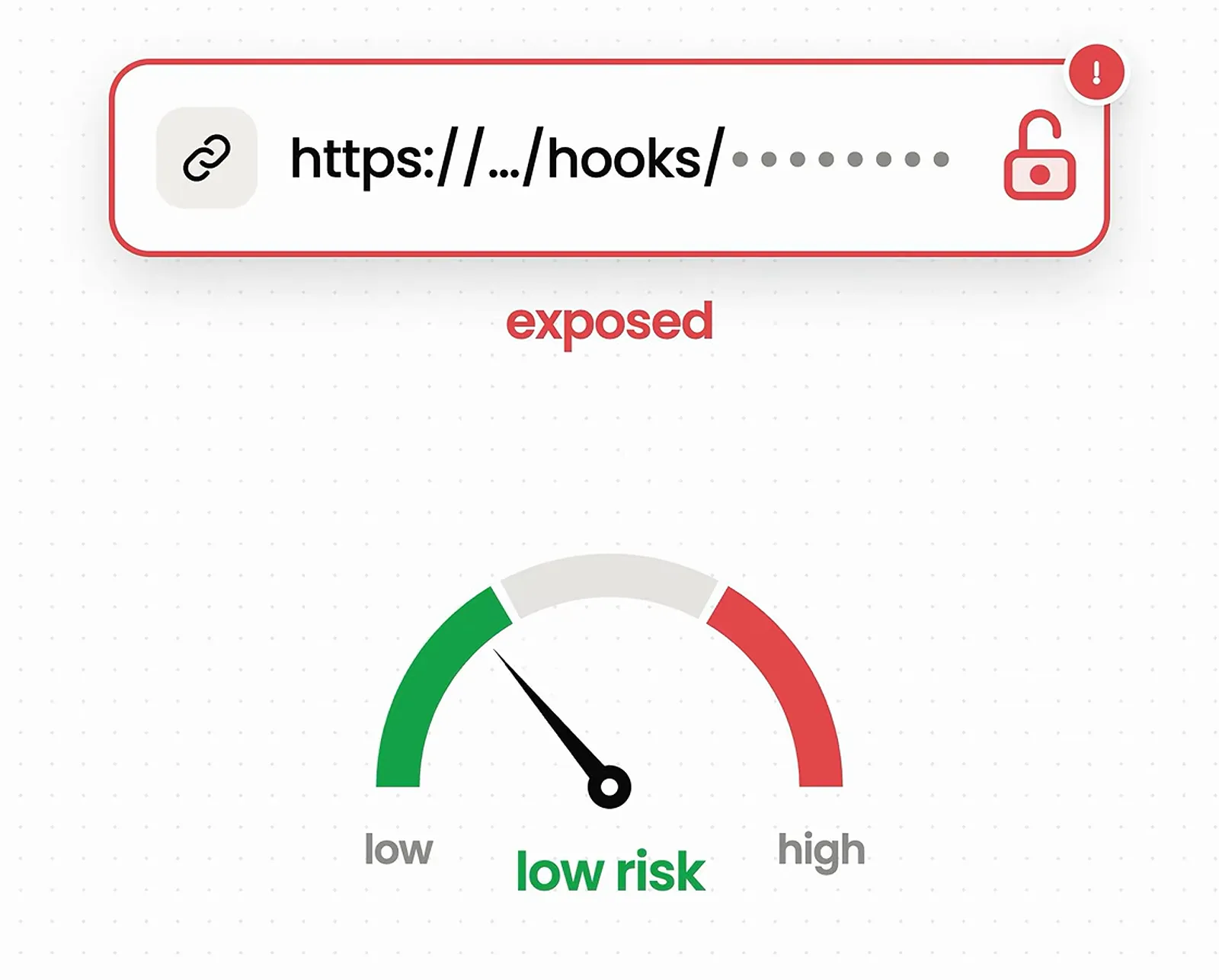
Low risk, but a real leak - found and patched.Watch at 5:28