

Grok Bot Tips & Best Practices for 2026: 16 That Matter
Grok Bot turned a year of AI-agent demos into something you can actually delegate to: named bots that each run on their own cloud computer with memory, a browser, and shared logins. The catch is that most people set one up in ten minutes and never learn the moves that make it reliable. These 16 tips come from three sources - Nate Herk's full concept walkthrough and two official xAI sessions - and cover starting right, memory, teaching skills, safety gates, spend control, and scaling to a bot team.
Source & credits
Screenshots in this guide are captured from Nate Herk | AI Automation's public walkthrough video. Every step links back to the exact moment it shows, so you can follow along.
Nate Herk | AI Automation ↗Start right: four moves before you scale
- 1
Give every bot one job, not five
xAI's own Grok Bot guides open with the rule Nate Herk repeats all video: don't use one generalist bot for everything. In the official SDR example a Chief of Staff bot owns the morning process, a Contact Man bot owns the prospecting sheet, and a separate bot owns LinkedIn requests - so when something drifts you know exactly which desk to yell at.
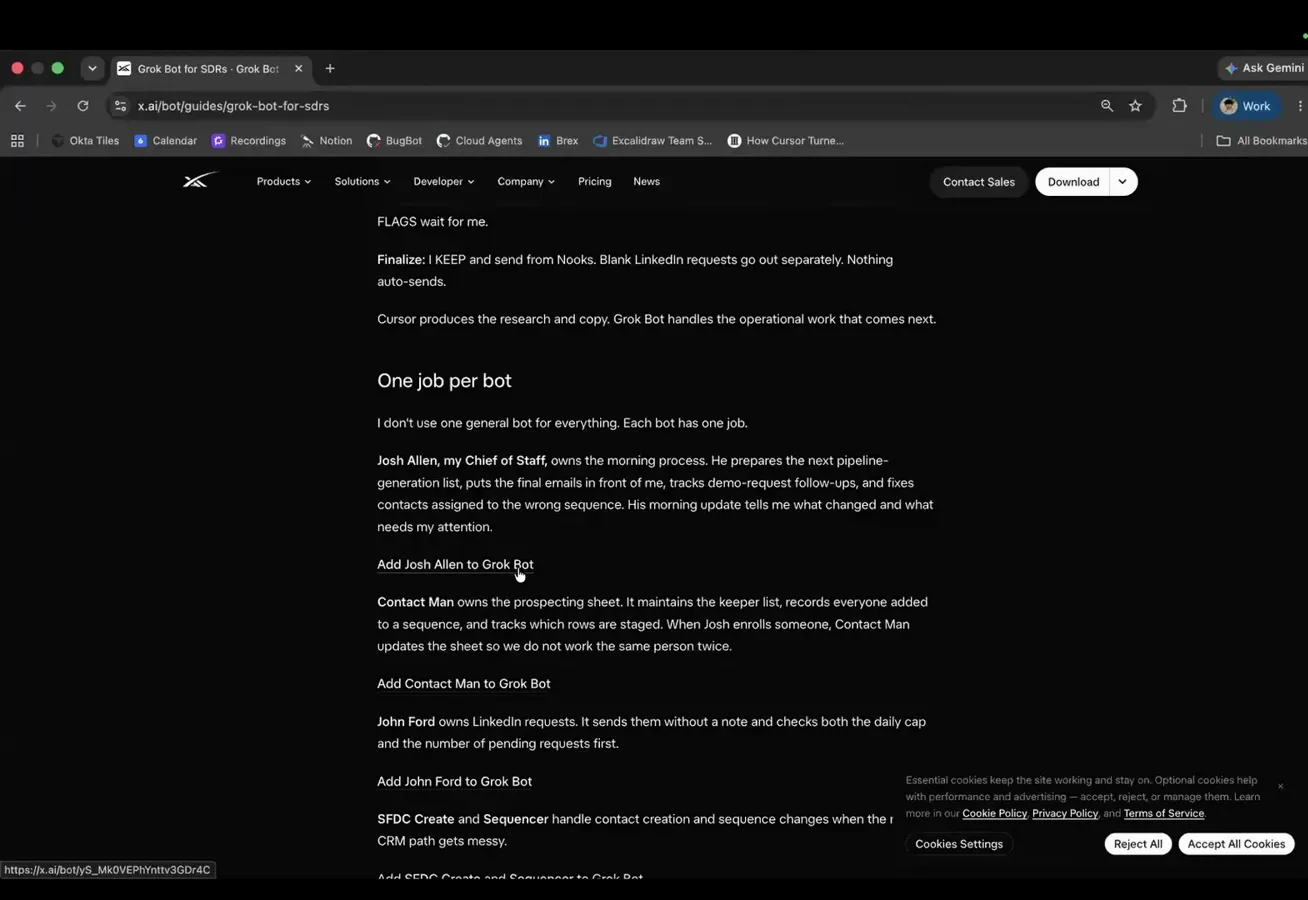
One bot, one job - the official guides lead with it.Watch at 19:40 - 2
Answer the onboarding quiz with a real role
A fresh bot opens by asking what you will mainly be helping with, offering Work & projects, Email & Slack, Research & writing, or a typed answer. In the official workshop the designer bot Dex got a designer label plus a plain-text brief, and the sticker concepts that followed stayed on-brief for the whole session. The label does not change the model - it changes how legible the bot is in your sidebar six weeks later.
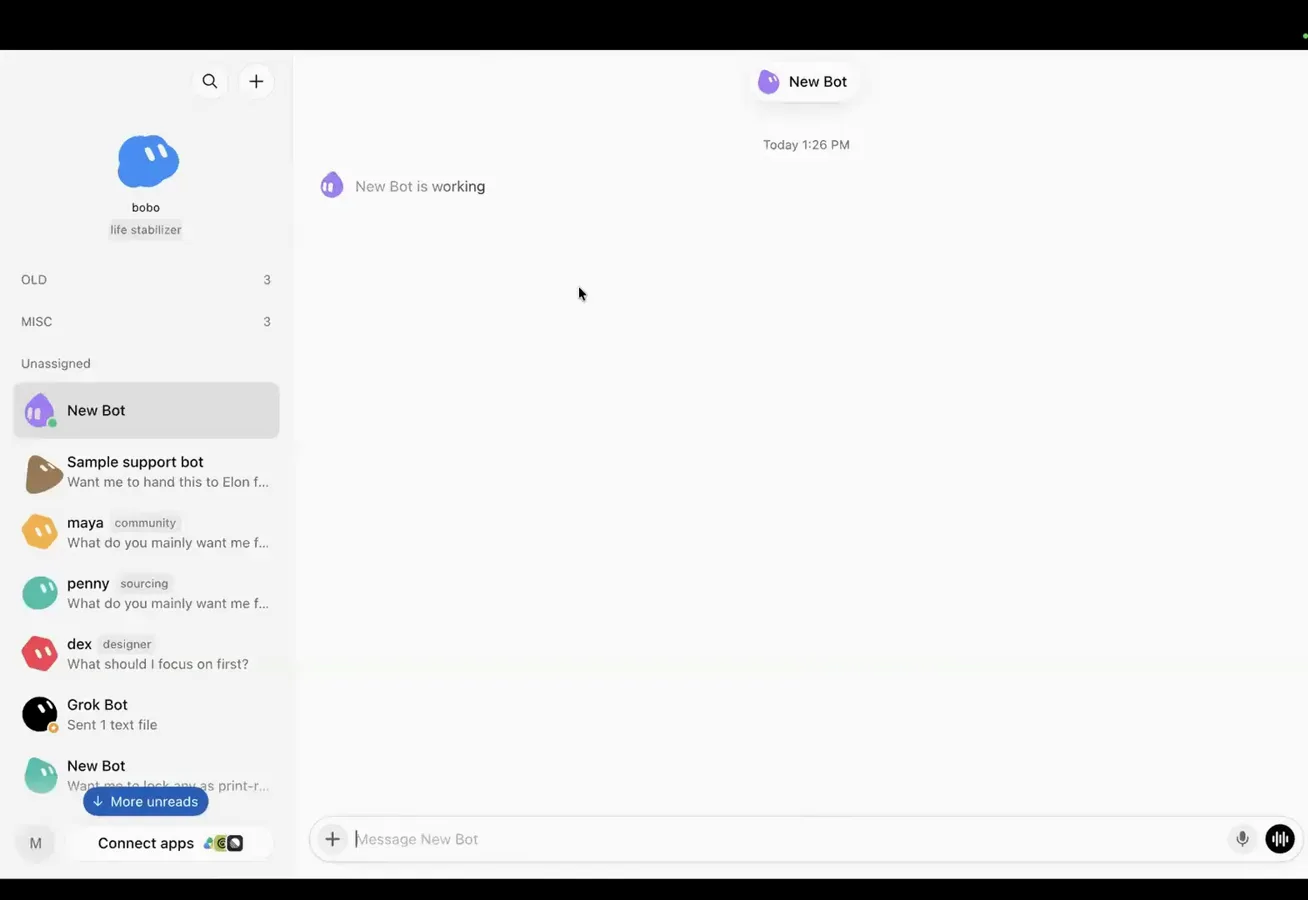
The quiz is skippable - the written role is what sticks.Watch at 22:15 - 3
Import a template bot before building from zero
Templates work in both directions. Paste someone's share link and the bot arrives with instructions, memory, and skills intact - only the personal connections, like their ClickUp or accounts, need rewiring to yours. Once your own bot is trained, Settings offers Share as template, which publishes a link so a teammate imports your tuned version, memories included.
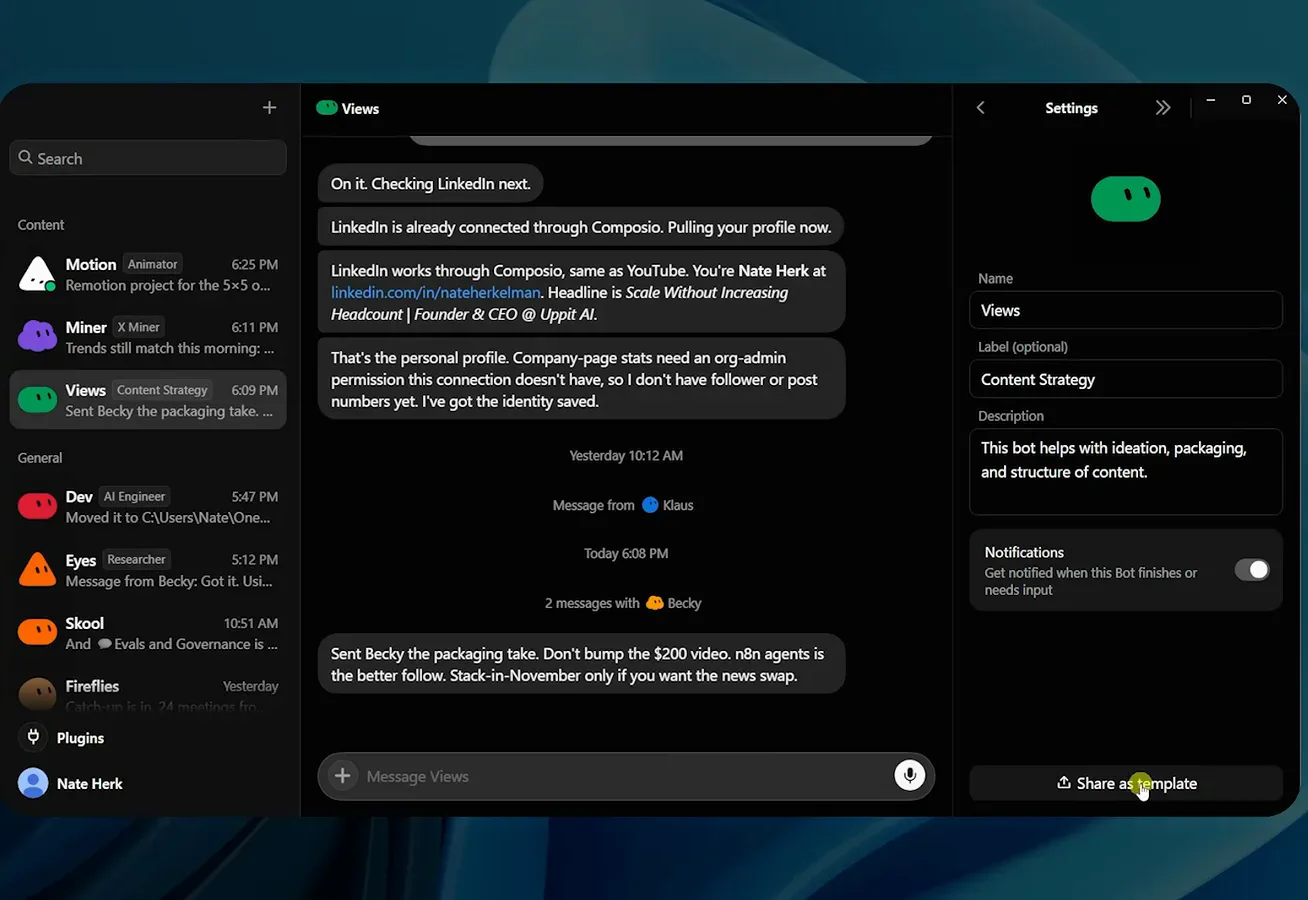
Tuned bots travel - setup collapses to one click.Watch at 3:00 - 4
Treat bots as async workers, not a chat window
The launch video's sharpest line: in almost every other AI product the result is in the chat, but with the bot the result is somewhere else. Each bot works on its own computer instance, so Fiona's Yodo triaging thousands of emails per day never blocks her laptop - close yours and the work continues, with a summary waiting when you get back.
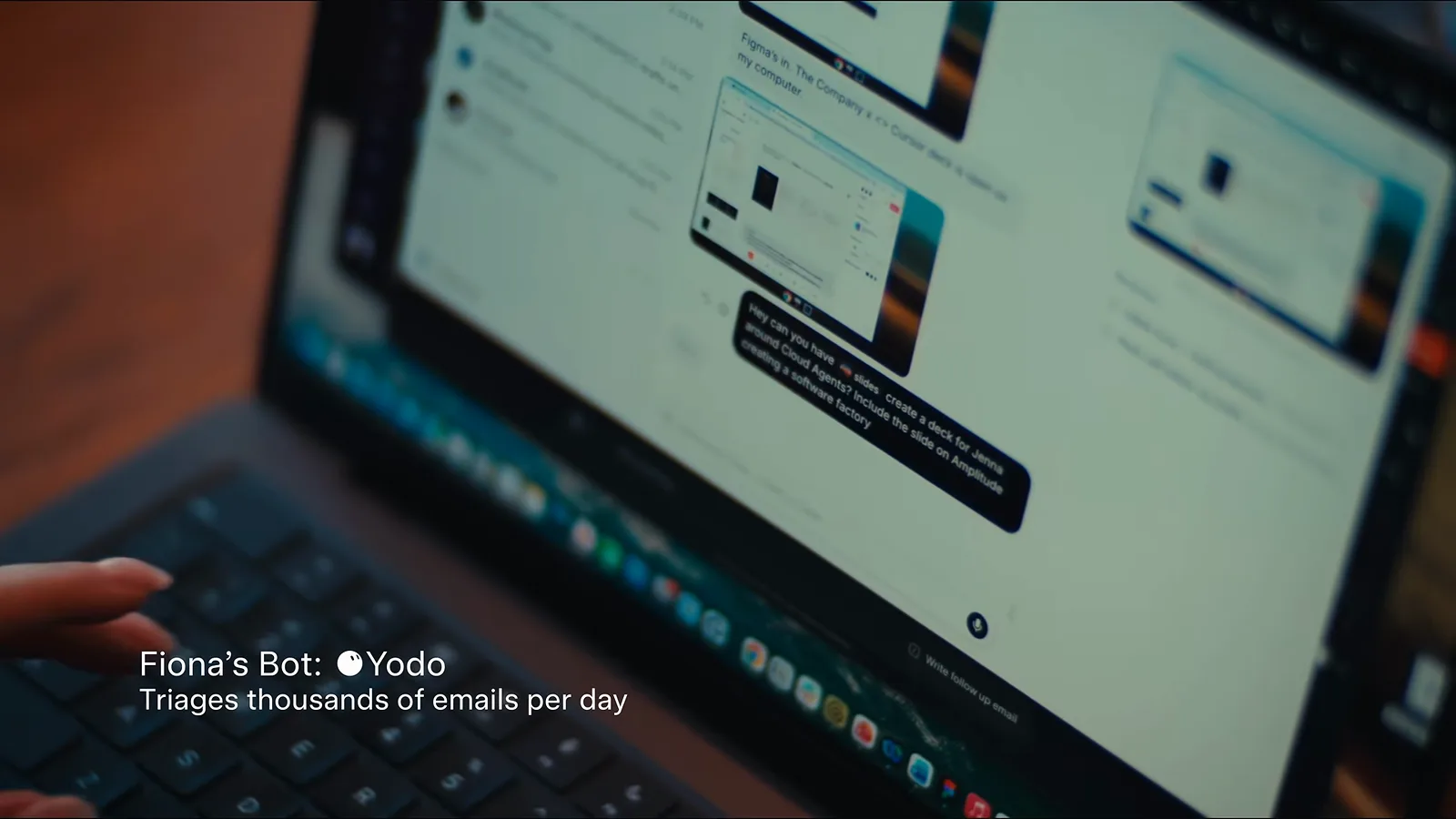
The result lands in your inbox or your repo - not the chat.Watch at 0:22
Memory and connections, explained
- 5
Know what every bot knows vs. what one bot knows
Ask a bot what it knows about you globally versus privately - Nate's Views bot answered in two clean blocks: global memory covering who Nate is, Uppit AI, and the Composio routing for YouTube and LinkedIn, versus its own memory of packaging depth, exact video IDs, and performance numbers. Say add this to your memory for private context, or add it to global memory when every bot should know.
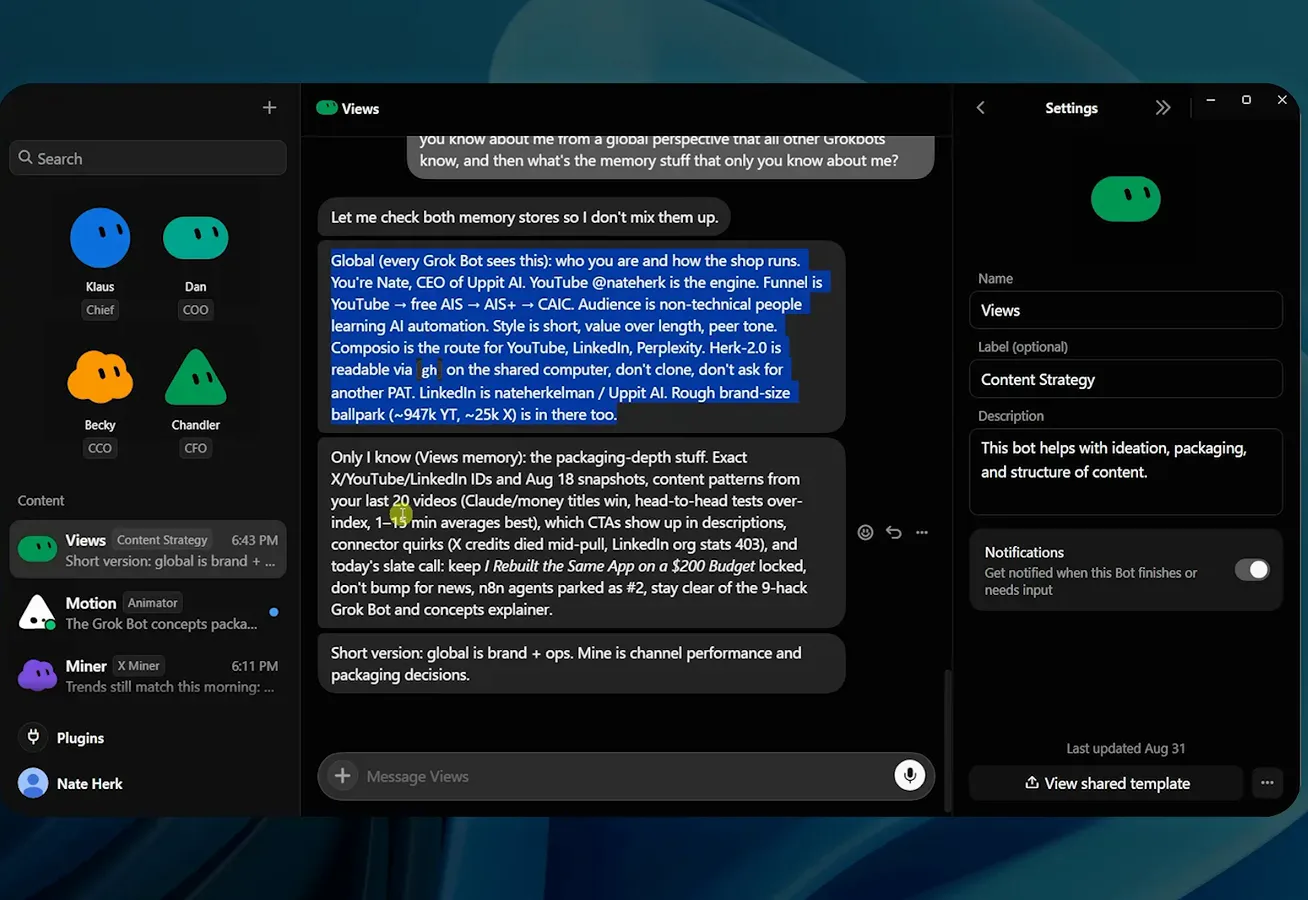
Global memory is brand and ops; private memory is craft.Watch at 4:22 - 6
Let the bot keep the books - memory is managed for you
Martin's personal bot Bobo shows what persistent memory earns: it tracks Kith drops for his brother, his parents' tennis plans, and hotel preferences - and when a 3,000-dollar jacket appeared in a drop report, the reply I love my brother but not 3,000 dollars pushed back, and Bobo adjusted. You never tune a context window; xAI's engineer confirmed on the 101 session that summarization and memory are handled behind the scenes.
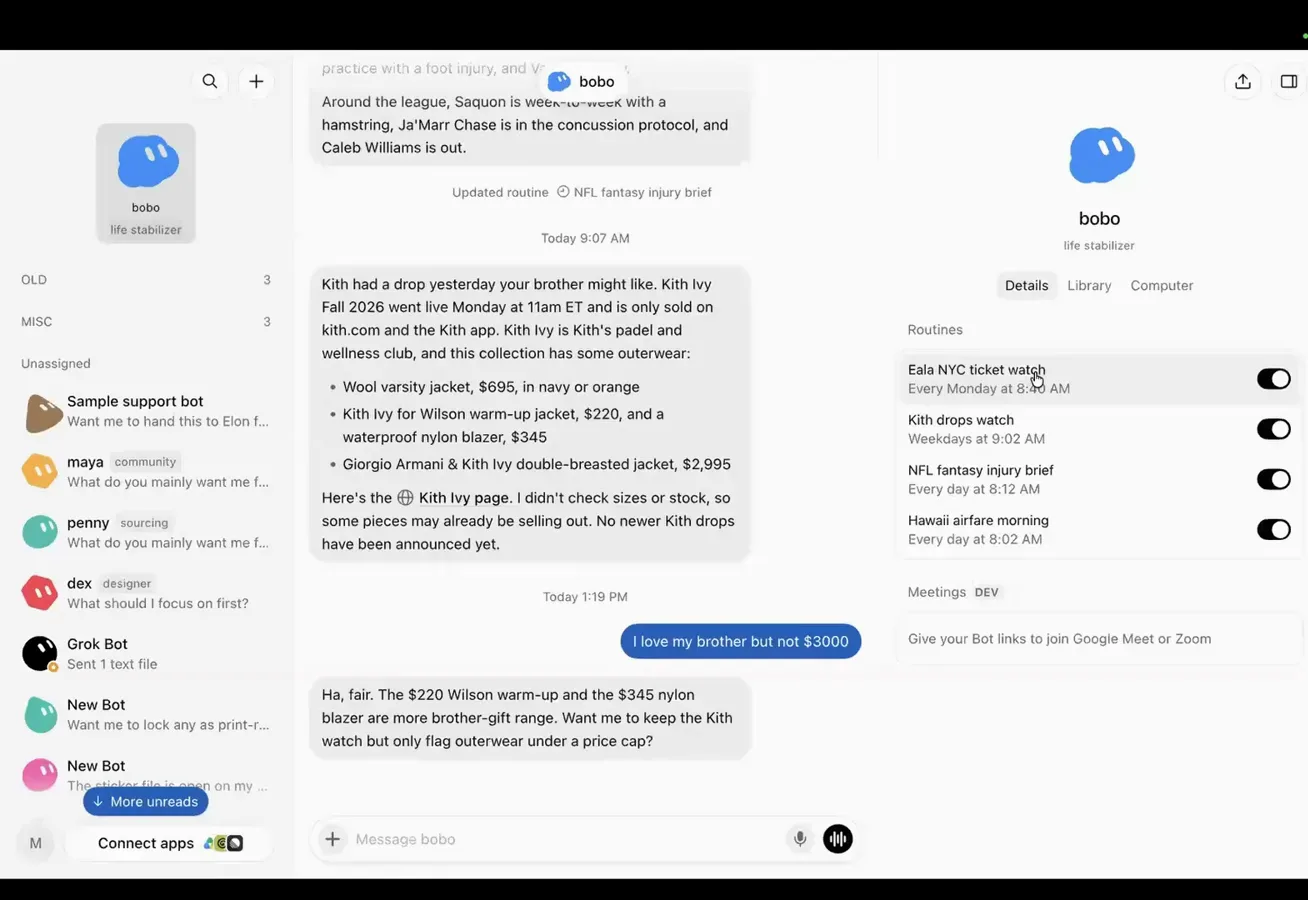
A personal bot that remembers your people - and your budget.Watch at 16:15 - 7
Log in once - every bot inherits the session
Inside a bot's browser, sign in to a site the way you would in Chrome, close it, and the session sticks. Nate's bots operate his GitHub and his learning platform because he authenticated once, and the official session repeats the pattern: log into Google on one bot's desktop and the login serves all of them. Credentials live on the shared computer, not in the chat.
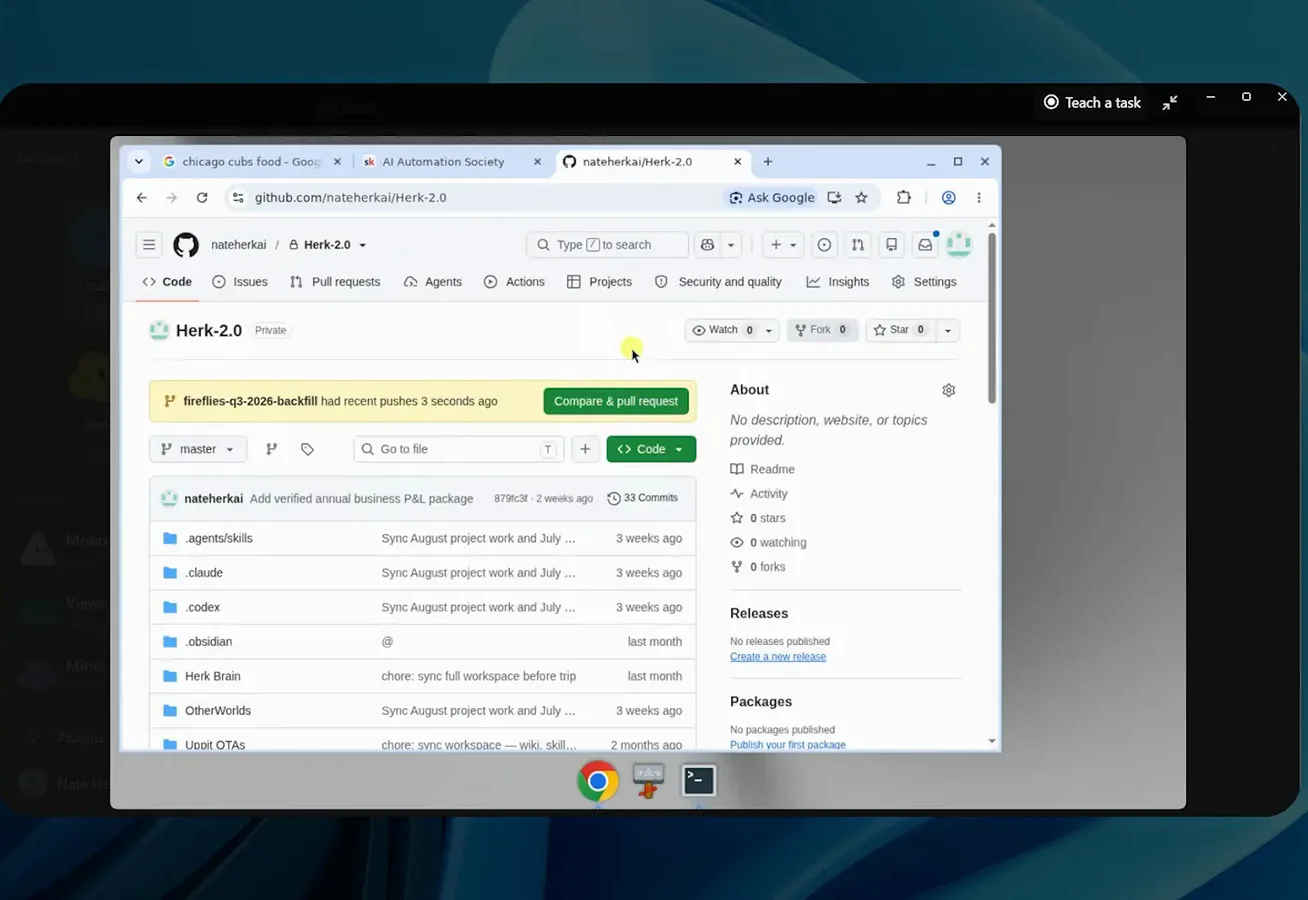
One login on the shared computer, every bot benefits.Watch at 6:05
Teach it your repetitive work
- 8
Wire up plugins, and split accounts across bots
The plugins marketplace is where bots get hands: Gmail, Google Calendar, Google Drive, Slack, Notion, ClickUp - each one an Add button plus a login. Nate keeps two ClickUp accounts connected so different agents post to different workspaces, and every task his bots take on lands as a card on his board with owner, request, and result.
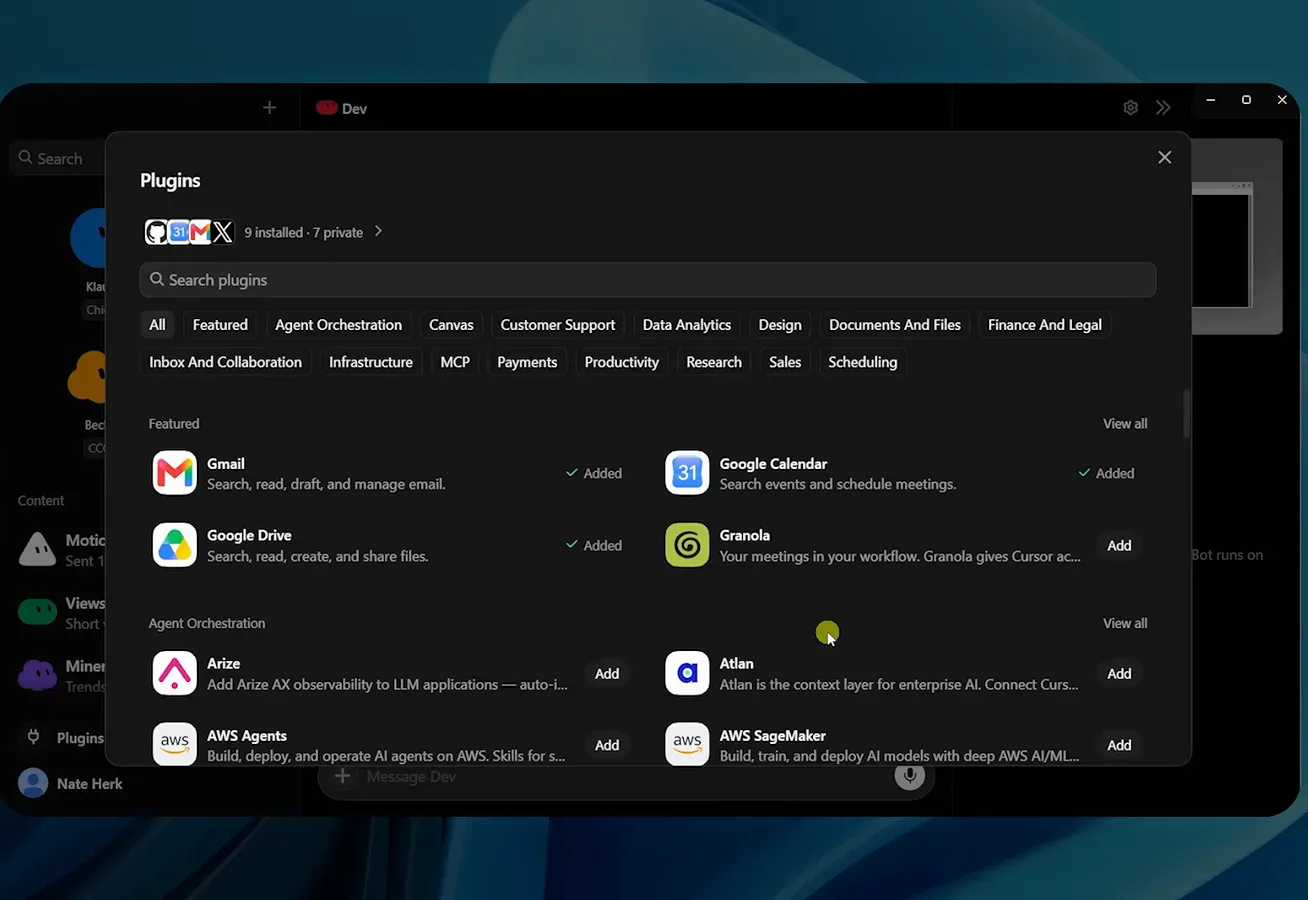
Add, log in, done - that is the whole hookup.Watch at 8:25 - 9
Write skills like recipes, then edit after every run
Skills live under Plugins as private entries like Grill Me or Log Grok Bot work to ClickUp, each with a use-when line. Nate's test for a good skill: it states when to use it, the exact order of operations, and what to do when something breaks. Like a pancake recipe it improves by amendment - cook them a minute longer next time - not by starting over.
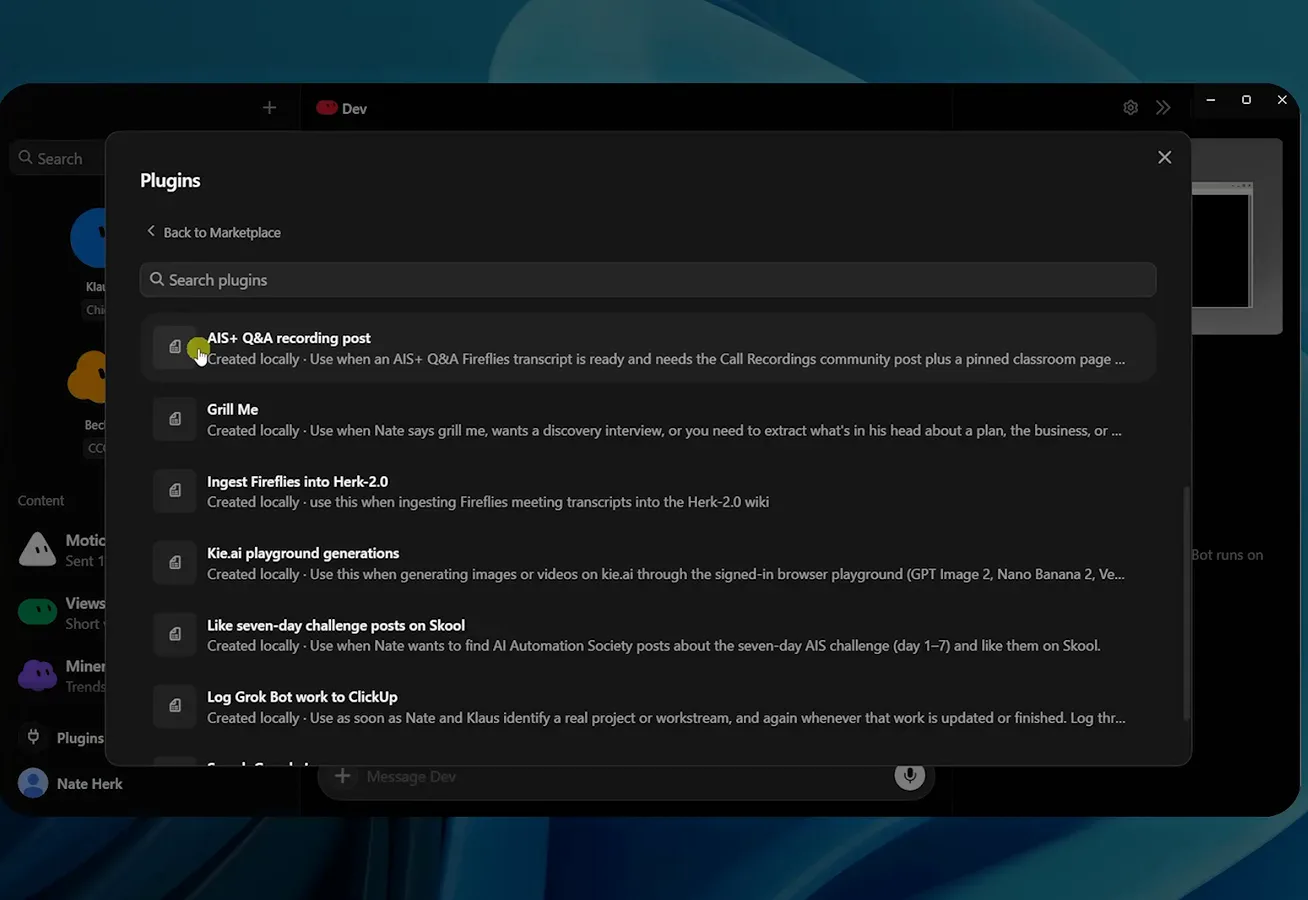
A skill is a recipe you keep correcting, not a script you rewrite.Watch at 9:58 - 10
Record a Teach task demo instead of describing steps
For anything you can click through, hit Teach a task and just do it once: a banner marks the recording, the bot watches, and when you stop it proposes the skill - the workshop's Google Forms demo came back as Create and Publish Google Forms, ready to reuse. The engineer's framing: a skill collapses five iteration cycles into one and saves tokens on every run after.
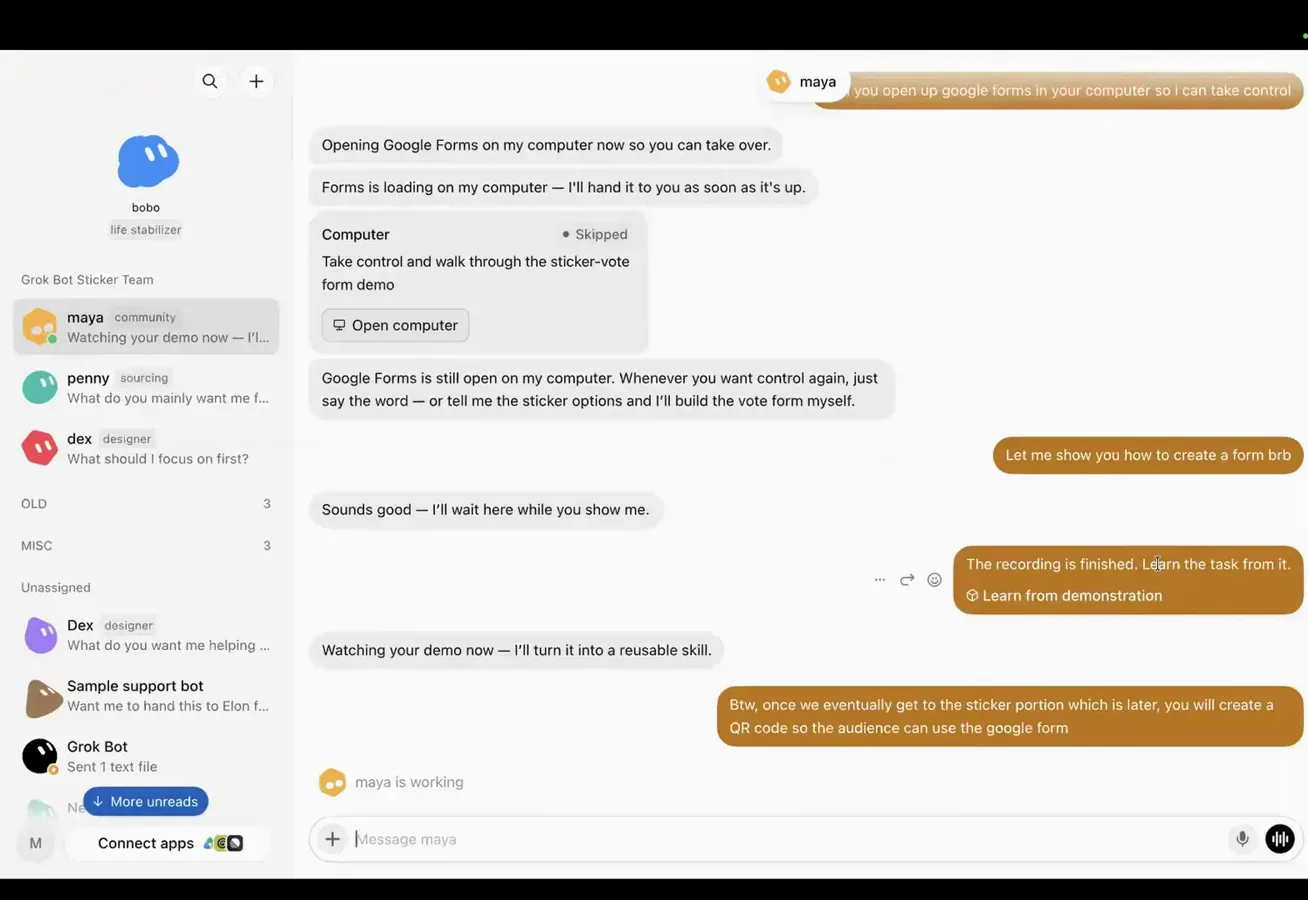
Show, don't tell - the recording becomes the skill.Watch at 30:00
Safety gates and spend limits
- 11
Set execution approvals before you scale, not after
Settings, under Computer, controls how much rope a bot gets: execution on this computer, letting Grok Bot open files and run tasks, with an Always allow dropdown sitting over an auto-review default. In practice bots still pause at sensitive moves and ask whether they are allowed - answer Allow once while a bot is young, and reserve Always allow for the veterans.
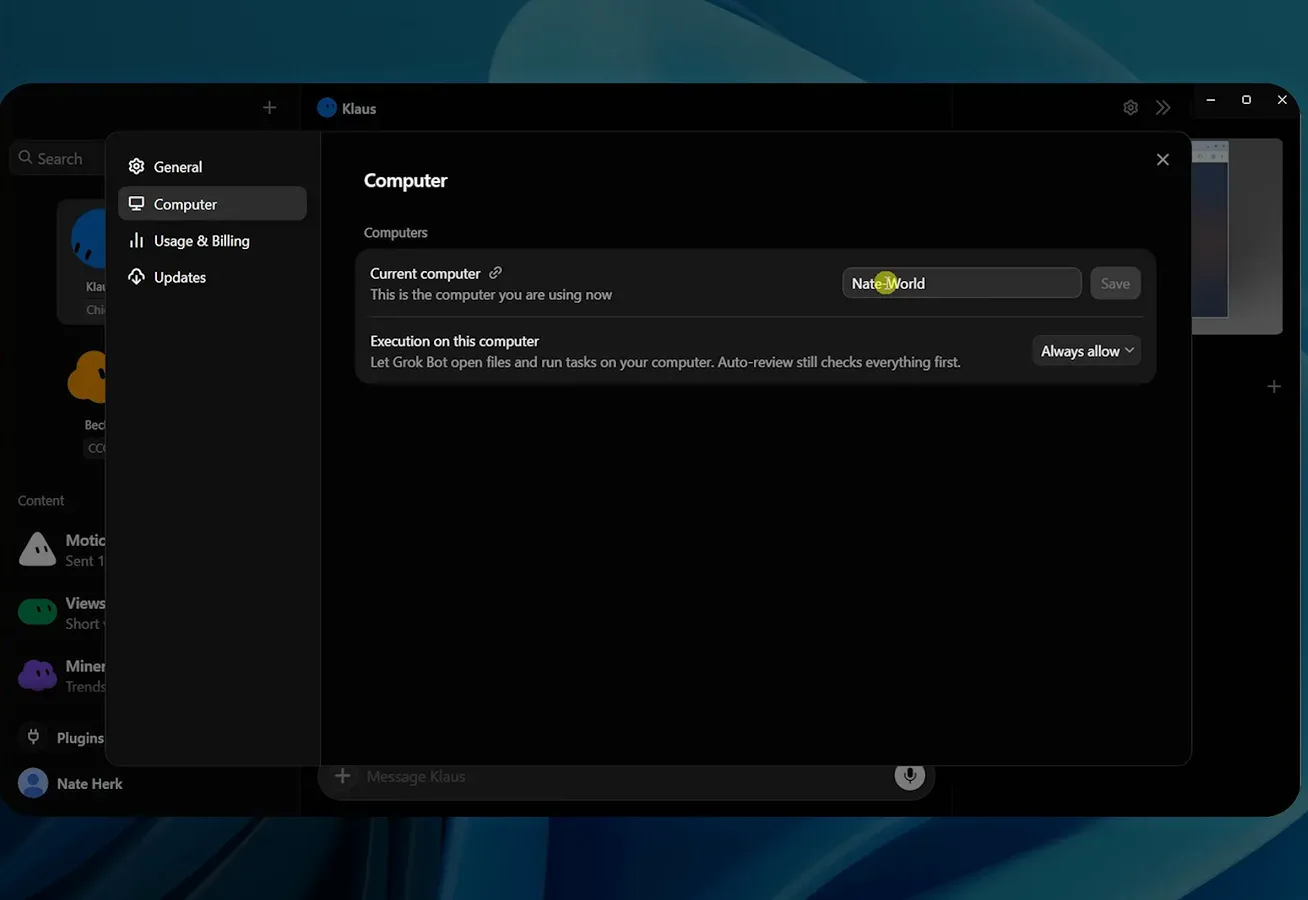
Young bots earn Allow once; veterans get Always allow.Watch at 16:40 - 12
Use take control for logins - never type passwords in chat
When a bot hits a wall only you can pass - a login form, a payment step - it hands over the wheel: opening Google Forms on my computer now so you can take over. Type credentials on the bot's screen, not in the message box, because whatever enters the chat is stored in the conversation. Nate's corollary after an early slip: if a password or API key ever lands in chat, rotate it immediately.
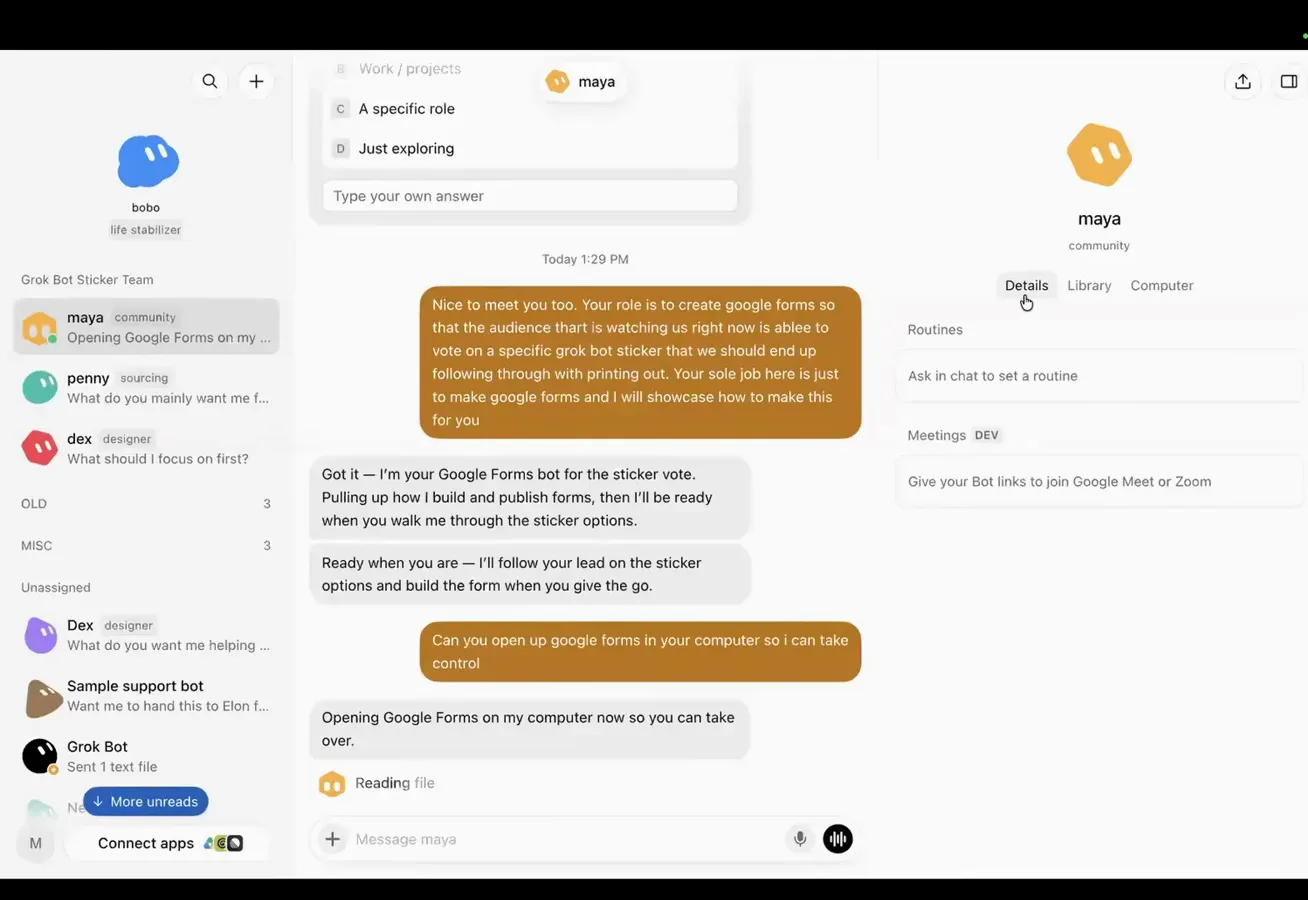
The bot drives - you only touch the wheel at login walls.Watch at 26:00 - 13
Watch the weekly meter - group chats burn it faster
The account menu shows Weekly usage as a percentage that resets every 7 days, plus on-demand spend against your cap - Nate's demo ran 0 of 200 dollars. Hit 100 percent and the bots stop until you buy on-demand usage or API credits. The multiplier nobody warns you about: a five-bot group chat chewing on one question burns the meter far faster than a one-to-one chat.
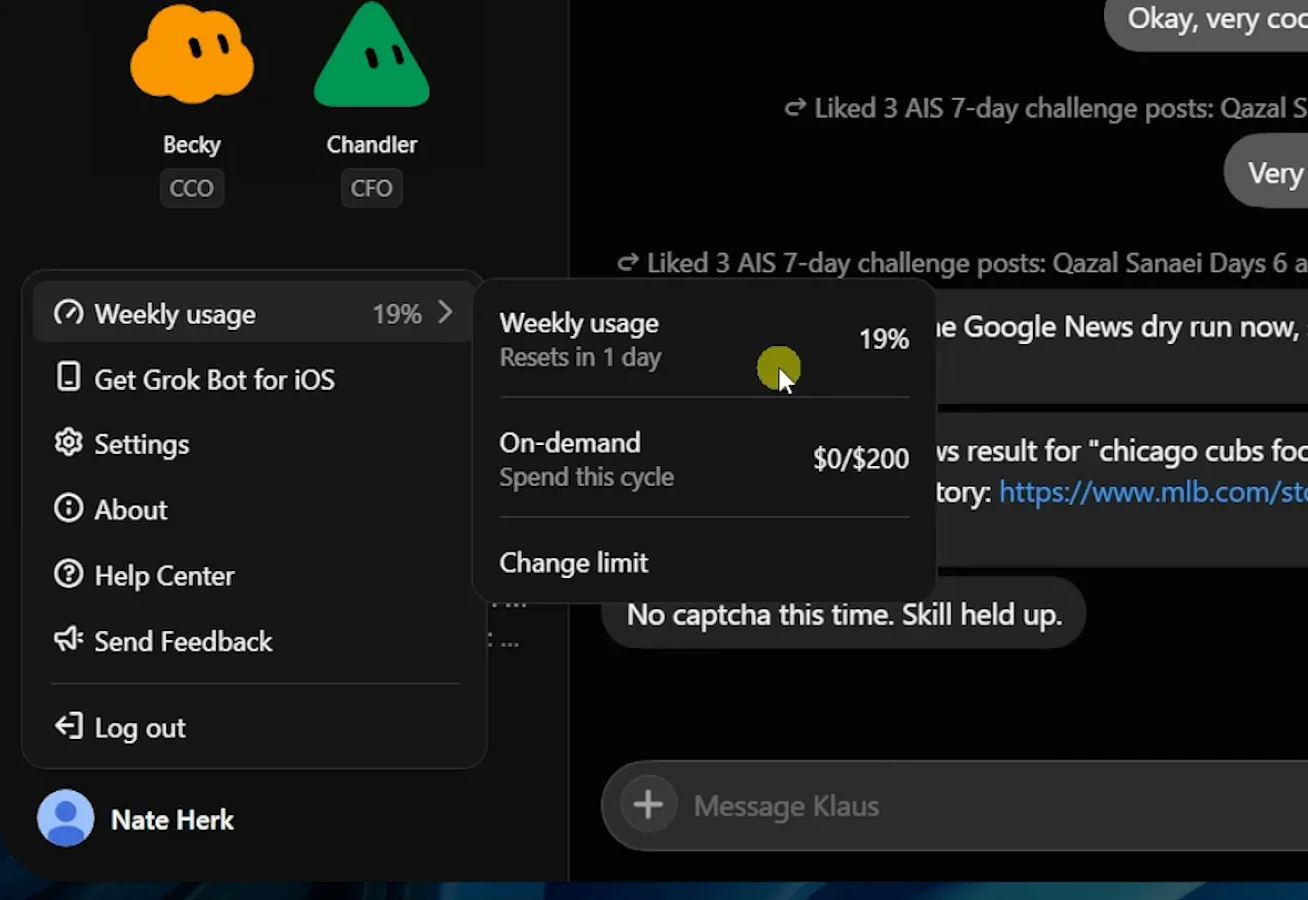
Resets every 7 days - schedule heavy runs early in the cycle.Watch at 17:40
Automate, then scale to a team
- 14
Turn repeats into routines; turn events into webhooks
A routine is a schedule wrapped around a skill: Nate's AIS 7 Day Challenge Likes runs the like-skill and stops after three posts, created by asking in chat or in the editor with Add trigger. The event-driven cousin is the webhook - a form submission or Slack message wakes a bot mid-afternoon; his demo auto-replied by email and logged the intake in ClickUp.
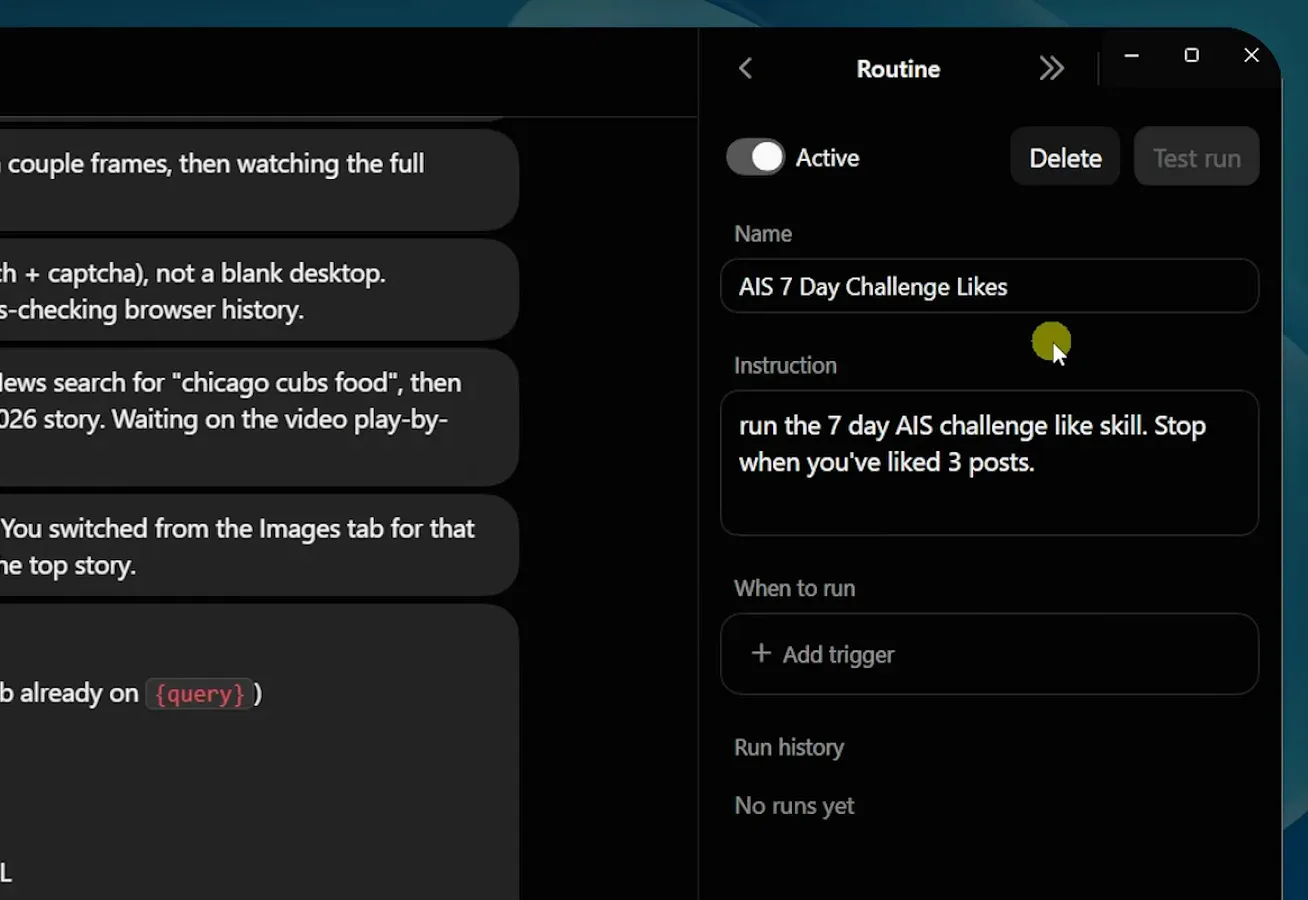
Schedule the repeats; wire the surprises.Watch at 11:30 - 15
Put several bots in one group chat and let them argue
Nate's Leadership chat - chief of staff, COO, CFO, CRO - got one prompt, ideate how we grow the business and give me five recommendations you all agree on, and the bots answered with claim-staking and pushback before converging. The launch film shows the same pattern at production scale: a Website Maker chat where a dozen bots hand off work, the page shell going to the copywriter.
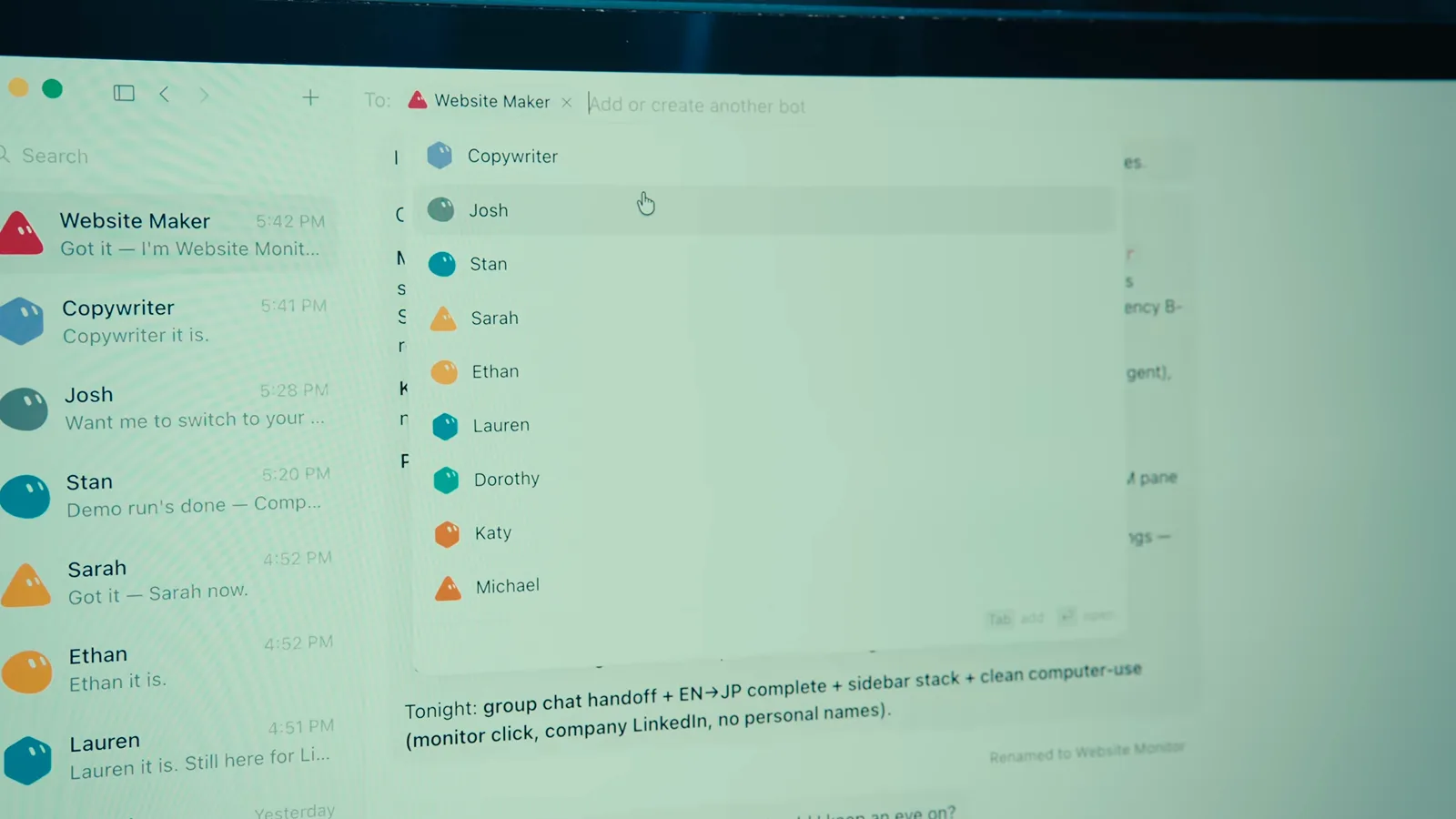
One prompt in, a debate you can audit out.Watch at 1:18 - 16
Promote a chief of staff so you manage one bot, not ten
The workshop's closing move: drop Bobo, Dex, Maya, and Penny into a group chat and type Bobo, you have been promoted to chief of staff - everyone say what you have done so Bobo is caught up. From then on Penny reports to Bobo, not to you, which mirrors Nate's rule: build an org chart where you talk to managers, not to every bot, and have each run logged to ClickUp so the hierarchy stays auditable.
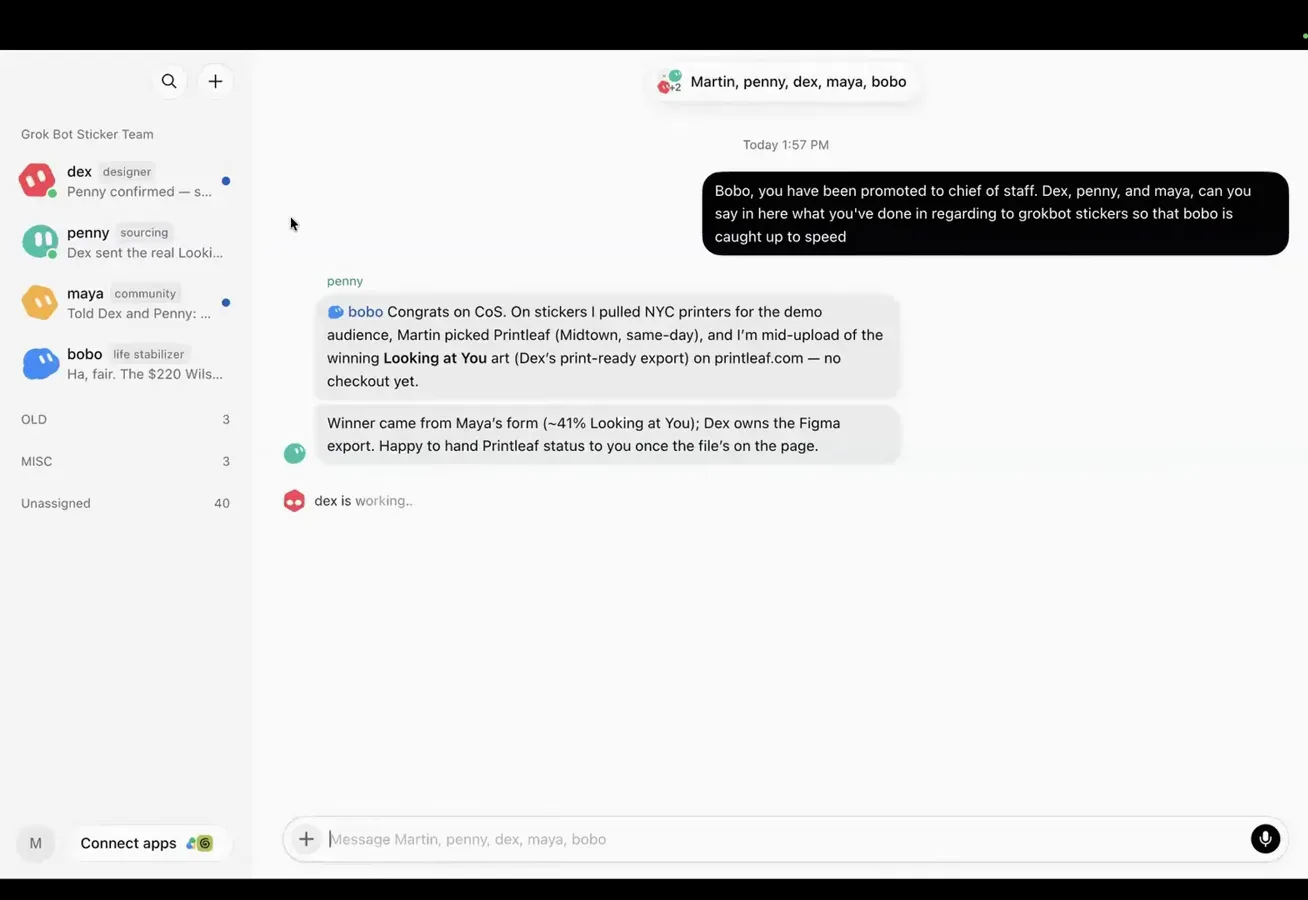
You manage the manager; the manager manages the queue.Watch at 54:05