

Grok Bot vs Hermes Agent: Cloud Router or Self-Hosted Agent in 2026?
Both want to be the agent that works while you sleep, and they build that promise in opposite directions. Grok Bot is the hosted consumer play: install a desktop or iPhone app, describe a role in a messenger-style chat, and the bot does the work on a cloud computer managed for you. Hermes Agent is the open-source project from Nous Research that you install on a machine you own and text like a coworker on Telegram, Discord, Slack or WhatsApp. This guide walks both sides through the same five axes - what each product is, where the work happens, setup and real cost, capabilities, and who each one suits - with screenshots from four walkthrough videos, each linking back to the exact moment it shows.
Source & credits
Screenshots in this guide are captured from Zinho Automates's public walkthrough video. Every step links back to the exact moment it shows, so you can follow along.
Zinho Automates ↗What each one is
- 1
Grok Bot: a bot is an employee, not a chatbot
Zinho Automates opens his Grok Bot tutorial with a rule: bots are employees, so give each exactly one job. His slide grades a bot with a single assignment at 94 percent quality and a bot handed a list of everything at 34. Paul Lipsky's early-access tour shows the same shape from the user side - his sidebar reads like a staff room, with separate bots for email, YouTube outlines, deal negotiation and general work.
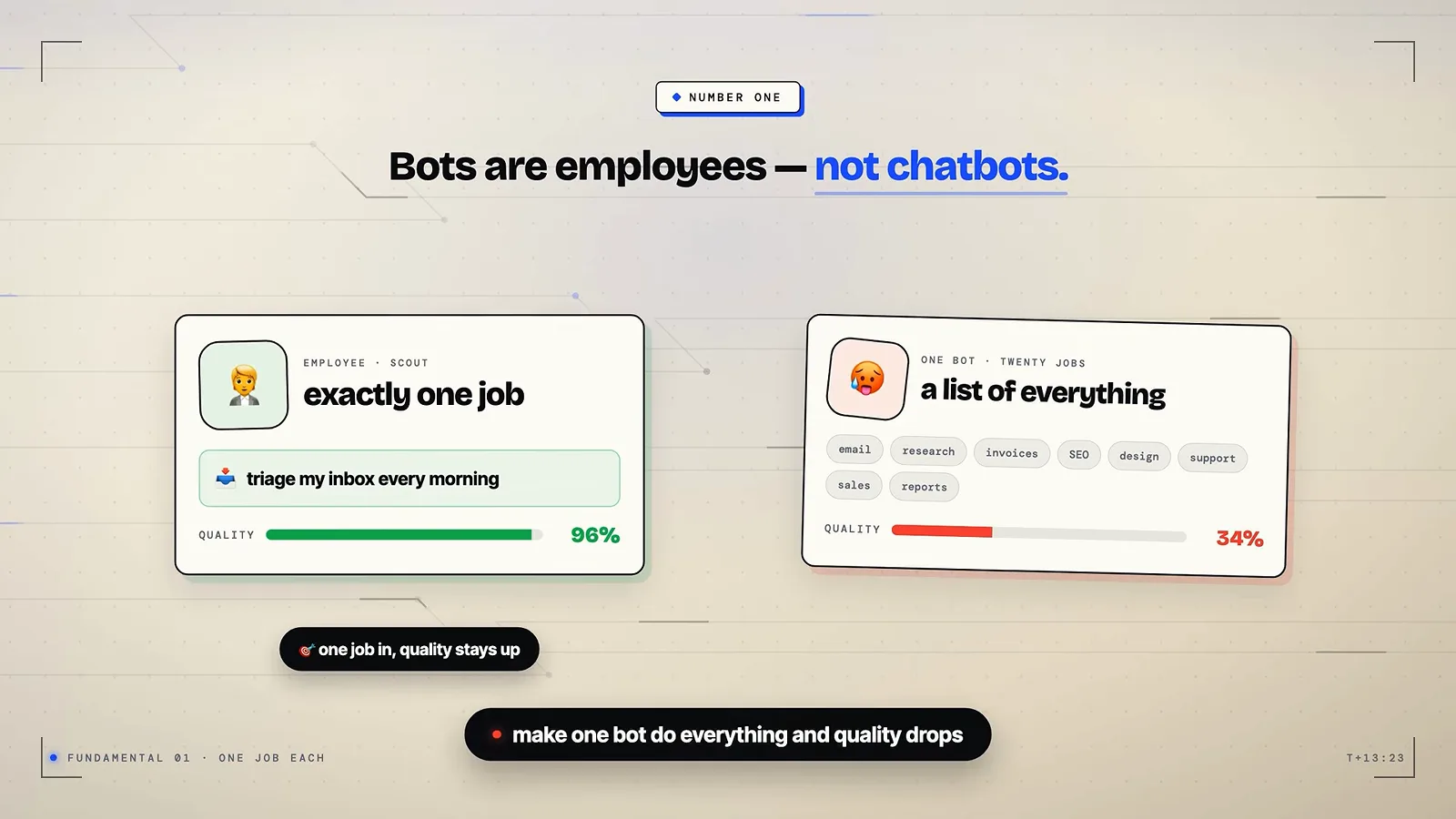
One role per bot - the quality gap on Zinho's own slide.Watch at 5:00 - 2
How you brief a Grok bot: the five-part assignment
The briefing format both Grok Bot walkthroughs converge on comes from Zinho's video: outcome, sources, constraints, deliverable and a review point where the bot stops and waits before doing anything irreversible. His example assignment for a research bot asks for a one-page comparison with a link next to every claim and an explicit unknown marker - beginners who type something vague get formulaic output, his words.
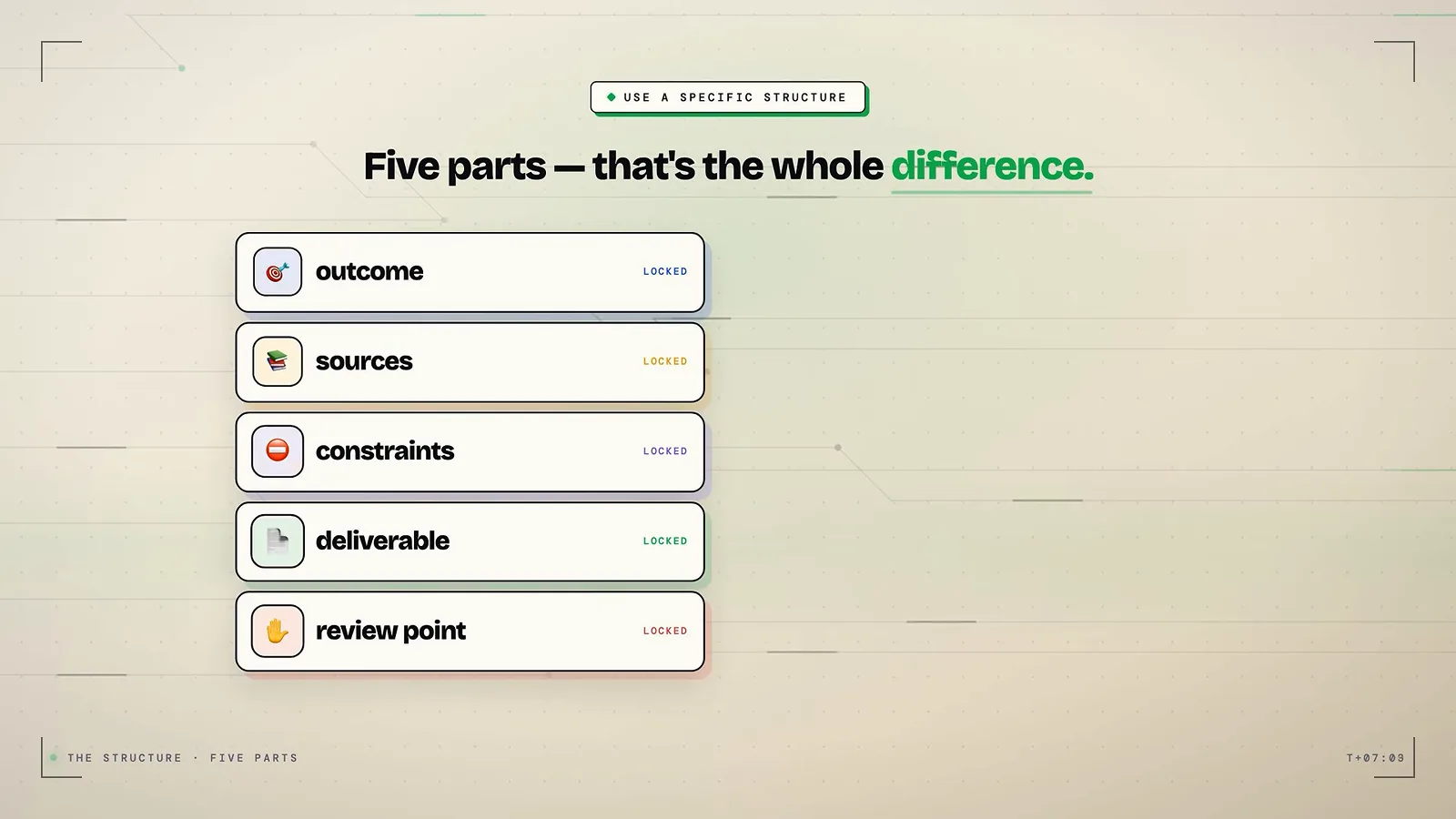
The five parts Zinho applies to every use case in the video.Watch at 3:10 - 3
Hermes Agent: you text it, you do not visit it
CodeHead's Explained video starts from the interface: Hermes Agent is not a copilot or a dashboard product but an autonomous agent that lives on a server and runs continuously, and you reach it the way you reach a person - Telegram, Discord, Slack or WhatsApp. The frame shows the first handshake: a pairing code, then a first message once the bot recognizes you.
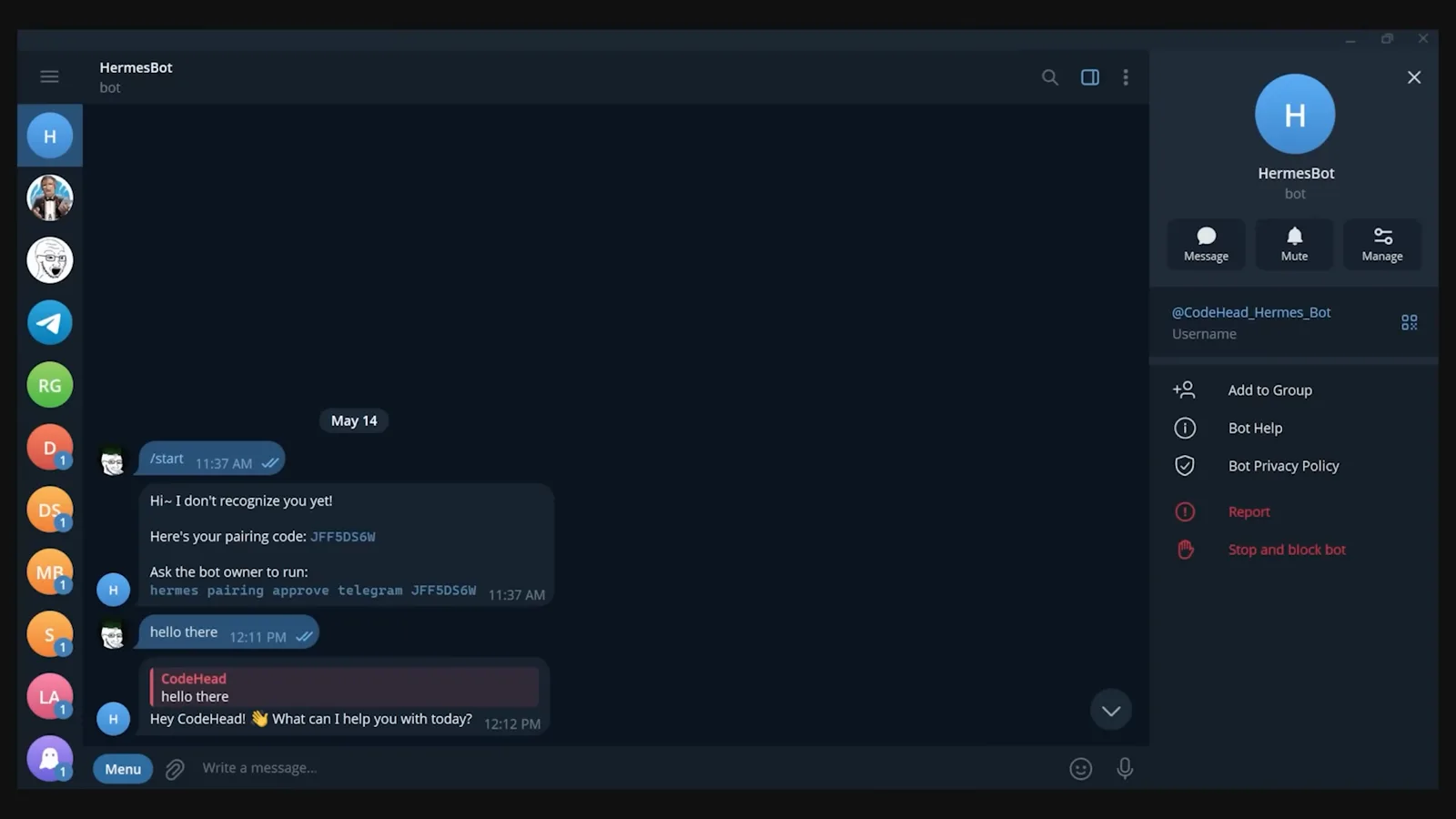
First contact: pairing Hermes Agent into Telegram.Watch at 0:12
Where the work actually happens
- 4
Grok Bot: the work happens on a hosted cloud computer
Zinho numbers this as basic fact two: your account gets one cloud computer and every bot shares it, so you sign into Gmail once and each bot inherits the session. Close your laptop and the bots keep working on theirs. The same slide series is honest about the trade-off - his end-of-video diagnostics grade bot isolation as only partial, because the bots are not sealed off from each other.
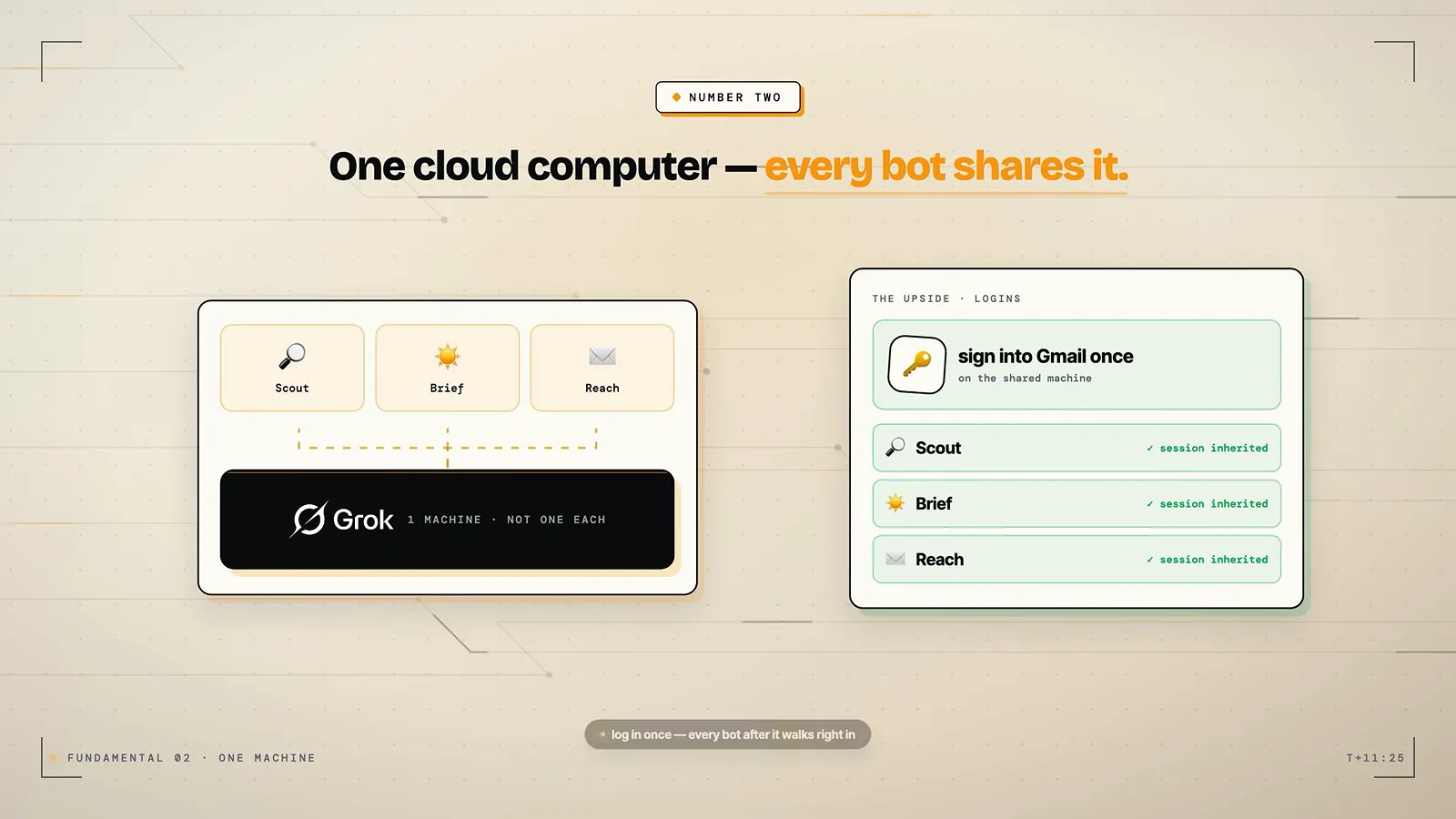
One shared machine per account - convenient, with a visible boundary.Watch at 5:14 - 5
It clicks real apps, so there is nothing to integrate
Why a hosted bot can work yourvendor portals: Zinho demos it driving a real browser and desktop the way a person does - WhatsApp on the web, a supplier portal from 2009, a CRM that never had an API. His slide says it plainly: if a human can click it, the bot can click it. Paul Lipsky adds that plugins for Gmail, Drive or Notion exist, but the bot proposes them in chat only when they are the faster route, and you approve the connection with a normal OAuth screen.
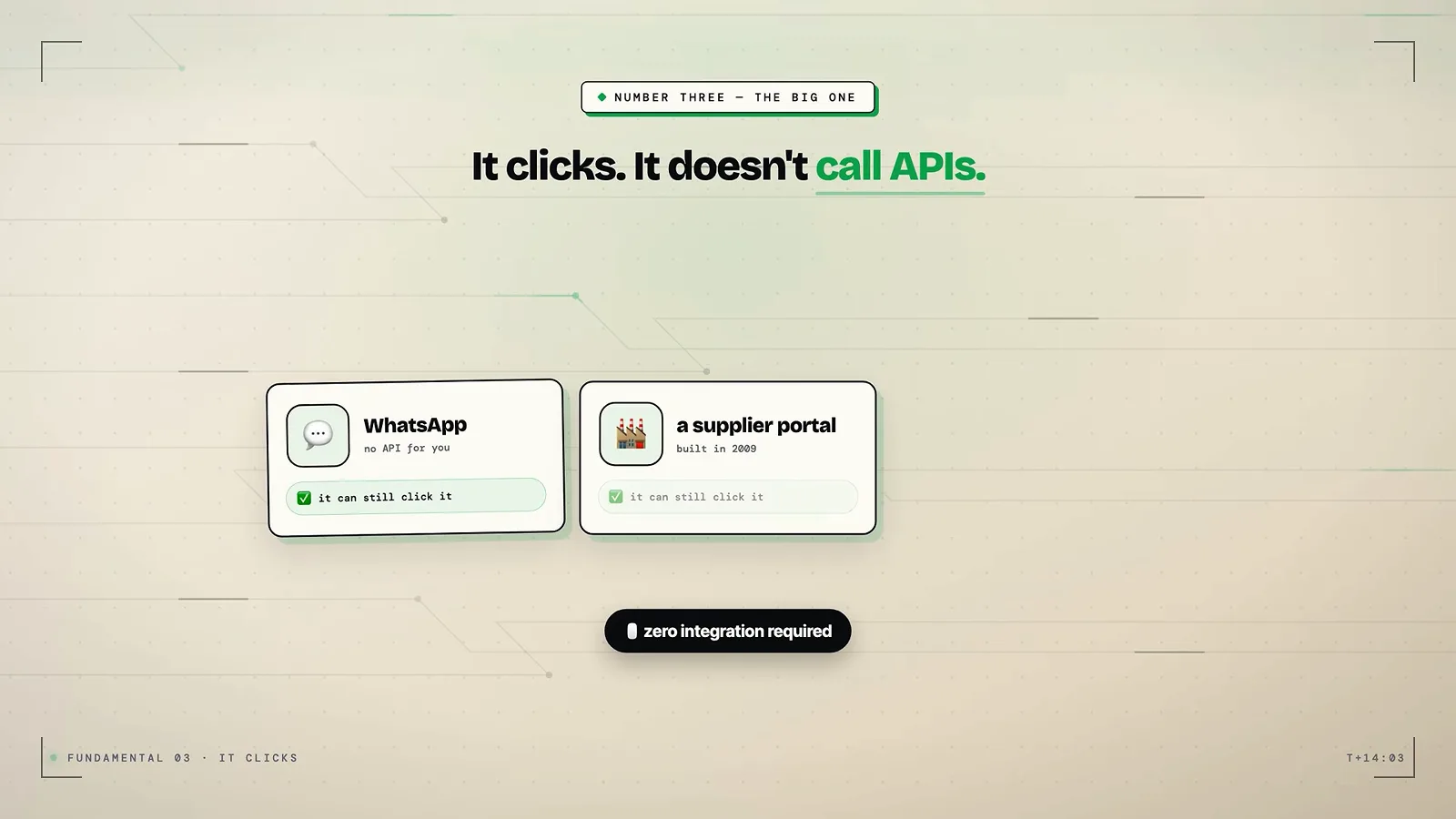
The zero-integration pitch: the bot works the way you do.Watch at 5:30 - 6
Hermes: the channels are a config screen on your machine
CodeHead puts the install bar deliberately low - a single curl command on Linux, Mac or WSL2, done in under a minute - and the screen that follows is this one: tick which platforms the agent should answer on. Samin Yasar's three-hour course spends its setup chapters on the same list one channel at a time (a Telegram bot token, Slack scopes plus socket mode, iMessage through a relay), and warns against hosting the agent on your daily laptop because a compromised prompt is closer to your real files.
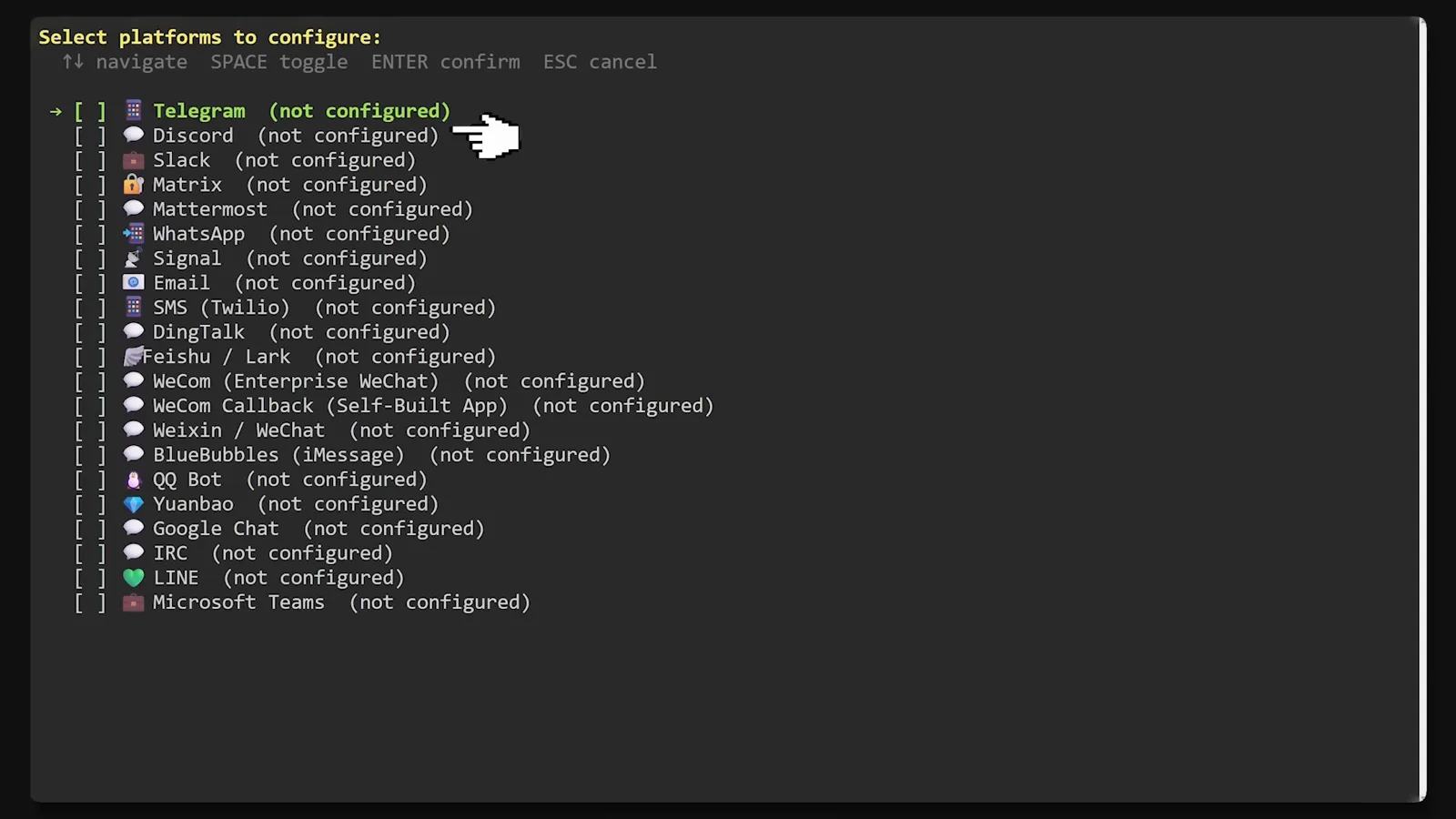
The gateway list you tick yourself during setup.Watch at 0:18 - 7
Then it reports back where you already are
The payoff of the self-hosted layout: finished work lands in the chat you already had open. CodeHead's demo shows a long research write-up arriving mid-conversation in Telegram, and Samin Yasar says he judges his agent by a simple metric - how much meaningful work gets done while he is away from the desk, which only works because the channels are bidirectional.
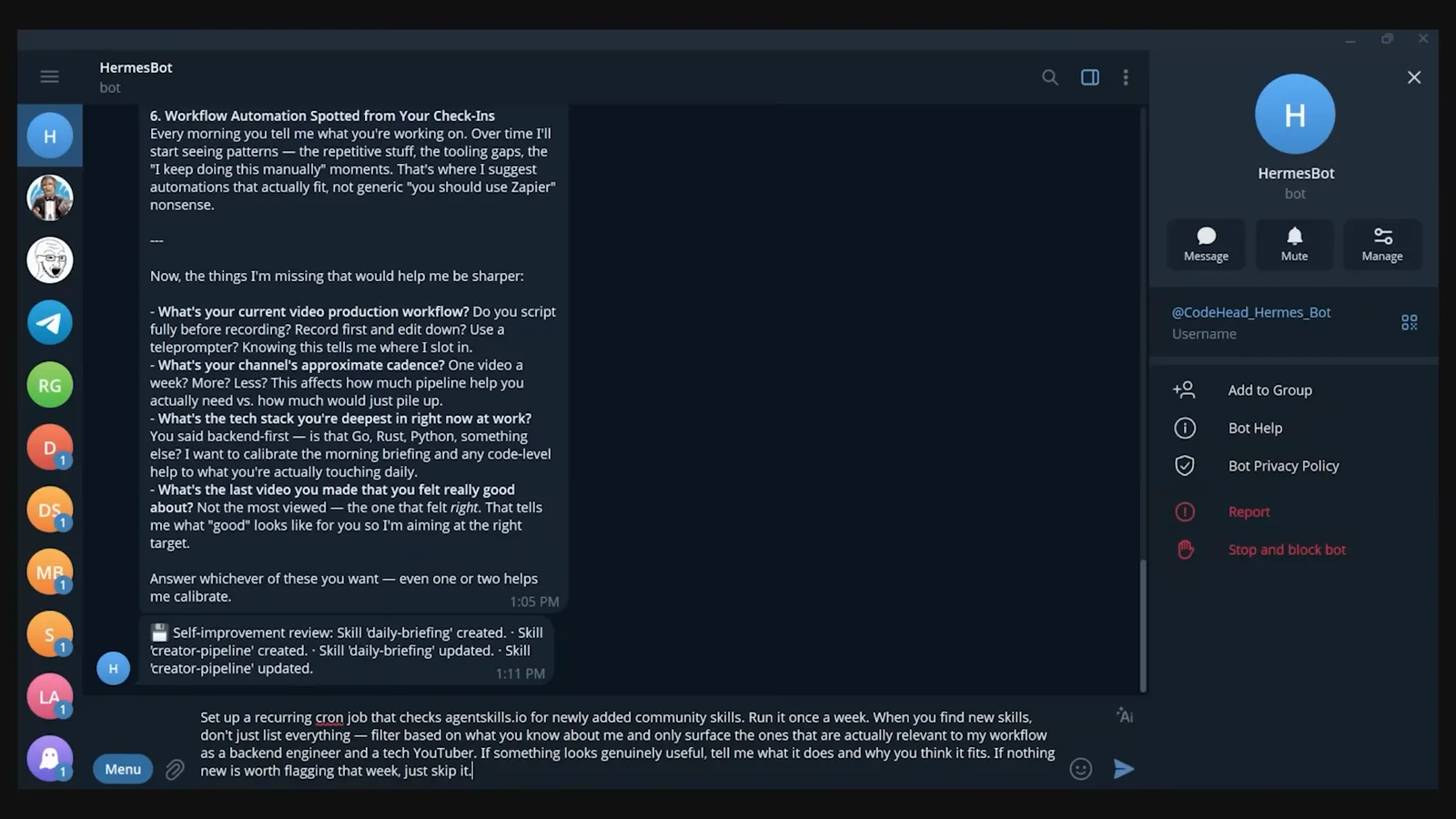
Work done on the server, delivered to your pocket.Watch at 3:35
Setup, plans and real cost
- 8
Setup on the Grok side: install, log in, brief one bot
Both Grok Bot videos show a short path: install the desktop app for Mac or Windows, log in with the account from your existing plan, then create a bot with a name, a label and a description. Zinho's warning is the slide on screen - beginners lose it here by typing a vague request instead of the structured assignment. Paul Lipsky does the whole flow from the iPhone app, including watching and taking over the bot screen from the phone.
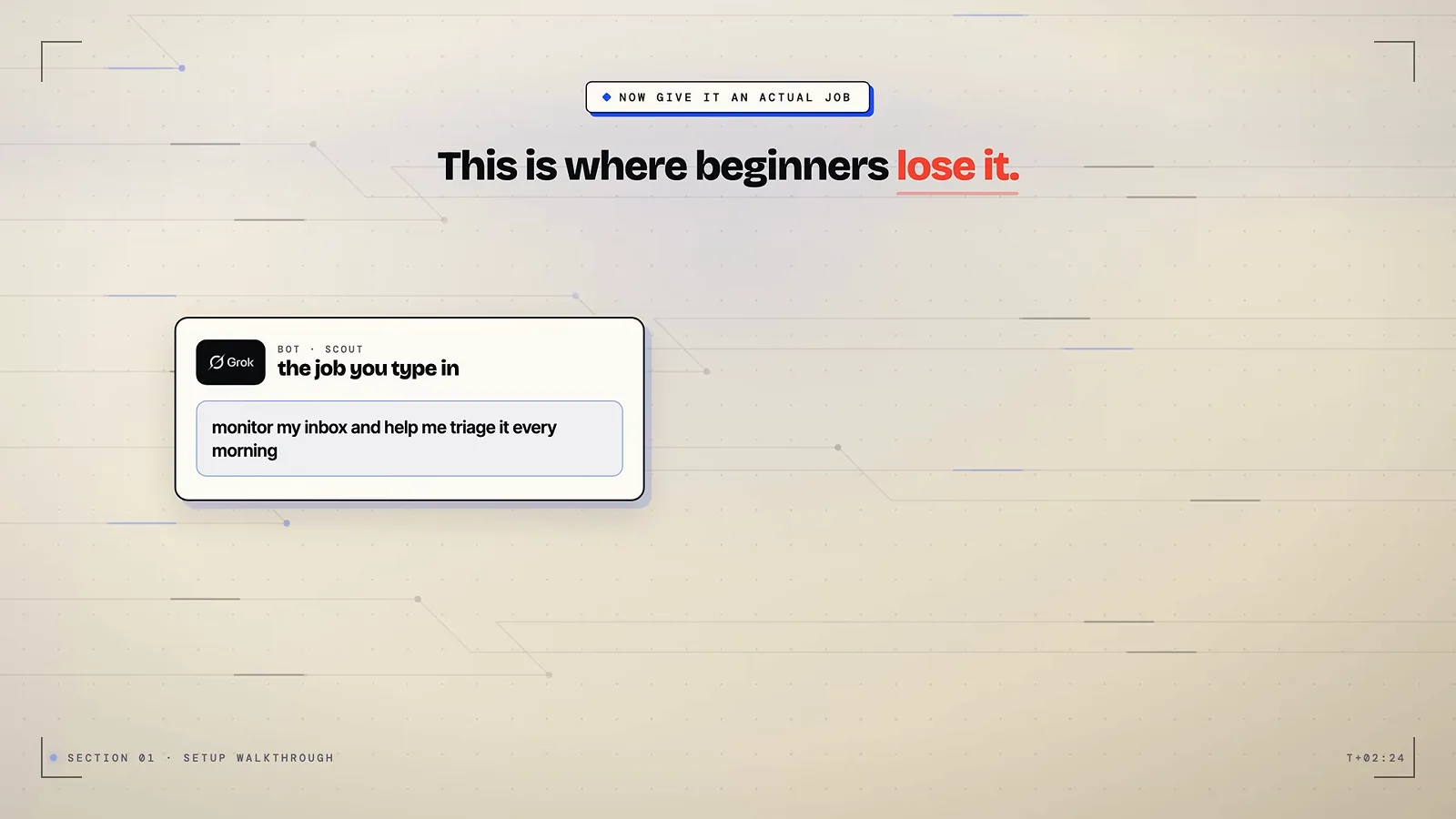
A concrete first task beats a vague one - Zinho's beginner warning.Watch at 2:44 - 9
The cost side: plan gating and a beta label
Paul Lipsky recorded early access when Grok Bot required the top Super Grok tier at 300 dollars a month, and Zinho's walkthrough runs it on an existing plan login - the gate has kept moving, so check it before deciding. Zinho's own closing slide lists the costs of the beta: no model picker, a plan allowance that heavy use will strain, and bots that share one machine. His diagnostics panel grades model picker as missing outright.
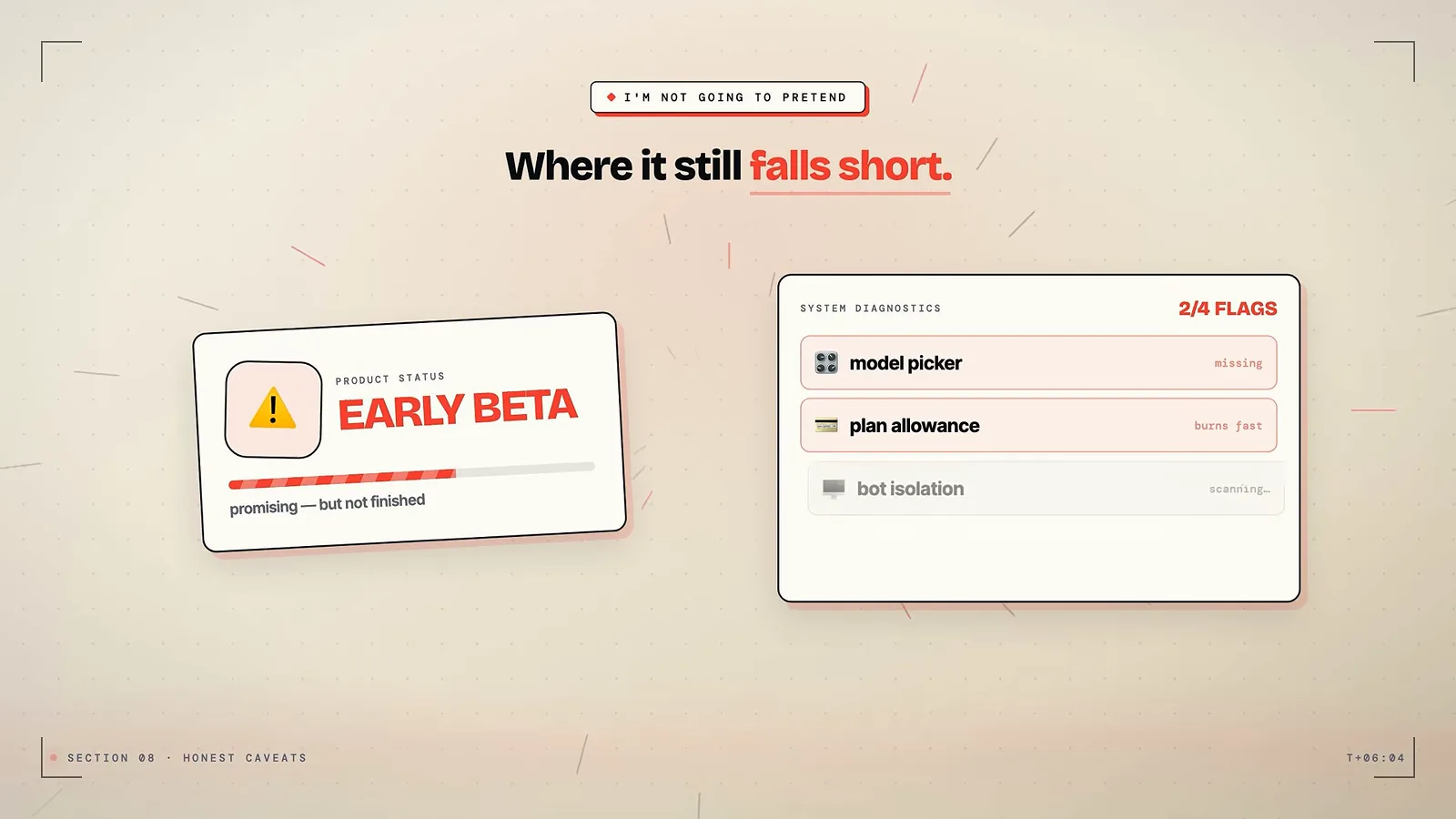
Zinho's own where-it-still-falls-short slide, near the end of his video.Watch at 13:30 - 10
Setup on the Hermes side: free software, you bring the brain
The software carries no seat fee; the real bill is the model subscription and the always-on machine. Samin Yasar runs his on a ChatGPT plan with a Nous portal as the fallback brain and an old computer as the host; CodeHead hosts on a small VPS. What the free side ships is shown here: CodeHead counts roughly 89 built-in skills, 81 optional ones and more than 500 community skills across 18 categories in the hub.
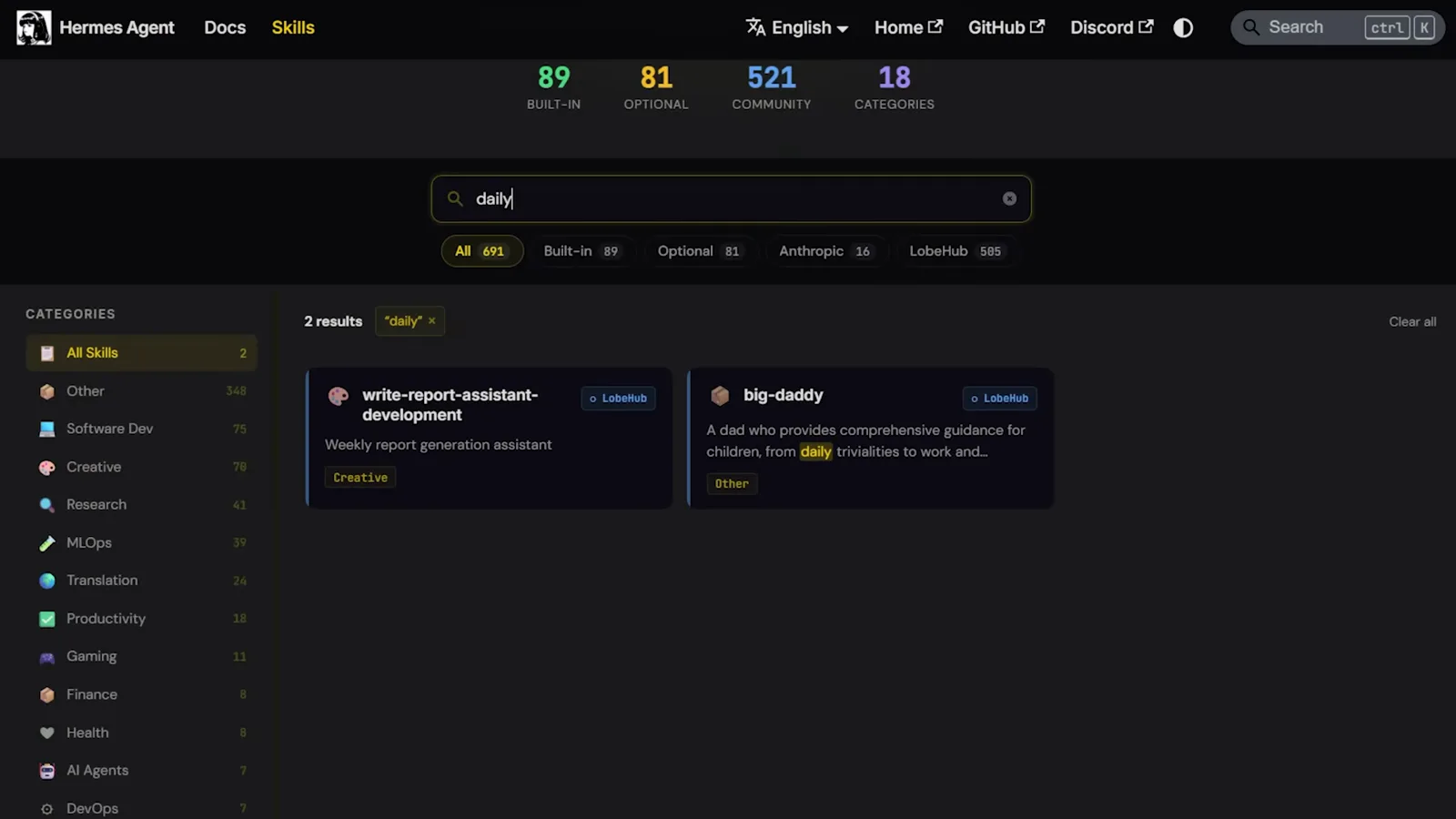
The skill library that exists before you build anything.Watch at 3:30
What they can do once running
- 11
Teams: bots hand work to each other
Zinho's fourth use case turns three single-job bots into a department: a Chief of Staff bot coordinates the researcher, the summarizer and the outreach bot by reading their names, roles and descriptions, so you brief one bot and receive a finished package. Paul Lipsky shows the lighter version - @-mention extra bots into an ongoing chat - and both reviewers give the same safety rule: keep new bots read-only until their drafts are consistently good.
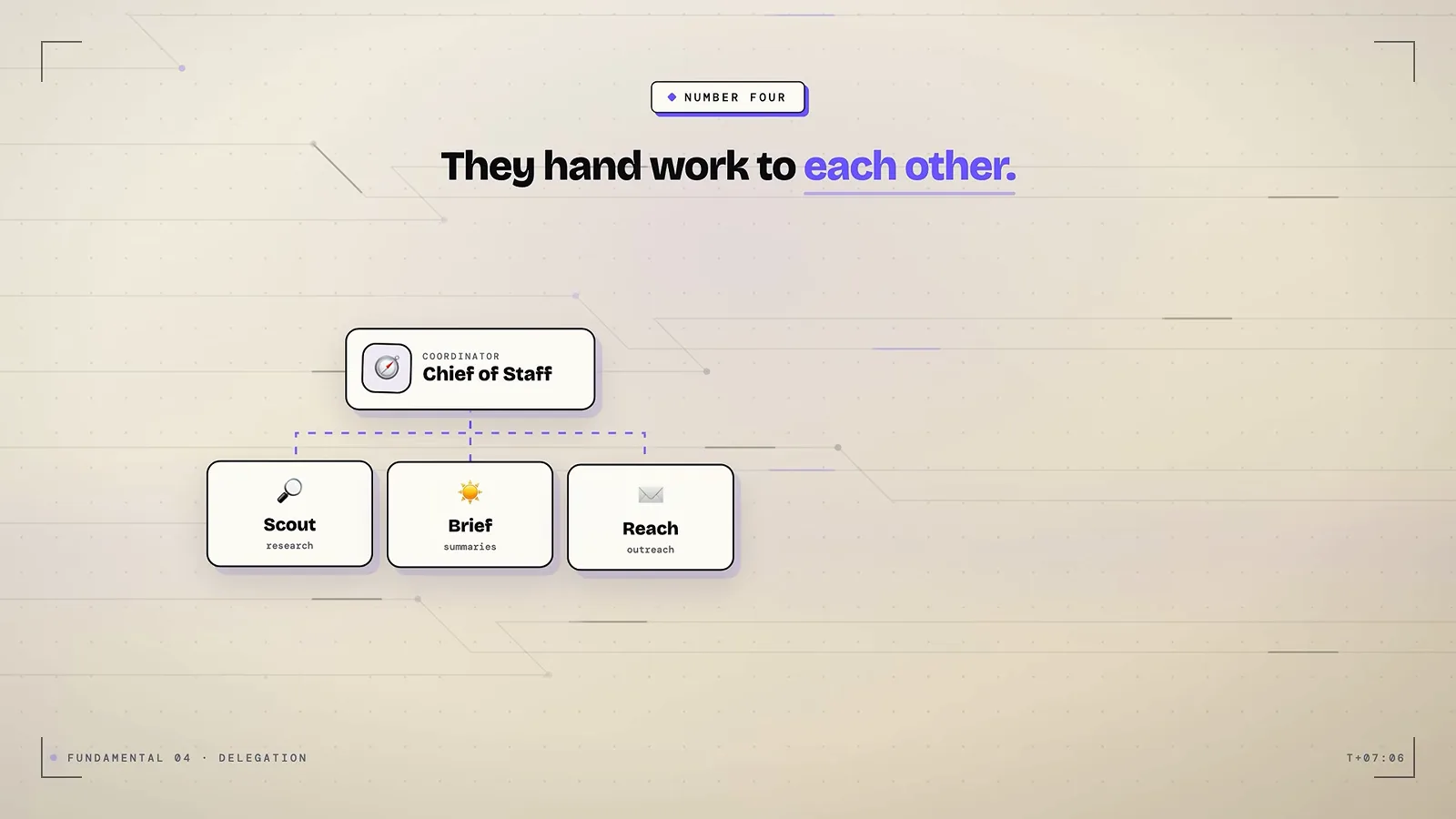
Zinho's number four: delegation by role, not by menu.Watch at 5:48 - 12
Teach it by doing, not writing
Skills on the Grok side are recorded, not authored: do the task once, the bot logs the method, and the log becomes a repeatable skill - Zinho's slide compresses this to you do it once, it records what you did, that becomes the skill. Attach the skill to a schedule or a trigger like a new Slack message and the one-off turns into a background routine. Paul Lipsky shows the same loop through a Teach a task button that records the bot's screen while you demonstrate.
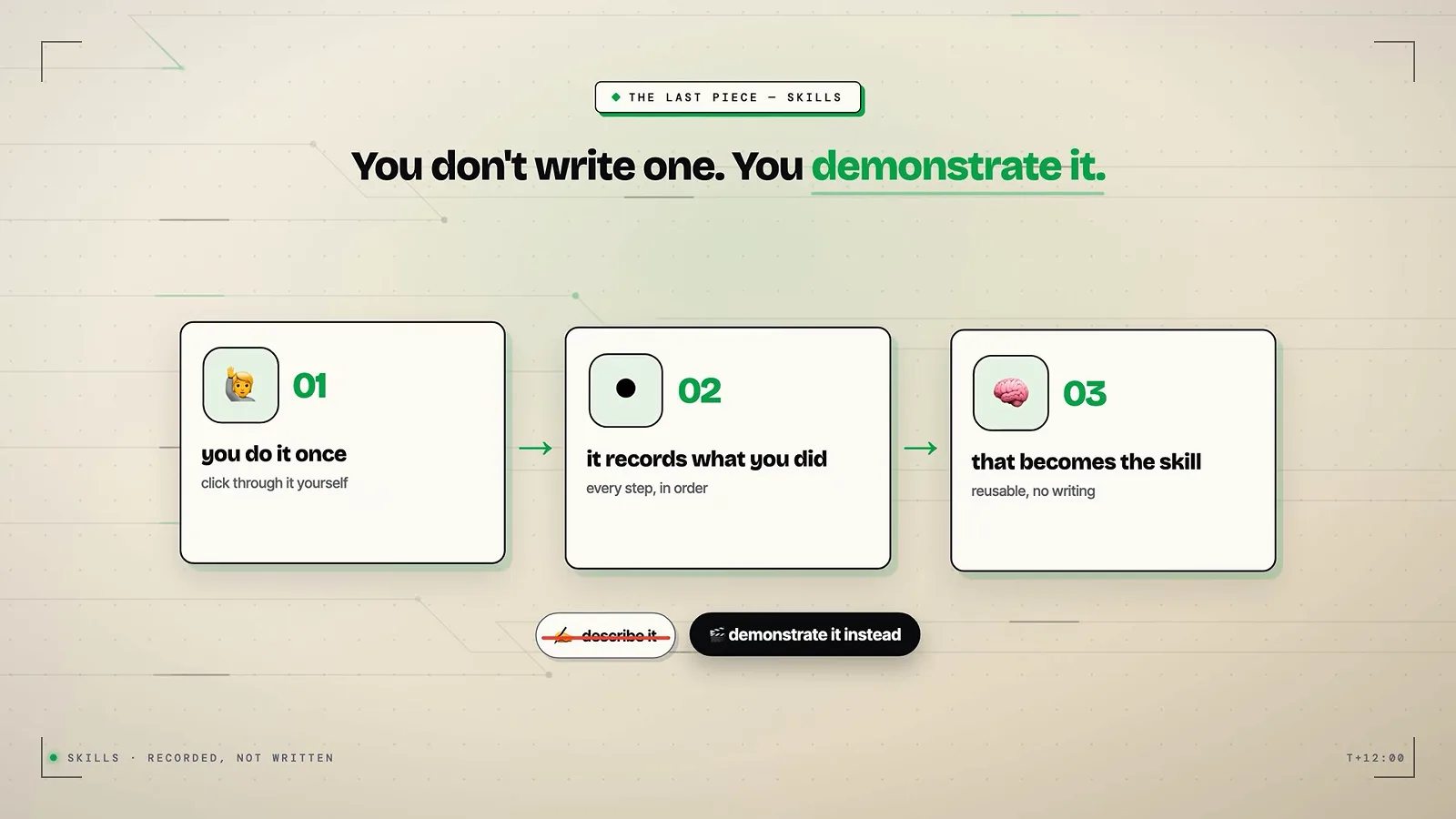
Demonstrate instead of describe, then put it on a schedule.Watch at 6:12 - 13
Skills on an open standard you can read and audit
CodeHead grounds the Hermes skill system in agentskills.io, an open standard with a published spec - the frame shows the license and compatibility fields a skill can declare - plus a community hub where skills are shared, and he even has his agent run a scheduled check of the hub for new skills worth installing. Compared with Grok Bot's recorded skills, these are files in a known format on your disk, which is the whole difference between closed convenience and inspectable tooling.
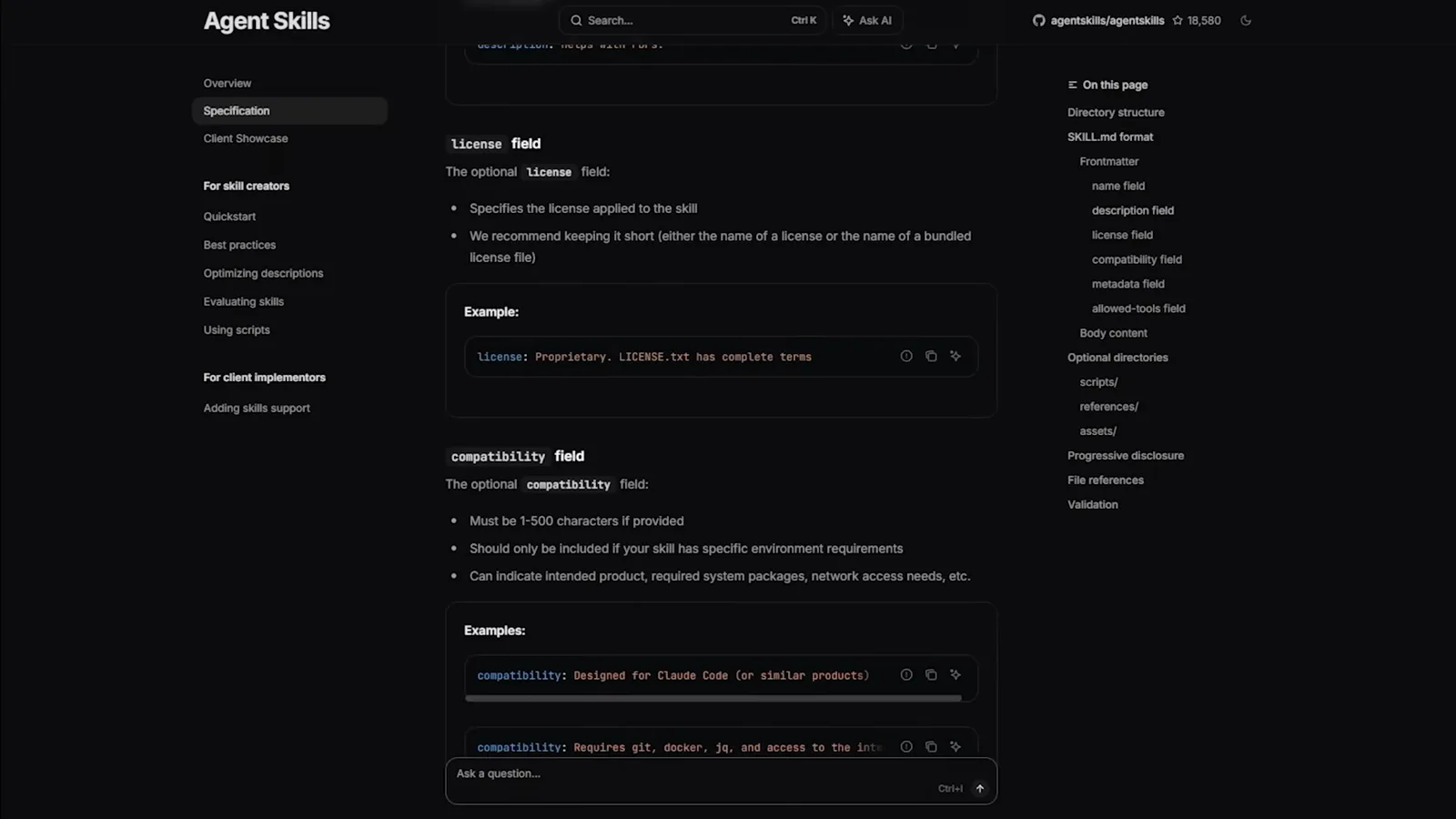
The open standard behind Hermes Agent skills.Watch at 3:03 - 14
Sub-agents: isolated workers instead of one stretched chat
CodeHead names this the most underrated part: when a request would stretch one session, Hermes spins up isolated workers that each get their own focus, context and tool set, then assembles their results back into the main agent - his diagram shows the main brain above banks of worker memory. Samin Yasar scales the same idea up with a project board where his Hermes profile acts as chief of staff over other agents' work.
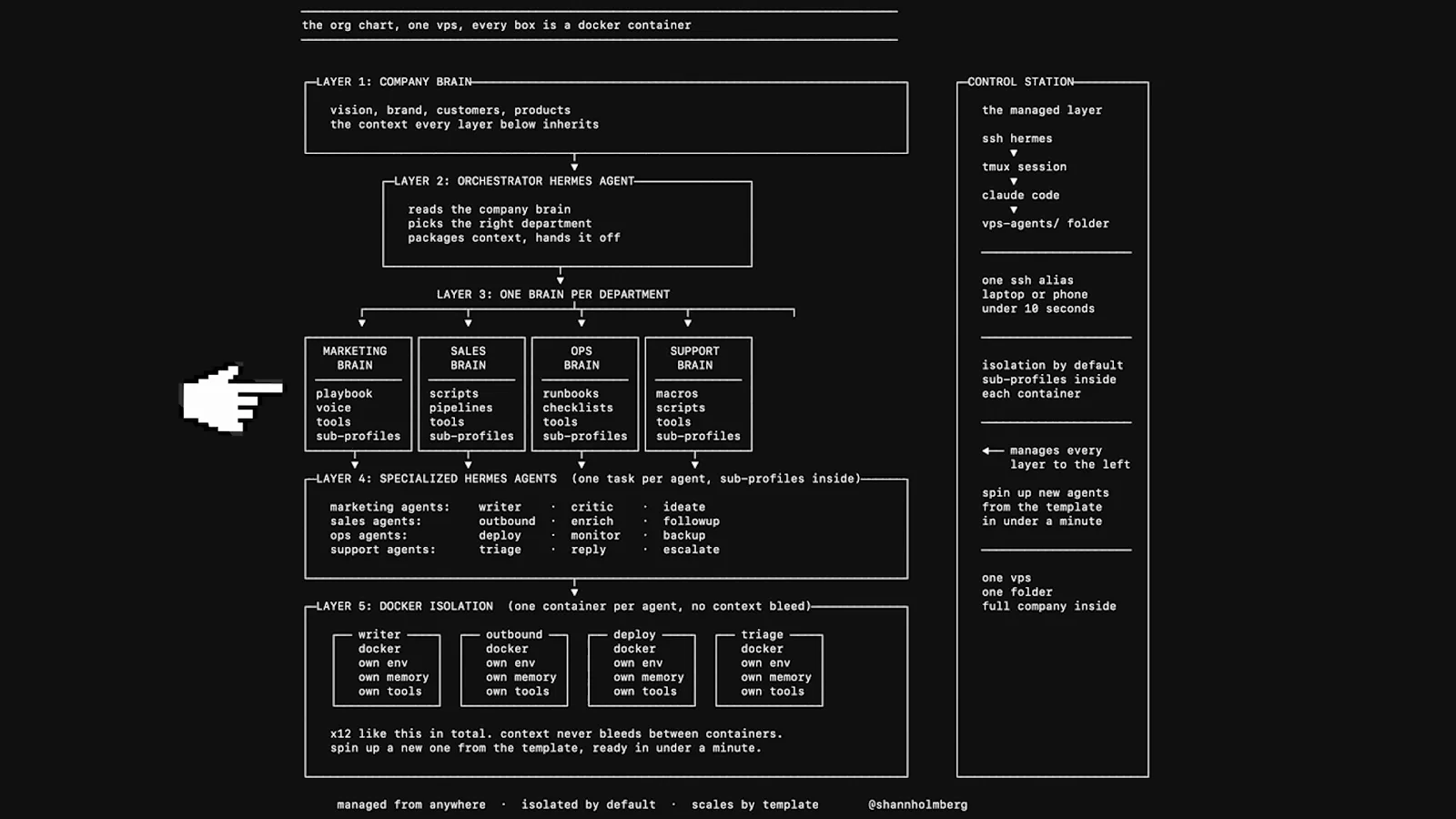
One request in, a background process runs and reports back.Watch at 4:04
Who should pick which
- 15
Zinho's starter test: hand over the most boring thing
Asked where a first-time user should begin, Zinho points at the dullest recurring work on screen - sorting the same inbox, the weekly report nobody reads, chasing the same invoices - and to start read-only so a mistake costs nothing. His three screening questions: what do I repeat, what is mostly gathering before a decision, and what happens at the same time every week.
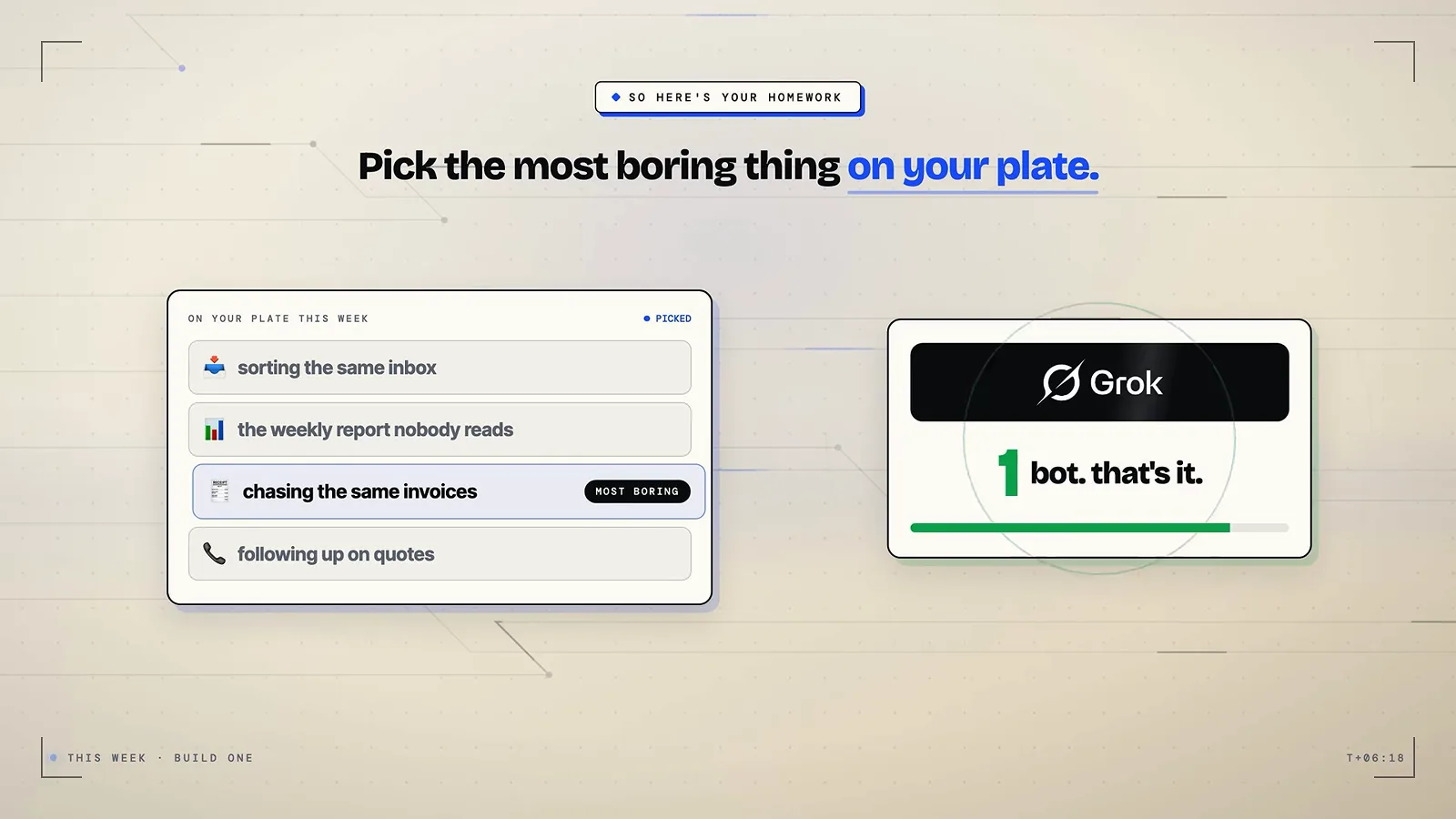
The boring-task litmus test from the walkthrough.Watch at 14:18 - 16
The self-host side's long game: memory that compounds
CodeHead's closing argument for Hermes is retention: a layered memory system that remembers across every session, and a curator that keeps it tidy - the diagram shows skills aging from active to stale after 30 unused days, archived after 90, restorable on demand, with a snapshot before every pass. His words: on day one it is a capable agent; six months in, it knows your workflow better than tools you spent years setting up. Samin Yasar's months-long usage diary in his course is the same case made at length.
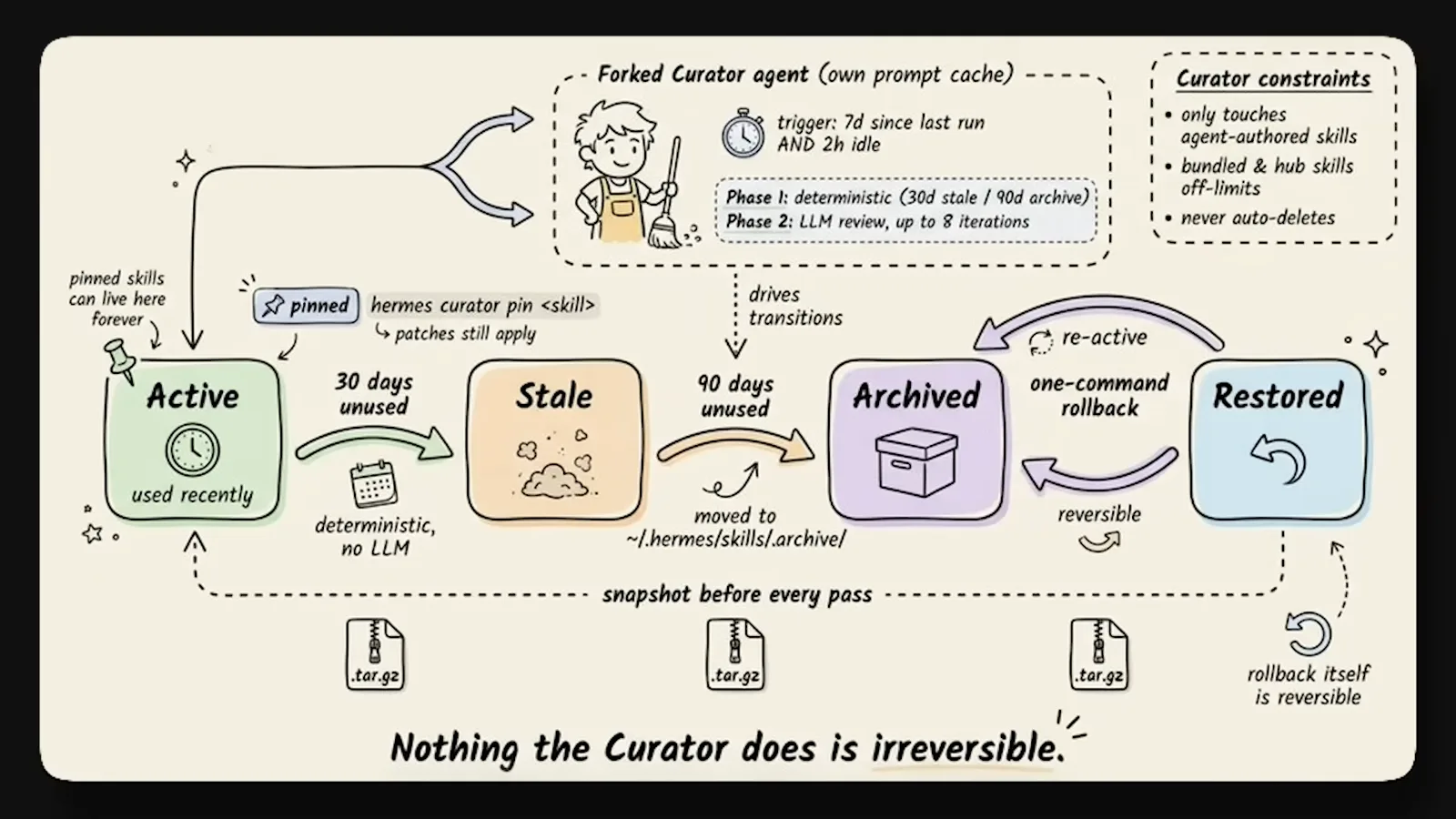
The curator that keeps a long-lived agent from getting messy.Watch at 0:52
Frequently asked questions
Keep exploring
- Grok Bot tool page: the hosted agent router in full
- Hermes Bot Mode tool page: the self-hosted agent as a product
- Meta Muse vs Grok Bot: the consumer-hosted comparison next door
- Grok Bot tips: roles, routines and the five-part brief
- How to use Hermes Agent: the full setup walkthrough
- Hermes Agent tips: memory, skills and squad setups