

How to Use Hermes Agent in 2026: 16 Steps from Install to Automation
Every screenshot below comes from a real setup session: Metics Media's full Hermes Agent walkthrough supplies the frames, and one step comes from Tech With Tim's course for the manual BotFather route. Hermes Agent is the free, open-source AI agent from Nous Research - not a hosted chatbot - so this page walks the whole loop the official quickstart stops short of: deploy it on a small server, wire a model brain through OpenRouter, pair Telegram, connect the desktop app, train its persistent memory, let it write its own scheduled jobs, then read the cost page together. This is an unofficial tutorial; UI labels are as of October 2026.
Source & credits
Screenshots in this guide are captured from Metics Media's public walkthrough video. Every step links back to the exact moment it shows, so you can follow along.
Metics Media ↗Get a server and deploy the agent
- 1
Pick a small KVM plan for the agent's server
Hermes Agent runs around the clock, so give it a machine of its own. The walkthrough uses Hostinger's one-click Hermes Agent template and picks KVM 1 - the smallest plan, $5.84/mo at recording time with a promo (renewing at $11.99/mo) - and reports it runs one agent comfortably. Heavy all-day web browsing is the stated reason to step up to KVM 2, and you can upgrade later without reinstalling anything.
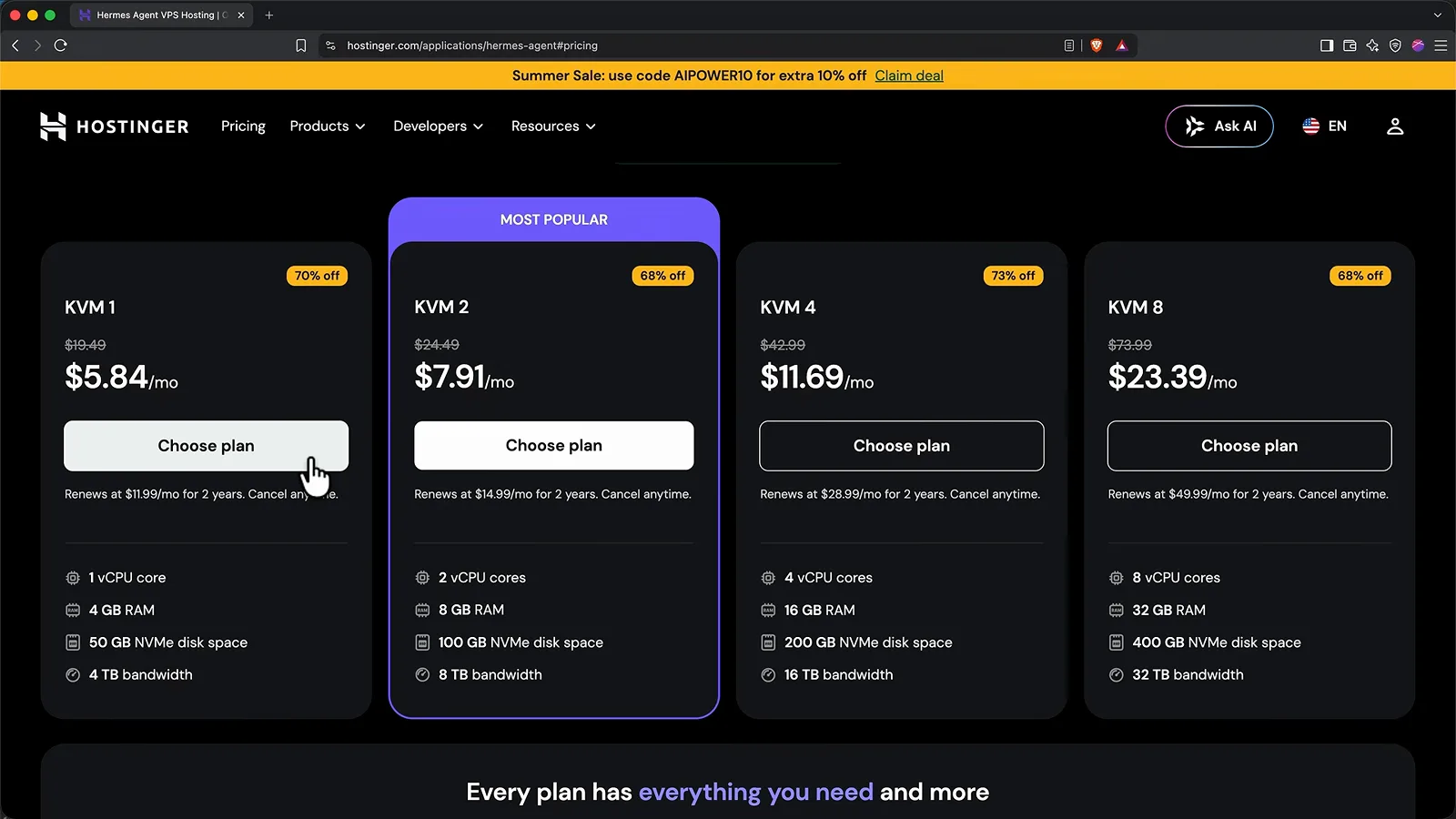
KVM 1 is the walkthrough's pick; step up to KVM 2 only if your agent browses all day.Watch at 4:35 - 2
Set the admin login on the deploy form
After checkout, the template only asks for two values. Keep ADMIN_USERNAME as hermes, click the eye icon on ADMIN_PASSWORD and copy the generated password into a password manager - everything visual from here needs it. The two optional fields at the bottom (Nexos and OxyLabs keys for their paid services) stay empty; this setup brings its own, cheaper model access instead.
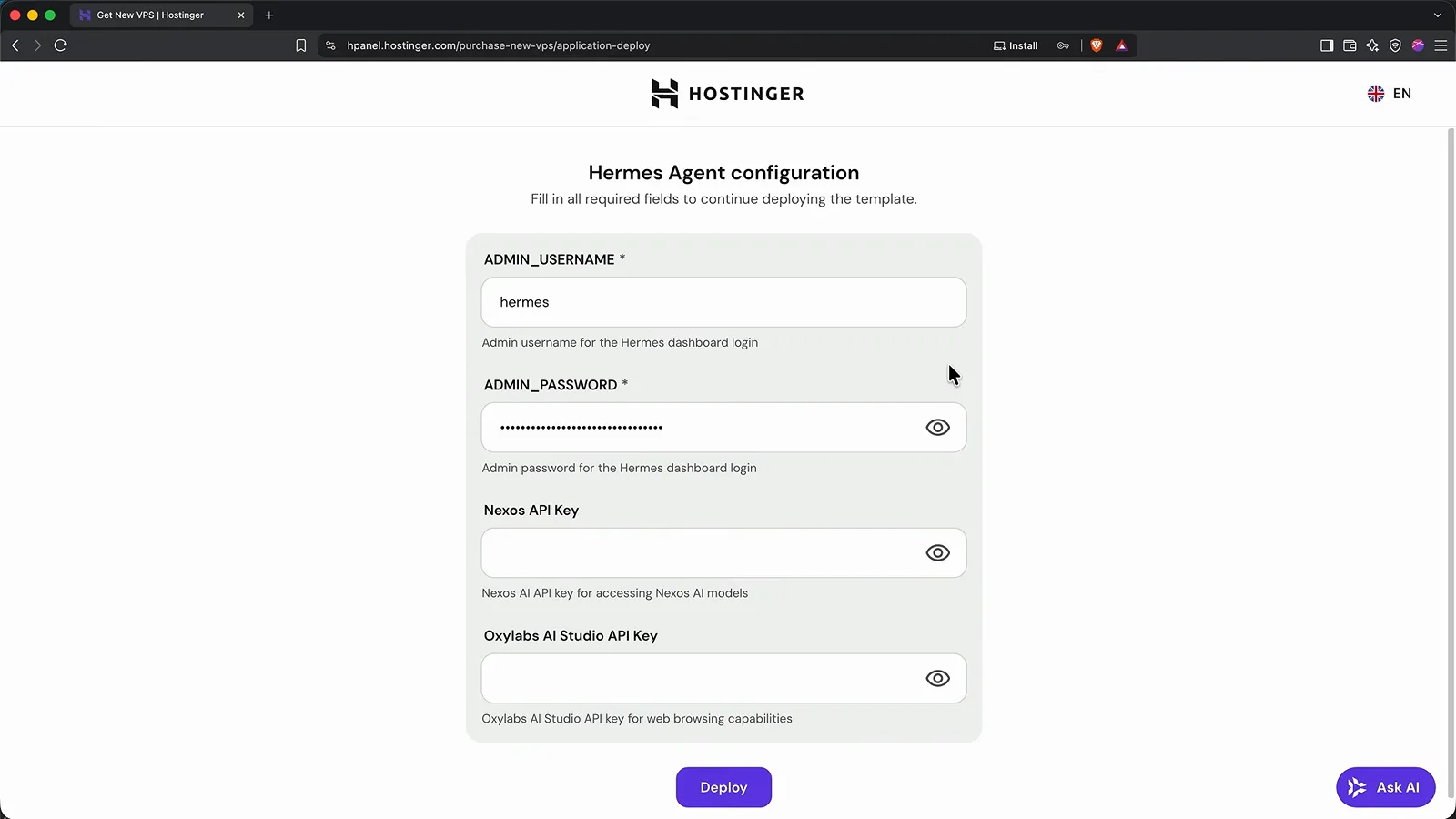
Save the admin password now - the dashboard, desktop app and Telegram flow all reuse it.Watch at 6:00 - 3
Open the web dashboard and sign in
When the container shows Running in Hostinger's Docker Manager, click Open on the Hermes Agent app. The sign-in page takes the username hermes and the password you saved - lowercase matters, as Tech With Tim's walkthrough of the same template points out. Lose the password later and Docker Manager's Environment tab shows and resets it.
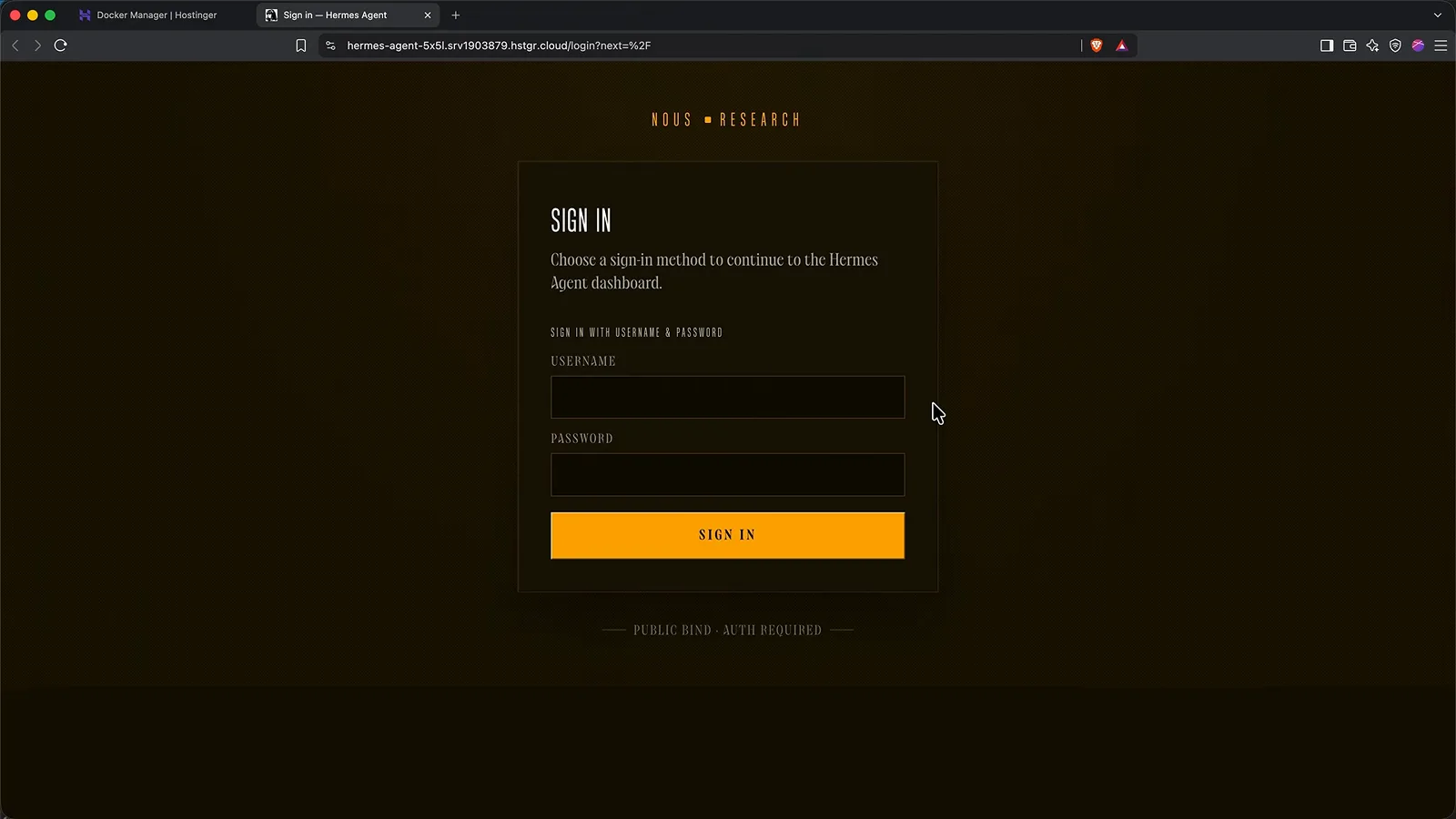
Bookmark this URL - it is also the address your desktop app will connect to later.Watch at 8:20
Wire up the brain with OpenRouter
- 4
Meet the empty brain: no model configured
First surprise: the agent is installed and running but cannot think. The chat page shows a Setup Required panel - 'Hermes needs a model provider before the TUI can start a session' - and the sidebar's error names the fix: run hermes model or set OPENROUTER_API_KEY. In the dashboard's rooms, Models is the brain, Cron the schedule and Skills its self-taught procedures; all three stay empty until a provider is wired, which is exactly the next step.
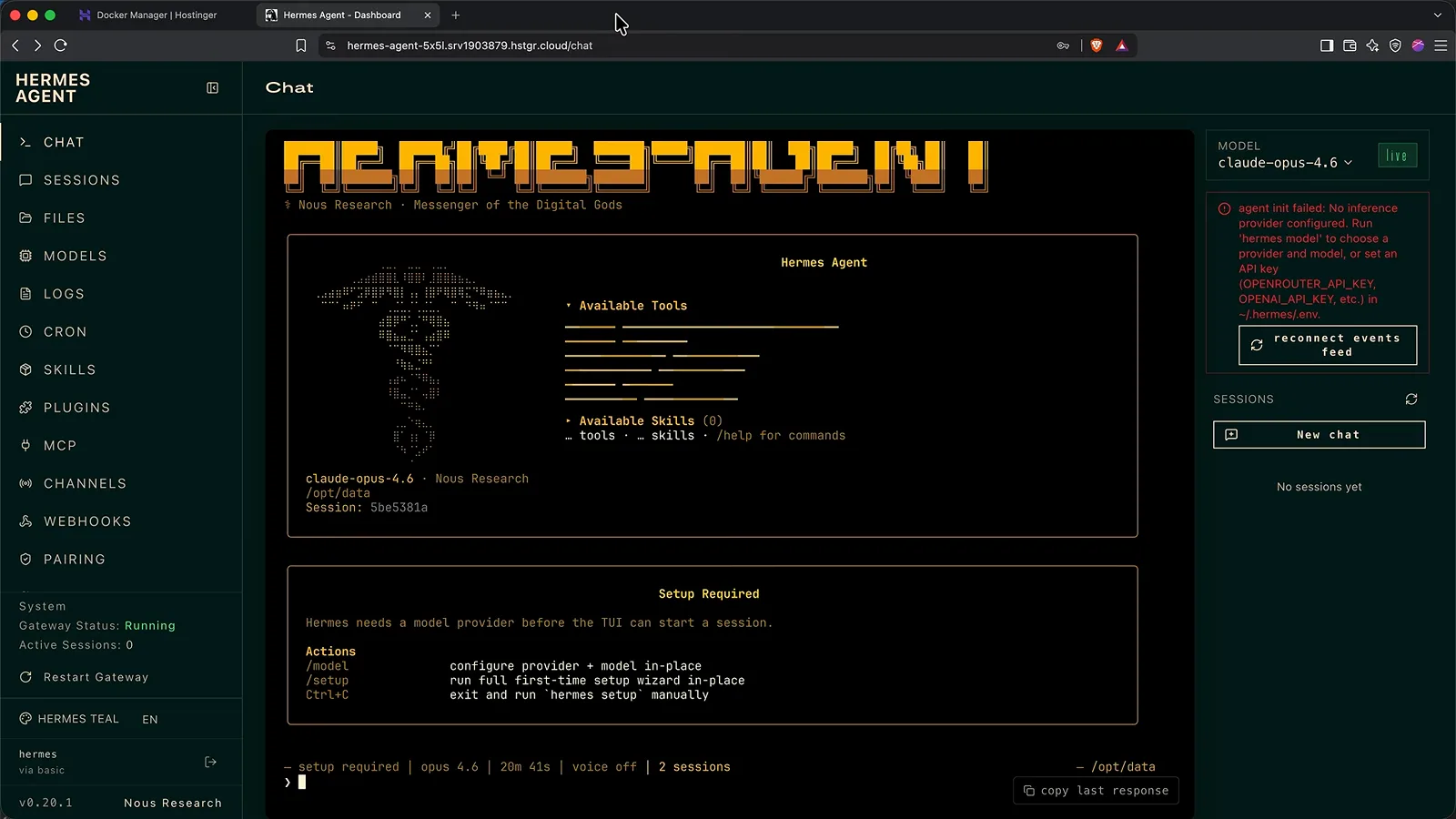
Installed is not the same as thinking - the model provider is the missing part.Watch at 11:40 - 5
Create an OpenRouter key (bring your own brain)
The walkthrough pays per use through OpenRouter: one account, hundreds of models. Sign up, copy the API key the moment the workspace page shows it - you will never see it again - then add $5 of credits, enough for weeks. While you are there, open API keys, edit the new key, name it Hermes Agent and set a $10 credit limit that resets weekly; that cap is your spend guardrail.
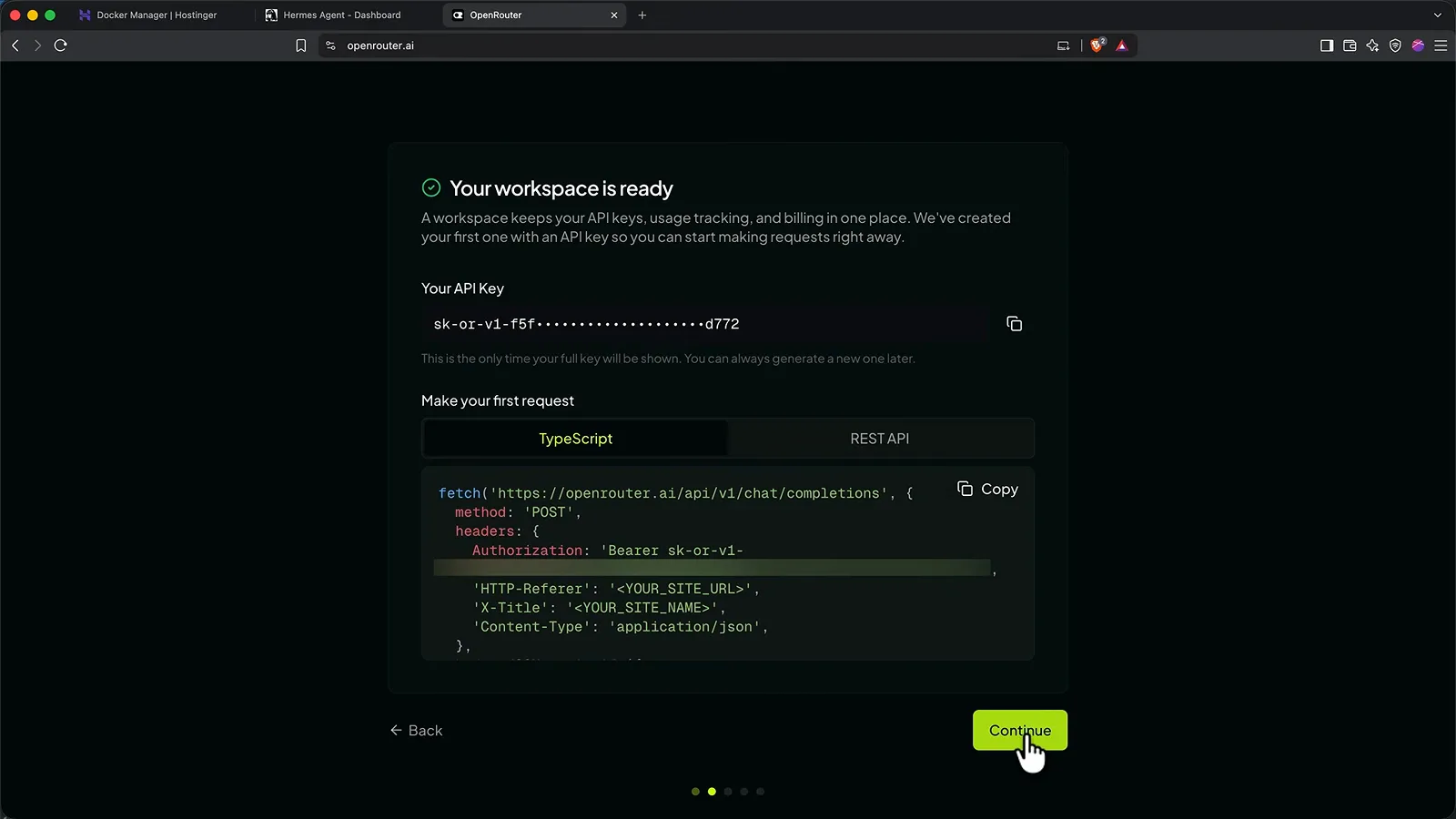
Copy the key immediately and add $5 - the walkthrough's whole month of work cost less.Watch at 10:10 - 6
Paste the key into the dashboard's Keys page
Back in the dashboard, open Keys and expand the OpenRouter row. Click Set next to OPENROUTER_API_KEY, paste the sk-or key and save. This page also holds OAuth logins (Nous Portal, ChatGPT, Claude, Gemini), so it is the one place to revisit whenever a provider needs wiring. Then go to Models, hit Change on Main model, pick DeepSeek V4 Flash through OpenRouter and confirm the reload.
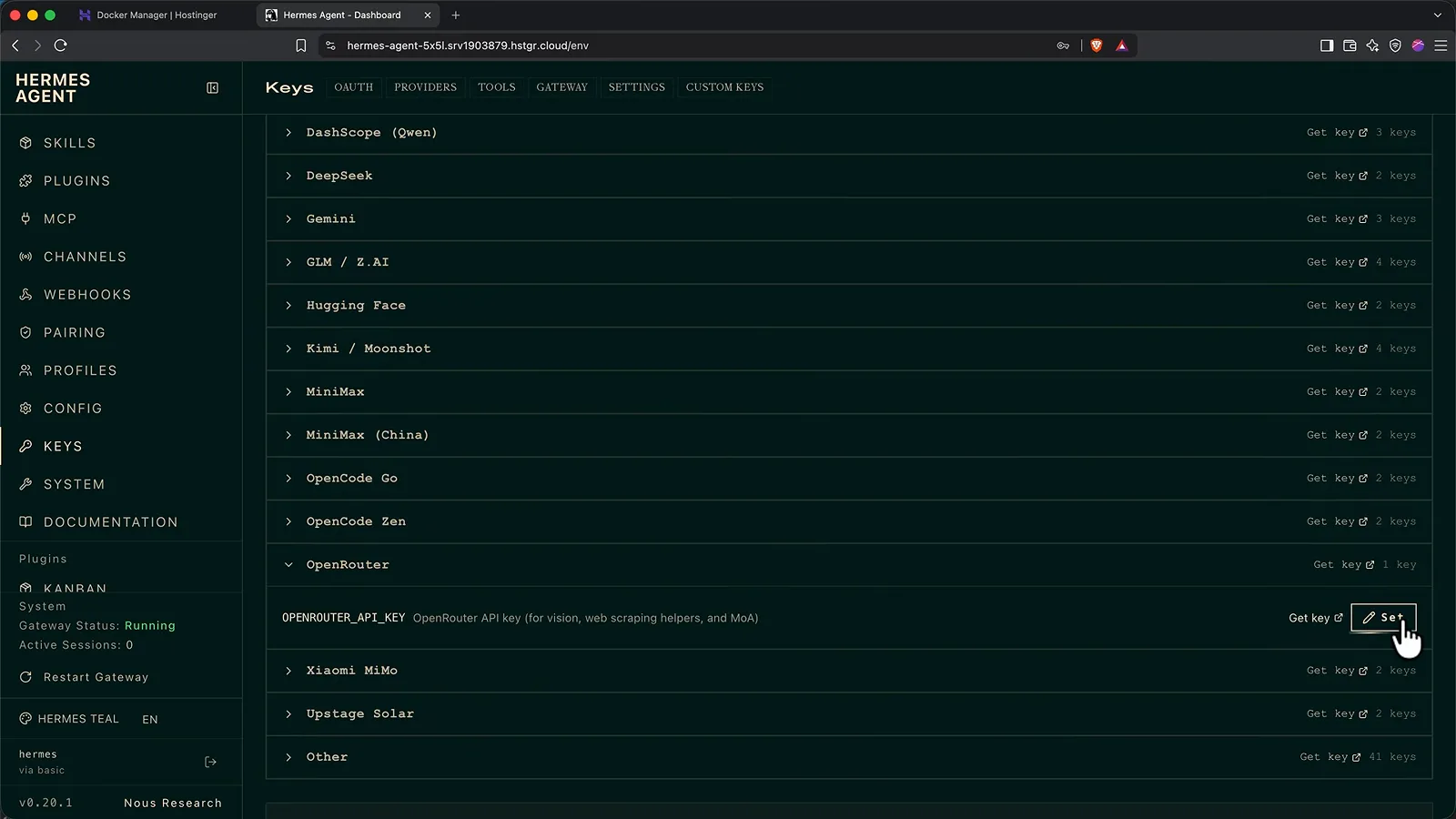
One key, pasted once - then Models > Change points the main model at DeepSeek V4 Flash.Watch at 11:52 - 7
Say hello to a thinking agent
Type hello into the chat. The boot panel lists what just came alive - 21 toolsets including browser use, code execution, cron jobs, delegation and memory, plus 77 skills in 12 categories at recording time - and the MODEL badge flips to deepseek-v4-flash, Live. If a send ever errors, start a New chat and retry; the walkthrough's first hiccup cleared on the second attempt.
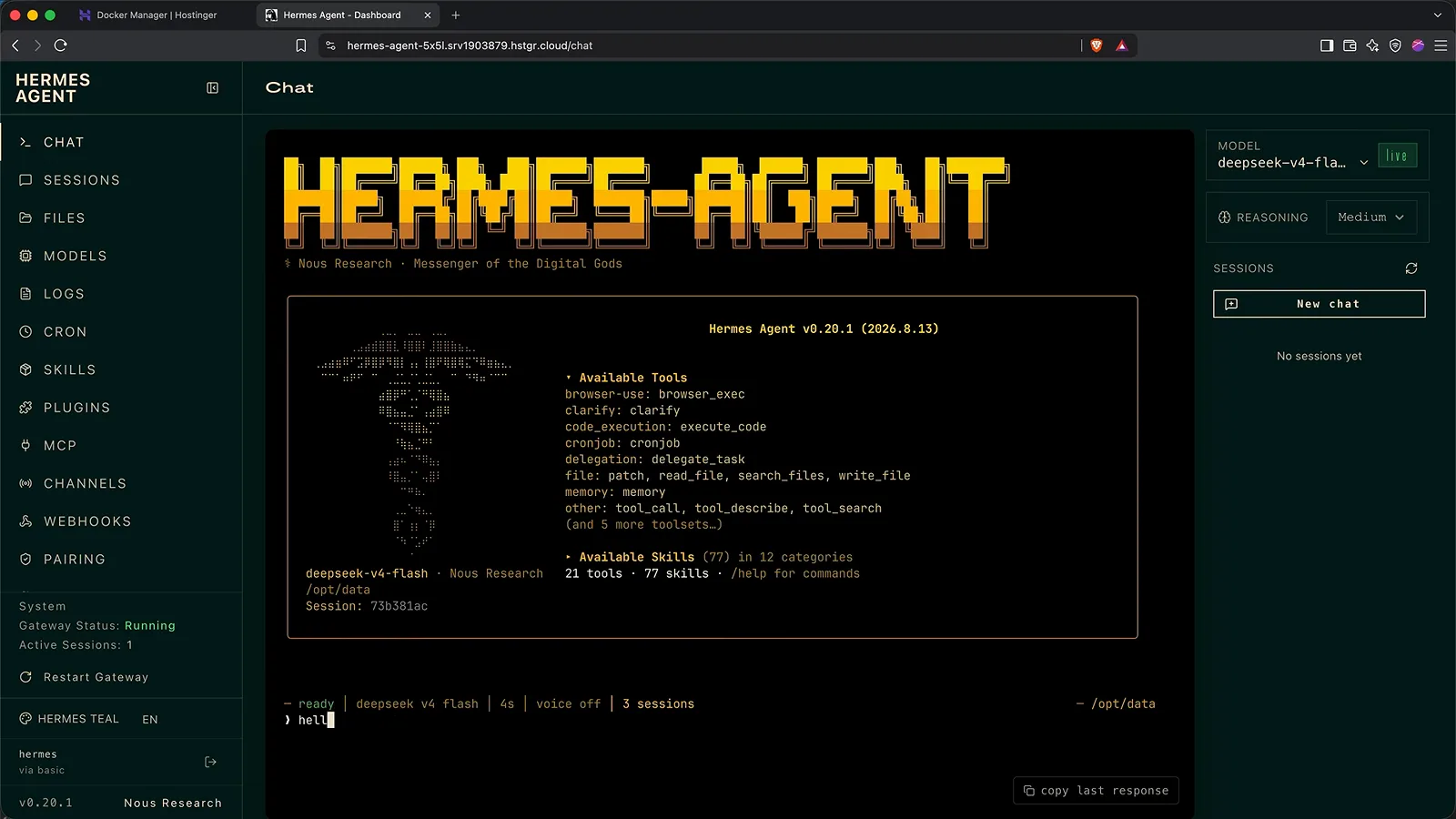
The same dashboard that could not talk two minutes ago now answers.Watch at 13:32
Reach it from your phone
- 8
Pair Telegram with one QR scan
Channels is where the agent gets a phone number. Telegram's Quick setup is the recommended route: click CREATE WITH QR, scan with your phone and confirm - Hermes Agent creates the bot and detects your Telegram user ID automatically. After the scan, click save and restart and wait for the gateway to flip back to Running, send any message to test, then tap /sethome so scheduled-job reports land in that chat. The QR expires in about three minutes, so keep the phone in hand.
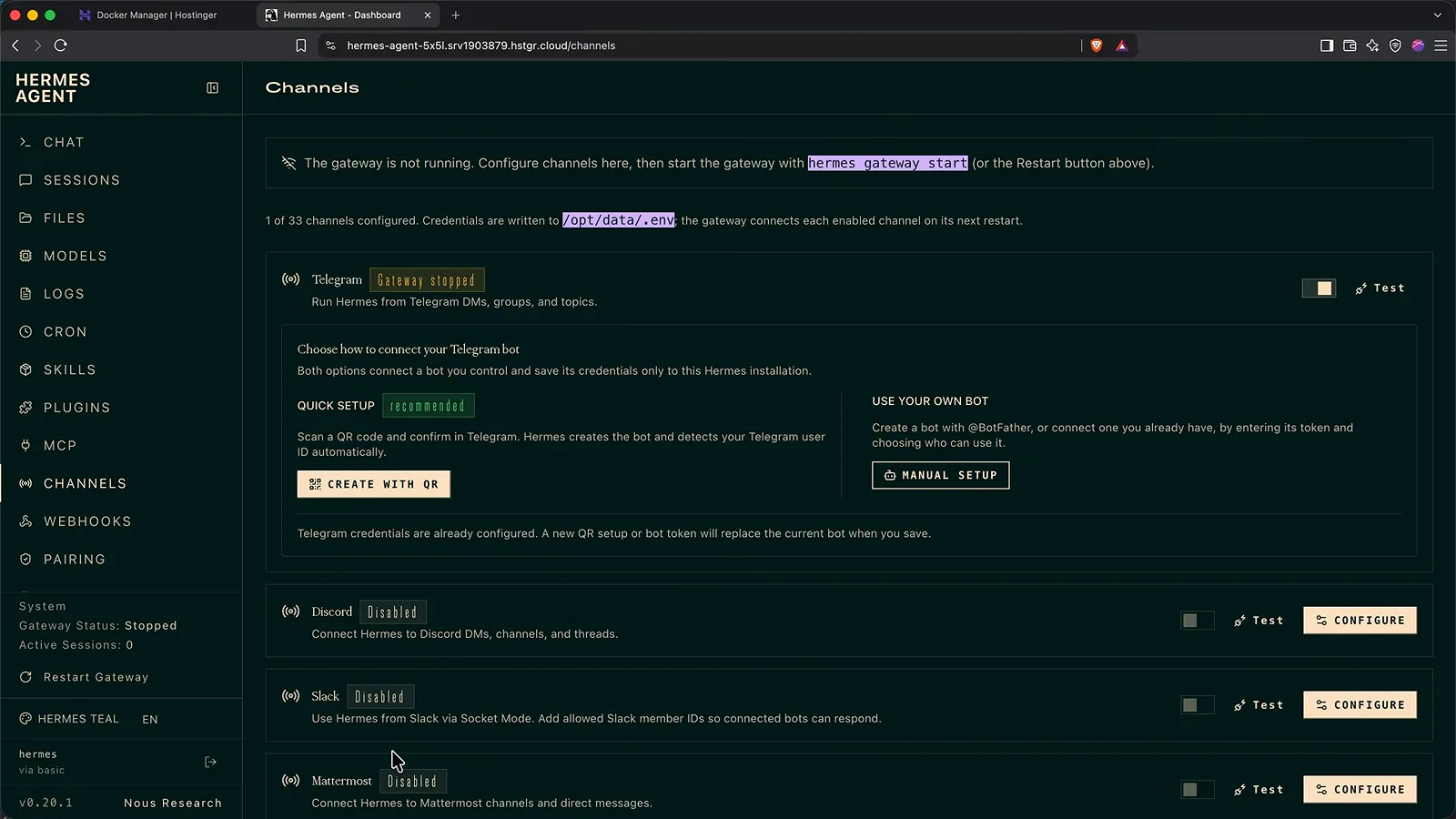
Only allow-listed users get answers - anyone else who finds the bot is ignored.Watch at 15:00 - 9
Or bring your own bot via BotFather
Prefer a bot under your own name? Tech With Tim's course shows the manual route: message @BotFather, send /newbot, choose a display name and a username ending in bot, then paste the token into Channels > MANUAL SETUP. The same flow asks for allowed user IDs - the numeric ID Telegram assigns you - so only trusted accounts can ever talk to your agent.
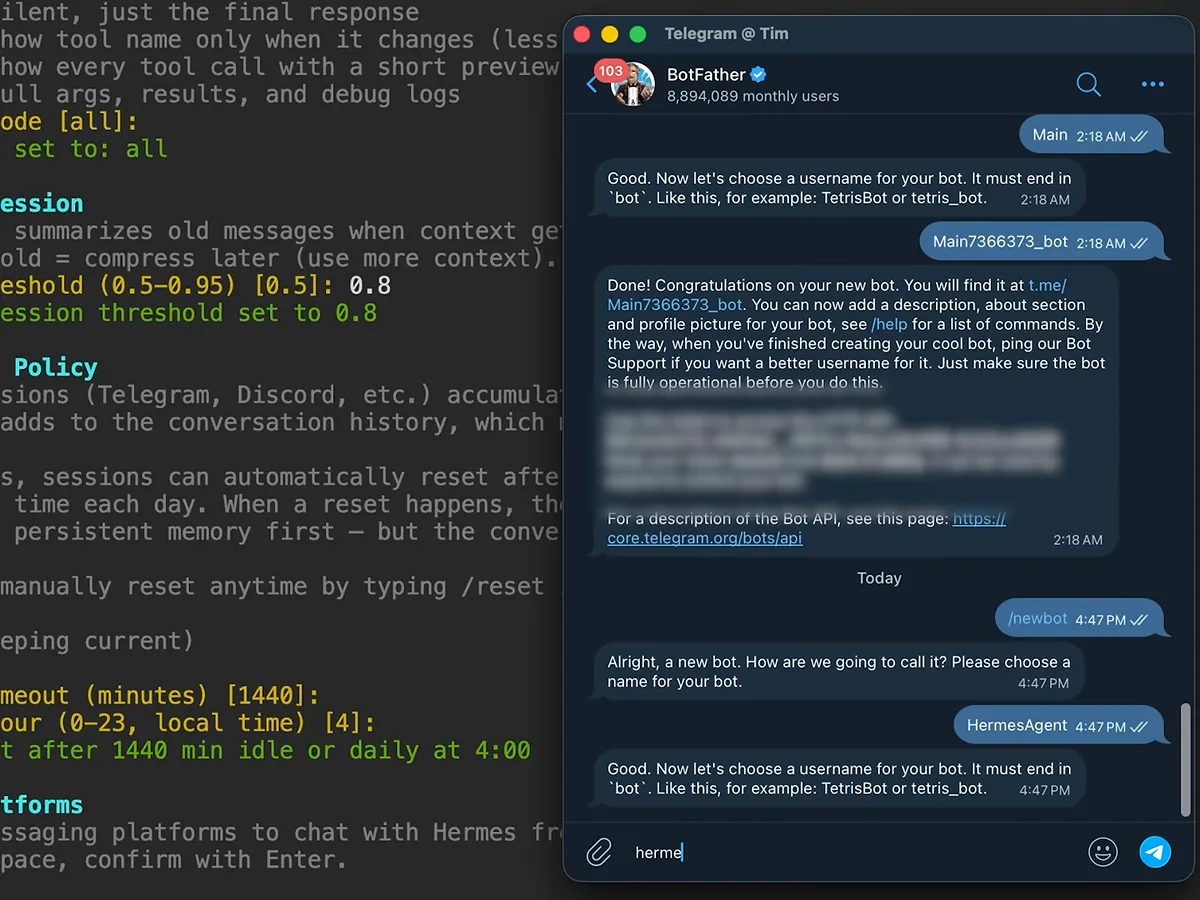
The manual BotFather route ends at the same connected gateway as the QR scan.Watch at 28:00
Memory, skills and the desktop app
- 10
Point the desktop app at your server
Install the desktop app from hermes-agent.nousresearch.com; when its onboarding offers a provider, choose 'I'll choose a provider later' so you do not spawn a second local agent. Open Settings > Gateway, select Remote gateway and paste the server address - the dashboard URL up to the first slash, highlighted in the address bar here. Sign in with hermes plus your password, save and reconnect: the app reloads showing your server sessions, Telegram chats included. A quick 'what was my first message to you?' proves the memory followed.
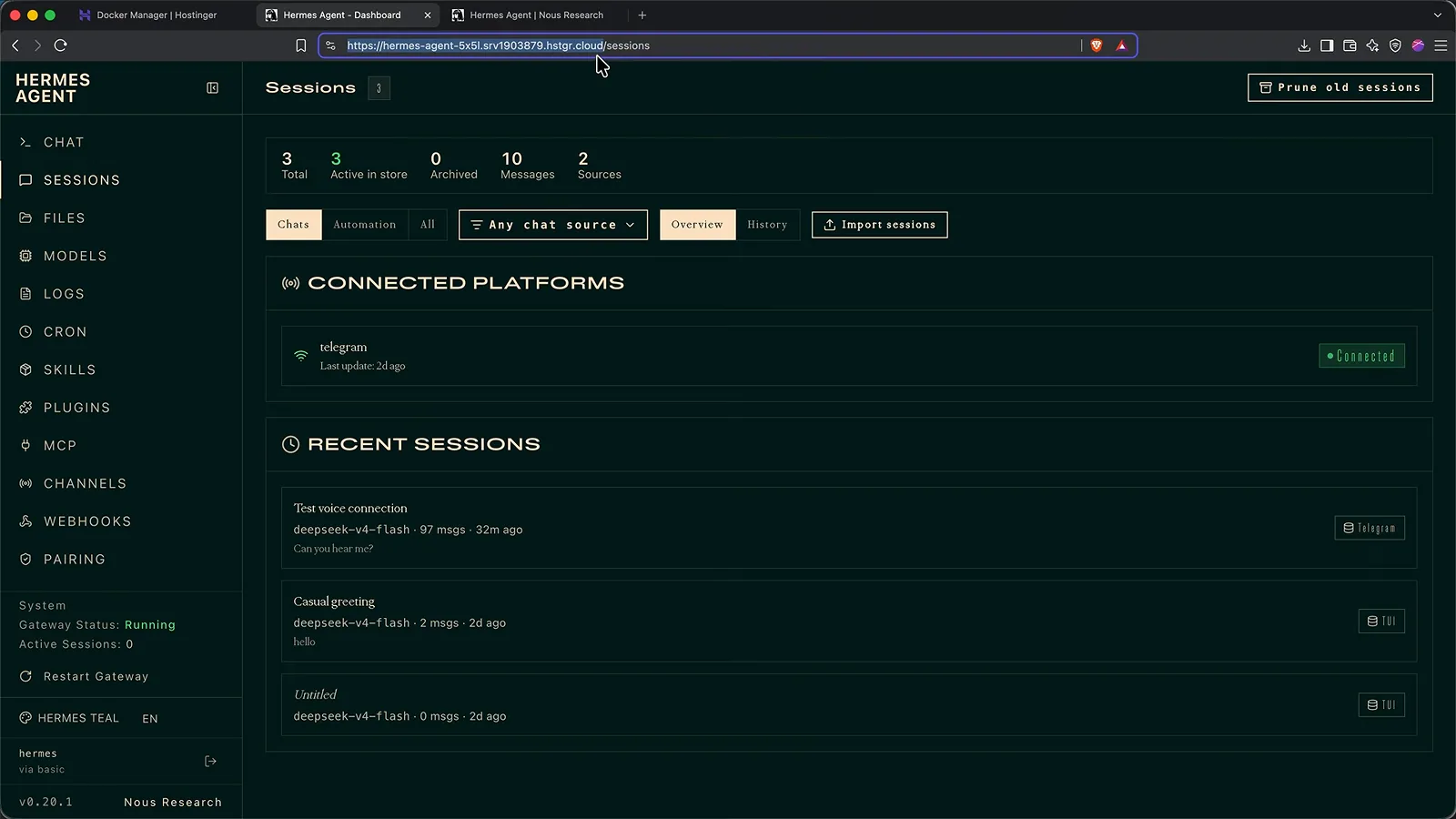
Copy that https address - it is all the desktop app needs to become this agent's remote.Watch at 20:40 - 11
Correct it once - the fix sticks forever
This is the moat. When a draft post came back too wordy, the walkthrough answered in plain language - 'short, punchy sentences, three paragraphs max, no headings or bullets. Save that as a preference' - and the Saved to memory chip fired on screen. A brand-new session (Cmd+N) then wrote the next post in exactly that style with zero context carried over. Memory, skills and the SOUL.md persona all live in files on your server, not in someone else's account.
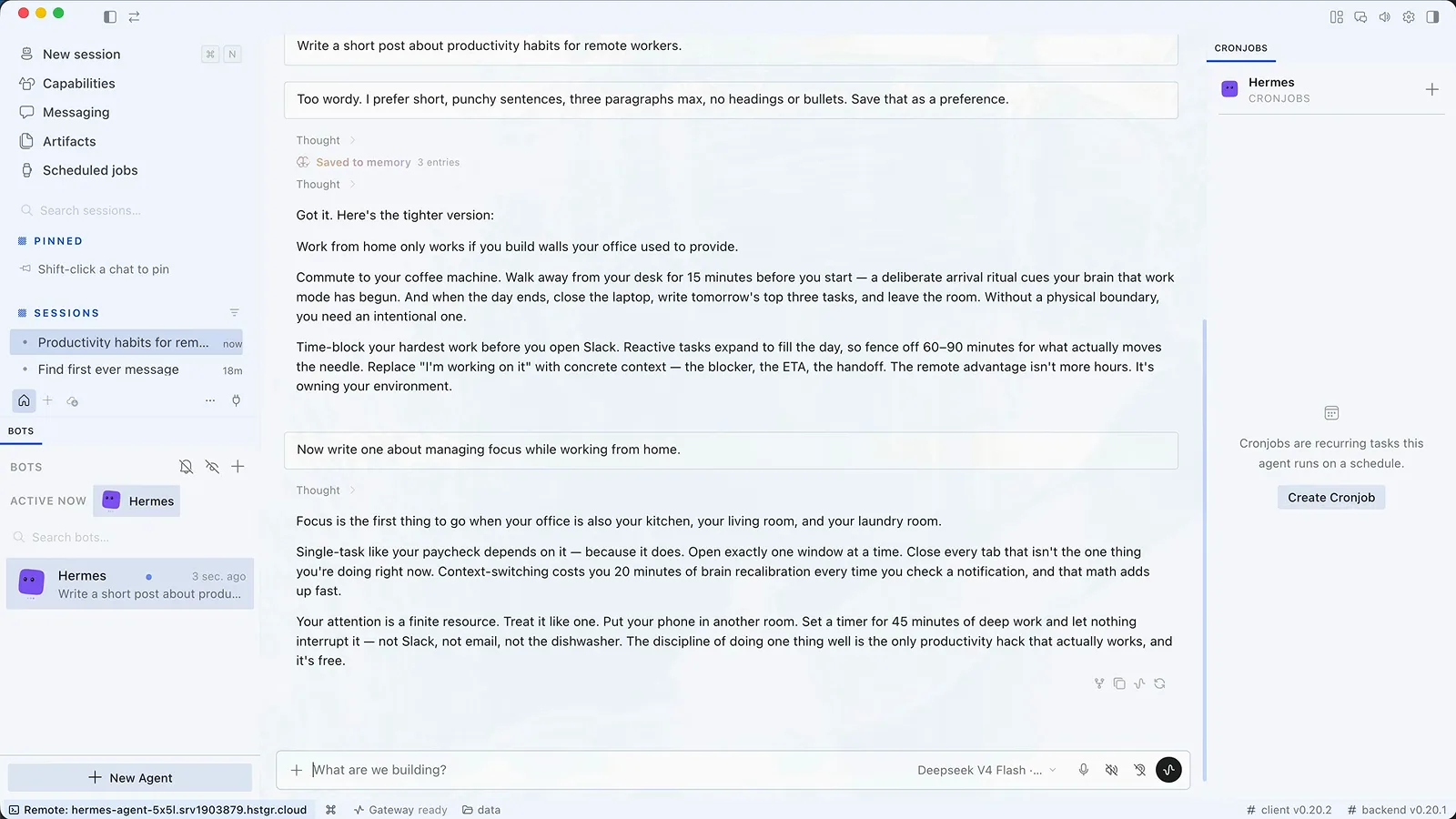
Talk to it like a new hire, not a settings form - the memory tool does the filing.Watch at 24:00 - 12
Read what it knows on the Capabilities page
Capabilities lists every skill (77 at recording time), toolset and MCP connection; click any row to read its plain-text source - the hermes-agent skill even documents its own MIT license and GitHub repo. Skills marked as learned are ones it wrote itself while working. The Skills Hub at the bottom adds searchable community procedures; Tech With Tim counts about 90 built in with hundreds more installable.
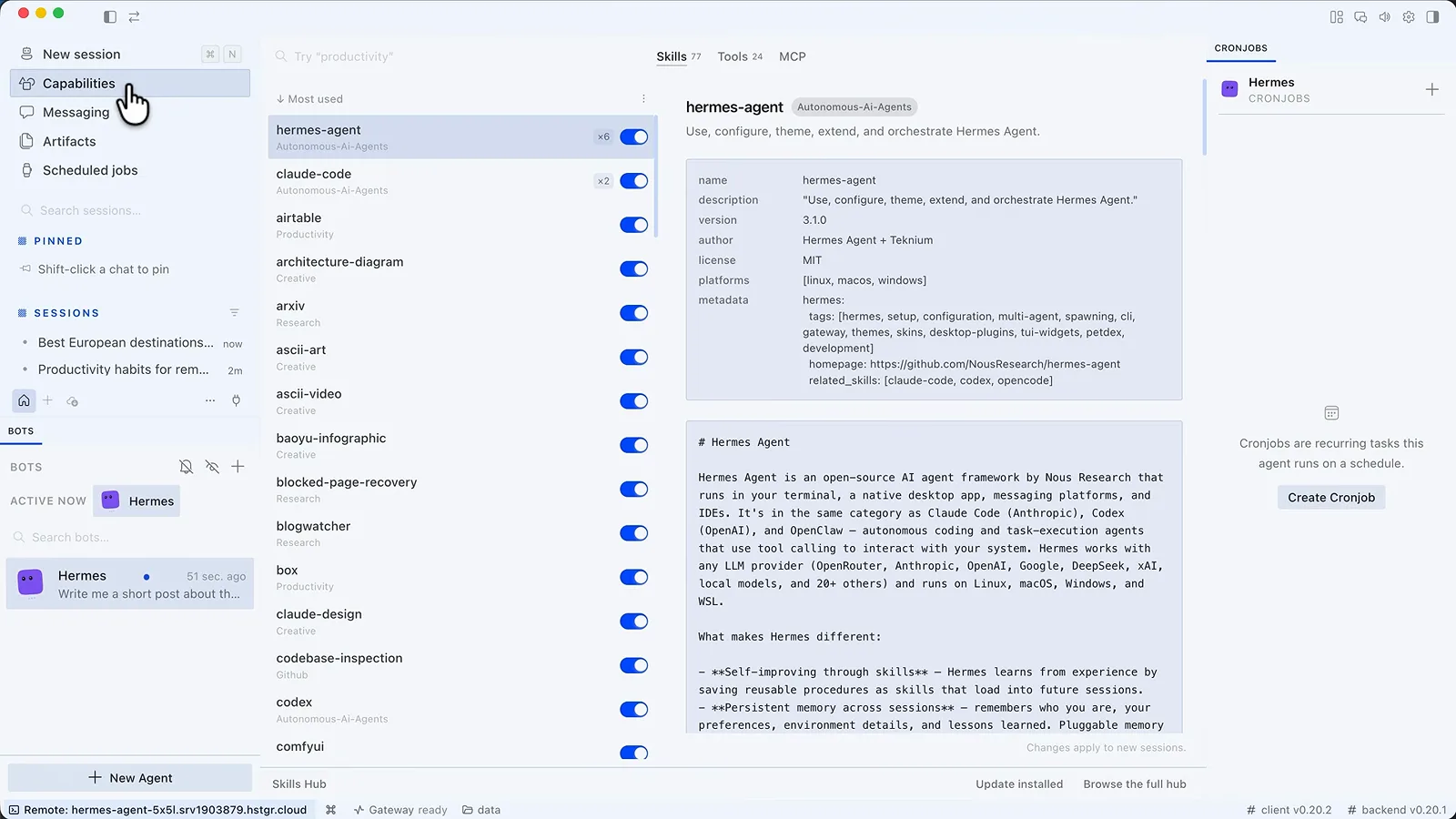
No black box - every skill is a readable file your agent wrote or installed.Watch at 25:00
Automation, sub-agents and the cost bill
- 13
Let it schedule its own watch jobs
The signature trick costs one message: 'watch YouTube for AI productivity trends, build yourself a reusable skill for the check, and message me only when there is something new.' The agent installed a dependency, wrote the skill and created the ai-trend-watch job shown here, running every 240 minutes with its full prompt readable. Jobs can be paused or triggered by hand, and Blueprints ship templates from morning briefings to price watches.
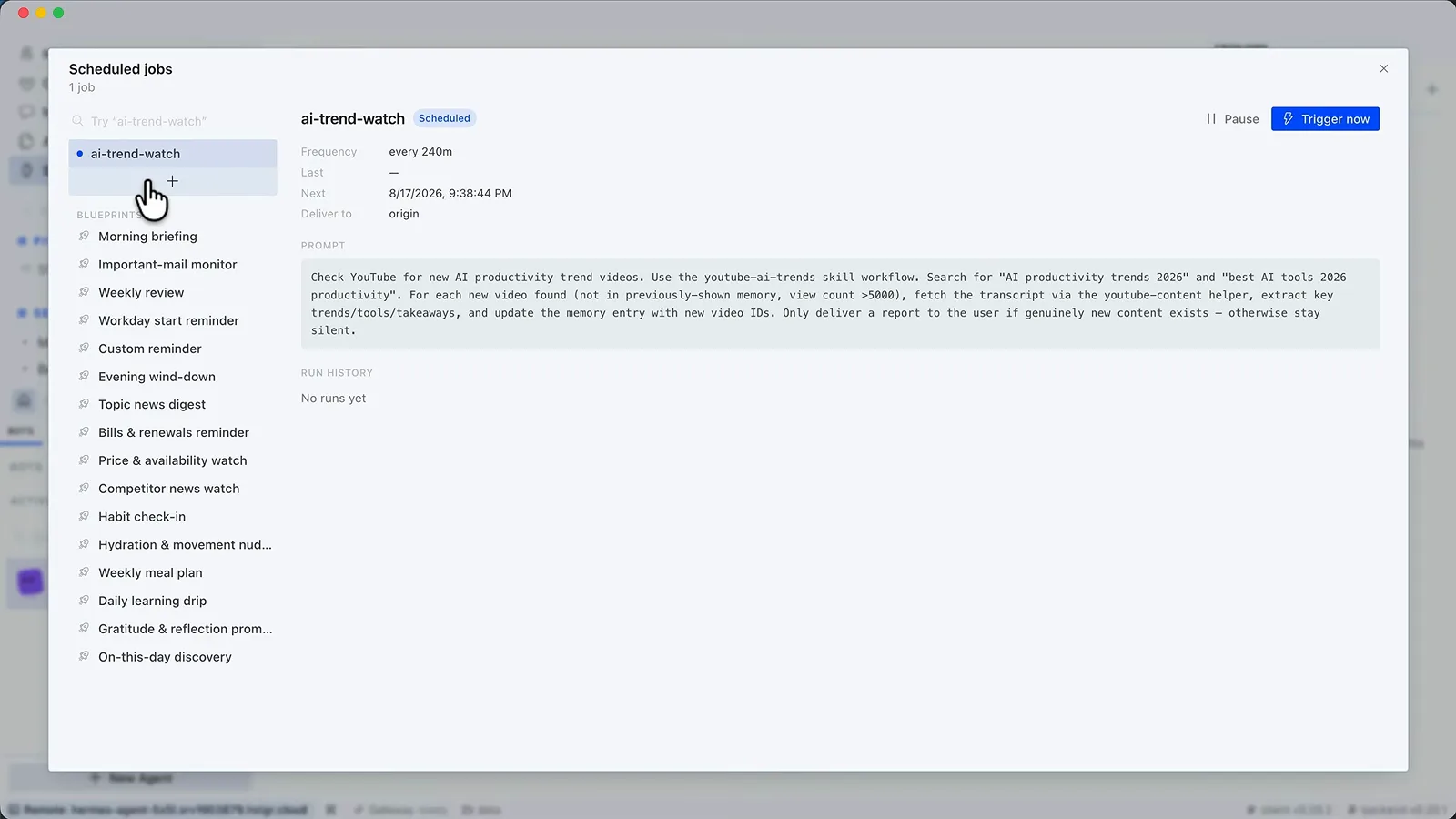
You described the outcome once; the job, the skill and the schedule are its work.Watch at 27:20 - 14
Read the real bill on OpenRouter Activity
The scariest-looking page is the friendliest: a stretch of real agent work - 105 requests - billed $0.13. The volume is the surprise: nearly 4 million tokens, because the agent resends its instructions, memory, tool list and chat history every single turn. Providers cache the unchanged part, which is why the 75.1% cache hit rate matters more than the token count. At that rate the opening $5 covers roughly 4,000 messages on DeepSeek V4 Flash, per the walkthrough's own math.
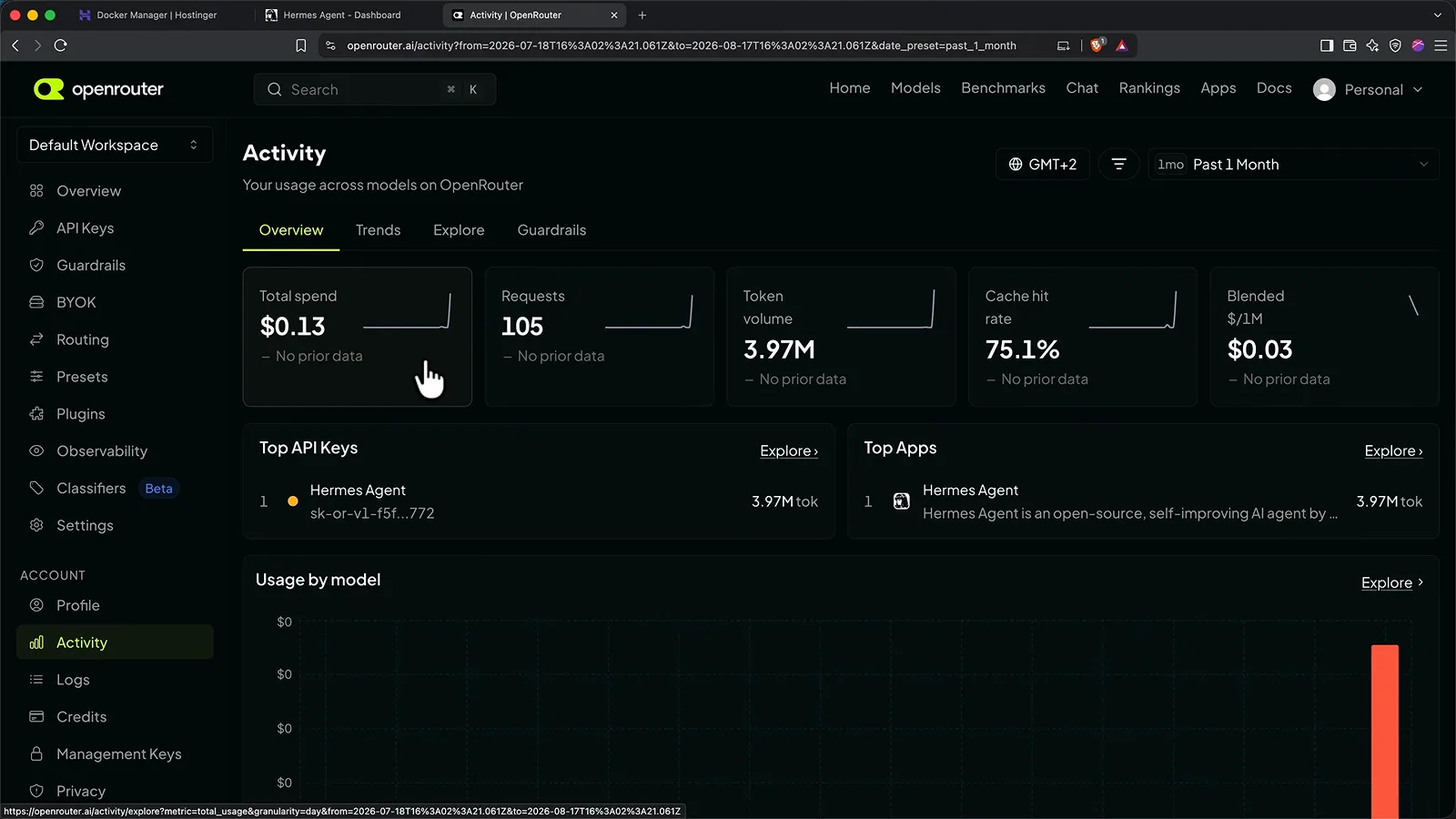
The server bill is fixed - the model bill is the one to watch, and now you can watch it.Watch at 28:32 - 15
Fan out big jobs to sub-agents
For work that splits, say so: 'Plan me three days in Lisbon - one sub-agent on neighborhoods, one on food, one on a day trip, one on getting around.' The trace shows four DeepSeek V4 Flash delegations running in parallel under a 4 Subagents chip before the main agent merges one itinerary. Parallel helpers are why the walkthrough calls Hermes Agent faster than single-threaded agents on research jobs.
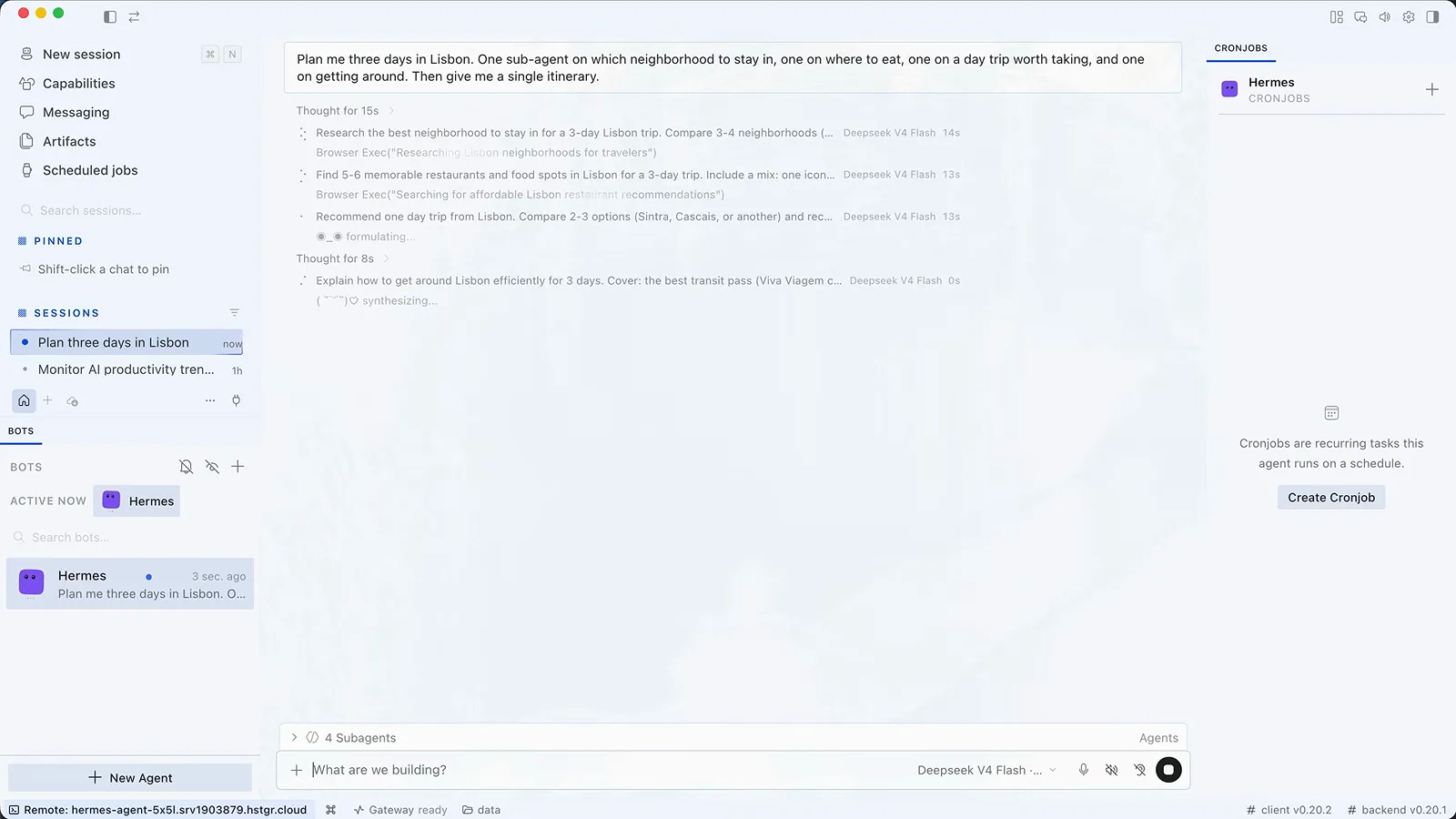
One message in, four workers out - the main agent edits the merged answer.Watch at 32:48 - 16
Split work and life with profiles
Behind the channel grid sits the multi-agent move: New profile creates an independent Hermes Agent environment with its own config, skills, SOUL.md and connectors, cloned from default if you want a running start. A work agent and a personal agent stop leaking context into each other. Coming from OpenClaw, just ask the agent to import your OpenClaw configuration and it walks the migration with you.
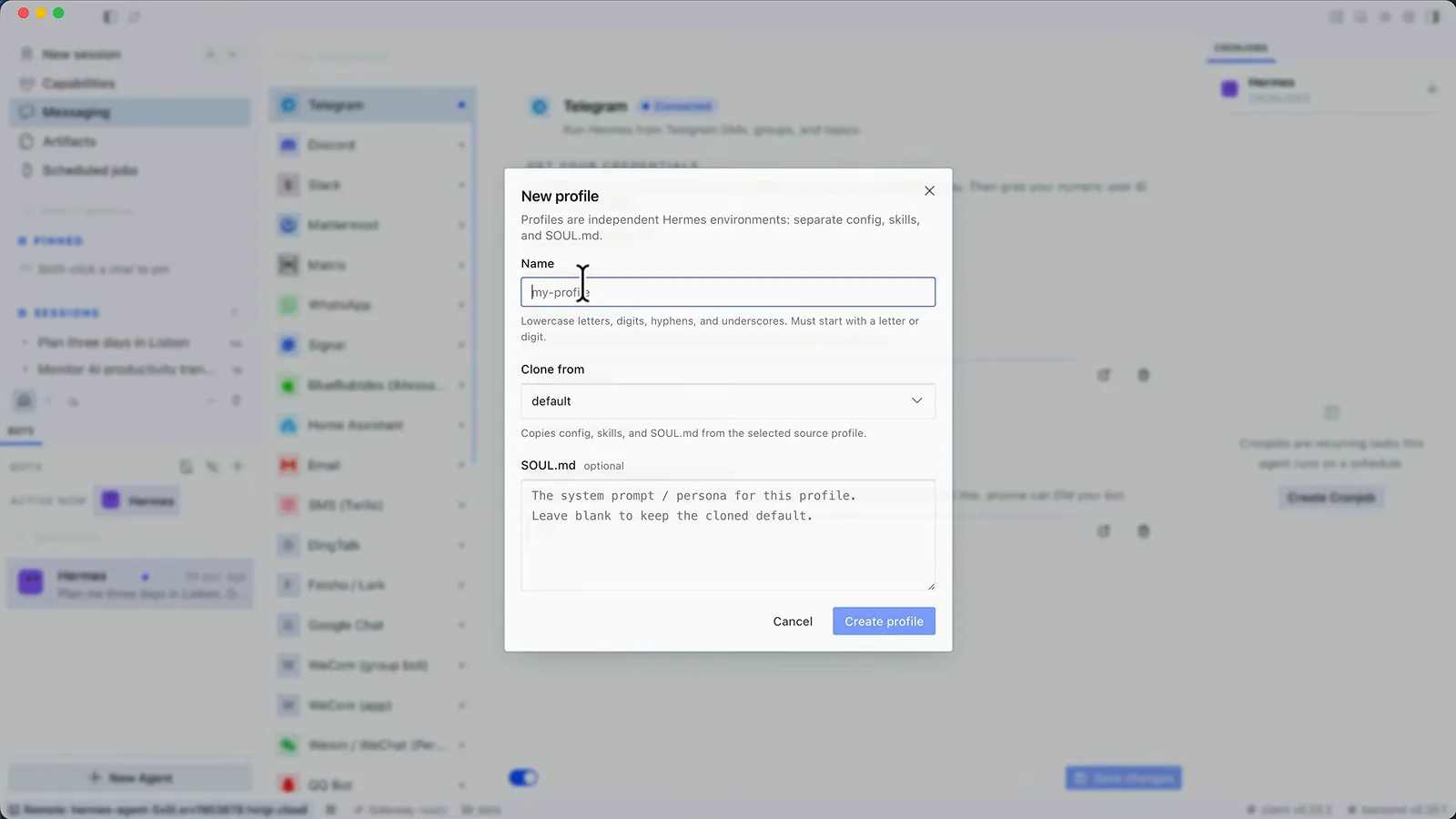
One install, many employees - profiles are the cheapest way to hire twice.Watch at 33:28