

How to Use GPT-6.1 Sol: ChatGPT, Codex and API Walkthrough
GPT-6.1 Sol is OpenAI's DevDay upgrade to GPT-6 Sol — near-Astra intelligence on coding, computer use and professional work at one-fifth of Astra's token prices, arriving just one week after GPT-6 Sol itself. This walkthrough follows United Top Tech's announcement capture, Brock Mesarich's DevDay keynote breakdown and Income stream surfers' unattended Codex build, with every price and availability claim cross-checked against OpenAI's September 29, 2026 announcement and model pages. You will read the family price ladder, pick your entry point, run a real foundation-to-SaaS build in Codex, and finish knowing when Luna or Astra is the better pick.
Source & credits
Screenshots in this guide are captured from Income stream surfers's public walkthrough video. Every step links back to the exact moment it shows, so you can follow along.
Income stream surfers ↗Know what GPT-6.1 Sol is
- 1
Meet the model OpenAI rushed out the door
GPT-6.1 Sol landed at OpenAI's DevDay on September 29, 2026 — exactly one week after GPT-6 Sol itself debuted on September 22. OpenAI positions it as a major upgrade to GPT-6 Sol: near-Astra intelligence for a fifth of Astra's price, aimed at agentic coding, computer use and professional work. The hero art frames it plainly: GPT-6.1, Sol.
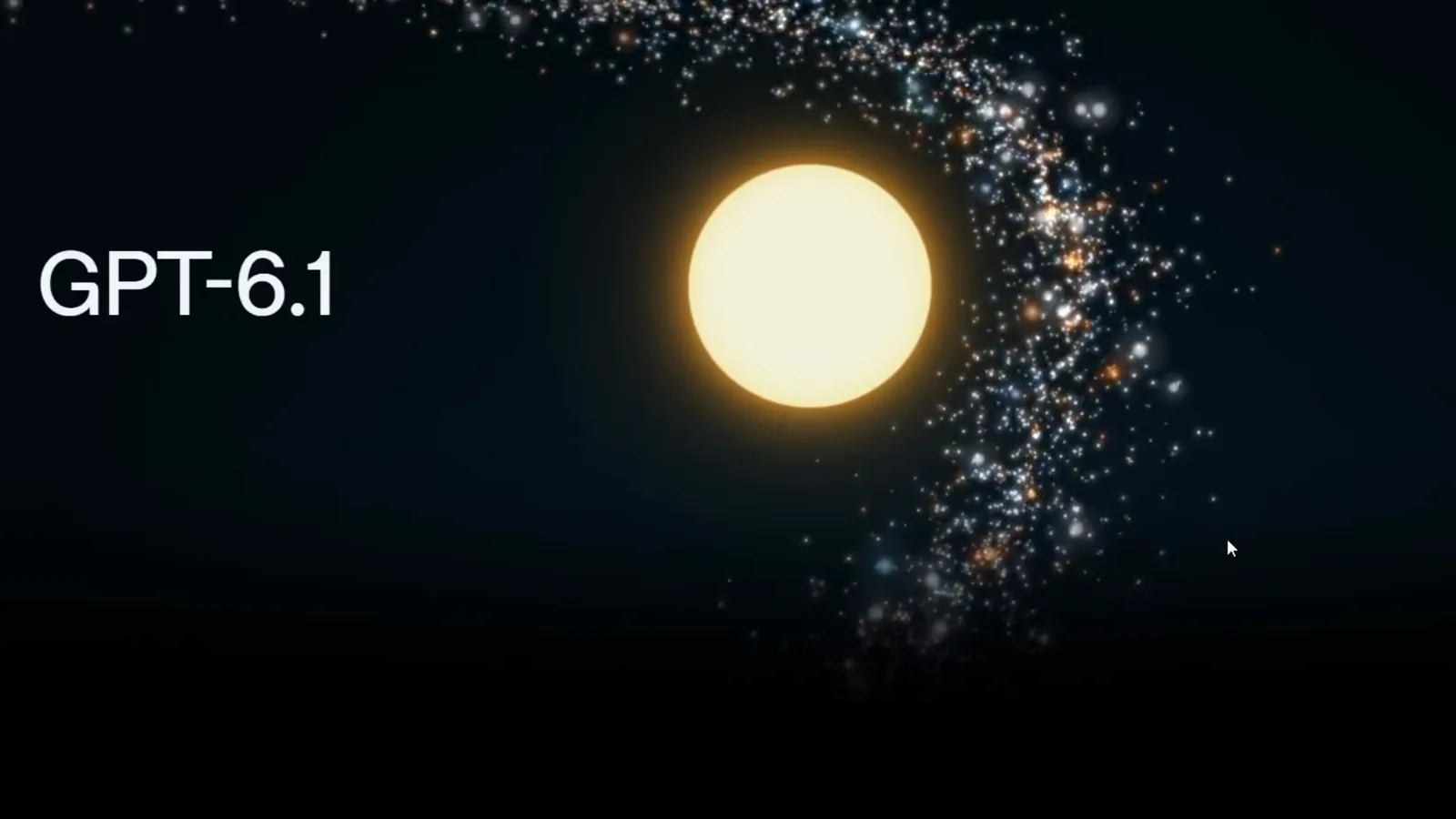
DevDay's headline model: GPT-6.1 Sol, one week after GPT-6 Sol.Watch at 0:02 - 2
Anchor on the pitch: near-Astra for a fifth of the price
The announcement's own intro paragraph is the sentence to internalize: GPT-6.1 Sol nearly matches GPT-6 Astra's intelligence on agentic coding, computer use and professional work at one-fifth of Astra's standard input and output token prices. Cached input costs just $0.10 per million tokens — 95 percent less than standard input pricing and 50 percent less than GPT-6 Sol's cached rate — which is the number that matters once your agents start reusing long prompts across requests.
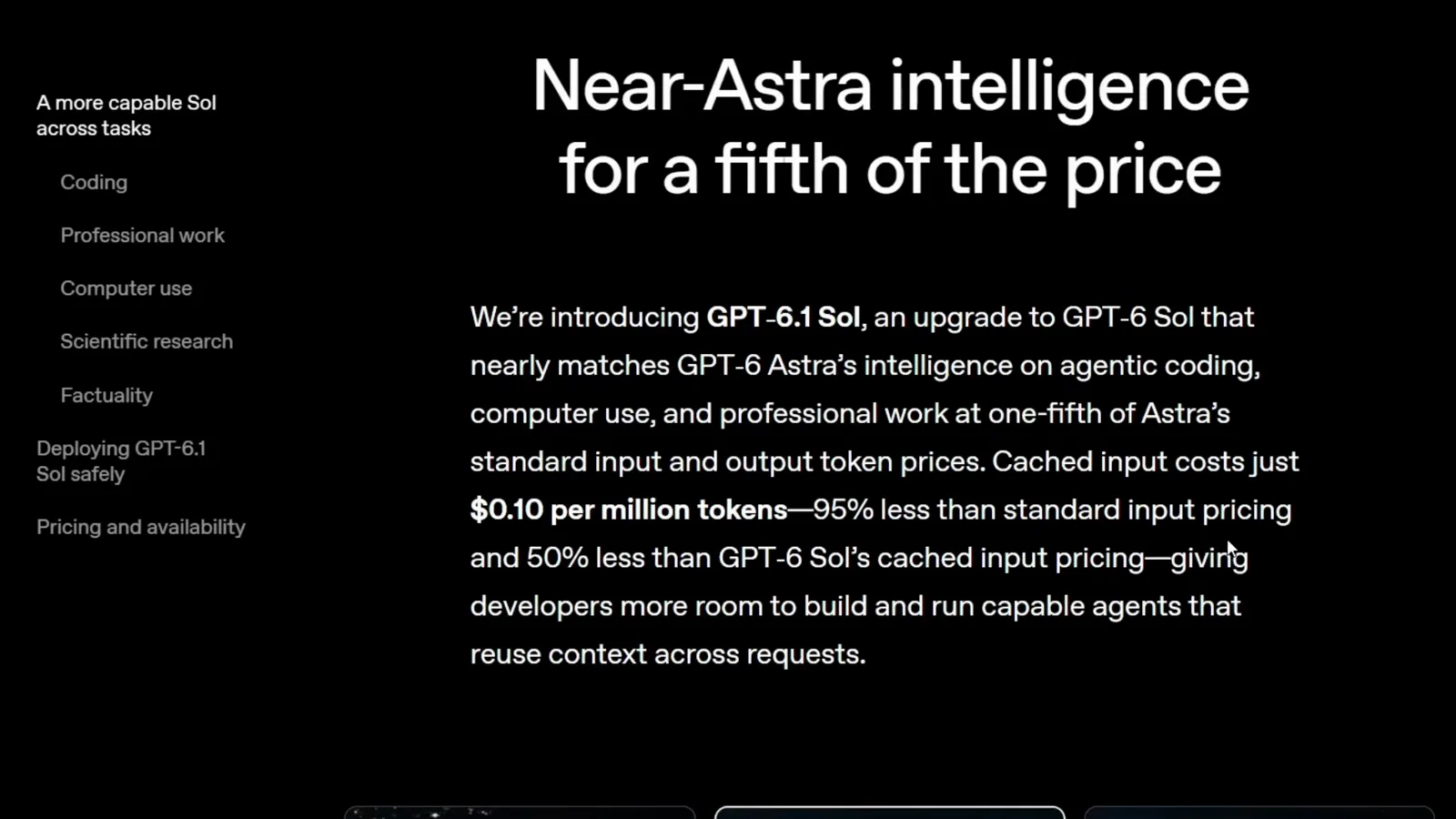
Near-Astra intelligence, one-fifth the token prices, $0.10 cached input.Watch at 0:16 - 3
See where Sol sits in the GPT-6 family
The launch page lays the family out side by side: GPT-6 Astra (galaxy) stays the flagship, GPT-6.1 Sol (sun) takes the mid-tier slot, and GPT-6 Luna (crescent) keeps the budget seat. Reading the cards left to right is the fastest way to place any task: raw intelligence rises toward Astra, capability per dollar rises toward Luna, and Sol is the deliberate middle. Note what DevDay did not ship: no GPT-6.1 Astra. OpenAI published frontier-training safety-case guidelines the day before the event and shipped GPT-6.1 Sol with its own safety addendum.
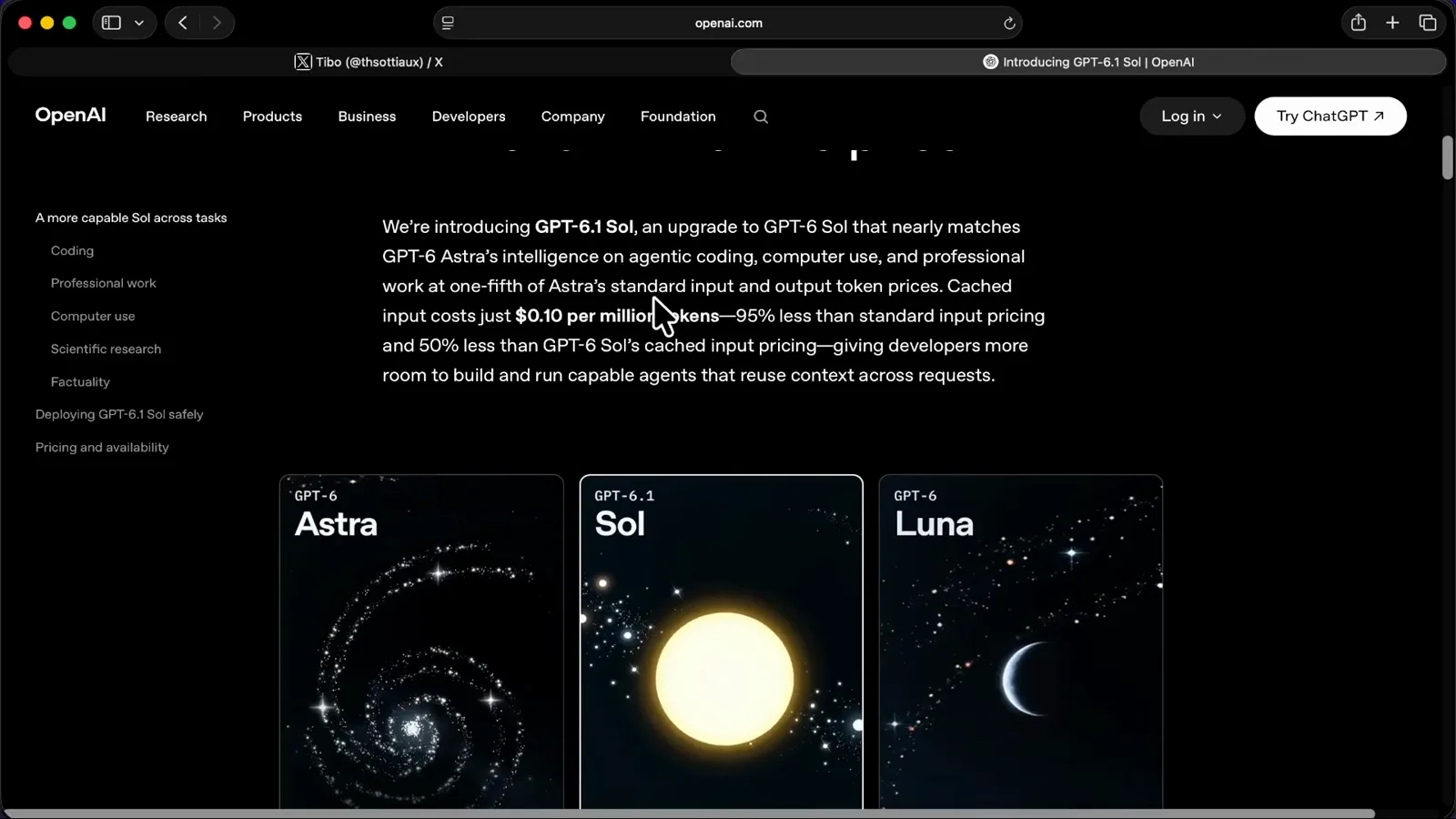
Astra keeps the crown, GPT-6.1 Sol takes the middle seat, Luna stays budget.Watch at 0:05 - 4
Register the 80 percent undercut on Astra
The DevDay slide says it outright: Sol gets much cheaper than Astra. GPT-6.1 Sol lists $2.00 per million input tokens, $0.10 cached and $10.00 output, against GPT-6 Astra's $10.00, $1.00 and $50.00 — 80 percent off on input and output and 90 percent off on cached reads, per the slide's own footer. Cross-checked against OpenAI's model pages on September 30, 2026: the numbers match, and gpt-6.1-sol is live in the API at exactly these rates.
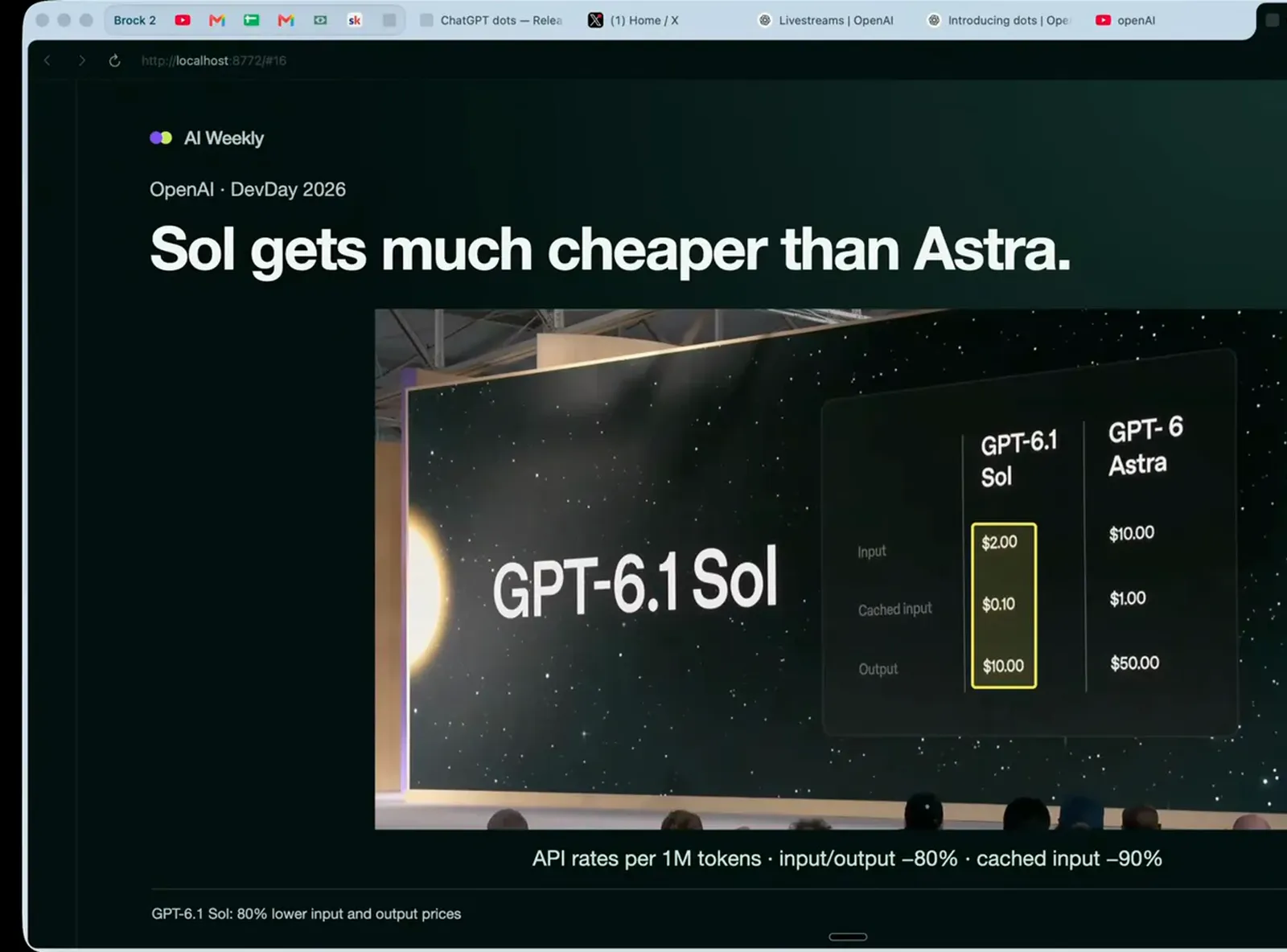
$2 in, $0.10 cached, $10 out — 80 percent below Astra's rates.Watch at 6:15
Check prices and availability
- 5
Read the official price ladder before you commit
OpenAI's developer catalog lines the family up with pricing under each card: the Astra column shows $10.00 input, $1.00 cached and $50.00 output per million tokens, while the Sol column shows $2.00, $0.10 and $10.00 — the exact gpt-6.1-sol rates. Reasoning and speed dots sit above the pricing so you can weigh capability per dollar, and the columns shown all carry the same 1,050,000-token context window, so stepping down from Astra to Sol costs you no headroom at all.
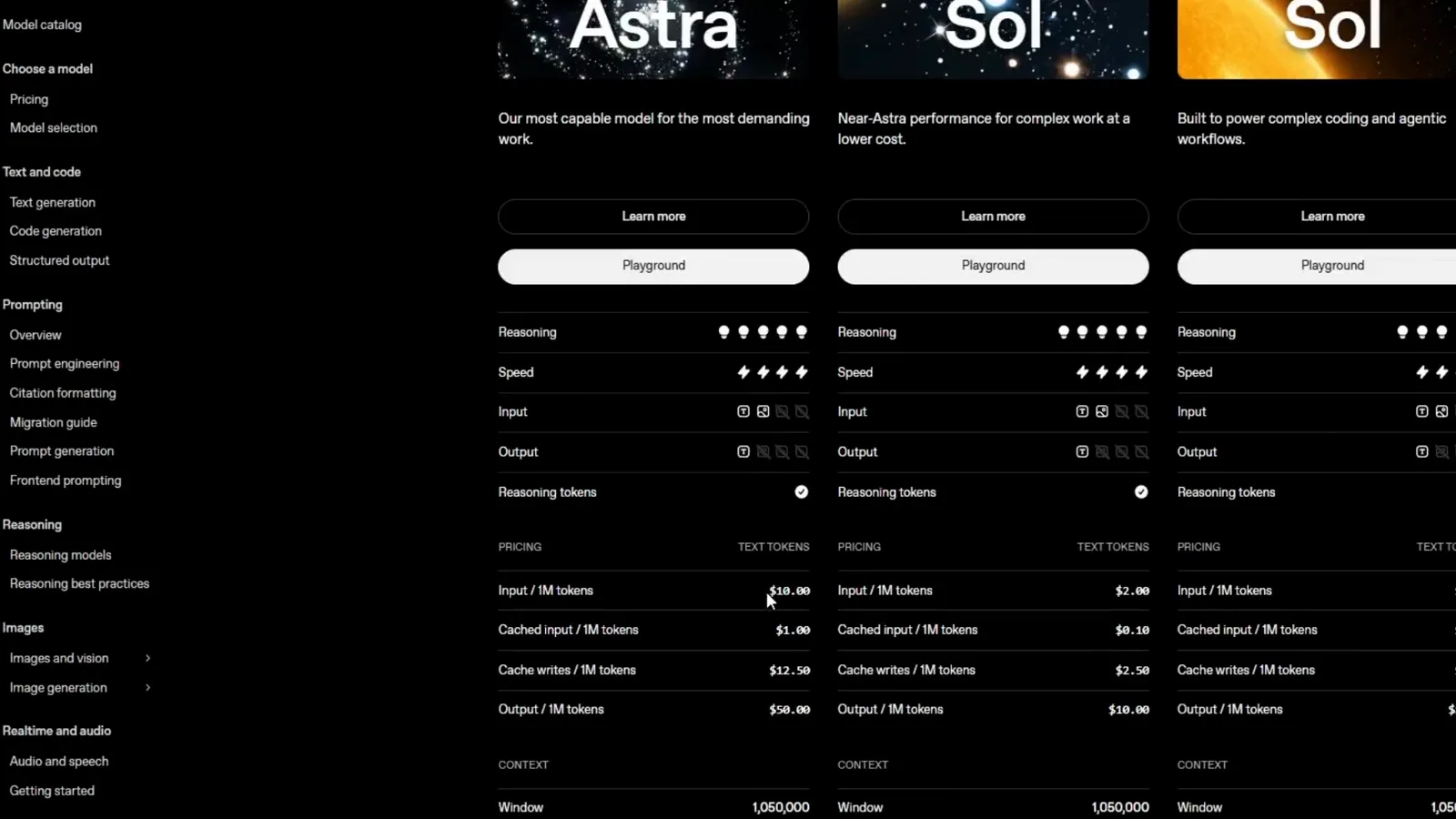
Same 1,050,000-token window across the family; the prices differ five-fold.Watch at 0:37 - 6
Confirm where you can use it today
The announcement's Pricing and availability section draws the map: GPT-6.1 Sol is available starting today to all Plus, Pro, Business, Enterprise and Edu users in ChatGPT Work and Codex. It is not yet available in regular Chat. Developers call it through the OpenAI API as gpt-6.1-sol. The same section promises GPT-6.1 Sol Ultrafast within days, with up to 8x faster token generation in Codex — worth waiting for if your workload is long, unattended agent runs.
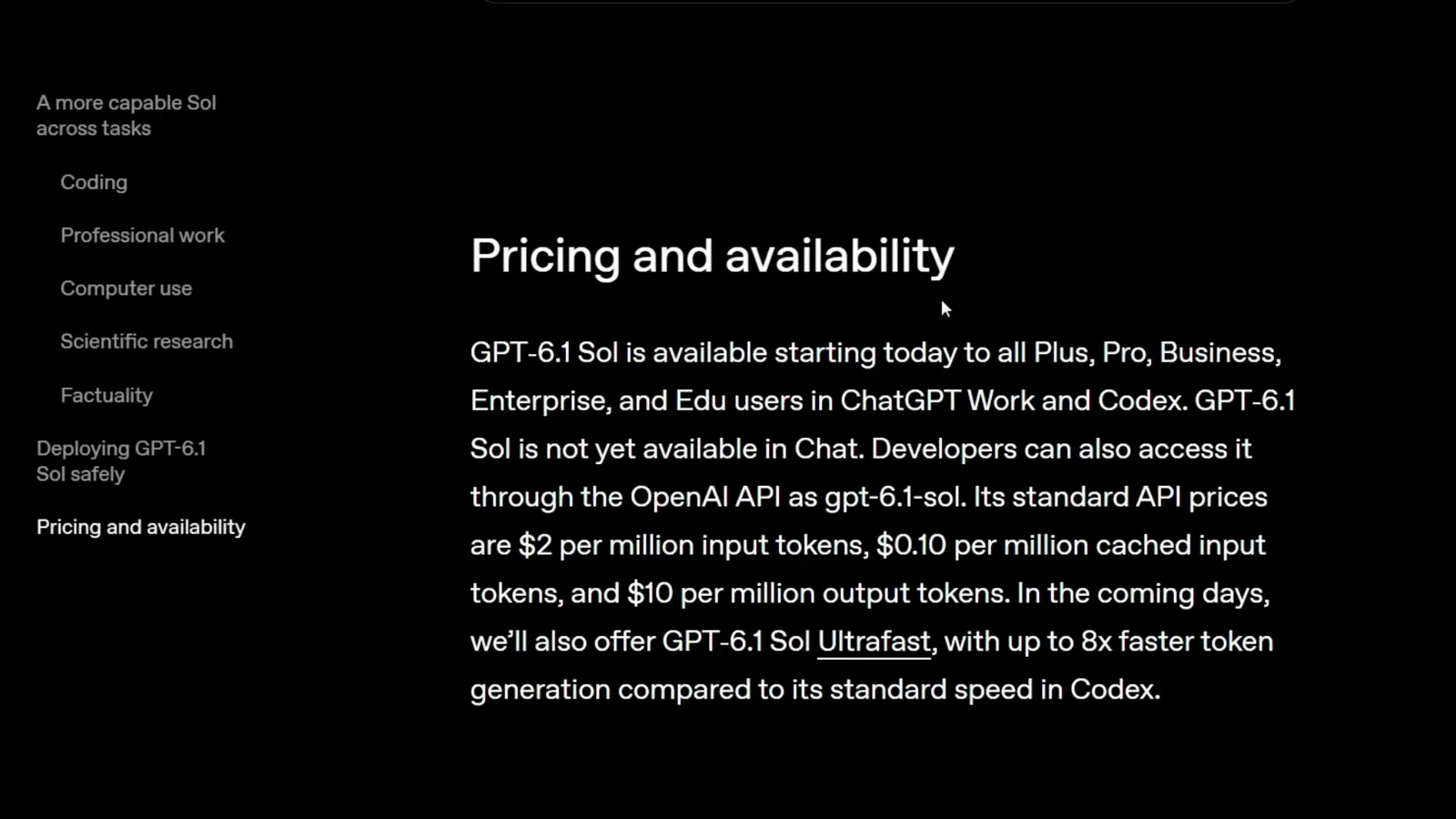
Work and Codex now, Chat later, API as gpt-6.1-sol; Ultrafast lands within days.Watch at 2:38
Pick your entry point
- 7
Open the Work composer and pick the model
In ChatGPT, switch to the Work tab — the composer there asks what should we work on. Open the model pill in the composer's footer and select GPT-6.1 Sol; in this walkthrough the account runs it at Light effort with Full access enabled. Work runs agent tasks against your files and projects, which is precisely the workload Sol's price cut was built for. If the pill does not list Sol yet, the gradual rollout has not reached your account — try again in a day or two.
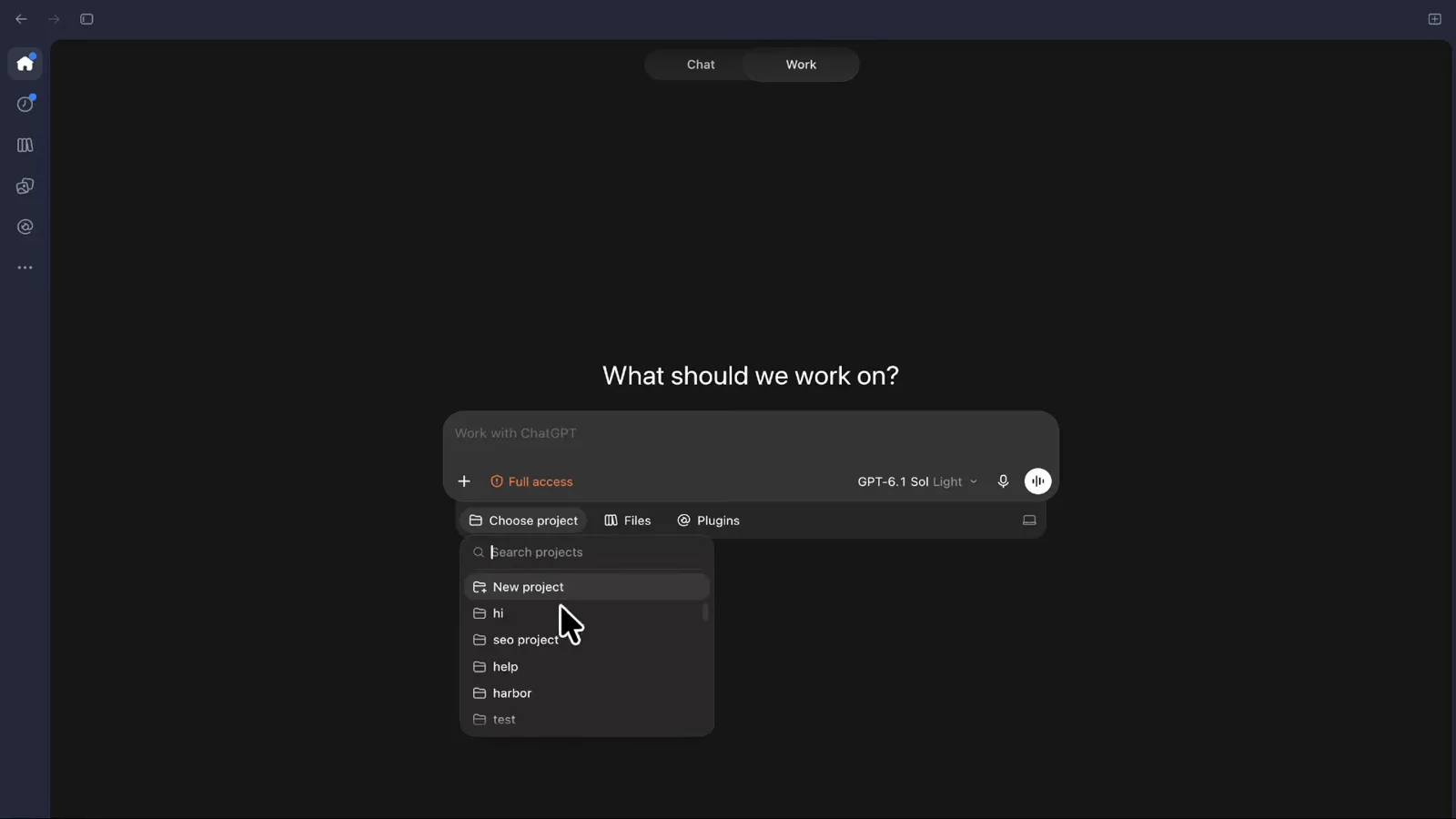
One pill click pins the task to GPT-6.1 Sol at Light effort.Watch at 1:28 - 8
Create a Codex project so runs stay contained
Name a project before you prompt. The Create project dialog takes a project name (saas-testing here) and a source folder on this computer — the walkthrough adds saas-test-gpt-6-1-sol. As the dialog itself puts it, projects keep charts, files and system instructions in one place, which makes Sol's runs reproducible and cleanup trivial. Skipping this step pours every future task into one undifferentiated workspace.
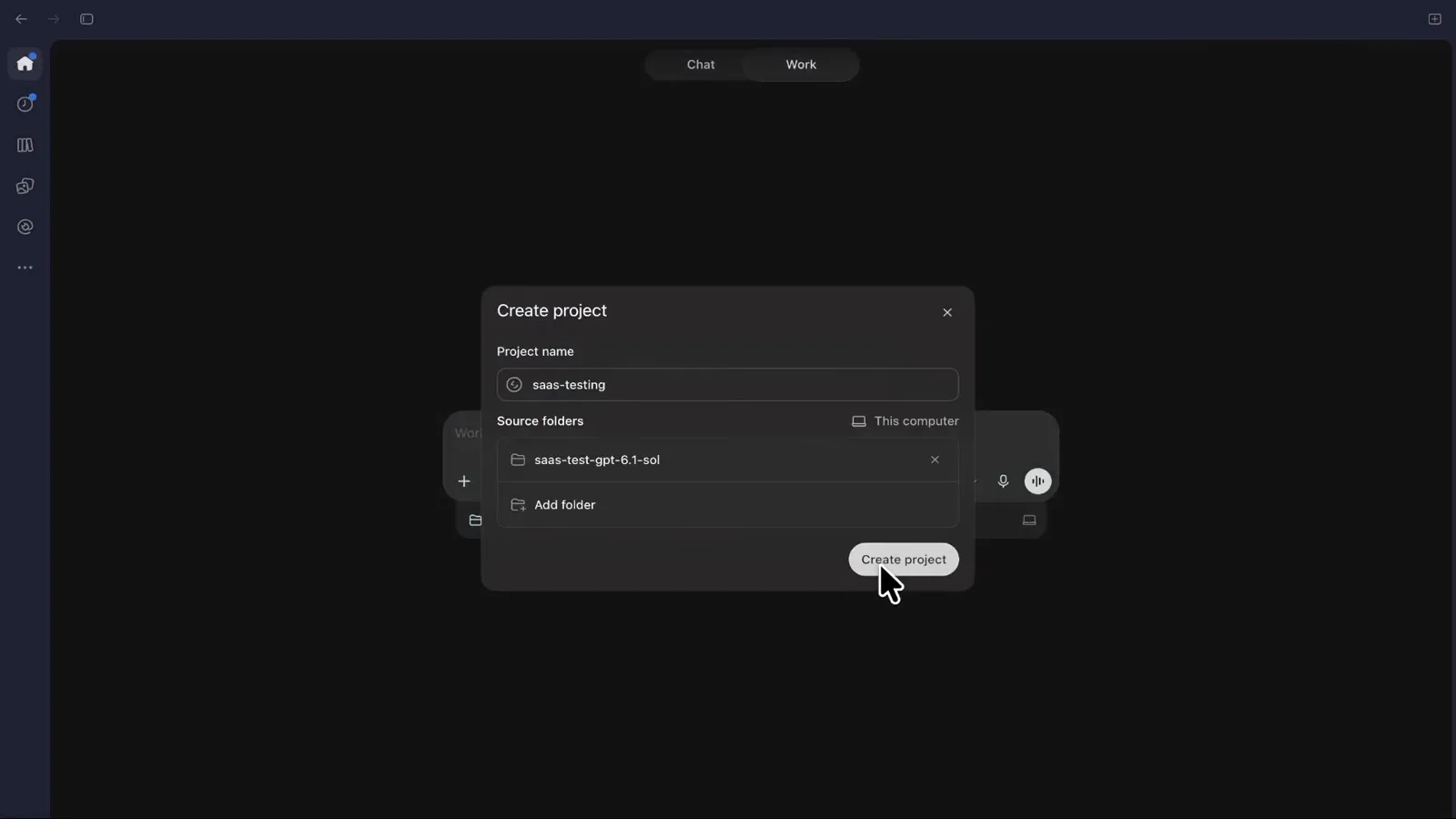
A named project with one folder keeps the whole experiment contained.Watch at 1:46 - 9
Learn the usage meter before you spend it
Settings then Usage and billing is the fuel gauge. This Plus account pays €23 a month, the 5-hour limit shows 98 percent left, and a weekly limit sits alongside it. The fine print matters: limits are shared across Codex, Work, Workspace Agents and ChatGPT for Excel, while chat conversations are not counted. Credits with automatic reload can bridge a long Sol run that hits the wall mid-task.
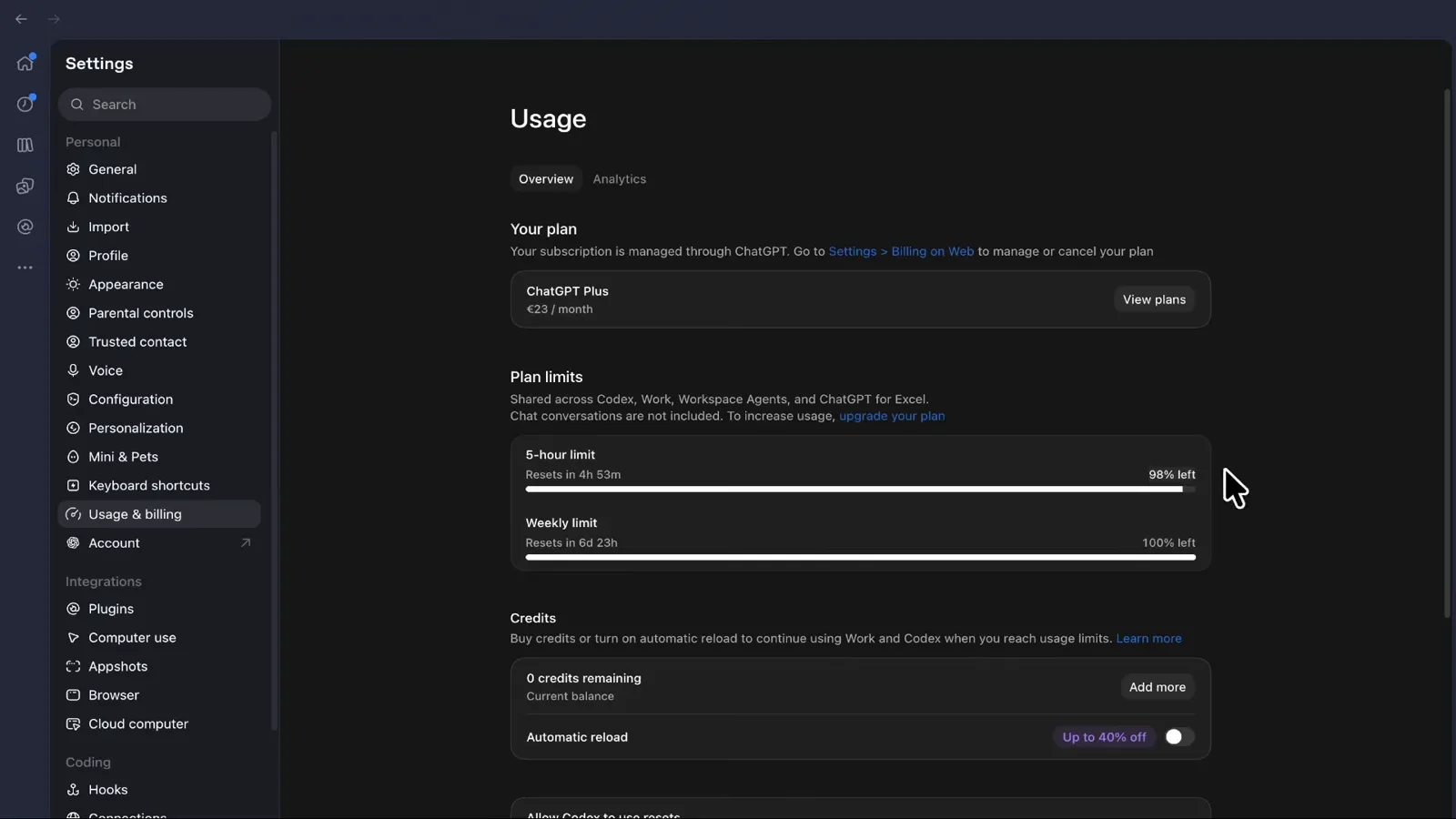
Codex, Work and agents share one meter; chat stays free of it.Watch at 1:15
Build a real project in Codex
- 10
Make the agent prove its tooling first
First prompt of the walkthrough: can you check if you have Vercel CLI access and you're logged in. GPT-6.1 Sol answers with specifics — Vercel CLI 66.11.0 installed, logged in as the right account, binary at /opt/homebrew/bin/vercel — instead of guessing. Thirty seconds of verification up front prevents the classic failure where an agent scaffolds for twenty minutes against the wrong account or a missing tool.
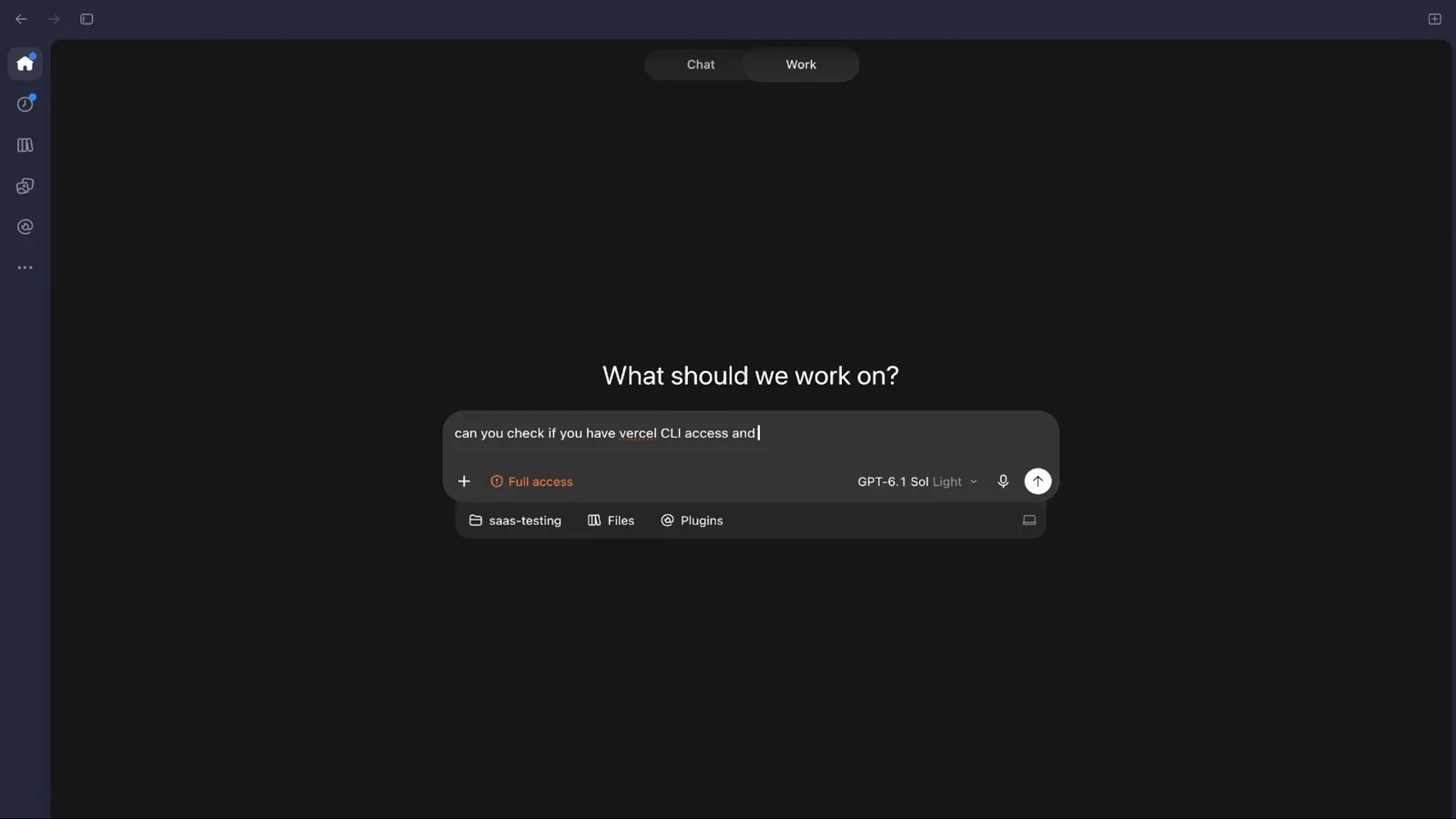
Have Sol prove the CLI and login before the real brief.Watch at 2:01 - 11
Lay foundations with one compound prompt
The scaffold prompt makes five decisions in one line: start a new Next.js project, connect it to the linked Vercel project, add Stripe, add a Neon database and add auth using Neon. GPT-6.1 Sol replies with a plan — inspect this workspace and the linked Vercel project, then set up Next.js with Stripe, Neon and Neon Auth — and starts. Foundations first is the whole method: framework, hosting, payments, database and auth settled up front so the agent never has to guess.
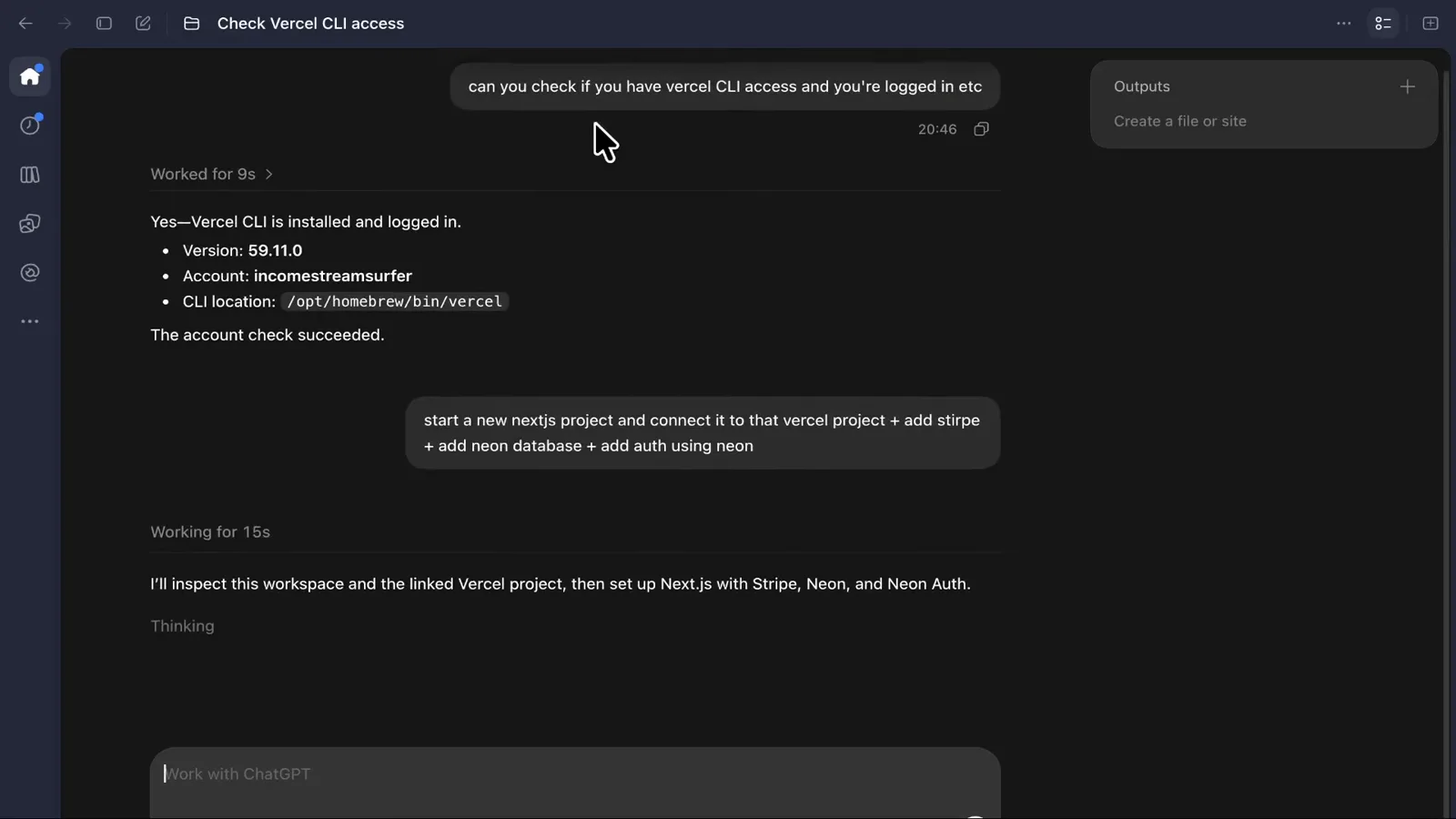
One prompt, five decisions: framework, hosting, payments, database, auth.Watch at 2:31 - 12
Answer the agent's questions precisely
Good agents ask before they improvise. Here Sol pauses to ask which Vercel project the new app should connect to, noting that the logged-in account has multiple projects and the workspace has no existing link. It offers two numbered options: create saas-test-gpt-6-1-sol, or use an existing project by name. Picking the first keeps the run self-contained. Answering quickly and specifically is what keeps a cheap-model run cheap.
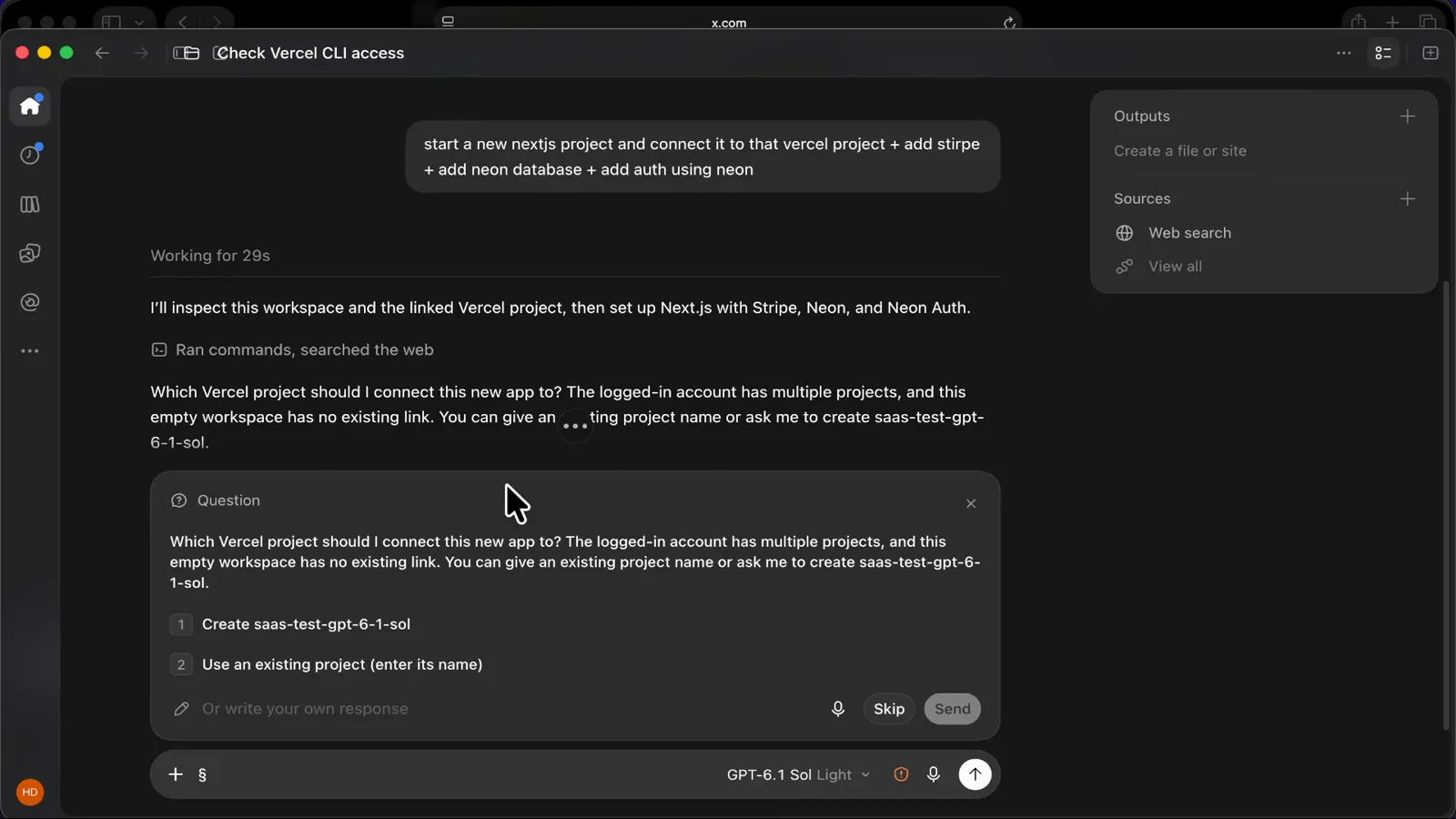
Sol asks before acting — answer with a number, not a paragraph.Watch at 2:37 - 13
Turn the brief into a goal, not a chat
With foundations verified, the walkthrough submits the real brief through Send as goal: make a thumbnail-generating SaaS that looks like a billion-dollar project, use image generation so it really pops, keep animations tasteful, and ship a complete working SaaS on the foundation already created. A goal runs unattended — Codex plans, generates images, writes code and tests without further prompting, which is exactly where Sol's per-token discount compounds.
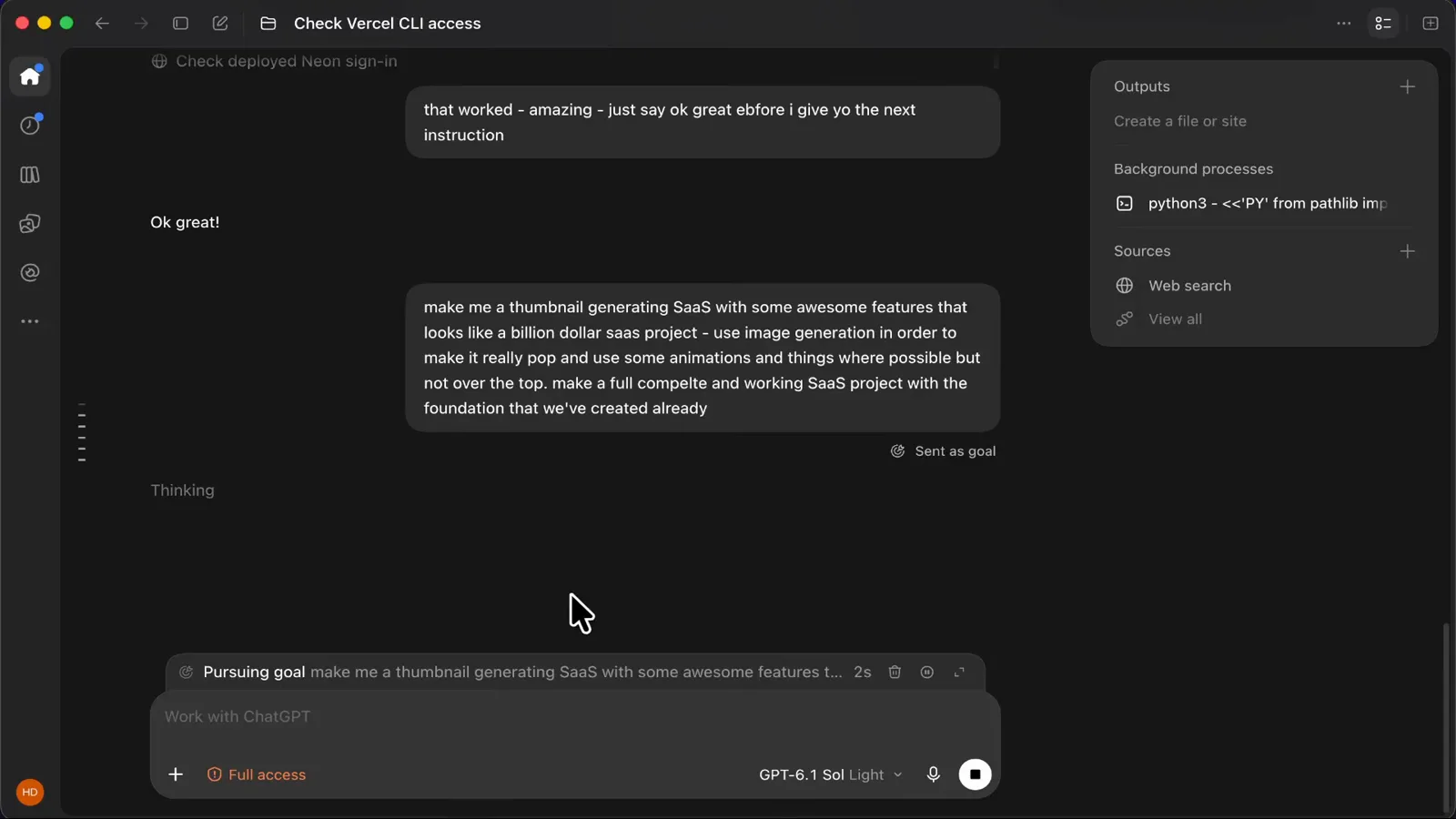
Send as goal hands Sol the brief and the keys at once.Watch at 10:01 - 14
Watch the plan form, then leave it alone
Once the goal is pursuing, Sol shows its plan: turn the starter into a polished thumbnail studio with AI generation, saved projects and editing tools, checking the current app and image services first. In this channel's run the goal finished in about half an hour and roughly 18 percent of the 5-hour limit — nearer 26 percent once the final image-generation push was counted — while the weekly meter sat at just 2 percent. Watching the first minutes is enough; the point of a goal is that you can walk away.
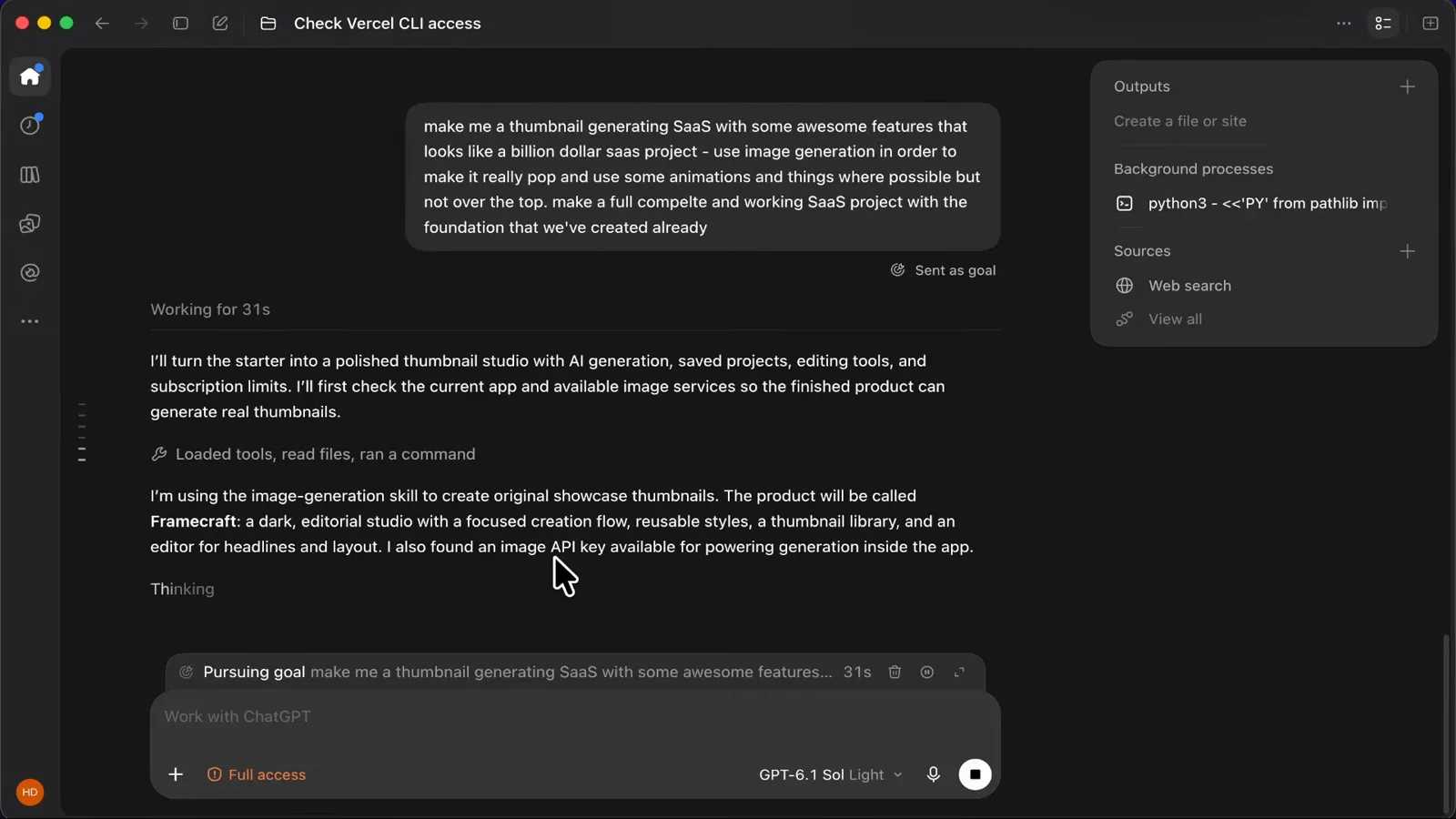
About 30 minutes and a fifth of the 5-hour meter for a full SaaS.Watch at 10:31
Ship it and verify the result
- 15
Buy from your own app before users do
The generated SaaS ships a real Stripe checkout: Subscribe to SaaS Pro (test) for US$19.00 a month, with card fields and a Pay and subscribe button on checkout.stripe.com. Running a test card through it end to end proves the foundations — webhooks, billing plan, session handling — actually work. Screenshots never prove a payment flow; this step takes a minute and catches what previews hide.
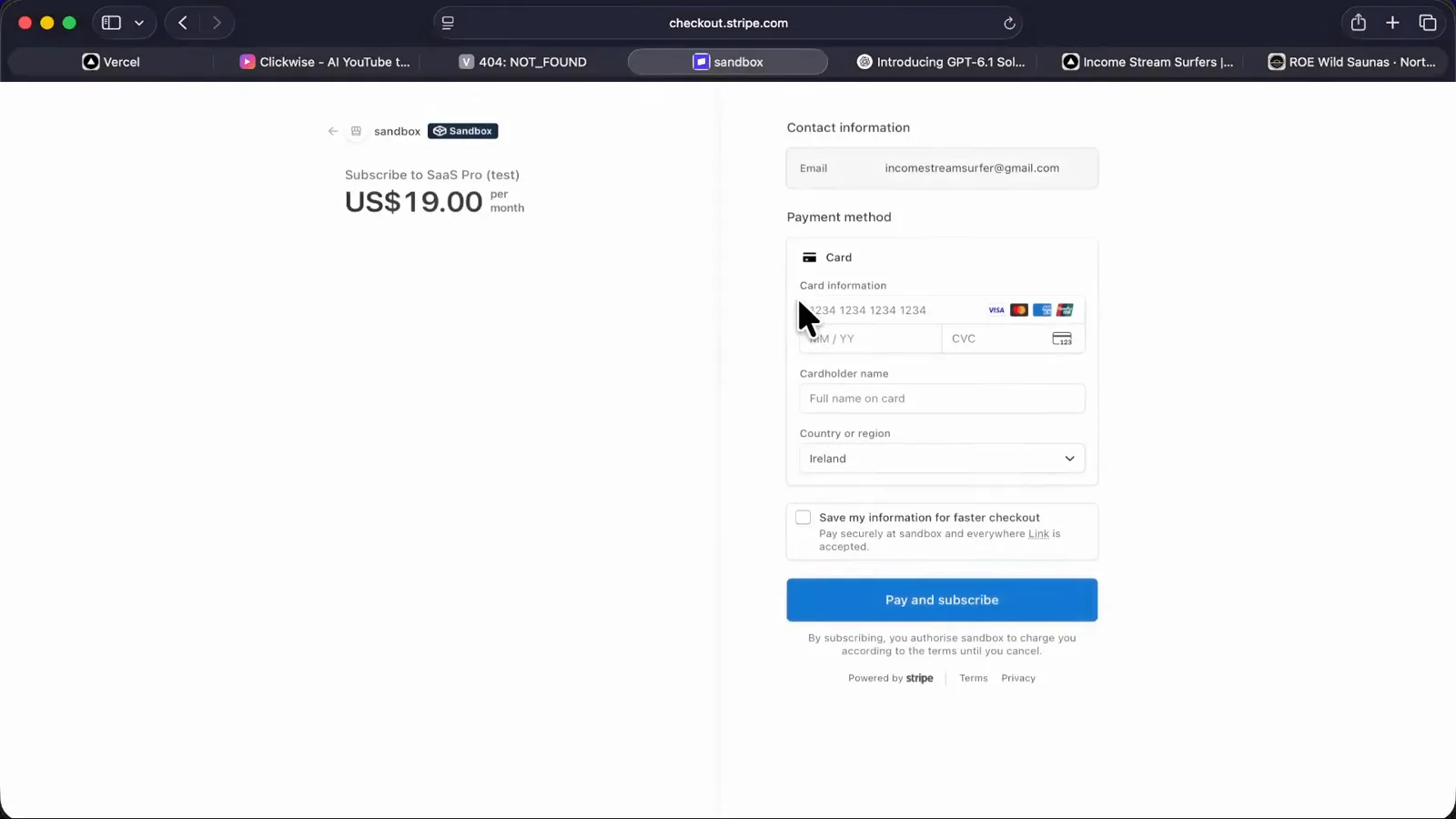
A live sandbox checkout proves the billing wiring, not just the markup.Watch at 3:36 - 16
Judge the landing like a customer would
The goal's public face is the landing page: your next video, a better first impression, with generated thumbnails on display and a Create a thumbnail call to action leading into the studio. Read it cold — does the pitch land in five seconds, do the images look generated in-app, is the upgrade path obvious? In this run the answer was yes on all three, built for pennies per task on GPT-6.1 Sol.
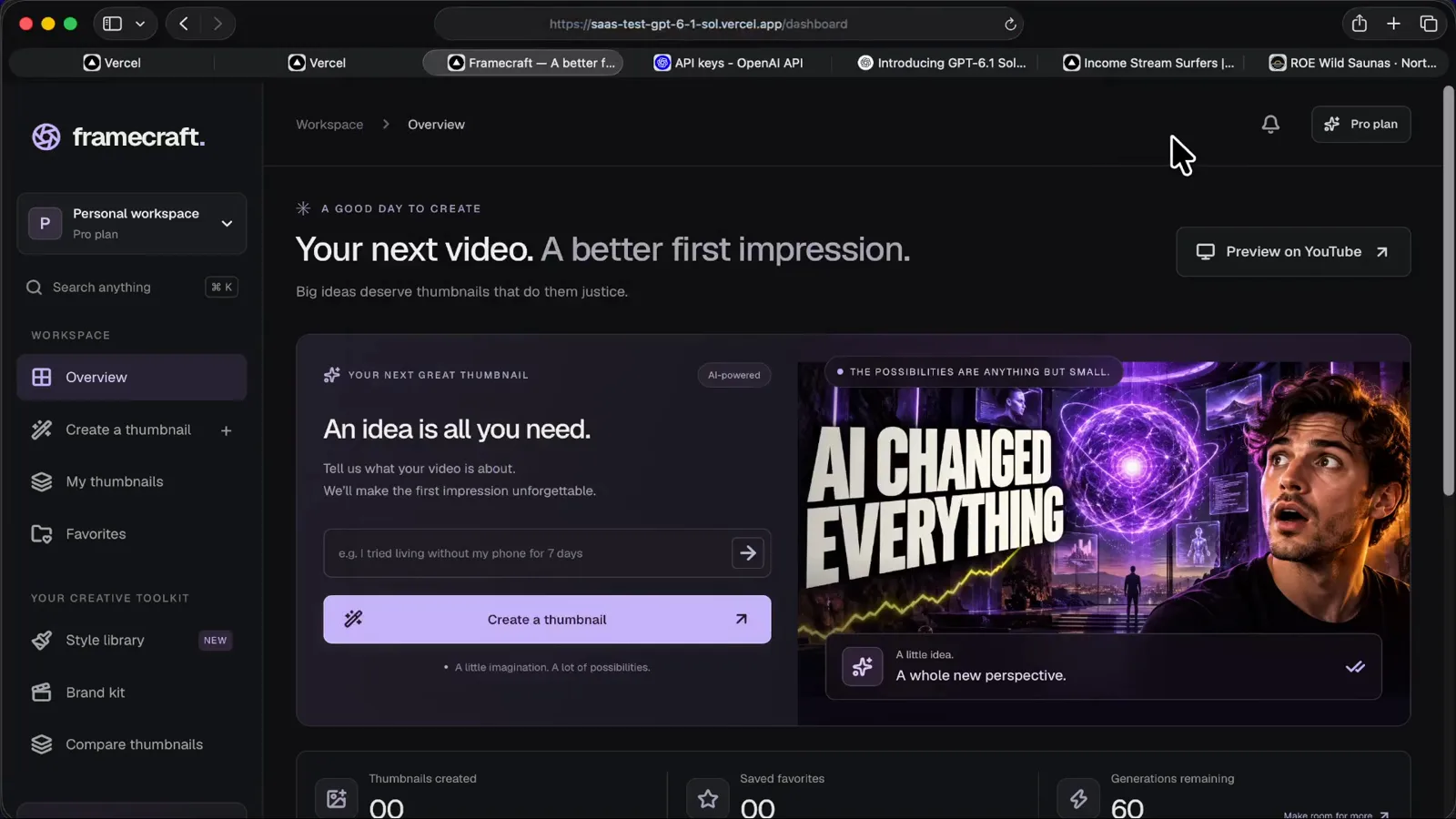
The finished landing: generated art, clear pitch, one obvious next step.Watch at 13:16