

How to Use GPT-6 Astra in ChatGPT: The 2026 Getting-Started Guide
GPT-6 Astra is rolling out across ChatGPT right now, but a first session can be disorienting: the model picker now has five effort levels, the browser hides Astra behind a separate Work tab, and the heavy lifting happens in the desktop app, where agents run for minutes or hours. This guide turns two hands-on walkthroughs into one written tutorial. Every screenshot below comes from AI Search's 33-minute stress test of the model, and Rob The AI Guy's getting-started video fills in the model-picker and weekly-limit details. The short version: do serious work in the ChatGPT desktop app (formerly Codex), write briefs that spell out hard requirements plus a scoring critic agent, and let it run — the ray-traced physics demo took 32 minutes, the browser-drawn sprite animation about 40, and a playable Unreal Engine level roughly four hours. On the web, GPT-6 lives only under the Work tab, and access is included with paid plans. Work through the 14 steps below and you can reproduce every demo shown here.
Source & credits
Screenshots in this guide are captured from AI Search's public walkthrough video. Every step links back to the exact moment it shows, so you can follow along.
AI Search ↗Get GPT-6 Astra running
- 1
Open the ChatGPT desktop app for agent work
For anything bigger than a quick question, launch the ChatGPT desktop app — the agent workspace formerly known as Codex. The left sidebar keeps your projects (balloon, sprite, game, music), pinned tasks and scheduled jobs, while the composer starts with Full access enabled and GPT-6 Astra set as the model. Agents here can keep files inside each local project, which is what every long build in this guide depends on.

The desktop app home: projects on the left, the agent composer and model badge at the bottom.Watch at 0:32 - 2
Write a brief with requirements and a critic loop
A one-line prompt returns a mediocre result. The brief for the ray-traced water-balloon demo spells out hard requirements — a freezable animation, sliders for bullet speed, gravity and lighting, no Three.js — then adds the trick: a separate critic agent screenshots every attempt, scores realism from 0 to 10, and loops until it reaches 8, capped at three rounds. Copy that pattern into your own briefs before you hit send.
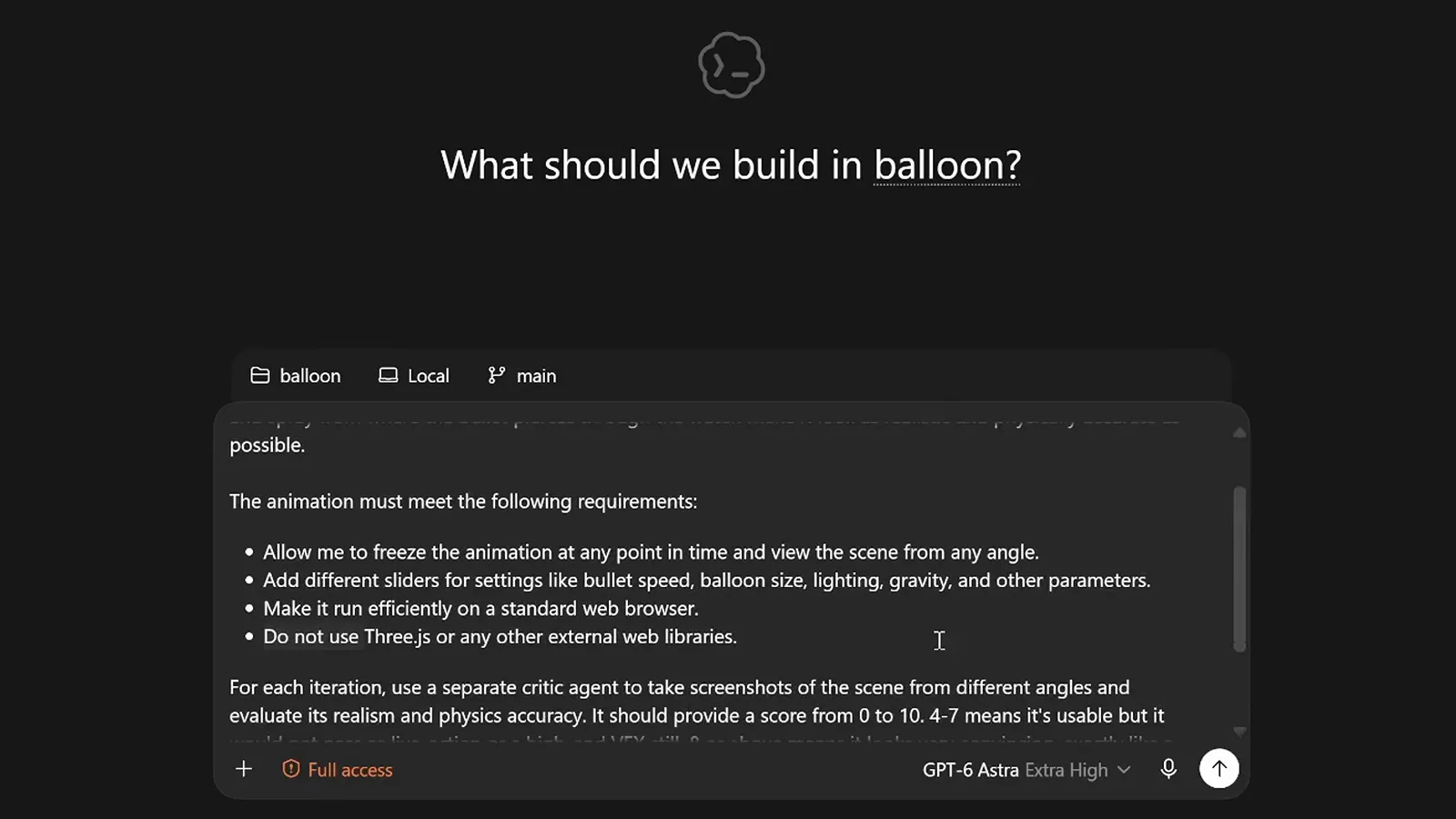
Requirements plus a self-scoring critic agent, written straight into the task brief.Watch at 1:36 - 3
Read the critic report before you accept a build
About 32 minutes later the task closed with an honest report: three independent critic rounds scored 4.7, 6.0 and 6.5 out of 10, so the 8/10 realism target was never reached inside the three-round limit. The result card links the published app, lists the 12 edited files with an Undo and Review option, and the badge shows the effort tier used. Treat these scores as the quality gate they are.
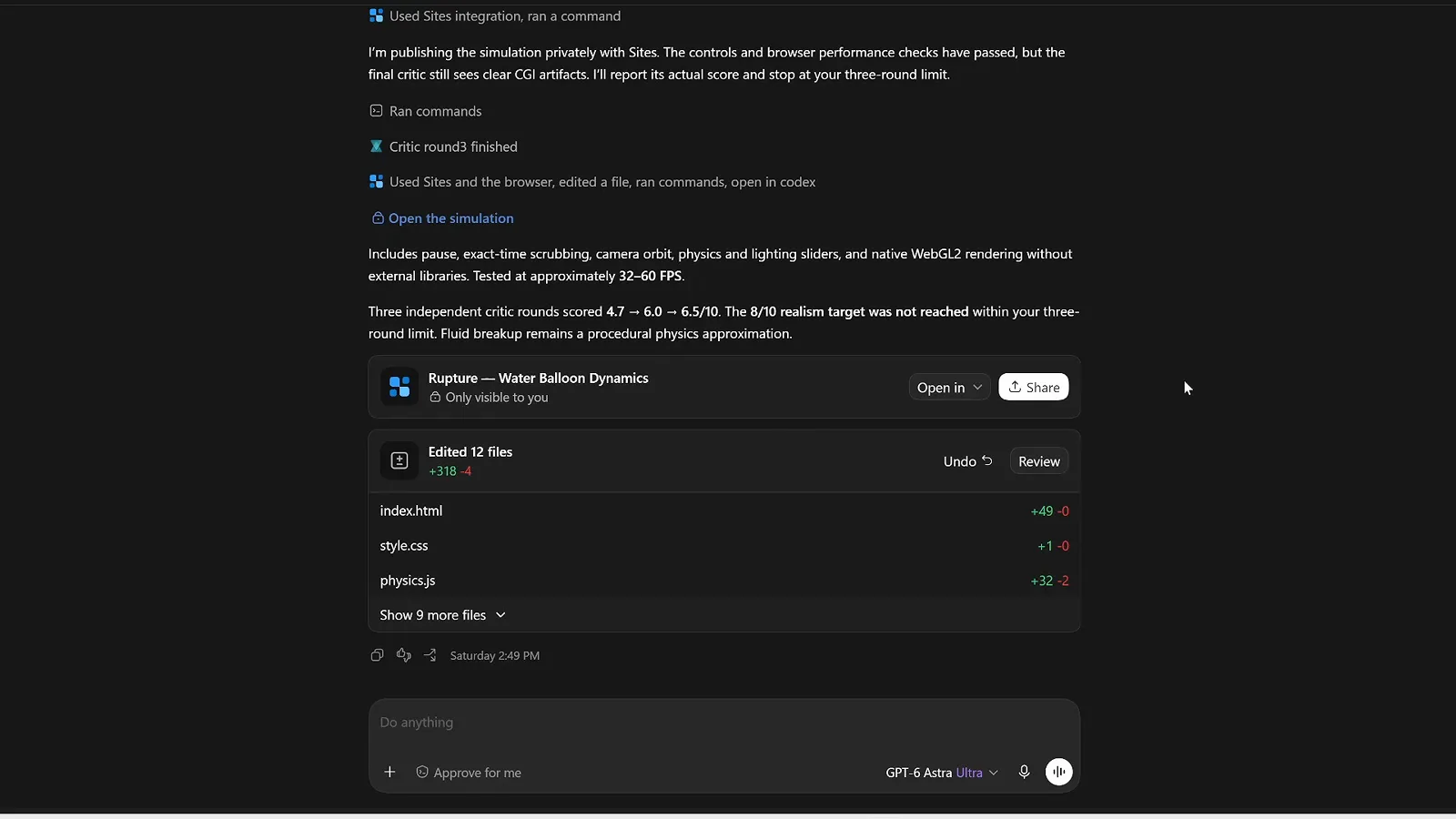
A finished run: critic scores, the shipped app card and the file diff with Undo.Watch at 4:10 - 4
Check the Chat tab picker before hunting for GPT-6
On chatgpt.com the regular Chat tab may still list only older models — in this test the Thinking effort dropdown offered GPT-5.6 Sol and GPT-5.5 but no Astra. That is expected during the rollout, not a fault in your account, so do not waste time reloading the page. The model simply lives in a different place in the browser, as the next step shows.
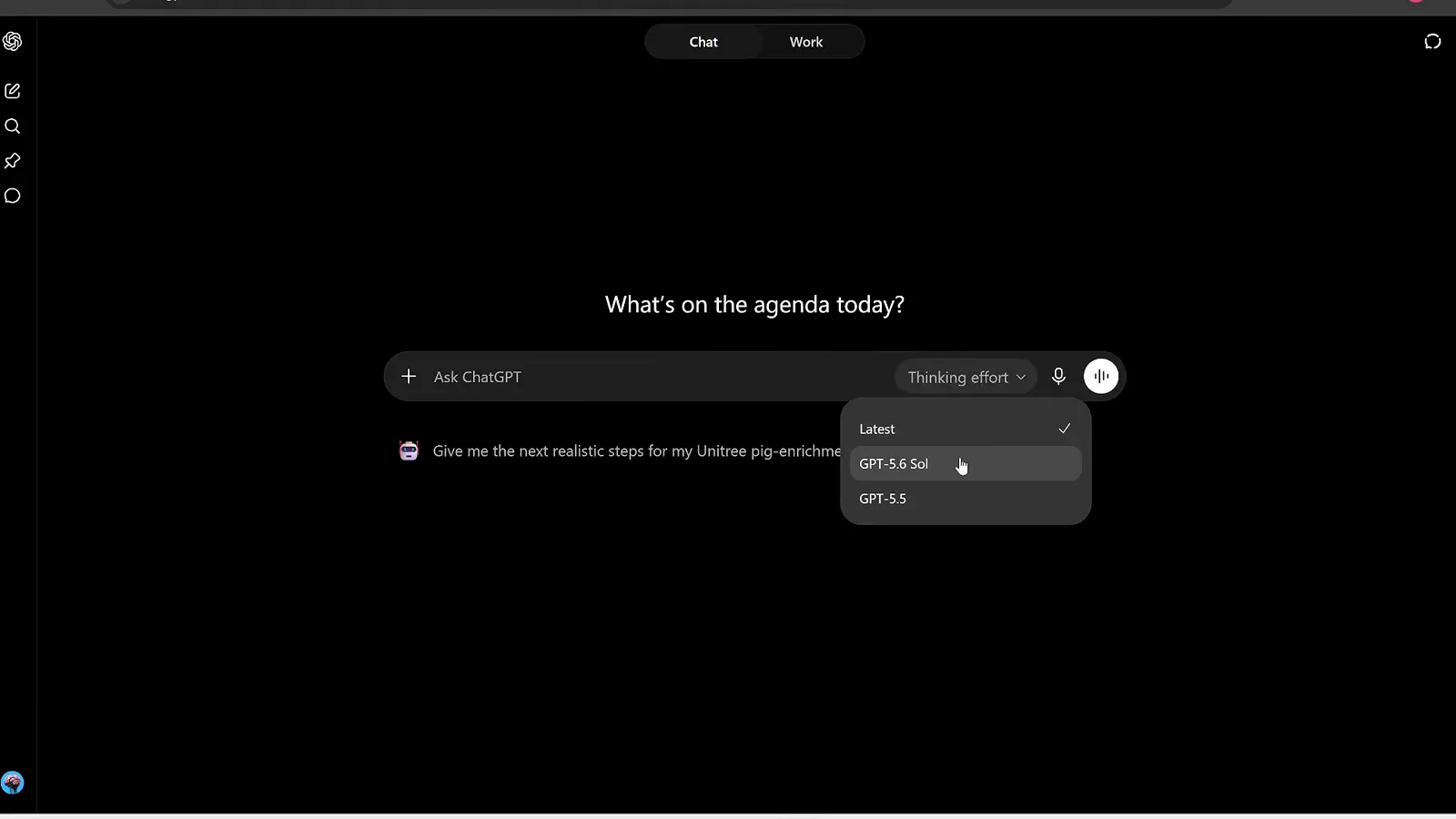
The Chat tab model picker during the rollout: no Astra entry yet.Watch at 32:35 - 5
Switch to the Work tab to use GPT-6 in the browser
Click the Work toggle at the top of chatgpt.com and the composer turns into an agent brief — Work on anything — with a GPT-6 Astra effort badge, Project and Files attachers, Plugins, and a direct link to the desktop app. Suggested connectors such as Gmail and Google Drive let the agent pull context from your workspace without ever leaving the tab.
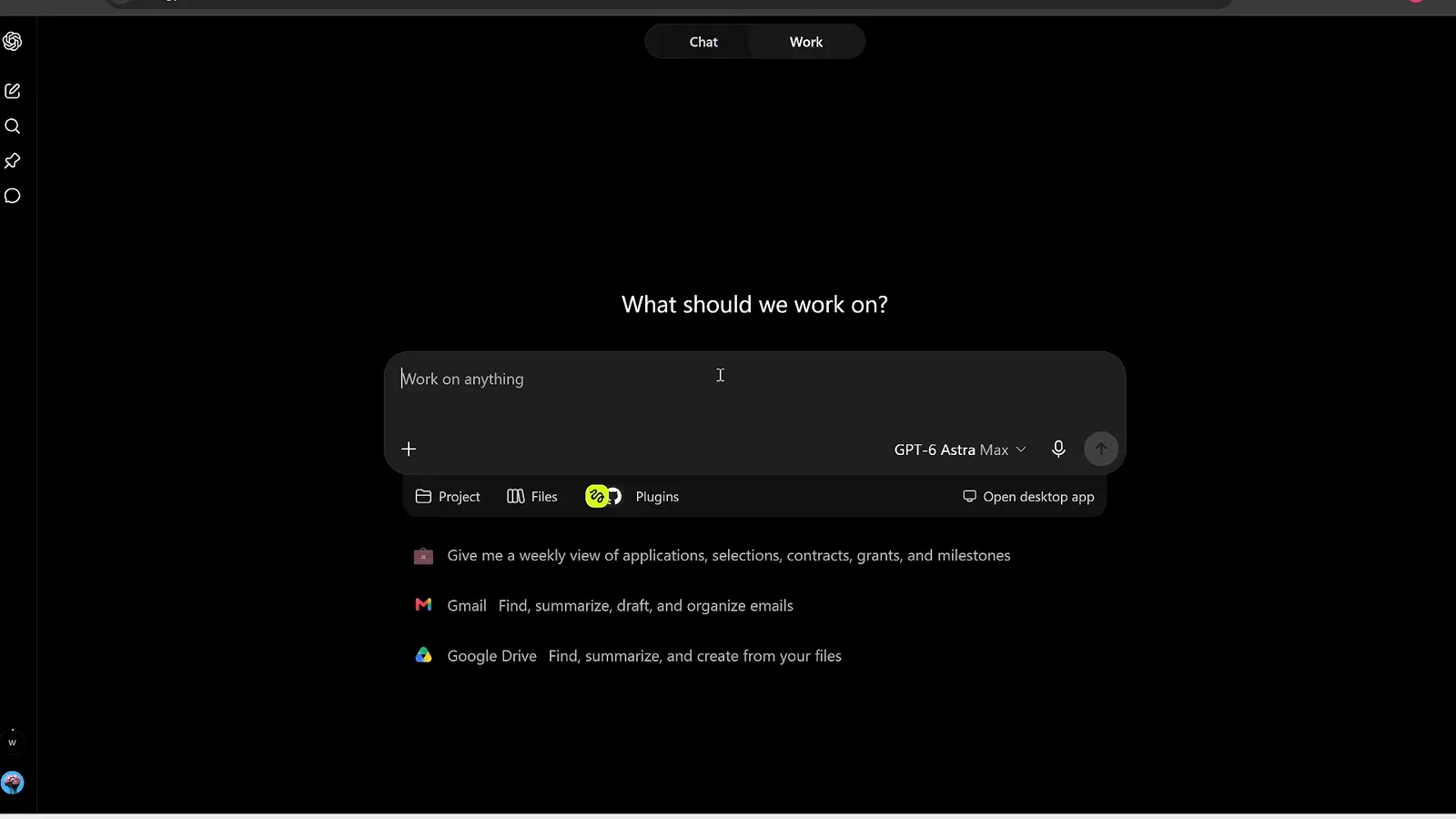
The web route into Astra: the Work tab with connectors and an effort selector.Watch at 23:30
Put Astra's computer control to work
- 6
Feed the agent references, tools and a quality bar
The most ambitious demo — a playable third-person Unreal Engine game — began as one structured brief: a Sketchfab character link, Mixamo for animations, an inspiration photo of an ancient Chinese imperial city, and Blender MCP running on localhost:9876 to generate assets. The brief even tells the agent to reuse the logged-in Chrome session through Playwright when a site blocks downloads.
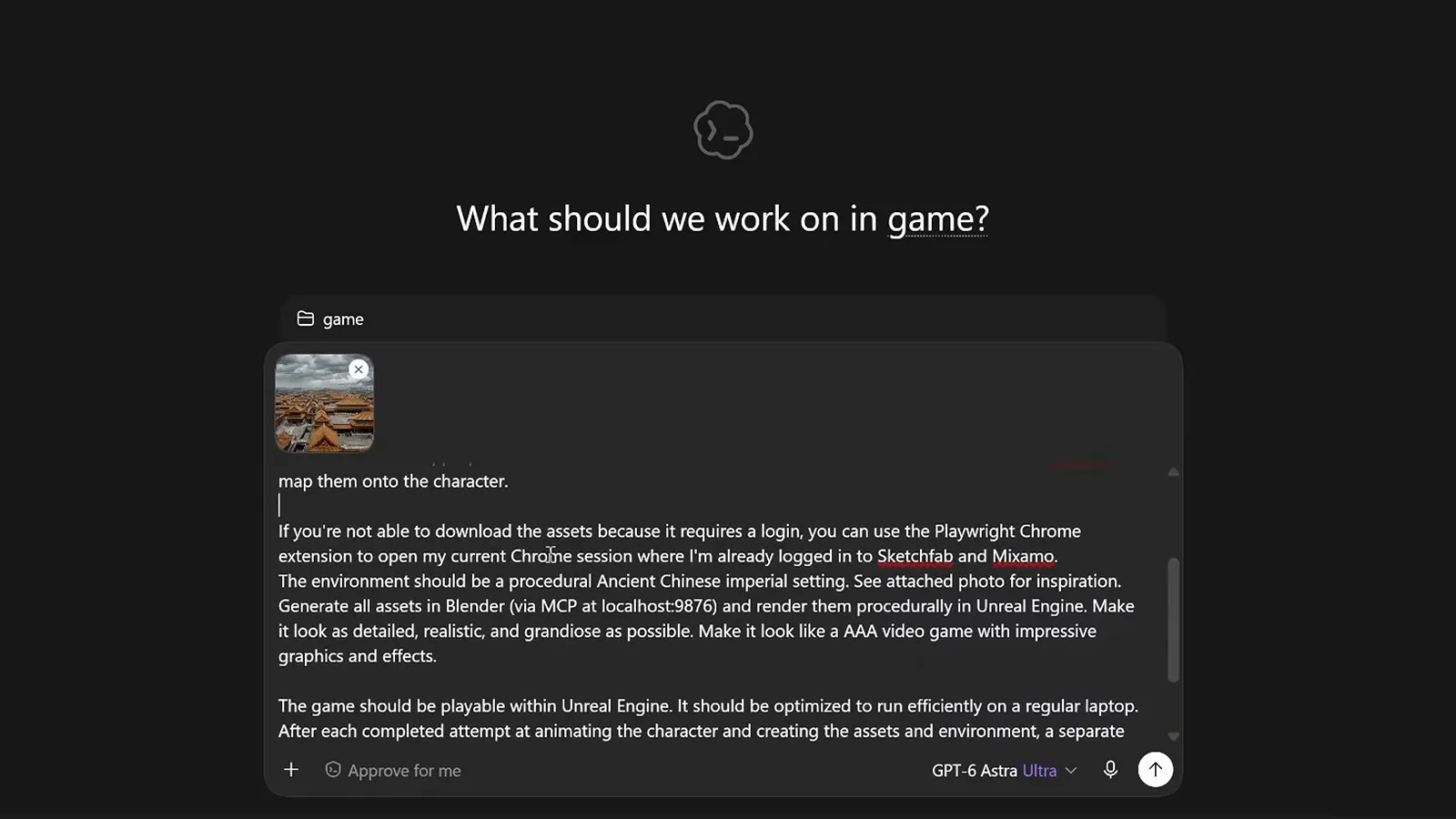
One brief, four tools: character, animations, assets and engine all specified up front.Watch at 5:35 - 7
Have Astra drive a browser app stroke by stroke
Computer control means cursor input, not code injection. Asked to recreate a café street scene in Photopea, the agent opened the site, picked a 15-pixel hard brush and painted the awning, windows and walls stroke by stroke for roughly 20 minutes, while the ChatGPT banner on the right reported that it had been working for 8 minutes and was using the browser.
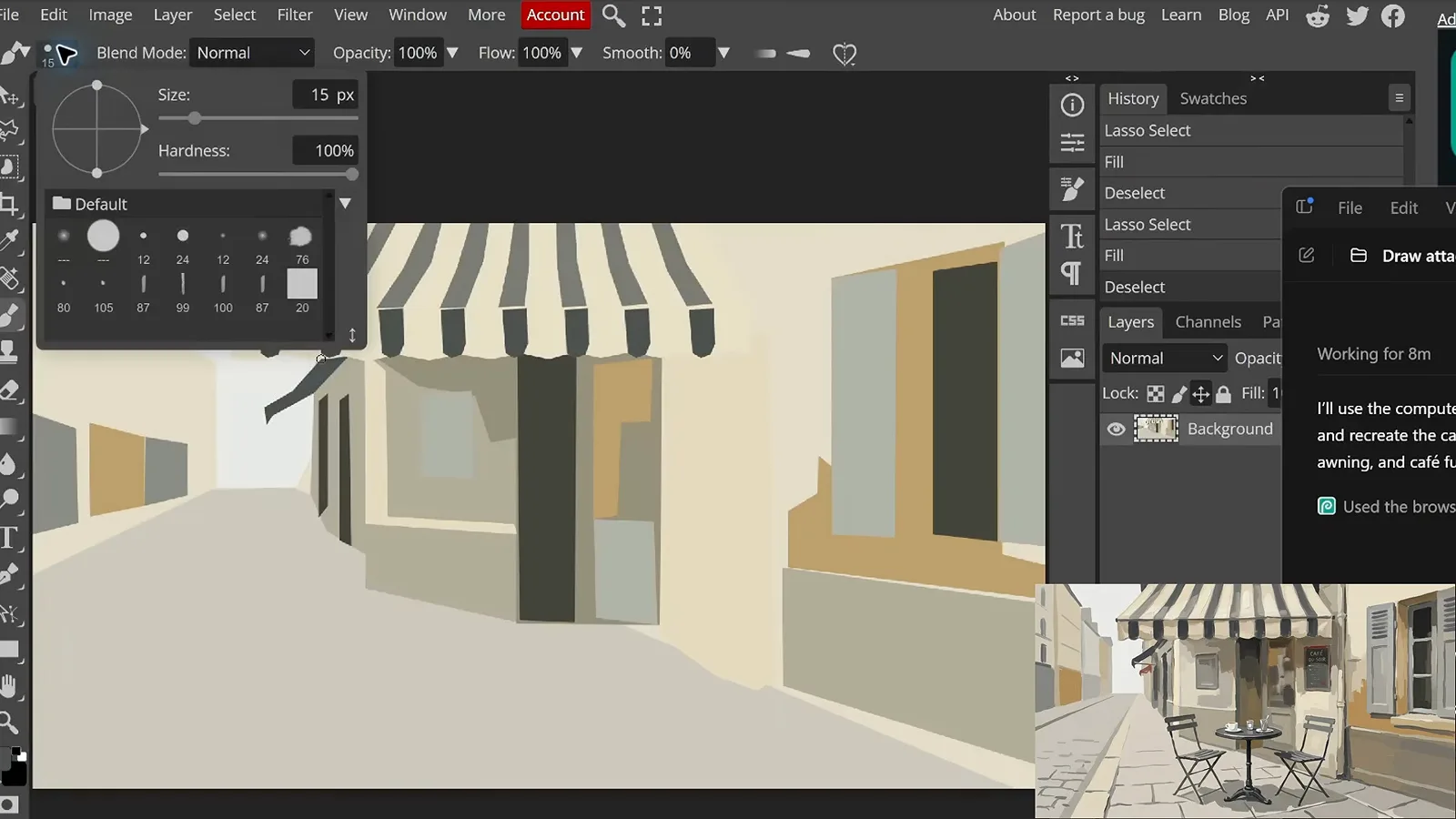
A half-finished café scene in Photopea, painted entirely by Astra's cursor.Watch at 10:25 - 8
Turn one character into frame-by-frame animations
The next task raised the difficulty: draw a pixel character once, then animate it — running, jumping and sword strikes, four frames each, saved as separate files and consistent with the reference. The screenshot catches the sword pose mid-drawing in a browser sprite editor, with the animation timeline below and the whole run taking about 40 minutes.
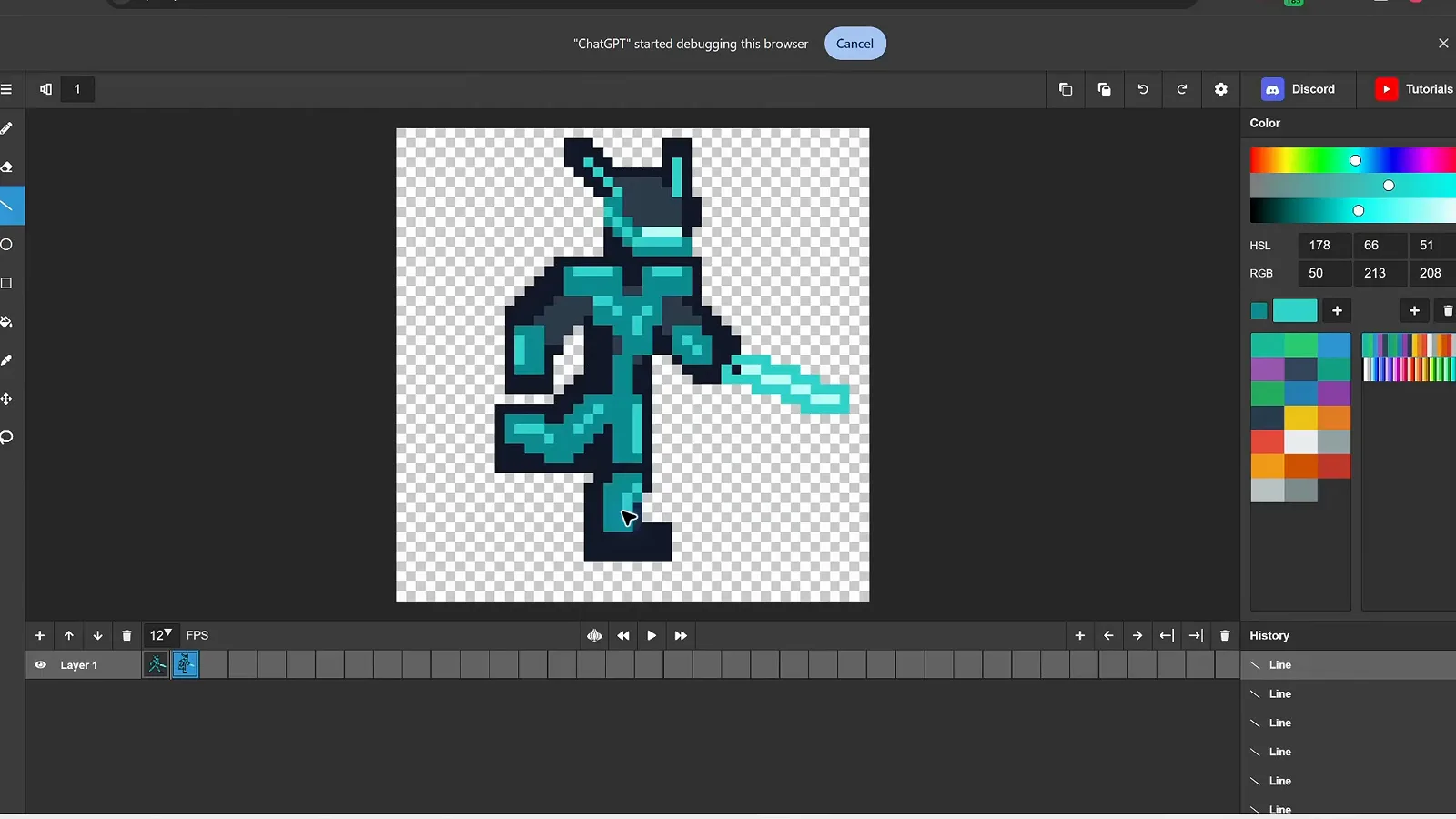
Frame two of the sword-strike cycle, drawn live in a browser sprite editor.Watch at 11:12 - 9
Set the stage, then let Astra perform live
Before requesting a minute-long Chopin-style solo, the brief told the agent to open the Virtual Piano Keyboard site and set the visible keys to maximum — details matter. Astra rehearsed the key bindings, recorded a take, then played the piece live, pressing keys in time. The whole compose, rehearse and perform cycle took about seven minutes.
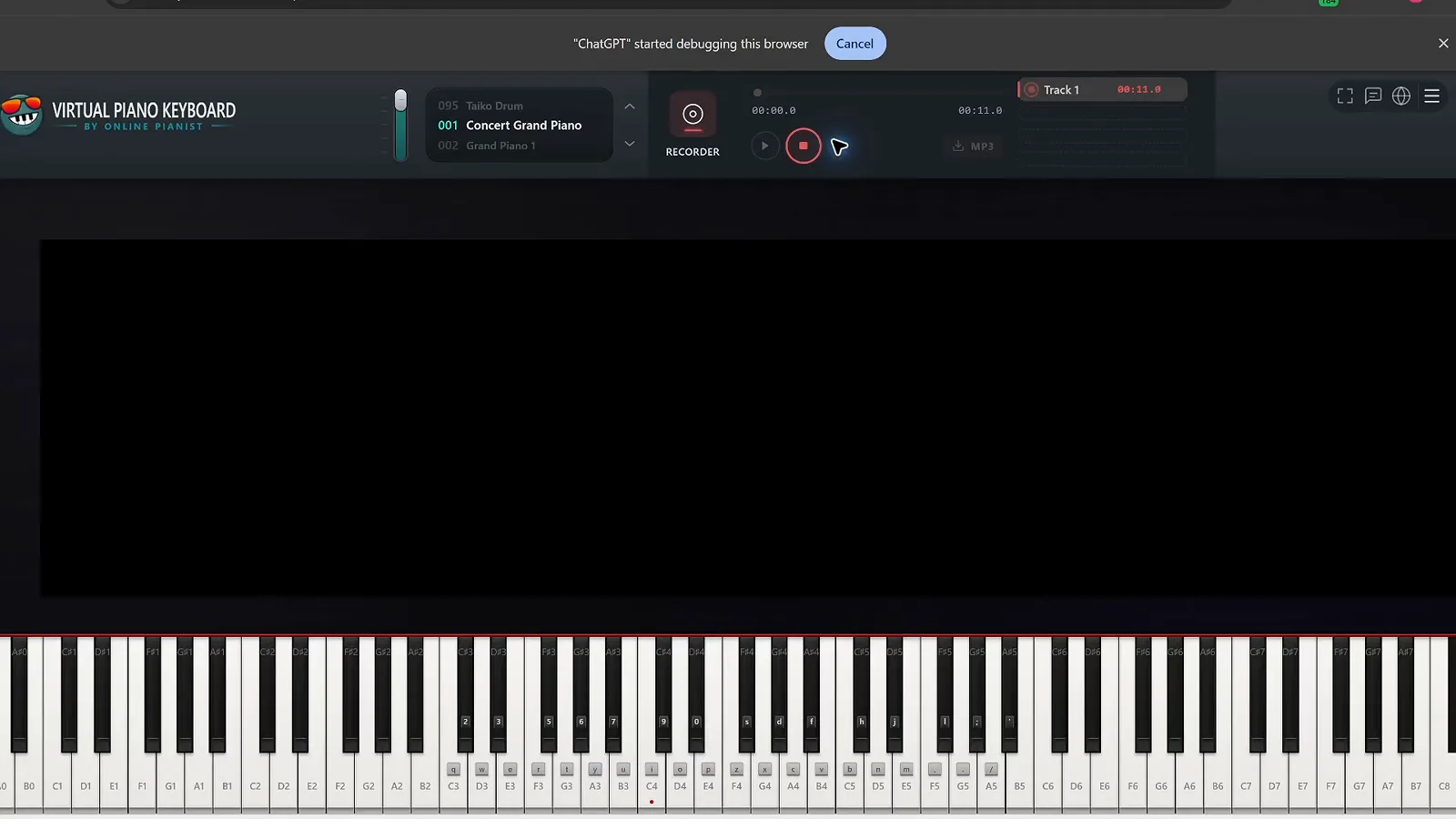
The recorder is armed: Astra is about to play its composed Chopin-style solo live.Watch at 12:38 - 10
Iterate on feedback until the track sounds radio-ready
In the Waveform DAW the first 15-minute Europop-EDM render sounded primitive, so the follow-up demanded a catchier melody, real samples from samplefocus.com and professional mixing. Twenty minutes later the project held 16 named tracks, from Punch Kick to Reverse Sparkles, at 128 BPM in F-sharp major. The lesson: critique the first output specifically and Astra reworks it.
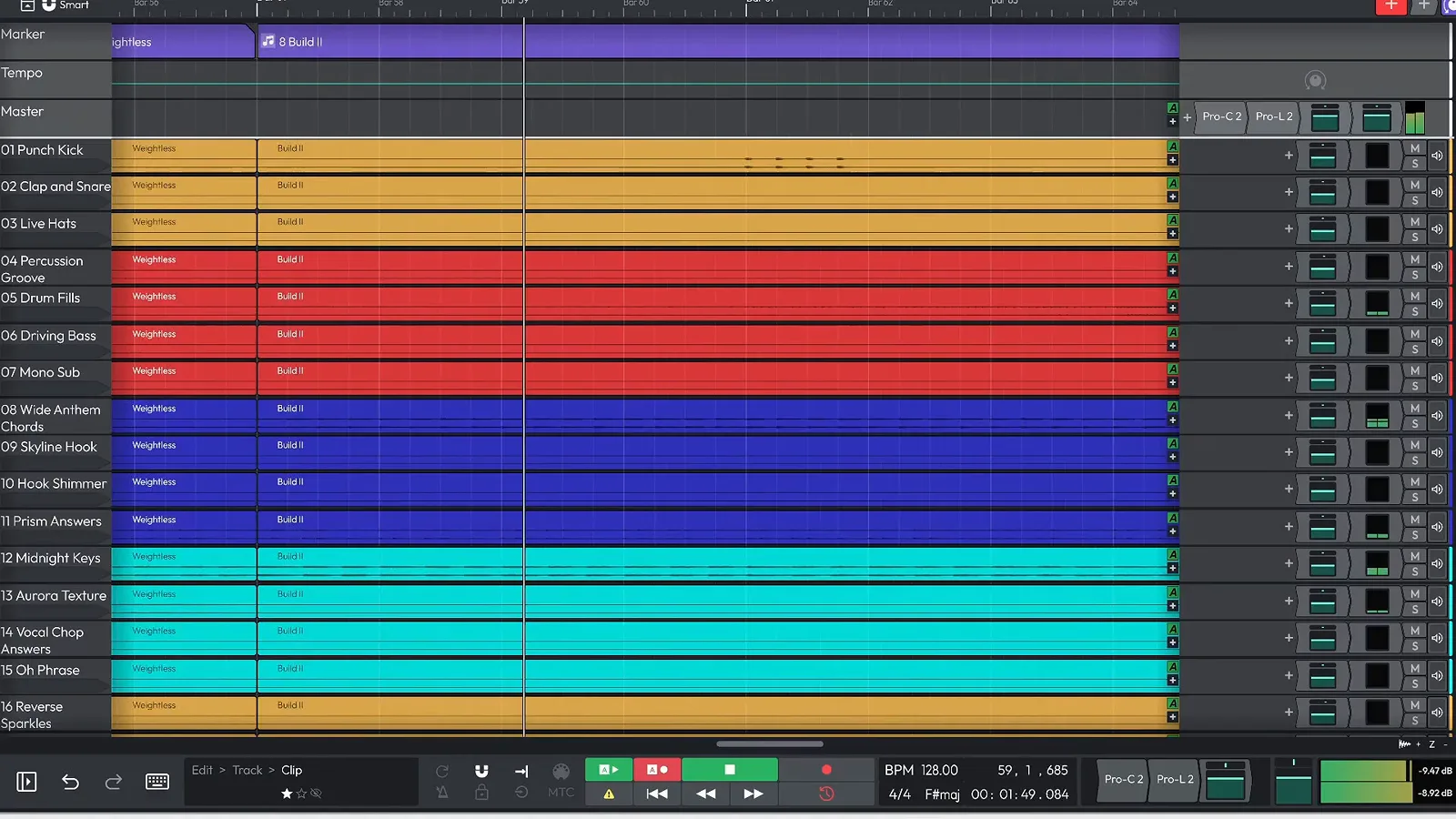
The revised EDM project: 16 tracks, 128 BPM, after one round of feedback.Watch at 16:30 - 11
Rebuild a real place as a 3D virtual tour
Hand the agent a single Airbnb listing and it rebuilds the whole property in Blender through the Blender MCP connection — bathroom, sunken lounge and rooftop pool included — then programs a camera path for a fly-through tour. The reconstruction ran 1 hour 12 minutes, and the side-by-side comparison shows the render holding up against the real photographs.
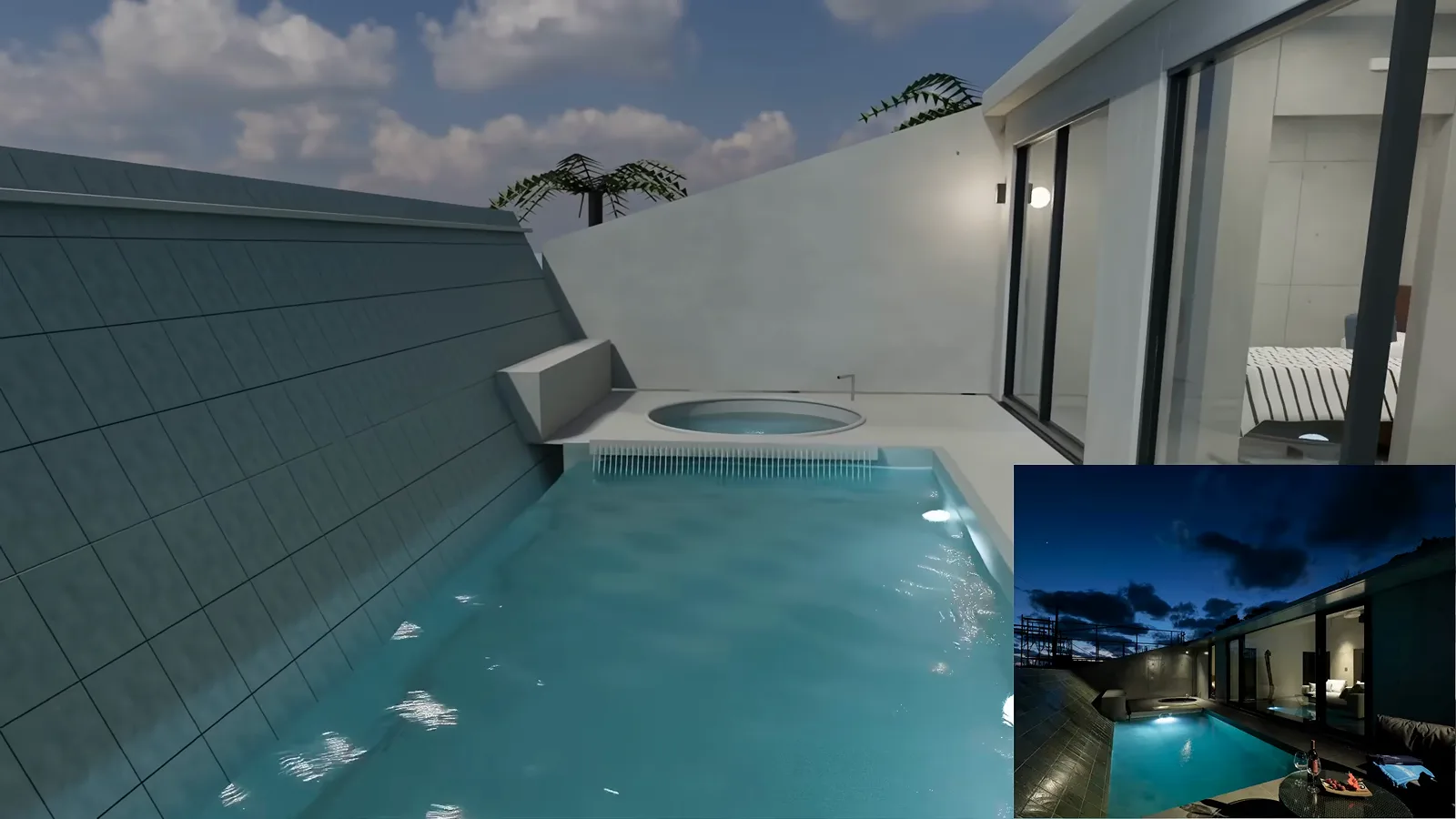
Render versus reality: the rooftop pool rebuilt from a single listing link.Watch at 19:45
Direct other AI tools and pick the right plan
- 12
Direct image and video generators from one chat
Astra cannot generate footage itself, but it can be the director. Handed an Amazon page for a matcha brand, it wrote the spot, drove the Higgsfield integration to create the clips, and delivered a 30-second 1080p commercial with voiceover and music — all 720 frames rendered — plus an editable project and MP4 download inside the same conversation.
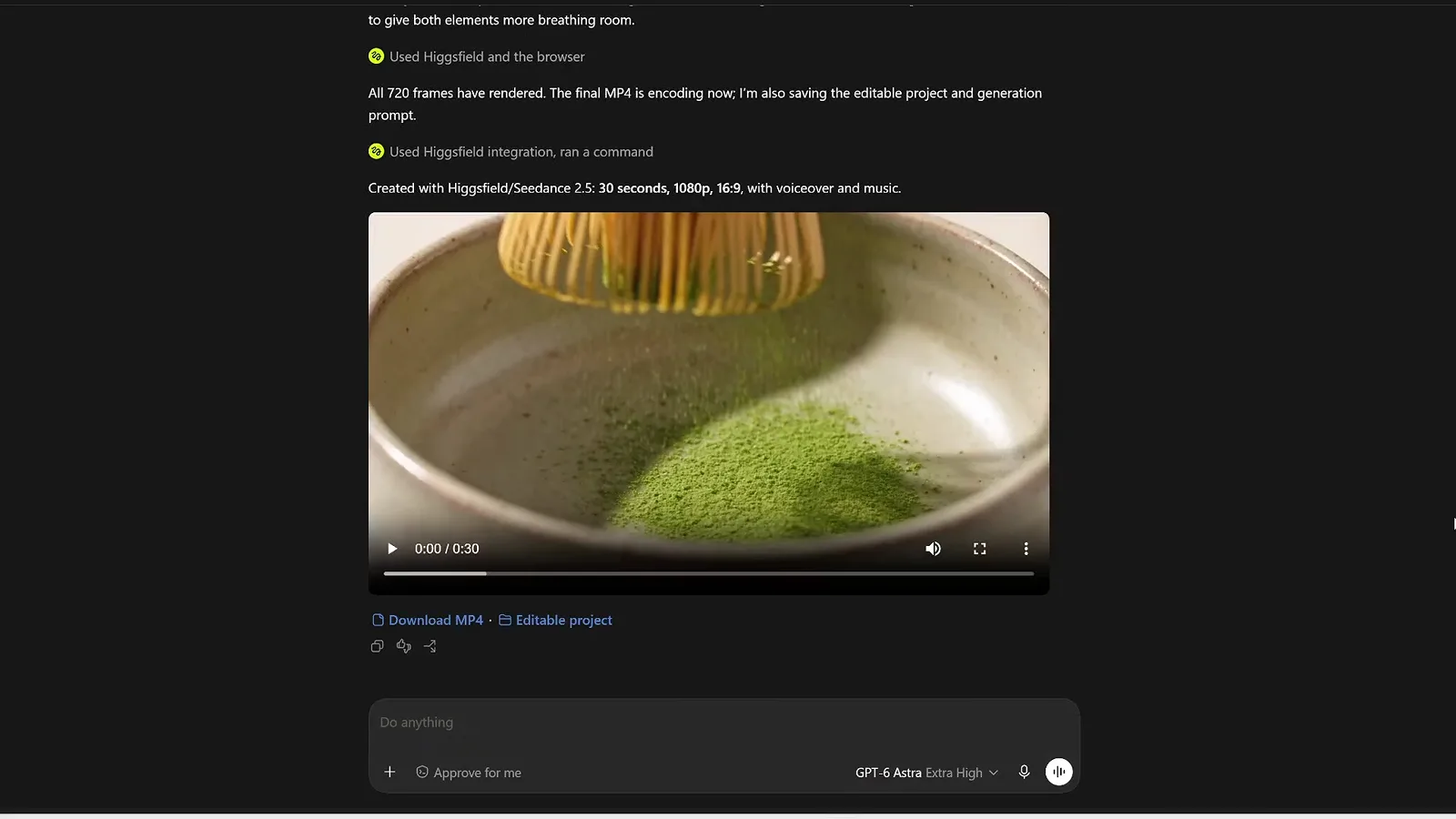
The finished matcha commercial, delivered in chat with MP4 and editable project links.Watch at 20:40 - 13
Commission an animated explainer and refine its voice
For an educational video Astra planned, scripted and rendered a minimalist white-on-black explainer about how Eratosthenes measured the Earth, wiring up Gemini TTS for the voiceover from pasted documentation. The 14-minute first pass was not the end: critique rounds followed, and the narration was rewritten to suit high-school students before the final cut.
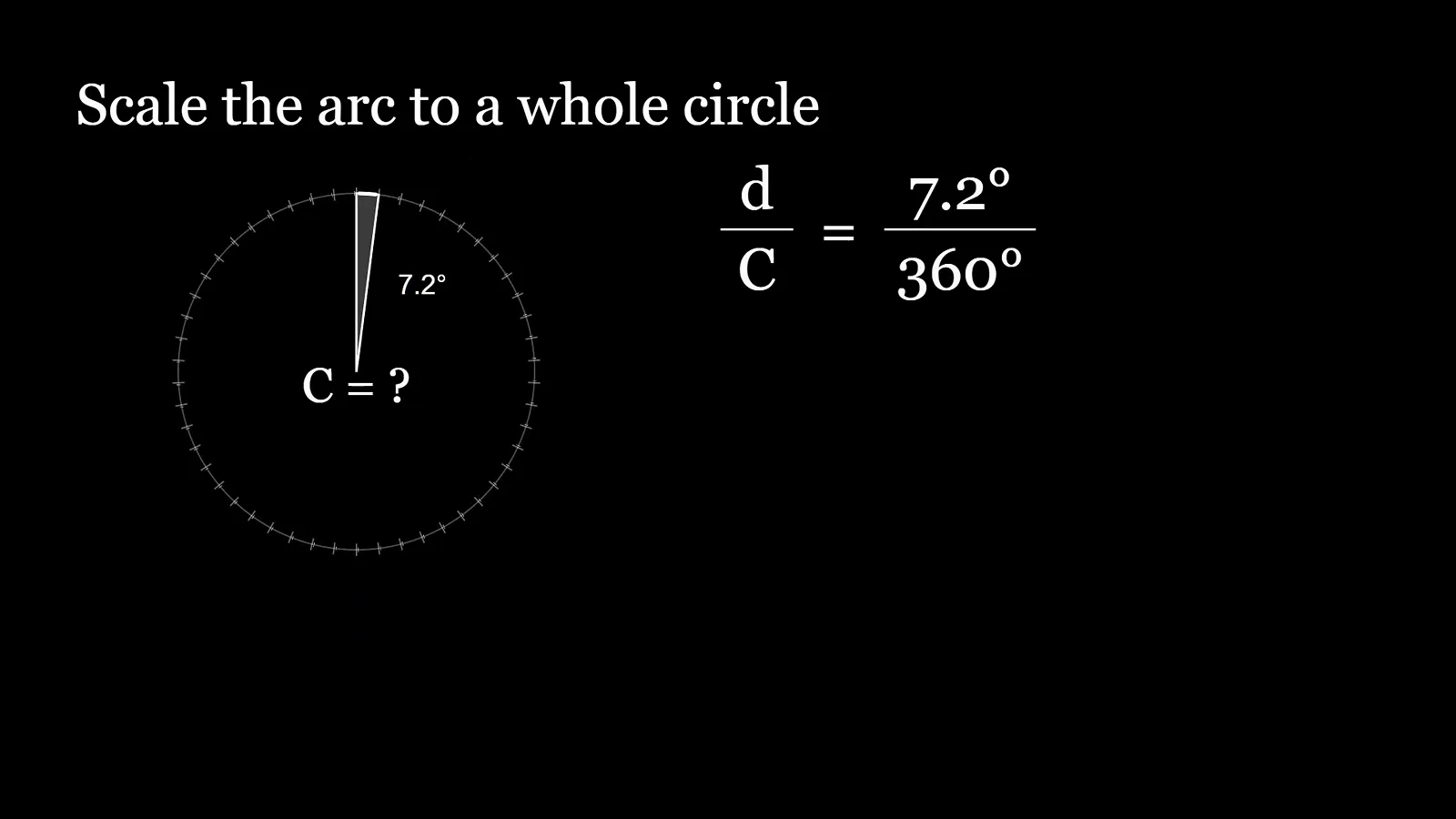
One frame of the finished explainer: shadows, angles and the 7.2-degree insight.Watch at 23:00 - 14
Confirm which plan unlocks GPT-6 Astra
OpenAI's availability note is explicit: Astra reaches every ChatGPT Plus, Pro, Business and Enterprise subscriber as part of the existing subscription allowance, with extra credits available to buy, and Pro, Business and Enterprise seats also get a GPT-6 Astra Pro tier. Free accounts wait, while developers call the model as gpt-6-astra through the OpenAI API, Azure or AWS Bedrock.
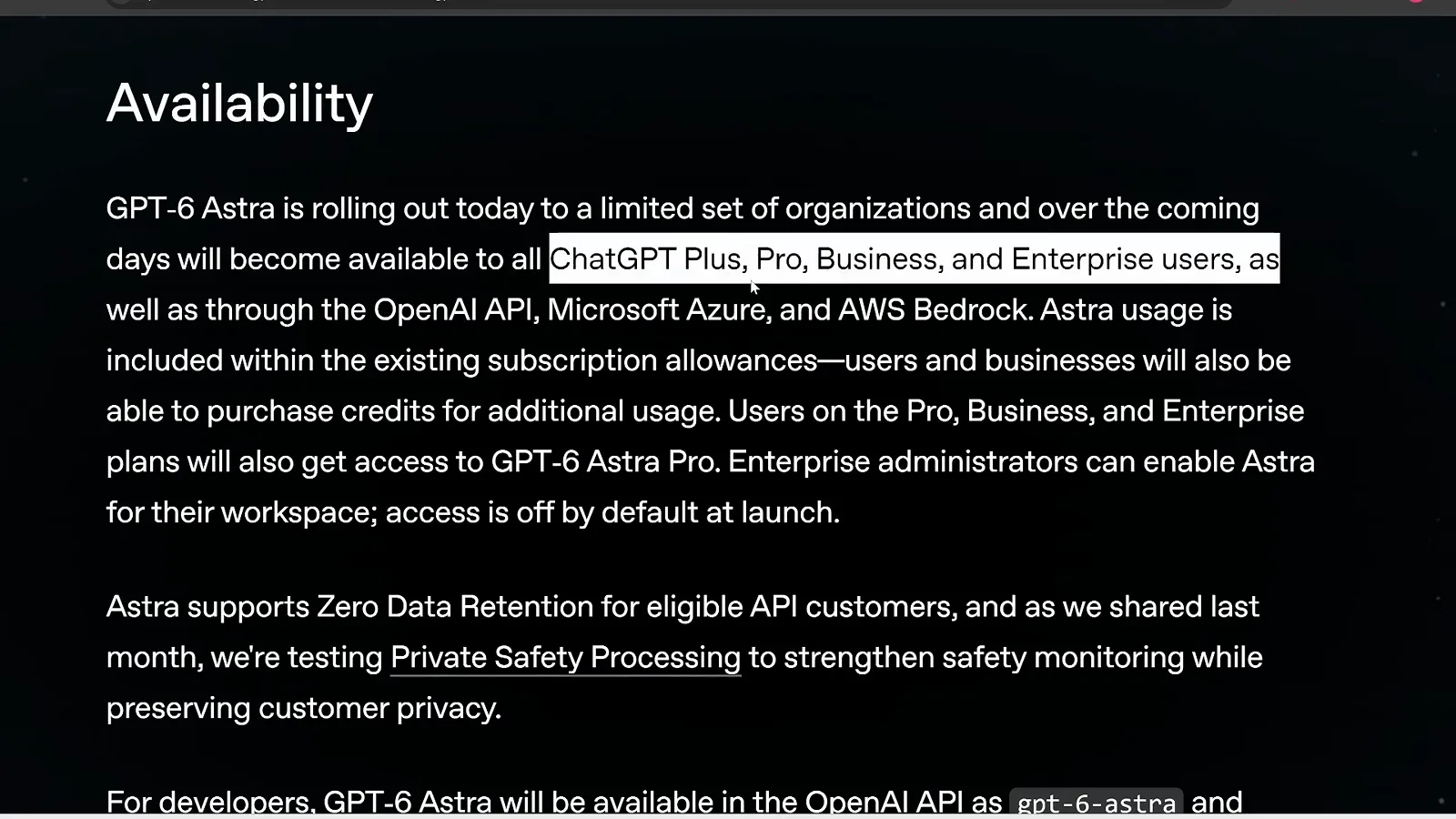
The rollout rules in OpenAI's own words: paid plans first, API name included.Watch at 32:29
Frequently asked questions
Keep exploring
- ChatGPT tool profile: features, pricing and GPT-6 availability
- GPT-6 Sol vs Luna: picking the budget model in practice
- Generating video with Sora 2? Read our Sora 2 prompting guide with 16 annotated steps
- Free route: our step-by-step DeepSeek V4.1 walkthrough
- More picks: the best AI productivity tools for work
- Browse every free AI tool in the directory