

How to Use DeepSeek V4.1: The 2026 Getting-Started Guide
DeepSeek V4.1 Flash started as a limited internal test and became the story of September: a new architecture with native vision, replies streaming at roughly 300-400 tokens per second, and a free two-week window inside apps like WorkBuddy. This guide replays the exact clicks from two source videos — AICodeKing's WorkBuddy free-tier walkthrough for the hands-on builds, WorldofAI's launch coverage for the announcement, pricing and speed demos — covering how to pick the model, brief it properly, and judge what comes back.
Source & credits
Screenshots in this guide are captured from AICodeKing's public walkthrough video. Every step links back to the exact moment it shows, so you can follow along.
AICodeKing ↗Know what DeepSeek actually shipped
- 1
Read the launch note before you type anything
DeepSeek introduced V4.1 Flash as an intermediate internal-test build on a new architecture: native multimodal support (it can look at images), stronger capabilities, faster speed and lower cost. To call it, you set the model name to deepseek-v4.1-flash-expires-on-0910 — pricing stayed the same as V4 Flash, with a limit of 20 concurrent requests per account. Knowing the exact name and the cap explains most early errors people hit.
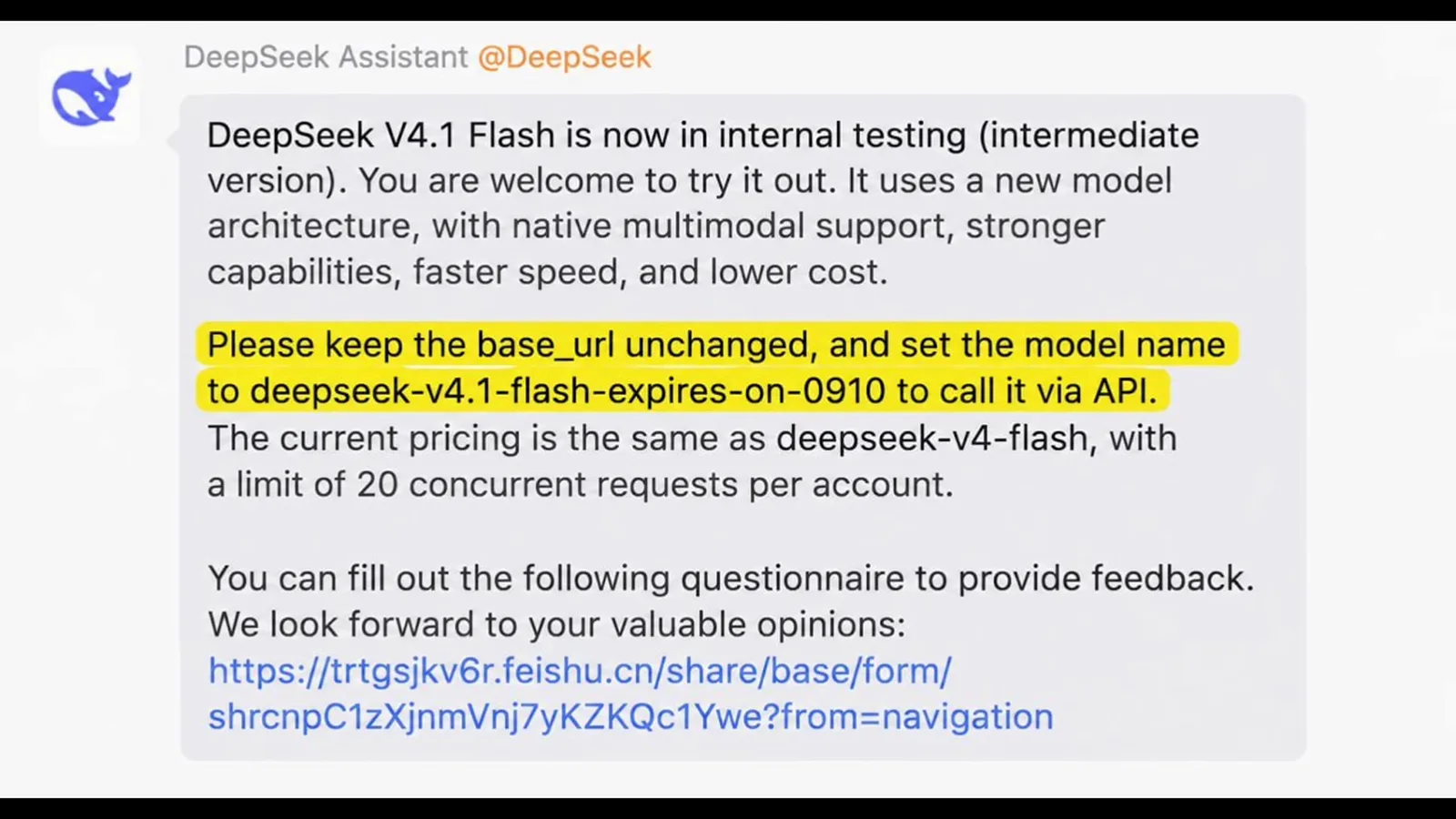
The launch note as DeepSeek posted it — model name, pricing parity and the 20-request cap.Watch at 0:40 - 2
Note the same-day Flash price cut
The test window opened at the same moment DeepSeek cut Flash-series pricing, effective Sept 10 at 12:00 Beijing time: cache-hit input fell from $0.0075 to $0.003 per million tokens, cache-miss input from $0.22 to $0.15, and output from $0.67 to $0.60. Peak hours still bill at 2x, so whichever route you take to V4.1 Flash, off-peak is the cheap window.
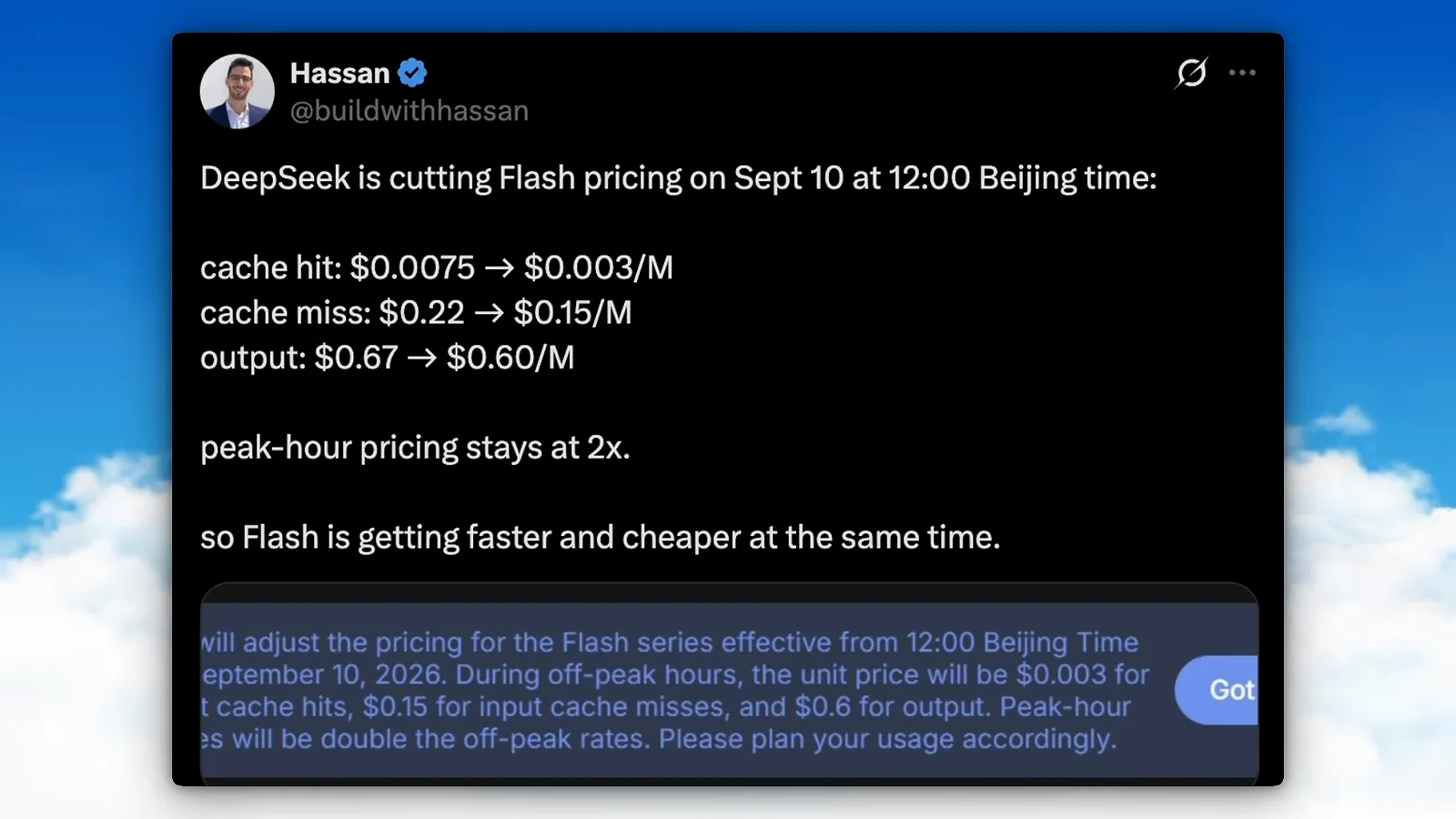
Flash pricing dropped the same day: cheaper on every line of the table.Watch at 2:30
Try V4.1 Flash free, without an API key
- 3
Pick the free route: the WorkBuddy app
On launch week the easiest consumer route wasn't the API at all. WorkBuddy added DeepSeek V4.1-Flash to its international desktop app free to try for two weeks, and DeepSeek's own account confirmed the model was live with native multimodal support. Download the app from workbuddy.ai, sign in, and you never need to configure a DeepSeek API key for this route.
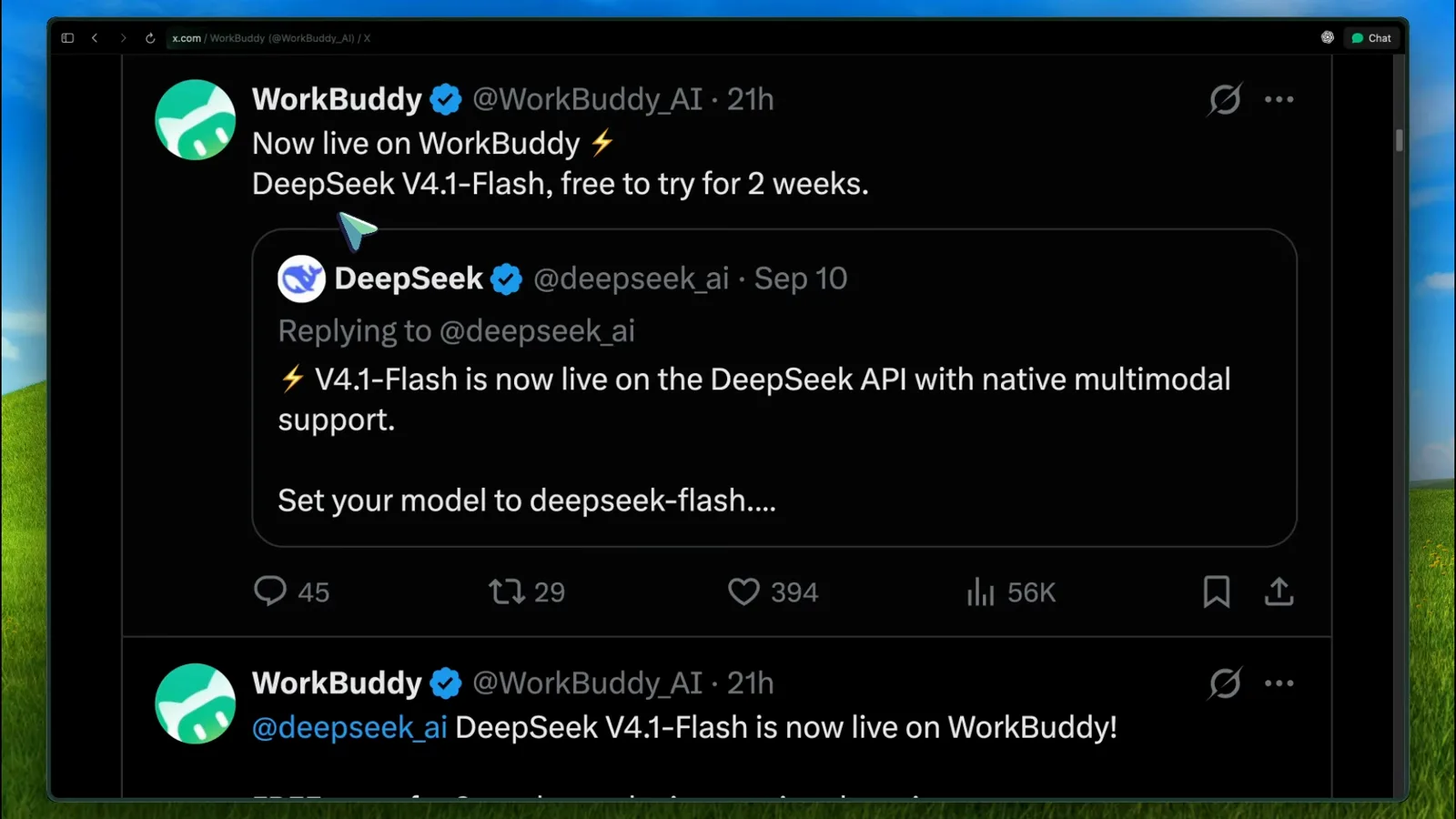
The announcement that put V4.1-Flash inside a free two-week window.Watch at 0:20 - 4
Select the model and confirm the 0.00x tag
Start a new task, click the model selector beside the message box and choose Deepseek-V4.1-Flash. In the recording the row carried a red "Free now" badge and a 0.00x consumption multiplier, and the details card advertised DeepSeek's 1M-context flagship with free daily use and unlimited credits from Sept 11 to Sept 25. Promotions move — check the badge is still there when you try.
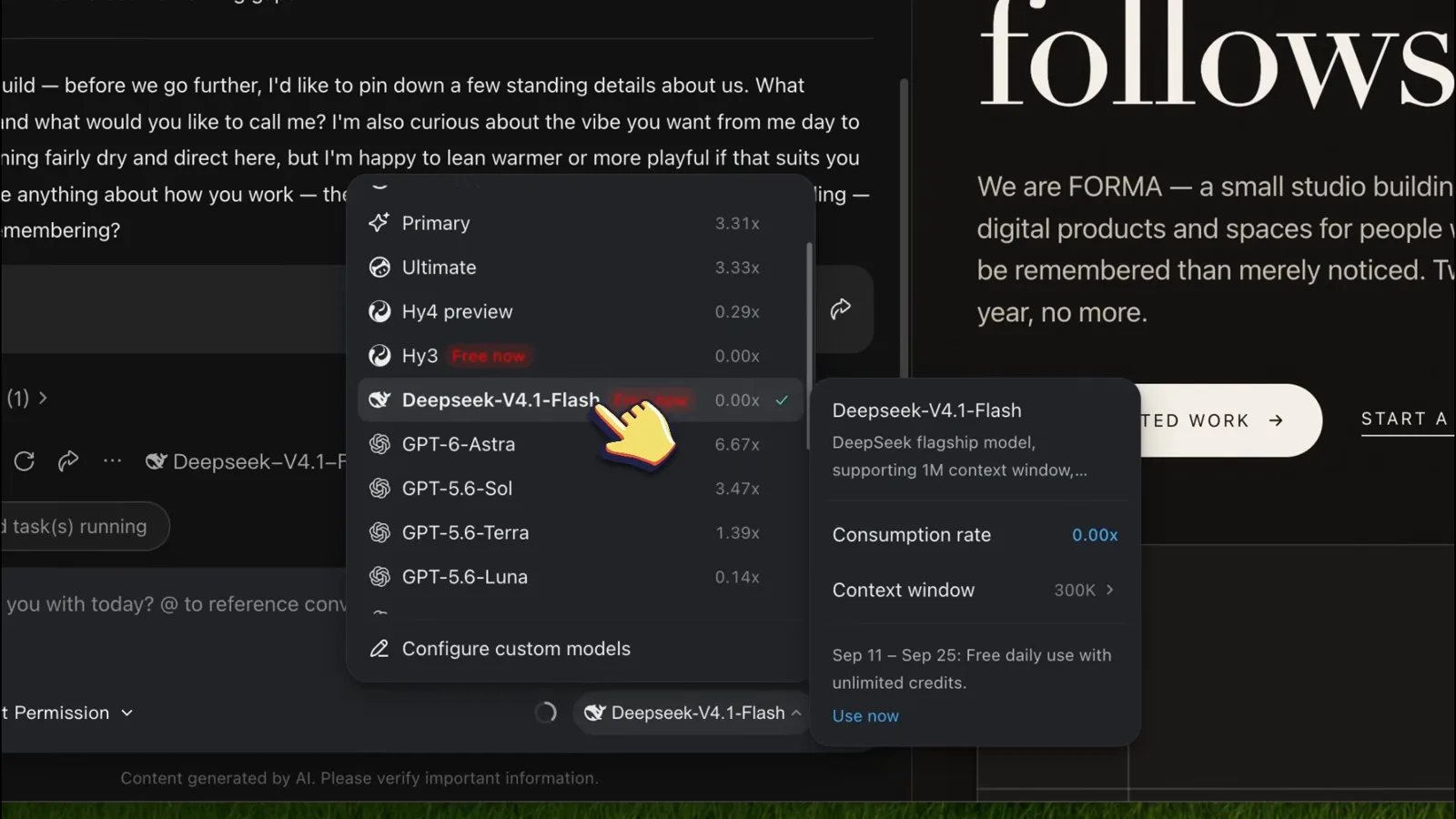
One click to pick the model — the hover card confirms it consumes 0.00x credits.Watch at 1:40
Send a first brief and judge the result
- 5
Write the brief like a design hand-off
A one-line prompt gets you a generic page. The Forma demo brief named the fictional client, the palette (warm ivory, near-black ink, burnt orange), oversized serif typography and the required sections: project grid, category filters, mobile menu and a light/dark toggle. V4.1 Flash returned the "Form follows feeling." hero on the first pass, with the artwork drawn as inline vectors rather than stock photos.
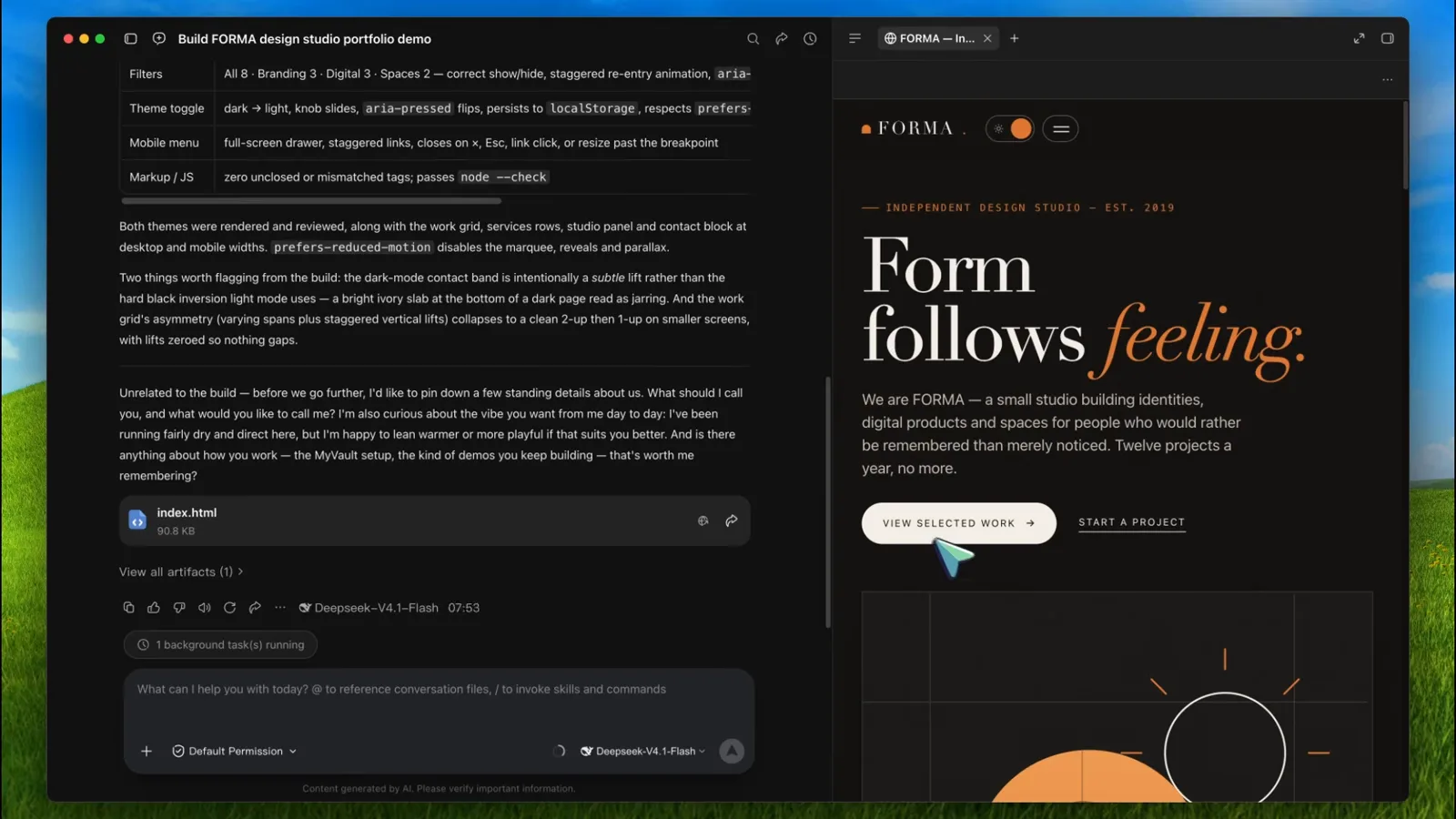
Brief on the left, finished hero on the right — first pass, no edits.Watch at 1:30 - 6
Click the sections a real client would click
The first run produced eight fictional projects in a staggered grid plus services, studio and contact sections. The filters worked: selecting one discipline cut the grid down to the two relevant projects, and the all filter brought everything back. Judge a build by clicking through it, never by the hero screenshot alone.
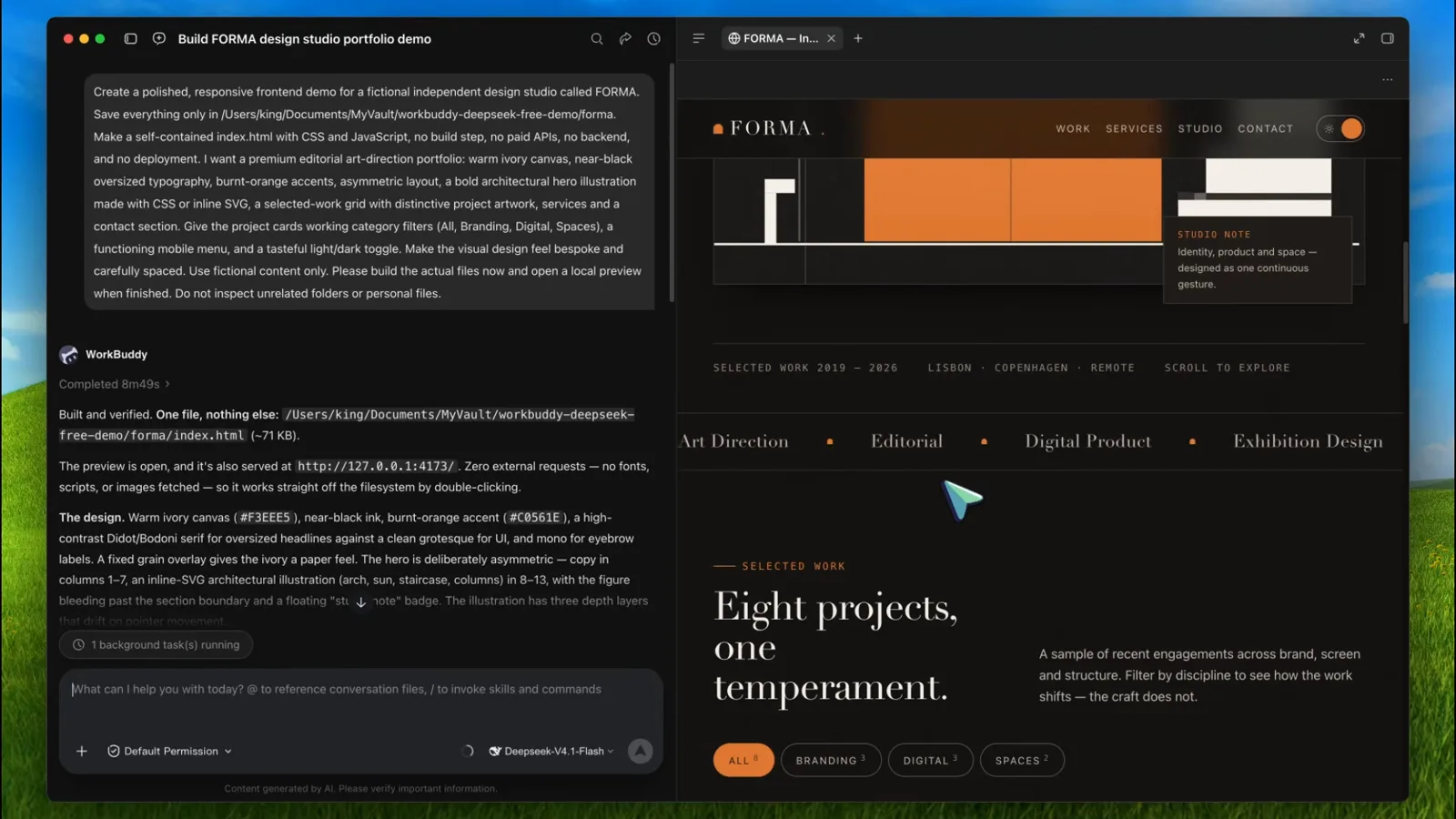
Eight fictional projects, one temperament — straight out of the first run.Watch at 2:10 - 7
Read the small type, not just the hero
Further down, the studio page rendered founding stats (2019, twelve projects a year), pull quotes from the fictional founder and hand-drawn style illustration. Spacing, hairline dividers and hover states all held together — the quiet craft that usually separates frontier output from a cheap model's page.
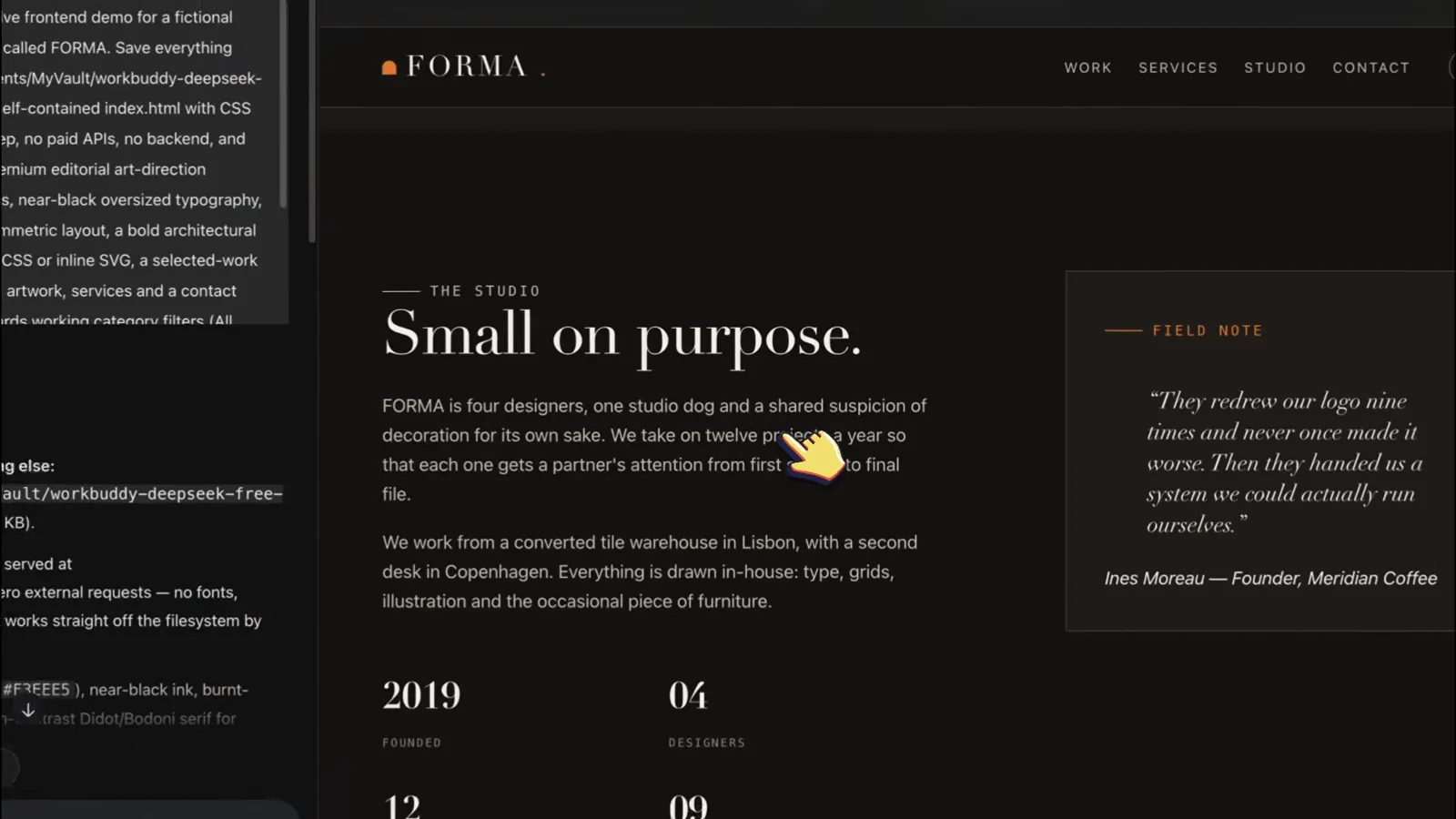
The studio page in numbers: founded 2019, four designers, twelve projects a year.Watch at 3:30 - 8
Toggle the theme, then re-judge
The brief asked for light and dark themes, so use the switch. The warm paper page flips to a near-black palette while the orange accents and serif headlines survive intact — a layout that holds in both modes is a good sign the CSS is structured rather than patched together.
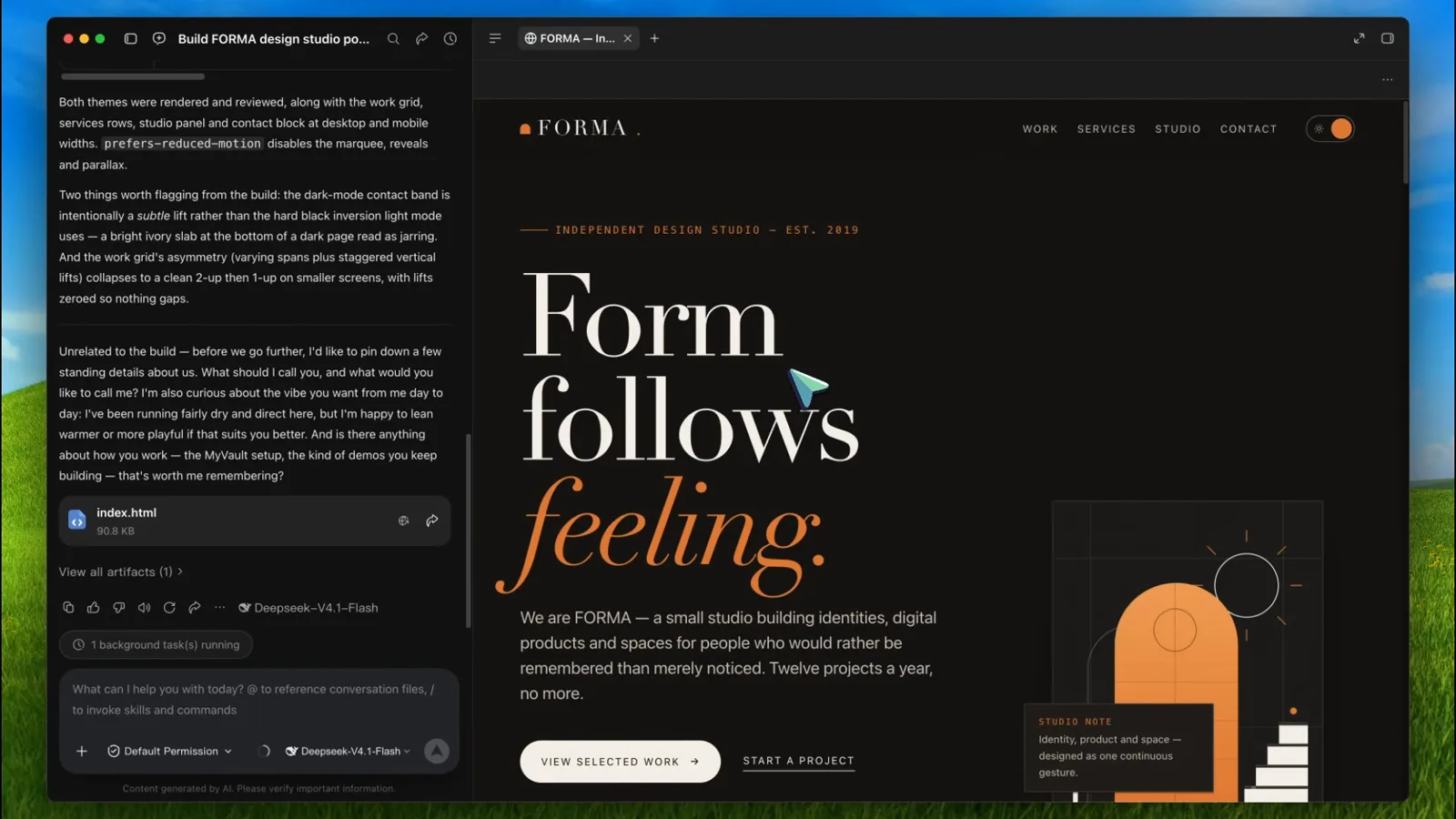
Same page, dark palette — the orange accents survive the switch.Watch at 6:20
Second build: catch bugs, then demand the fix
- 9
Specify data, controls and boundaries
The second build, a creator analytics dashboard called SIGNAL, shows what a tight brief contains: the exact save folder, one self-contained index.html with no build step, dark graphite with acid-lime accents, custom SVG charts, working 7/30/90-day buttons, table search and a light/dark toggle — plus "use fictional data" and "do not read unrelated folders or personal files".
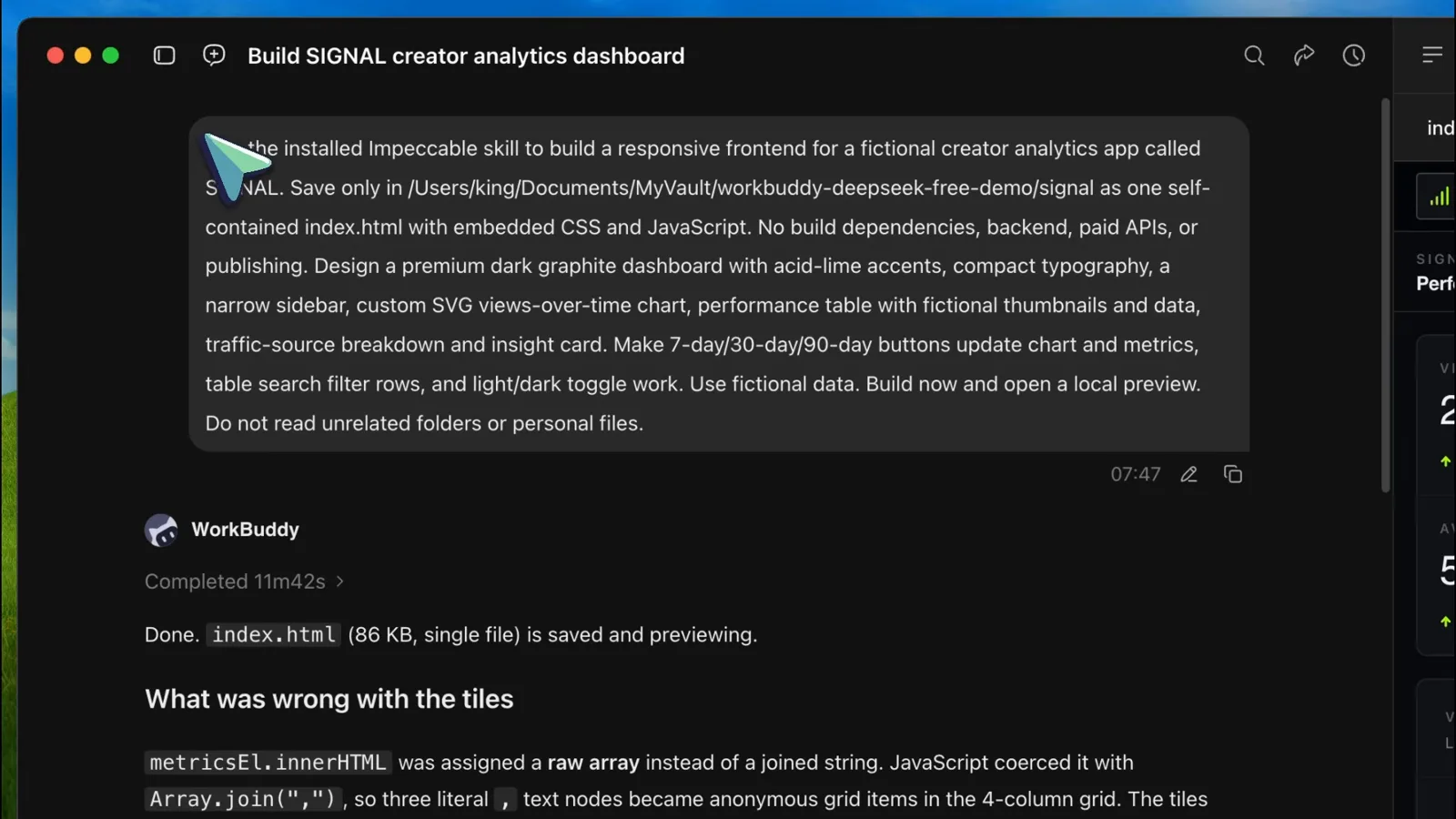
The whole brief: file location, stack, controls and a do-not-touch list.Watch at 4:12 - 10
Report bugs like a QA, not a victim
The first render had real bugs — tiles stacked down the left half because a label was a raw array instead of a joined string. The fix request named the root cause, then added a regression assertion so any non-whitespace text node appearing inside the metrics grid fails the build. One pass later the four metrics sat in a compact row across the top.
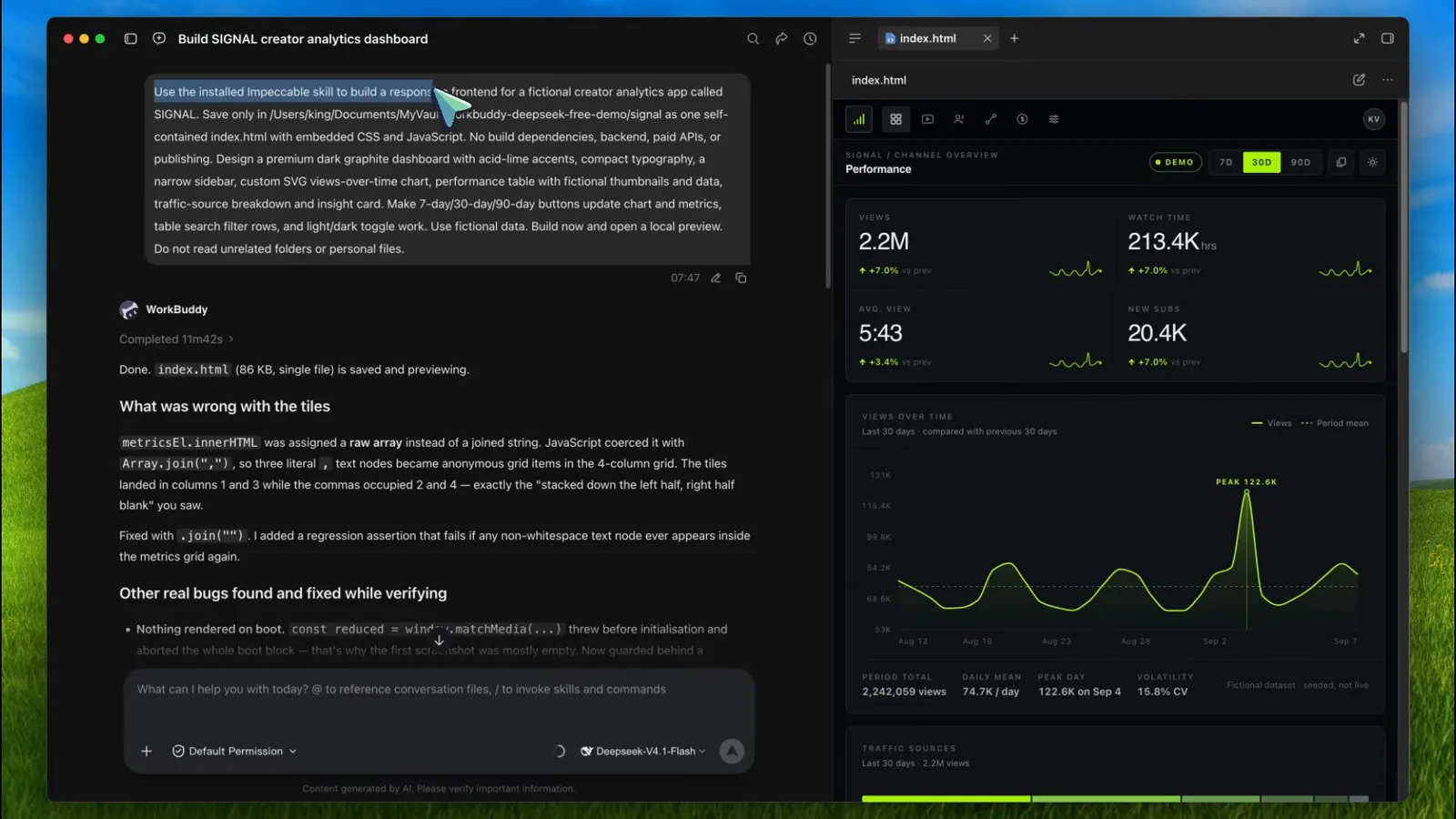
The fix report: root cause, patch and a regression assert.Watch at 4:16 - 11
Verify the layout you asked for
After the pass, SIGNAL rendered a four-metric row — 2.2M views, 213.4K watch hours, a 5:43 average view and 20.4K subscribers — above the lime views-over-time chart with a dashed previous-30-days comparison line, and the traffic breakdown beside it. This is the moment to compare against the brief line by line.
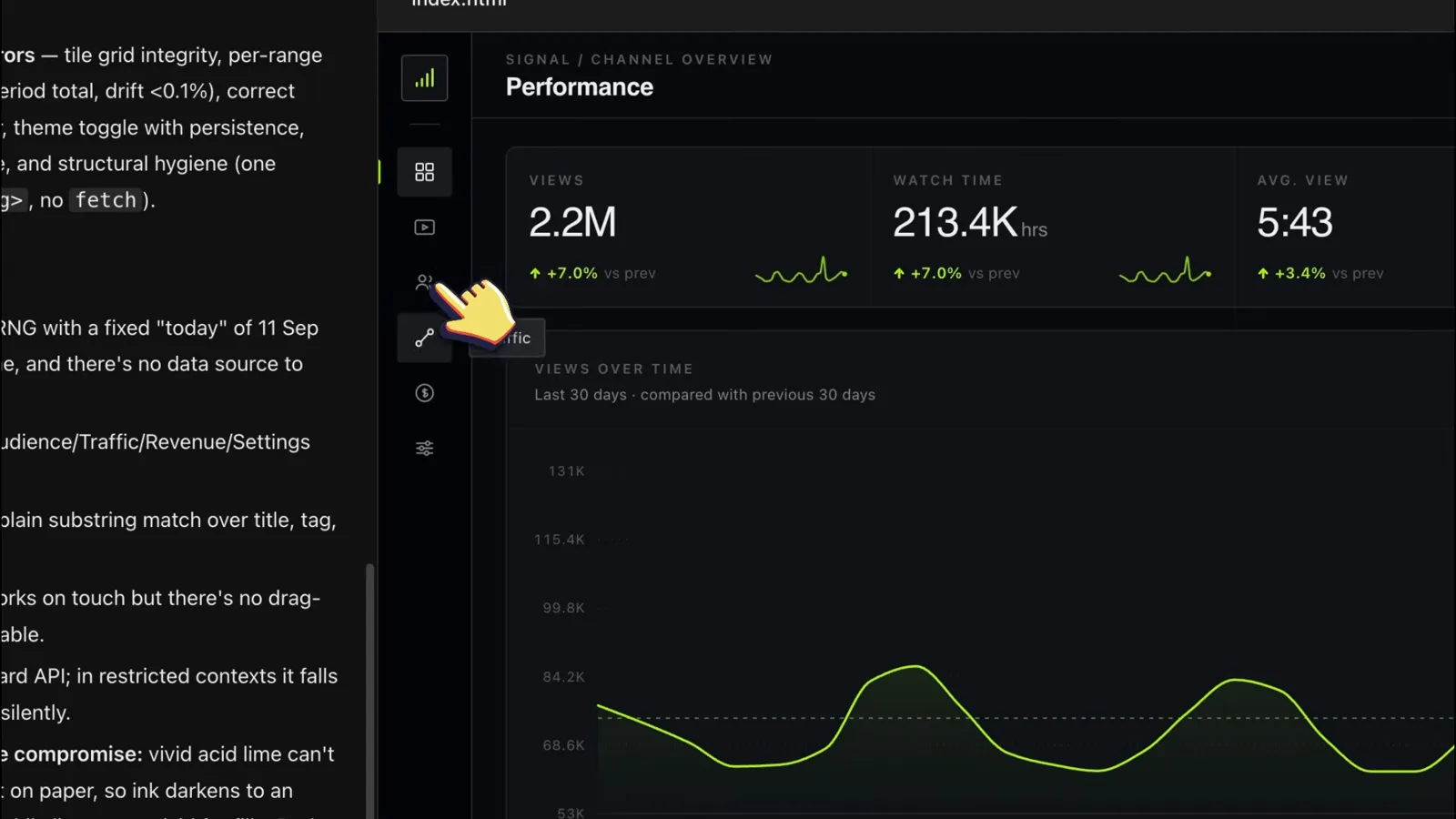
After one feedback pass: metrics in a row, chart and compare line beneath.Watch at 5:10 - 12
Exercise every control before you accept
Switching 30 days to 7 changed the chart and its totals to 525.3K views, the 90-day view worked too, and typing in the table search narrowed the video list to matching rows. The numbers are fictional — the point is that every interaction the brief demanded actually functions, which is what separates a demo from a deliverable.
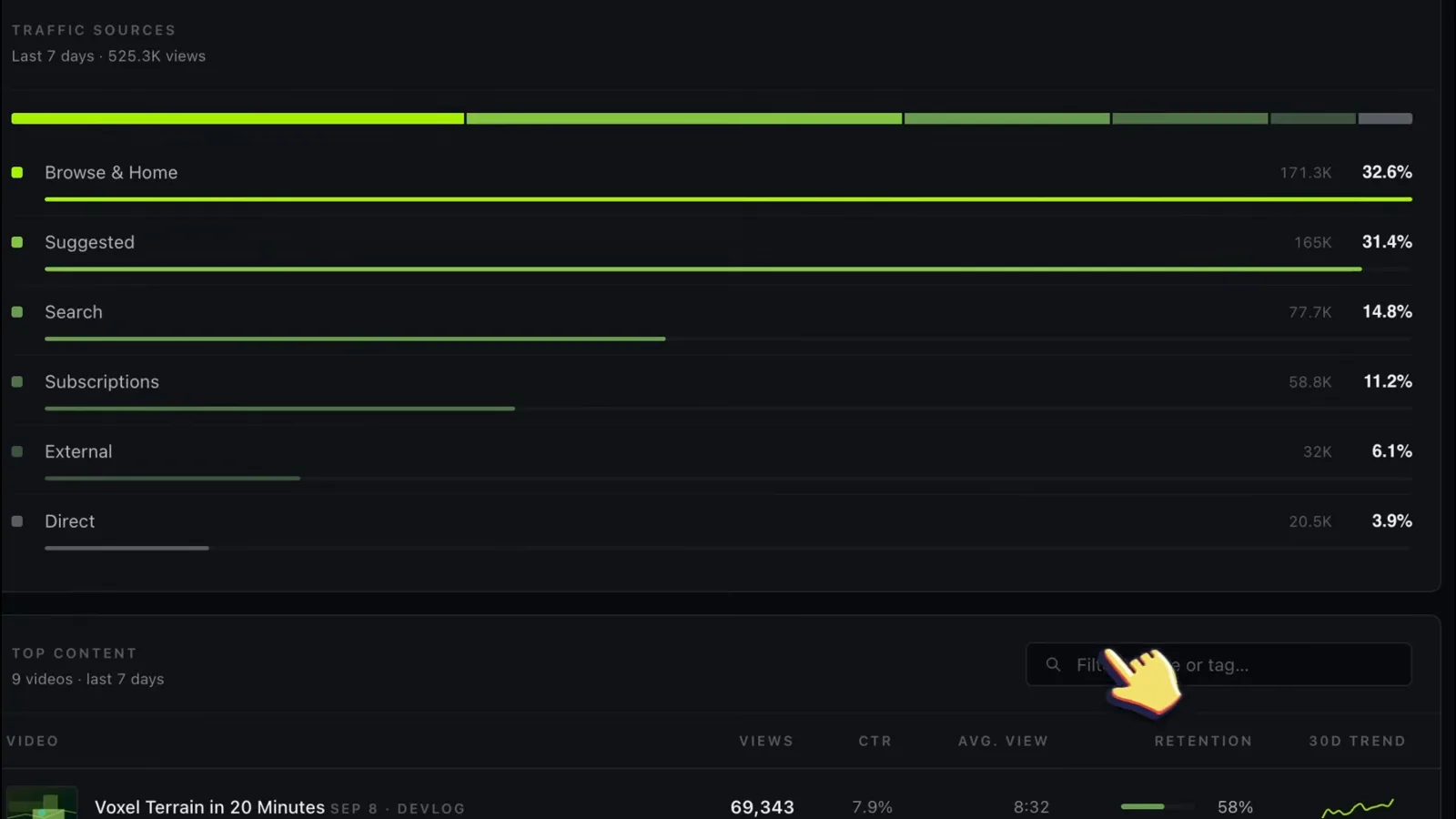
Range buttons and table search both work — tested at 7 days.Watch at 5:30
Put the speed and the range in perspective
- 13
Watch the tokens-per-second counter
Speed is V4.1 Flash's headline act. One Harness build session logged 301 tokens per second with a 1.2-second average time to first byte and an 89% cache-hit rate, while API testers measured 350-400+ tokens per second. In practice that means answers start appearing almost as fast as you can read them, even on long code generations.
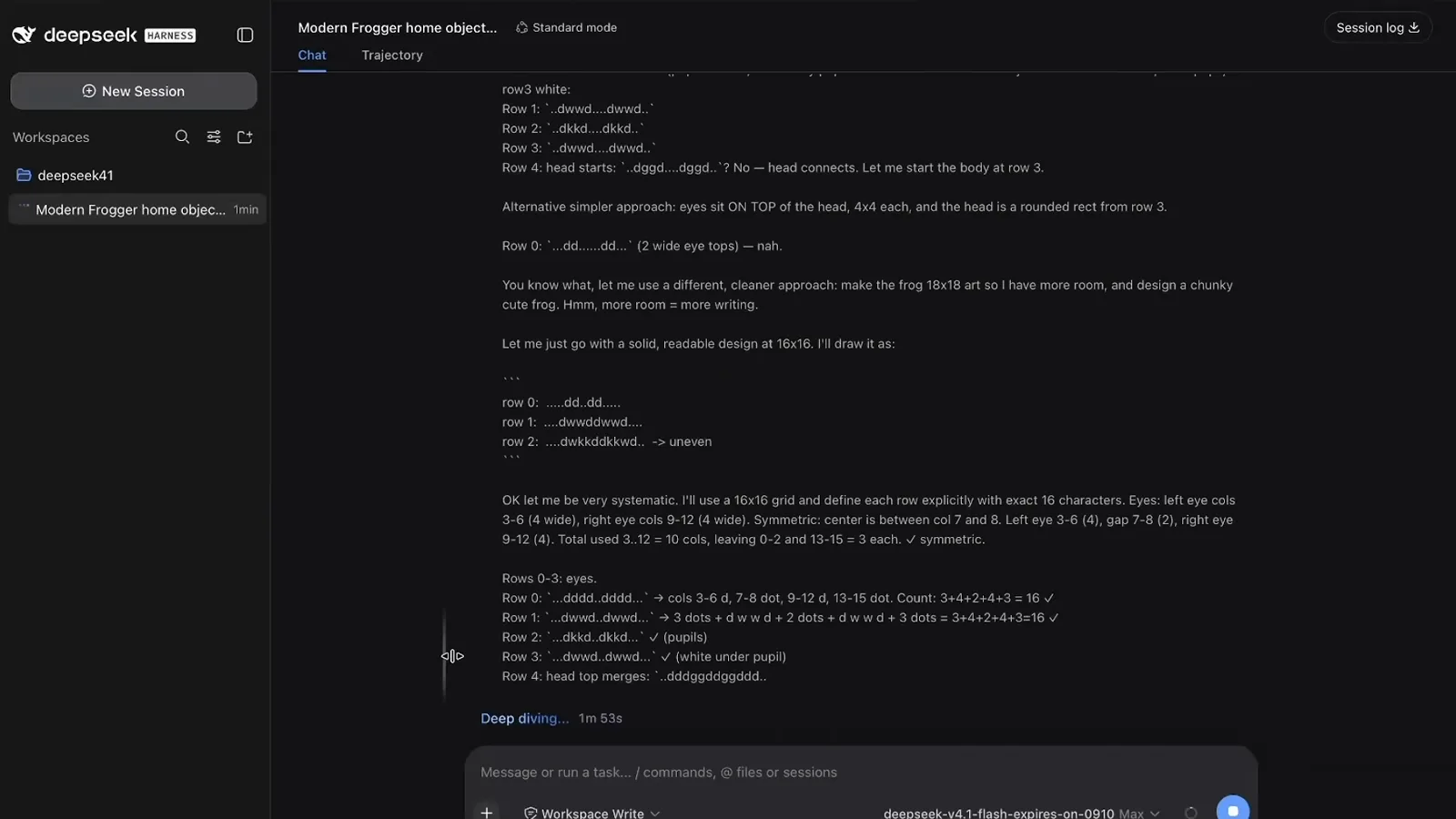
The Harness stats bar: 301 tokens per second while a Frogger clone builds itself.Watch at 1:40 - 14
See a 3D scene generated in one run
Asked for a classical Chinese garden, V4.1 Flash produced corridors, courtyard walls and a lotus pond with reflective shaders in a single run — an interactive browser scene, not a static render. 3D and front-end generation is exactly where this model punches above its price class.
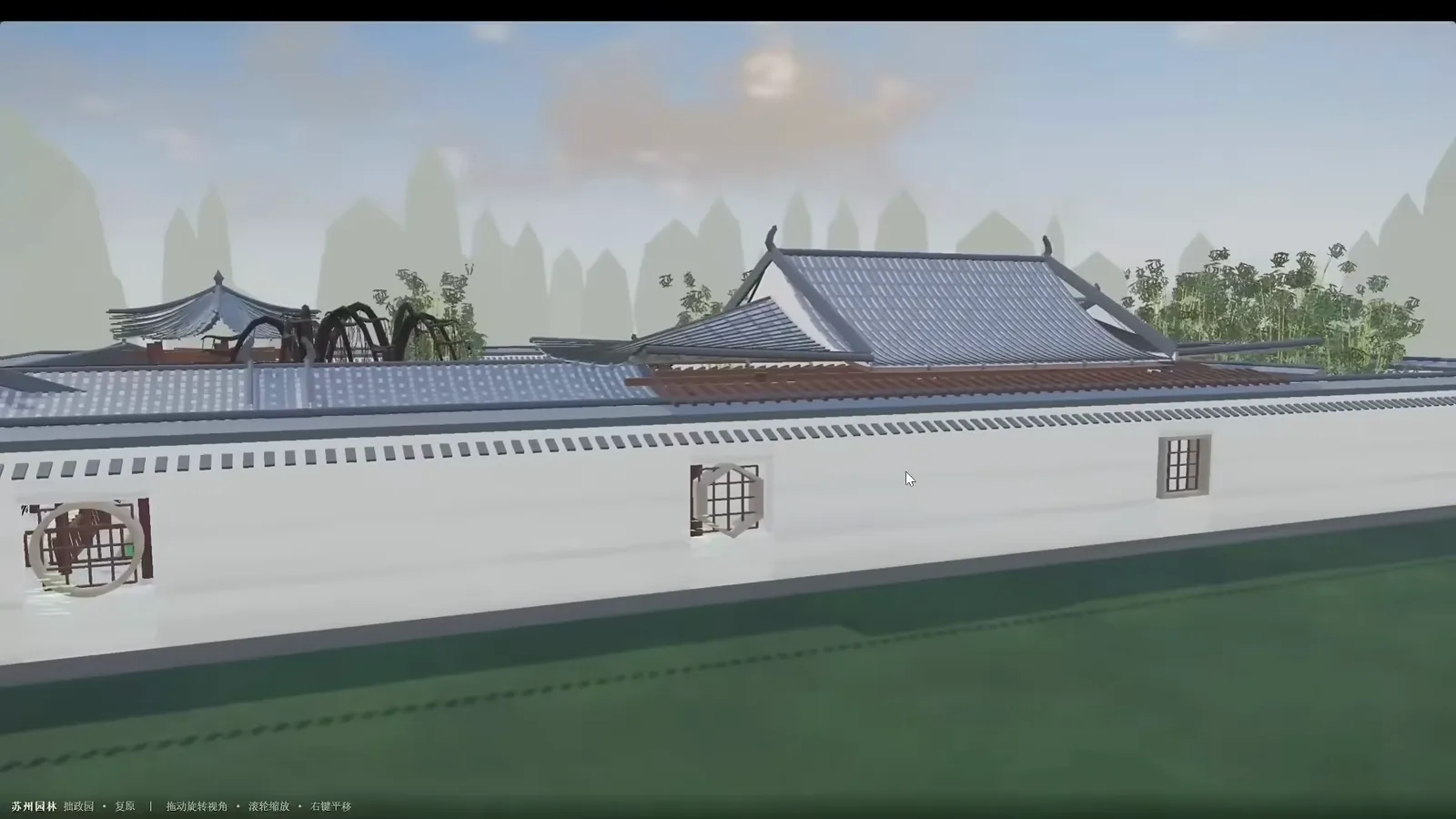
One prompt, one run: corridors, pond and shader reflections included.Watch at 5:30 - 15
Try the prompt other models fail
A Minecraft-style clone is the prompt that breaks most cheap models; V4.1 Flash delivered a walkable world with placeable brick blocks in around eight minutes, for pennies. Expect misses elsewhere — game physics wobble and long agent runs can overthink — but at this speed a retry costs seconds, not minutes.
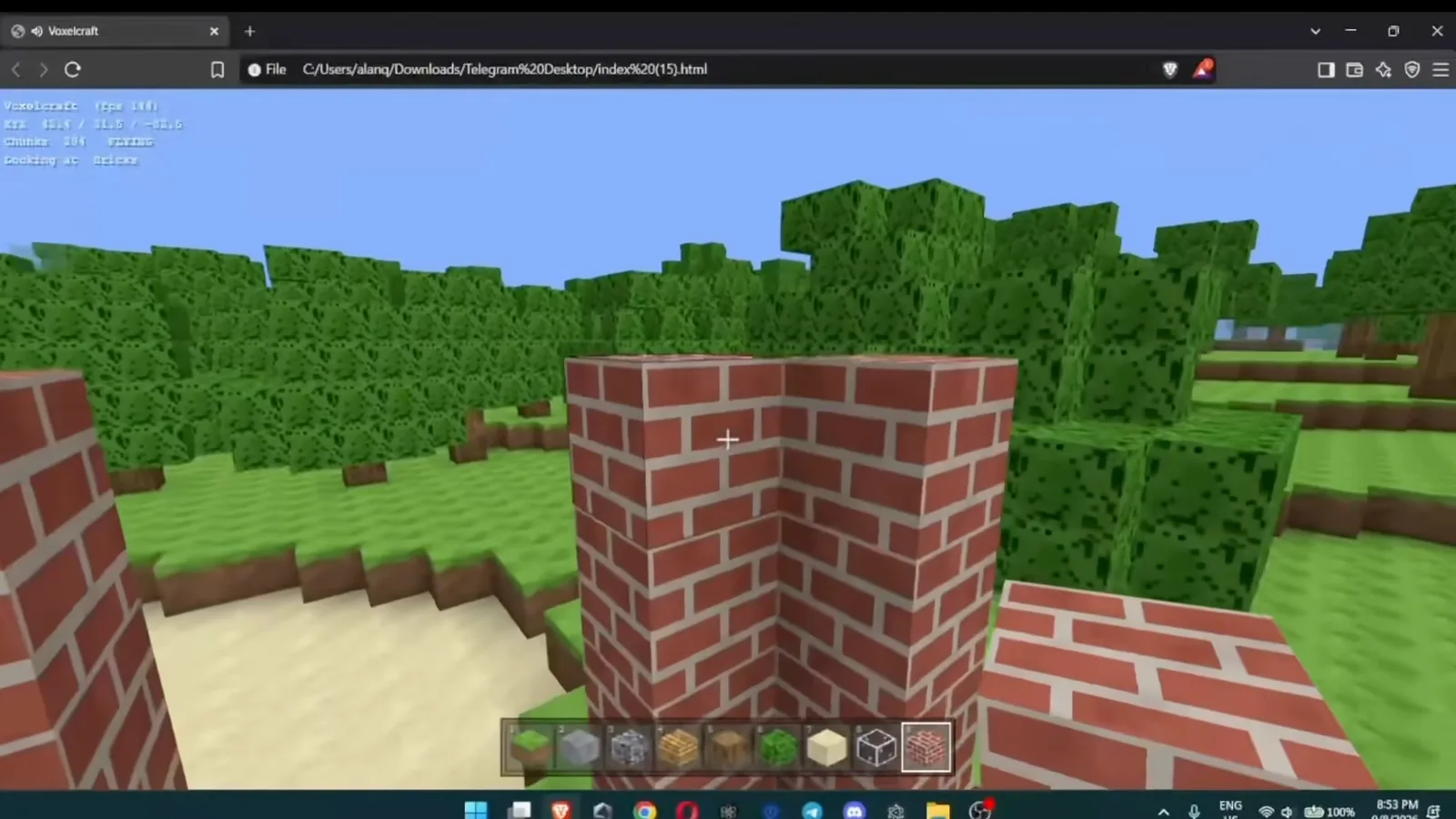
A walkable Minecraft clone — the prompt cheaper models usually fail.Watch at 8:20