

How to Run Bonsai 2 (Ternary 27B) Locally: The 2026 Setup Guide
Ternary Bonsai 2 27B is PrismML's September 17, 2026 release: the Qwen3.8 27B dense model with almost every weight squashed to a ternary minus 1, 0 or plus 1, shipping at a 5.9 GB footprint while PrismML reports it keeps 98.2% of the full model's aggregate benchmark score. A 27B-class model that fits an 8 GB card, a 24 GB GPU or a well-specced laptop is why it spread through the local-LLM community within days. One honest caveat before you clear disk space: stock Ollama and LM Studio cannot load the ternary files yet, so this guide walks PrismML's own Bonsai-demo route — its llama.cpp build plus launcher scripts — end to end. Every frame and measurement below comes from four hands-on videos: Digital Spaceport's single-RTX-3090 build on Proxmox (the primary source), Fahd Mirza's Ubuntu server walkthrough, DEEPTECH AI LABS' 8 GB-card breakdown and Execute Automation's M5 Max tests, with vendor figures cross-checked against the PrismML announcement, the model card and the Bonsai-demo README.
Source & credits
Screenshots in this guide are captured from Digital Spaceport's public walkthrough video. Every step links back to the exact moment it shows, so you can follow along.
Digital Spaceport ↗Know Bonsai 2 before you install it
- 1
Start from the official announcement
On September 17, 2026 PrismML announced Ternary Bonsai 2 27B: a 2-bit ternary compression of the Qwen3.8 27B dense model that lands at a 5.9 GB footprint — over 9x smaller than the roughly 54 GB full-precision build — while the vendor reports it retains 98.2% of the aggregate benchmark score. It ships under Apache 2.0 with a 262K context window and text-and-image input. Those are vendor numbers, so this guide also checks them against three independent test videos before you commit any disk space.
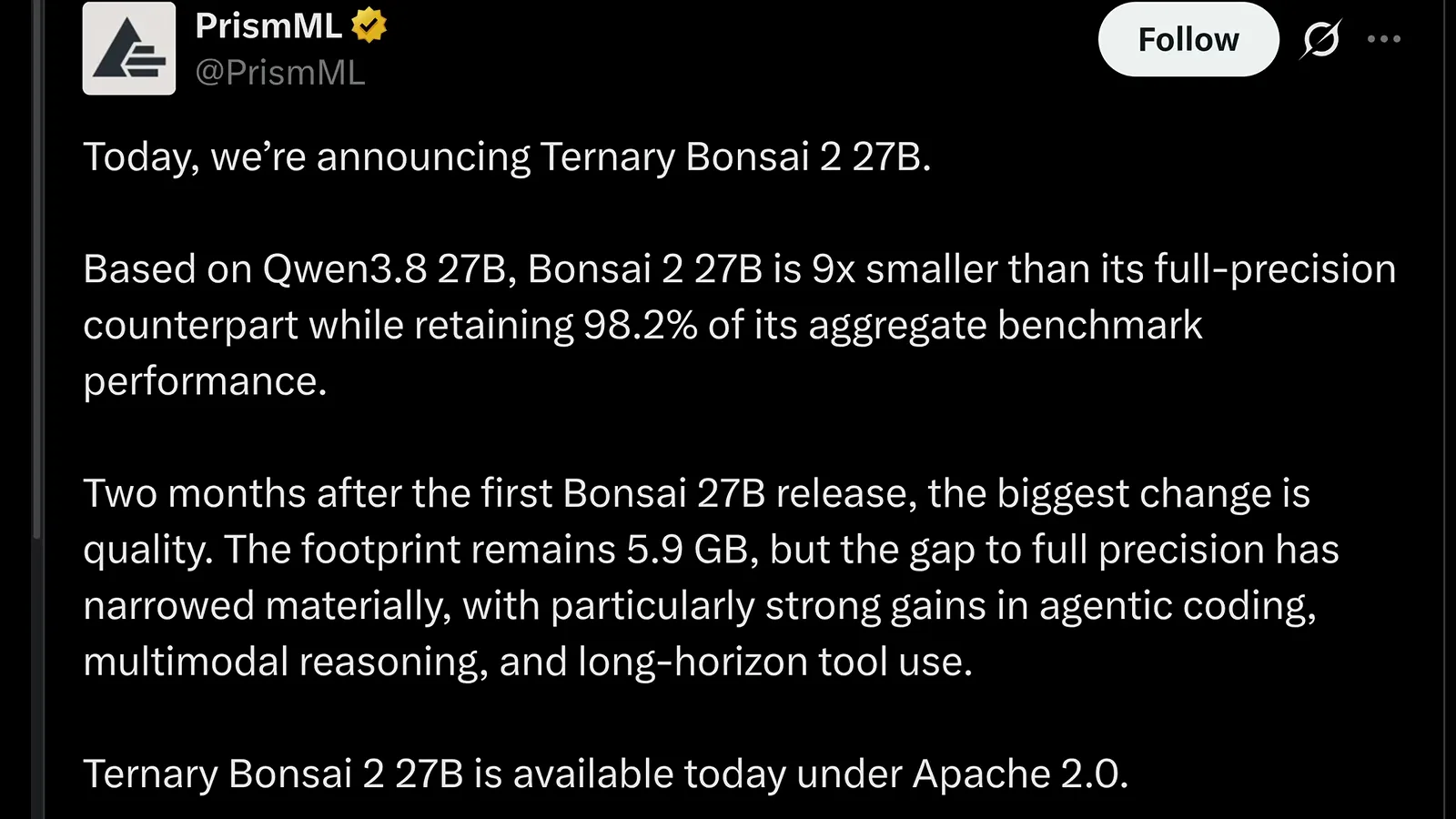
The vendor's own pitch, straight from the September 17 announcement post.Watch at 0:12 - 2
Understand why 27B fits in about 6 GB
A normal model stores every weight as a 16-bit number. Bonsai 2 rounds almost all language weights down to three states: minus 1, 0 or plus 1. Each group of 128 weights shares a single full-precision FP16 scale, so the ternary values carry direction and the scale carries magnitude — multiply them back together and you recover a close approximation of the original weight. That lands near 1.7 effective bits per weight and takes the deployed model from 54 GB at FP16 to roughly 7 GB, with about a tenth of a percent of the weights kept at higher precision to protect quality.
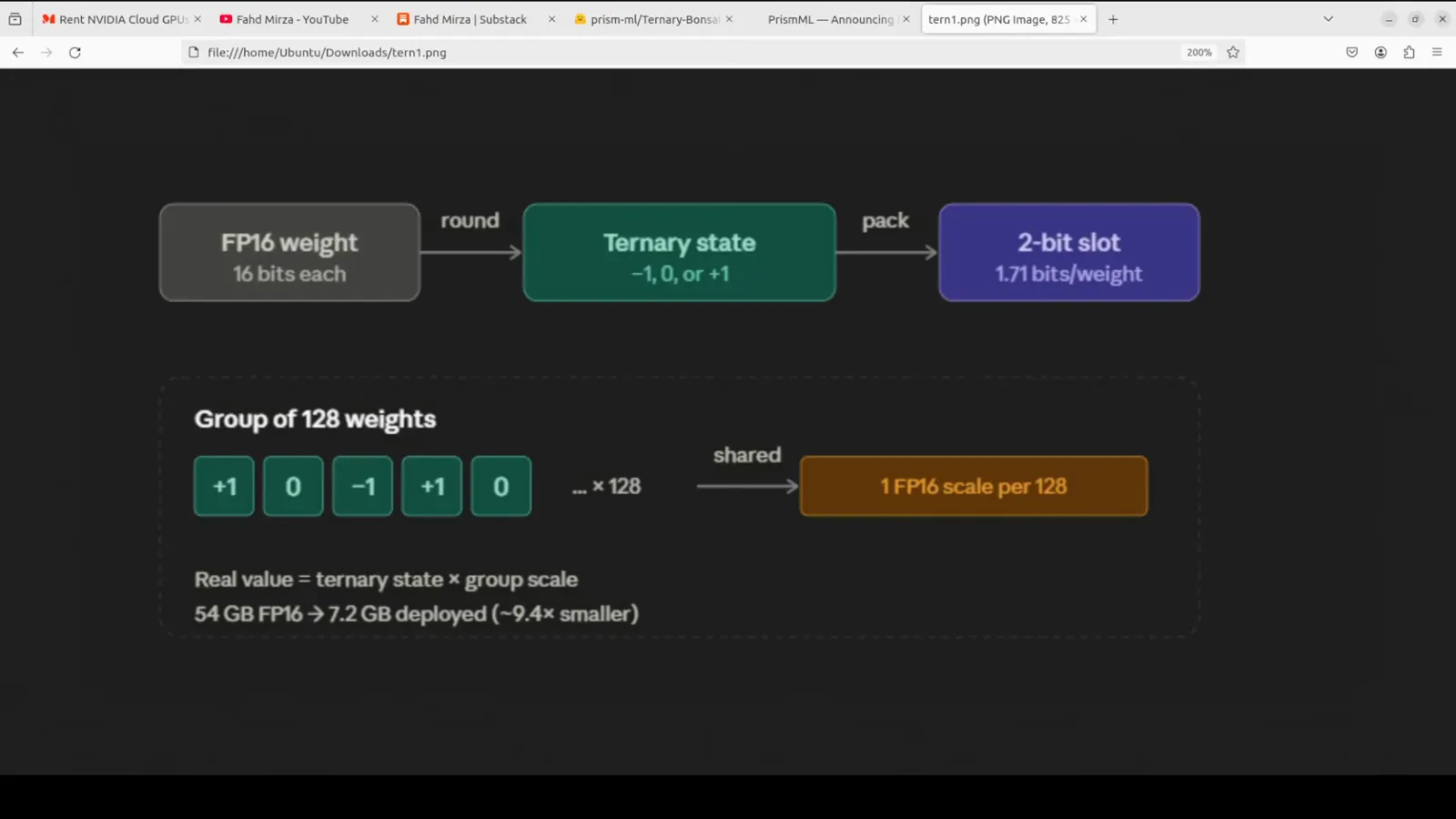
Direction comes from the switch, magnitude from the shared group scale.Watch at 2:30 - 3
Pick the right file size for your card
The release ships in two packings on top of the full model: a tight-packed build at 5.95 GB and a looser PQ2_0 build at 7.21 GB, next to the roughly 54 GB FP16 original. The Bonsai-demo setup script defaults to the bigger PQ2_0 file plus the vision projector — the right pick for a 12 GB or larger card. On an 8 GB card, download the small 5.95 GB file yourself and lean on the 4-bit KV cache option covered later.
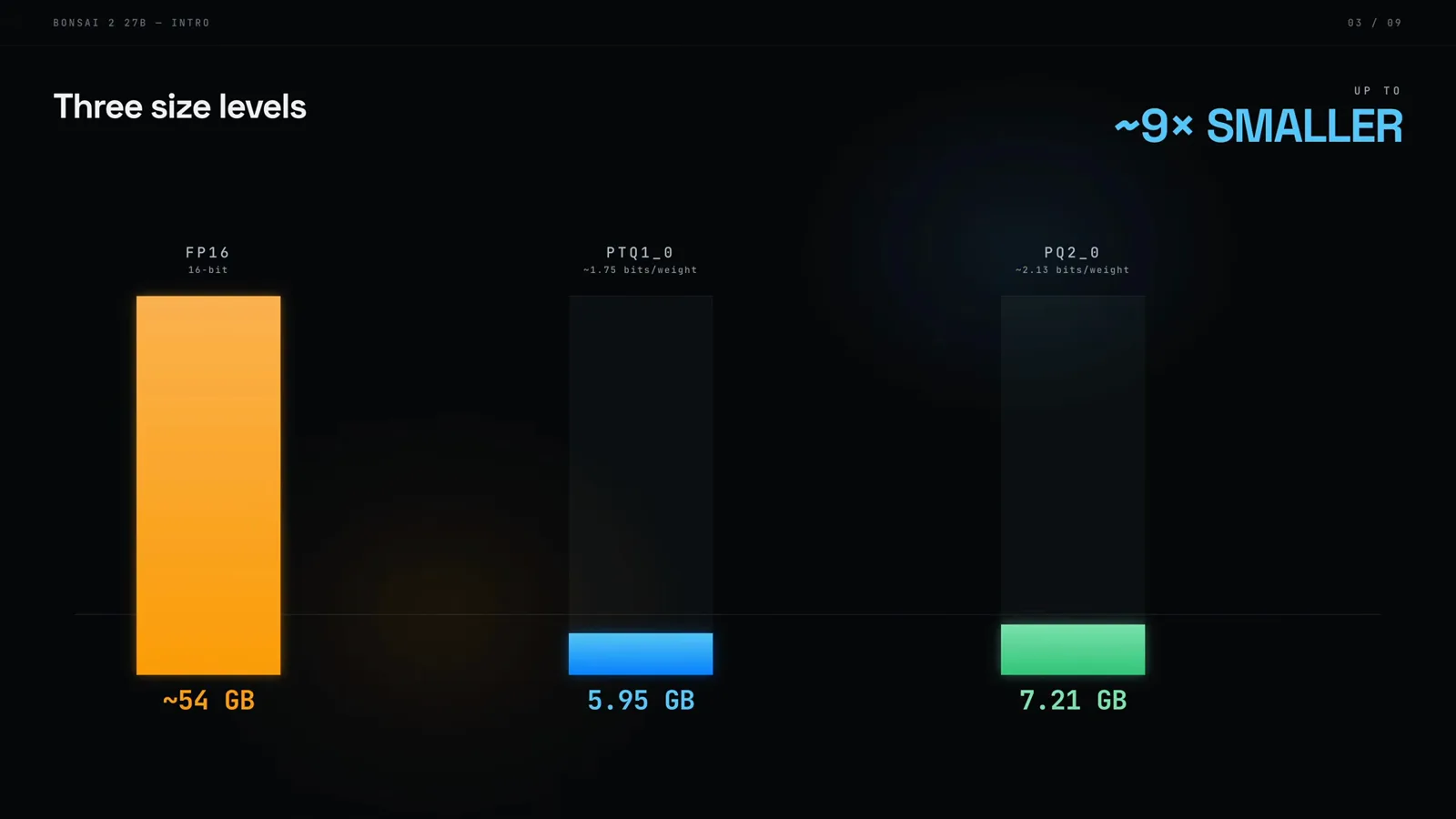
Same 27B model, three very different disk and VRAM bills.Watch at 0:46 - 4
Reality check: Ollama and LM Studio cannot load it yet
Here is the part most thumbnails skip. Stock Ollama and LM Studio cannot open the Bonsai 2 ternary files yet — community Ollama mirrors exist, but stock Ollama cannot load the PQ2_0 or PTQ1_0 quantizations, and stock llama.cpp either refuses the files or outputs gibberish because the weights are stored rotated. PrismML's own build knows the custom math for CUDA and Metal, and that is exactly what the Bonsai-demo setup script installs. Support for mainstream launchers is moving upstream piece by piece; until the patches merge, run the vendor route below.
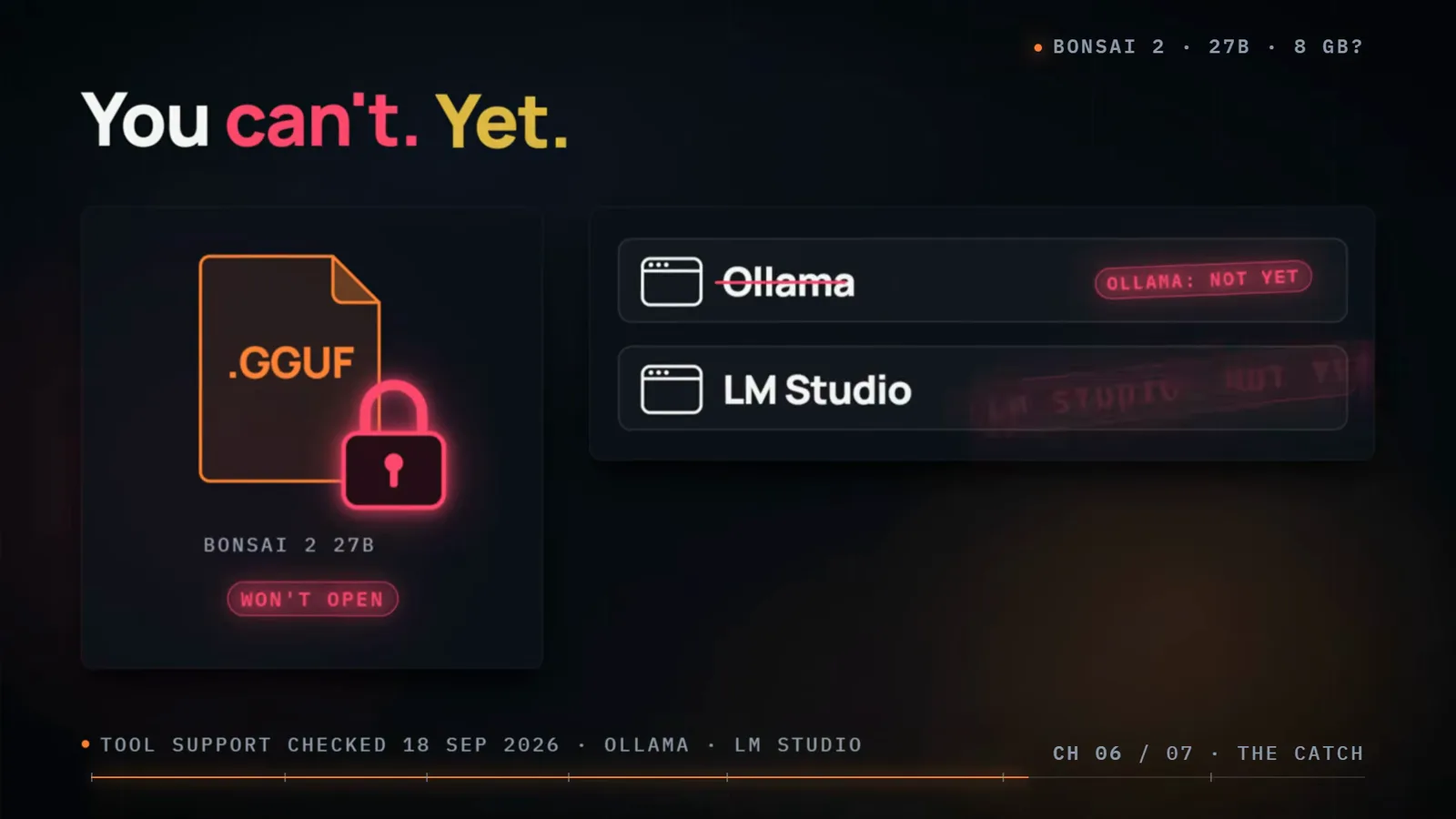
Tool support checked September 18, 2026 — the file fits, the launchers lag.Watch at 6:04 - 5
Budget VRAM: weights plus cache plus runtime
Full precision needs 53.8 GB for the language weights alone — server territory. Bonsai 2 cuts that to 5.9-7 GB, but the card also holds the KV cache and the runtime's scratch space, and on a small Windows card the display and driver hold back about another gigabyte. PrismML says the model runs on a laptop or a single GPU. In practice a 24 GB card such as an RTX 3090 is comfortable, an 8 GB card works with the small file, a modest context and the 4-bit KV cache, and a Mac wants around 32 GB of unified memory for longer sessions.
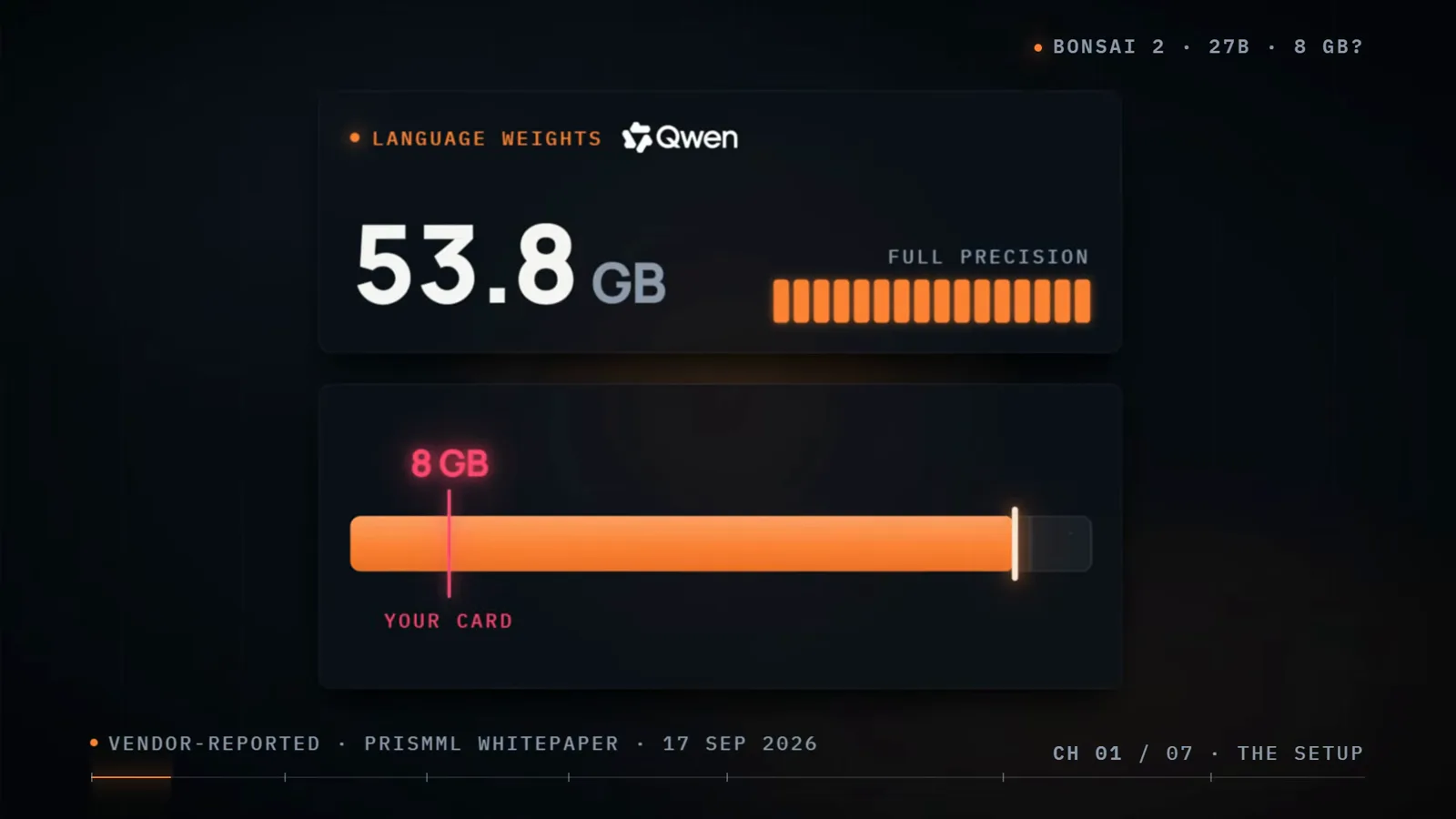
Weights are the easy half — cache and overhead decide what actually fits.Watch at 0:31
Install Bonsai 2 with the official Bonsai-demo script
- 6
Find the GGUF weights on Hugging Face
PrismML publishes the weights on Hugging Face under its prism-ml account as GGUF packs for llama.cpp plus an MLX build for Apple Silicon, all Apache 2.0 and all public repositories, so no access token is required. You do not even need to click download — the setup script in the next step pulls everything — but it is worth opening the repo once to see the file variants and the llama.cpp compatibility table.
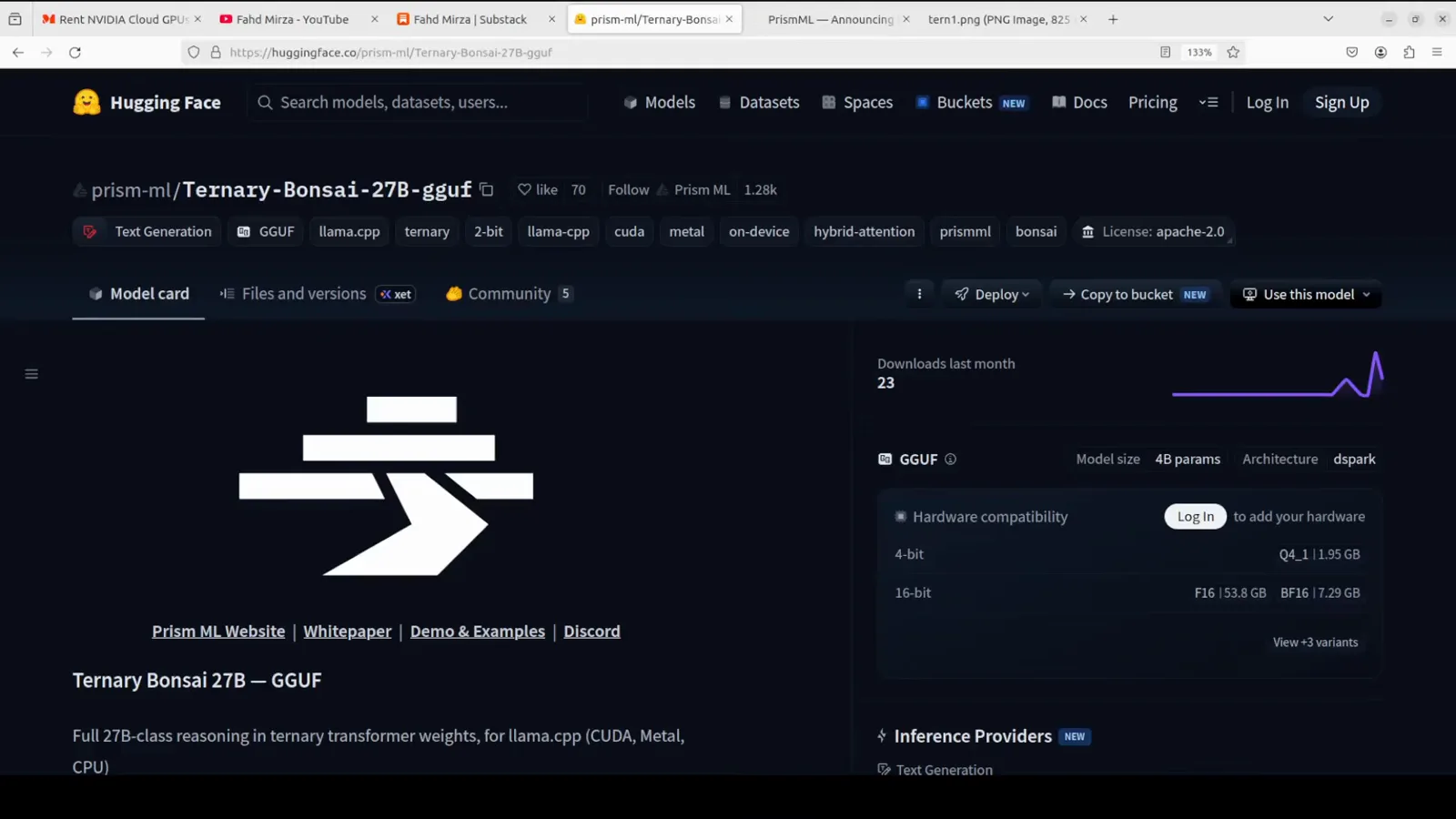
Public repos under Apache 2.0 — the script fetches the files for you.Watch at 0:01 - 7
Clone the Bonsai-demo repository
Everything ships in one repository. On macOS or Linux run: git clone https://github.com/PrismML-Eng/Bonsai-demo.git then cd Bonsai-demo and ./setup.sh. On Windows PowerShell the last line becomes setup.ps1 instead. The demo carries the pinned PrismML llama.cpp build, the launcher scripts and a small web UI, so nothing else needs installing by hand.
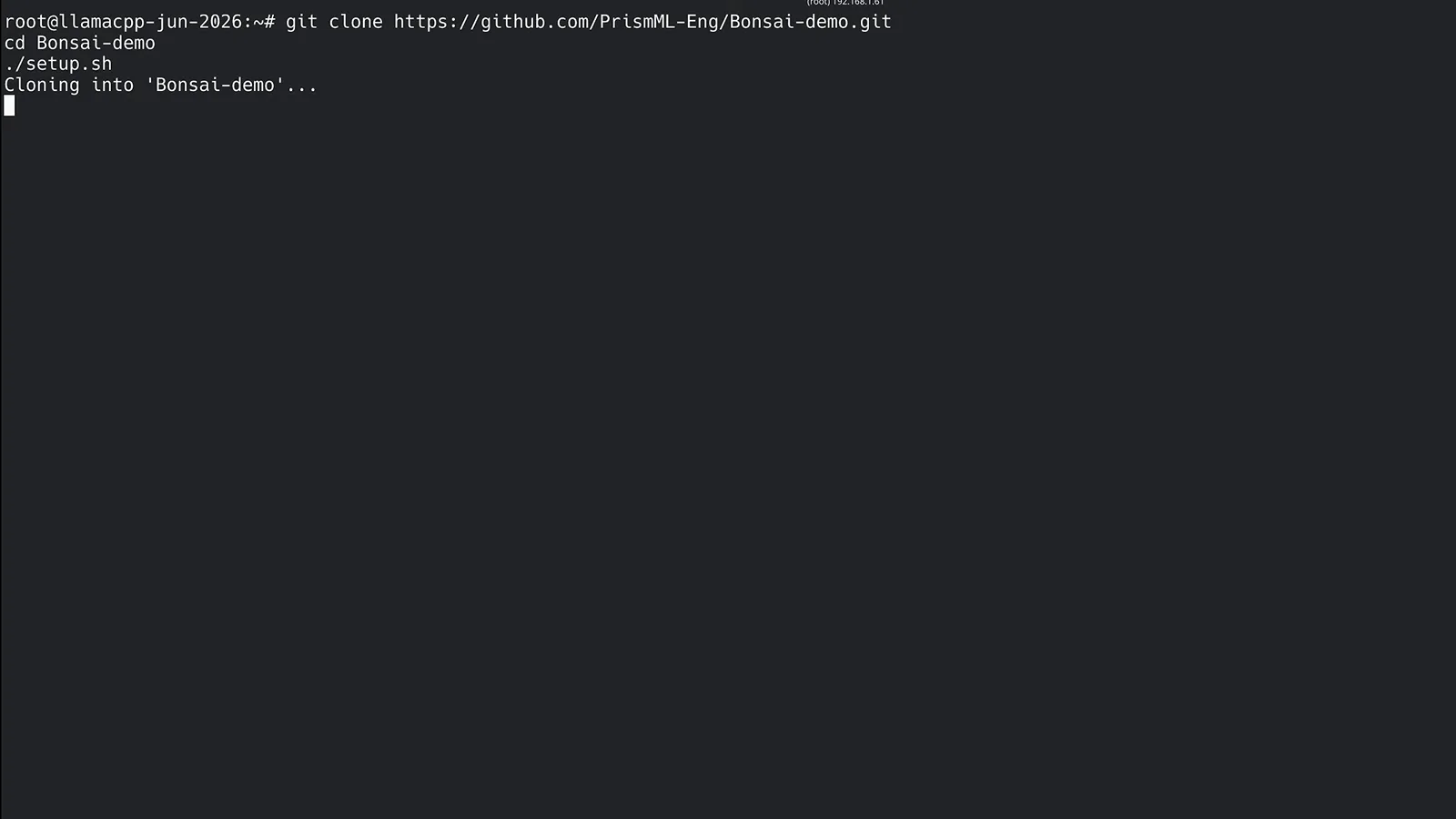
One repo carries the llama.cpp build, the scripts and the web UI.Watch at 1:06 - 8
Run the setup script and skip the token
The setup script creates a Python 3.11 virtual environment, installs the base dependencies (cmake, ninja, the huggingface CLI), detects your CUDA version and downloads the matching prebuilt PrismML llama.cpp binaries — no compiling. When it prompts for an optional HuggingFace token for private repos, just press Enter to skip. Windows users run setup.ps1, which performs the same steps.
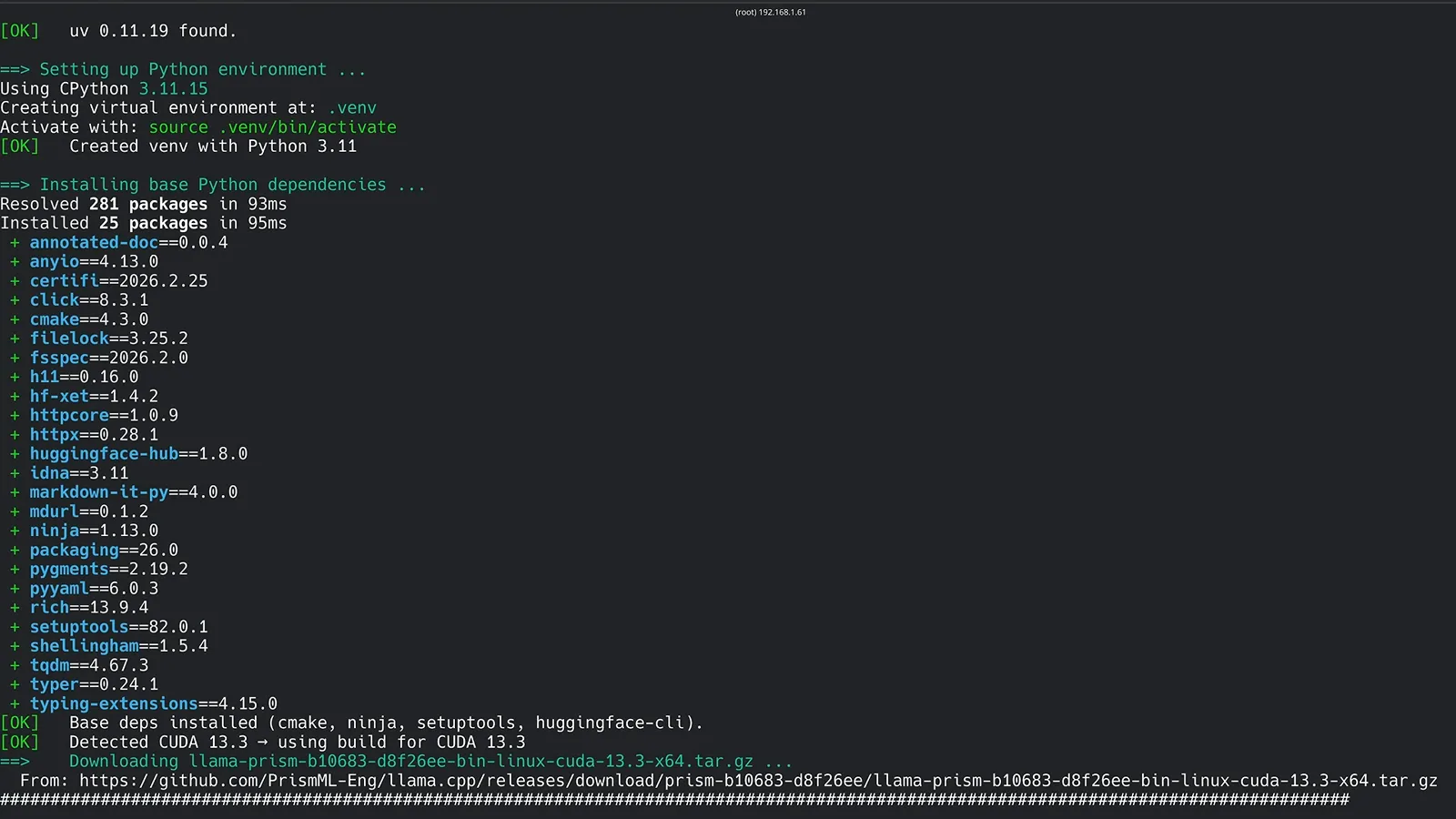
Prebuilt binaries from the PrismML fork — cmake gets installed, never run.Watch at 1:10 - 9
Set the environment variables that matter
Every launcher in the demo reads environment variables. Four are worth knowing: BONSAI_HOST overrides the loopback bind — set 0.0.0.0 to reach the server from other machines on your LAN (the 127.0.0.1 default is safer). BONSAI_CTX pins the context length; leave it unset and it auto-scales to your RAM up to 262,144 tokens. BONSAI_KV4=1 switches on the 4-bit KV cache, about 3.5x smaller per token. BONSAI_SPECULATIVE=1 enables dspark speculative decoding, worth 1.8-2.4x on CUDA.
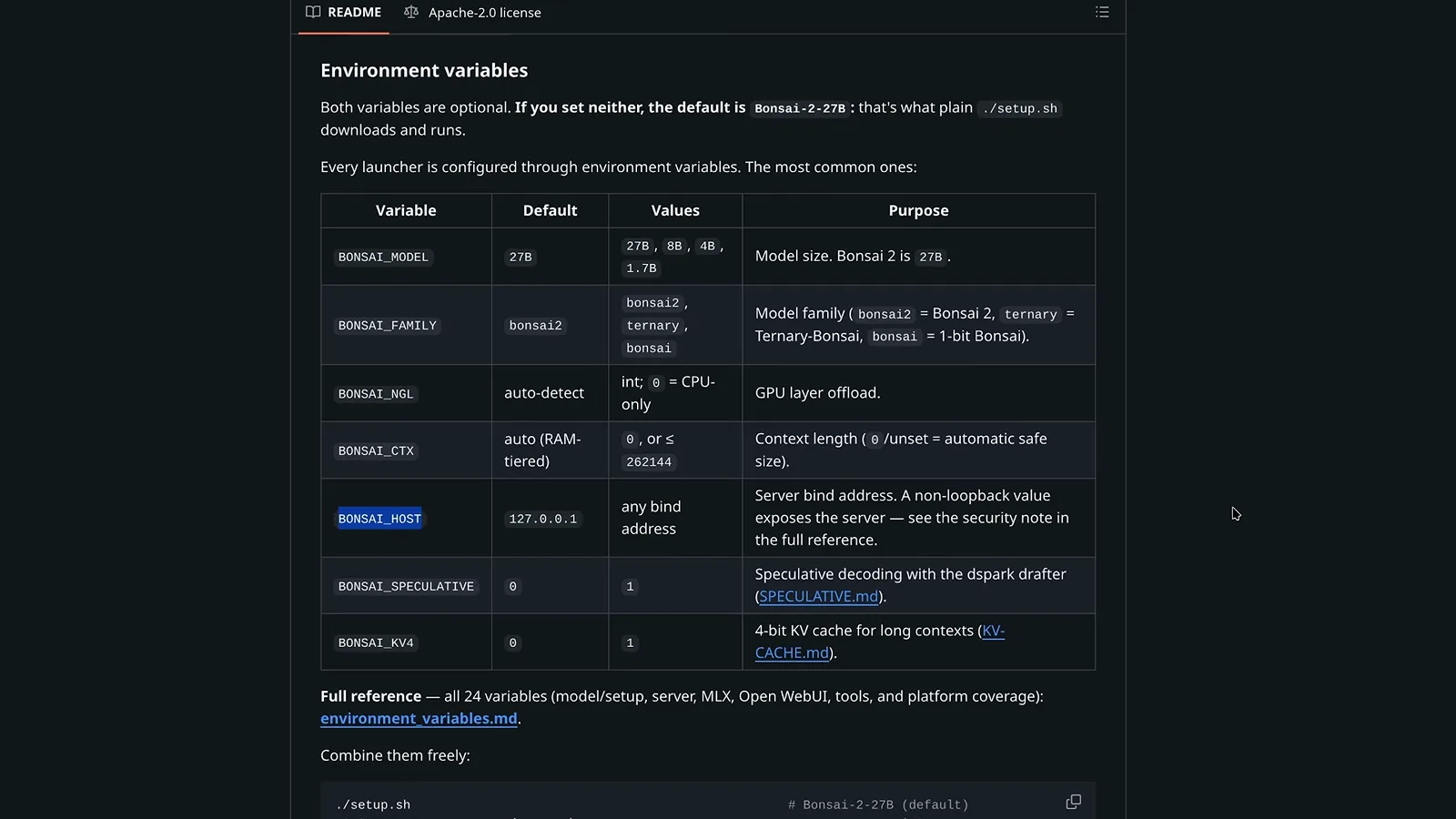
Defaults are sensible — the bind address is the one most people change.Watch at 3:05 - 10
Start the server and open port 8080
Launch with ./scripts/start_llama_server.sh (start_llama_server.ps1 on Windows). The log shows the multimodal projector loading, the unified context slot — 131,072 tokens on this 24 GB machine — and then the line that matters: llama_server: listening on http://0.0.0.0:8080. Open that address in your browser and the demo's chat UI is ready; the same port serves an OpenAI-compatible API for agents.
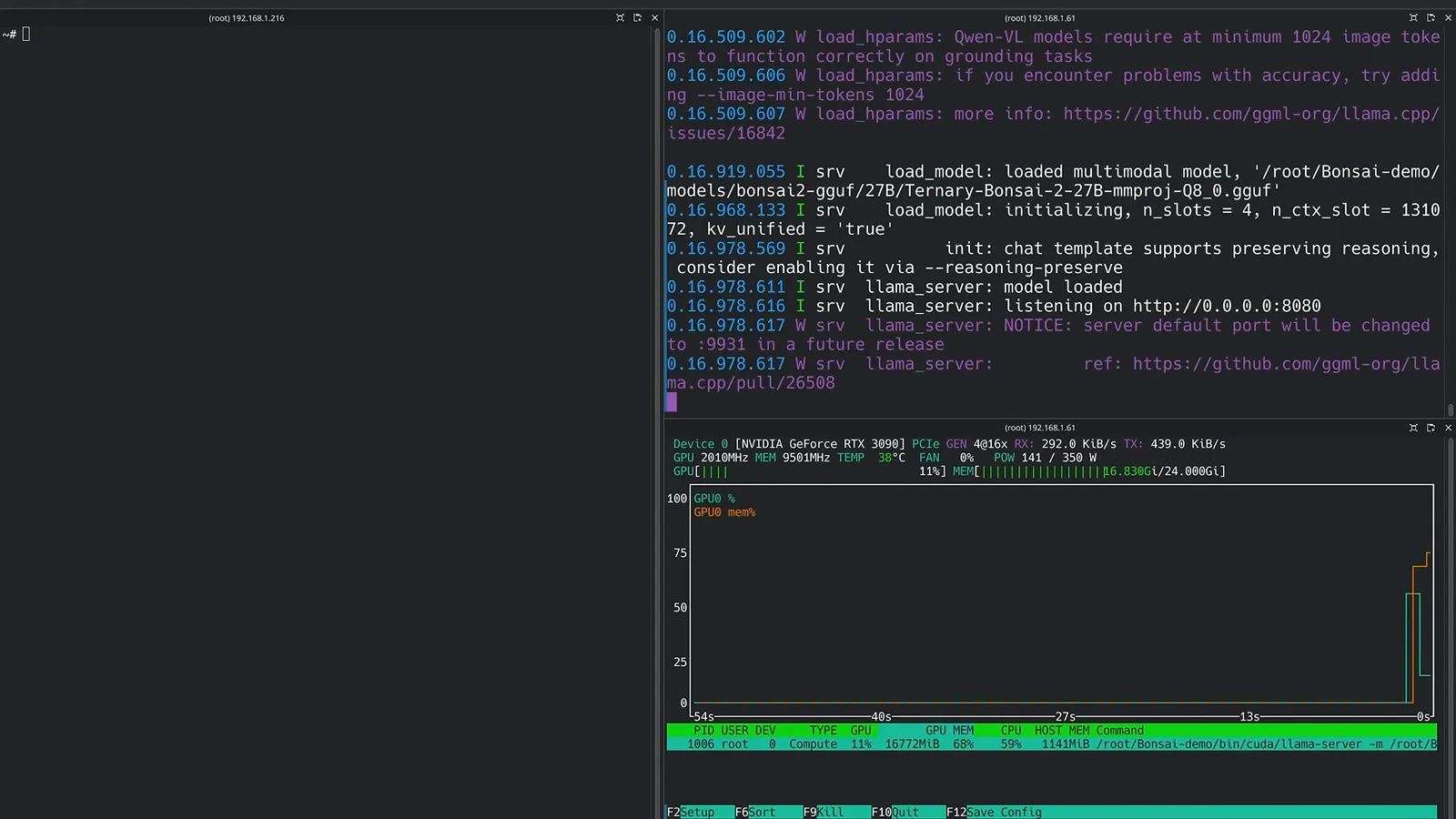
Model loaded, KV cache reserved, listening on 8080 — that is success.Watch at 4:01
First run: memory, first prompt and speed
- 11
Check the memory footprint under nvtop
With the server up, nvtop shows what the reservation really costs: the llama-server process holds 16.8 GiB of this RTX 3090's 24 GiB — about 7 GB of weights plus the pre-allocated KV cache for the 131K context. That is the number to watch on smaller cards: shrink BONSAI_CTX or switch on BONSAI_KV4=1 and the reservation drops with it, freeing room for a second model or your desktop.
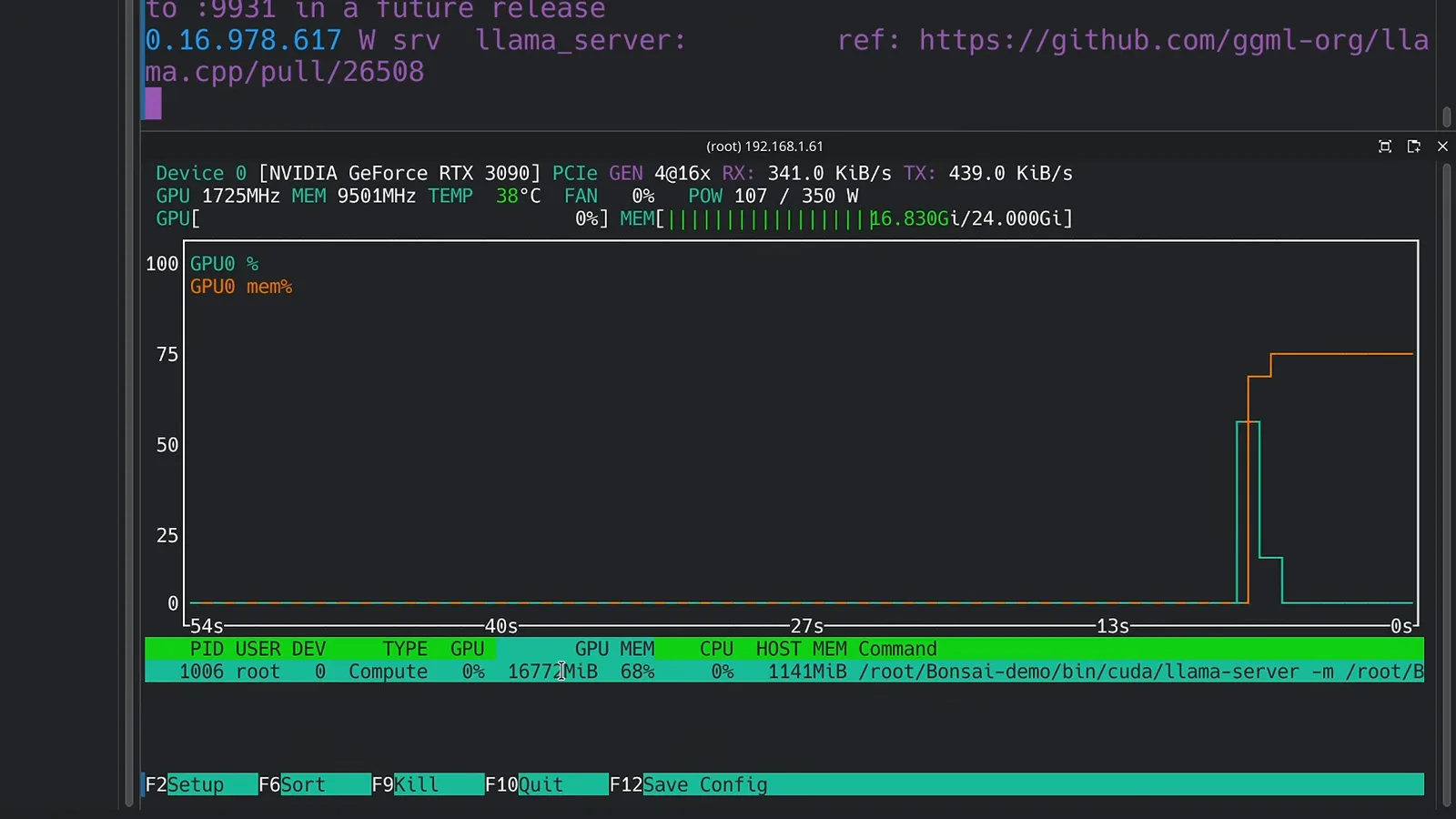
About 7 GB of weights; the rest of the reservation is KV cache.Watch at 4:07 - 12
Send the first prompt
Type howdy and Howdy there! What can I help you with? comes back in seconds. The reply carries its own telemetry: 45 tokens at 69.02 tokens per second from Ternary-Bonsai-2-27B-PQ2_0.gguf, and the short prompt prefilled at 784 tokens per second. If you see numbers in that range, the GPU path is working; if decode crawls, you are probably on CPU — check BONSAI_NGL.
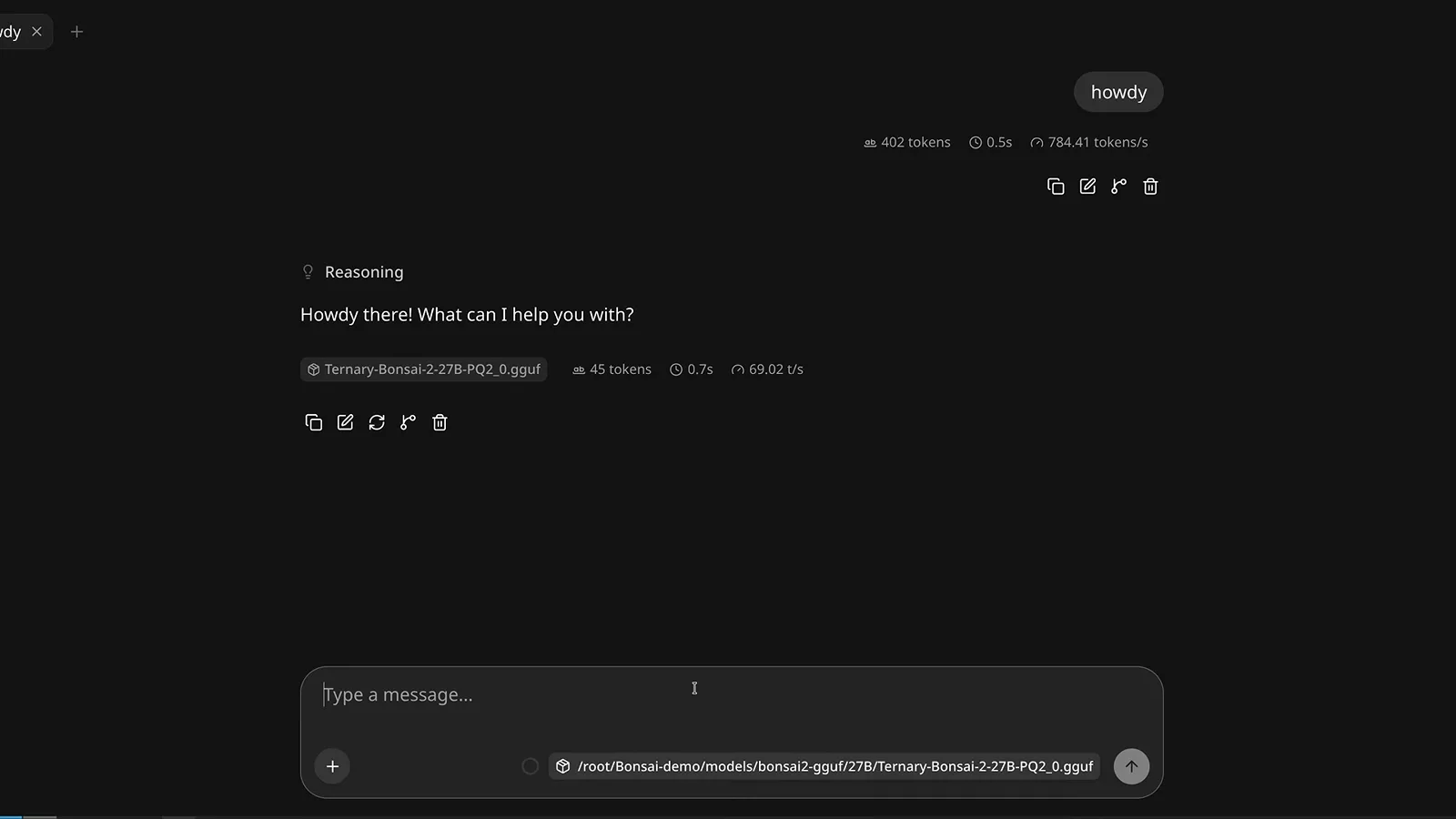
The reply footer doubles as your GPU sanity check.Watch at 4:31 - 13
Read the speed honestly: about 69 tokens per second
Sustained decode on the single RTX 3090 lands at about 69 tokens per second — 69.35 on this 625-token answer — with prompt processing around 1,250 tokens per second. PrismML quotes up to 143 tokens per second on an RTX 5090 and 46.8 on an M5 Max, so a 3090 sitting near 70 is right in line. Real agent workloads run well below raw decode — one M5 Max test averaged just 14 tokens per second end to end — so treat the footer number as your ceiling, not your everyday figure.
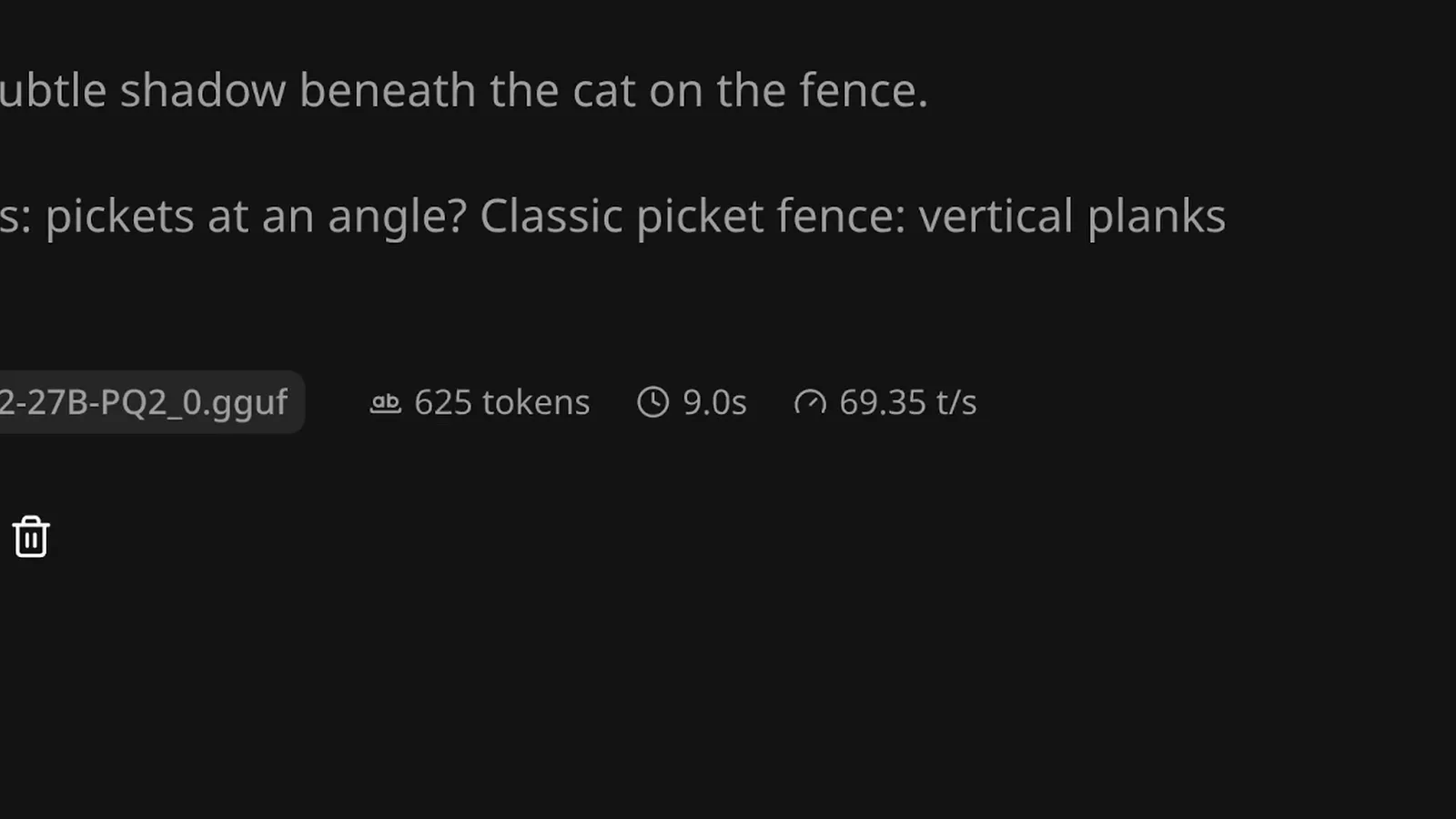
Decode is your ceiling — agentic loops land well below it.Watch at 4:49
Benchmarks vs Qwen 3.8 and where 2-bit bites
- 14
Bonsai 2 vs Qwen 3.8: read the official table
PrismML's model card puts the aggregate at 83.9 for Bonsai 2 versus 85.4 for full-precision Qwen3.8 27B — the famous 98.2%. The category table shows where those points went: math is nearly untouched (96.57 versus 97.06), coding and instruction following even edge ahead in these rows (89.42 versus 89.07, and 82.66 versus 81.25), while knowledge and reasoning takes the visible dip (79.86 versus 85.55). All vendor-reported, so hold it loosely — but the shape matches what independent testers found.
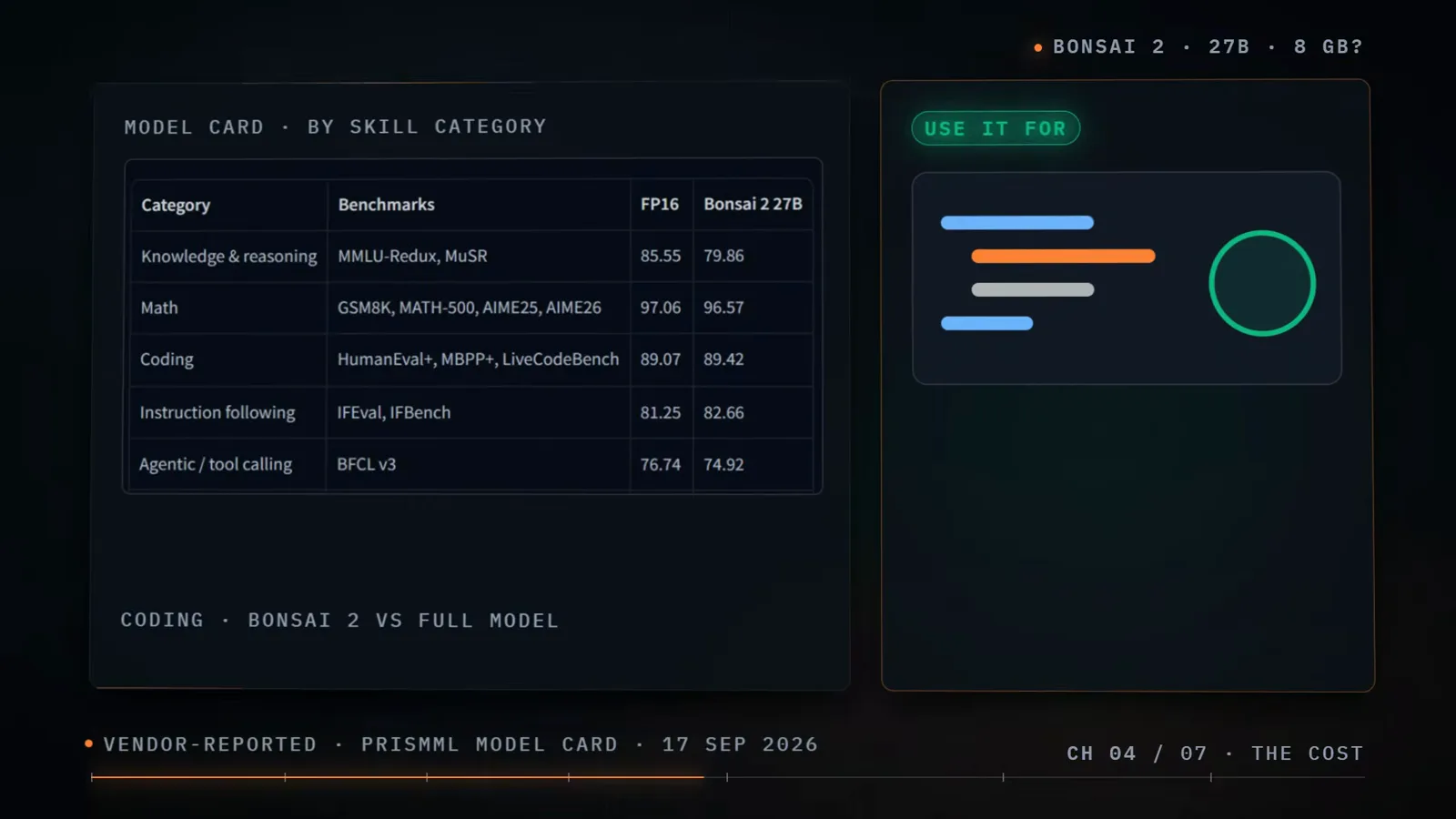
98.2% is an average — the category rows show where it comes from.Watch at 3:58 - 15
Know where the 2-bit trade-off bites
The gap concentrates in long multi-step coding. On the SWE-bench Verified style real-GitHub-issue test, PrismML's own whitepaper numbers land at 80.6 for the full model versus 60.8 for Bonsai 2 — roughly three fixes for every four. Short coding help, chat and tool calling hold up well (Digital Spaceport recorded no missed tool calls), but a long job in a big codebase shows the difference, and one Execute Automation SVG task produced visibly weaker output than Qwen 3.8 at Q4.
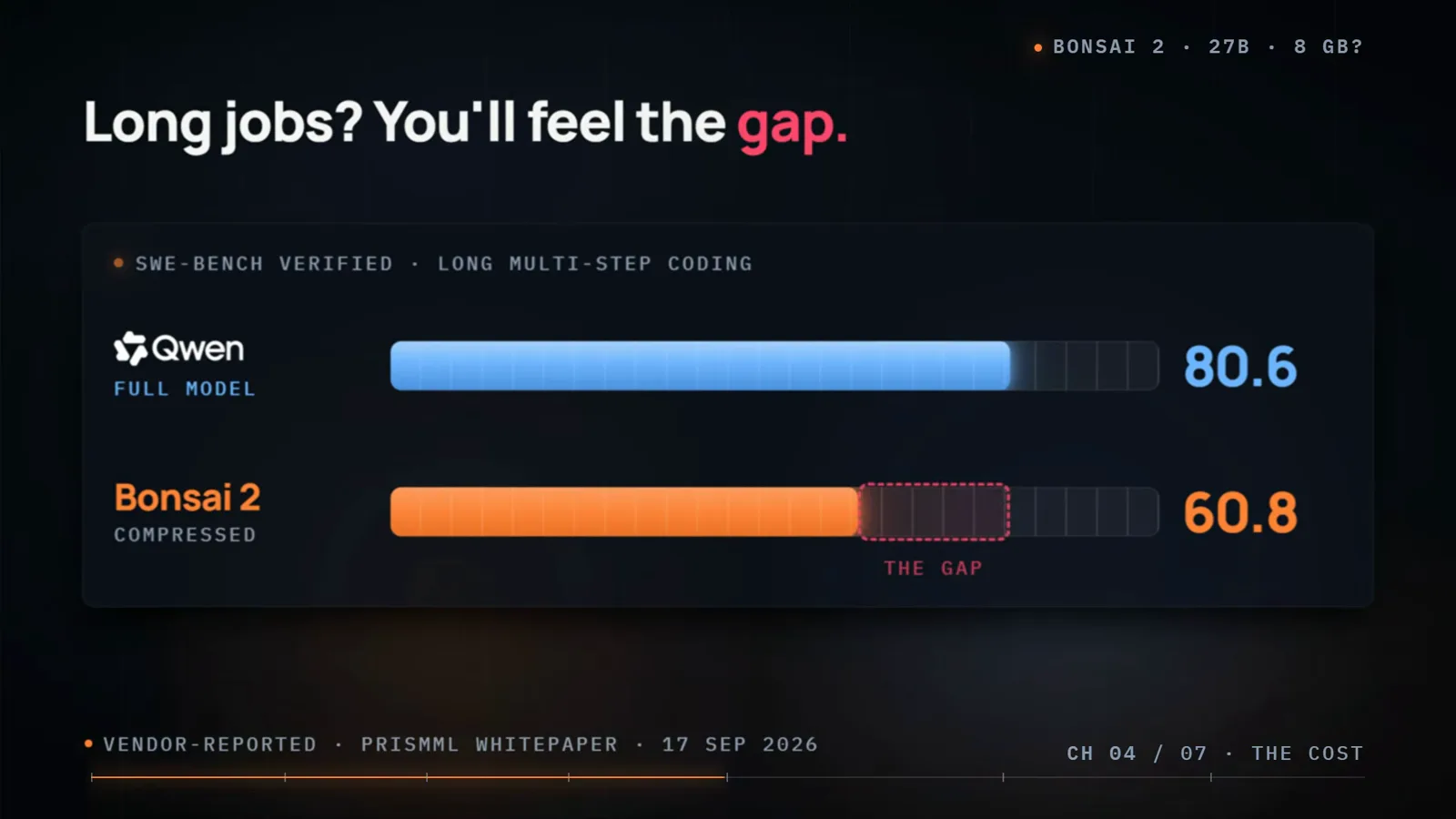
The one chart to check before pointing an agent at a big repository.Watch at 4:06 - 16
Track when Ollama and LM Studio catch up
The launcher situation is temporary. PrismML has started sending its changes upstream — pull request 27779 against the main llama.cpp project was open and unmerged when the source video checked on September 18, 2026. Once the ternary kernels and the rotated-weight loading merge, tools built on stock llama.cpp — Ollama and LM Studio included — gain support the normal way. Until then, stick with the PrismML build and re-check your favorite launcher every few weeks.
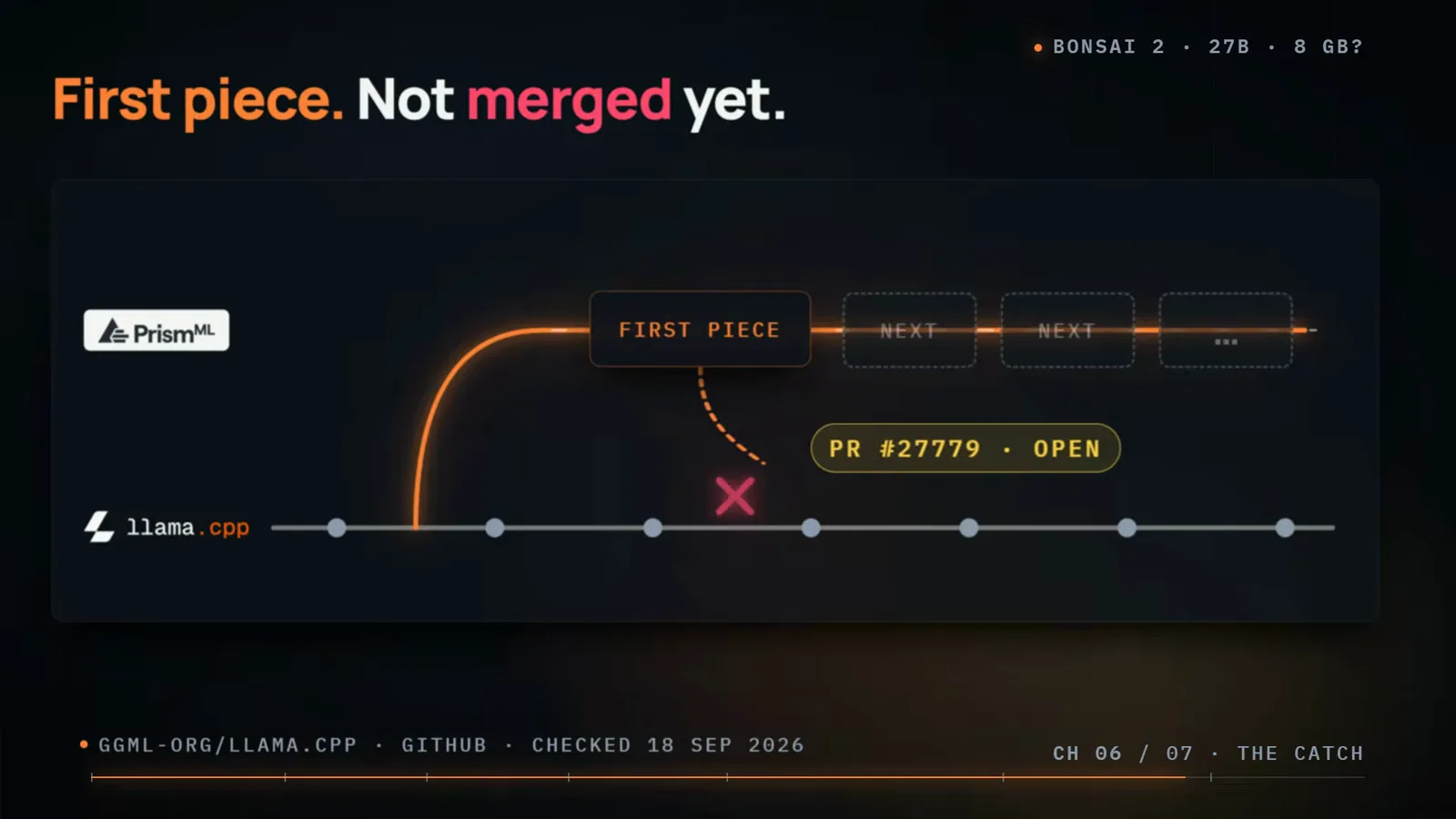
Merge day is when the usual launchers get interesting.Watch at 7:05
Frequently asked questions
Keep exploring
- Unsloth Desktop profile: another route to efficient local models
- Need a bigger model? Read our GPT-6 step-by-step guide
- Another open-weights pick: our DeepSeek V4.1 walkthrough
- TypeSafe Jev tool profile: an efficiency-first model to watch
- More local coding agents in the AI coding tools category
- Browse every free AI tool in the directory