

Meta One vs Meta Verified: Which Meta Plan Makes Sense?
Meta launched Meta One on September 15, 2026 — one subscription family spanning Facebook, Instagram, WhatsApp, and Meta AI, with plans from $2.99 to $499 per month. Meta Verified, the older blue-badge subscription, is still on sale alongside it. This walkthrough compares prices, perks, and AI limits so you can decide which (if either) to buy.
Source & credits
Screenshots in this guide are captured from DistroTester's public walkthrough video. Every step links back to the exact moment it shows, so you can follow along.
DistroTester ↗Know the Two Plans
- 1
Meta One is Meta's new subscription family
Meta launched Meta One on September 15, 2026 as one brand covering Facebook, Instagram, WhatsApp, and Meta AI. It debuted with more than 50 features across plans for individuals, creators, and businesses, and Meta reported over 15 million subscriptions and trials within days. The free versions of the apps did not change.
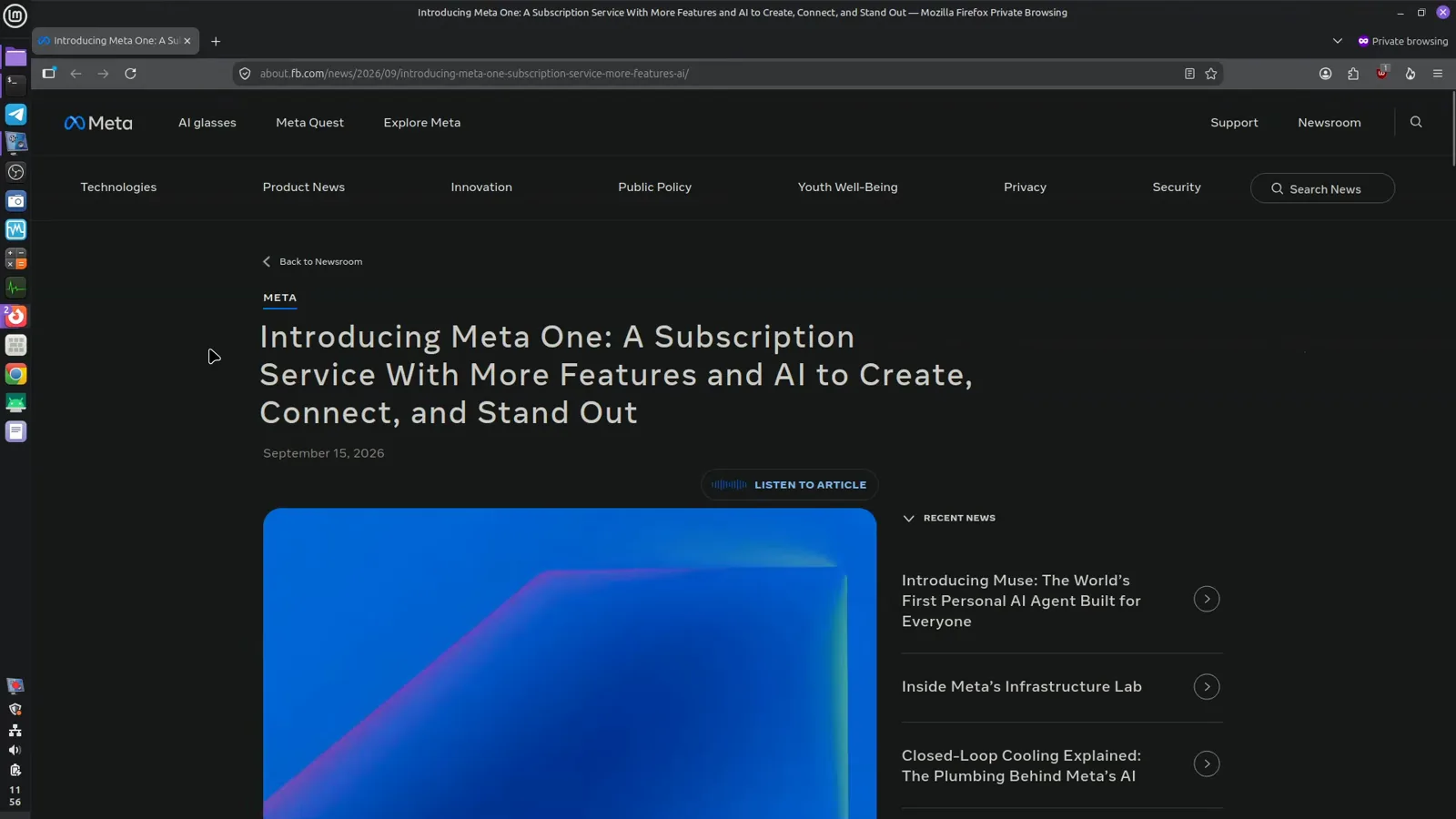
Meta announced Meta One globally on September 15, 2026.Watch at 0:01 - 2
Meta Verified is the older blue-badge plan
Meta Verified started in 2023 as a simple bundle: pay roughly $12 to $15 a month, pass an ID check, and get a blue badge on your Instagram or Facebook profile. The signup page still sells it as a subscription for creators and businesses that proves your profile is authentic. It remains on sale today, side by side with Meta One.
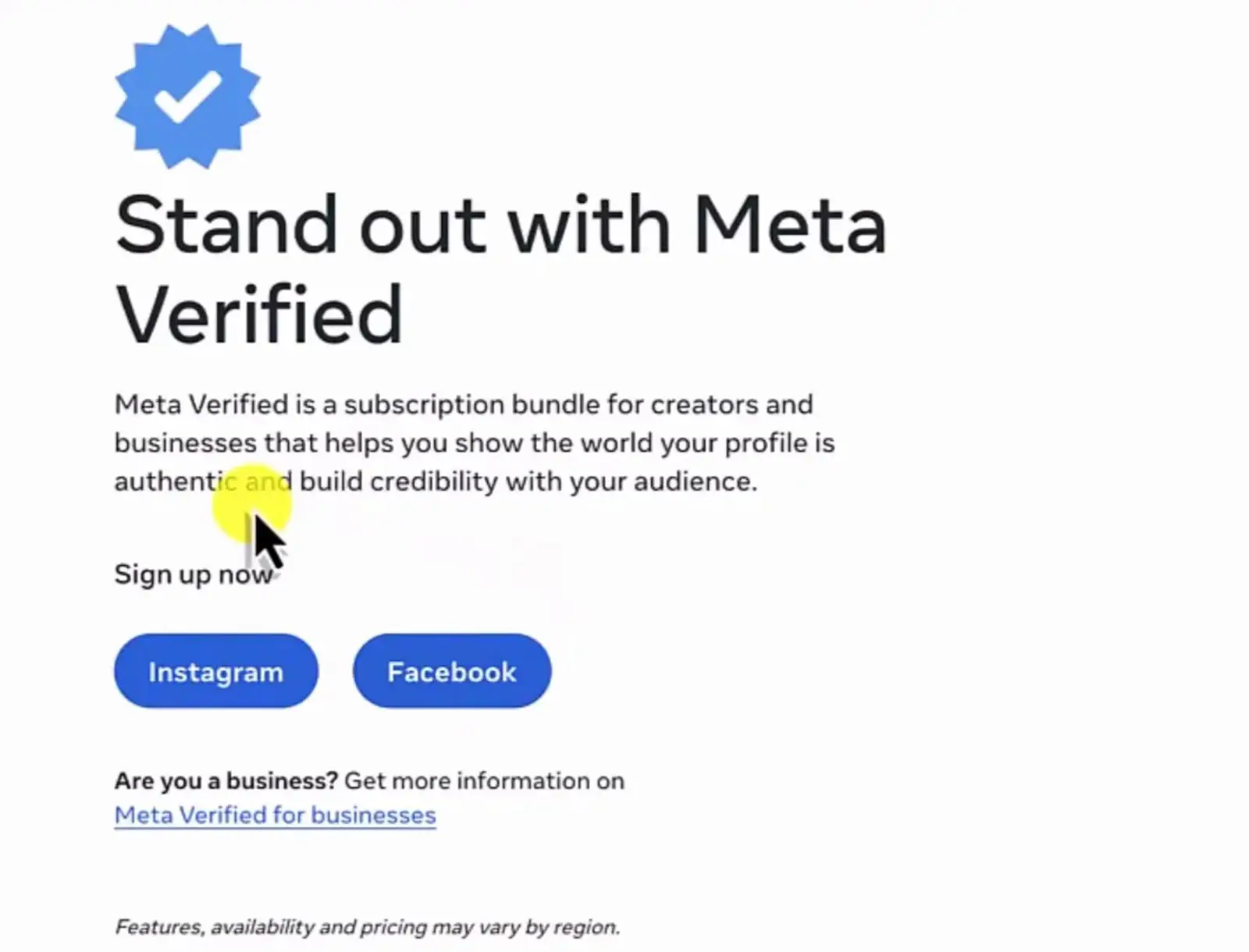
Meta Verified signups still run through meta.com/meta-verified.Watch at 2:48 - 3
The overlap: Meta One also sells a blue badge
The confusion is understandable because Meta One Essential includes a verified badge of its own, plus impersonation protection that requires the same ID verification. Meta's plans page spells this out in a pop-up on the Essential column. A blue badge is therefore no longer proof that someone pays for Meta Verified specifically.
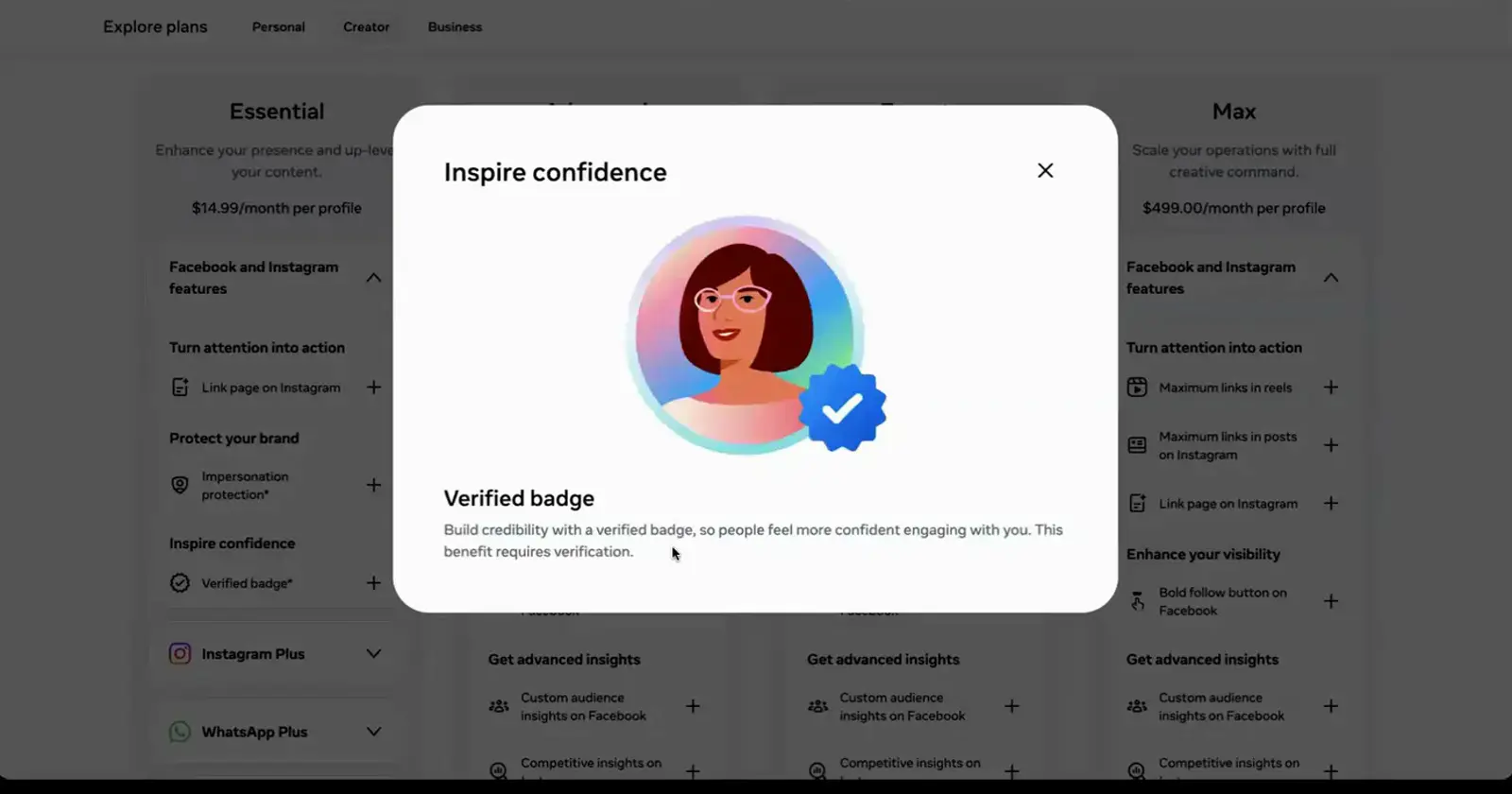
Meta One Essential can include the same badge you associate with Meta Verified.Watch at 2:36
Compare Plans and Prices
- 4
Single-app Plus plans start at $3.99
Under the Meta One umbrella, Instagram Plus and Facebook Plus cost $3.99 a month each. Instagram Plus adds story rewatch insights, message previews, and custom bio fonts, while Facebook Plus brings custom app icons, super reactions, and stories that last longer. These are extras on top of the apps you already use, not replacements.
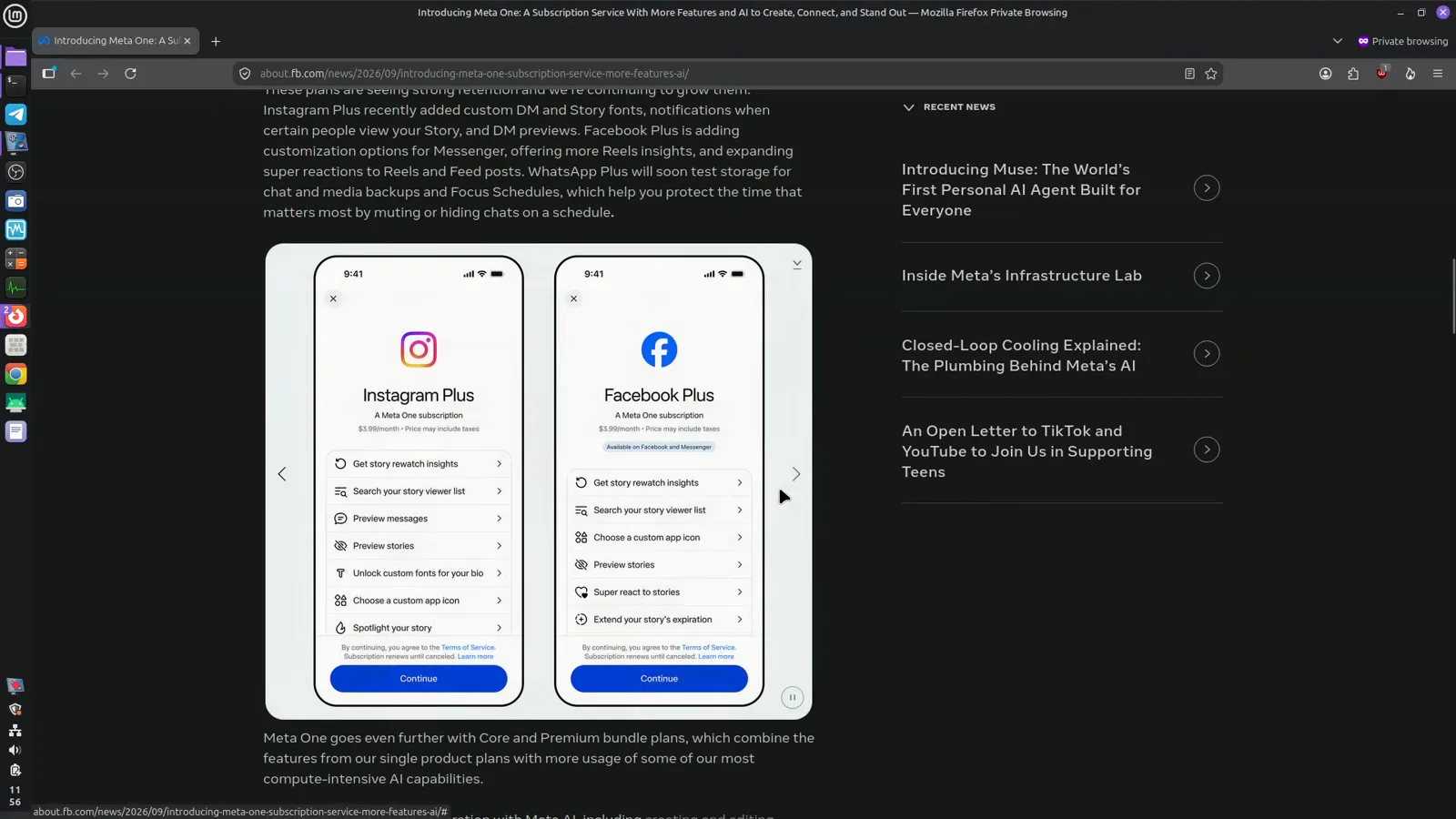
Instagram Plus and Facebook Plus each unlock self-expression extras.Watch at 0:26 - 5
WhatsApp Plus is the $2.99 entry point
WhatsApp Plus is the cheapest Meta One plan at $2.99 a month. Its card lists exclusive stickers, a custom app icon, a new theme, ringtones, upgraded chat lists, and extra pinned chats. If you just want a taste of Meta's paid extras, this is the lowest-risk way in.
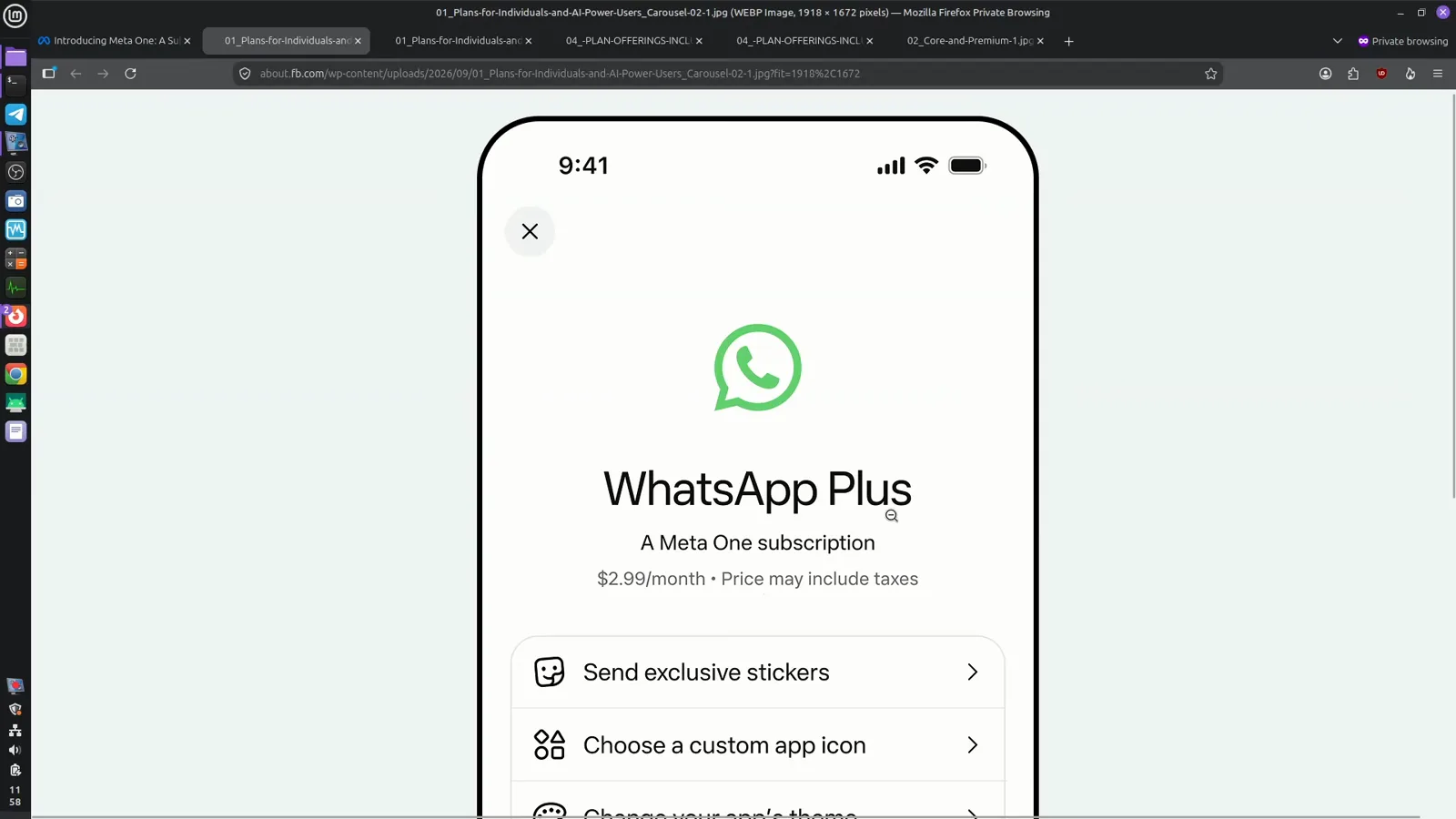
WhatsApp Plus bundles chat customization for $2.99 a month.Watch at 2:32 - 6
Creator tiers run $14.99 to $499 per profile
For professional accounts, Meta One sells four tiers: Essential $14.99, Advanced $49.99, Expert $149, and Max $499 per profile per month. Each tier builds on the one below, and every price covers a single profile, so protecting Instagram and Facebook separately doubles the bill. Meta also notes that plans and prices vary by region and account.
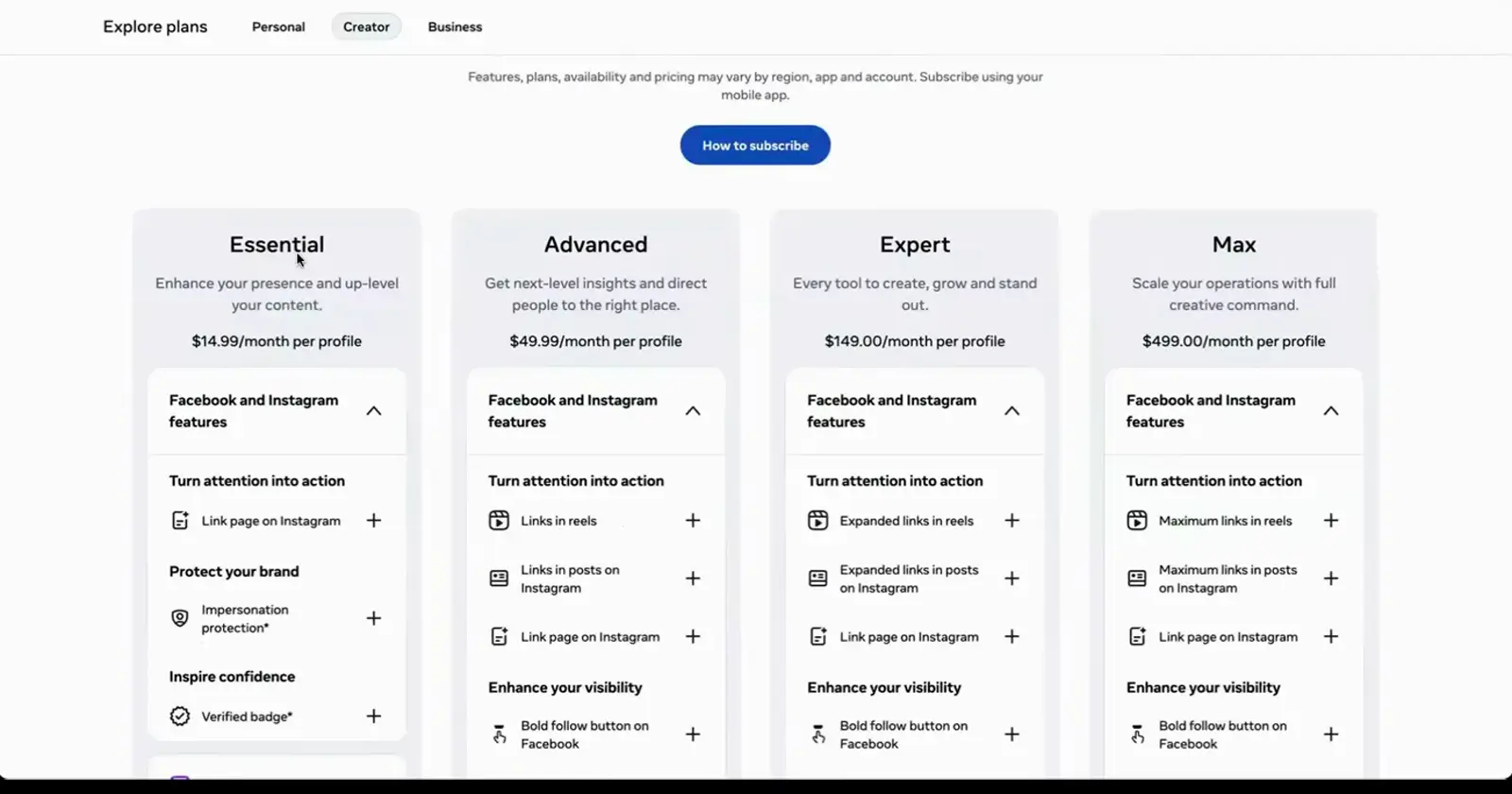
The Creator tab of Meta's plans page, with per-profile prices.Watch at 1:12 - 7
Essential covers trust; Advanced adds reach tools
Essential is the trust tier: a verified badge, impersonation protection, and a shareable link page. Advanced keeps all of that and adds links in four posts and four reels a month, posting at your audience's best times, and insights history beyond 90 days. For an active business account, Advanced is where the marketing tools genuinely start.
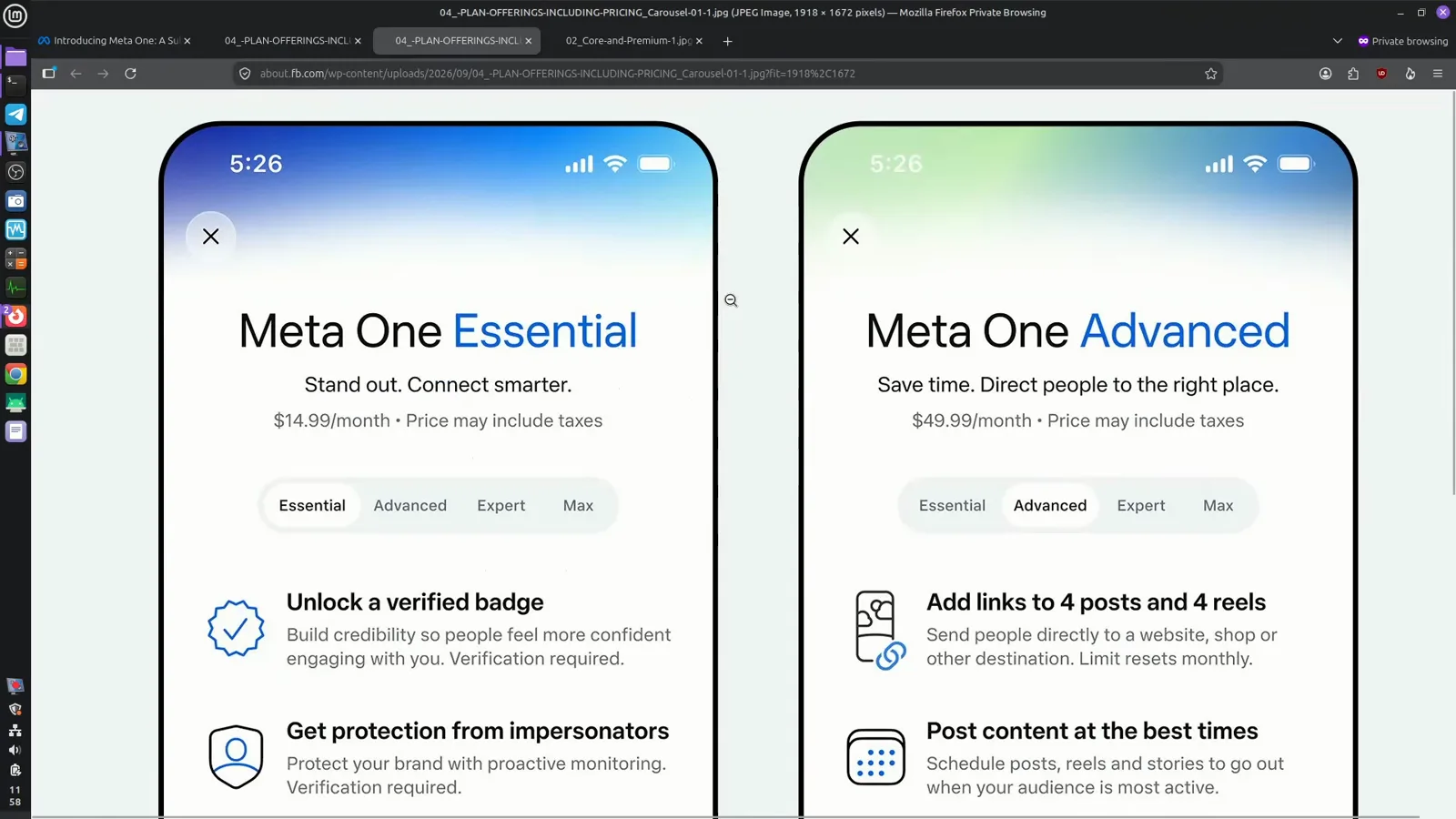
Advanced layers links, scheduling, and analytics on top of Essential.Watch at 1:56 - 8
Expert and Max scale links and team seats
Expert raises the limits to links in eight posts and eight reels a month, lets you compare yourself to similar profiles, and share access with eight people. Max goes to twelve and twelve, adds dedicated support, and covers thirty team seats at $499 per month. These tiers only pay off once a team is actually running the account.
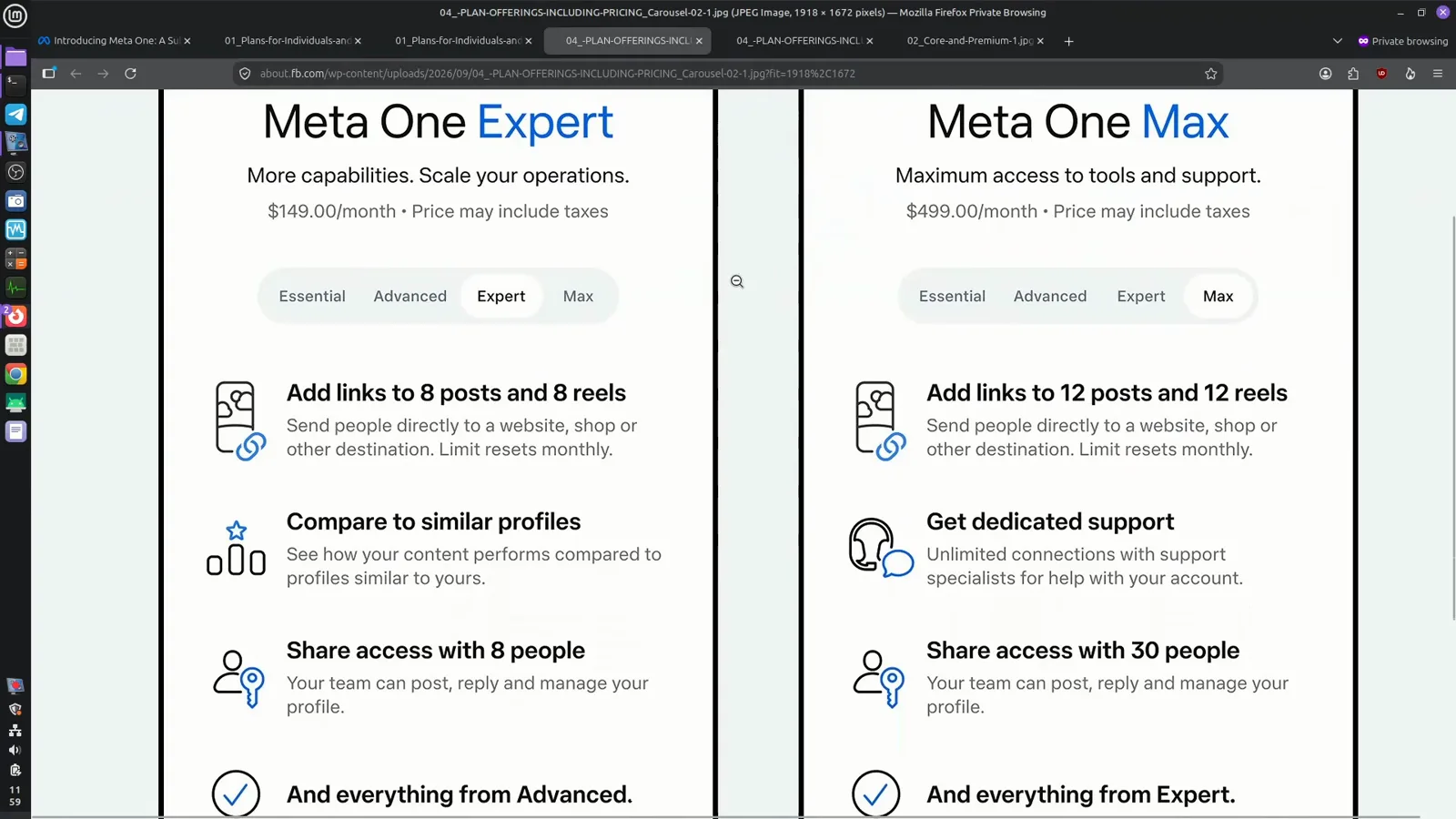
Expert and Max are built for teams that need scale.Watch at 2:52
Meta AI Limits and Subscriber Features
- 9
Meta AI stays free; Core and Premium raise limits
Meta's announcement is explicit that the regular Meta AI experience remains free. Core at $7.99 bundles all three Plus plans with more AI usage, and Premium at $19.99 adds the most capacity for content creation. Both cards show the same AI toolbox: generate and edit images, create and transform videos, and apply voice and sound effects.
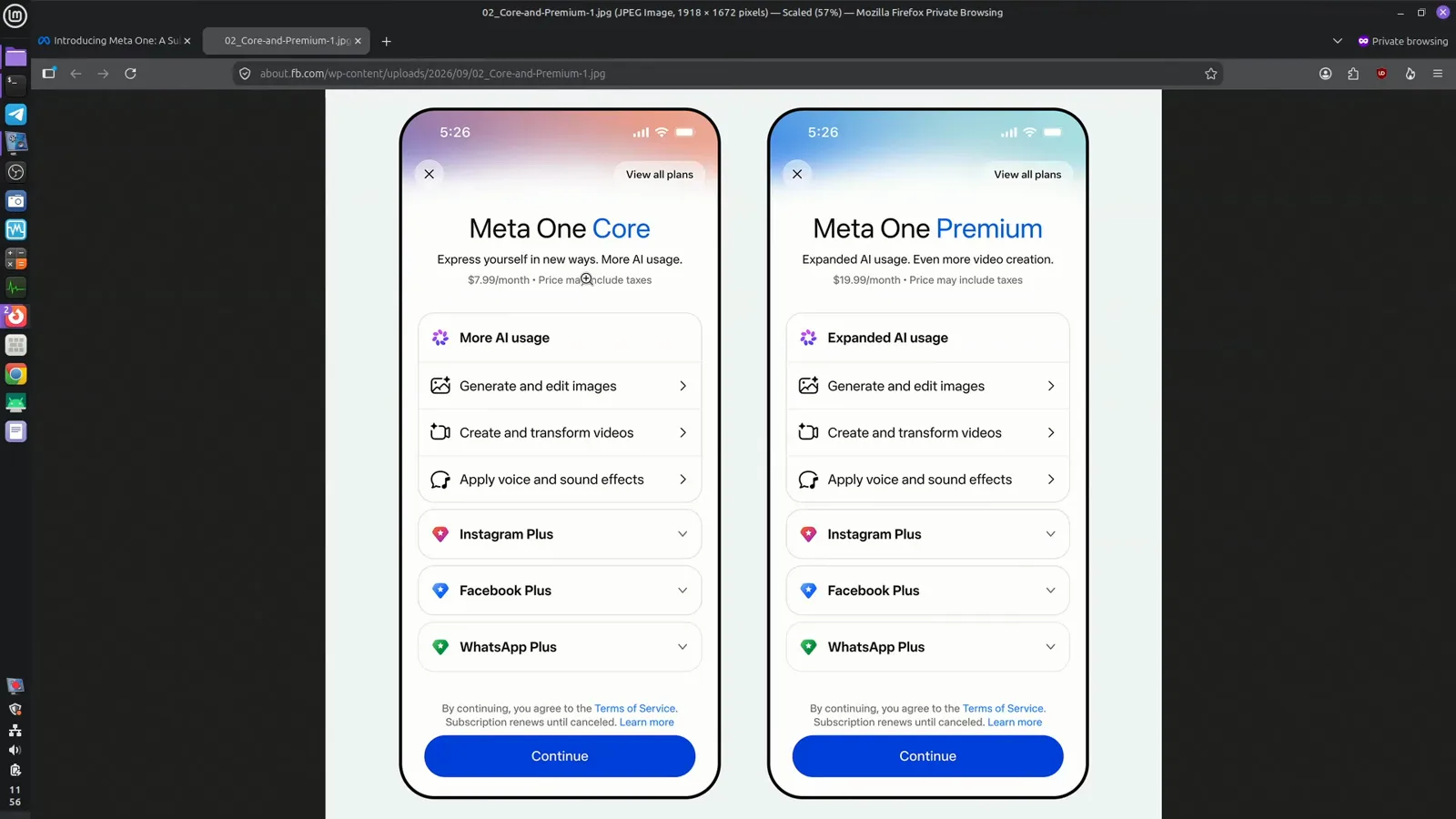
Core and Premium bundle the Plus plans with higher Meta AI limits.Watch at 0:48 - 10
Impersonation protection is no longer exclusive
One of Meta Verified's core promises was impersonation protection, and Meta One Essential includes it too: if Meta determines someone is pretending to be you, that account is removed. The pop-up notes the benefit requires verification. Check which profiles your current subscription already covers before paying twice.
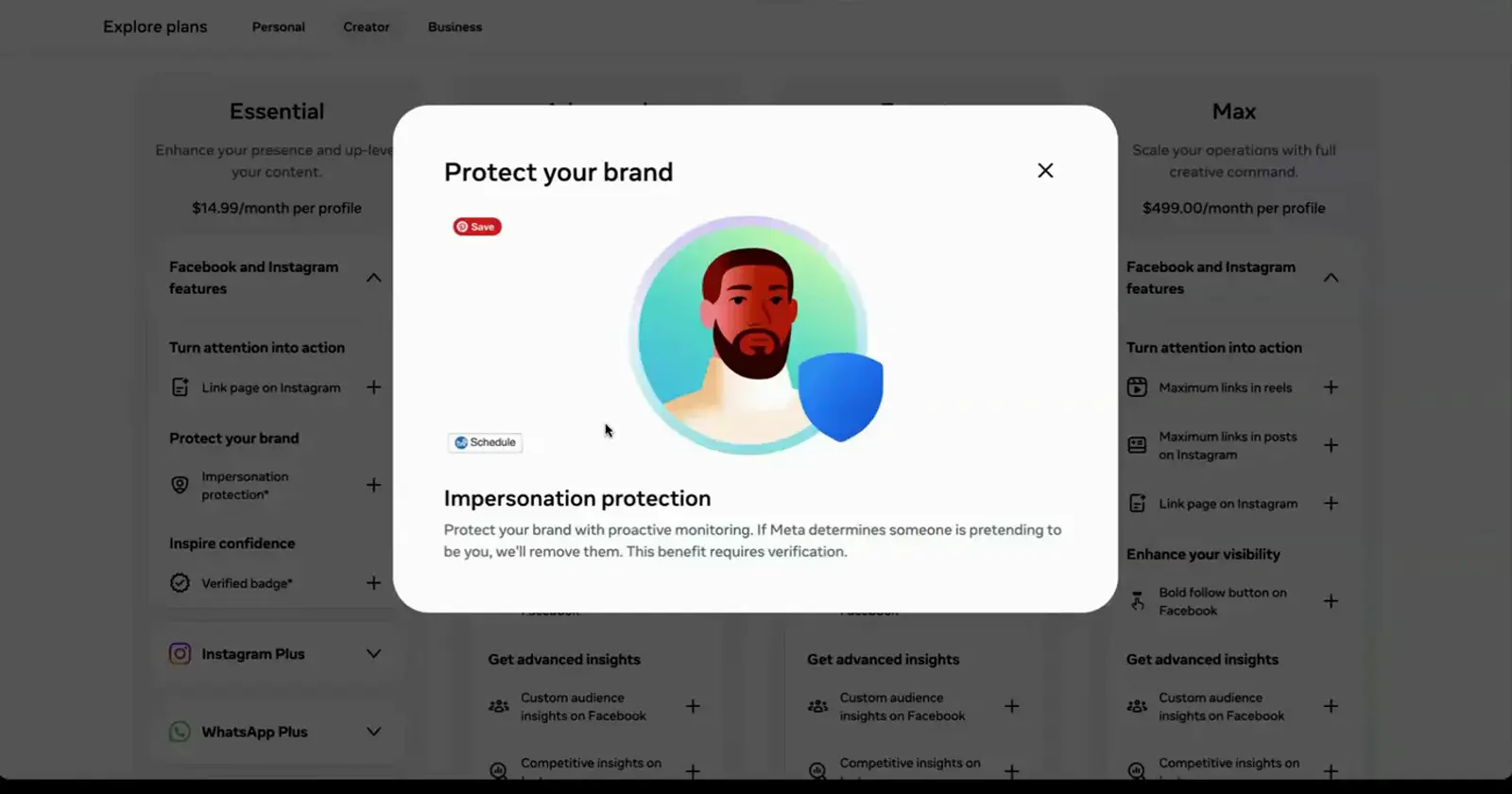
Impersonation protection ships with Meta One Essential as well.Watch at 2:32 - 11
Human support: one case a month on Advanced
Advanced includes one support case per month with a real person — a fix for the classic locked-out-of-your-account nightmare. Meta Verified Standard sells similar 24/7 chat and email support for $14.99. If reaching a human is your main motivation, compare the two lists before subscribing to both.
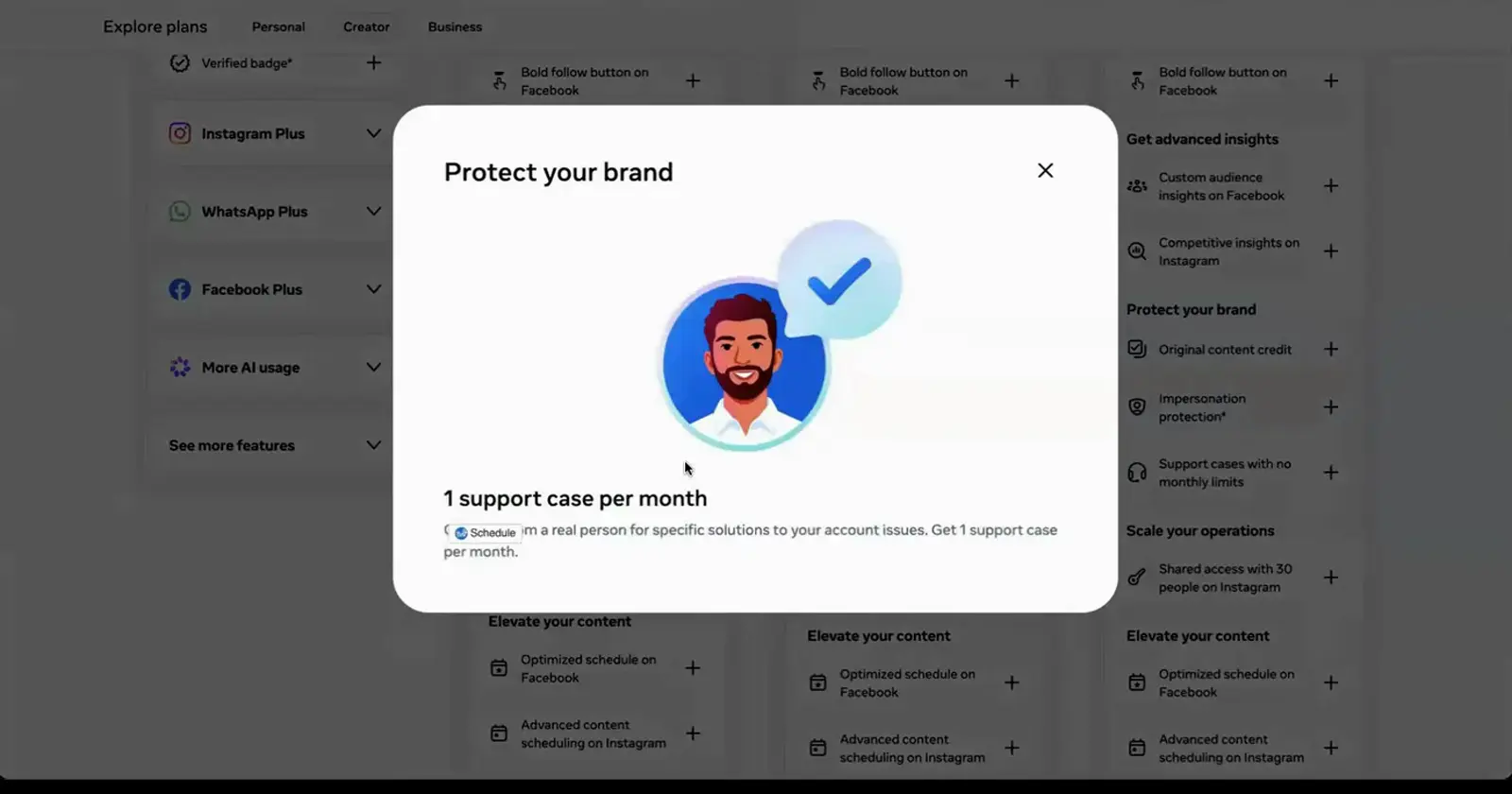
Support cases are rationed by tier, not unlimited.Watch at 5:00 - 12
Shared access ends password sharing
Advanced also lets you grant full account access to four people on Instagram without sharing your password, or limit them to replying to DMs and comments. Expert and Max raise that to eight and thirty seats. Agencies and creator teams often value this feature more than the badge itself.
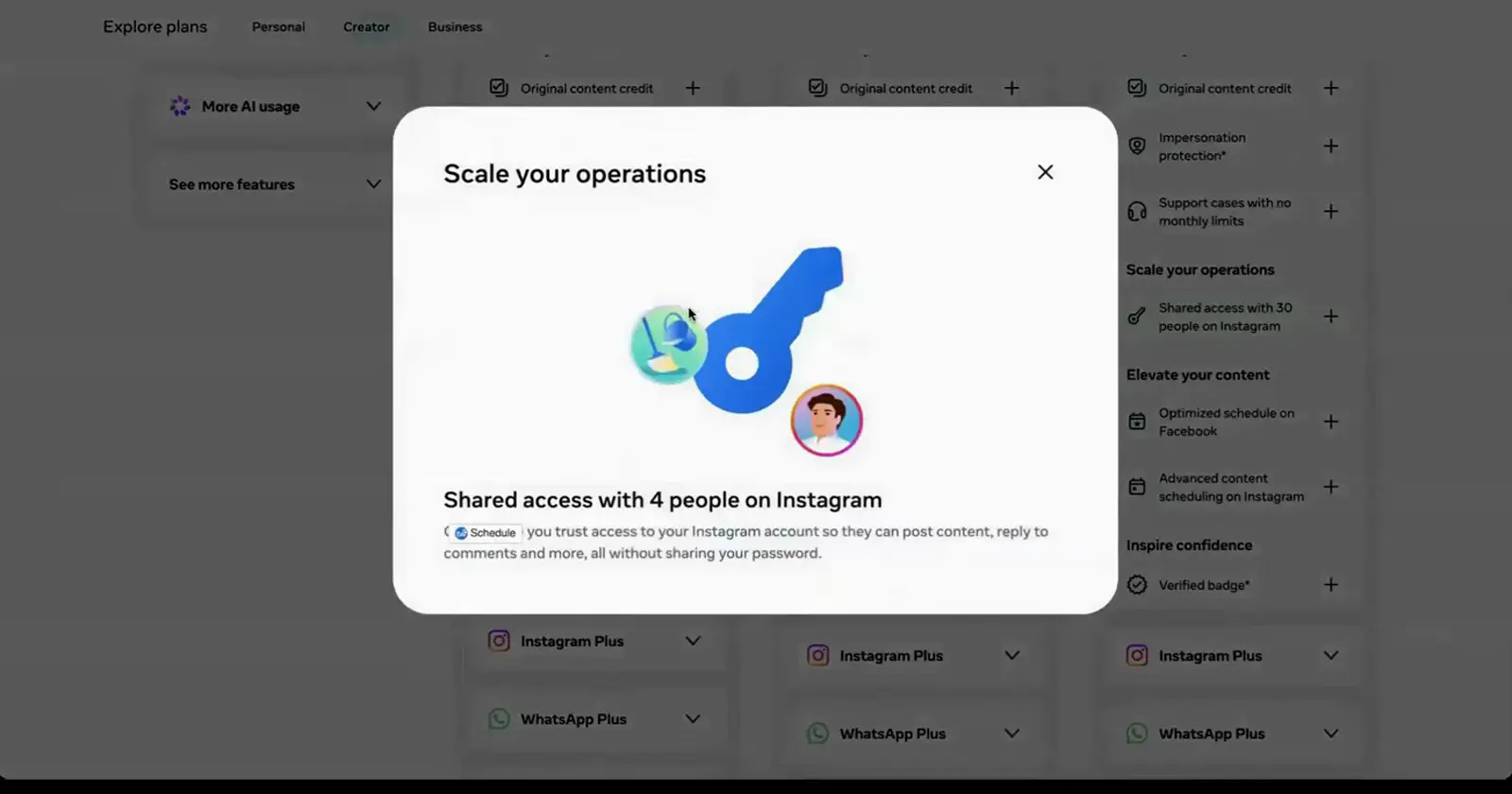
Team seats scale from four on Advanced up to thirty on Max.Watch at 5:30
Choose Your Plan and Subscribe
- 13
What Meta One actually costs to start
Meta's launch post sums it up: single-app plans start at $2.99, individual bundles start at $7.99, and creator and business bundles start at $14.99 per profile. That makes WhatsApp Plus the cheapest experiment and Essential the cheapest business tier. Features, plans, and pricing vary by region, app, and account.
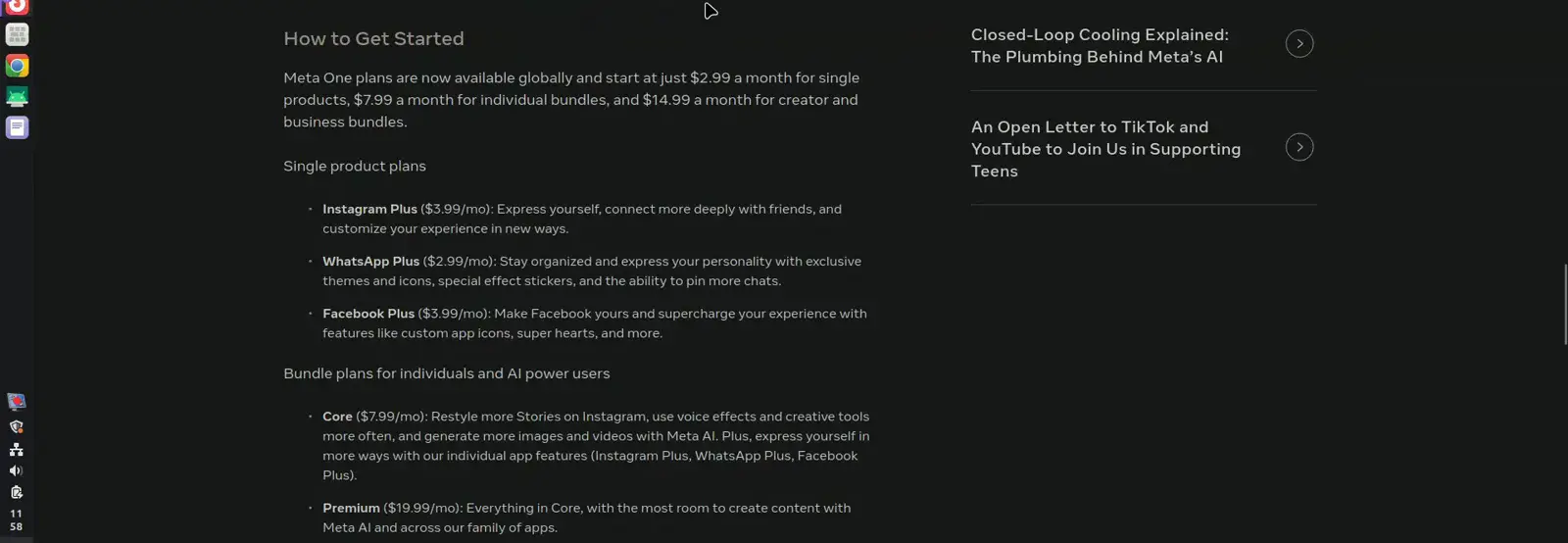
Single plans from $2.99, bundles from $7.99, business tiers from $14.99.Watch at 2:09 - 14
How to subscribe without double paying
Open Meta's plans page, or go to your Instagram profile menu and look for Subscriptions, then Meta One; Facebook uses the Accounts Center and WhatsApp Business has its own link in settings. The rollout is gradual, so you may only see a Learn more button at first. If you already pay for Meta Verified, compare the two benefit lists before canceling anything, because canceling can mean re-verifying later.
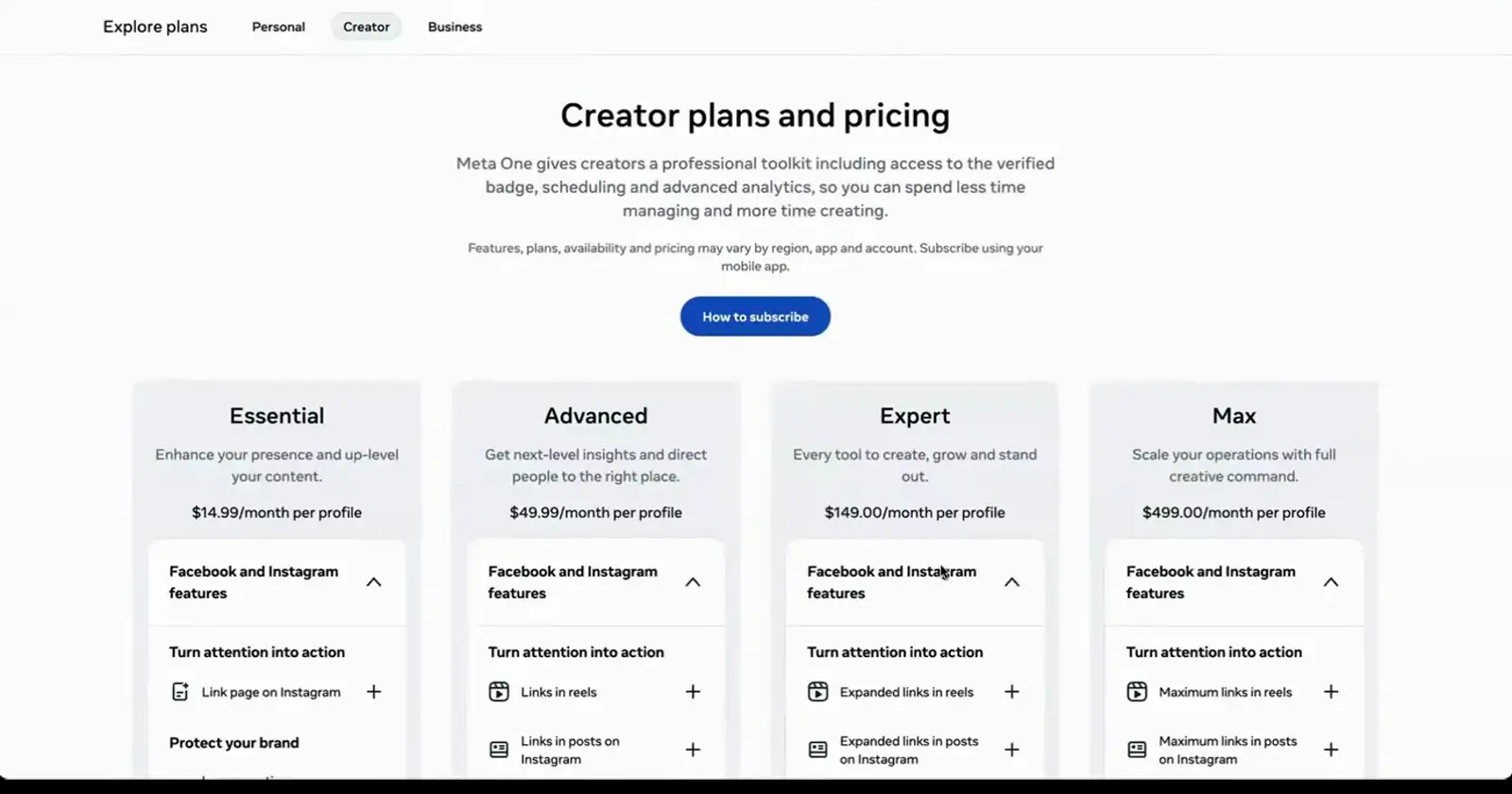
Pick a tab, compare per-profile prices, then subscribe from your mobile app.Watch at 1:04